 Lex Kravitz
-
11Wire up the solenoid (almost done!)
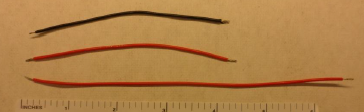
1. Cut and strip one red wire approximately 7” long, and one red and one black wire, each approximately 4.5” long.
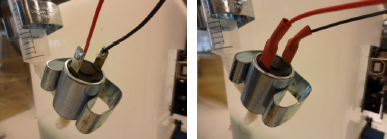
2. Solder the long red wire, and one of the black wires onto the solenoid, and heat shrink terminals.
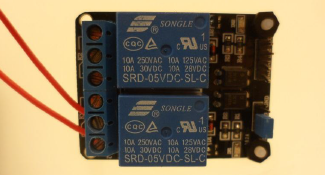
3. Screw the long red wire into the bottom port of the relay module, and the short red wire into the port that’s 2nd from the bottom.
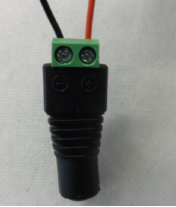
4. Screw the black wire from the solenoid, and the short red wire into the DC barrel jack.
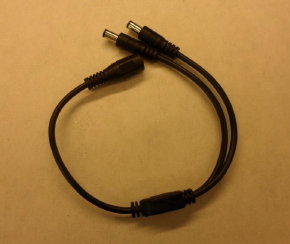
5. Plug the barrel jack Y adapter into the DC barrel jack and the Arduino power input, and attach to a 9V DC, 650 mA power supply.
6. You’re done!
-
12Upload the ROBucket program and test the hardware
1. Start by installing the Arduino IDE - Download here.
2. Make sure your computer can communicate with the ROBucket by installing a program called "Blink". Open Blink in File>Examples>Basic>Blink and upload it to the ROBucket. The onboard LED on the Arduino Uno should blink once per second. Congratulations you're ready to upload the ROBucket code!
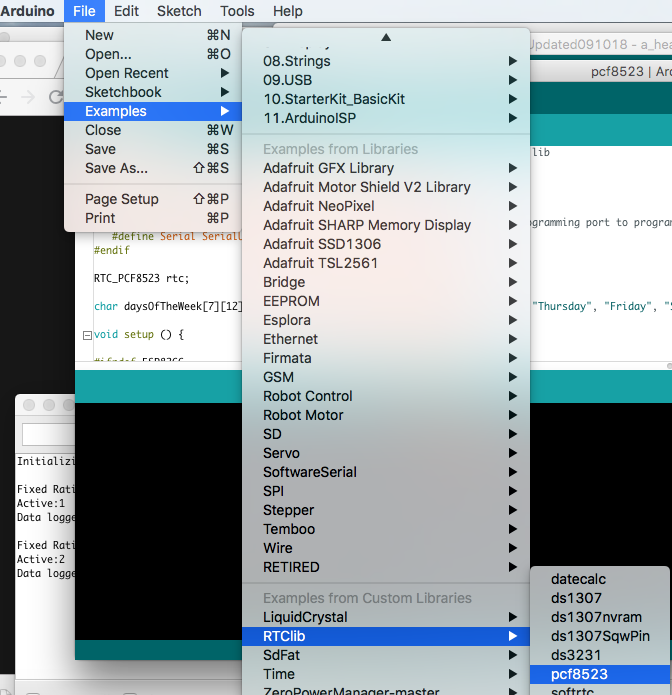
3. Set the RTC by uploading the example RTClib>pcf8523. You may have to change one variable, chipSelect to = 10 before flashing. This will set the time and date on the RTC to those on your computer, and these shouldn't need to be reset for ~5 years.
4. Upload the ROBucket code!
5. Insert an SD or microSD card into the data logging shield. ROBucket will display an error message (“Check SD Card”) unless there is a functional SD card in the data logging shield.
6. Fill the syringe with water and power up the ROBucket. The first time you fill the syringe with water, you might need to hit the Reset button on the LCD shield a few times to run the water through the tubing.
7. Push the Up button to start the FR1 program.
8. Check that all three pokes register on the LCD screen, that the active poke dispenses water into the drinking well, and that the data is being properly logged onto the SD card.
9. Video coming soon!
-
13Use ROBucket!
Discussions
Become a Hackaday.io Member
Create an account to leave a comment. Already have an account? Log In.