Never-ever-ever skip this step. Gets you started, puts you in the right mindset and gives you a clearer idea of what you ar trying to build. Play around with the layouts, get a feel of the dimensions and try to visualize a first iteration of what you're building( it rarely ends up looking like the final product)
2
Everybody do the CAD
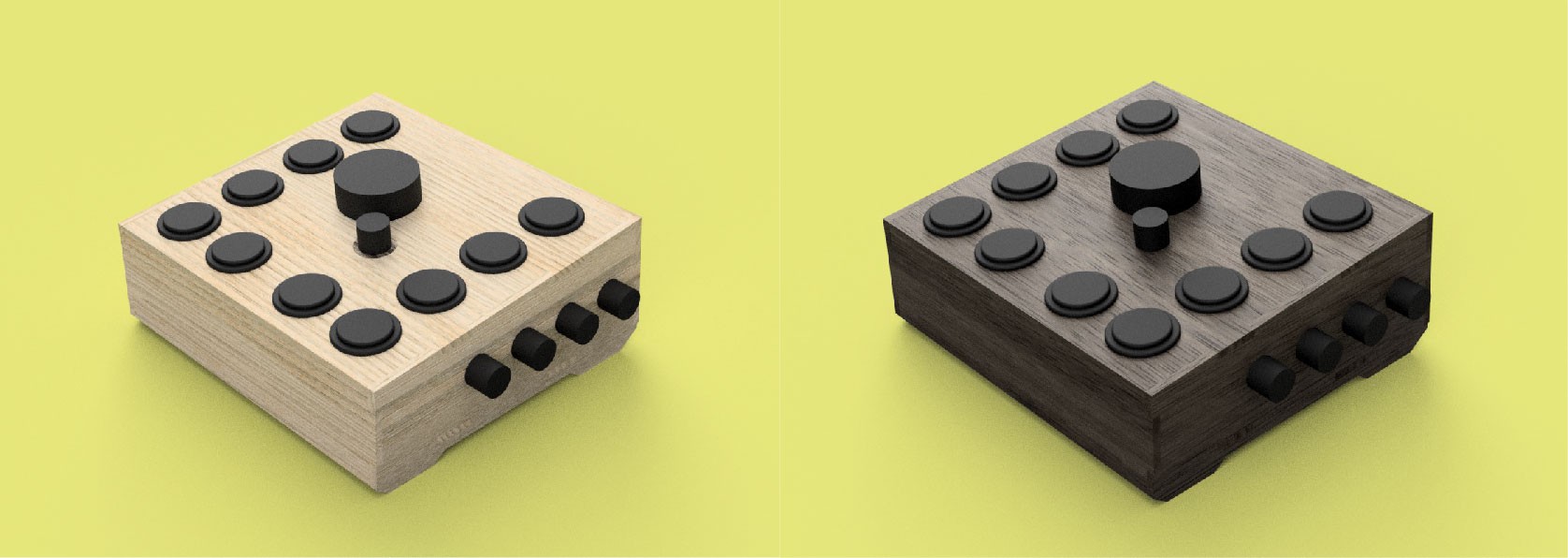
Design the enclosure and get it ready for laser cutting. Do some rendering so you get some feel regarding the size and feel of the device and maybe play a little bit with the colors.
3
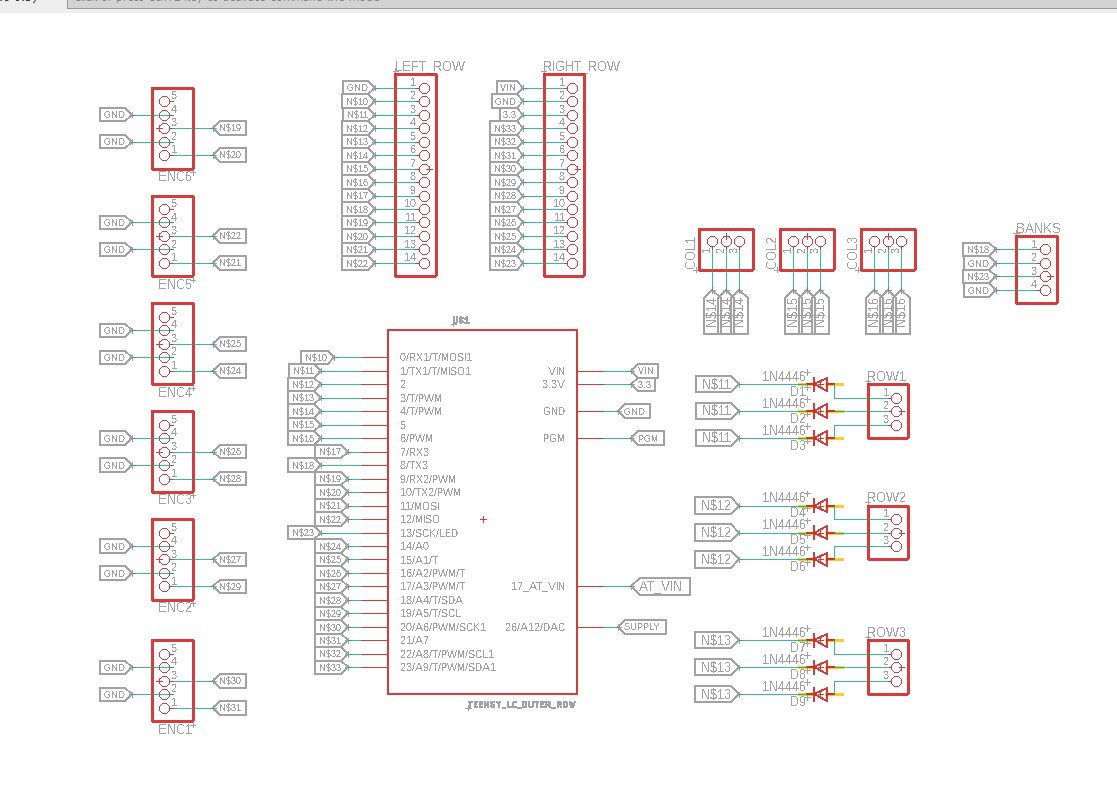
Design the circuit
The circuit was designed using Eagle.
4
Prepare the wires
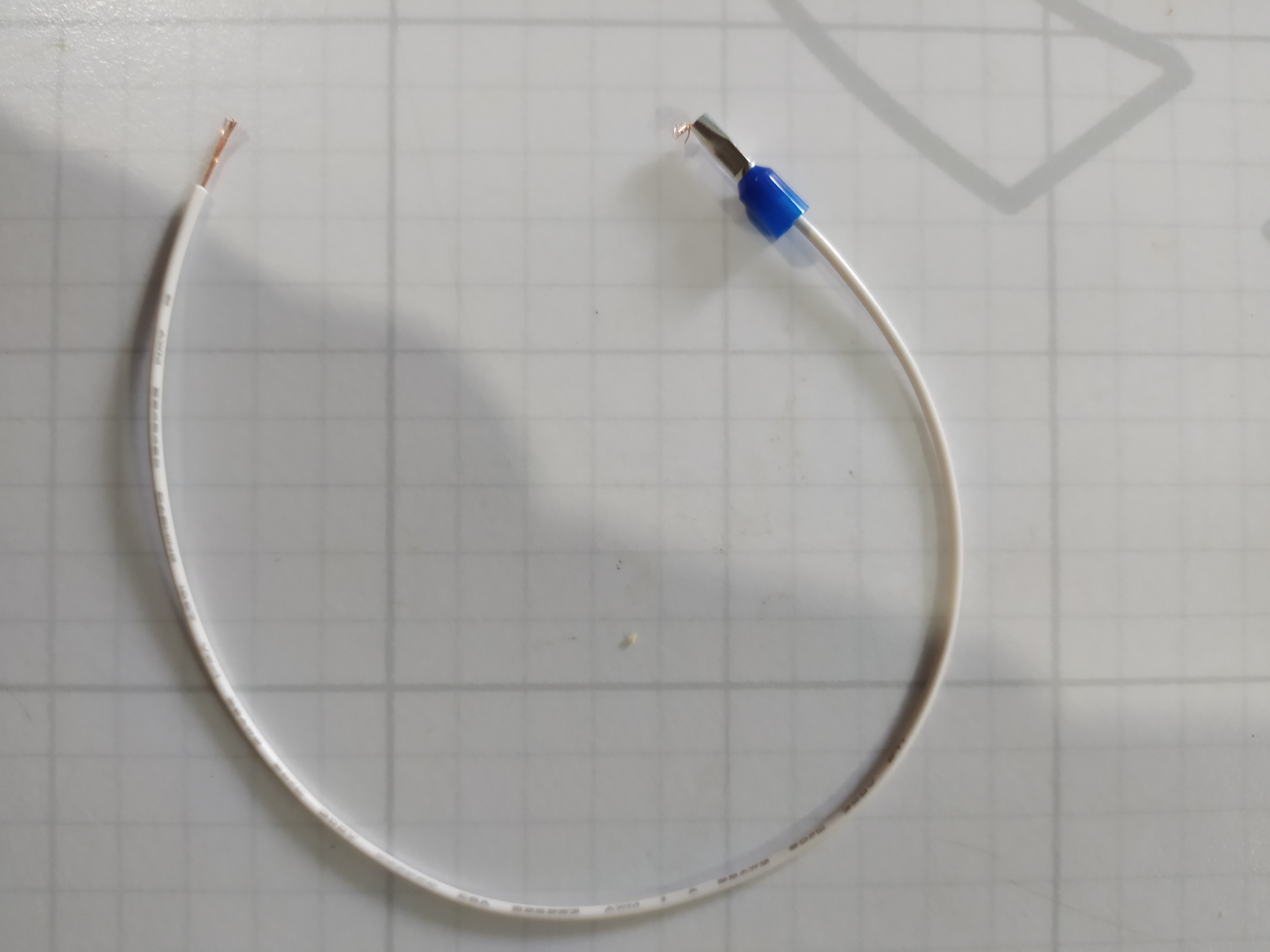
The wires used to connect the buttons to the board have a diy press-fit connector to one end, made by bending some wire crimps.
5
3D Print the encoder knobs
This step is optional. You may use comercially available encoder knobs in your build
6
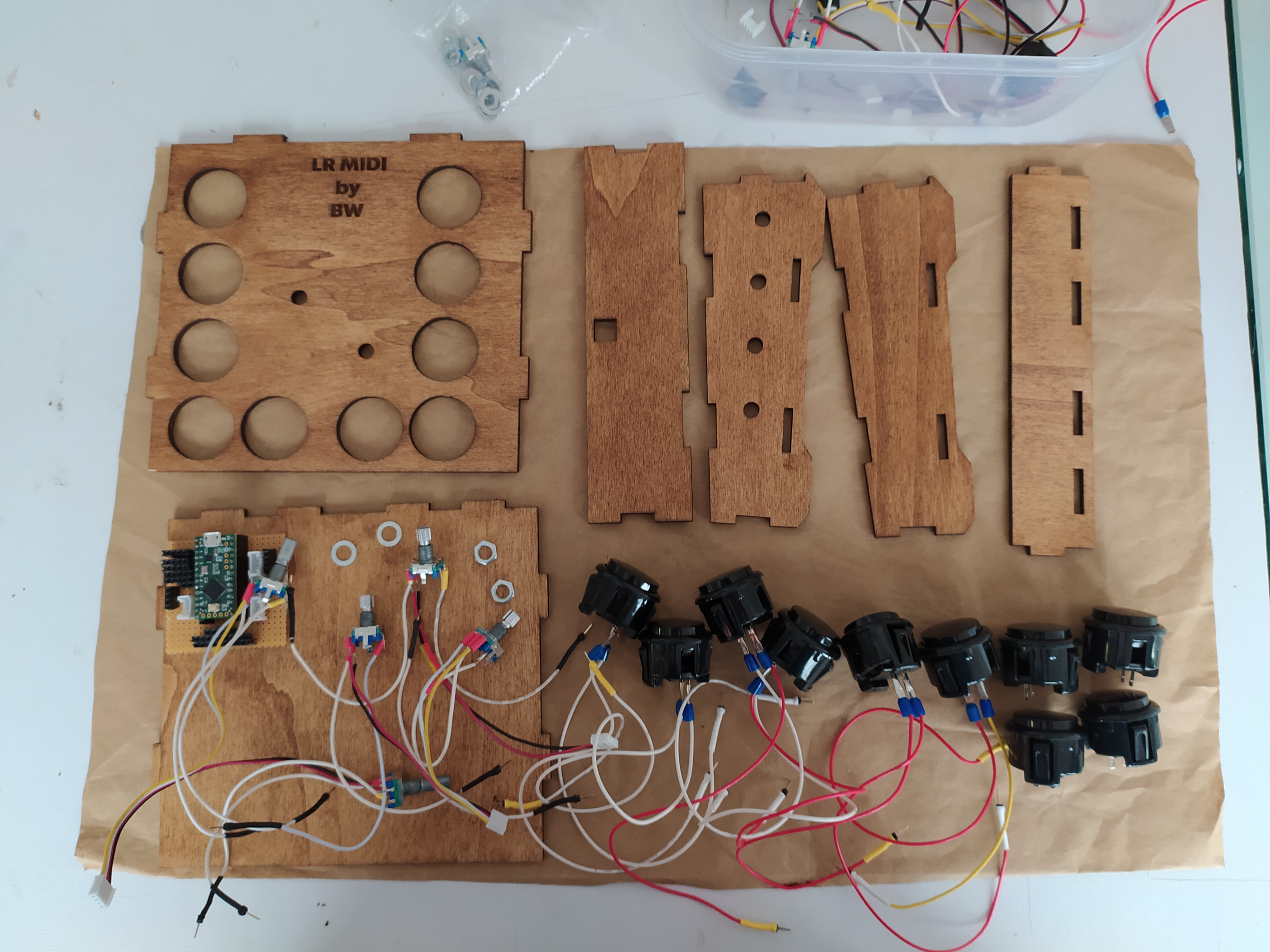
Laser-cut the enclosure and prepare all the electronic components
For this first iteration of the midi controller i have decided to use 10 arcade buttons ( they have a really nice feel) and 6 rotary encoders( potentiometers are not suited for the given application)
7
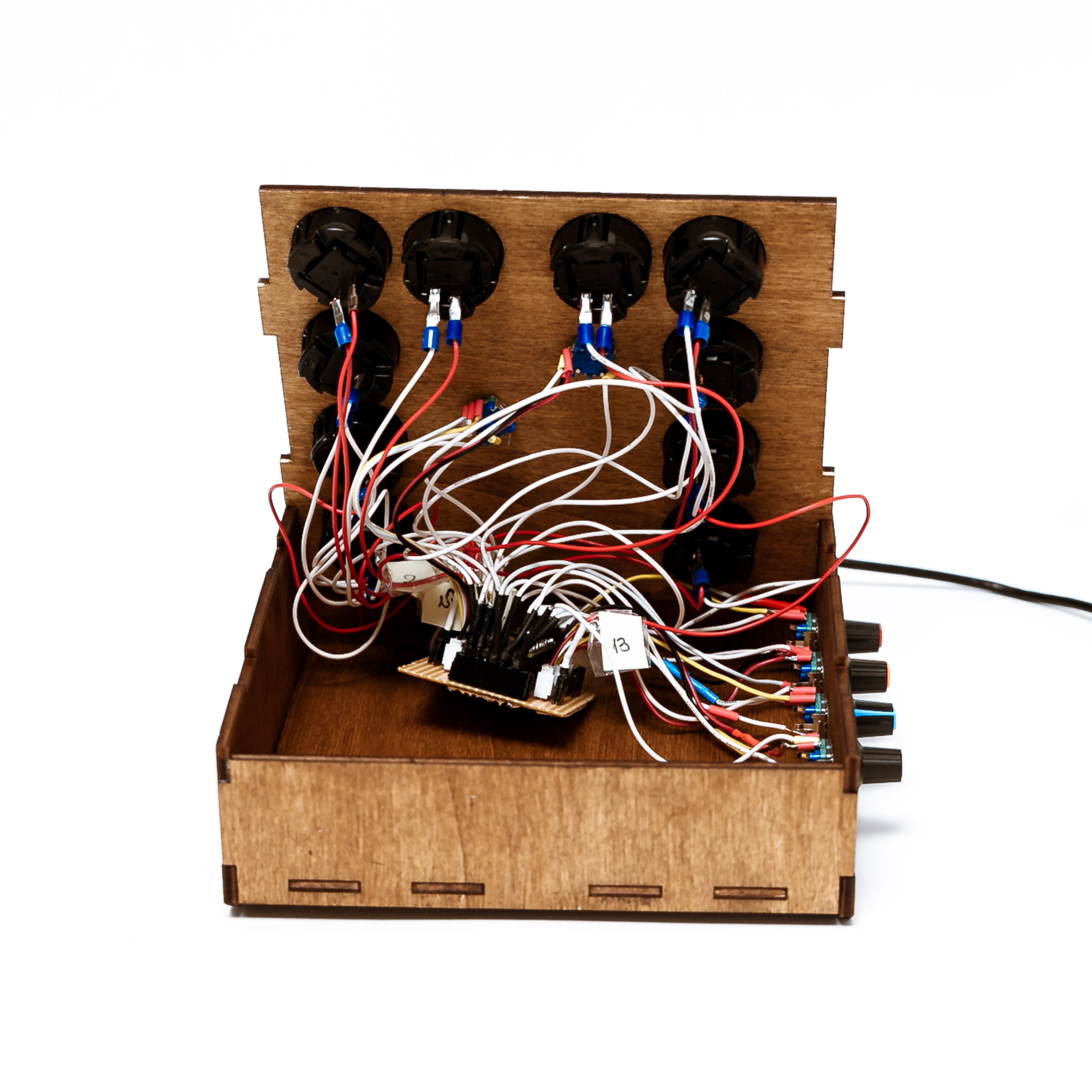
Assemble everything according to the schematic and bask at the hot wire mess that you have created
PicsArt employs intuitive commands and functionalities for various editing tools. While the specific keyboard shortcuts seen in software like Adobe Lightroom might not be present in PicsArt, it provides a user-friendly interface with icons, menus, and touch-based controls. In PicsArt, you can access https://betterapk.org/ editing features by tapping on icons or using menus directly on the screen, making it easy to navigate and use tools without relying on keyboard shortcuts.
I love the idea, LR has some UNCONVENIENT ways of jumping around. How does LR get the command and respond? Is it like a key-stroke playback? I didn't think there were keystrokes to jump to each tool/slider. R to crop (why not C like PS?) Q to heal (J in PS!) etc.
 Swoosh Mihu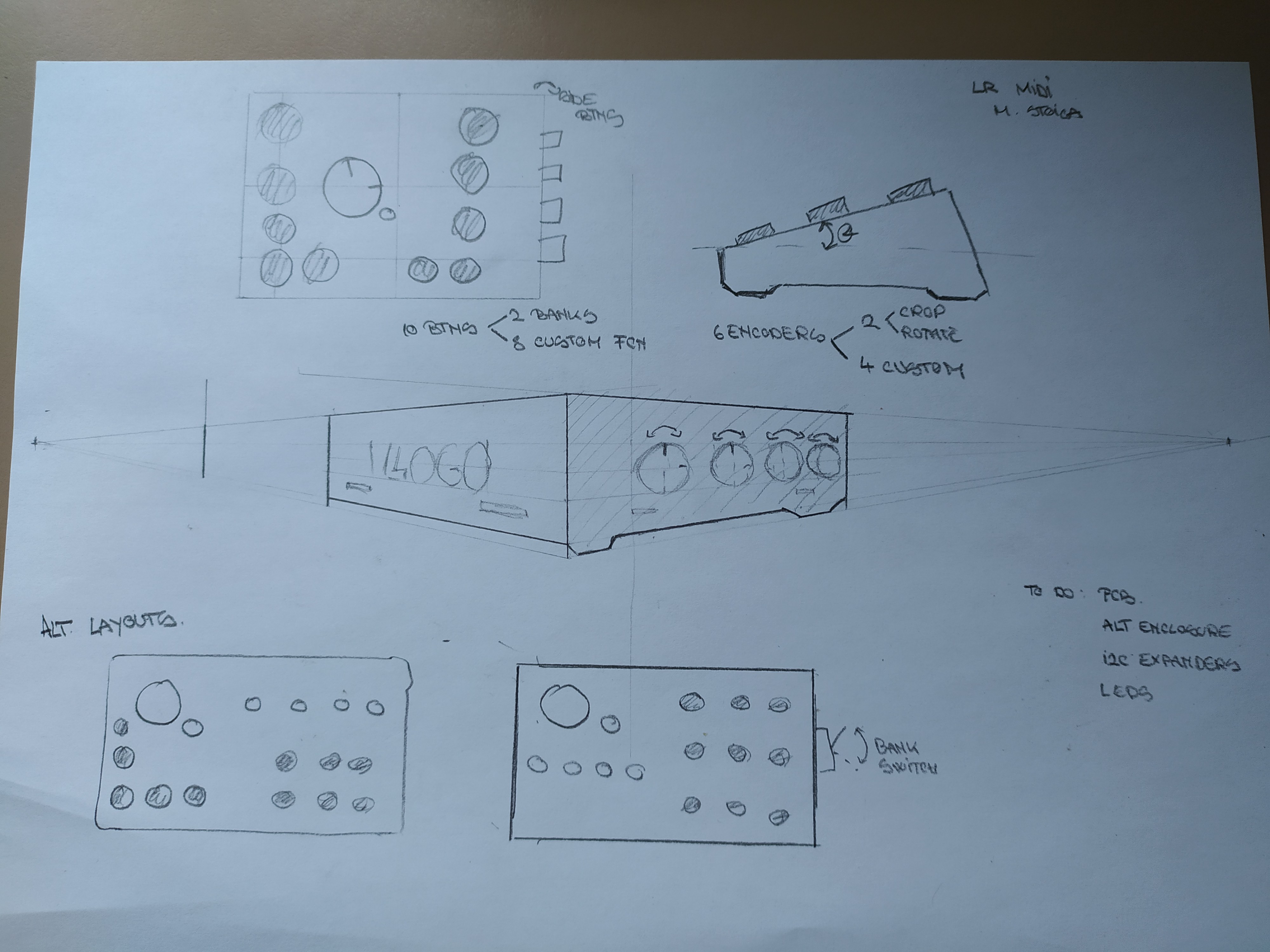
Discussions
Become a Hackaday.io Member
Create an account to leave a comment. Already have an account? Log In.
PicsArt employs intuitive commands and functionalities for various editing tools. While the specific keyboard shortcuts seen in software like Adobe Lightroom might not be present in PicsArt, it provides a user-friendly interface with icons, menus, and touch-based controls. In PicsArt, you can access https://betterapk.org/ editing features by tapping on icons or using menus directly on the screen, making it easy to navigate and use tools without relying on keyboard shortcuts.
Are you sure? yes | no
I love the idea, LR has some UNCONVENIENT ways of jumping around. How does LR get the command and respond? Is it like a key-stroke playback? I didn't think there were keystrokes to jump to each tool/slider. R to crop (why not C like PS?) Q to heal (J in PS!) etc.
Are you sure? yes | no