 Maarten Janssen
Tiny Synths and Friends
A little while ago I was the guest in the 2nd episode of Arman Bohn's new podcast Tiny Synths and Friends. A podcast about small synthesizers and the people who create them. We had a fun conversation about old computers and games, music and the joy and struggles of creating these little devices. Be sure to give it a listen here: https://www.buzzsprout.com/2442026
Smoother Playback in the Media Player
A few days ago I released the v2.3.1 software for OPL Studio. The main change, apart from some bug fixes, in this release is that the media player is now much more capable of playing more complex tunes.
I was contacted by a user who was trying to play a VGM tune that seemed really extreme with regards to all the register updates it was doing. Playback speed was all over the place making it very unpleasant to listen to. This was caused by not having implemented any proper buffering strategy in the media player. It would pretty much read the data directly from the SD card when it needed it, assuming that the delays between register updates would be sufficient to not affect the playback speed. That was quite an oversight as this song made painfully obvious. After implementing some proper buffers this is now fixed.
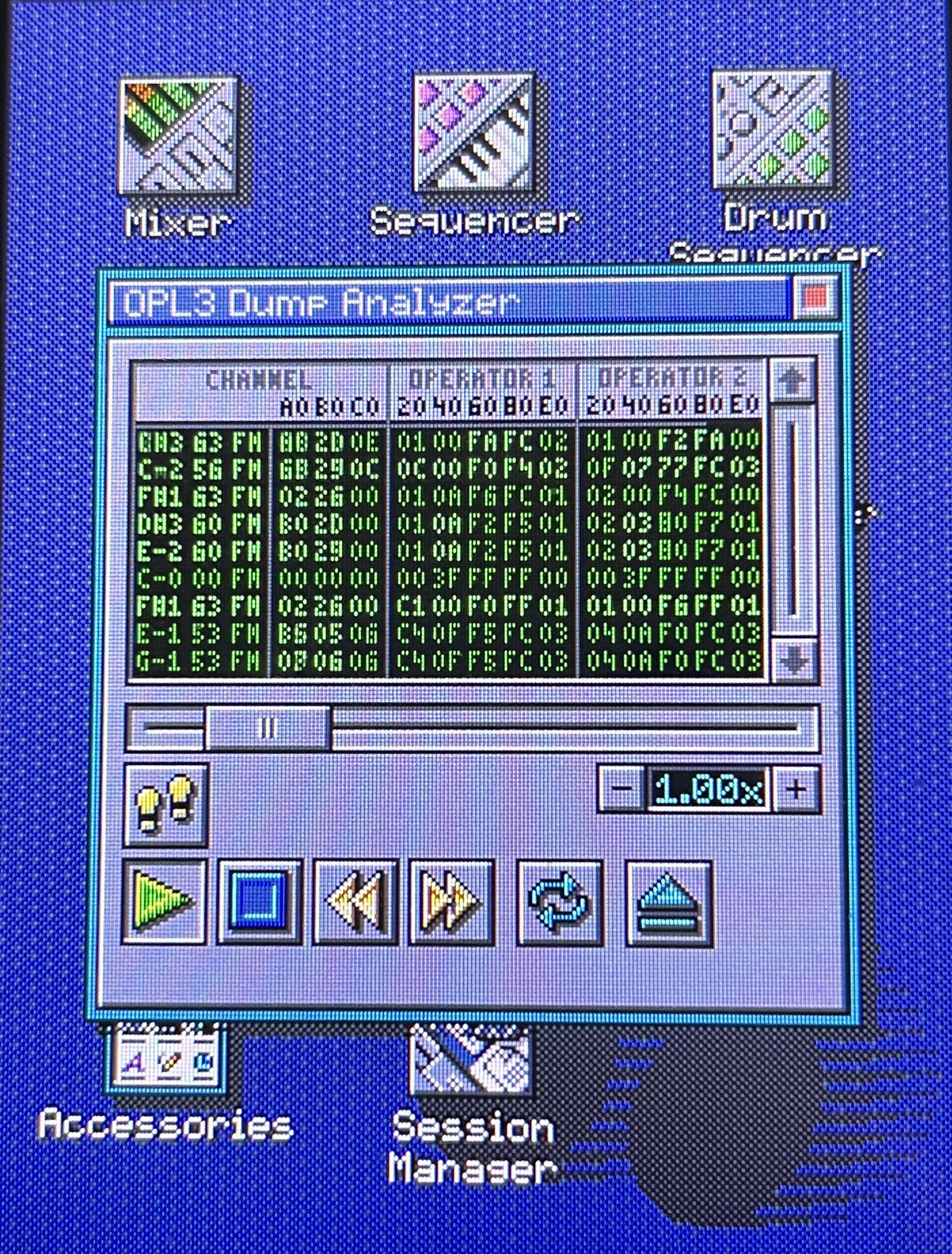
Having these buffers also opens the door for some exciting future upgrades to the media player such as an OPL inspector where you can see the registers of the OPL chips being updated while the song plays, you can step through the song update by update and grab the data from a channel and import it into a patch. Some early experimenting with this can be seen below. It will be added to a later release...
Finally: Patch Effects
The whole reason to rewrite the synthesizer engine of OPL Studio last year was to have support for MIDI CCs that change OPL parameters and to add support for patch effect. And after many months of failed attempts and overcomplicated implementations now is the time that I can say that the next release of the OPL Studio software will add support for patch effects!
But what are patch effects? Patch effects will allow you to change OPL parameters while a note is playing without MIDI CCs or analog synth inputs. The parameter changes come from the patch itself. For example when you play a bass drum from the default instrument bank you might say that it sounds a bit shallow when you compare it to some OPL2 VGM music that was created with a tracker. The secret is that those tracker programs will change the parameters of the OPL2 instrument while a note is playing. Take our bass drum again and you might find that the tracker is rapidly decreasing the note frequency after the initial key on to get a more convincing sound. OPL Studio on the other hand is just playing the initial note frequency and this causes the drum sound to be a bit shallow.
With patch effects you can change the pitch, change output level, set wave form, set frequency multiplier or set feedback of all operators and this allows these tracker effects on OPL Studio! Patch effects are implemented as an effect chain. This means that every effect has a certiain tick wehere it occurs, it has the effect parameters and then it points to the next effect that may immediately trigger on the same tick, or on a later tick. The ticks are counted from when a note starts in steps of 1/60th of a second, so every 1/60th of a second OPL parameters may change due to a patch effect. And because patch effects have the ability to jump to a certain point within the effects chain you can create effect loops to add modulation or to create very nice arpeggios without the need to sequence this from MIDI or analog inputs.
I don't have any UI yet for this, but the patch effect editor will be added to the Patch Editor module. I'll probably do some cleanup of the UI there as well especially around the menu since it's a very crowded screen!
Discussions
Become a Hackaday.io Member
Create an account to leave a comment. Already have an account? Log In.