 Maarten Janssen
OPL Studio v2.4.0 is here and I'm happy to introduce the new patch editor and most of all the new patch effects feature! The new release can be found on Github and on the website www.cheerful.nl
Patch Effects
In the previous log I already talked about patch effects. If you know about Adlib Tracker II macro's then you'll be instantly familiar with OPL Studio's patch effects, but if you're not then let me explain.
Patch effects allow you to create much more complex and better sounding instrument patches, because you can change the parameters of a patch for individual notes while they are playing. A good example of this would be a bass drum. The regular bass drum patch of OPL Studio is a very familiar DOS / Windows 95 / Sound Blaster MIDI instrument that sounds very flat. But thanks to patch effects we can make it much better sounding. We will do this by, after the initial kick, quickly lowering the pitch of the drum note. Something you may be familiar with if you ever listen to C64 SID tunes or other chip tune music.
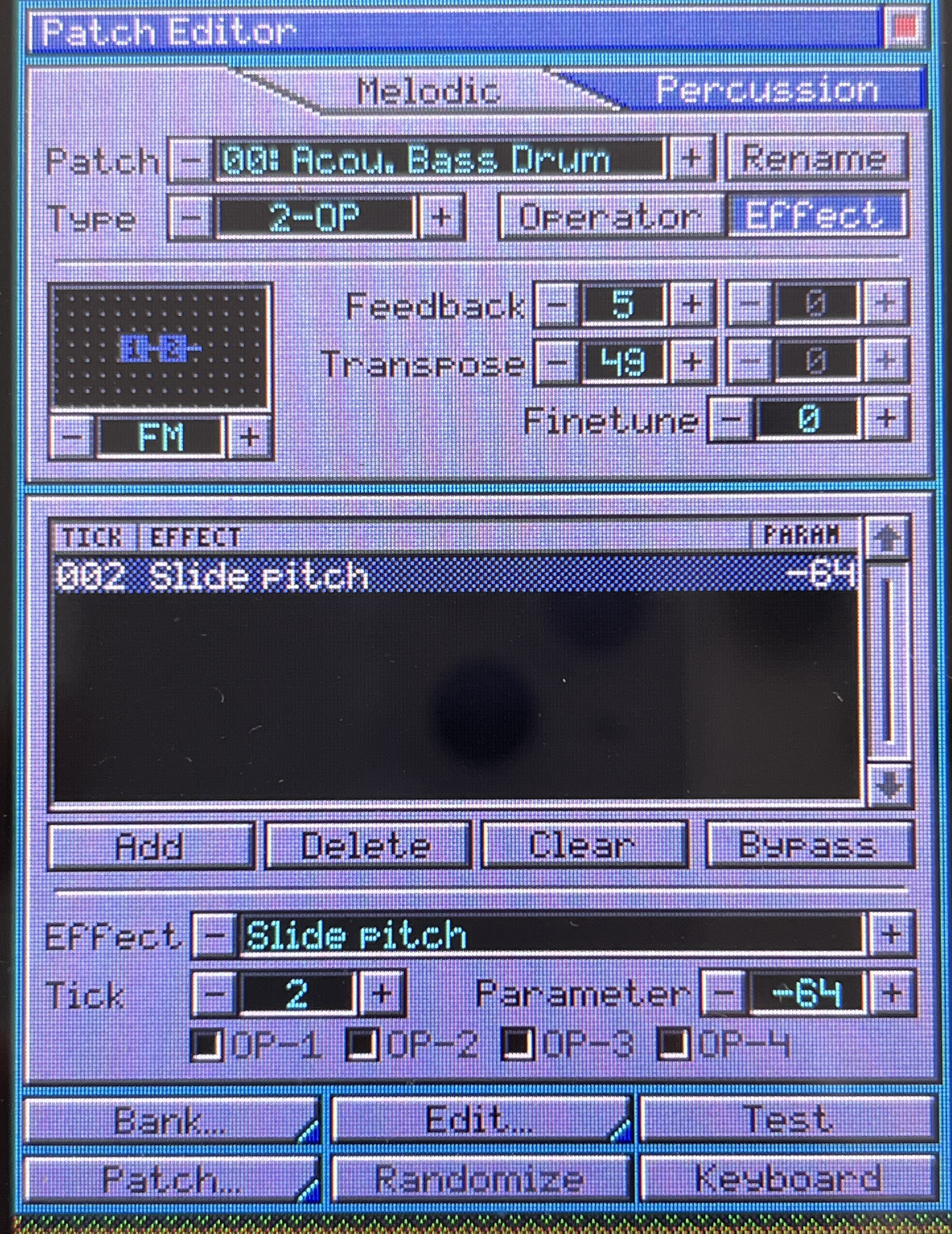
When a note starts playing it gets assigned a tick counter which is incremented every 1/60th of a second. If the patch that's being used by the note has an effect, or multiple effects, that should be applied on the current tick then OPL Studio will update the OPL parameters for the OPL channel where the note is playing. This works on an individual note basis and you can still apply MIDI CCs or analog CCs on top of this for the MIDI channel. In other words patch effects allow you to completely change the patch for a note while it's playing!
This may sound very complicated, but once you start to play with it it all starts to make sense.
Patch Editor
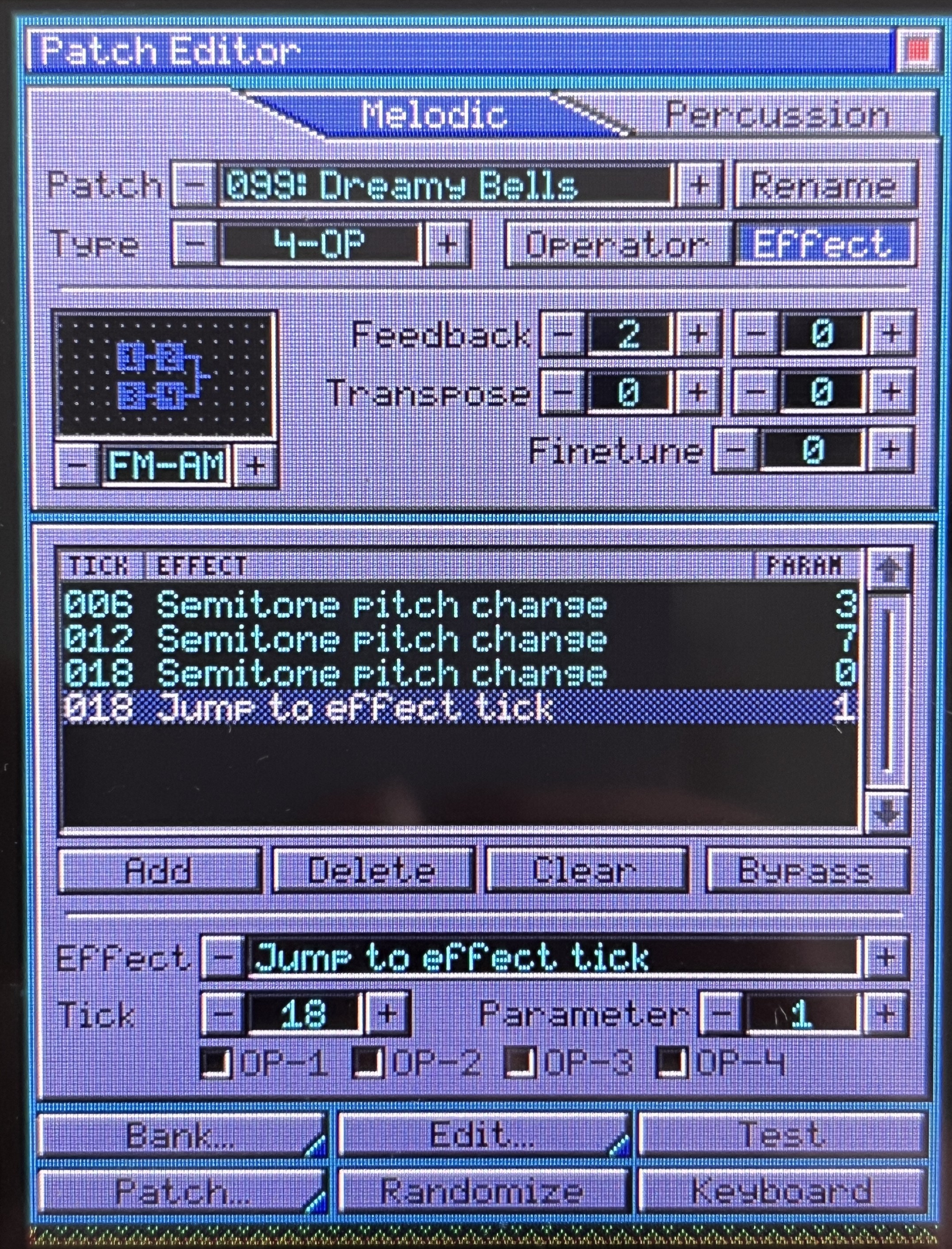
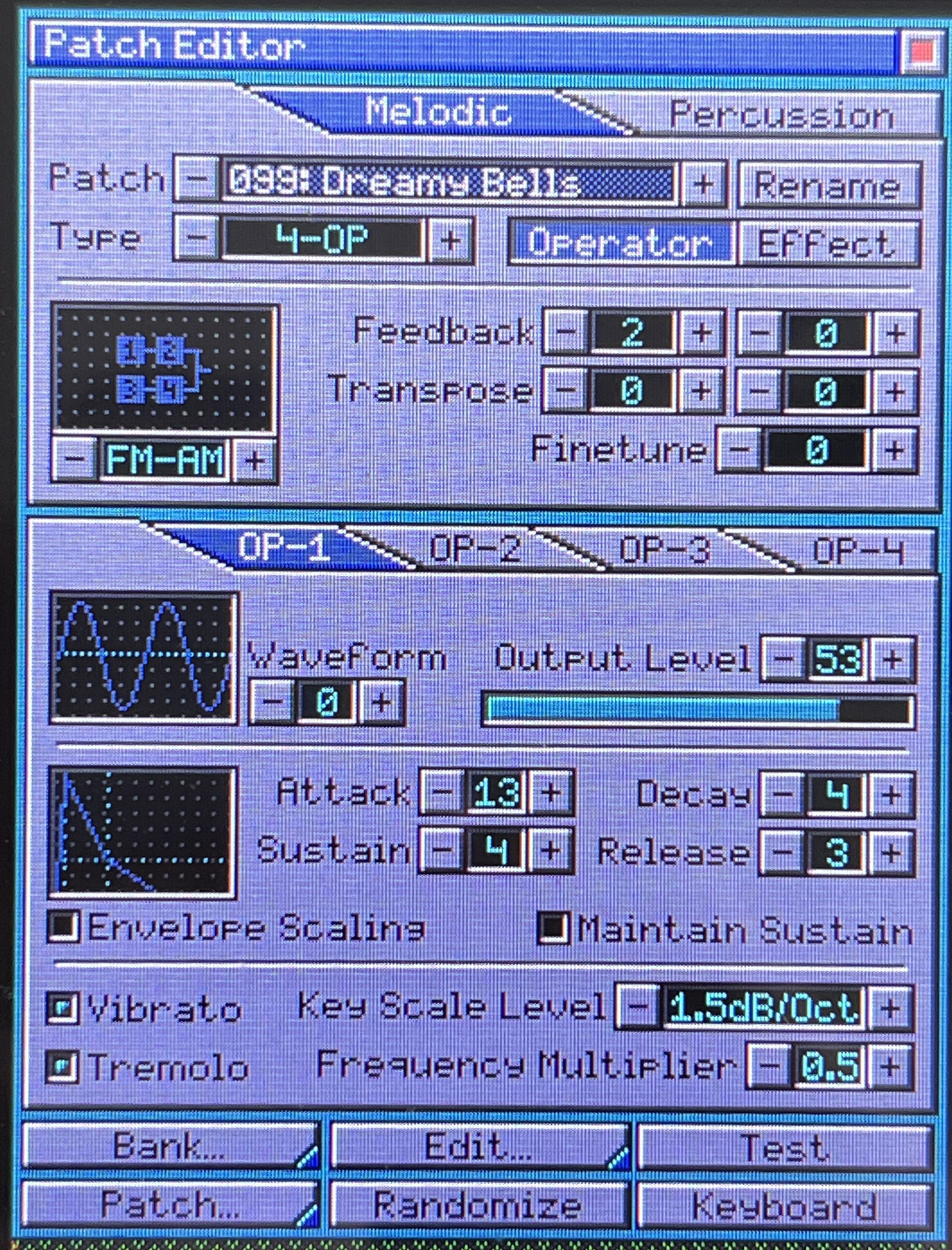
Of course with the new patch effects the Patch Editor module needed an update. On top of the screen there are two tabs to select between the melodic and perussive instrument banks. This replaces the small slider we had before and it makes room for the editor mode selection where you can choose between the familiar operator ecitor and the new patch effects editor.
When you select the effects editor the screen will change and shows you a list of all the effects that have been set for the patch. The list shows you at which note tick a prticular effect will be applied, the type of effect, it shows you the operator(s) that will be changed when applicable and it show you the value of the effect.
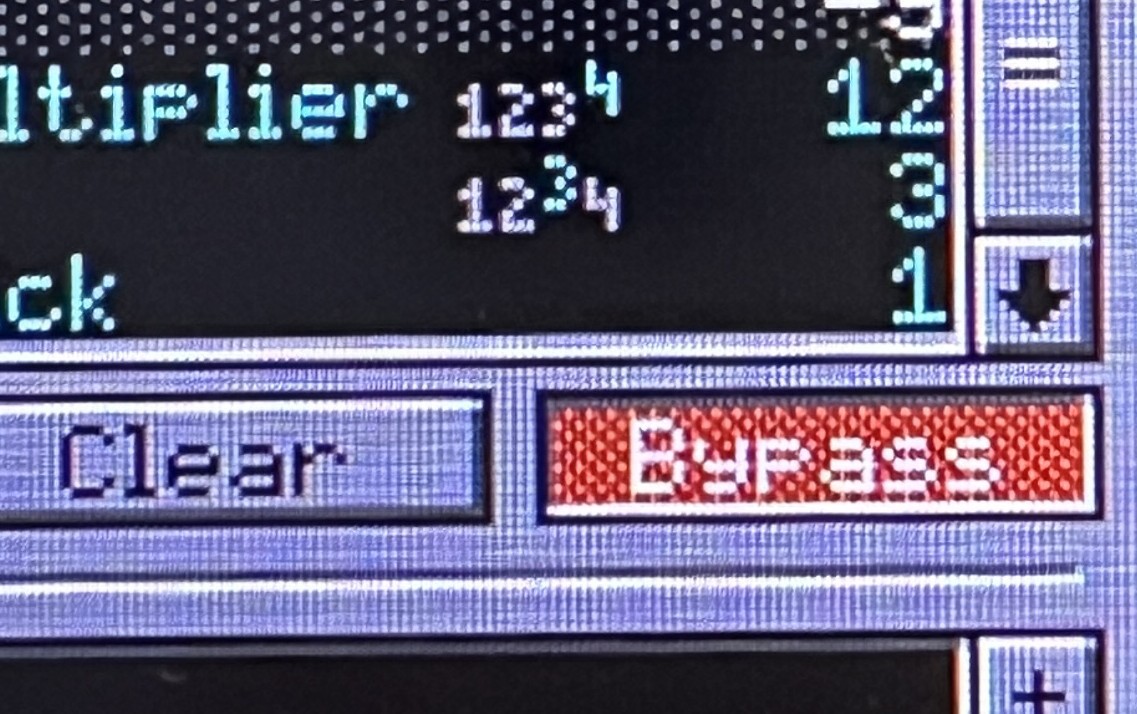
Below the list we have the buttons to add, remove, clear or bypass the effects. This should be clear, though bypass may need a little more explanation. When bypass is enabled (it will show red) all patch effects will be bypassed and you will only hear the basic sound from the operators and any MIDI CCs that you have applied. This can be handy when you're tweaking your instruments.
Nelow the buttons there are the controls to setup the effect. You choose the effect to apply, clicking on the effect name will open a list where you can select from all available effects. Next you can set the note tick where to apply the effect. Notice that as you change the tick your effect will move up / down the list. Finally we can set the effect parameter value and choose the operator where to apply the effect to.
The menu bar also has received a little update to make it less cluttered with clear Bank, Patch and Edit submenus. The Bank and Patch menus now allow yout to save / load full instrument banks or individula patches in a more clear way. You are now also able to restore the instrument bank back to default patches when you select Bank --> New instead of having to start a new session.
New File Formats
OPL Studio v2.4.0 also instroduces 2 new file formats *.OSB and *.OSI. These are to store full instrument banks and individual instruments respectively. Some new file formats were needed as the existing file formats were not suitable to save the patch effects. Documentation for these formats will follow soon in the updated OPL Studio manual.
The existing OPL Studio session file *.OPS has also had an update to support the new patch format, but is still backward compatible.
Other Minor Changes
Apart from all this there are several minor changes that are worth mentioning:
- The on screen keyboard has had some small improvements to clear all text by holding the backspace key and going into caps lock mode by holding the shift key
- The SD card driver code has been updated and diagnostics has improved
- The way the OPL Studio software talks to the OPL3 chips has been streamlined to prevent updating the same register multiple times
- A bug where OPL Studio would crash when you link multiple patches with a delay of 0 ticks has been fixed
What's Next?
Still a lot of ideas! First of all I already have some ideas for additional patch effects which will come soon in a v2.4.1 update.
- There is still the media file dump analyzer that I was playing around with earlier, where you can see the OPL registers being updated in the media player and step through a song to capture patches.
- Also a playlist for the media player is a feature I really want to add
- Improving the composer and live playing with sequeces
- Exporting MIDI, VGM, DRO from an OPL Studio session
- Many, many more
Discussions
Become a Hackaday.io Member
Create an account to leave a comment. Already have an account? Log In.