Simple Arduino Nano code for a LIDAR Range finder that sends distances to phone using HM10 Bluetooth module.
To make the experience fit your profile, pick a username and tell us what interests you.
We found and based on your interests.
Lidar 1 (Power) to community Power
Lidar 2 to Nano A4 (orange)
Lidar 3 to Nano A5 (white)
Lidar 4 (Ground) to community ground
Lidar 5 to community ground (I2C Programming)
Lidar 6 Unused
Capacitor Positive to community power
Capacitor Neg to community ground
Bluetooth 1 Unused
Bluetooth 2 (Power) to community power
Bluetooth 3 (Ground) to community ground
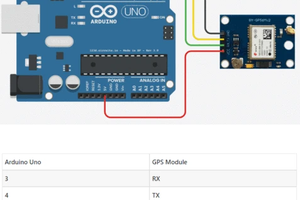
Bluetooth 4 TXD to Nano D2 (Pin 2)
Bluetooth 5 RXD to Nano D3 (Pin 3)
Bluetooth 6 Unused
Battery Power to VIN (used 9V to test)
Battery Neg to community ground
Nano 5V to community power
Nano ground to community ground
#include <Arduino.h>
#include <Wire.h> // Instantiate the Wire library
#include <TFLI2C.h> // TFLuna-I2C Library v.0.1.1
#include <SoftwareSerial.h>
SoftwareSerial HM10(2, 3); // RX = 2, TX = 3
char appData;
String inData = "";
TFLI2C tflI2C;
int16_t tfDist; // distance in centimeters
int16_t tfAddr = TFL_DEF_ADR; // Use this default I2C address
int waitTime = 2000;
void setup(){
Serial.begin(9600); // Initalize serial port
Wire.begin(); // Initalize Wire library
HM10.begin(9600); // set HM10 serial at 9600 baud rate
}
void loop(){
if(tflI2C.getData(tfDist, tfAddr)){
HM10.println(String(tfDist/2.54)+" inches");
}
delay(waitTime);
}
I used BLESerialTiny for IPhone to connect to BT05 (the HM10 Module)
Create an account to leave a comment. Already have an account? Log In.
Become a member to follow this project and never miss any updates
By using our website and services, you expressly agree to the placement of our performance, functionality, and advertising cookies. Learn More