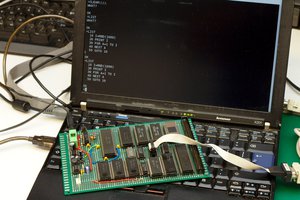
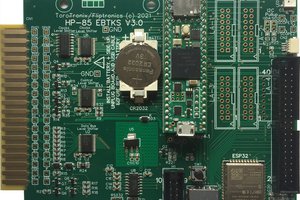
My efforts to restore an original Interak computer
To make the experience fit your profile, pick a username and tell us what interests you.
We found and based on your interests.
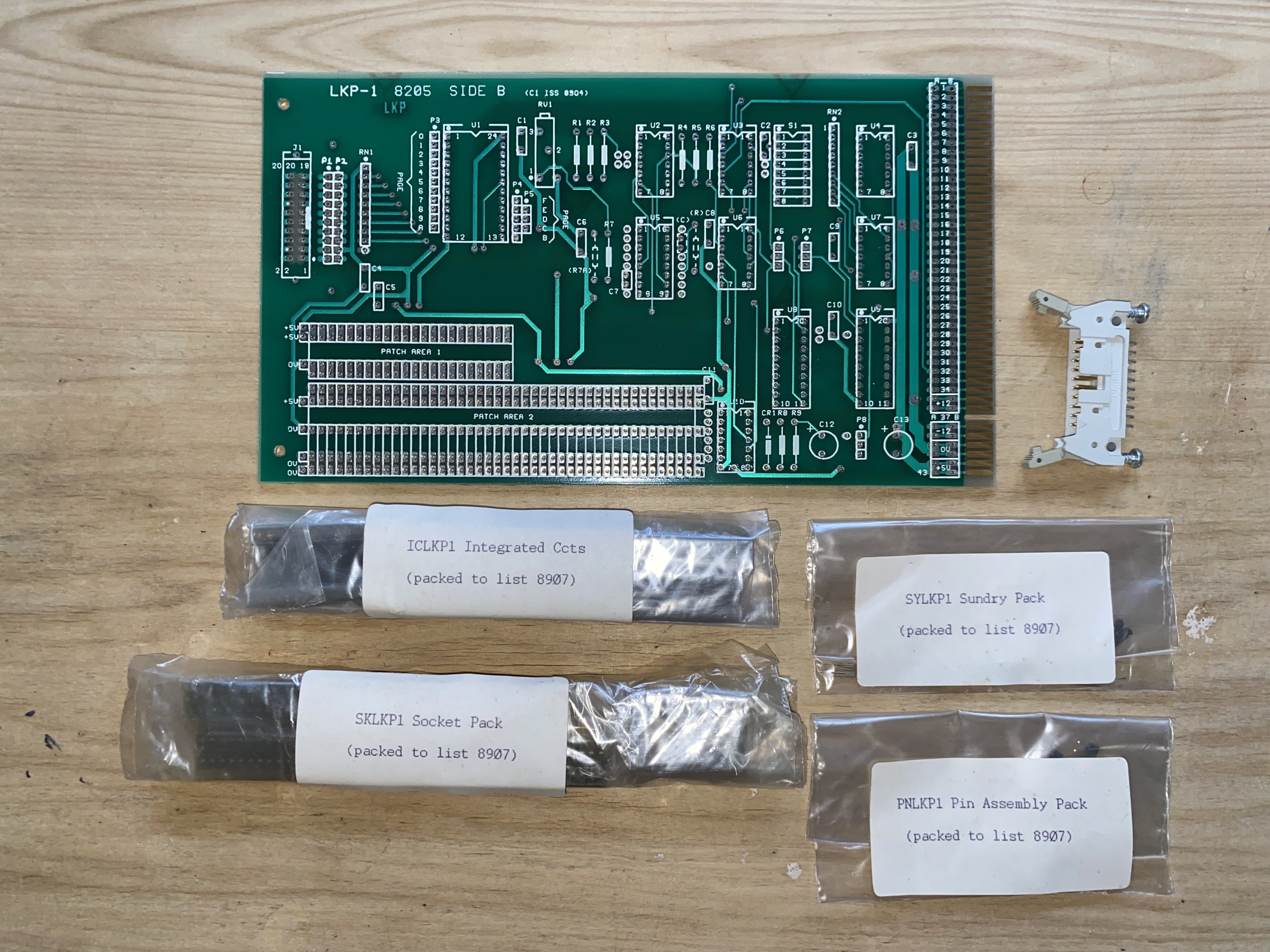
With my Interak now booting into CP/M, I needed a keyboard to actually use it. Fortunately, when I visited the derelict Greenbank Electronics shop, I had been given an LKP-1 kit by the owner. Inspecting the kit, I found it had the PCB, the mounting hardware, and the ICs with appropriate sockets – all that was missing were the discrete components - which were easily sourced, if I didn’t have them in stock.
It seemed almost sacrilege assembling the pristine, vintage kit of parts – but I needed a keyboard interface more than a museum exhibit, and it was fun reliving a time some 40 years ago, soldering up an Interak board.
With an assembled LKP-1 card, I met the next problem. The LKP-1 interface is designed for an ASCII keyboard. These are now hard to find, and commensurately command ridiculous prices. I needed an alternative.
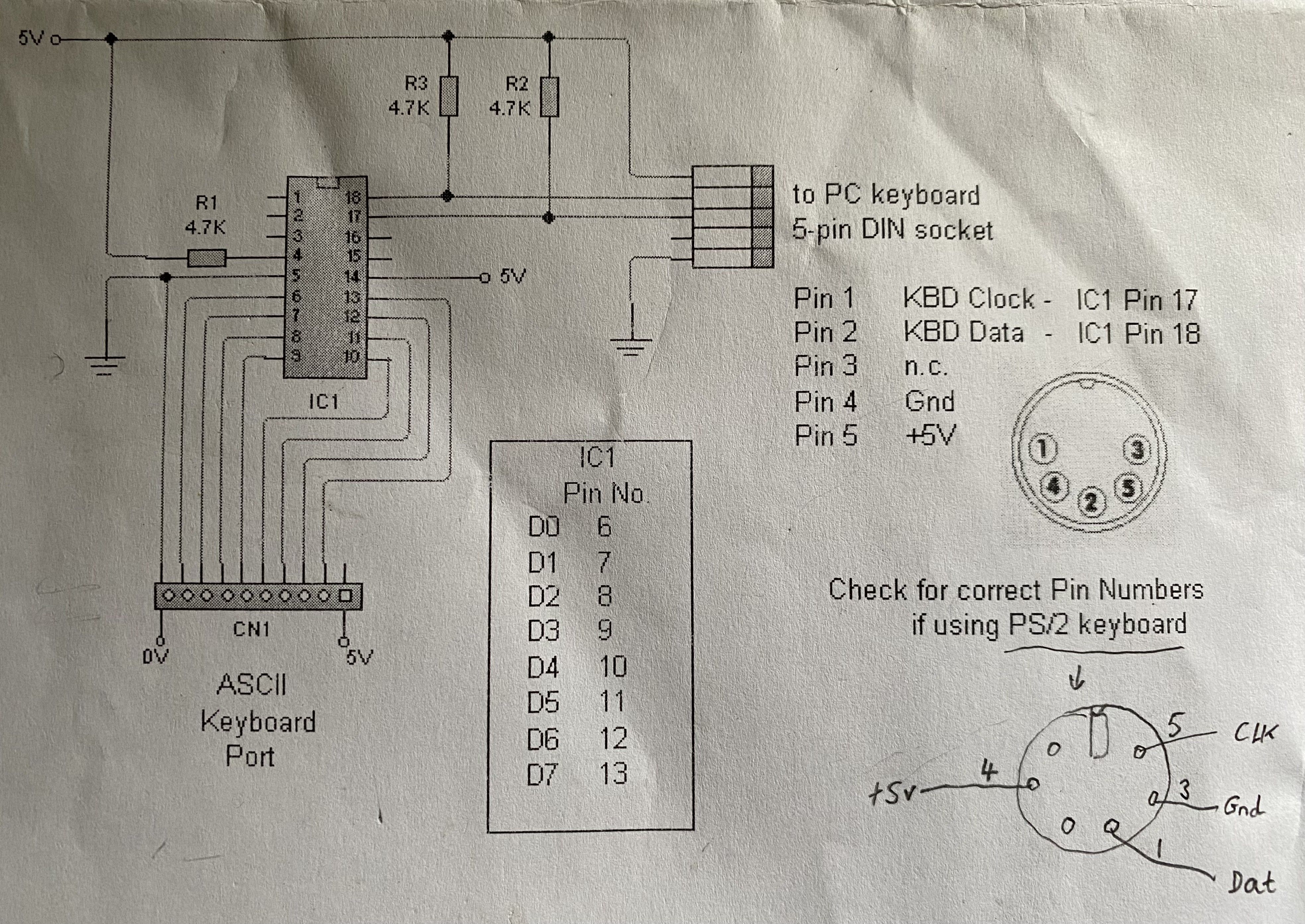
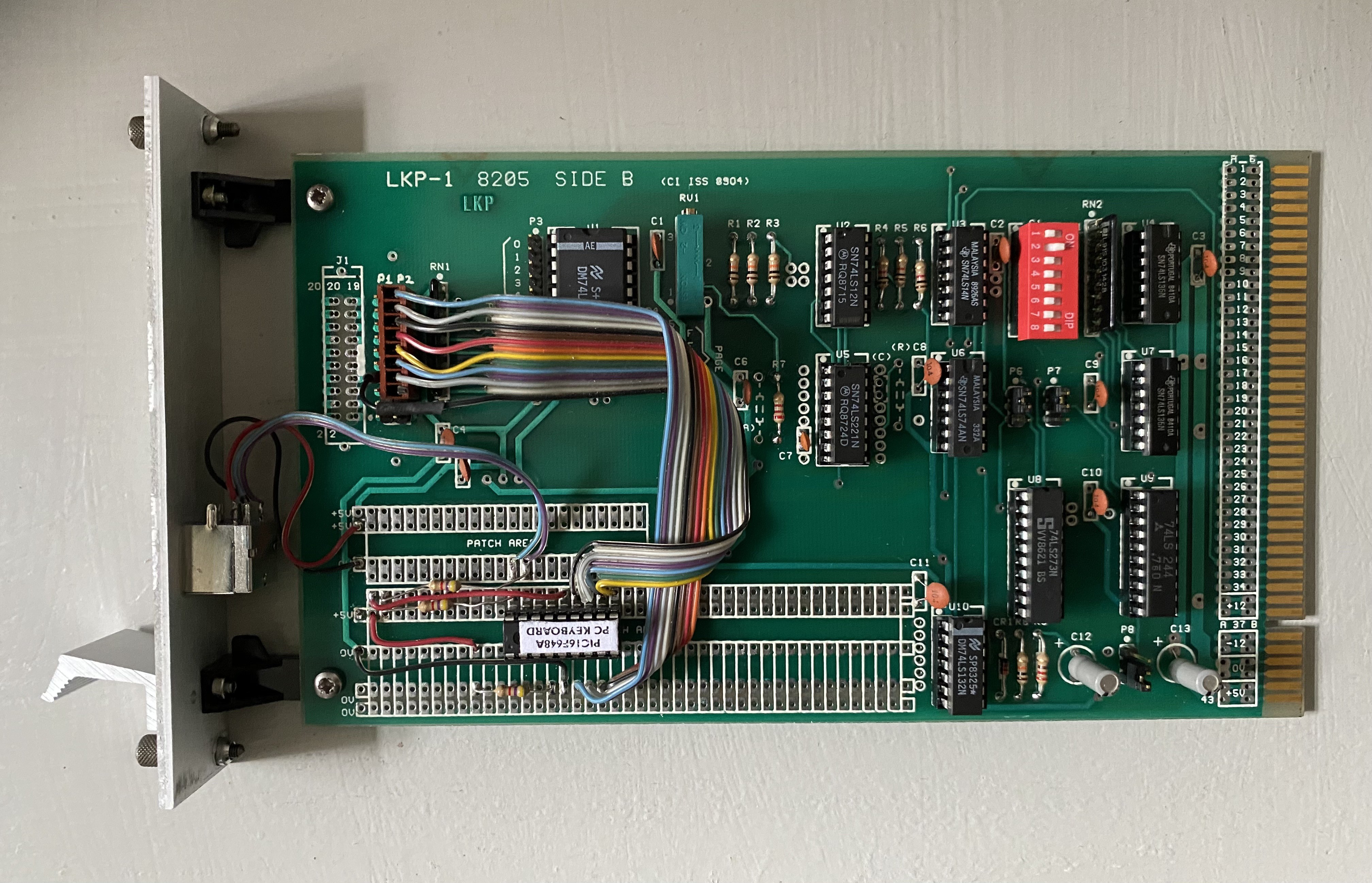
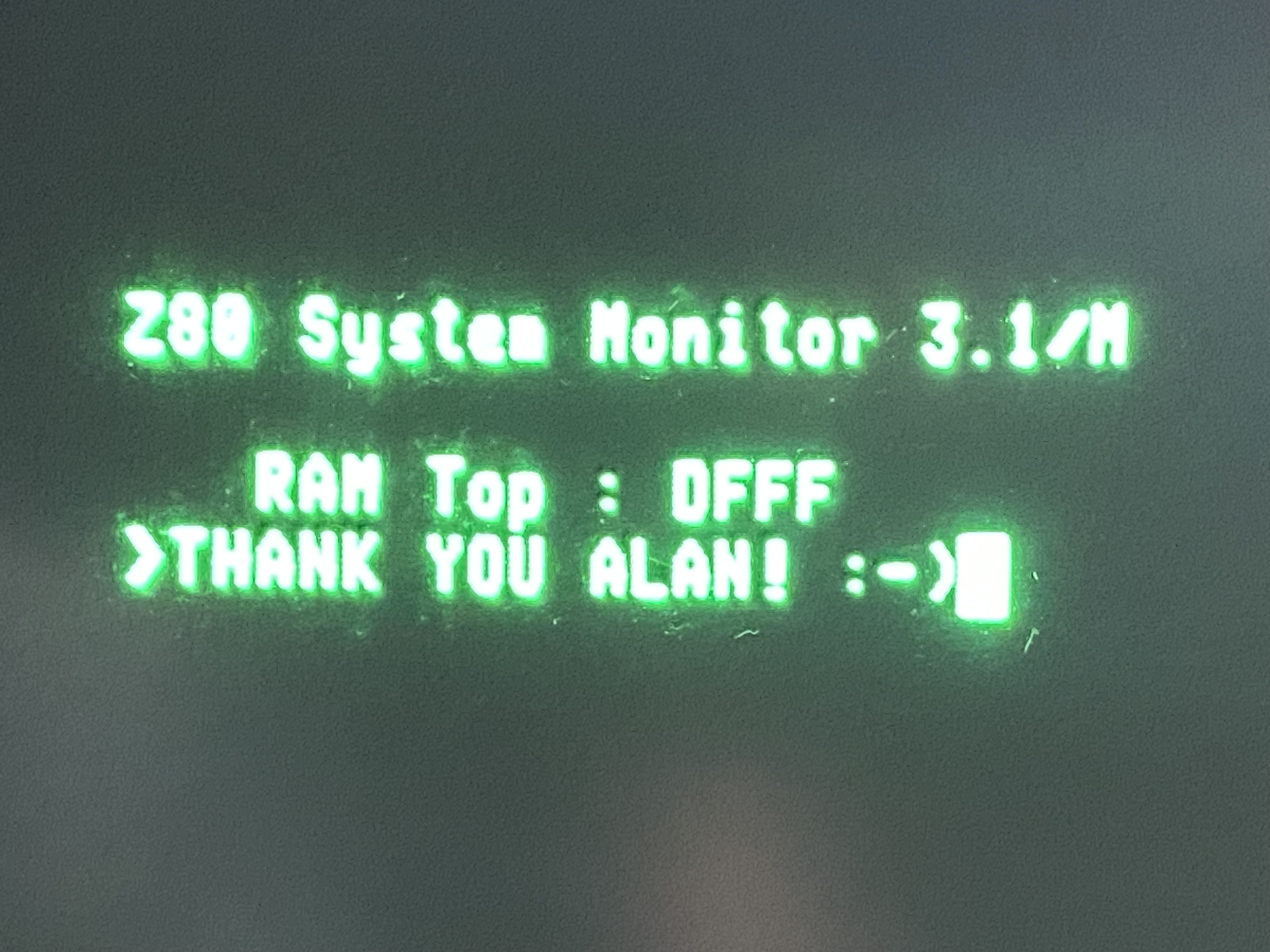
Fortunately for me, Interak guru Alan Paton has programmed a PIC microcontroller to act as an interface to modern day ‘PC’ keyboards – translating from AT or PS/2 to ASCII format. Perfect! I sourced a PIC from Alan, gathered the handful of required ancillary components, and built the interface circuit on the patch-area of the LKP-1 card.
Other than a minor issue with a defective PIC which had to be replaced, both the keyboard interface and the LKP-1 card worked perfectly.
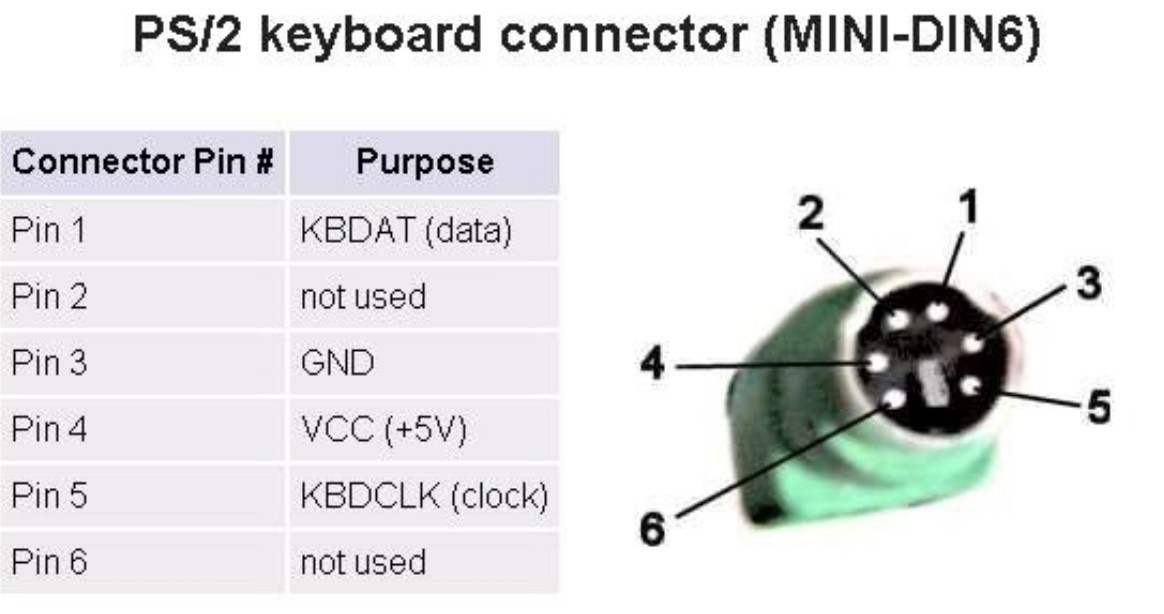
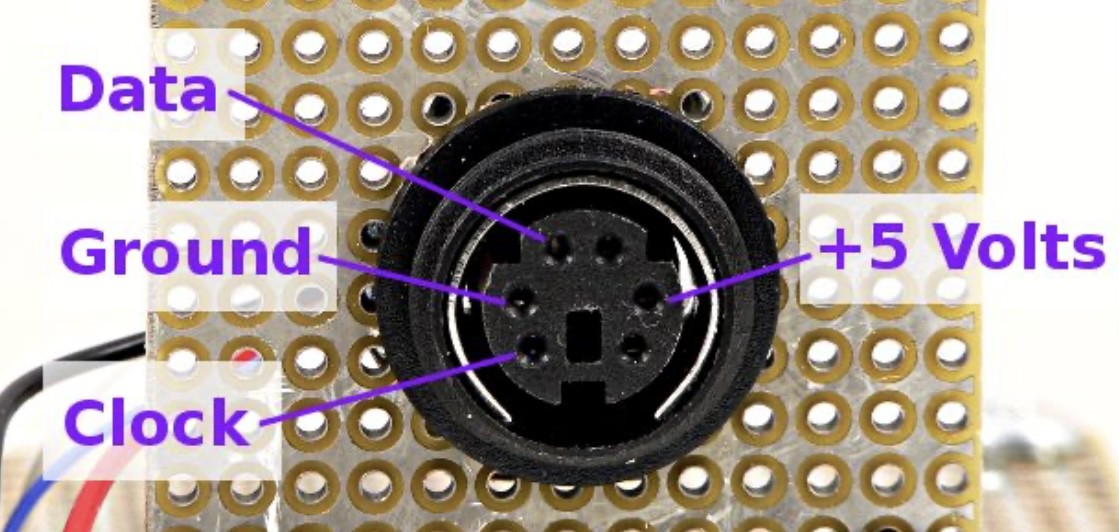
The hardest part of the whole endeavour was determining the pinout of the connector for my PS/2 keyboard. Though there is a great deal of information online, few people bother to say if they are viewing the plug or the socket, the front or the back, or how the pins are numbered. Plus, for good measure, some diagrams are just wrong! For reference, I have a included a couple of known-good examples here.
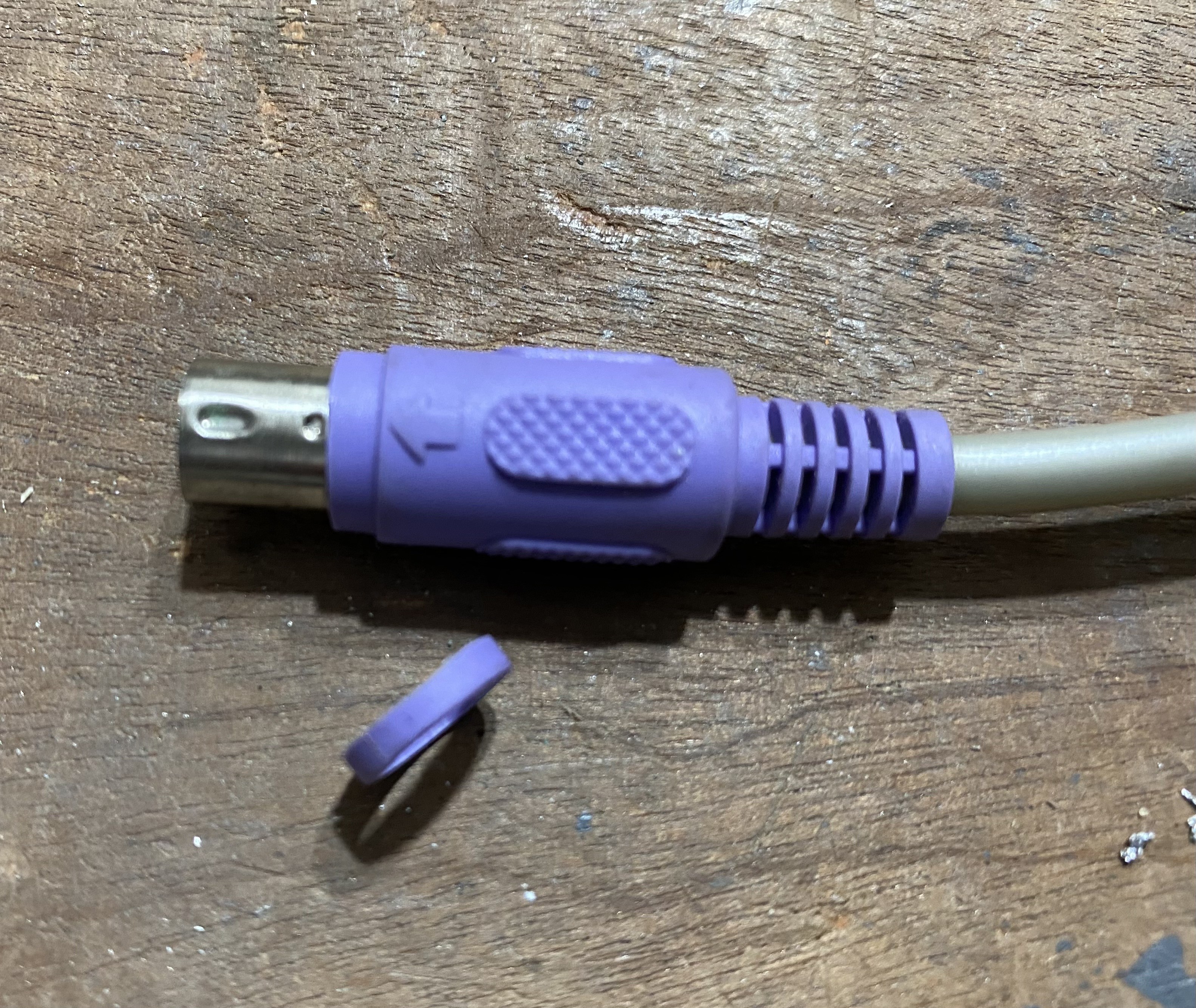
One small modification I made to my PS/2 keyboard connector, was to remove a couple of mm of the plastic sheath that covers the connector barrel. As I drilled only a small hole in the panel in front of the PS/2 connector (which is expoxied to the rear of the front panel) - the plastic sheath prevented the PS/2 connector from pushing securely home. I could have drilled a larger hole to provide clearance, but I felt a modified connector looked neater.
And that's it. A fully working Interak using a PC style keyboard.
Now to decide what to do with it. Or what add-ons to build/restore next!
TBC...
(An Interak is never finished!)
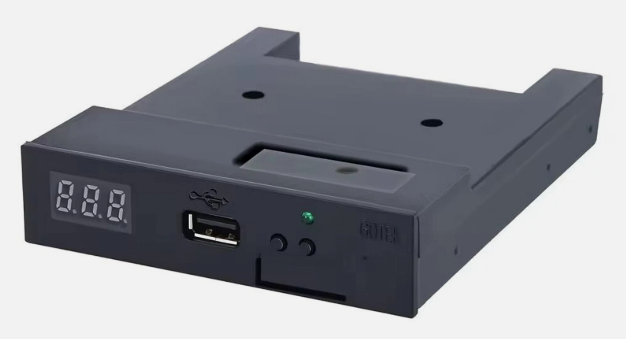
With its first glimmer of life, I pondered how to boot my Interak? I believed I had a working FDC-1 card, complete with ribbon cable, but no Interak floppy drive or boot disk. Could I use a Gotek FDD emulator plugged into my Interak FDC-1 card? The emulator would simply be taking the place of a floppy drive, allowing a USB stick to be plugged into it and read as the removable media instead of a floppy disk, whilst outputting the same data stream to the FDC-1 that a floppy disk would.
It seemed reasonable, the rationale being that it is very easy to write to a USB stick (with standard FAT formatting) from almost anything, whereas an Interak format floppy disk would be much trickier, needing both a floppy drive and suitable software to write “Interak-format”. Other benefits are that flash memory should be much more reliable than old magnetic media, and many floppies-worth of data can be written to a single USB stick. (The required floppy image is simply dialled into the emulator using the knob on the front panel).
I therefore purchased a GOTEK FDD emulator, to attach to the original FDC-1 card. To give greater flexibility, the GOTEK firmware was replaced with the opensource Flash Floppy: https://github.com/keirf/flashfloppy
Now I just needed a CP/M boot image, but unfortunately, that’s not as straightforward as you’d hope. Even writing a Flash Floppy config file to enable it to support the Interak format is more complex than I was expecting it to be, as there are numerous disk parameters to set.
Fortunately, I managed to find one other person who has experimented in using Flash Floppy with their Interak, and he provided some useful pointers, not least to a simple GUI tool that allows management of floppy images on CP/M.
http://star.gmobb.jp/koji/cgi/wiki.cgi?page=CpmtoolsGUI
Unfortunately, the website is in Japanese, but you can translate.
I downloaded and extracted "CpmToolsGUI" and found the folder named "CPMTG(English)".
I then replaced the diskdefs file with one provided by my newfound Flash Floppy guru, copying both a “blank disk” image file and a “bootable disk” image file that he provided to a FAT32 formatted USB memory stick. He also provided me with a Flash Floppy config file (FF.CFG) that worked on his system, to copy into the FlashFloppy FF folder on the root of the USB stick.
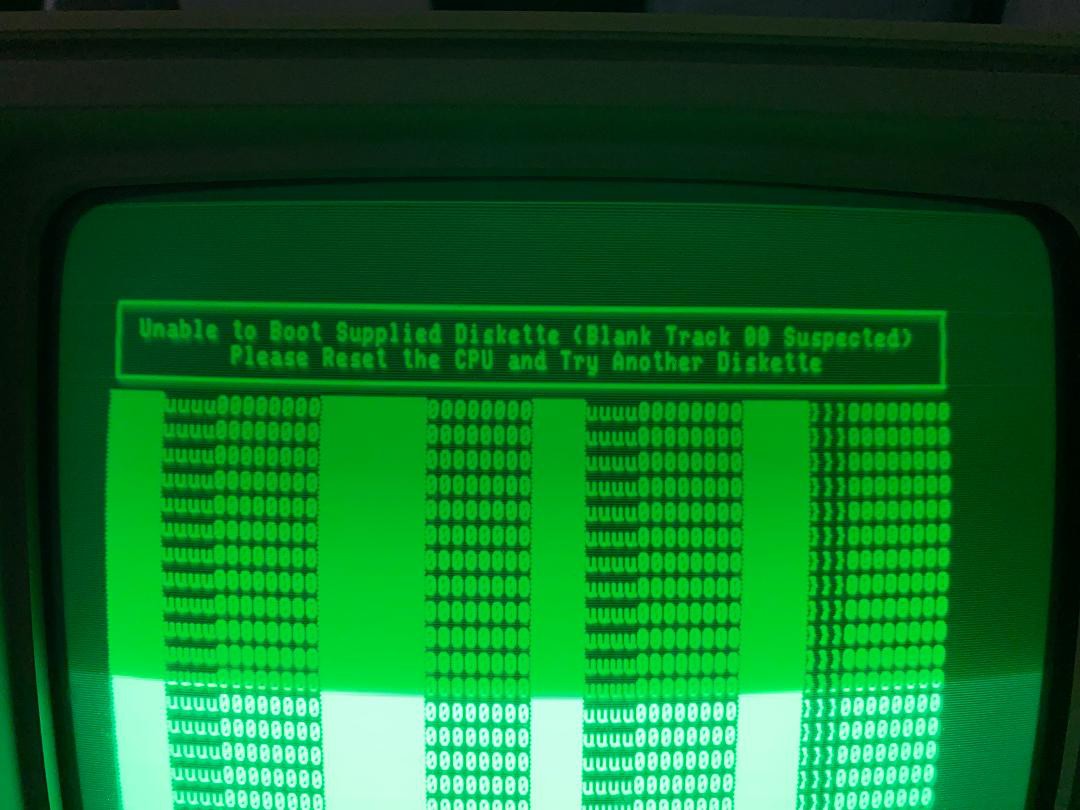
Sadly, it didn’t work! Although I did get as far as a “Blank Track 00 suspected” error message.
Unsure where the error lay – with my FDC-1 controller card, the ribbon cable, the Gotek emulator, my Flash Floppy configuration, or even something else entirely – I decided to try a floppy drive first, in order to prove some of the hardware at least.
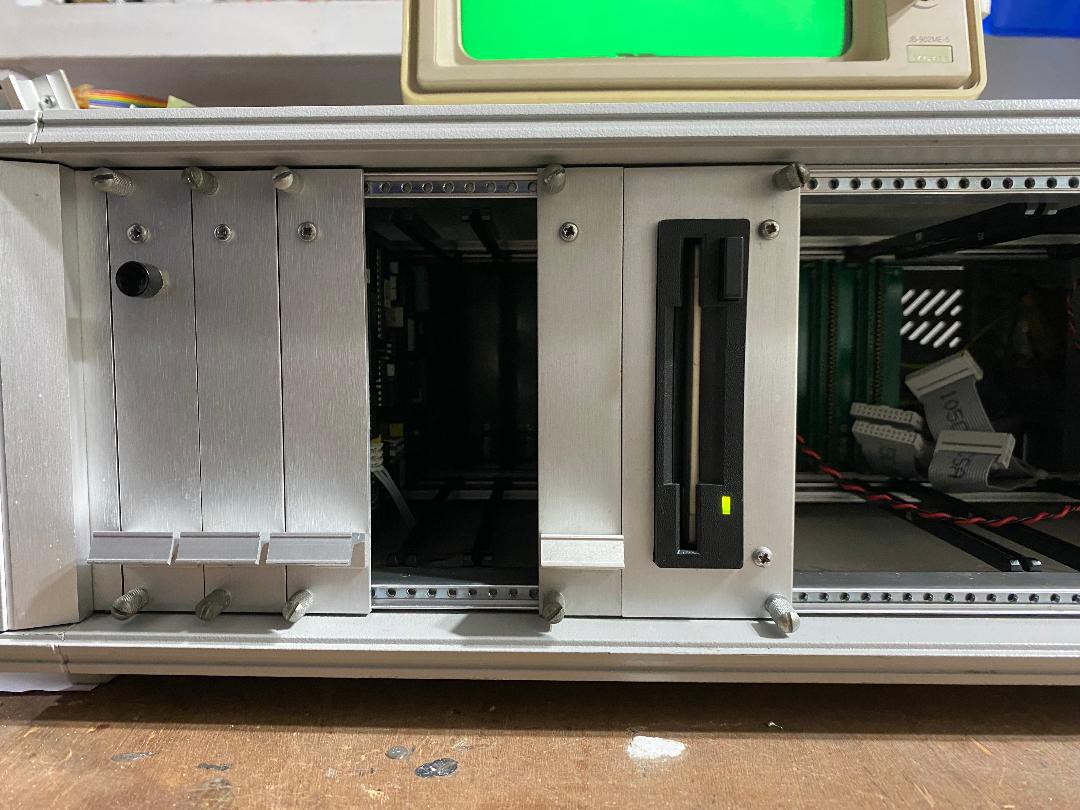
Back to the “Interaktion Group”, and I managed to source an original Interak 1 MB floppy disk drive, together with a CP/M Boot Disk.
The only (minor) issue in installing the floppy drive, was that the power cable that I fitted to power my Gotek emulator provided only 5V. The Interak floppy drive, being much older, additionally needed 12V. I’m unsure why my system came with no FDD power cables installed, but it was relatively quick to add one, or indeed two. Later, when I came to install the FDD in the rack, I found too that the FDD mounting plate I had comprised a front with a cut-out for a larger drive, but fortunately I had a spare front that I could replace it with. Again an easy task, although the front panels are more robust than you’d expect!
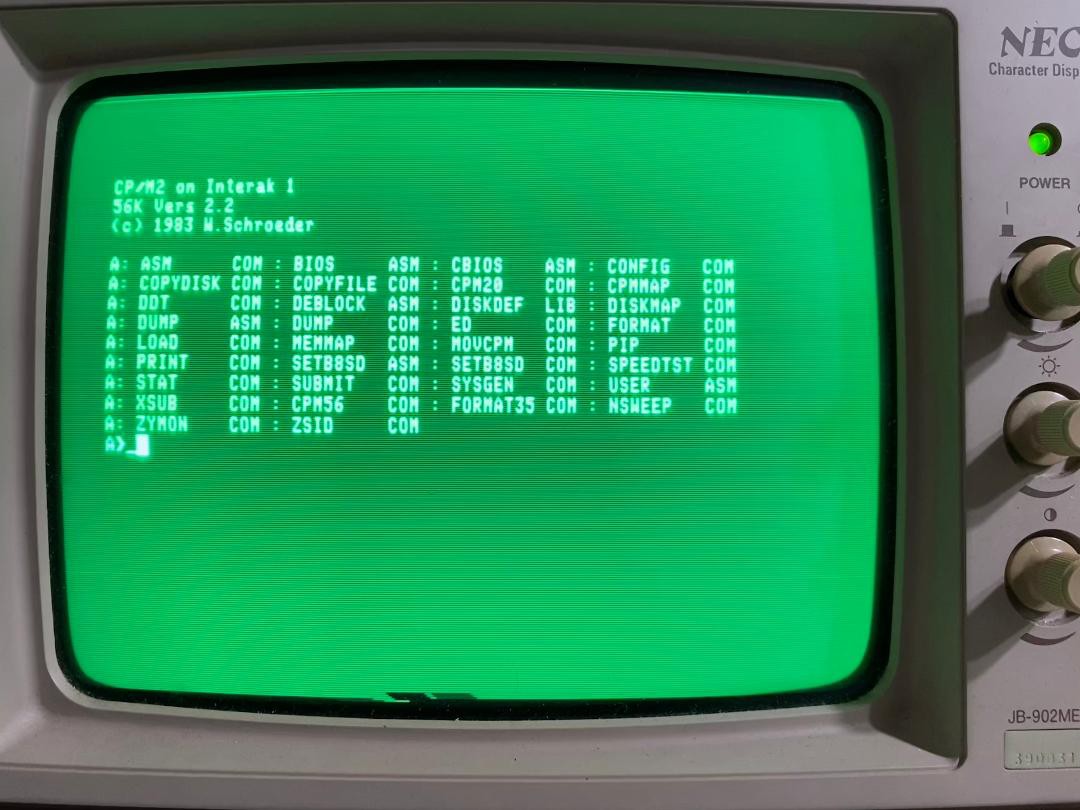
Once connected, the Interak booted first time. There was a display issue, described in a separate log, but the disk drive itself worked perfectly. I now had an Interak running CP/M.
I still intend to revisit the Gotek drive, and at least now knowing the FDC-1 and cable are good.
TBC…/
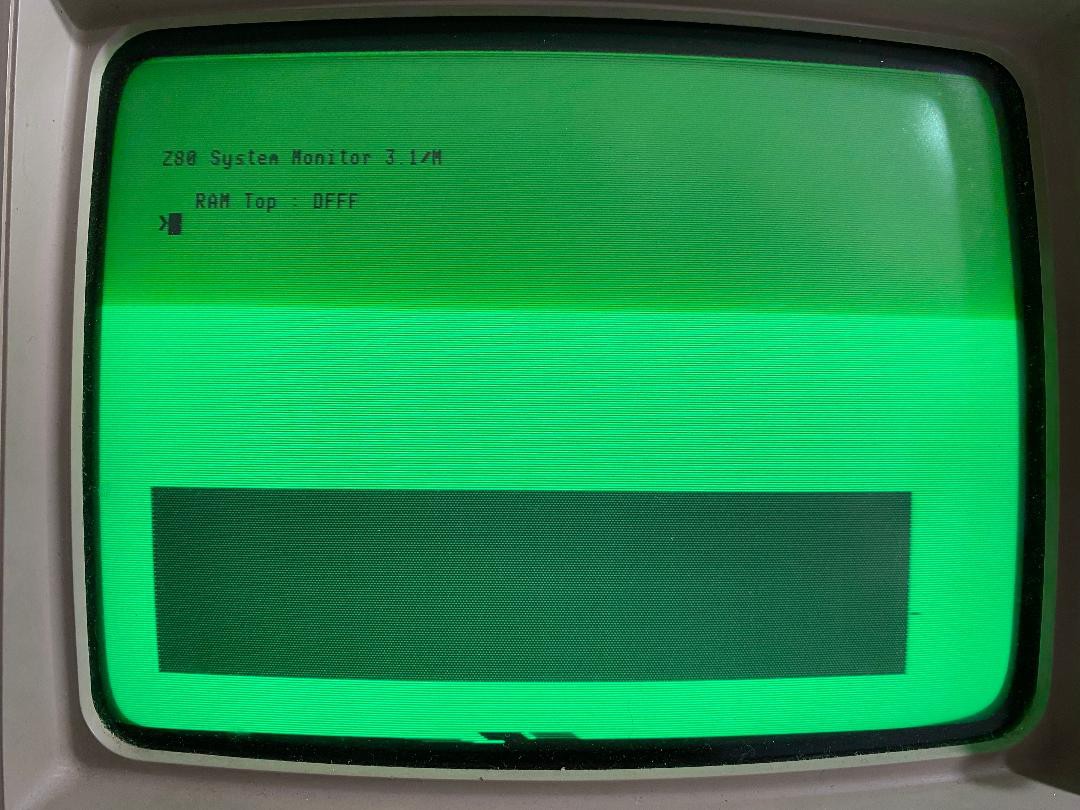
After various failed attempts to boot, with either floppy drives or a Gotek drive (which I’ll document later), I entered a world of despair as I discovered there was an issue with my VDU2K ‘graphics card’. Days tearing my hair out ensued, and I almost abandoned the project multiple times. Finally, I had some success though.
The investigation is too long (and boring) to document here, but it is worth capturing the quirks in case it helps others. Incidentally, I was fortunate along the way, to obtain an old modified VDUK card, and also to borrow a known good VDU2K the same as mine (along with a spare MZB-3 with DMON Boot ROM too) – this helped fault isolation considerably!
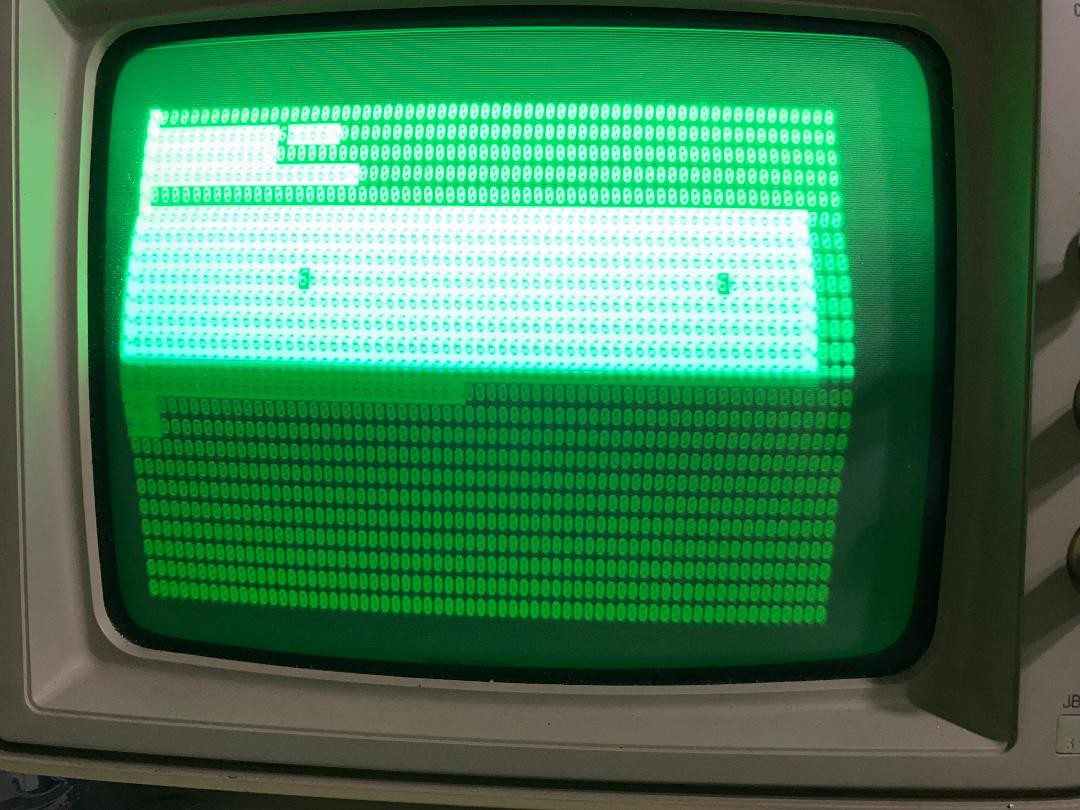
The initial display problem was that although the boot prompt displayed correctly with my VDU2K fitted, proceeding beyond the boot prompt produced the curious result of all white space displaying as a zero character and any text characters displaying as the digit 6. With the borrowed MZB-3 card fitted, even the DMON boot screen had only 6 and 0 characters. The borrowed VDU2K card was exactly the same as my VDU2K, with 6 and 0 characters only, with either CPU card fitted.
Wondering if there could be some issue with both VDU2K cards, however unlikely that seemed, I decided to take a look at my VDUK. It actually turned out to be in good shape, requiring only the replacement of 5 missing ICs. I was concerned it had several cut wires that went nowhere, but these appear to be from some modification or other that has been reversed and they can be ignored. To my surprise, the VDUK worked immediately, showing a clear boot prompt, and also able to display beyond that when I finally got the system to boot. Its only shortcoming is its lack of RAM (1K instead of 2K) means it only has a small display area.
At some point during my fault finding, with cards repeatedly in and out of slots, and sometimes in different slots, the problem suddenly changed. The VDUK was still consistently working well, but the VDU2K cards would now display a blank white screen instead of 6 and 0 characters. I can only presume there was some issue with one of the edge connectors (or the back plane) that cleared itself.
Pulling out the working VDUK and inserting the known good VDU2K, I expected the same display. Instead, I got the same boot prompt, but when the system booted I was presented with a blank white screen.
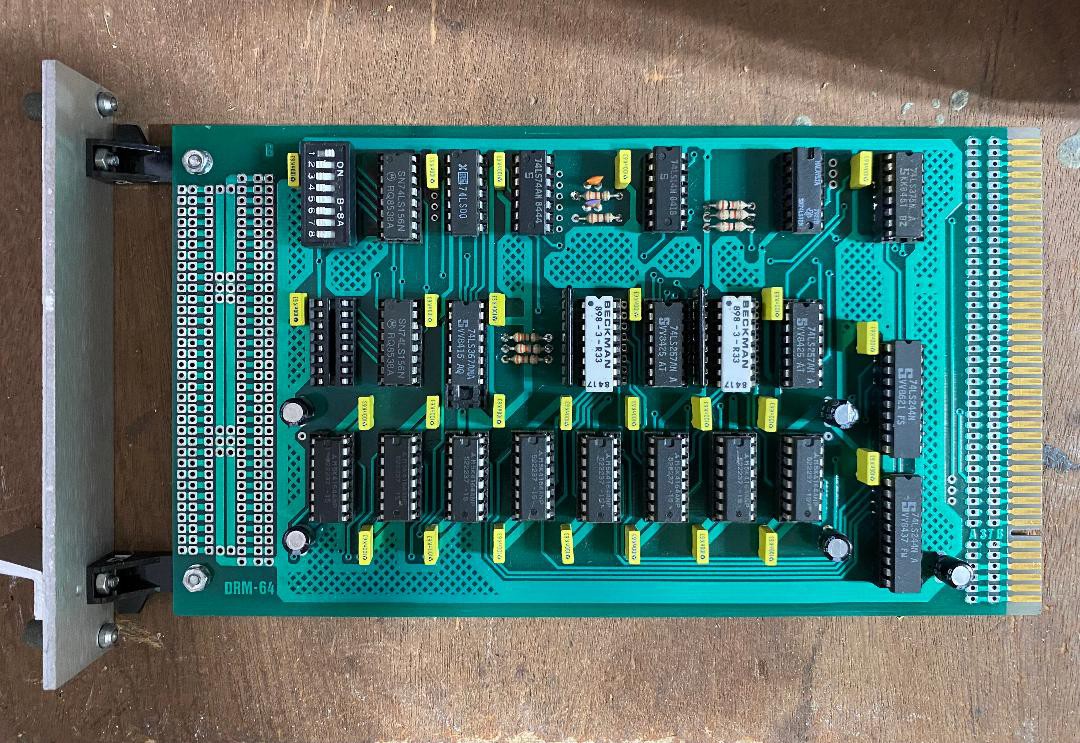
I finally found the cause of this issue, on the DRM-64 Dynamic RAM card. The replacement RAM card I had purchased had the DIL switches set to create a ‘memory hole’ at F000, where screen memory resides. It seems a system with a VDU2K installed requires DRAM at the same location as the static RAM on the VDU card, whereas a system with a VDUK installed does not!
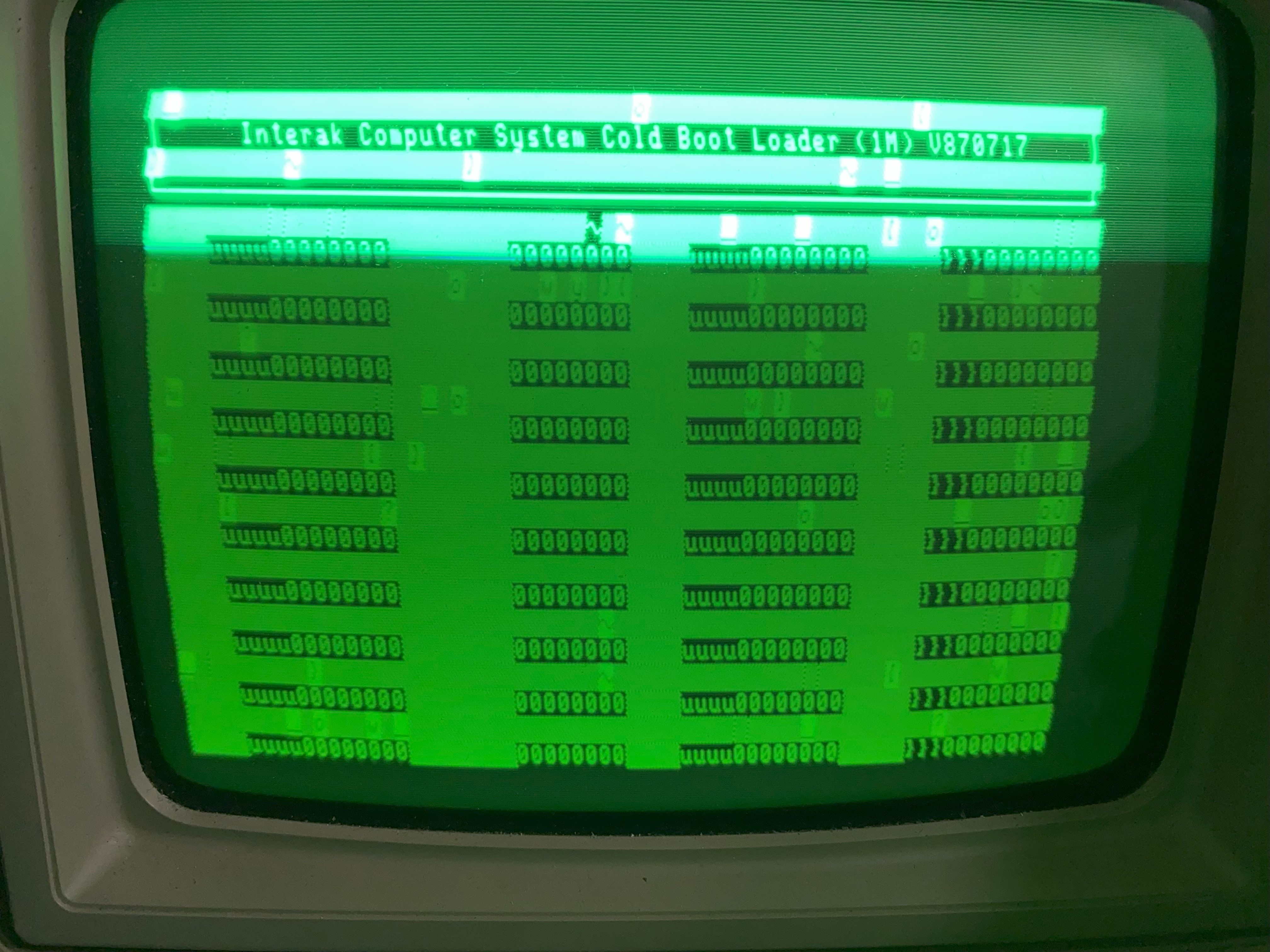
Along the way I observed an issue with my card, in that the known good VDU2K would display a blank screen below the boot prompt, but my card would display tabular random (but repeatable at each cold boot) characters. This is caused by my Character Set EPROM, as swapping EPROMs with the good board removed the issue. With DRAM shadowing the static RAM it does not manifest however, random characters are only seen with a DRAM ‘memory hole’.
For good measure, I also discovered that I have one 74LS74 that when inserted as U21 in a VDU2K works perfectly, but when inserted into my VDUK removes the right-hand edge of the display.
Overall, I have learnt the cards are fussy, and it is best to shadow the static RAM with dynamic RAM (indeed it is essential with a VDU2K card).
It took a long time to get there, but I do now have a working Interak system (albeit with no keyboard yet!)
As I randomly slid cards in and out, trying various combinations, I suddenly noticed something. The random characters on screen didn't look so random!
More in-and-out card-swapping, trying them in different slots, and power-cycles... hey, those aren't random characters any more!
A good clean of all the card edge contacts, more card swapping, and hey, it lives!
Ok, so I can't have the CPU in the left hand slot (where it was installed when I received it!) but if I move it to the right then the system at least tries to boot!
So what next? I have an FDC card, and some old floppy drives, can I boot-up this system? Even if I can read a floppy though, how would I write a boot floppy in the first place? This needs some thought!
The first step, after wiping-off the accumulated grime and surface corrosion, was to assess what I have.
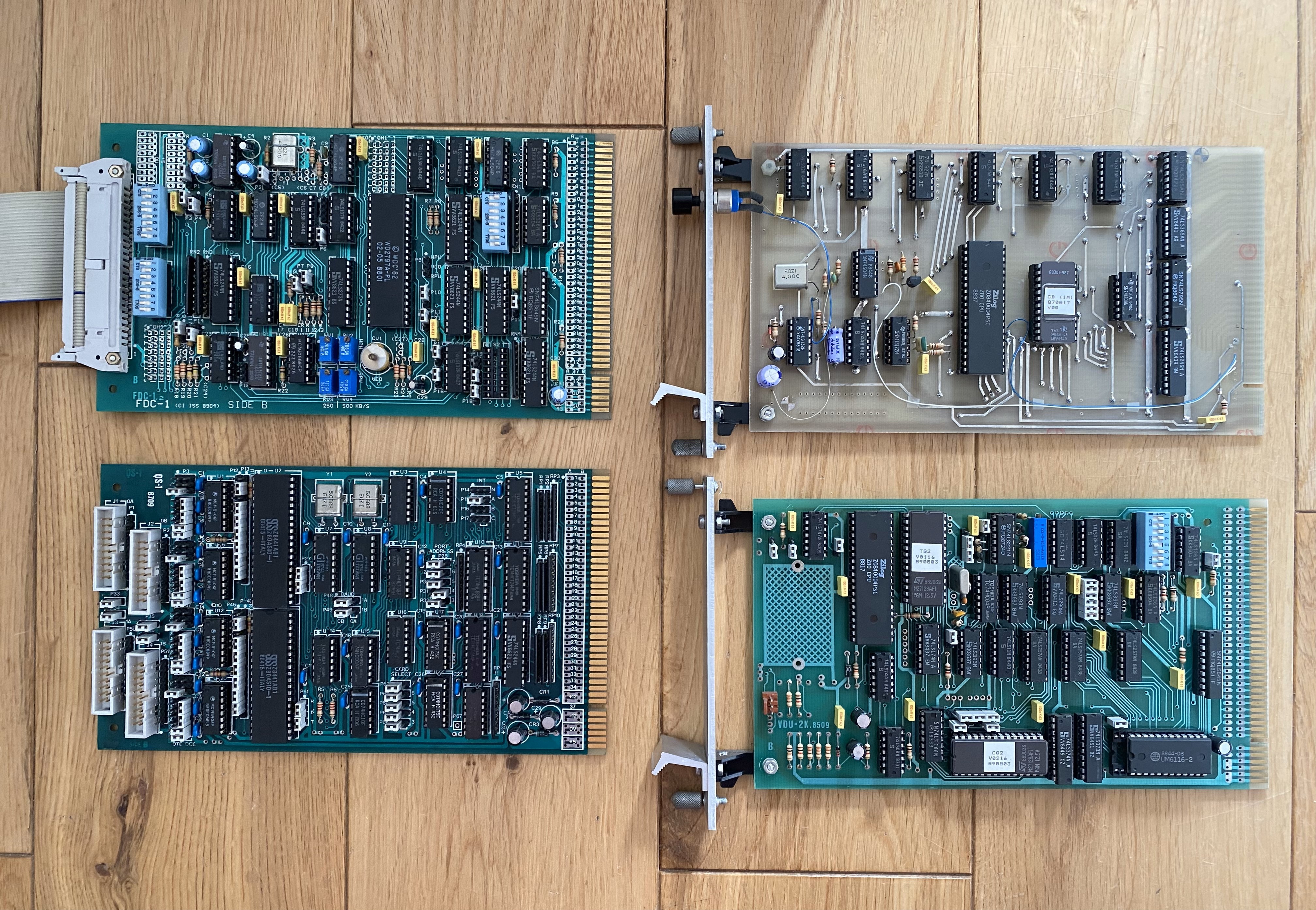
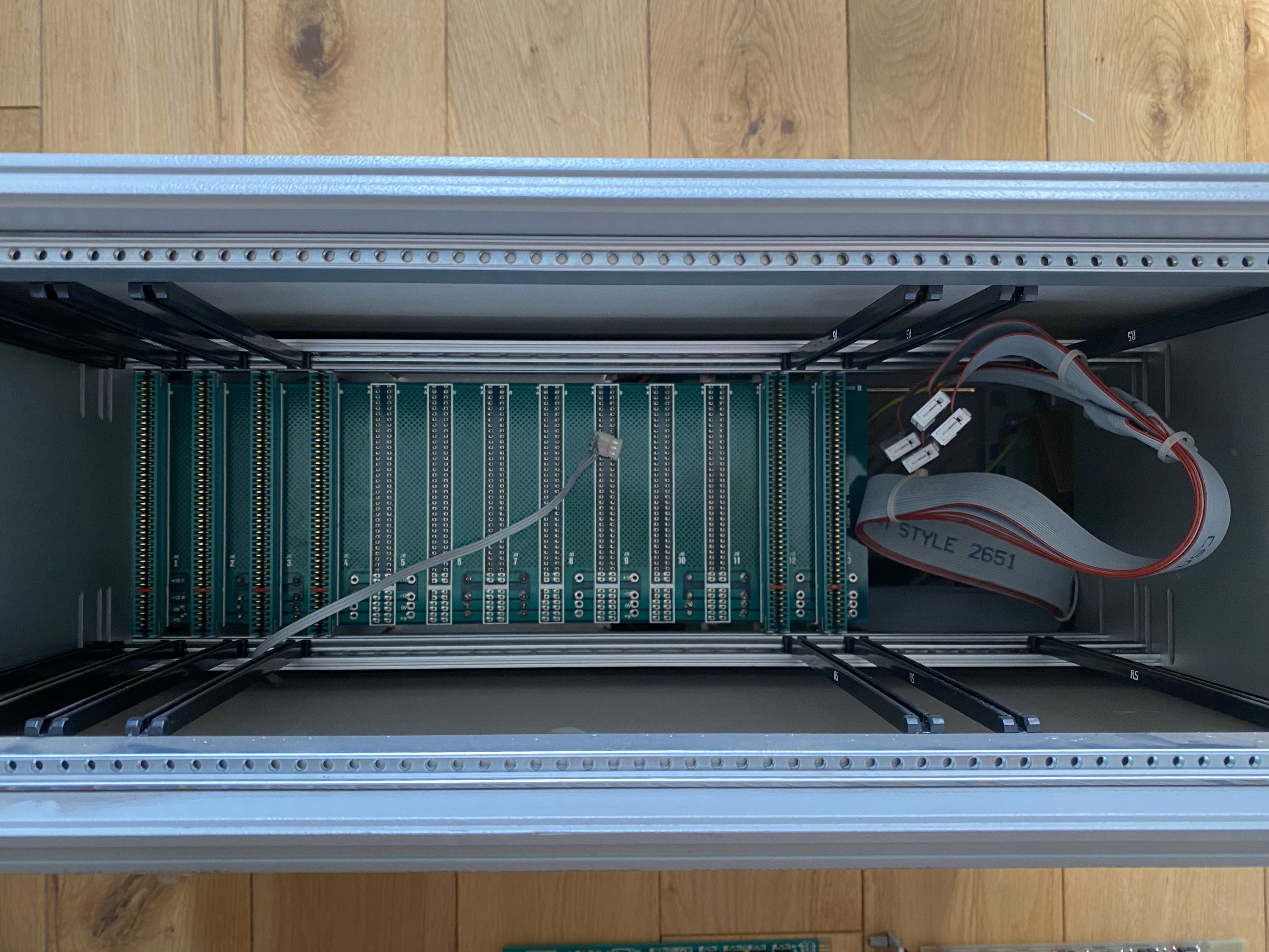
Within the very large - and very heavy! - case were four cards - an MZB-3 CPU card, a VDU-2K (composite video only) 'graphics' card, an FDC-1 Floppy Disk controller (no disks though, sadly) and a QS-1 Quad Serial card. The Dynamic RAM card has either been removed, or this system never had one and just used the spare RAM on the VDU-2K board.
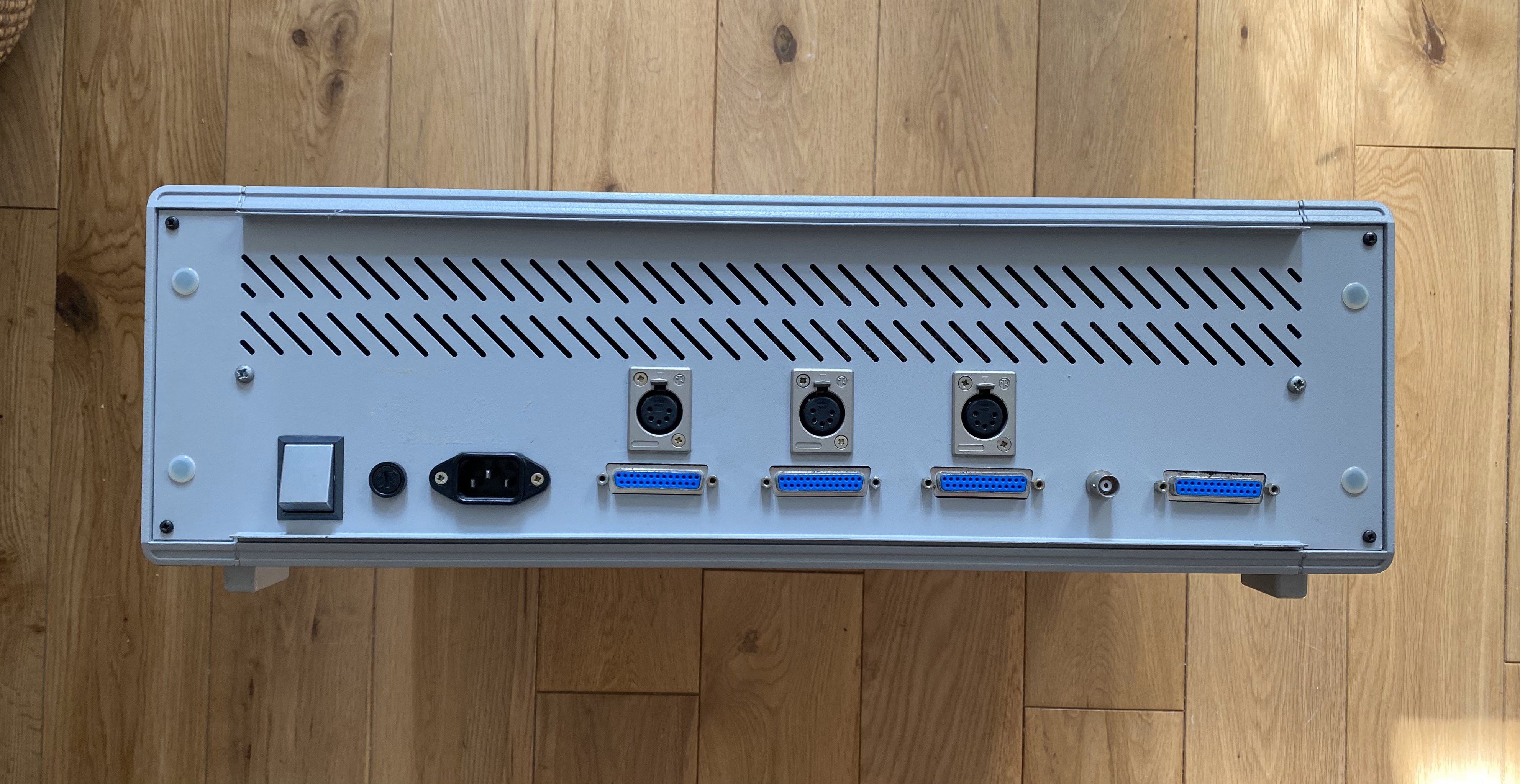
The rear panel has a number of serial connectors, originally for the swipe-card readers to connect to.
Behind that is the power supply, very professionally installed and using the proper Interak power-distribution board.
Once wiped of dirt, the inside looked relatively clean too, though sadly the backplane is not fully populated with edge connectors.
So, does it work? Erm, no! An initial check with no cards installed showed the power supplies to be fine, but installing a minimum set of cards displayed just a screen of random characters. It appears the system doesn't boot. Unsurprising really!
Create an account to leave a comment. Already have an account? Log In.
Become a member to follow this project and never miss any updates
Jorj Bauer
Alastair Hewitt
Marek Więcek
I would love to see a kit......