The micro pinball works as a PC peripheral. Design and printed. Three displays, LEDs, solenoid, lights, motor, vibrator...
To make the experience fit your profile, pick a username and tell us what interests you.
We found and based on your interests.
kl25z ent_sal (1).pdfInputs Outputs layoutAdobe Portable Document Format - 274.38 kB - 05/07/2024 at 12:50 |
|
|
kl25z esquema (1).pdfElectrical schemeAdobe Portable Document Format - 791.12 kB - 05/07/2024 at 12:49 |
|
|
photo_2023-04-19_07-47-36.jpgComponent listJPEG Image - 100.01 kB - 05/01/2024 at 09:50 |
|
|
Micro Virtual Pinball Peripheral:
The design can be greatly improved and that is why I share the CAD and not the STL. Since I consider that it is not perfect and I do not want anyone to make the mistake of printing something unpolished. I am not a designer and I have learned how to handle the program with this project. If I started from scratch with what I learned, I would change many things.
Improvements to be made:
- Apply tolerances in the joints. Due to the size of my printer I had to cut several pieces. When putting them together I have had many fitting problems.
- Draw and design the HDMI wiring and power supply of the components. I have had to modify and change cables due to lack of space.
- I would add a metal cylinder/tube for the plunger. Now I have plastic rubbing against plastic and it is not ideal.
- I would change the layout design of the electronic cards. Something more robust.
- The playfield screen has a frame on one side and does not allow it to be centered correctly.
-With a new playfield, I would change the classic pinball design and place the screen flush with the furniture. Most of the tables already emulate the height they had and would have had more inches of screen.
-Design the wiring and common points of voltages and masses. Space is very limited and it turned out too dirty for my taste. I hope I don't have to rewire due to some error 😁.
-Except for the plunger, which has nuts inserted into the plastic, the rest is screwed onto a thread printed on the same plastic. If I were to design again I would use nut grafts on all joints. I would also reduce them, you don't need as many screws
Micro Virtual Pinball Peripheral:
Micro Pinball concept:
The origin of creating it in 3D is because at home I don't have space for a mini or normal one. So I thought about making a peripheral for a laptop I already had. The problem is that the laptop only has one HDMI output and I wanted to use two more for the Backglass and the DMD. I was testing several accessories that connected to USB had two HDMIs. After several attempts (bless AMAZON and their return policy), I got it with this one:
USB Hub Dual HDMI,Docking Station... https://www.amazon.es/dp/B09FXKSCF6?ref=ppx_pop_mob_ap_share
This device has a SW in an internal memory that has to run on the computer
The laptop has the following features:
ASUS TUF FX505GT-BQ108 - 15.6" FullHD Gaming Laptop (Intel Core i5-9300H, 16GB RAM, 512GB SSD, NVIDIA GTX1650-4GB
Micro Virtual Pinball Peripheral:
The pinball has two USB inputs (1 for the KL25Z and 1 for the HDMI HUB), an HDMI for the playfield and an audio input for the audio amplifier.
It has a power input where I connect an F.A. external 12V like the one used in laptops.
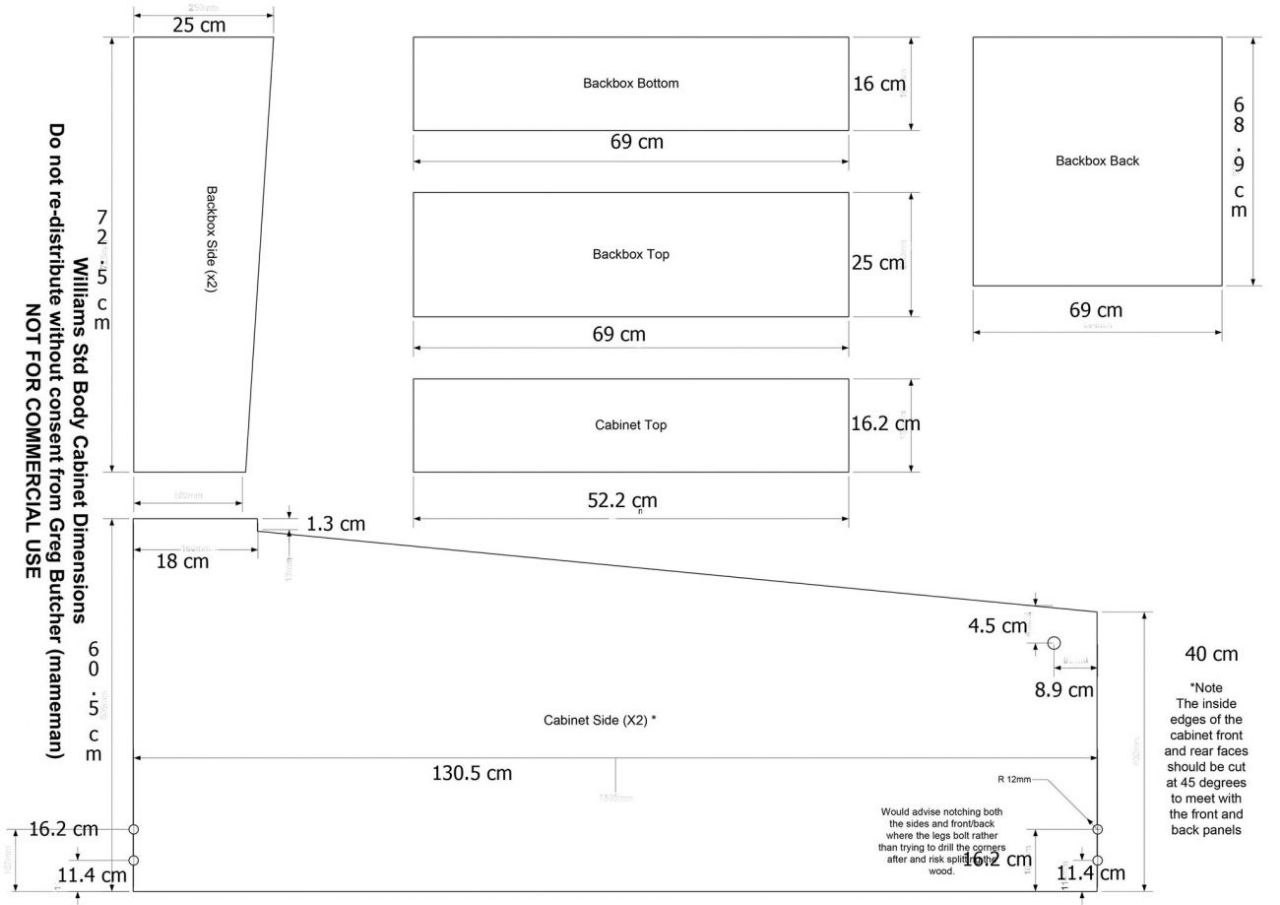
For the dimensions of the pinball, use these proportions, scaling to the size of my screens.
Create an account to leave a comment. Already have an account? Log In.
Become a member to follow this project and never miss any updates