Close
0%
0%

The Home Measurement Project

An excuse to use up all those ESP modules I hoarded

Similar projects worth following
An umbrella project for all the small hacks involving sensors and ESP modules to measure conditions in my home.

I have two motivations for this project. One is to measure the conditions in my home. The second is to use up the ESP modules that I couldn't resist buying because they were so cheap.

Normally temperature is the first thing that comes to mind. However it is of less importance to me because it generally stays within 24±2°C indoors and I notice when it's outside those bounds. Of more interest to me is humidity which can be stifling if too high, and cause static electricity phenomena if too low. There is UV radiation level outside which means protective clothing and headgear if too high, for the sake of the skin. Combustion products are of concern, but less now that I switched from gas to induction cooking. Cooking fumes should also be measured. So gas detectors are on the list.

There are limitations to overcome such as not wishing to have power wiring all over the place. But battery operation means paying attention to the power budget.

There is no lack of similar projects to draw inspiration from. I just have to concentrate on what interests me.

This is an exploratory project with no well-defined endpoint so I'll publish a series of logs as development progresses.
  • Getting started with ESPHome

    Ken Yap11/21/2025 at 10:07 0 comments

    Actually I was led to ESPHome from my other project for a benchtop power supply. I ordered this WiFi module for controlling the power supply. Sure, it's possible to adjust the supply using the knob and buttons but tedious. So I wanted to be able to control it from my computer.

    The module seems to be made by the same manufacturer that made the amplifier for #Playing music remotely with bluetooth. It uses the same phone app: sinilink. However the reviews for the app were very uncomplimentary. There were more 1-star ratings than 5-star ratings. In other words, a piece of s***. I only used the app for setting up the Bluetooth interface so the app didn't bother me.

    Fortunately the MODBUS commands for the power supply are documented, and the WiFi module is just a conduit for the serial commands. There is a ESPHome-Sinilink-XY-WFPOW Github project which interfaces the module to ESPHome.

    So what is ESPHome? In one sentence, it's a framework for building a software system for an IoT system. Sensors and output devices that are based on the ESP family of WiFi enabled MCUs, and some others, notably the RP2040, are supported. You generate firmware for MCU modules by specifying components with a YAML file, and the development software pieces the components together and builds the firmware image. Another great feature is being able to update the firmware Over The Air. This is important when the gadget has been deployed and it's not easy to take it back to the workbench to reprogram the firmware. You can explore the website for more details.

    So I would need to build new firmware to flash into the XY-WFPOW. You can see the pin connector holes at the top of the module in the photo. I'm guessing I need a USB to serial adaptor which I have.

    This extended introduction is just to give the background to the impetus to learn ESPHome. I can foresee that ESPHome will be useful for making ESP module based gadgets even if they work standalone and are not connected to the IoT. For setting up an ESPHome development environment there are various methods.

    First method

    This was by pip install esphome. This downloaded all the required Python modules to $HOME/.local. I used the wizard to construct a YAML specification for the ESP32-WROOM board I have, to get familiar with the process.

    Unfortunately when I tried to compile the project, it failed trying to load uv, which is a package manager, into the Python platformio environment. I did a search for the fix, but many replies to previous questions said give up, use the ESPHome docker image.

    I'm a little biased against container environments such as snap, flatpak, and virtualised machines using VirtualBox, even though I use them when I have to, because of the extra layer of complexity. But in this case I think the problems stem from the Python software ecosystem. It's just got over the transition from Python-2 to Python-3. They are still tinkering and adding features such that at the time of writing the version is up to 3.14 and a lot of Python software require a recent release. They still manage to break backward compatibility, for example, in a recent KiCad problem. So much for stability. And it doesn't help that Linux distros add their own quirks and problems. So reluctantly I opted for:

    Second method

    This involves downloading the docker image for ESPHome. You then run commands from the container to build the firmware and even flash the image, as docker can be given permissions on the host USB ports.

    The first compile took a lot of time to download all the supporting Python modules. It generated images for the firmware, including any content for the data partition. One feature of many ESP modules is they come with data partitions in which one can even put a small filesystem. Low-end MCUs generally have small data partitions, if they do. I discovered that a lot of files owned by root were left behind in my project, due to the privilege I gave it to access the USB port. I think I will just...

    Read more »

  • Interfacing a DHT22 sensor

    Ken Yap07/22/2025 at 11:31 0 comments

    I've written some notes on interfacing the DHT22 sensor to a 8052 class MCU.

  • Testing the GUVA-S12SD sensor

    Ken Yap02/21/2025 at 10:08 0 comments

    The GUVA-S12SD is a UV-B sensor that responds to radiation in the range 240 to 370 nm. Here is the datasheet. It's also old-fangled, from 2011.

    The module that I bought has extra circuitry onboard. There's a power LED and what looks like an op-amp. I guess this is needed to convert the diode current to a voltage.

    I found a Github library for it at https://github.com/ma2shita/GUVA-S12SD from 8 years ago but I actually went with a fork https://github.com/ppaauuoo/GUVA-S12SD from 2 years ago which has one patch to fix a syntax error. But when I tried to compile this test sketch:

    #include <GUVA-S12SD.h>
    GUVAS12SD uv(A0,5.0,1000);
    
    void setup()
    {
      Serial.begin(115200);
    }
    
    void loop()
    {
      float mV = uv.read();
      float uv_index = uv.index(mV);
      Serial.println(uv_index);
    }
    

    I found it could not find <arduino.h> which contains prototypes for the Arduino library. Changing the include in the library source to <Arduino.h> fixed the problem. I'm guessing that the change came with the version 2 IDE.

    Not surprisingly the sensor read 0.0 because it is indoors and what's more at night. I would have to put it outside in the sunshine to get any readings. Or maybe put it inside my UV EPROM eraser.

    A couple of days pass. I found a bunch of EEPROMs to erase so I fired up the eraser. A little UV light leaks from the gaps so I put the sensor next to the gap. 0.0. Put the sensor inside the eraser. 0.0. I guess the UV spectrum of the eraser is very narrow and falls outside the sensor's range. Oh well, have to wait until I have a prototype to put outdoors.

    But this brings up a point: how do I know if sensors are correctly calibrated? I don't mean meterologically accurate measurements, just close enough for everyday use. With the temperature and humidity sensor I could compare it with another sensor. For the UV sensor I would probably have to compare it with the UV forecast on a weather app. The result I get would only be good for gauging whether I need protective clothing. Especially for lightly overcast days where there is no direct sunshine but the UV level is actually significant.

  • Testing the AM2302/DHT22 sensor

    Ken Yap02/20/2025 at 10:01 0 comments

    Since my soldering station is out of action until my new iron arrives, I can't build anything but can write firmware, design PCBs, and test modules provided the wiring is with connectors and not solder. So this is an opportune time to get back to this project.

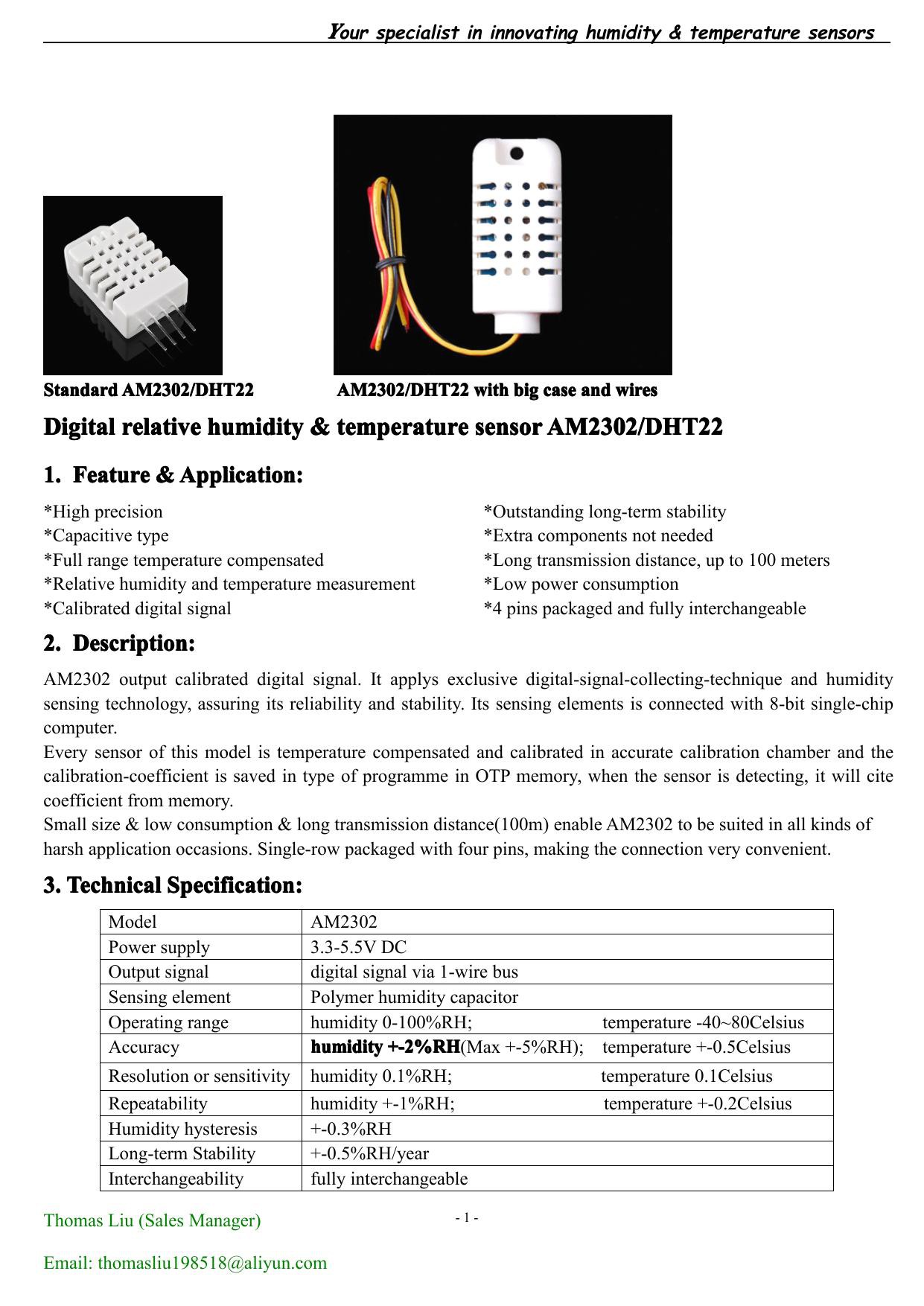
    Today's sensor is the AM2302/DHT22 temperature and humidity sensor. It's very old hat, er old sensor. The datasheet dates from 2013.

    Of course there are Arduino sketches for it. I installed AM2302 Sensor. I ran the sensor health check sketch and got this output. (Actually I made the silly mistake of thinking that this was a DS18B20 sensor until its sketch failed to work and then I belatedly checked the legend on the DHT22 sensor.)

    >>> AM2302-sensor Health Check <<<
    
    Sensor status: 0
    Number checksum errors: 0
    Number timeout errors: 0
    Number read freq errors: 0
    
    Temperature: 24.40
    Humidity: 63.90 
    

    That looks good and agrees with my wall sensor. Very comfy here.

    Incidentally there is an annoying flaw in the Arduino IDE. The serial monitor output window cannot be copied. I had to capture a portion of the screen and run the picture through OCR to get the above output.

  • ESP module inventory

    Ken Yap01/07/2025 at 05:21 0 comments

    Since I'm reaching the end of the new old-fangled stuff, that is, new discoveries in my junk, er spare, box, it's time to switch to old new-fangled stuff, that is, things I bought in the recent past because I got tempted and that I planned to get a round tuit making something with, but are in danger of becoming passé because technology constantly advances and becomes better value for money.

    Another reason for using up my Xtensa based ESP modules is because Espressif has moved away from the Tensilica Xtensa ISA to the RISC-V ISA as the ESP32-C3 shows. While a GCC toolchain exists for the Xtensa ISA, it's likely that in future the RISC-V ISA will have better support due to greater market share. Plus the RISC-V architecture is standardised, royalty-free, and a 64-bit ISA has been specified.

    So the first thing to do is make an inventory of all the ESP modules that I collected. I will start with the newest acquisitions.

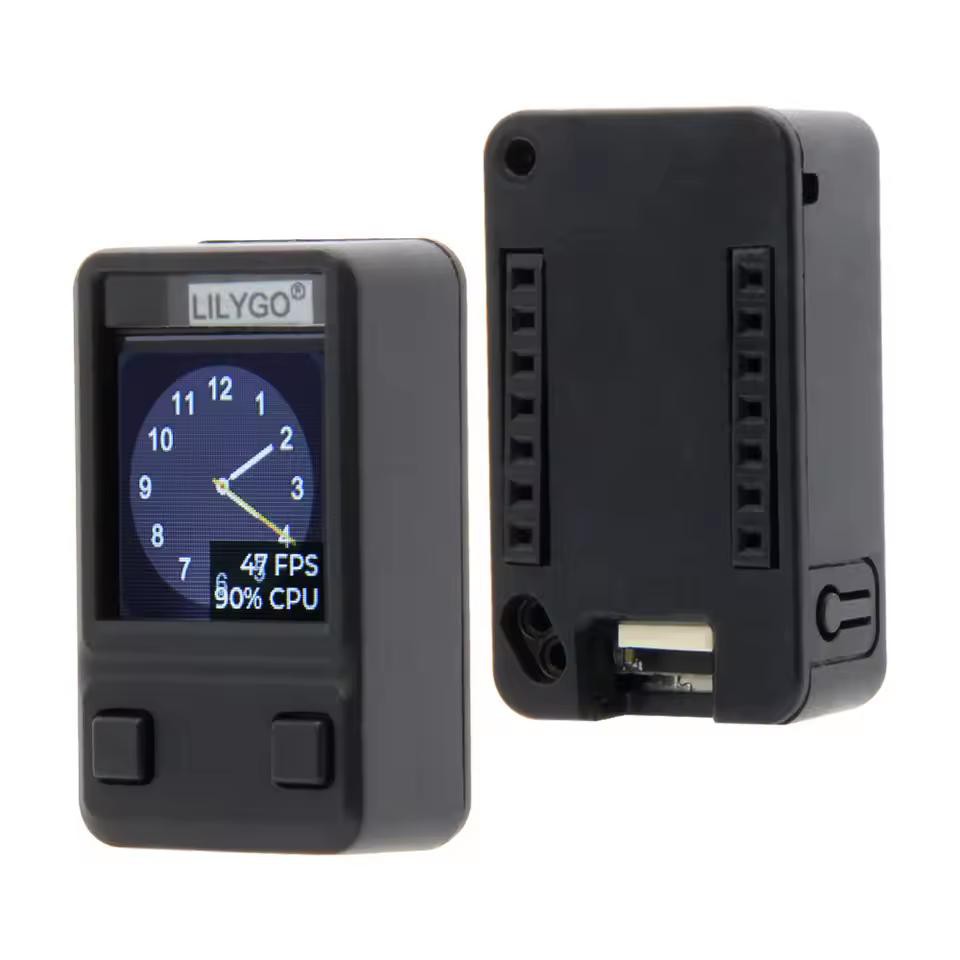
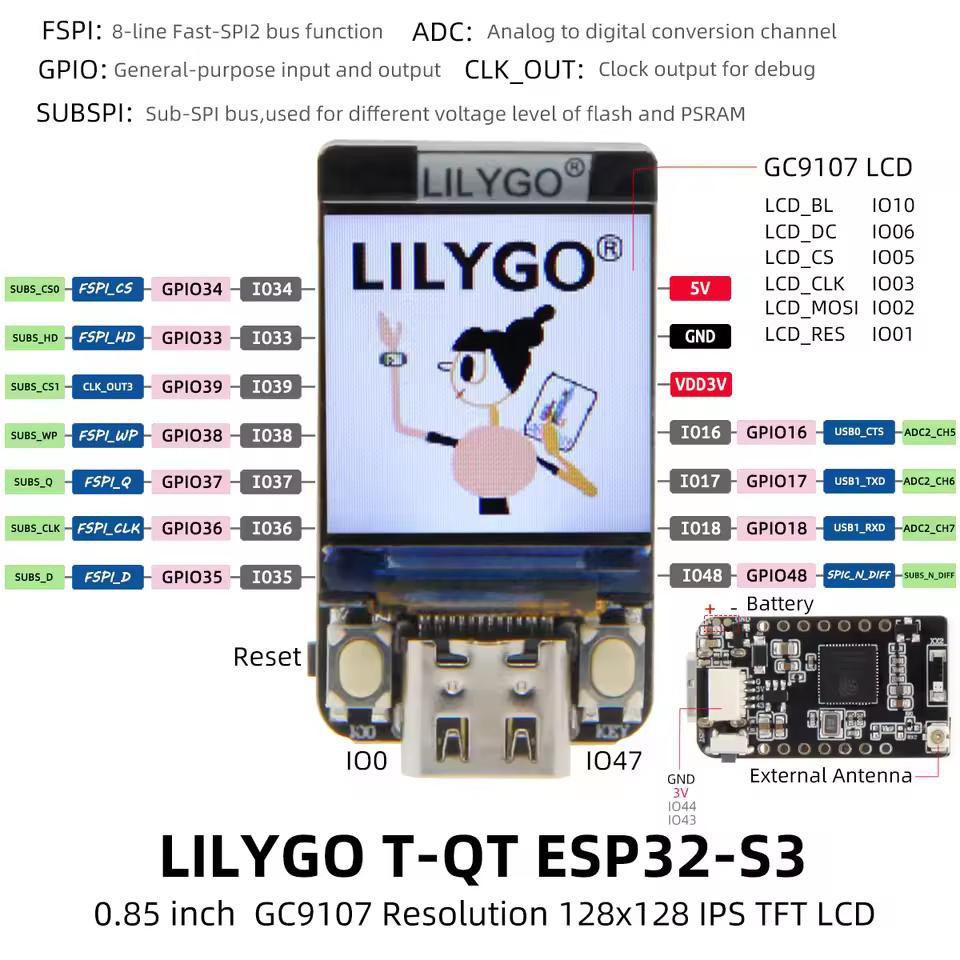
    The module in a case (online ads call it a shell) in the top picture is a Xinyuan LilyGo T-QT containing an ESP-S3 module with a display and buttons. It was a freebie from points accrued at PCBWay. It was so small in the pill case, only about the size of a 28-pin DIP IC that at first I thought they had sent me a roll of solder by mistake. The picture, larger than life size unless you're viewing on a phone, shows a CPU monitor but that's just the application running on it. The pinout diagram shows the resources available:

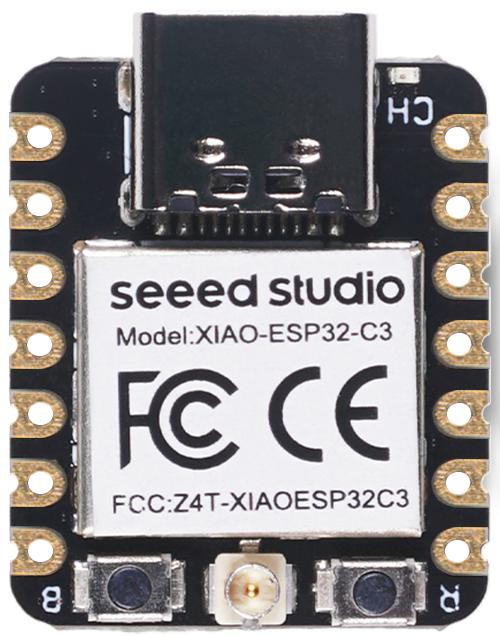
    Next is a Seeed Studio ESP-C3 that took my fancy because it was so small. The picture is larger than life size too.

    This differs from the other modules in this inventory because it's RISC-V based rather than older Xtensa based. But with a suitable toolchain and libraries the differences won't matter.

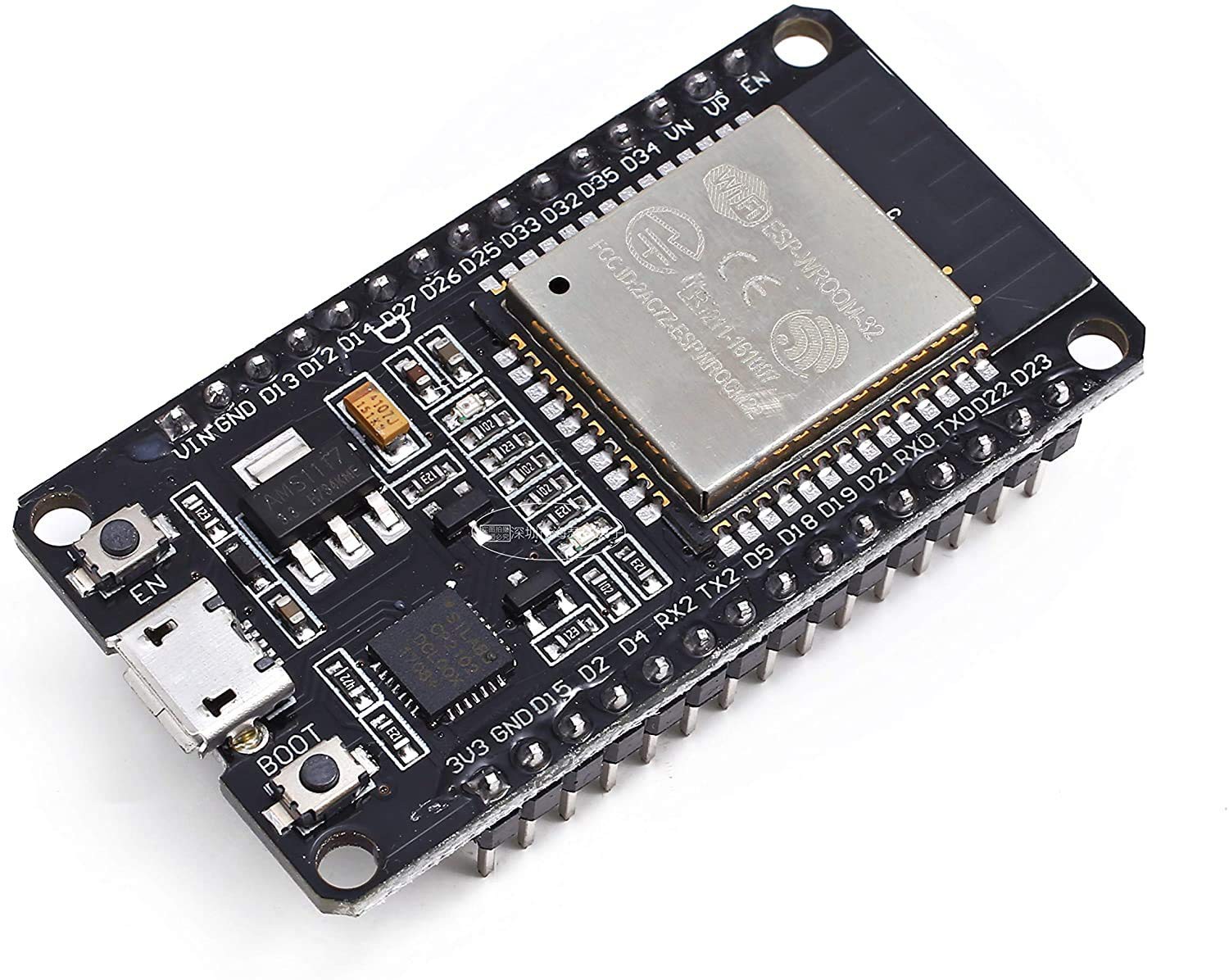
    Next older is an ESP-WROOM-32 module which was often advertised for NodeMCU, but it can be used with other embedded toolchains. It was too cheap to resist (familiar story).

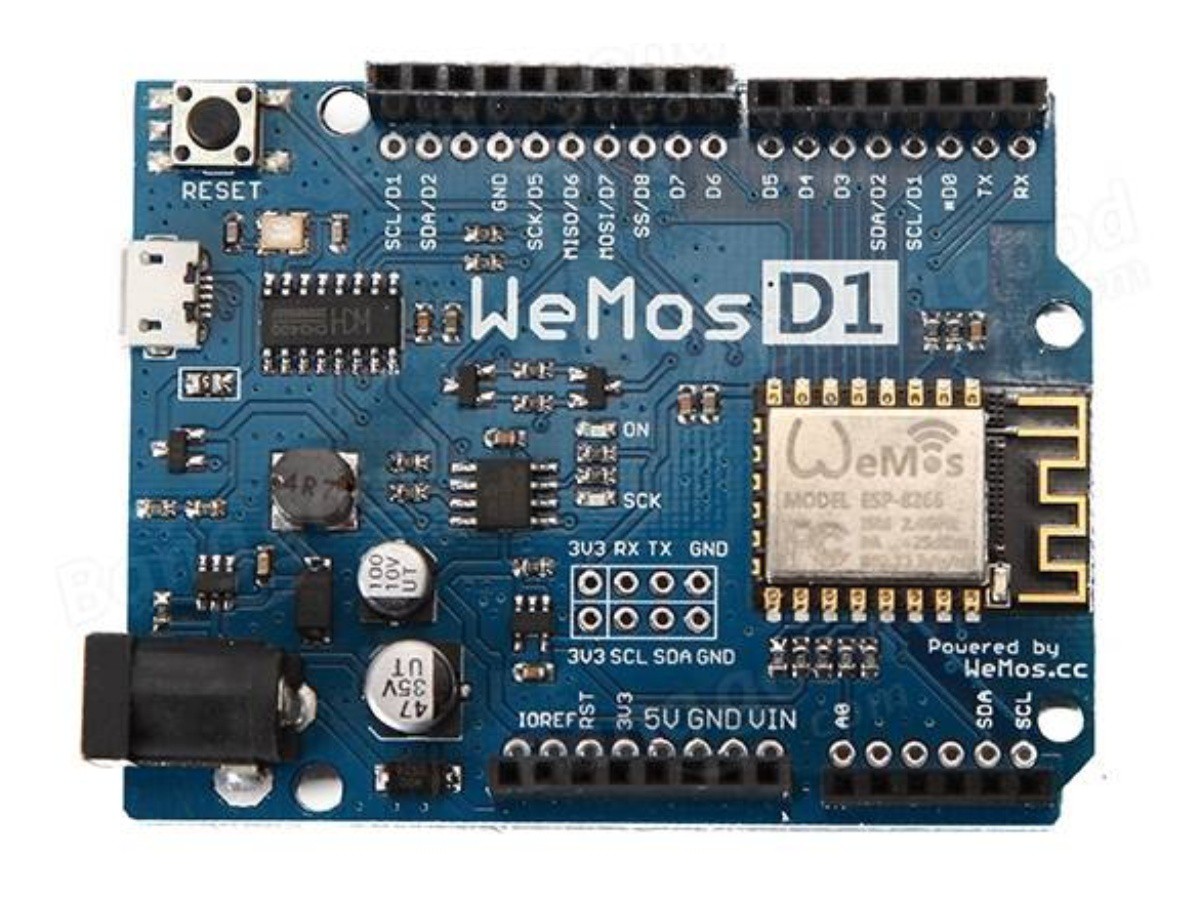
    Then a WEMOS-D1-R2 8266 module which is in the Arduino Uno form factor and I thought could be Arduino on steroids, well WiFi. I even tested a technique involving Lua coroutines for display multiplexing.

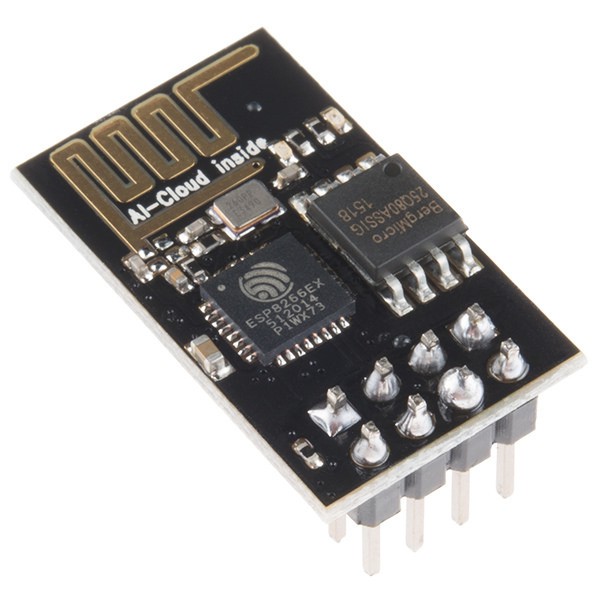
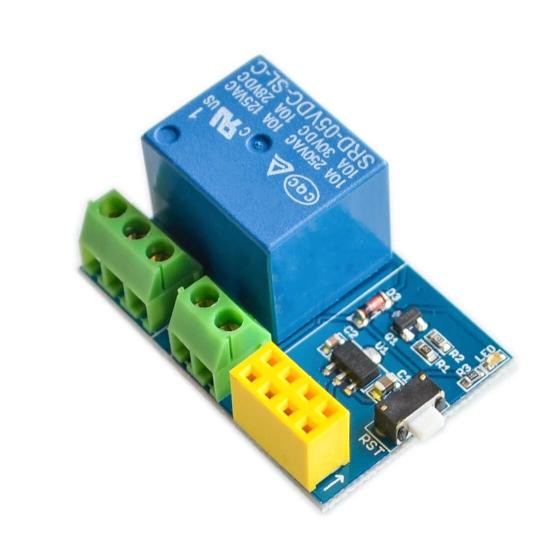
    Finally the oldest ESP modules I have, a couple of AI-Thinker ESP-01 8266 modules. As the number indicates, this was an early module. They can be plugged into relay modules like the one below. I was hoping to control power to things wirelessly.

    One remarkable thing about ESP modules is how much flash memory they have compared to usual MCUs, ranging from 512 kB to several MB. Sometimes a small filesystem is put on the flash. They are actually more like SoCs than bare MCUs.

  • Tiny wall meter

    Ken Yap12/29/2024 at 10:25 0 comments

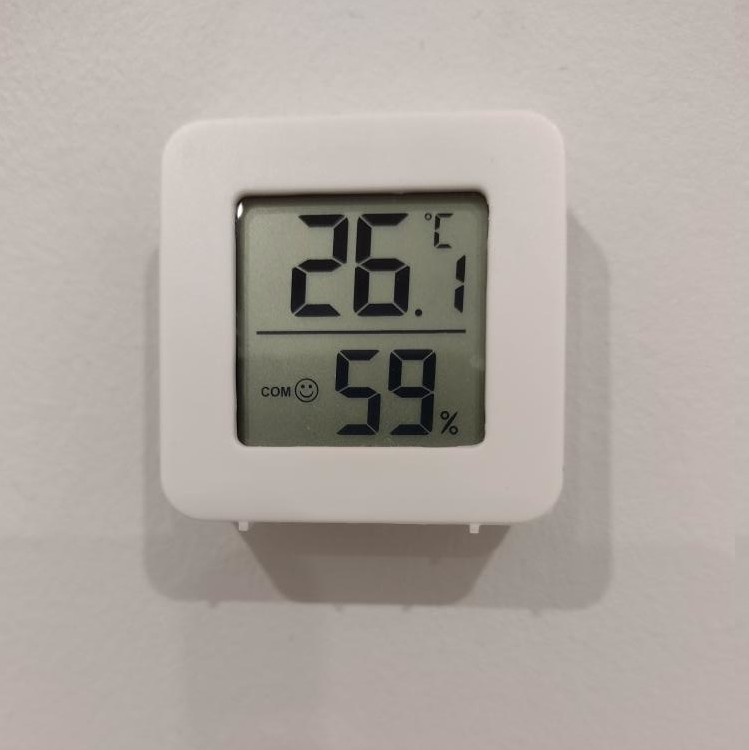
    While shopping for sensors, I came across these tiny wall meters for temperature and humidity powered by a button cell for a couple of bucks each. I've stuck them to the wall in a couple of rooms with double-sided tape. I think COM 🙂 means comfortable, not COM port 🙂.

    That reminded me of the time a poster to a forum wrote about the "comfortability" of a pair of shoes. I was bemused by how a noun, comfort, turned into an adjective by suffixing, comfortable, was turned back to an invented noun, "comfortability".

View all 6 project logs

Enjoy this project?

Share

Discussions

Similar Projects

Does this project spark your interest?

Become a member to follow this project and never miss any updates