 Steph
StephUtopia
Though the fact that this portion of the project didn't get finished until midnight may point to a struggle, this was actually a tale of ease, a modern utopia where all the software was free and it all worked (mostly) as expected.
Really! No sarcasm!
The goal was to have a "digital photo developer" system which would, upon the insertion of a floppy disk into the reader, automatically print a label for that inserted floppy using an image stored on said floppy. To achieve this, my plan was to run a simple python script using a common Raspberry Pi.
The first step was to install an operating system on the Pi. I chose the standard Debian-based Raspberry Pi OS Lite, as supplied by the familiar and easy Raspberry Pi Imager.
I selected the light version of the OS since this computer was not going to have a screen (or indeed any means of user interaction outside of inserting the floppy disk), and thusly had no need for a GUI of any kind, nor a keyboard or mouse, or even any buttons. In fact, the only buttons on the project would be the power buttons already on the bluetooth printer and the Pi.
All the development was to happen over SSH, meaning that once the development was done, the bluetooth printer would be the only way for the Pi to communicate with the outside world.
After flashing the microSD card and inserting it in the Pi, the OS booted and appeared on my network, easy peasy. It also had no trouble connecting to the usb floppy reader, which automatically showed up at the location /dev/sda, no funky drivers needed.
I wrote a python script to run the show and called it (bask in my creativity) floppy.py. Its first job is to notice when a floppy has been loaded into the reader, then take all the jpegs found on the disk, convert them to black and white, increase the contrast, and finally send them to the bluetooth printer. Here are a few excerpts of the critical parts:
Detecting the floppy:
def is_floppy_inserted():
    try:
        size = int(subprocess.check_output(["lsblk", "-b", "-n", "-o", "SIZE", FLOPPY_DEVICE], text=True).strip())
        if size > 0:
            return True
        else:
            return False
Preparing the image:
import PIL.Image
import PIL.ImageEnhance

img = PIL.Image.open(img_path)
img = img.resize((384, 384), PIL.Image.LANCZOS)
img = img.convert("L") #convert to greyscale
img = PIL.ImageEnhance.Contrast(img).enhance(2.5) #increase contrast
img.save(dest_path)
Sending to the printer:
import peripage
printer = peripage.Printer(
    mac='A4:4A:17:06:50:7B',
    printer_type=peripage.PrinterType.A6)

printer.setConcentration(5)  #darker print
printer.printBreak(25)
printer.writeASCII(f"|        VCF SOCAL 2025        |\n")
printer.printImage(img)
printer.printBreak(75)
current_time = datetime.now().strftime("%Y-%m-%d %H:%M") #get time in YYYY-MM-DD HH:MM format
printer.writeASCII(f"{filename} {current_time}\n\n")
printer.printBreak(50)
These steps rely on the venerable Pillow library for image manipulation, and the "how great that this exists!" peripage-python project, a reverse-engineering effort which allows these little printers to be controlled over bluetooth without their proprietary app.
I set up the floppy.py script to run as a service, meaning that the system would launch it at boot, and could restart it if it crashed.
Here is what the full script does:
First, it connects to the bluetooth printer, then it ensures that the USB floppy reader is mounted as a drive at /mnt/floppy. The floppy appears to the system just like any modern SD card or other external drive would. When the reader has no disk in it, the size of the drive is reported as 0kb.
The script then enters its main loop, monitoring the reported size of /mnt/floppy, and as soon as that size is not zero, it searches the drive for jpegs, the default format used by the camera. If it finds any, it uses Pillow to do all the image conversions, namely resizing the jpeg to the printer's native width of 384px and increasing the contrast.
From there, the script uses the peripage-python driver to send the image to the printer automatically, with no user interaction needed. From disk insertion to label printing, the whole process takes about 20 seconds, the majority of which is time spent reading data from the disk.
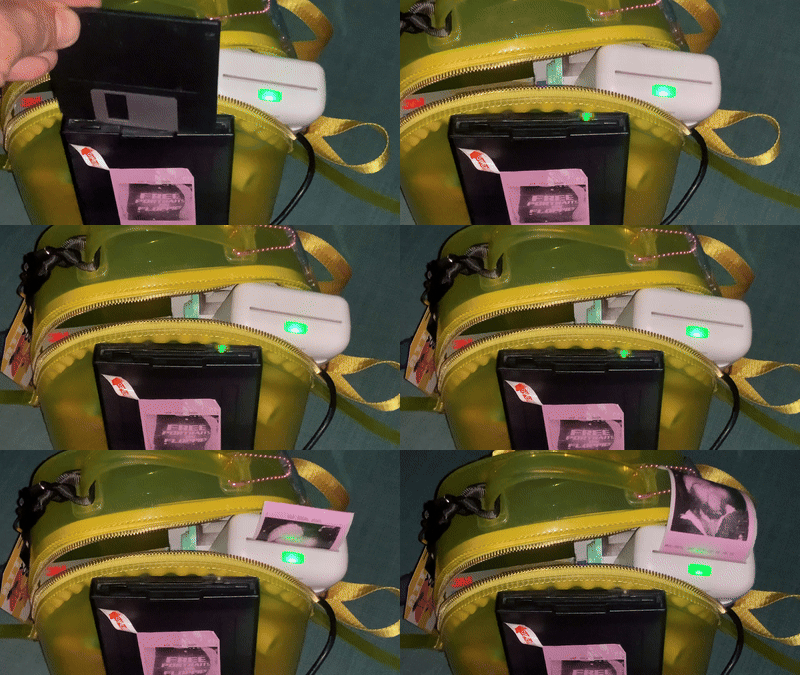
Happily, that interval is very similar to the duration that a polaroid requires to develop, and allows for just enough time to engage in some light discussion about the camera and whether the recipient has any access to a floppy reader.
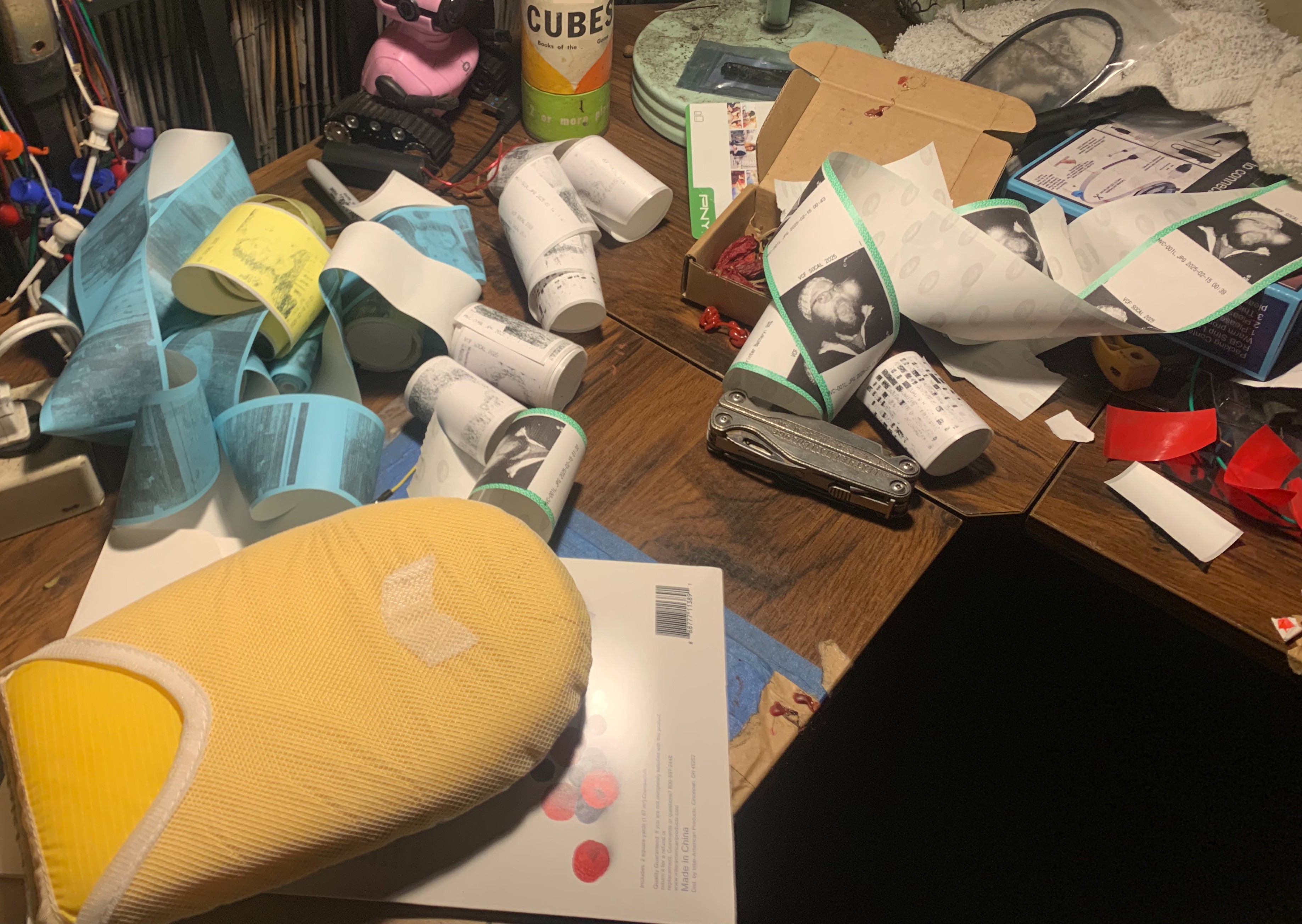
The main floppy.py script was written in just a few hours, with chatbot assistance for the more obscure linux commands and PIL quirks. However, before that work could even begin, at least an hour of time was sunk into installing pybluez, a python bluetooth library and a dependency of the printer driver. Plenty more hours were spent making the images look their best on the low quality thermal printer, which this photo of my paper-strewn desk can attest to:
Since this was all happening on the day before the event, I had limited time for testing. I also didn't know what the wifi details at the venue would be, and since the Pi had no UI, I would have no way of connecting to the Pi and editing the code, should a showstopping bug occur. It was sort of an all-or-nothing coding hail-mary, but by midnight I had a fully battery-powered setup that reliably and automatically printed images from inserted disks.
An Aside About Methods
It would have been much easier to attach the floppy drive to my macbook and print from there, except for the following three sticking points.
- The Peripage printer has no macOS app, but it is possible to print from the desktop by emulating the iPad app. However, this pathway cannot print images directly from the filesystem, because the emulation layer means that images have to be selected from the mac's Photos app. That means making local copies of all the files, and the way iCloud works means that those pictures would probably get sucked into the cloud too. It's less elegant, less private, and actually much slower to do this by hand on a Mac than with automation on Linux.
- Since this project was non-festival-sanctioned, I both didn't want to give the impression of being "official" in any way, and I also didn't want to block isles or occupy space on other people's tables.
- Finally, besides being burdensome, the modern laptop would have stuck out like a sore thumb among all the vintage hardware. By keeping the modern guts of the project hidden, I could give the vintage stuff center stage.
I should have stopped here, but I continued to...
Next section: Shirts
Discussions
Become a Hackaday.io Member
Create an account to leave a comment. Already have an account? Log In.