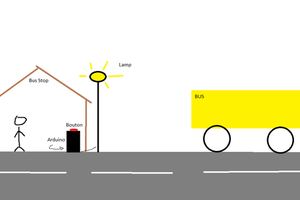
A button in a bus that notifies the driver if you feel unsafe or possibly in danger.
To make the experience fit your profile, pick a username and tell us what interests you.
We found and based on your interests.
Screenshot 2025-05-02 10.14.20 AM.pngPortable Network Graphics (PNG) - 333.74 kB - 05/02/2025 at 17:15 |
|
|
Screenshot 2025-04-30 10.36.46 AM.pngPortable Network Graphics (PNG) - 578.62 kB - 04/30/2025 at 17:41 |
|
|
Screenshot 2025-04-30 10.36.39 AM.pngPortable Network Graphics (PNG) - 631.75 kB - 04/30/2025 at 17:40 |
|
|
Screenshot 2025-04-30 10.36.33 AM.pngPortable Network Graphics (PNG) - 682.49 kB - 04/30/2025 at 17:40 |
|
|
Screenshot 2025-04-30 10.24.42 AM.pngPortable Network Graphics (PNG) - 664.52 kB - 04/30/2025 at 17:39 |
|
|
We revised and fixed some problems in the project and we made sure the project is ready to turn in and send out to the world.
We took pictures of places we could put the button on a real bus for planning. This helped us understand more on how we are going to execute this plan.
We wired and coded the hall effect Sensor to notify a screen when a button is pressed. The button will notify the driver of the bus saying "Seat _ needs help" depending on what button at which seat is pressed.
We are now working on the coding in Arduino. We have been able to complete the coding for the prototype using Arduino and the buttons on the LCD screen
We finished researching and started wiring up and building our model. So now we are just talking about wired. We got stuck on how to wire the parts togeher for a couple days but then we figured it out and finshed wiring the parts together.
We did research and put our minds/ideas together to figure out how we going to make the Emergency button a reality to help those who need it most. Then we reasearched what parts we were gonna need, how to wire the parts, and how to code it all.
int sensorPin = 30;
int counter = 0;
#include <LiquidCrystal_I2C.h>
#include <Wire.h>
const int rs = 12, en = 11, d4 = 5, d5 = 4, d6 = 3, d7 = 2;
LiquidCrystal_I2C lcd(0x27, 16, 2);
void setup()
{
// setup serial - diagnostics - port
Serial.begin(9600);
pinMode(sensorPin, INPUT_PULLUP);
lcd.begin(16,2);
//initialize lcd screen
lcd.init();
// turn on the backlight
lcd.backlight();
}
void loop()
{
counter++;
int sensorValue = digitalRead(sensorPin);
Serial.print(counter);
Serial.print(" ");
Serial.println(sensorValue);
delay(250);
if(sensorValue == 0){
lcd.setCursor(0,1);
lcd.print("seat 1 needs help");
delay(5000);
lcd.setCursor(0,1);
lcd.print(" ");
}
}
3.3v or 5v on Mega Arduino Board to VCC on LCD Screen
GND on Mega Arduino Board to GND on LCD Screen
SCL on Mega Arduino Board to SCL on LCD Screen
SDA on Mega Arduino Board to SDA on LCD Screen
Hall Effect Sensor GND to Mega Arduino Board GND
Hall Effect Sensor +VCC to Mega Arduino Board 5V
Hall Effect Sensor Output to any digital pin on Mega Arduino Board (Use pin 30 if you don't want to have to change the code)
Put Resistor through output pin and 5V pin (10k Resistor)
Create an account to leave a comment. Already have an account? Log In.
Become a member to follow this project and never miss any updates
Fotis Papadopoulos
x3e