Close
0%
0%

Tinycorder

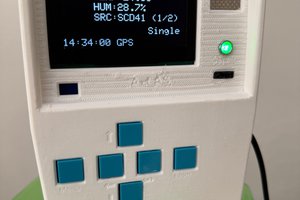
A multitool device to sense environment, test electrical signals and more. Tribute to scifi tricorder in star trek

Similar projects worth following
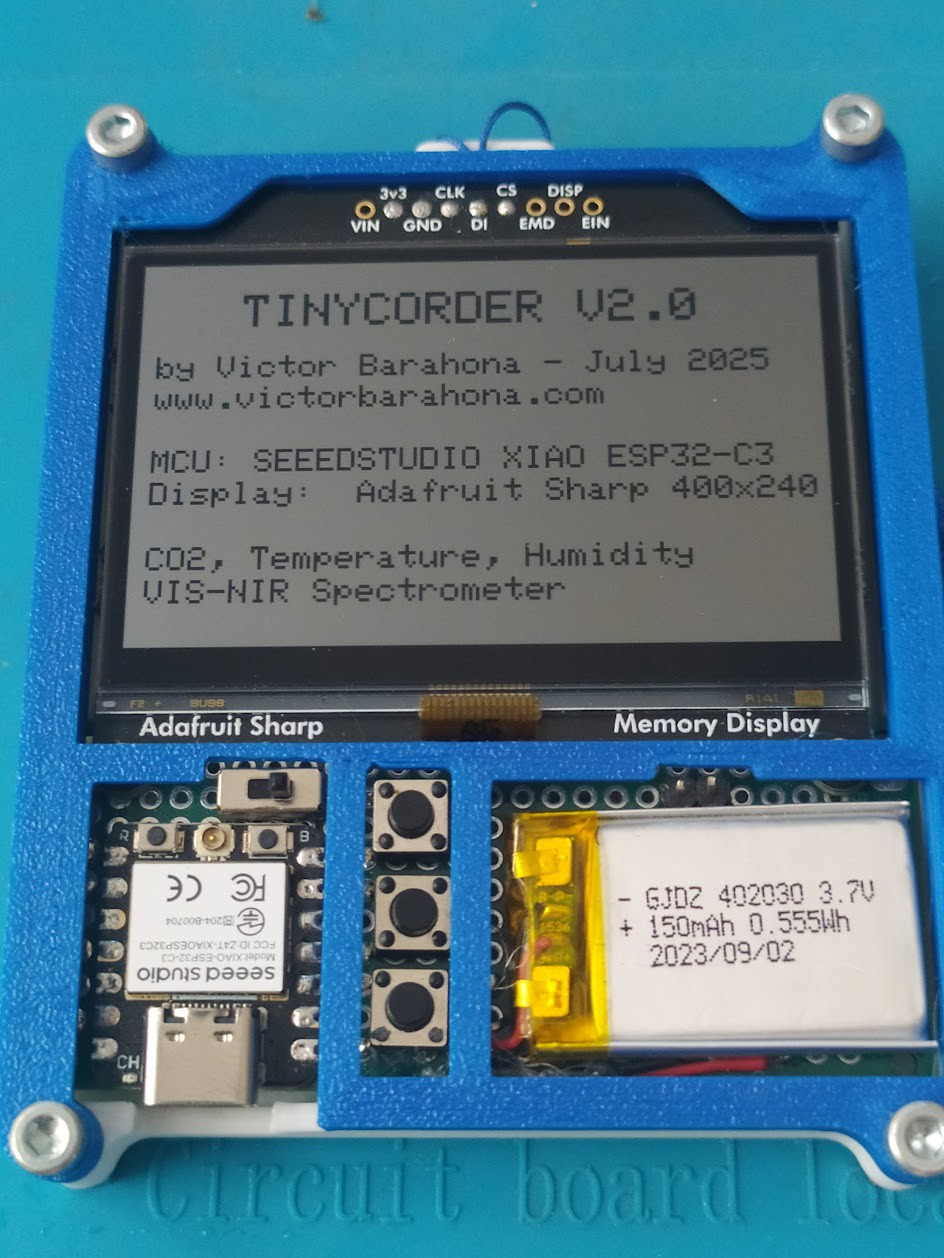
Tinycorder is a small multipurpose device that seeks to pay tribute to the mythical tricorder from the science fiction series Star Trek.

It includes several sensors, as well as a high-resolution, low-power screen that allows us to use it as an electronic badge.

It is small (75x85x10mm), light (70gr) and uses very low energy.

Main features:
-Two-piece PLA chassis that are joined together using 4 M3x10 screws.
-Includes hook to hang it from the neck or hand.
-XIAO ESP32C3 MCU from Seeed Studio.
-150mAh Lithium Ion battery.
-Power switch and 3 pushbutton for interface (Up, Down, Enter).
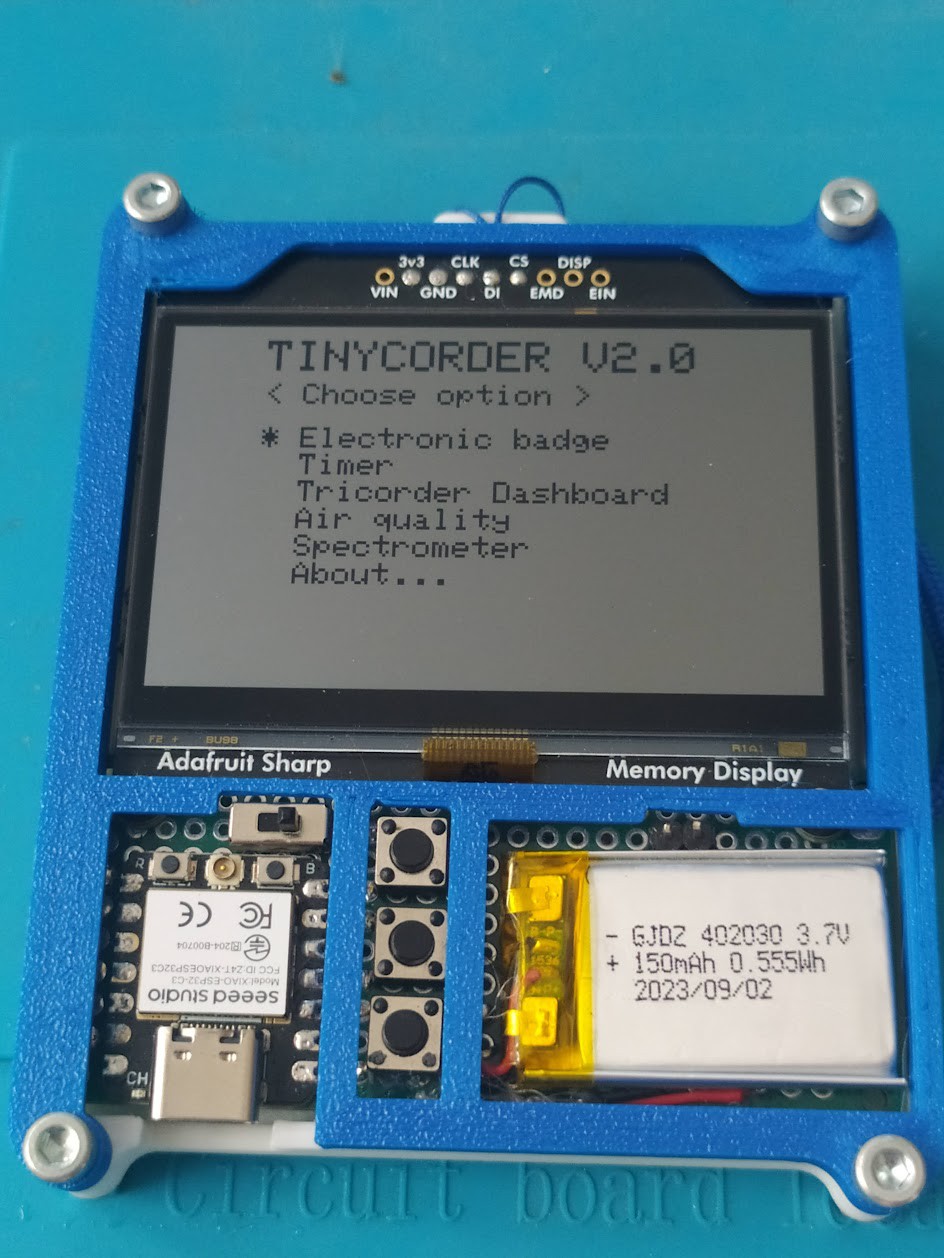
-Sharp Memory Display 400x240px from Adafruit. Very low consumption.
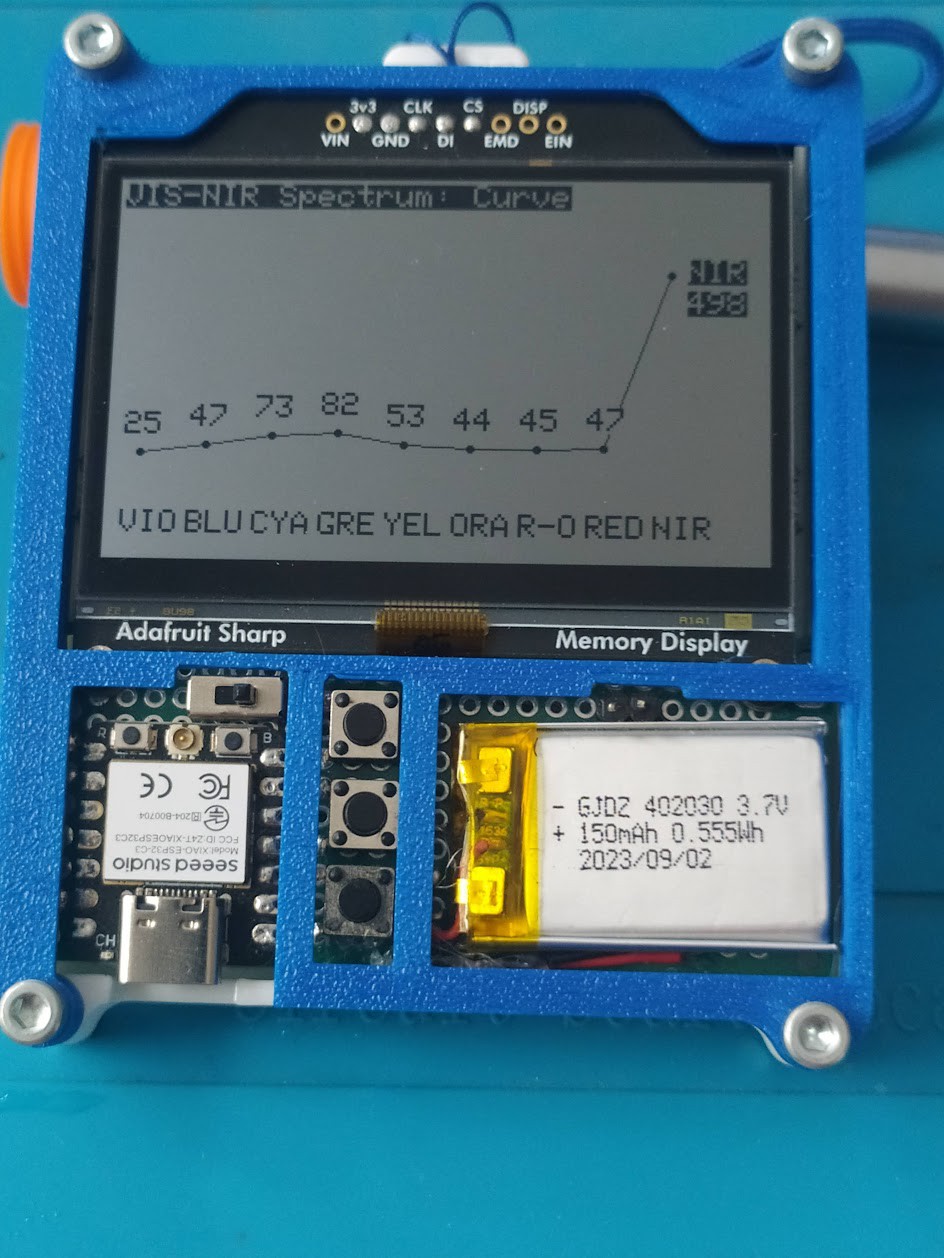
-AS7341 sensor for light measurement in 7 visible and NIR (near IR) bands.
-SCD40 sensor for measuring air quality and CO2.
-BMP280 sensor for measuring temperature, humidity and pressure.
-2 free pins accessible from the front to measure analog signals.


WORK IN PROGRESS
Main features:

  • Two-piece PLA chassis that are joined together using 4 M3x10 screws. Includes hook to hang it from the neck or hand.
  • XIAO ESP32C3 MCU from Seeed Studio. 
  • 150mAh Lithium Ion battery.
  • Power switch and 3 pushbutton for interface (Up, Down, Enter).
  • Sharp Memory Display 400x240px from Adafruit. Very low consumption.
  • AS7341 sensor for light measurement in 7 visible and NIR (near IR) bands.
  • SCD40 sensor for measuring air quality and CO2. 
  • BMP280 sensor for measuring temperature, humidity and pressure. 
  • 2 free pins accessible from the front to measure analog signals.


WORK IN PROGRESS
TINYCORDER_V2_250702.ino

Arduino code updated with more functions

ino - 29.69 kB - 07/13/2025 at 09:39

Download

Tinycorder_schematic.jpg

Fritzing schematic. Pay attention, some pieces are bad represented because don't be in fritzinf libraries. Read the labels.

JPEG Image - 968.14 kB - 04/24/2025 at 16:34

Preview

Badges.cpp

Arduino cpp file (insert here your badge)

plain - 73.97 kB - 04/24/2025 at 16:33

Download

TINYCORDER_250415.ino

Arduino file

ino - 11.56 kB - 04/24/2025 at 16:33

Download

Badges.h

Arduino header file (insert here your badge)

plain - 611.00 bytes - 04/24/2025 at 16:33

Download

View all 7 files

  • 1 × SEEED Studio XIAO ESP32C3 Microcontroller
  • 1 × Adafruit Sharp Memory Display 400x240px Display with SPI bus, low power
  • 1 × AS7341 Light Sensor Extract 7 colours and NIR, I2C bus
  • 1 × SCD40 Air Quality Sensor CO2 ppm, I2C bus
  • 1 × BMP280 Temperature, Humidity, Pressure, I2C bus

View all 7 components

  • Tinycorder in Seeed Interactive Signage Contest !

    Victor Barahona07/13/2025 at 09:47 0 comments


    I have decided to enter the "Interactive Signage Contest" promoted by Seeed Studio. As part of that process I have uploaded a video that has been published on their channel, here is the link. The 14 videos with more likes go to a second phase in which a jury decides the best projects and there will be some prizes, the first one is a paid trip to the maker faire in Shenzen. The jury meets in the second half of August.

    Tinycorder is a small, lightweight, low-power data capture device. It records temperature, humidity, CO2 and carries a basic 8-band spectrometer (7 colors + NIR). It also serves as an electronic badge, pomodoro timer, etc. I was inspired by the mythical Tricorder from the Star Trek franchise.

    You have to participate before August 15, if you see the video and you like the project, it's as simple as giving it a like, thank you very much!

  • Tinycorder Version 2 is done!

    Victor Barahona07/13/2025 at 09:38 0 comments

    Tinycorder Version 2 (updated July 6, 2025)


    The code is completed with the following changes:

    • The timer function is completed, allowing you to set blocks from 5 to 120 min. In the 25min block, a "Pomodoro Timer!" message appears. When activated, it starts a countdown and, when finished, notifies with a flashing label on the screen.
    • The Dashboard menu is completed, showing CO2, temp, and humidity measurements as a histogram, with measurements every 5 min up to a total of 24 for each variable. The time between samples can be changed in firmware to take a longer total sampling time.
    • The "Air Quality" menu presents CO2, temperature, and humidity measurements every 5 seconds continuously, until you return to the main menu.
    • The "Spectrometer" menu was already working but has been improved. Now it can display the spectrum as a histogram, lines, or numeric; you can switch between any of them or return to the main menu.
    • The "About" menu has been improved in appearance and presents basic information.
    • The oscilloscope function has been removed for now. It may be addressed in the future.
    • All the text and menus in english
    • The changes are update in github. Also uploaded the new .ino file here.

    Pending changes:

    • Add a small buzzer to give sound to the device.
    • Add a time-of-flight sensor to measure distance and perhaps generate a kind of "sonar".
    • Optimize power consumption by better managing deep sleep processes.
    • Option to enable/disable LED for flashlight, using those on the spectrometer sensor.
    • Battery voltage control to see autonomy on screen.
    • Try other, more economical displays and redesign the hardware. The Sharp is very good but somewhat expensive.
    • Create the PCB. It is currently a perfboard as it is a prototype.
    • What else...?

View all 2 project logs

  • 1
    Join the perfboard (70x30mm) and display with glue or soldering.

    Use this schematic to mount the device. Pay attention: some stuff isn't in Fritzing libraries and could be different. Read the notes.

  • 2
    Wire all the sensors and display following the schematic
    • The display uses 3 pins for SPI and sensors 2 pins for I2C. 3 pins for pushbuttons (up, down, enter). 2 pins are connected in the front to header pins, they are analog pins.
    • Solder the XIAO in the topside but take care of align the perfboard holes. XIAO ESP32C3 has two pads in the bottom to connect the battery and you must solder them in the bottom, it's a little tricky.
  • 3
    Glue the sensors in the bottom side, also the wiring, see the picture:

View all 6 instructions

Enjoy this project?

Share

Discussions

Victor Barahona wrote 04/20/2025 at 11:33 point

https://youtube.com/shorts/ru9a2Mq4lZI?si=55Z1NvpCbkOlePjX

  Are you sure? yes | no

Similar Projects

Does this project spark your interest?

Become a member to follow this project and never miss any updates