Neil K. Sheridan
-
Options for a website
05/18/2025 at 18:38 • 0 commentsWell, since the Pi will be communicating with the internet via a 4G/5G dongle, we have an issue with dynamic IP, and blocking of inbound traffic. Although this will depend on the carrier.
Some options:
1. Cloudflare or Ngrok tunnel, host site on Pi using Flask and Nginx. Not keen on relying on cloudflare tbh
2. Pi uploads images and metadata to a VPS, host database and website on the VPS with Apache. Big advantage is we don't have any compute issues, or storage constraints, on the VPS. The VPS can hold images and metadata from multiple pi field units (we need to add Lat/Lon to our metadata that is uploaded!)
-
May 17th v0.3 code with MySQL
05/17/2025 at 18:51 • 0 commentsToday I added a MySQL database, and updated code so that the images and accompanying species ID are sent to the database! First we needed to fetch just the species name from the dict which contains all the classification information (e.g. probability etc.): species_name = species["predicted_class"]
CREATE DATABASE whosthatbird;
USE whosthatbird;

CREATE TABLE bird_sightings (
    id INTEGER PRIMARY KEY AUTOINCREMENT,
    image_path VARCHAR(255) NOT NULL,
    species VARCHAR(100) NOT NULL,
    timestamp DATETIME DEFAULT CURRENT_TIMESTAMP
);
Then, I added the code to insert to the MySQL table in the annotate_photo module (for now):
#let's put the code for insert to MySQL table here timestamp = datetime.now() #connect to DB conn = mysql.connector.connect( host="localhost", user="user", password="password", database="whosthatbird" ) cursor = conn.cursor() cursor.execute( "INSERT INTO bird_sightings (image_path, species, timestamp) VALUES (%s, %s, %s)", (image_path, species_name, timestamp) ) conn.commit() cursor.close() conn.close() -
May 16th v0.2 code
05/16/2025 at 18:41 • 0 commentsToday I got the v0.2 code completed. So we take a photo on PIR=HIGH, run inference using TFLITE, and then annotate it with the top class, using Pillow! We also take a video, but we are not doing any video classification or object detection at the moment, and it seems a cheat to label it with the species name from the still image!
What's to-do next per software?
- We can run a web server, and SQL database on the Pi, so we can store all the images with their associated species classifications. Then we can show a list with images of all the species identified. Add a thumbs up/down to see if user agrees with the CNN classification. Side bar for total species seen, how many in last hr/day. Also stick the videos on the web server too (although remain unclassified)
- Update so we can add sound to the video recordings from the USB mic
- Make some kind of Android app that pulls data from the SQL database, so images and videos can be viewed easily
import RPi.GPIO as GPIO import time from PIL import Image, ImageDraw, ImageFont import numpy as np import tflite_runtime.interpreter as tflite import subprocess GPIO.setwarnings(False) GPIO.setmode(GPIO.BOARD) GPIO.setup(7, GPIO.IN) #Read output from PIR motion sensor # Load class labels class_labels = ["Blackbird", "Bluetit", "Carrion Crow", "Chaffinch", "Coal Tit", "Collared Dove", "Dunnock", "Feral Pigeon", "Goldfinch", "Great Tit", "Greenfinch", "House Sparrow", "Jackdaw", "Long Tailed Tit", "Magpie", "Robin", "Song Thrush", "Starling", "Wood Pigeon", "Wren"] # class labels here # Load the TFLite model interpreter = tflite.Interpreter(model_path="birds4.tflite") interpreter.allocate_tensors() # Get input & output tensor details input_details = interpreter.get_input_details() output_details = interpreter.get_output_details() IMG_SIZE = (224, 224) # make sure these are made to correct size for model! # Load and preprocess image def preprocess_image(image_path): image = Image.open(image_path) image = image.resize(IMG_SIZE) img_array = np.array(image, dtype=np.float32) img_array = img_array / 255.0 # Normalize if needed img_array = np.expand_dims(img_array, axis=0) # Add batch dimension return img_array # Run inference def predict(image_path): image = preprocess_image(image_path) # Set input tensor interpreter.set_tensor(input_details[0]['index'], image) # Run inference interpreter.invoke() predictions = interpreter.get_tensor(output_details[0]['index'])[0] # Get predictions predicted_class_idx = np.argmax(predictions) predicted_class_label = class_labels[predicted_class_idx] confidence_score = float(predictions[predicted_class_idx]) # Return predicted class & probabilities return{ "predicted_class": predicted_class_label, "confidence": round(confidence_score * 100,2) } def annotate_photo(image_path, species): image = Image.open(image_path) draw = ImageDraw.Draw(image) font_size = int(image.height *0.06) try: font = ImageFont.truetype("usr/share/fonts/truetype/dejavu/DejaVuSans-Bold.ttf", font_size) except: font = ImageFont.load_default() #add text text = f"Detected: {species}" text_width, text_height = draw.textsize(text, font=font) padding = 10 box_x = 10 box_y = image.height - text_height - 100 box_width = text_width +2 * padding box_height = text_height +2 * padding draw.rectangle( [box_x, box_y, box_x + box_width, box_y + box_height], fill="black" ) draw.text( (box_x + padding, box_y + padding), text, font=font, fill="white" ) annotated_path = image_path.replace(".jpg", "_labeled.jpg") image.save(annotated_path) print(f"Annotateed image saved as {annotated_path}") def take_photo(): timestamp = time.strftime("%Y%m%d-%H%M%S") image_path = f"/home/whosthatbird/photos/photo_{timestamp}.jpg" subprocess.run([ "libcamera-still", "-o", image_path, "-t", "2000" ]) return image_path def record_video(): timestamp = time.strftime("%Y%m%d-%H%M%S") filename = f"/home/whosthatbird/Videos/video_{timestamp}.h264" subprocess.run([ "libcamera-vid", "-o", filename, "-t", "10000" ]) while True: i=GPIO.input(7) if i==0: #When output from motion sensor is LOW print("No birds") time.sleep(0.1) elif i==1: #When output from motion sensor is HIGH print("bird detected") image_path = take_photo() print(image_path) species = predict(image_path) print(species) annotated_img = annotate_photo(image_path, species) #record_video() time.sleep(2) time.sleep(0.1) -
May 14th first prototype
05/14/2025 at 19:29 • 0 commentsSo, some findings from the first prototype test!
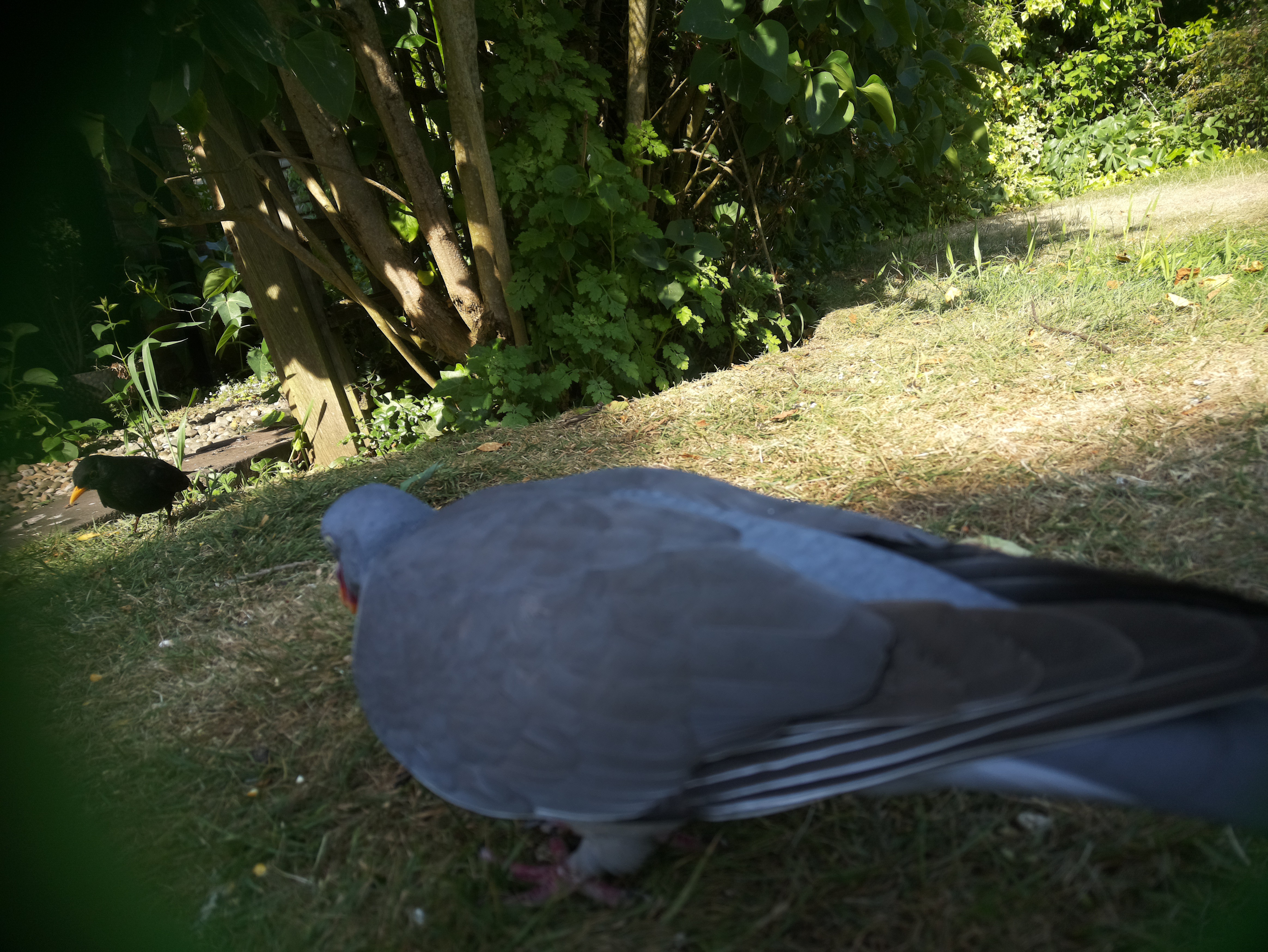
![]()
- The Waveshare Li-ion Battery HAT only provides enough power for about 1hr! As expected really. So I'm thinking the easiest is just to use a powerbank, if I can find a small form factor one. Else, I guess something like Pi Sugar
- 32GB SD card is way too small! I'll got to a 256GB, since we want to storing at least 8hrs of photos and videos
- The naturesbytes case is fine for testing, but I need to start designing a custom one as soon as I've settled on components
What's next to-do?
- Change out the Waveshare Li-io battery HAT for a powerbank, so finding a small one that fits into the case
- Add the classifier model (already tested on a Pi4) and annotate the images with the top detected species
- Start collecting images to continue training the model for species
- Start collecting images to train a new model for individual birds (I think might need to up the the camera resolution to do this really)
- 4G/5G dongle - that's not fitting in this case, but good to have the dimensions ready for building a new case
whosthatbird
Pi-based platform to photograph and record birds, and classify them at both species and individual level