 Tim S
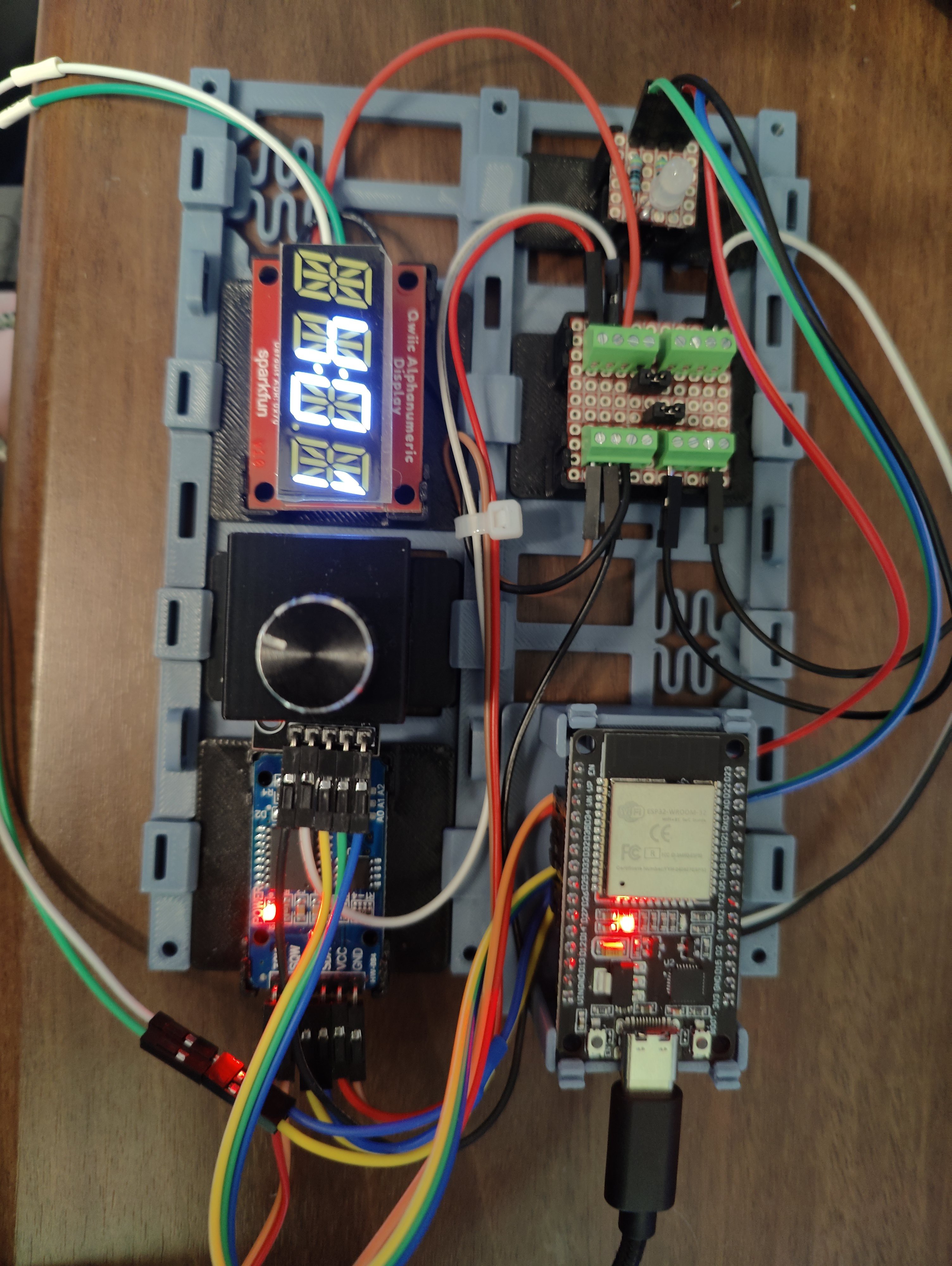
Tim SI've already got a few evenings of work in on this, and have made some decent progress. So far I have an ESP32 driving an alphanumeric display, controlled by a rotary encoder (w/ switch). The control can be used to set the time, or to program a basic schedule (start sleeping, stop sleeping). Time is kept by an RTC with a battery backup. When the current time falls within one of the time blocks in the schedule, an RGB LED lights up accordingly.
The OK-to-Wake clock we're currently using with my daughter has three blocks of time in a given schedule. A block for sleeping (red), a block for playing quietly in the morning (yellow), and an OK-to-Wake window (green). When it's not in any of these states, it turns white. When setting the schedule, all you can do is set the start/stop for the sleeping block, and toggle the (hard-coded at 15 minutes) block for playing quietly.
For my clock, I want to support four states: Wind-Down, Sleep, Quiet, and Wake, which will take place in that order each night. Setting all of that with the dial on a single 4-character alphanumeric display would be tedious at best. As such, my current plan is to keep an interface similar to the one on our existing wake clock for the dial - you just set a sleep window, and the rest is automatically configured. I also want to eventually support different schedules for each day of the week (stay up later on weekend nights, for example), but that also feels like it would be annoying to input in the device itself. Again, to "resolve" this for now, the schedule is just set for all seven days when it's set on the clock.
I have not yet gotten around to setting up the nap/override behavior, or a lock function (the chance of the 2y/o not fiddling with it is basically zero), so those are next on my list. Once all that basic functionality is in place, I intend to shift focus to the wireless control. I want to put together a simple app which can connect to the device over bluetooth. I'm going with bluetooth instead of wifi because I want to be able to take it with us on vacations, where I can't guarantee I'd be able to connect it to wifi.
The app will, hopefully, be able to set the schedule more granularly; manual control of each time block, on a per-day-of-the-week basis. I'm also hoping to allow it to set overrides for the current day. This would be used to set up nap periods, or to adjust the schedule for one night only.
Finally, once the app is functional and everything is working, I want to look into a 3D-printed enclosure for it all. I have no idea yet what shape it will take, that'll likely be up to my daughter, but ideally that will be the most flexible part. I'd love it if other folks could pick up this project, and design different enclosures for their kids. As part of that, I may also look into designing a custom PCB, but definitely not set on that yet.
Discussions
Become a Hackaday.io Member
Create an account to leave a comment. Already have an account? Log In.