 Vipin M
The journey to transform a Roomba 650 into a fully autonomous SLAM robot continues with some significant hardware and software upgrades. This update covers the migration from Raspberry Pi 3 to Pi 5, the transition to ROS 2 Jazzy, power management challenges, and getting gamepad control working.
The Great Migration: Pi 3 to Pi 5
Initial Challenges with Pi 3
The original plan involved using a Raspberry Pi 3 with Ubuntu 22.04 Core and ROS 2 Humble. However, this setup proved problematic due to missing ROS components and the limitations of Ubuntu Core's snap-based package management. While Ubuntu Desktop isn't officially supported on Pi 3 due to its 1GB RAM limitation, the constant troubleshooting was becoming a distraction from the core SLAM development.
Future-Proofing with Pi 5
Given the project's eventual goals of heavy-duty image processing and AI integration, I decided to future-proof the system by upgrading to a Raspberry Pi 5. This decision came with its own cascade of changes:
- Pi 5 requires Ubuntu 24.04 (no 22.04 support)
- Ubuntu 24.04 ships with ROS 2 Jazzy (not Humble)
- Development machine also needed upgrading to maintain version consistency
The migration to Ubuntu 24.04 and ROS 2 Jazzy on both the Pi and development machine was necessary to ensure compatibility across the entire development pipeline.
Power Management: The Pi 5 Challenge
Current Limitations
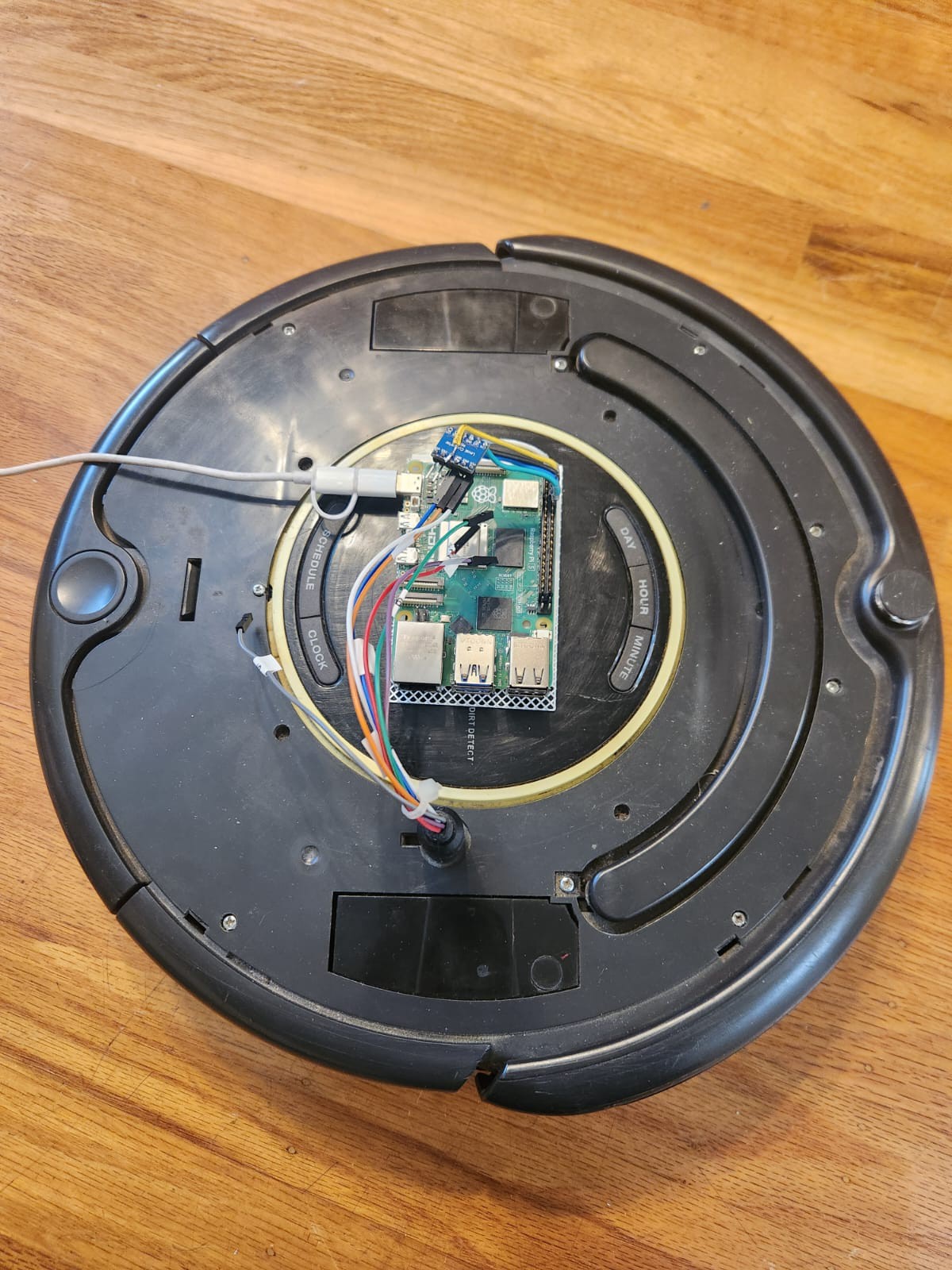
The Pi 5's higher power requirements (up to 5A at 5V) created an immediate problem. The Roomba's serial port can only source 200mA before triggering its PTC resettable fuse. This meant the original power-over-serial approach was no longer viable.
Hardware Modifications
The solution involved modifying the custom cable by removing the voltage regulator circuit. Now the Pi 5 runs on external power while maintaining serial communication with the Roomba. When externally powered, the Pi 5 actually sources 5V to the level shifter rather than sinking it.
Future Power Solutions
The current "tethered" approach is temporary. Future plans include:
- Tapping directly into the Roomba's battery pack
- Using a USB-C PD 3.0 compliant charging module
- Maintaining the 200mA limit on the serial interface
Until then, the Roomba sports a power "tail" for development work.
UART Configuration on Pi 5
Unlike previous Pi models, the Pi 5 doesn't have UART pins enabled by default. This required:
- Enable UART via raspi-config
- Add
dtparam=uart0to/boot/firmware/config.txt
These changes ensure the GPIO pins 14 (TX) and 15 (RX) function properly for serial communication.
ROS 2 Jazzy Integration
Installation and Verification
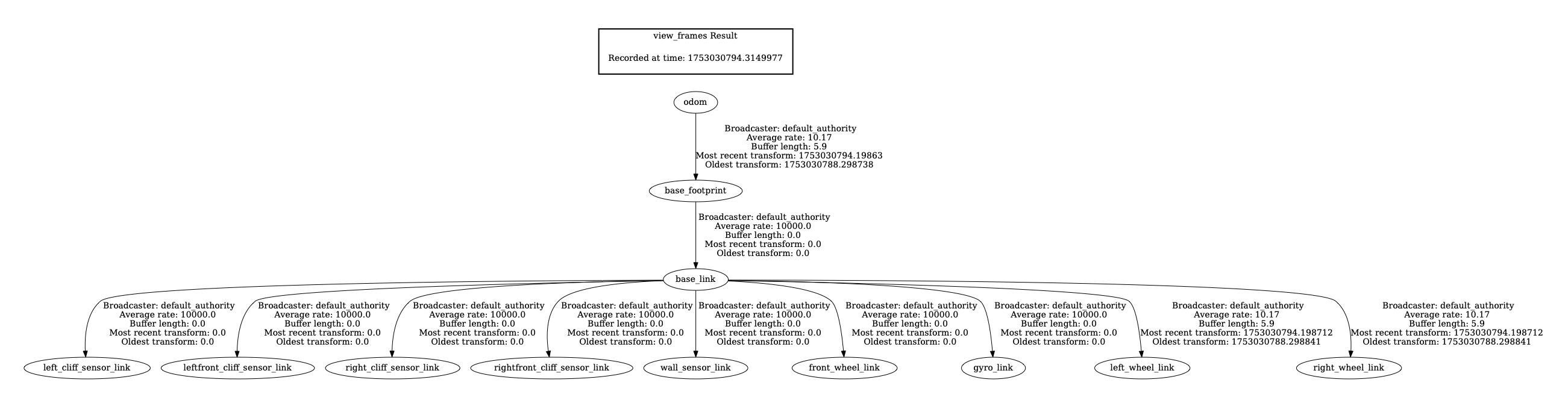
ROS 2 Jazzy was successfully installed on the Pi 5 and verified using the standard talker/listener demo. The
<span class="c-chat-codespan__content svelte-17rwp8y">create_robot</span> driver was then brought up, establishing bidirectional communication:
- Robot control via
/cmd_veltopic - Sensor data publishing on various topics (
/odom,/scan,/battery, etc.)
Teleoperation Success
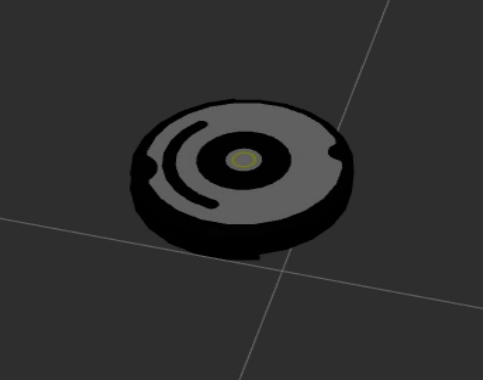
The system now responds perfectly to teleop_twist_keyboard commands, with real-time visualization in RViz2 showing the robot model moving in sync with the physical Roomba.

Gamepad Control Integration
Nintendo Pro Controller Setup
A Nintendo Switch Pro Controller was successfully paired via Bluetooth. The system logs show proper recognition:
nintendo 0005:057E:2009.0008: hidraw0: BLUETOOTH HID v80.01 Gamepad [Pro Controller]
input: Pro Controller as /devices/platform/soc/.../input/input23
ROS 2 Joy Integration
The ROS 2 joy_node successfully interfaces with the Pro Controller:
ros2 run joy joy_node
[INFO] [joy_node]: Opened joystick: Pro Controller. deadzone: 0.050000
Gamepad Control Success
The existing joy_teleop.launch file from the create_robot package worked perfectly with the Nintendo Pro Controller. Using the pro_controller.yaml configuration file, the system launched successfully:
ros2 launch create_bringup joy_teleop.launch joy_config:=pro_controller
The Roomba now responds perfectly to gamepad input, providing intuitive wireless control with analog stick precision for both linear and angular movement. The Pro Controller's ergonomic design makes extended teleoperation sessions much more comfortable than keyboard control.
System Architecture
The current system architecture includes:
- Raspberry Pi 5 running ROS 2 Jazzy
- create_robot driver for Roomba communication
- RPLiDAR A1M8 for laser scanning
- Nintendo Pro Controller for wireless teleoperation
- RViz2 visualization on development machine
Next Steps
With the hardware platform stabilized, the immediate next steps are:
- LiDAR bringup
- SLAM Toolbox integration to fuse odometry and laser scan data
- Live mapping and map visualization
- Autonomous navigation using the ROS 2 Navigation Stack
The foundation is now solid with a more powerful Pi 5, stable ROS 2 Jazzy environment, and multiple control interfaces. The next update will focus on bringing the SLAM stack online and generating the first autonomous maps.
Discussions
Become a Hackaday.io Member
Create an account to leave a comment. Already have an account? Log In.