 arduinocelentano
-
1Supplies
![]()
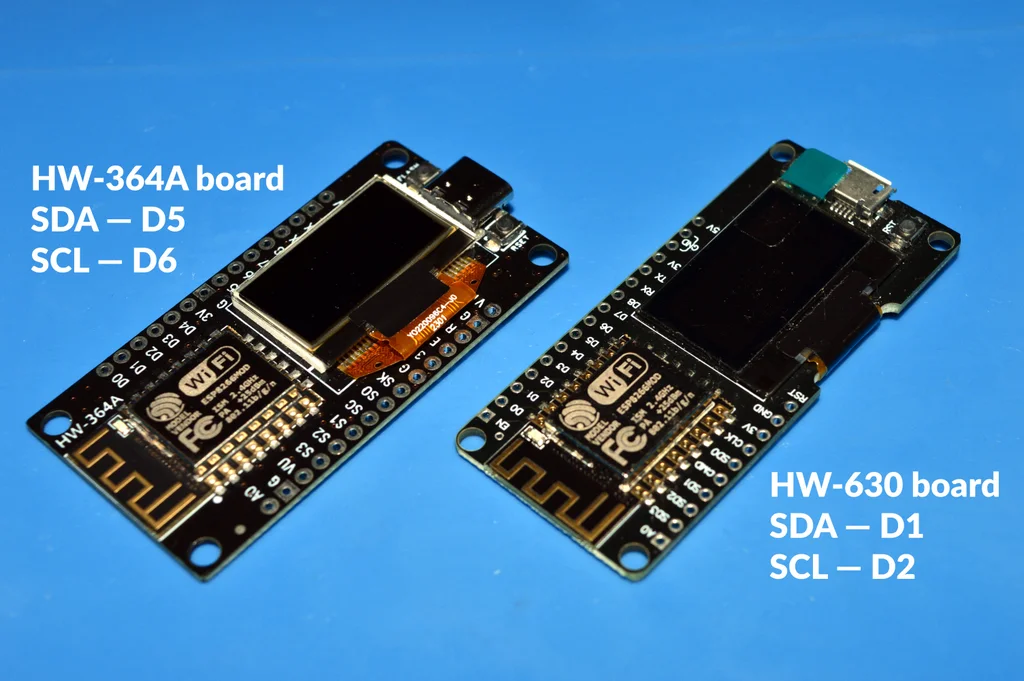
I used a board with an embedded OLED display. Various versions of such boards are sold everywhere under different brands.
⚠️ The two boards I tested were marked HW-364A and HW-630. They had slightly different hardware; in particular, they used different pins for the OLED display, so check that carefully.
-
2Preparing the Environment
![]()
![]()
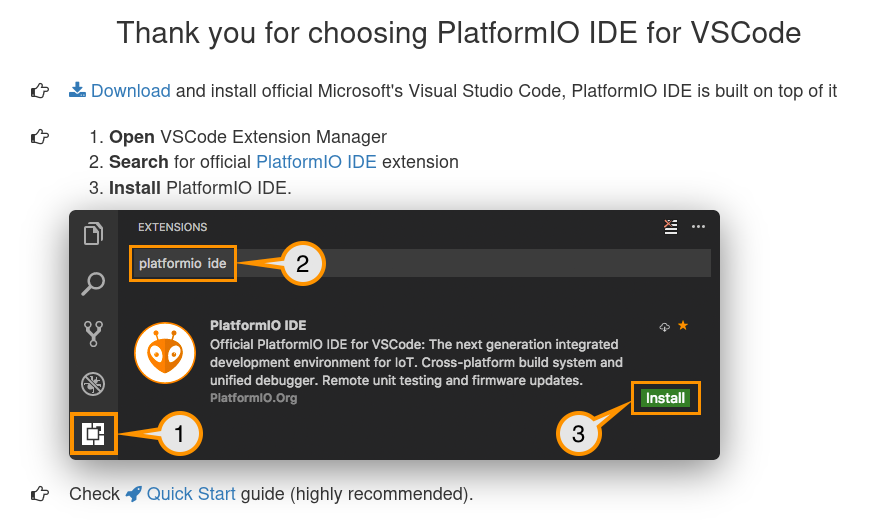
Go to https://platformio.org/platformio-ide and follow the installation instructions.
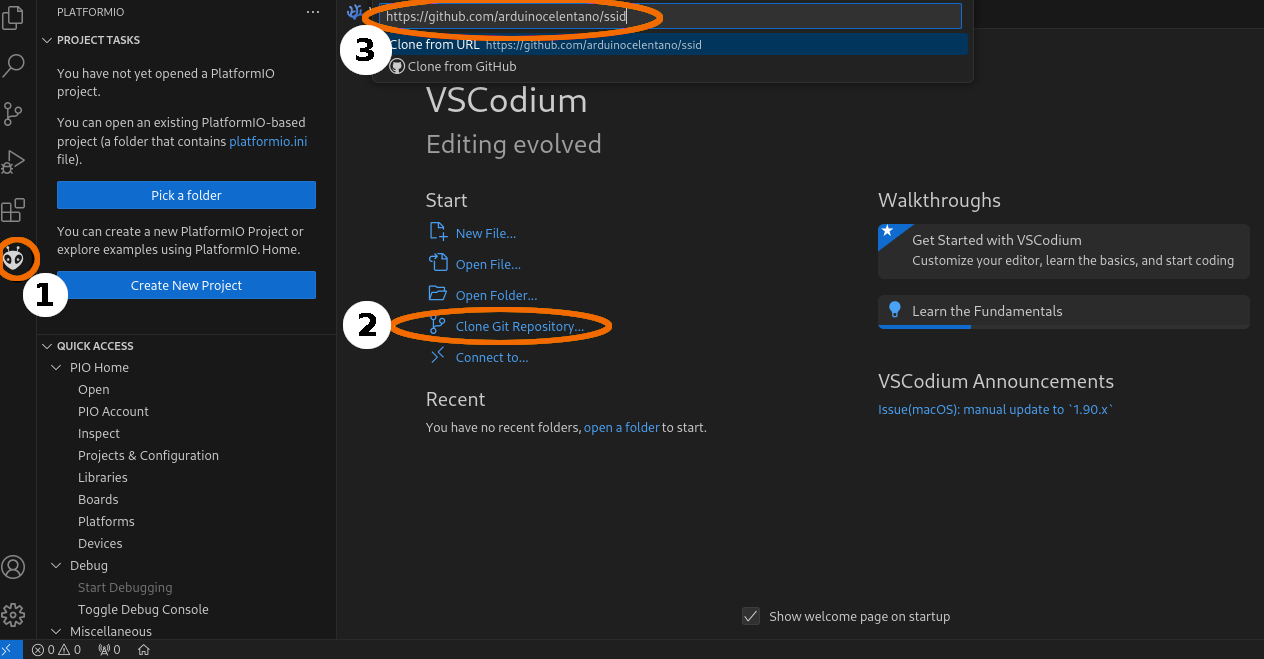
In PlatformIO IDE click "Clone GIT repository" and paste the following URL:
https://github.com/arduinocelentano/ssid
PlatformIO should automatically download the project and the libraries it depends on.
-
3Tuning the Code
![]()
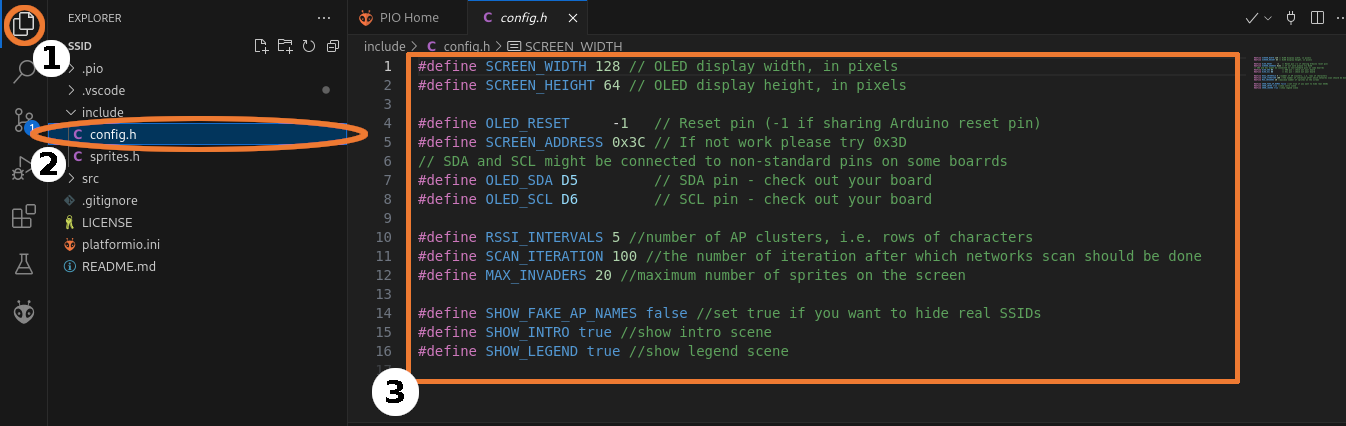
Open the config.h file and set up the settings if needed. In particular, you should change OLED_SDA and OLED_SCL according to your board. I have provided detailed comments on the other options you might want to tune.
-
4Building and Uploading the Firmware
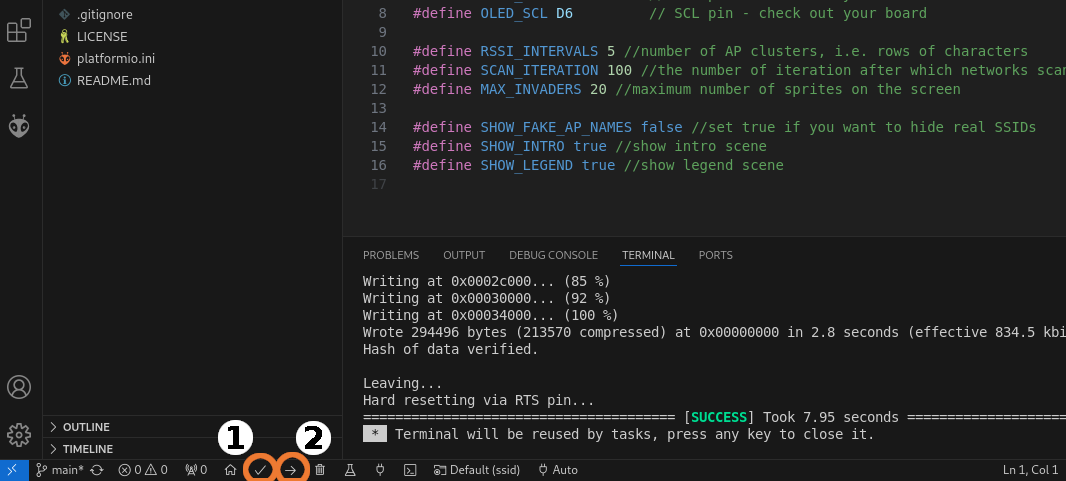
Press Platformio:Build and then Platformio:Upload button to upload the code.
![]()
![]()
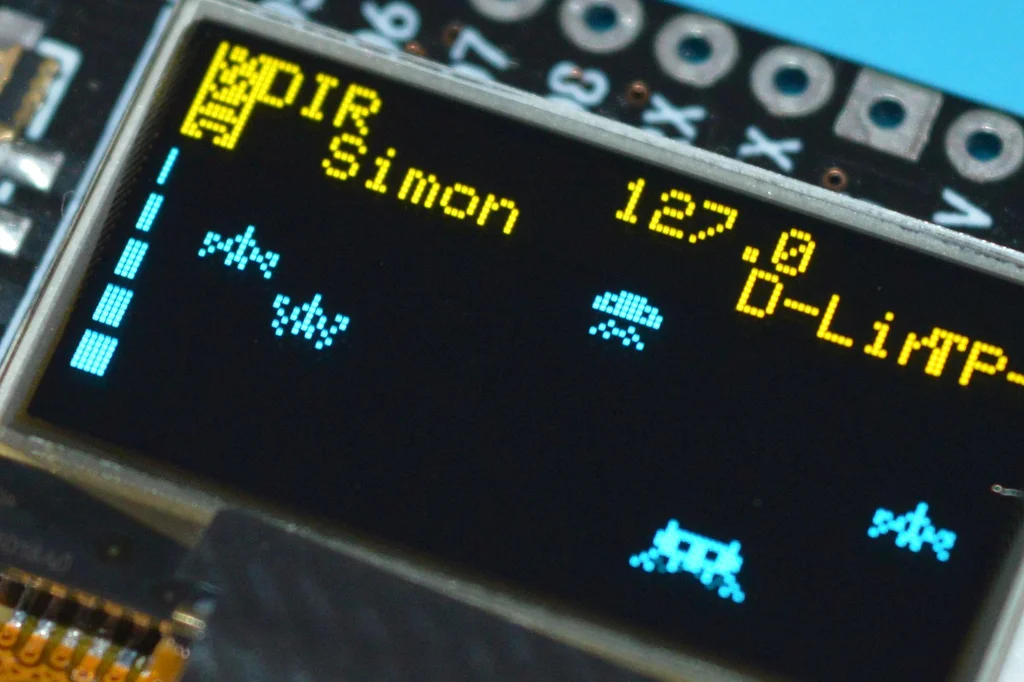
SSID: Silly Space Invaders Dashboard
Meet the Silly Space Invaders Dashboard (SSID), an IoT device that helps you defend your wireless galaxy from the aliens!
Discussions
Become a Hackaday.io Member
Create an account to leave a comment. Already have an account? Log In.