Klaus Betz

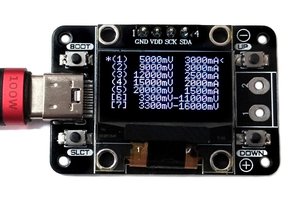
On the journey of building this project I stumbled over PocketPD by CentyLab which is an amazing product. Unfortunately, the iFixit FixHub doesn't support the PPS part of the USB-C PD protocol, so I couldn't use it.
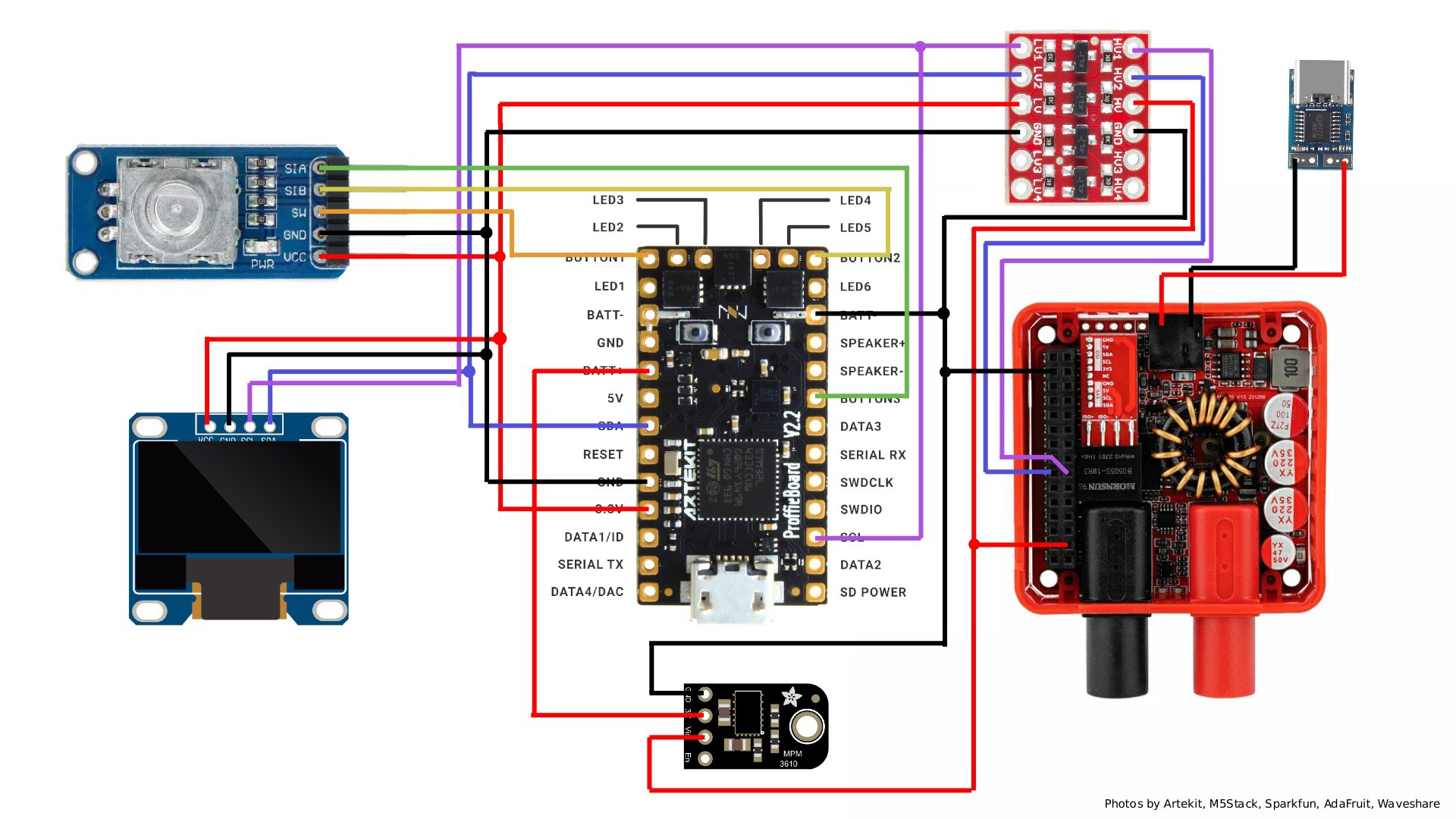
Checkout the GitHub repository for the firmware and the 3D printed case.
Notice: I'm a web developer and not a professional hardware creator. Hardware can be a bit cumbersome or messy. Bear with me :)
- up to 20V USB-C input
- 0-20V and 0-5A banana jack output (depends on input)
- 100mV increments
- 50mA increments
- 10.2cm x 5.6cm x 2.6cm size
Ideas
I'm sure this project can be significantly improved. Due to my lack of knowledge and resources I'm likely unable to make further improvements, but here are some ideas:
- Create a custom PCB that has all parts (display, rotary encoder, controller, level shifter) on it and just plugs into the M5Stack PPS to make the device even smaller.
- Or even creating the whole project from scratch with a custom PCB for everything (similar to PocketPD but with an inductor and no USB-C PD PPS functionality).
 Stefan Wagner
 AxxAxx
 Clara Hobbs