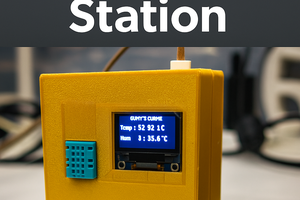
Imagine having a miniature weather station right on your desk - compact, modern, and smart. With this Arduino-based Tabletop Weather Station, you can monitor real-time temperature and humidity using a DHT 11 sensor and display the data on a 0.96-inch OLED screen.
This project is perfect for students, makers, and hobbyists who want to learn about IoT fundamentals, sensor integration, and data visualization.
Whether you're working on a school project or improving your smart home setup, this mini weather station will add a professional touch to your workspace.
Components
1×
Arduino UNO Mini
A smaller, more compact version of the classic Arduino UNO. It acts as the brain of the project. It reads the light level from the LDR makes decision based on the code you upload, and controls the relay. Runs on a 5v microcontroller (ATmega328P) and connects to your computer via USB.
1×
LDR ( Light Dependent Resistor )
A special type of resistor whose resistance changes with light. Bright light - low resistance Darkness - high resistance By reading this change through an analog pin, the Arduino can tell how bright or dark the environment is. This is the main sensor of the project.
1×
10k Resistor
Used with the LDR create a voltage divider. This converts the changing resistance of the LDR into a changing voltage, which the Arduino can measure. The 10k value is ideal for typical indoor lighting conditions.
1×
Relay Module (5v)
A small electrically operated switch. It allows the Arduino (low power 5v signal) controls something that draws much more power like a 12 v LED strip. It provides electrical isolation keeping the Arduino safe. The relay switch ON when the Arduino signals it and OFF when the signal stops.
1×
LED Strip (12 V):
The lighting output of the project. When the relay turns ON, the LED strip receives power from the 12V adapter and lights up. When the relay turns OFF, the power is cut, and the strip turns off automatically.
This setup gives the Arduino a changing voltage that represents brightness.
Wiring the Relay Module
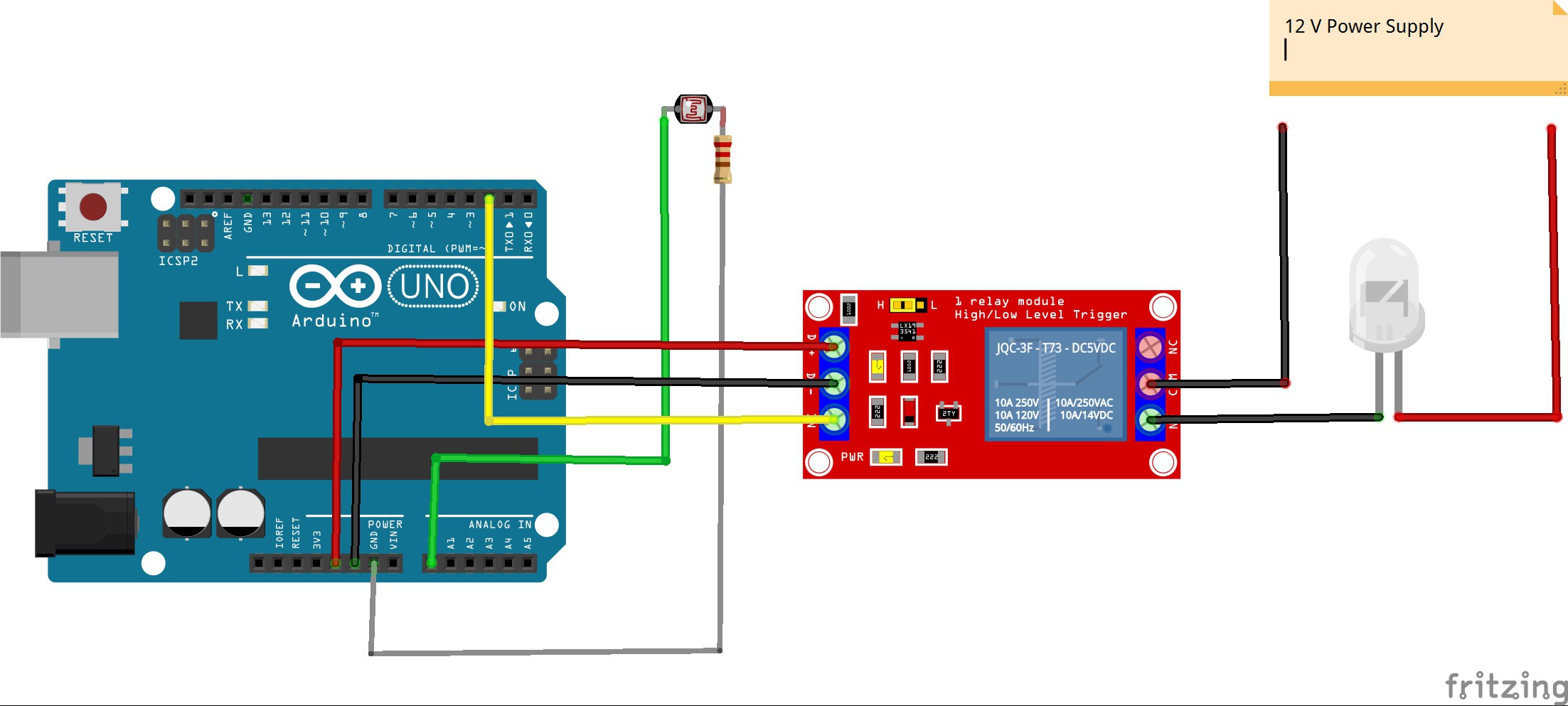
Relay VCC - 5v
Relay GND - GND
Relay IN - Digital Pin 2
LEDStripPower
For a 12v LED Strip:
LED strip + directly to 12V supply
LED strip - to COM on relay
Relay NO to the 12v supply ground
The relay will switch the strip ON/OFF by controlling the ground connection.
2
Uploading The Code
Use the Arduino IDE The sketch below reads the LDR, checks if it's dark, and switches the relay.
// Beginner-friendly: Read button on pin 6 and control a relay on pin 2// Wiring (recommended):// - Relay module VCC -> 5V// - Relay module GND -> GND// - Relay module IN -> Arduino digital pin 2// - Button one side -> Arduino pin 6// - Button other side -> GND// Note: This sketch uses INPUT_PULLUP, so button connects to GND when pressed.constint RELAY_PIN = 2; // Relay control pinconstint BUTTON_PIN = 7; // Input pin (button or switch)// If your relay module is "active LOW" (common for many modules), set true.// If your relay turns ON when IN is HIGH, set false.constbool RELAY_ACTIVE_LOW = false;
voidsetup() {
Serial.begin(9600); // Optional: debug output to Serial Monitor
pinMode(RELAY_PIN, OUTPUT); // Relay pin is an output
pinMode(BUTTON_PIN, INPUT_PULLUP); // Use the internal pull-up resistor// Make sure relay starts OFFif (RELAY_ACTIVE_LOW) digitalWrite(RELAY_PIN, HIGH); // HIGH -> off for active-low relayelse digitalWrite(RELAY_PIN, LOW); // LOW -> off for active-high relay
Serial.println("Ready. Press the button to turn the relay ON.");
}
//Made By Rohan Barnwalvoidloop() {
// Read the button. Because of INPUT_PULLUP, pressed == LOW.int raw = digitalRead(BUTTON_PIN);
bool pressed = (raw == LOW); // true when button is pressed// Simple debounce: when we detect a press state change, wait briefly and re-read.staticbool lastPressed = false;
if (pressed != lastPressed) {
delay(30); // small debounce delay (30 ms)
raw = digitalRead(BUTTON_PIN);
pressed = (raw == LOW);
lastPressed = pressed;
}
// Turn relay on or off based on buttonif (pressed) {
// Turn relay ONif (RELAY_ACTIVE_LOW) digitalWrite(RELAY_PIN, LOW); // active-low -> LOW turns ONelse digitalWrite(RELAY_PIN, HIGH); // active-high -> HIGH turns ON
Serial.println("Relay: ON");
} else {
// Turn relay OFFif (RELAY_ACTIVE_LOW) digitalWrite(RELAY_PIN, HIGH); // active-low -> HIGH turns OFFelse digitalWrite(RELAY_PIN, LOW); // active-high -> LOW turns OFF
Serial.println("Relay: OFF");
}
delay(100); // small loop delay to avoid flooding Serial
}
3
Testing
Cover the LDR with your hands - LED strip should turn ON
Shine a light - LED strip should turn OFF
Taking It to the Next Level - With JUSTWAY
Your breadboard prototype may work perfectly, but looks like a tech spaghetti bowl.
When you want to impress at a science fair, competition, or investor meeting presentation is everything.
That's where JUSTWAY comes in.
JUSTWAY helps you transform your DIY project into a professional grade prototype, complete with a custom enclosure, metal finish, or injection-molded body - ready for the world to see.
Why JUSTWAY is the Perfect Partner
Rapid Prototyping: 24-hour turnaround, real time order tracking
Sheet Metal Fabrication: Laser-cut CNC-bent and powder coated finishes
Injection Molding: Ideal for moving from prototype to mass production
Urethane Casting: Perfect for small batches or display models
3D Printing (SLA / HP-PA12): SLA resin for clear aesthetic display, HP-PA12 nylon for durable, matte finish
Pro Tip: Want your circuit look futuristic?
Use transparent SLA resin to show off your Arduino and LEDs
Or go matte black HP-PA12 for a stealthy, modern vibe.
How To Order in 4 Easy Steps
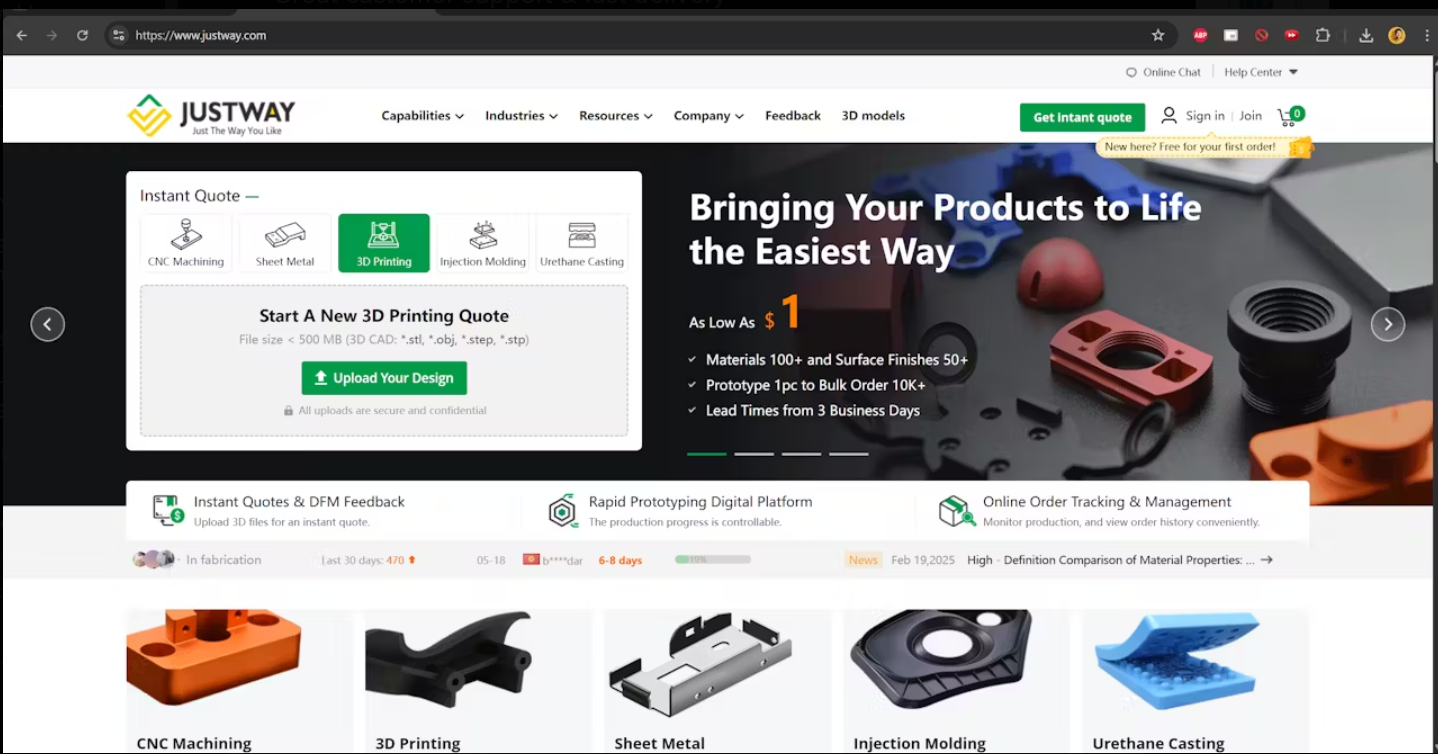
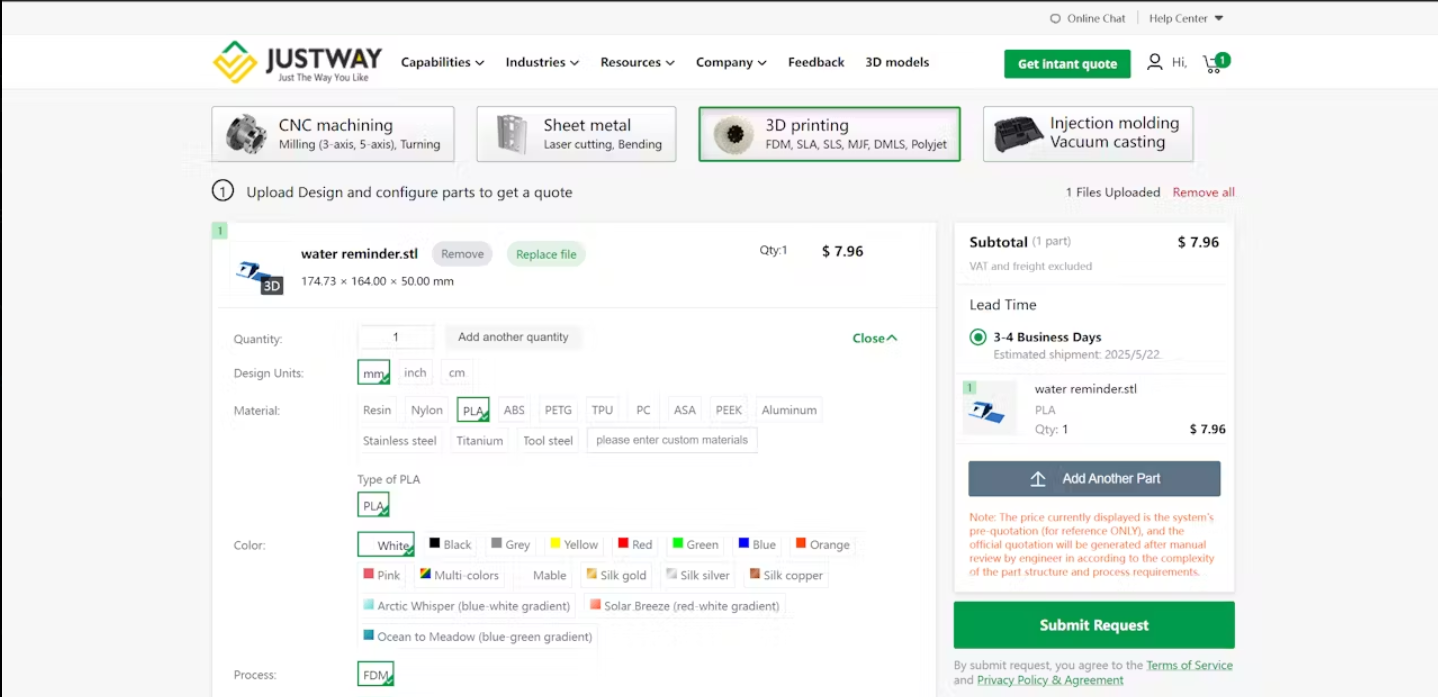
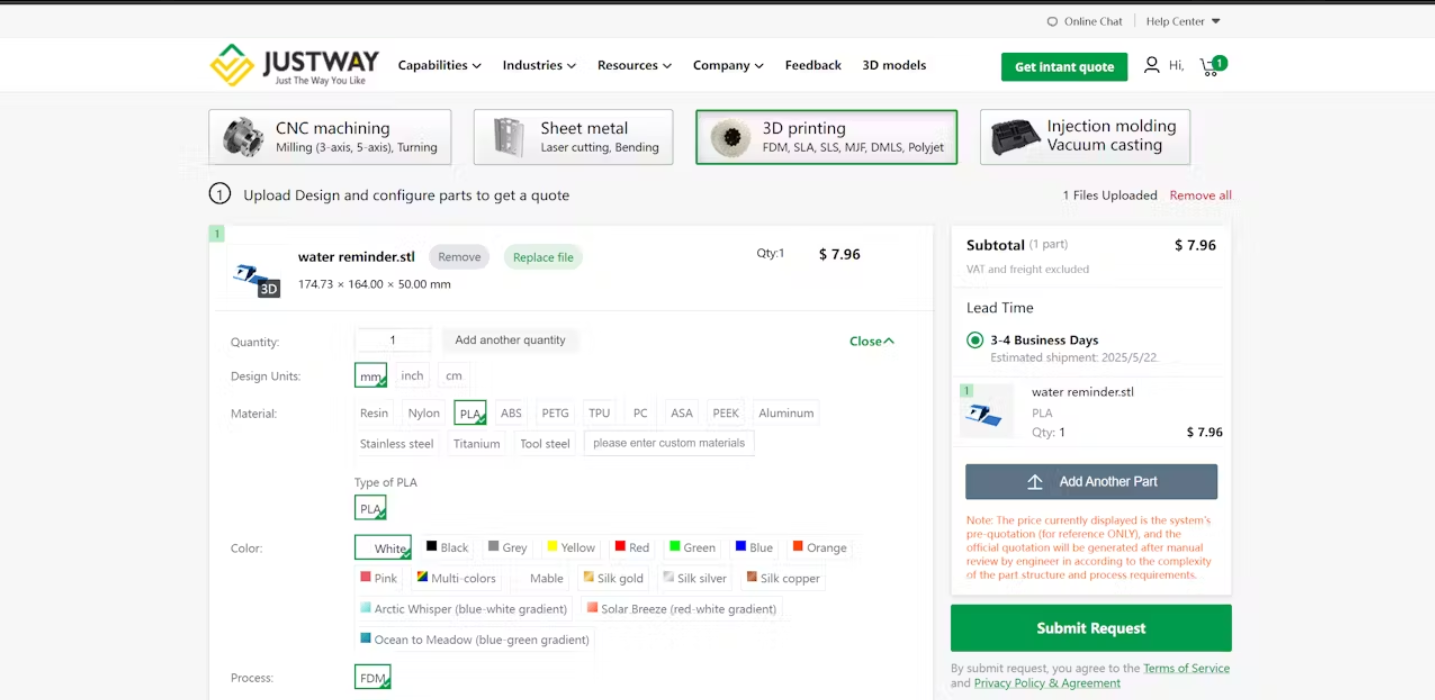
Step1: Upload You CAD Files at JUSTWAY.com
Step2: Select Material & Finish - plastics, resins or metals
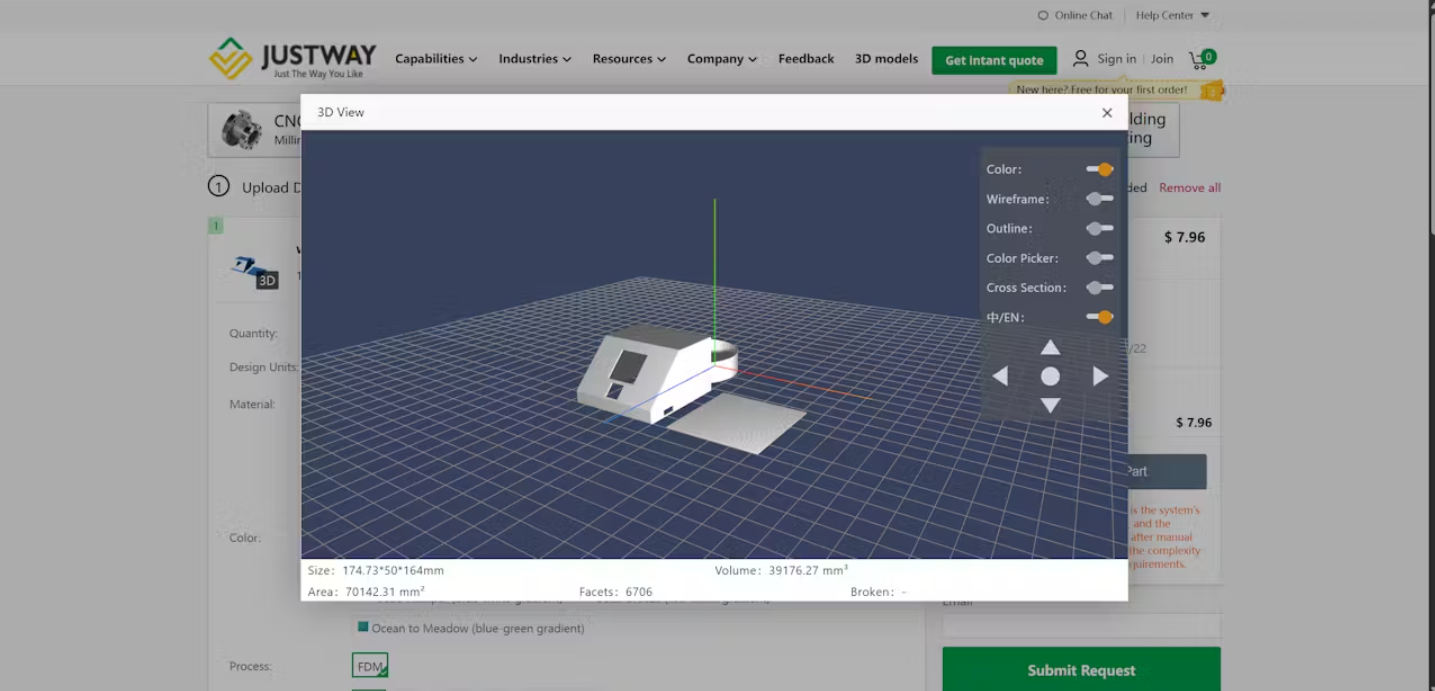
Step 3: Preview Your Model in 3D - Check fit and look before confirming
Step 4: Place Your Order - Fast Delivery, Transparent Pricing, Zero Hidden Costs.
Conclusion
You now have a simple and reliable automatic lighting controller using an LDR, relay, and Arduino UNO Mini. This system is great for bedrooms, hallways, stair lighting, or outdoor decorative LEDs. By combining this with a 3D-printed housing from JUSTWAY, you can turn a hobby build into a neat, durable, professional-looking device.