Close
0%
0%

SushiPython & SushiBoard

OS-like firmware for ESP32 - A complete environment: Web UI, Menus & Drivers out-of-the-box for MicroPython From breadboard to real projects

Similar projects worth following
Starting from
$
has orders / reviews
Ships from
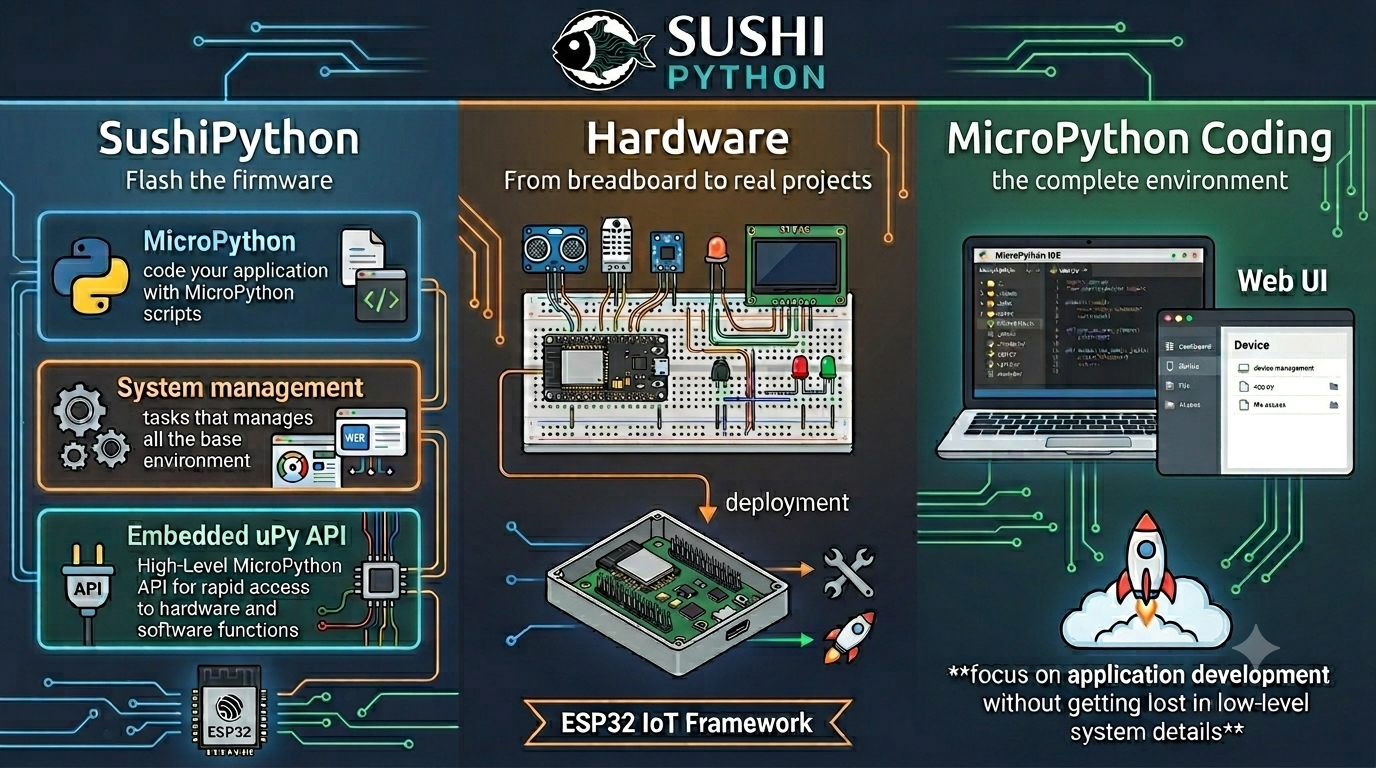
SushiPython IoT is a firmware framework for boards based on ESP32 SoC, providing an environment that integrates solid system management with MicroPython.

It is useful for students and makers to accelerate projects by using reliable building blocks to manage core functions, allowing you to focus on application development without getting lost in low-level system details.

# Send an SMS outbound immediately
sushi.cmd("send_sms", ("Alarm: High temperature detected!", "+39XXXXXXXXXX"))

# Perform asynchronous HTTP requests (GET & POST) in a single line
sushi.cmd("http_get", ("https://api.example.com/status", 5000))
sushi.cmd("http_post", ("https://api.example.com/data", '{"temp": 23.5}', "application/json"))

# Control system hardware without knowing the GPIO pin
sushi.cmd("set_out_state", ("RELAY_1", 1))

# Create an interactive item on the physical LCD menu
menu.add_enum_editable_item("Relay Status", on_relay_toggle, 0, "OFF", "ON")

# Handle incoming Web Server requests in just a few lines
def web_cb(args):
    # Only managed paths return a tuple
    if args[1] == "/api/toggle": return (200, "OK" , "text/plain") 

sushi.cmd("set_webserver_hnd", web_cb)

Applications

  • Edge computing hubs
  • Student experiments
  • Fast prototyping
  • Home automation systems
  • IoT hubs
  • Alarm systems
  • Domotics servers
  • Remote monitoring and data logging systems (e.g., weather stations)
  • Local and remote control systems (via local interface, web interface, or modem)

Manages all essential components typically present in an IoT system, regardless of the specific application:

  • Physical interface management (keyboard, display, status LEDs)
  • Wireless connection as client or access point
  • Drivers for all hardware components present on the board (I/O expander, modem, etc.)
  • Web interface with user-level access (web server and UI)
  • Modular menu management for physical interface with keyboard and screen
  • High-level MicroPython API for many typical functions: HTTP requests, SMS, GSM calls, web server extension, menu integration, I2C communication, etc.

Credits

This project embeds MicroPython, a lean and efficient implementation of Python 3 optimized for microcontrollers. Very thanks to the MicroPython developers and contributors for their outstanding work.

  • SushiPython quick code examples

    Marco • 06/20/2026 at 14:19 • 0 comments

    Some SushiPython code examples...

    Sending SMS

    # Configure callback to handle SMS sending result
    def sms_callback(args):
        event_type = args[0]
        if event_type == 2:  # SMS TX result
            sms_id = args[1]
            result = args[2]
            print(f"SMS {sms_id} result: {result}")
    
    sushi.cmd("set_modem_hnd", sms_callback)  #return a sms_id
    
    # Send an outbound SMS
    res , sms_id = sushi.cmd("send_sms", ("Alarm: High temperature detected!", "+39XXXXXXXXXX"))
    print(f"SMS id: {sms_id}")


    Receiving SMS

    import sushi
    # Configure callback to handle SMS reception
    def sms_callback(args):
        event_type = args[0]
        if event_type == 0:  # SMS Received event
            sender = args[1]
            text = args[2]
            timestamp = args[3]
            print(f"Received SMS from {sender}: {text}")
    
    sushi.cmd("set_modem_hnd", sms_callback)


    HTTP POST

    Note: HTTP calls works on both wifi & modem with the defined priority.

    import sushi
    # Configure callback to handle asynchronous HTTP call responses
    def http_callback(args):
        call_id, status_code, data = args #tuple split 
        print(f"Request {call_id} completed. Status: {status_code}, Data: {data}")
    
    sushi.cmd("set_http_hnd", http_callback)
    
    # Execute GET and POST requests in a single line of code
    sushi.cmd("http_post", ("http://api.example.com/telemetry", '{"temp": 23.5}', "application/json"))

    HTTP endpoints

    import sushi
    def webserver_callback(args):
        call_type, url_path, user, grants, rx_type, rx_data = args
        
        if url_path == "/api/status" and call_type == "GET":
            # Returns a tuple: (http_result_code, reply_data, reply_data_type)
            return (200, '{"status": "OK"}', "application/json")
            
    sushi.cmd("set_webserver_hnd", webserver_callback)

    Menu integration

    import sushi
    from sushi_menu import Submenu
    
    # Callback triggered when changing state from the physical device menu
    def on_relay_toggle(entry_id, value_index):
        # value_index: 0 = OFF, 1 = ON
        sushi.cmd("set_out_state", ("RELAY_1", value_index))
    
    # Create an interactive menu structure in a few lines
    settings_menu = Submenu("Settings")
    settings_menu.add_enum_editable_item("Relay Status", on_relay_toggle, 0, "OFF", "ON")

    Other SushiPython MicroPython examples : 

    https://github.com/sushi-iot/sushipython/tree/main/examples

    Source : https://sushi-iot.github.io/sushipython/manual/#examples

    SushiPython Overview : https://sushi-iot.github.io/sushipython/

  • SushiPython home domotics demo project

    Marco • 01/17/2026 at 15:14 • 0 comments

    Sushi Home project

    Description

    Home Automation demo project using a Sushi Board, code in Micropython on SushiPython framework.

    Features

    • Heater system thermostat: control a relay output connect to heater system
      • Local control physical interface
      • Remote control by SMS
      • Heater control by onboard relay
    • Garden irrigation
      • Local control physical interface
      • Remote control by SMS
      • Auto start
      • Remote output water channels activated by http
    • Main power loss detection
      • Alert by SMS
    • Get status by SMS

    Version : 1.2.2[2026-08-08]

    S-Home project link

  • Sushi Board IoT

    Marco • 11/22/2025 at 13:24 • 0 comments

    Initially born to support SushiPython project development Sushi Board IoT is an ESP32-based programmable modular embedded system for general-purpose IoT, suitable for STEM education, DIY electronics, edge computing and fast prototyping projects. 100% based on widely available commercial modules, making it cost-effective and easy to source.

    Overview 

    https://sushi-iot.github.io/sushi-iot-board/

    Hardware guide and schematics 

    https://github.com/sushi-iot/sushi-iot-board 

    Example & projects

    https://github.com/sushi-iot/sushipython/tree/main/examples 

    Instagram demo

    https://www.instagram.com/sushi_board_iot/

    Projects pictures

    Follow some picture of a project done using this board. 

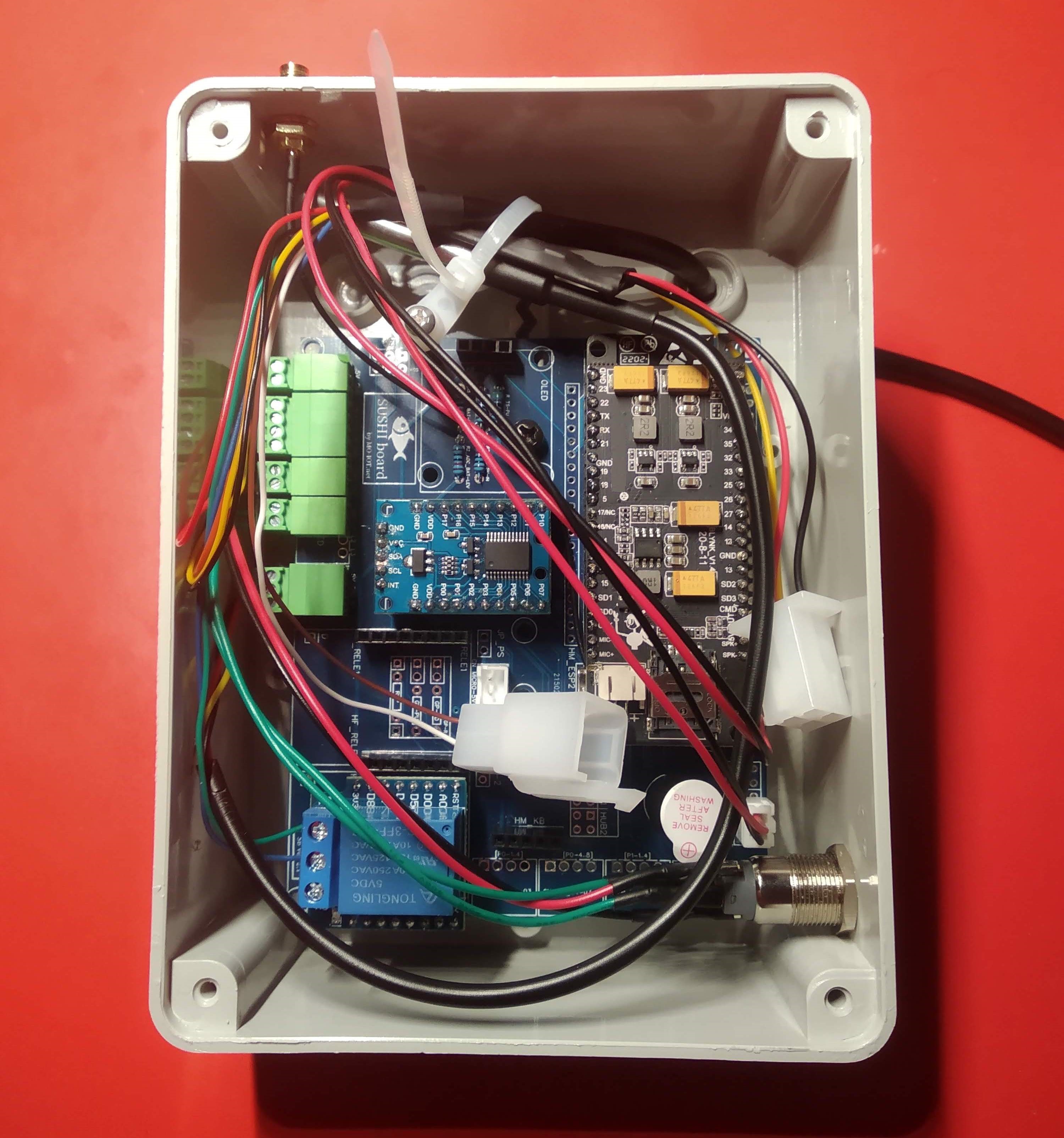
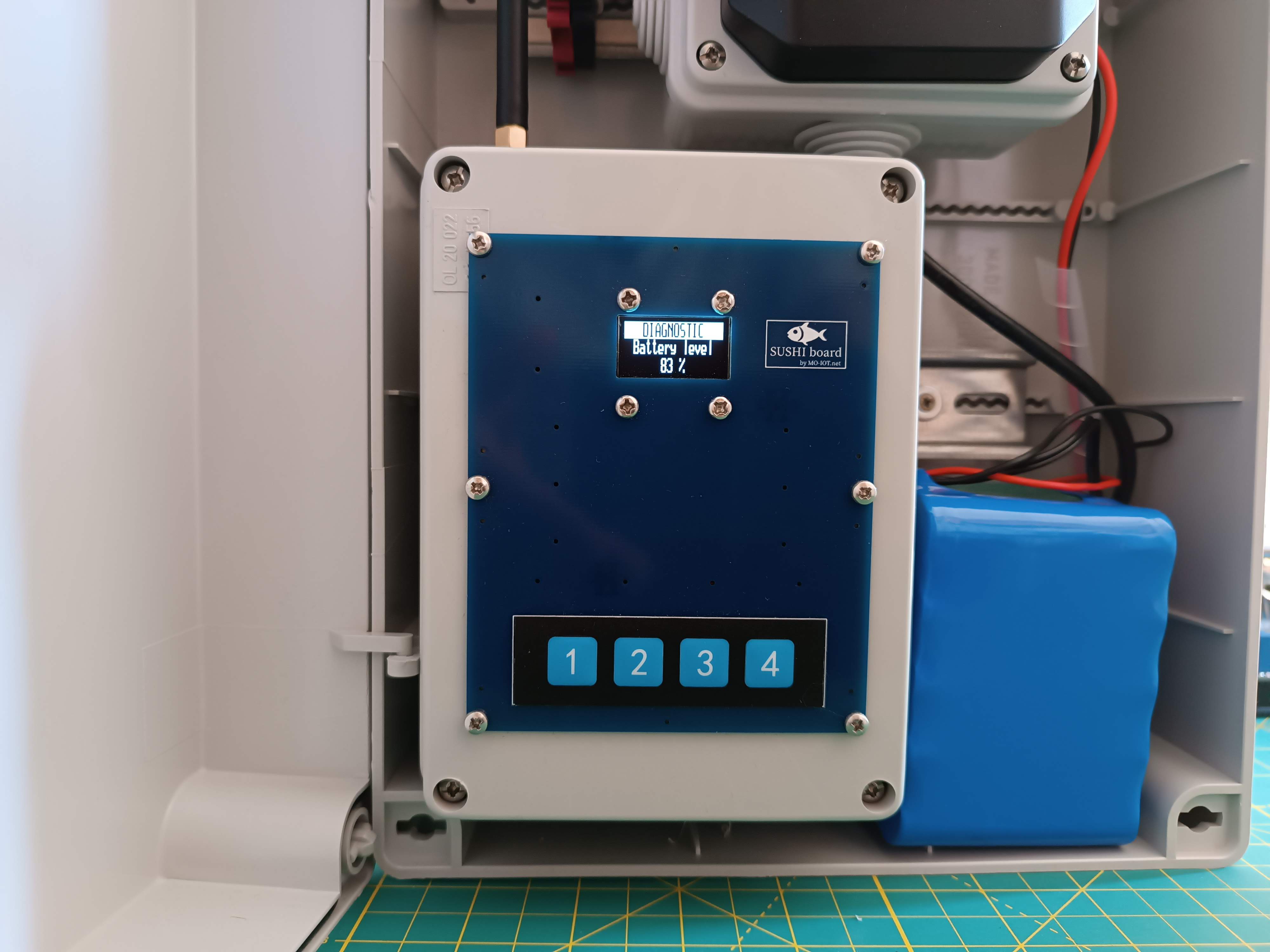
    This is a Sushi board mounted in a junction box and installed inside an electrical panel. It functions as a weather data acquisition center, reading data from external sensors and sending it to the cloud via 4G. The same hardware can also serve as the central unit of an alarm system.

    The case is made from a standard electrical junction box. There is a cut in the cover that stays hidden behind the top Sushi board, so the closed box looks neat even if the homemade cut isn't perfect.

    The wiring inside the case


View all 3 project logs

Enjoy this project?

Share

Discussions

Similar Projects

Does this project spark your interest?

Become a member to follow this project and never miss any updates