Close
0%
0%

BeepBasket

Beep barcodes straight into your shopping list on Home Assistant

Public Chat
Similar projects worth following
0 followers
- Instant barcode → shopping list
- OpenFoodFacts auto-lookup
- Local product cache (JSON)
- Custom UI card (`beepbasket-card`)
- Dustbin sensor support

What is does

Scan an item and have it added to your Home Assistant shopping list.

How it does it

Using Home Assistant

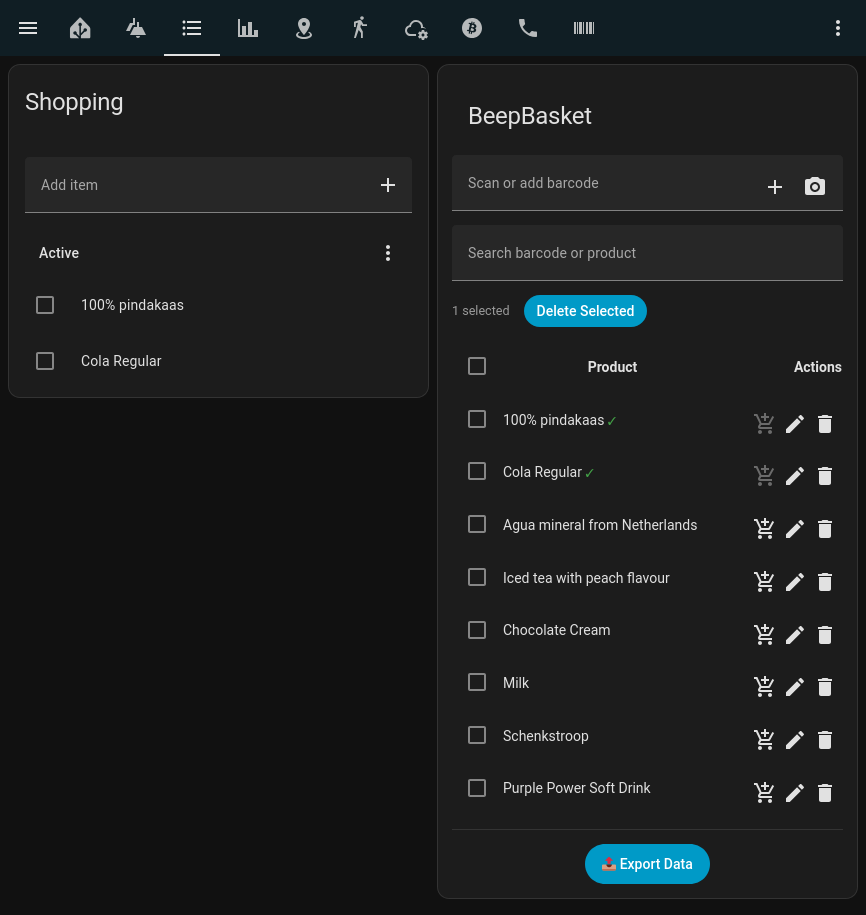
  • You can scan directly from Home Assistant in the web or via the Home Assistant Companion app and use your device camera to add an item to your BeepBasket list.
  • From the list you can add it by the click of a button to your Shopping list in Home Assistant.
  • Product lookups are done using the Open Food Facts API.
  • If the Item is unknown, It will display the barcode in your shopping list. 
  • When you update a barcode inside your BeepBasket card, it will remember the change for the next time you scan that barcode again.
Going pure hardware

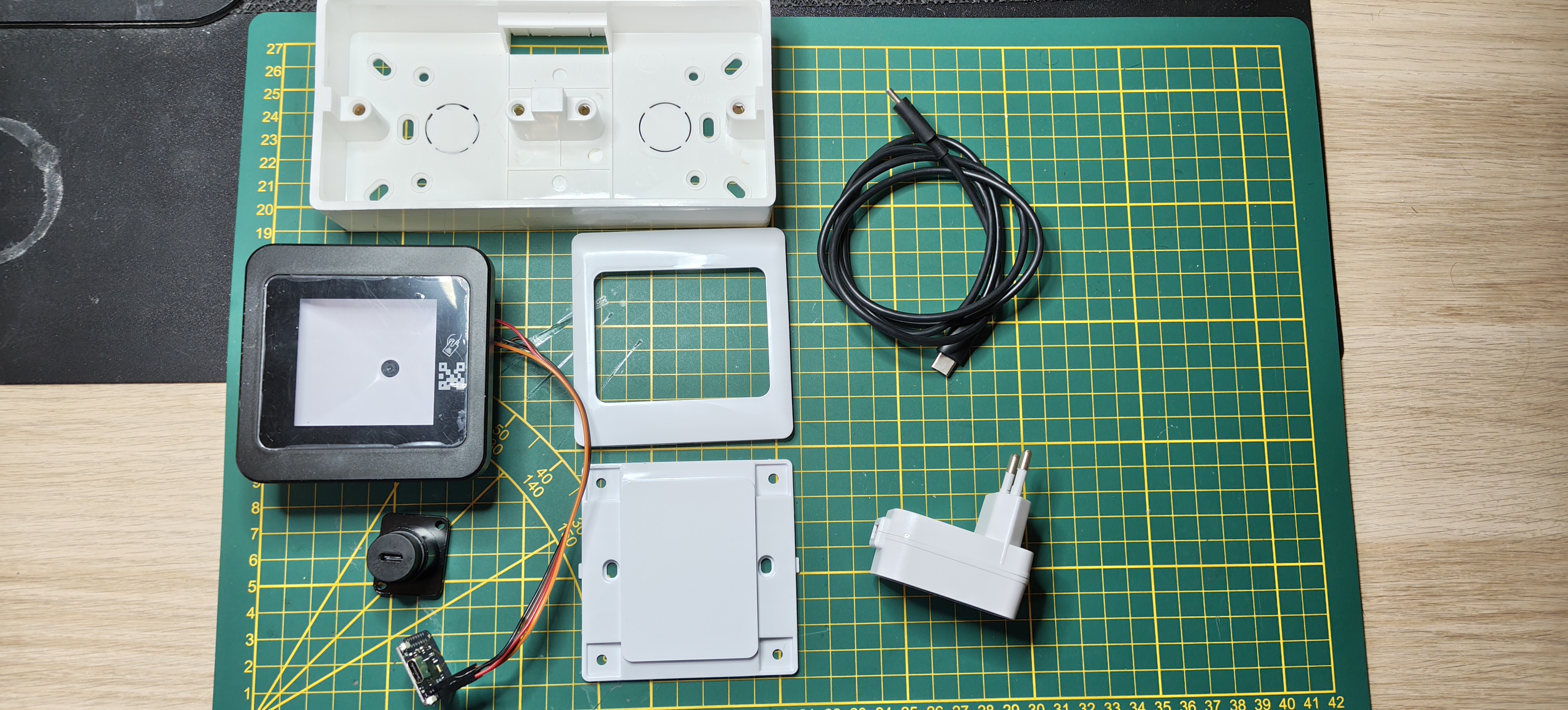
  • Here we have a off-the-shelf budget friendly barcode scanner. 
  • The scanner will read the barcode, and immediately put the item in your BeepBasket as well as in your shopping list. 
  • With a barcode scanner next to the dustbin, when something is finished, before you throw it away, you just scan it and its directly added to you shopping list. 


Installing on HACS

There are 2 packages the needs to be installed. The integration and the Card.

The integration

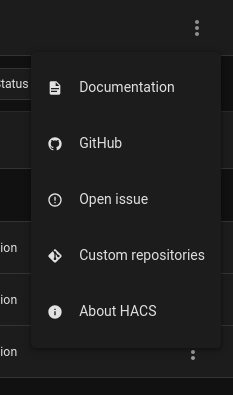
Go to your HACS installation and select custom repositories

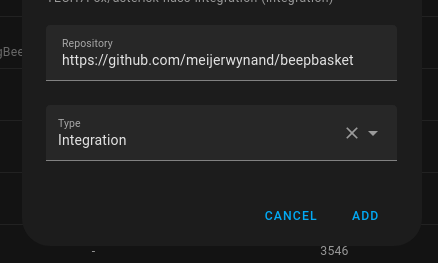
Add the custom repository to https://github.com/meijerwynand/beepbasket and set the type to Integration
You will see it listed in the window

In HACS then download the repo 

Go to you Settings -> Devices and integration -> Add integration and search for BeepBasket
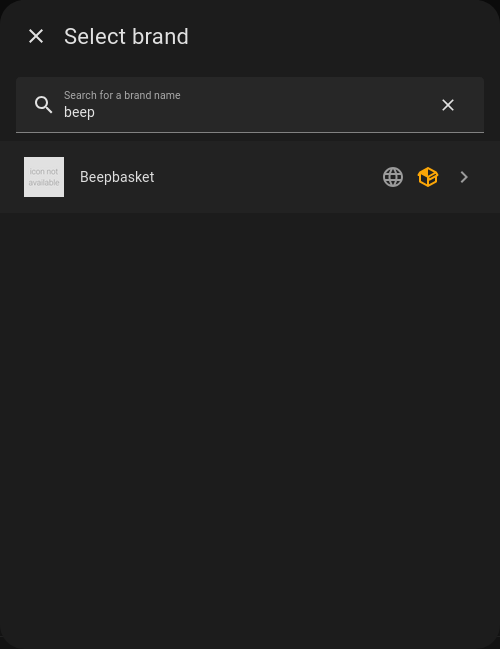
I will then ask you to associate your shopping list
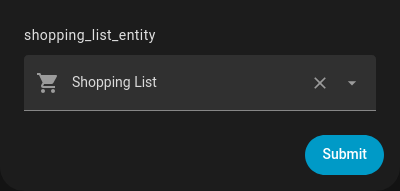

And you are done

Restart your Home Assistant

The card

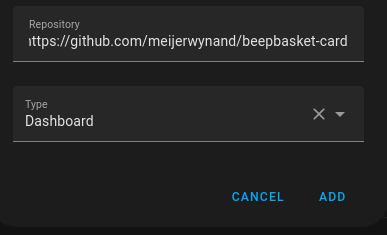
Follow the same step again in hacks, this time select the https://github.com/meijerwynand/beepbasket-card with type of Dashboard

Follow the same download steps as before/

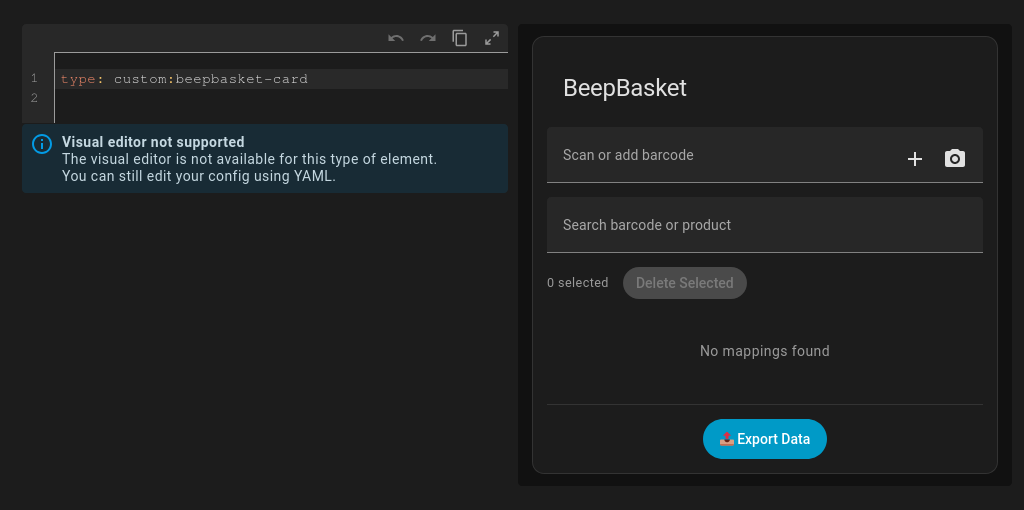
Now you can add the BeepBasket as a manual card 

Use the 

type: "custom:beepbasket-card" 
  • 1 × Home assisant Home assistant instance
  • 1 × HACS HACS addon for home assistant
  • 1 × BeepBasket (integration) The BeepBasket integration in HACS
  • 1 × BeepBasketCard (Dashboard) The BeepBasket fronetend plugin in HACS
  • 1 × R35C-B barcode scanner Scanning of barcodes

View all 6 components

  • 1
    Getting the parts
  • 2
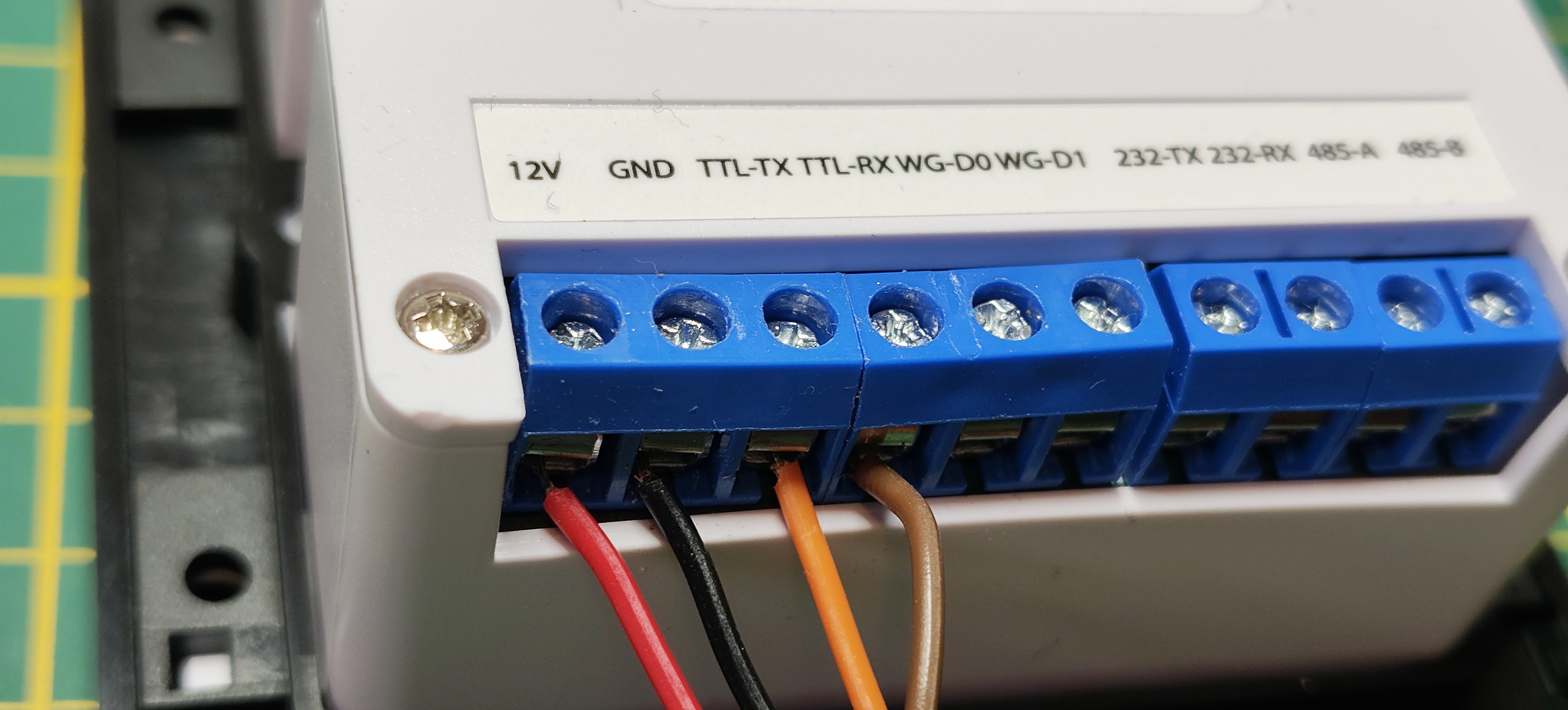
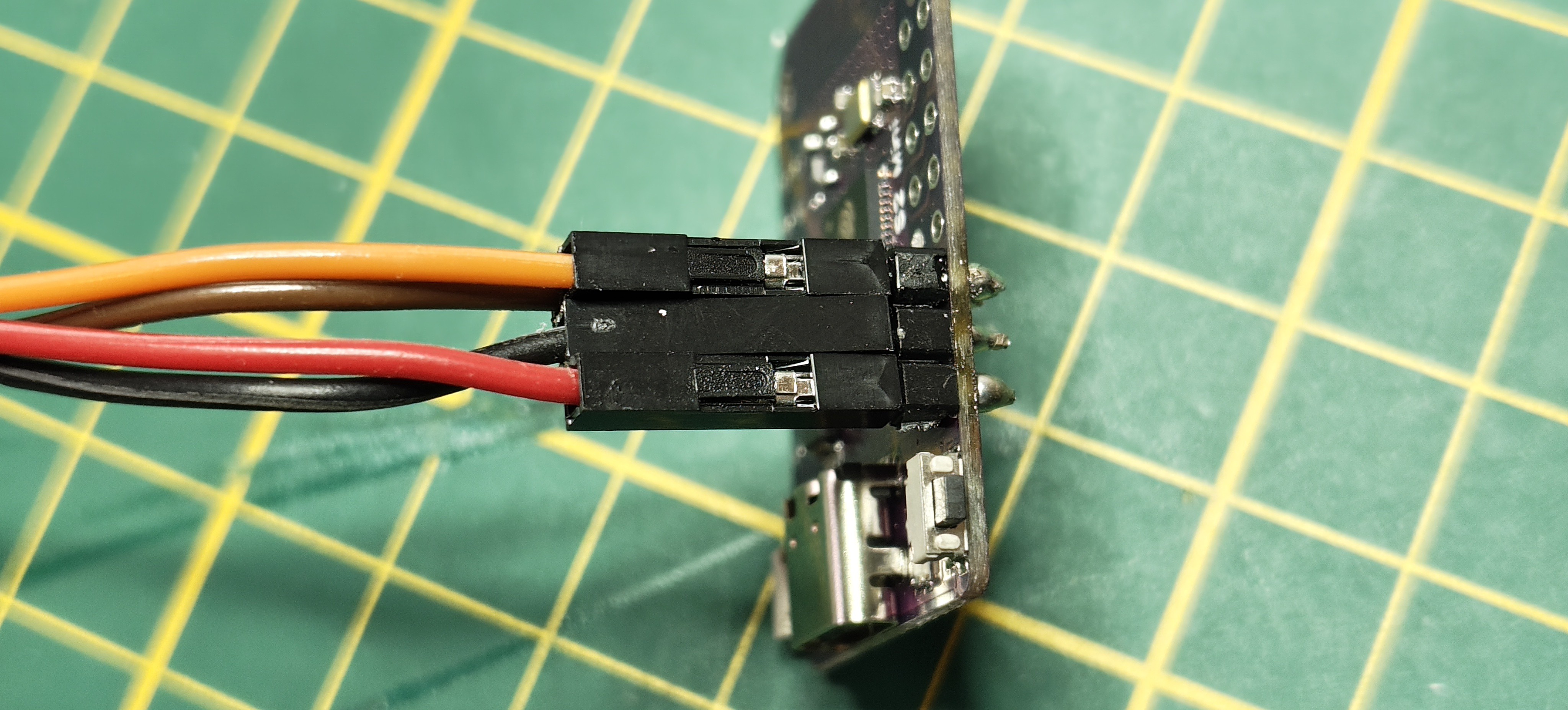
    Wiring the scanner
    VCC -> 12v (since this scanner is USB power, you can supply it VCC from the ESP32)
    GND -> GND
    TTL-TX -> GPIO16
    TTL-RX -> GPIO17 

  • 3
    Flashing the ESP

    This is the most important, the rest you can keep to your own ESPHome flavoring

    logger:
      level: INFO  # Clean logs
    
    uart:
      id: r35c
      tx_pin: GPIO17
      rx_pin: GPIO16
      baud_rate: 57600
      parity: NONE
    
    # Global storage for HA
    globals:
      - id: barcode_buffer
        type: std::string
        initial_value: '""'
      - id: last_scan_time
        type: uint32_t
        initial_value: '0'
    
    interval:
      - interval: 500ms
        then:
          - lambda: |-
              static char buf[64];  
              static int pos = 0;
              static uint32_t clear_time = 0;
              
              uint8_t byte;
              while (id(r35c).available()) {
                if (!id(r35c).read_byte(&byte)) break;
                
                if (byte == '\r' || byte == '\n') {
                  if (pos > 0) {
                    buf[pos] = '\0';
                    if (millis() - id(last_scan_time) > 1000) {
                      id(barcode_buffer) = std::string(buf, pos);
                      id(dustbin_barcode).publish_state(id(barcode_buffer));
                      ESP_LOGI("BARCODE", "Dustbin: '%s'", buf);
                      id(last_scan_time) = millis();
                      clear_time = millis() + 3000;  // Clear in 3s
                    }
                    pos = 0;
                  }
                  break;
                }
                if (pos < 63) buf[pos++] = byte;
              }
              
              // Clear buffer after 3s delay
              if (clear_time > 0 && millis() > clear_time && id(barcode_buffer).length() > 0) {
                id(barcode_buffer) = "";
                id(dustbin_barcode).publish_state("");
                clear_time = 0;
                ESP_LOGI("BARCODE", "Buffer cleared");
              }
    
    text_sensor:
      - platform: template
        name: "Dustbin Barcode"
        id: dustbin_barcode
        lambda: |-
          return id(barcode_buffer);
        update_interval: never
    

View all 5 instructions

Enjoy this project?

Share

Discussions

Does this project spark your interest?

Become a member to follow this project and never miss any updates