Close
0%
0%

TERMINUS: A Terminal-Style Phone For The Geek

A DIY, terminal-first cellular communication device designed as a personal network terminal rather than a modern smartphone.

Public Chat
Similar projects worth following
This is Terminus, a phone I built from scratch that only does one thing, lets you send and receive text messages. No apps, no feed, no notifications, nothing trying to grab your attention. Just messages. I got tired of assuming phones have to look like phones so I built one that only does what I actually need. It has a custom keyboard, a small TFT display with a terminal interface, and talks to a server I wrote that handles all the messaging. I named it Terminus like a terminal but also like an endpoint. The last stop. Just you and whoever you're talking to.

About This Project 📟

This is Terminus, a phone I built from scratch that only does one thing: lets you send and receive text messages. No apps, no feed, no notifications, nothing trying to grab your attention. Just messages. I got tired of assuming phones have to look like phones so I built one that only does what I actually need. I named it Terminus like a terminal but also like an endpoint. The last stop. Just you and whoever you're talking to.

Goals

  • A real physical keyboard you can type on
  • A small display that renders a terminal interface
  • Able to send and receive text messages
  • Battery powered and portable
  • Actually usable as a phone replacement for texting

How it works

The project has three main parts that all work together.

The Hardware is built around an ESP8266 microcontroller with a small 1.8 inch TFT display. A separate microcontroller handles the keyboard matrix and sends keypresses to the ESP8266 over UART. Everything is mounted in a 3D printed frame.

The Web Server is a Flask app hosted on PythonAnywhere. It acts as the bridge between the hardware and the outside world. The ESP8266 communicates with the server over WiFi using HTTP requests.

The Messaging Layer (IN PROGRESS) lives entirely on the server side. The server uses SignalWire to send and receive real text messages to and from normal phone numbers. So the device itself never touches any of that directly, it just talks to my server and my server handles the rest.

Current Status

The project is actively in development! The core messaging functionality works and the hardware prototype is built. Follow along with the project logs to see how it progresses!
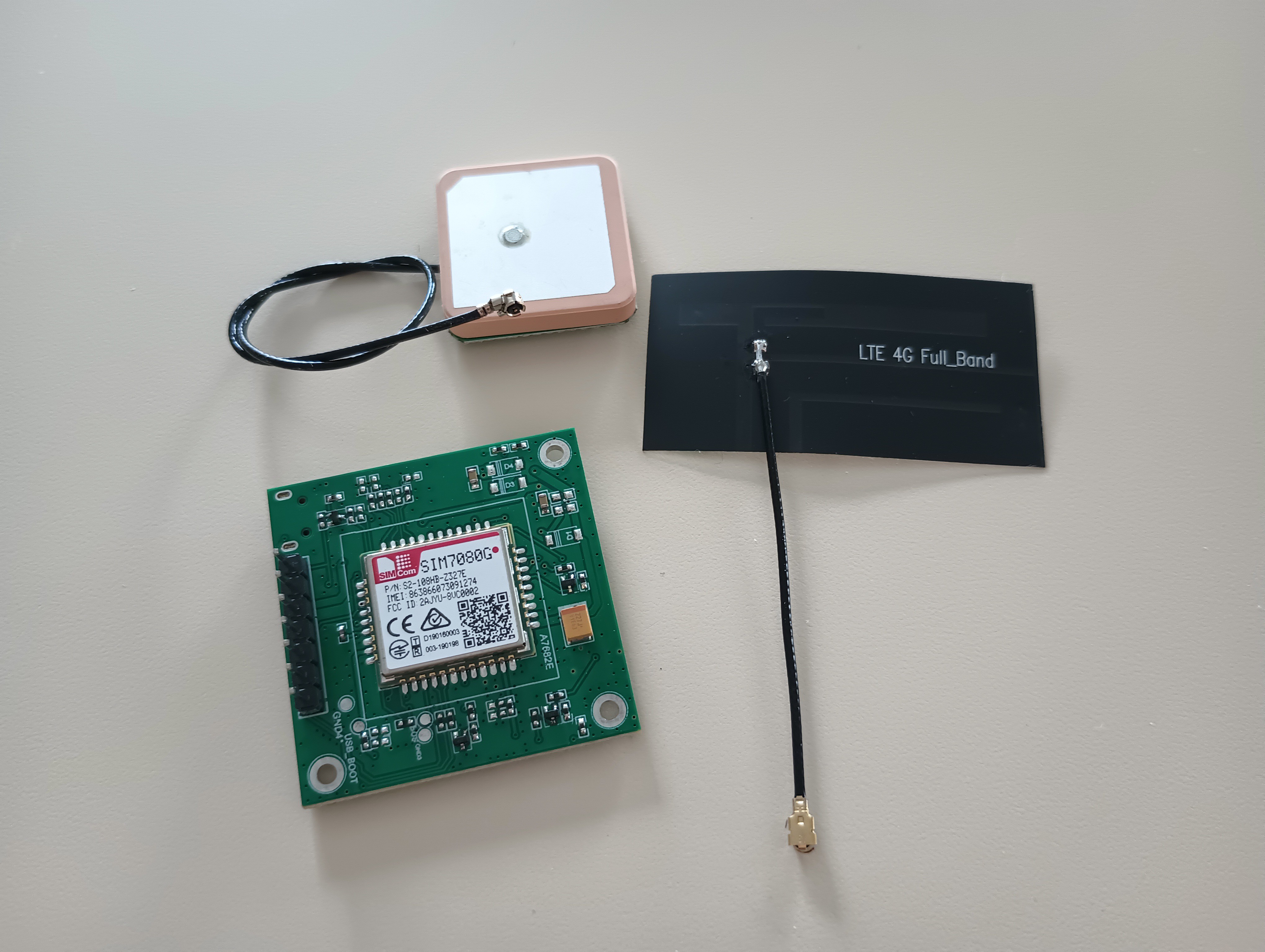
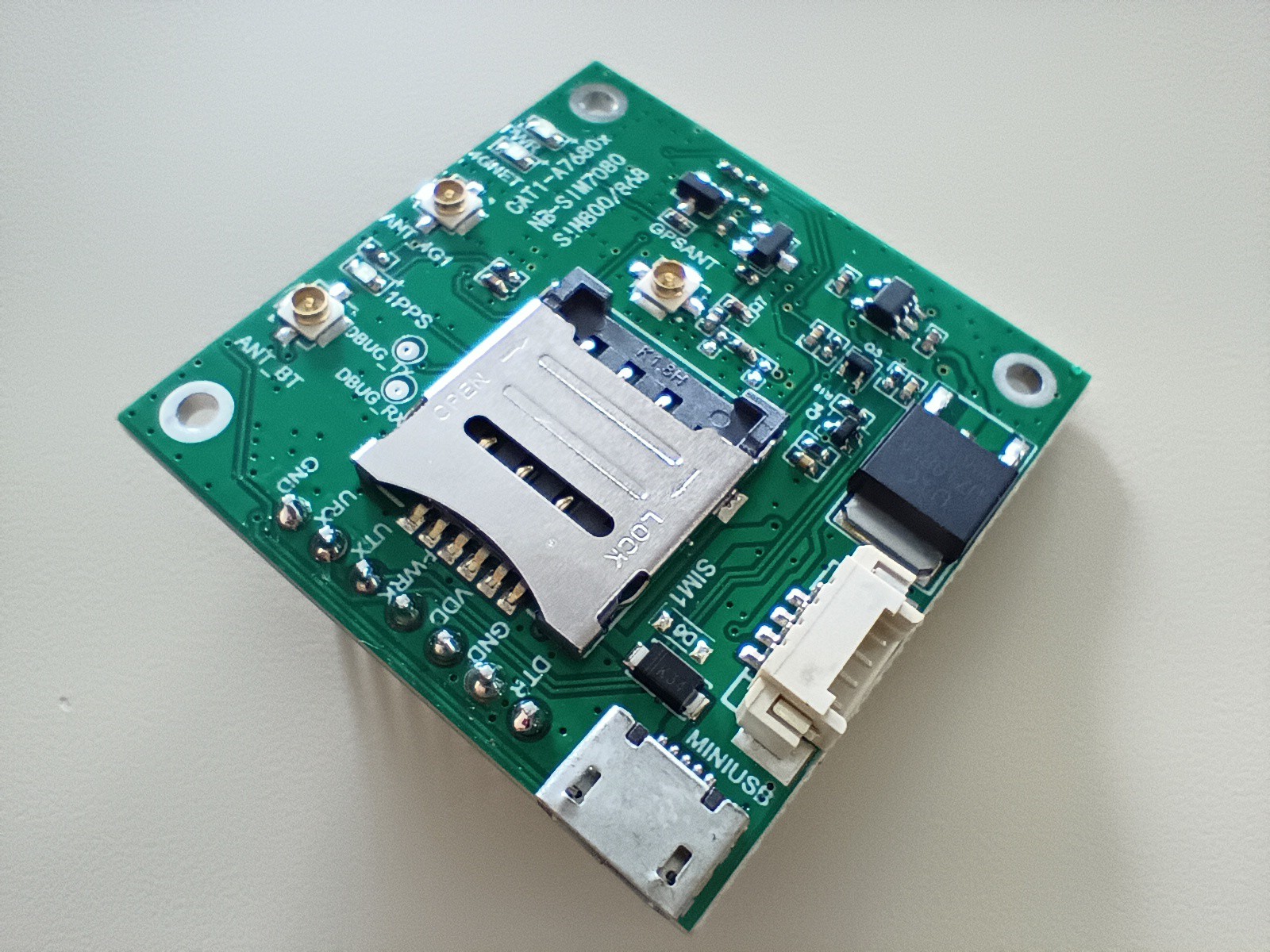
  • 1 × SIM7080G Module To communicate with LTE-M network
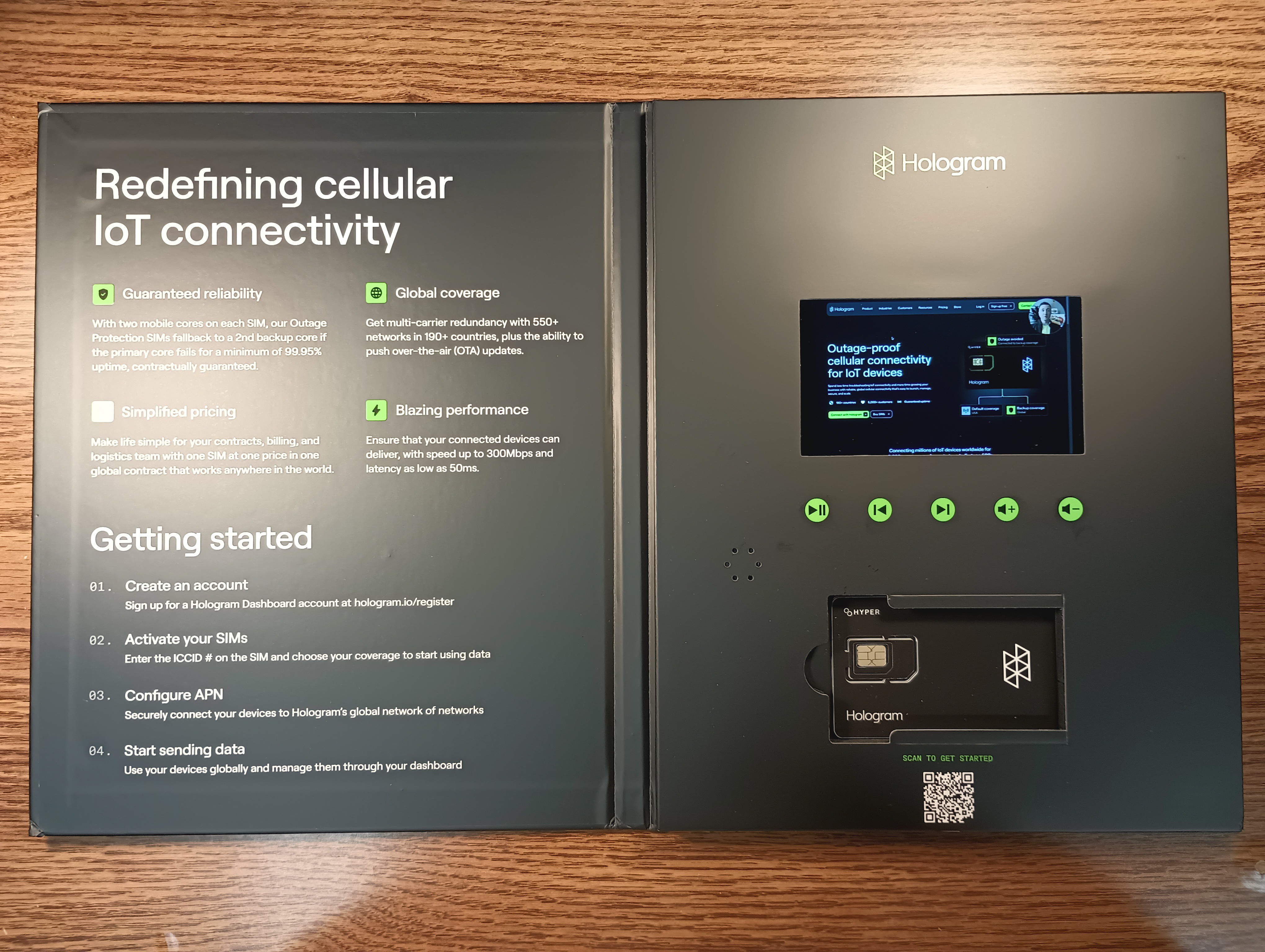
  • 1 × Hologram SIM Card SIM card for the SIM7080G module

  • UPDATE: Physical Keyboard And Prototype is Done!

    Bolan Xu2 days ago 0 comments

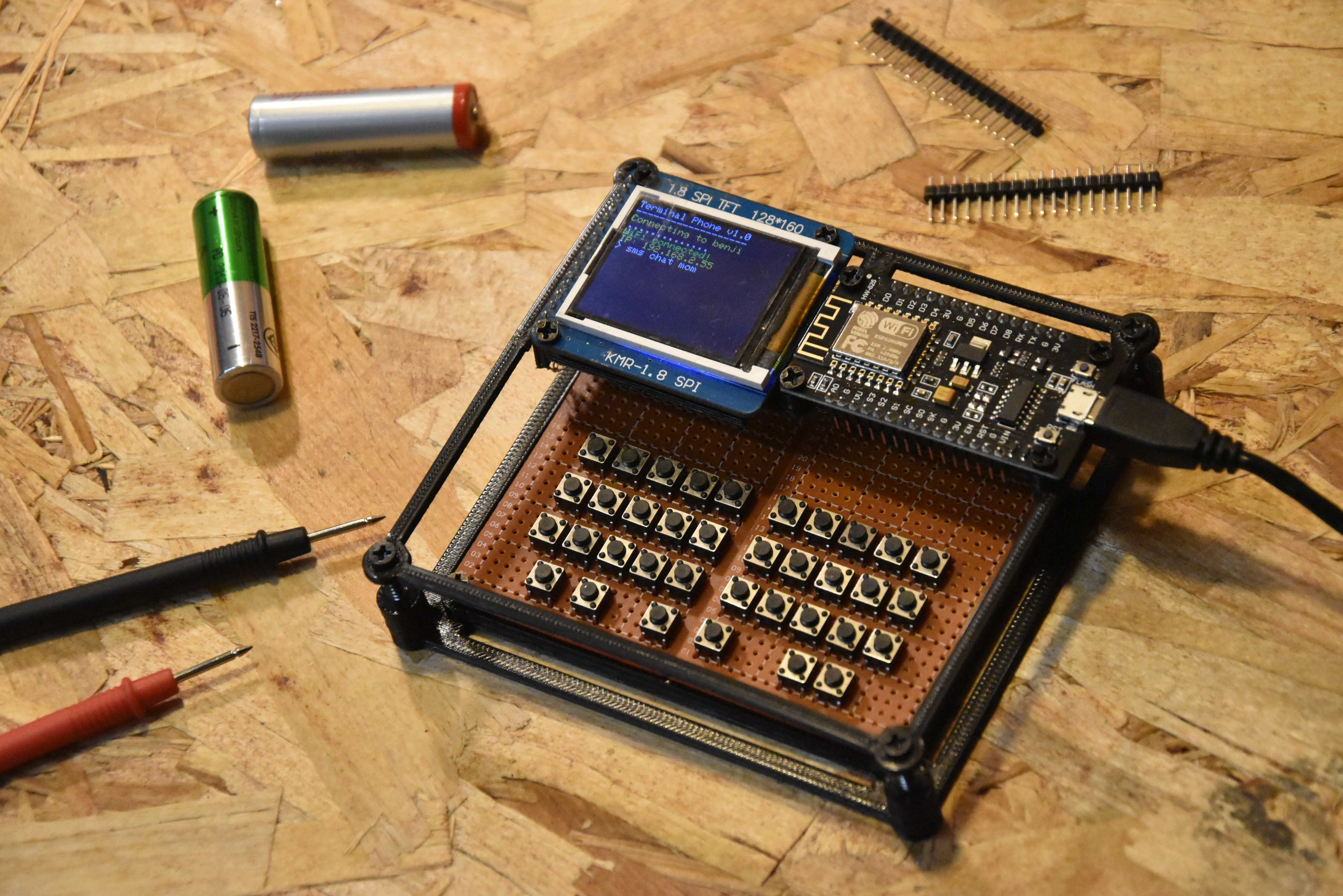
    A ton of progress has been made since the last update! The biggest thing is that I finally have a real physical keyboard and the whole thing is starting to look like an actual device now. Here is what it looks like:

    The Keyboard

    So I hand soldered 36 tactile pushbuttons onto a piece of protoboard. The layout is a 3x10 grid of buttons at the top for the main keys and then a row of 6 buttons at the bottom for special functions.

    The keyboard is driven by a separate microcontroller, a STC15W204S. It scans the button matrix and sends keypresses over UART to the ESP8266. I had to use a separate chip for this because the ESP8266 does not have enough GPIO pins to scan a matrix this size on its own.

    The firmware on the STC15W204S is written in C and compiled with SDCC. It handles debouncing and modifier keys like Shift and Ctrl so the ESP8266 side just receives clean characters and does not have to worry about any of that.

    The Enclosure

    I also 3D printed a simple frame that holds everything together. It is a corner bracket style frame that sandwiches the protoboard and keeps it rigid. The ESP8266 and TFT display sit mounted at the top. It is not a full enclosure yet but it makes it feel way more like a real device and less like a pile of parts on a desk!

    The Terminal Engine

    On the ESP8266 side I also rewrote the display layer (with a little help from Claude😅). Before, TFT calls were everywhere. Now there is a dedicated Terminal class that handles everything.

    It manages its own line buffer, scrolls automatically when you hit the bottom, and lets you print in color without thinking about the TFT calls. There is also a blinking cursor now! It uses millis() and toggles every 500ms. It draws a white block and restores whatever character was underneath when it blinks off. It actually feels like a real terminal now.

    SMS Chat Mode

    This was the other big software update. When you run:

    > sms chat admin

    The screen splits into three zones. A contact/status bar at the top, a scrollable message history in the middle, and a send bar at the bottom with a blinking cursor.

    The status bar updates live as you send. It shows try 1/3 in yellow while it is retrying, sent in green if it worked, and failed in red if all 3 attempts fail. Your messages show up white and incoming messages show up yellow so you can tell them apart.

    To leave chat mode you just type quit.

    Persistent Chat History

    Chat history is now saved to flash using LittleFS. Each contact gets its own file. When you open a chat it reads the file and replays the whole conversation on screen. It survives reboots which is really nice. Before everything was gone every time you powered off.

    Updated Command List

    Command Options Description
    help none Print available commands
    clear none Clear the screen
    echo [text] Print text to screen
    quote none Fetch a random quote over WiFi
    wifi scan / connect / status WiFi management
    sms send / read / chat / contacts SMS messaging
    heap none Print free RAM (for debugging)

    The heap command is small but really useful. The ESP8266 does not have a ton of RAM so it is good to be able to check without needing a serial monitor.

    Next Steps

    • Decide on whether I'm just have texting work through my website or through actual SMS
    • The keyboard matrix firmware still needs some tweaks to get all the keys mapped correctly. I don't have left and right arrow keys yet.
    • Figure out battery, want to make this thing actually portable
    • Eventually want to design a proper PCB and a better enclosure

    Check out the GitHub repo for all the code: https://github.com/bolanxu/Terminal-Style-Cellular-Device

    Thanks for reading! To stay updated follow this project and if you have any comments or questions feel free to comment below!

  • UPDATE: Progress on Terminal UI and Website

    Bolan Xu04/14/2026 at 02:58 0 comments

    I know it has been a while because I haven't gotten around to updating this... but a TON progress has been made.

    Terminal Interface

    First off, I have switched from a Arduino UNO to an ESP8266 which runs much faster and has much more RAM and code memory.

    Now there is no visible screen scrolling and the terminal interface is very smooth.

    I currently have 6 commands implemented:

    Command NameOptionsDescription
    helpnonePrint out possible commands
    clearnoneClear the screen
    echo[text]Prints out text
    quotenoneThis is really a network test but it goes
    to a website with quote database and
    prints out quote from there
    wifiscan
    connect [ssid] [pwd]
    status
    Scan for wifi networks
    Connect to a wifi network
    Check current status
    smssend [contact] [msg]
    read 
    chat [contact]
    Send a sms message
    Check for sms messages
    Enter chat mode with a contact

    For the sms commands, it is really just communicating with my server which then forwards it to SMS provider. 

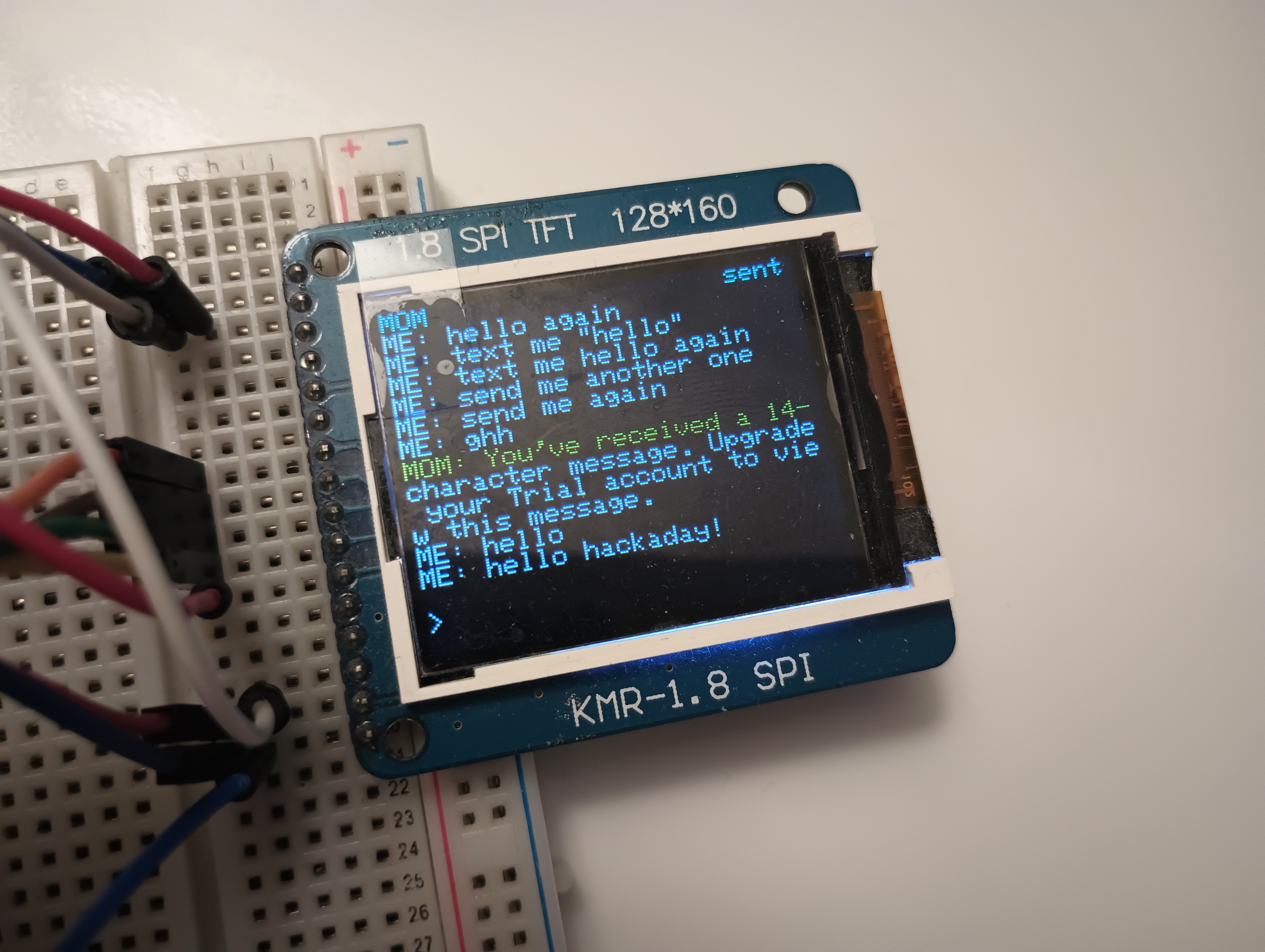
    The SMS chat is kind of like an application. When I run:

    > sms chat [contact] #ex: admin

    It opens up a new screen which has a message history (stored in EEPROM) and a messaging bar at the bottom.

    Website Server

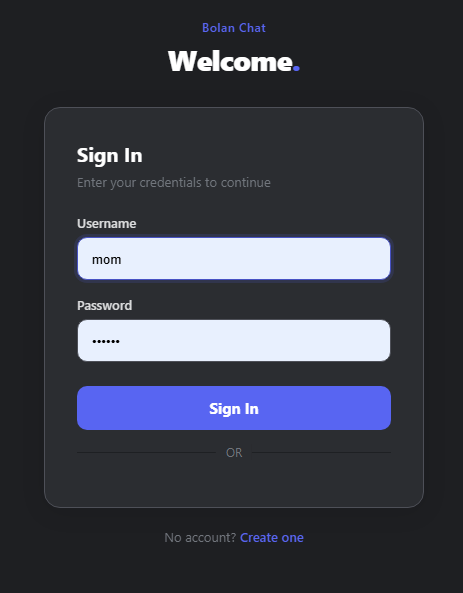
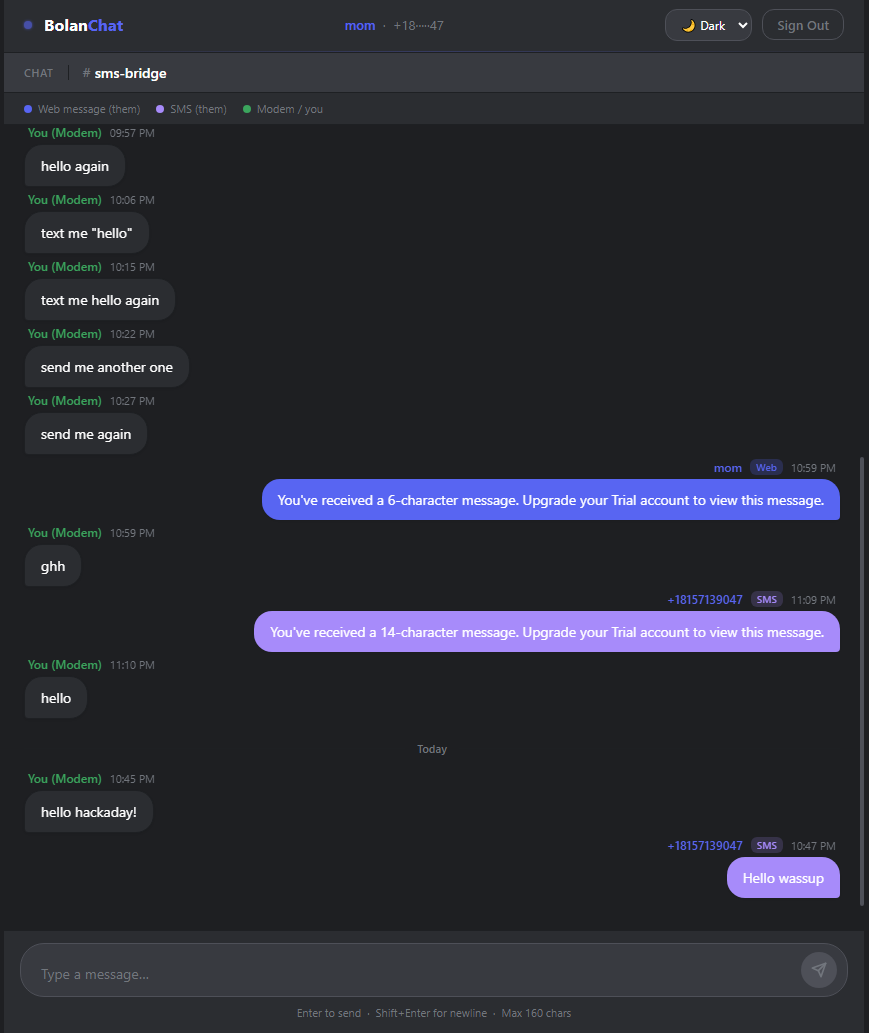
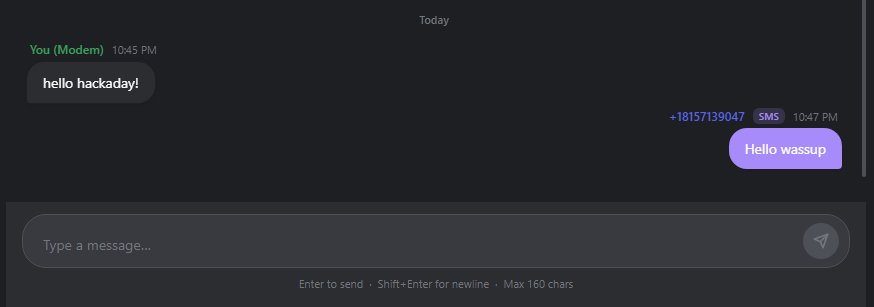
    Like before, I am still hosting a website on pythonanywhere. But it has a complete UI overhaul! I'm not much of a software developer so I left most of the web design to Claude and Github Copilot but here's what the website looks like now.

    It definitely looks much better compared to before and now I have a SMS link. Those pink bubbles on the right are from an SMS phone number.

    SMS

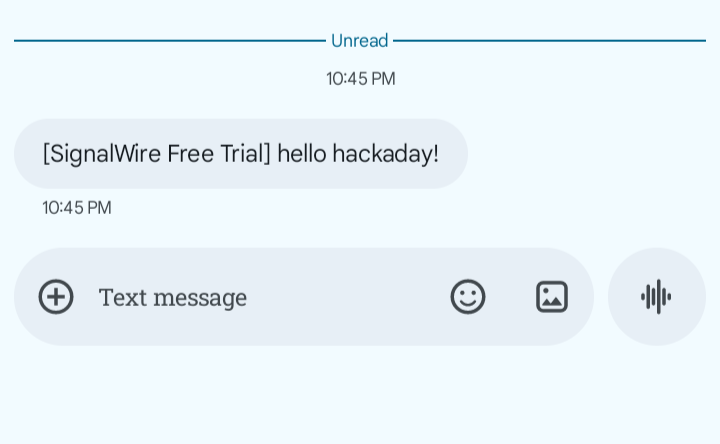
    So here is how I can use my ESP8266 as a "phone". I am using a SMS provider called SignalWire and it allows me to call their API through my PythonAnywhere website, this makes SMS texting possible. Right now I have a phone number but I still need to register for a thing called a "Messaging Campaign" which allows me to show up as not spam on people's phone.

    Here are some screenshots of a sent message

    First I send a message from my ESP8266

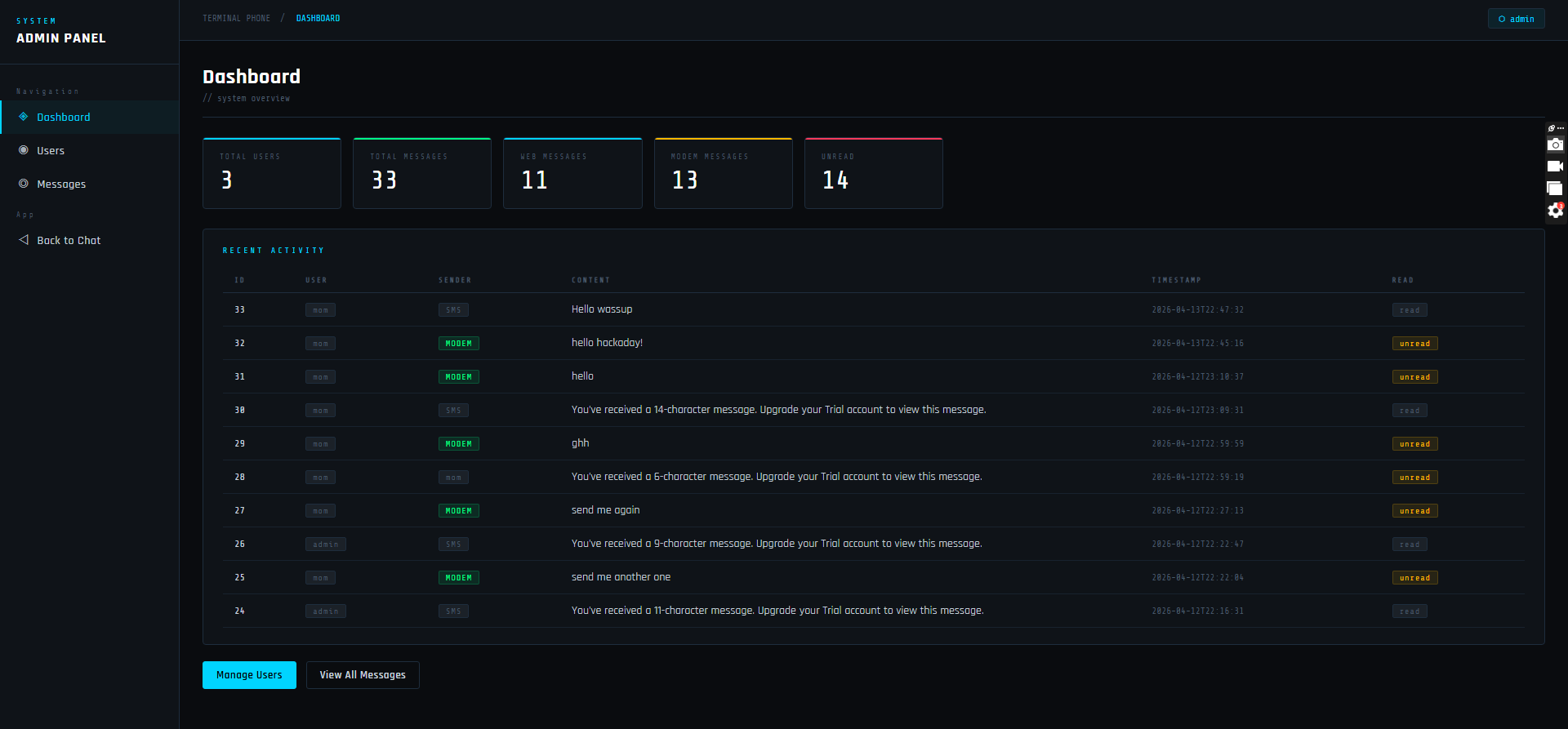
    Then it shows up in my website

    And it is forwarded to a phone using SMS

    Check out the Github repo for code for the server and hardware 

    https://github.com/bolanxu/Terminal-Style-Cellular-Device

  • Terminal on an Arduino with TFT Display

    Bolan Xu02/10/2026 at 02:44 0 comments

    Now that I have a basic framework for sending and receiving messages to a web chat interface, time to work the hardware (my personal favorite part of this)!

    By the way all code and files are in my GitHub: https://github.com/bolanxu/Terminal-Style-Cellular-Device

    The Setup

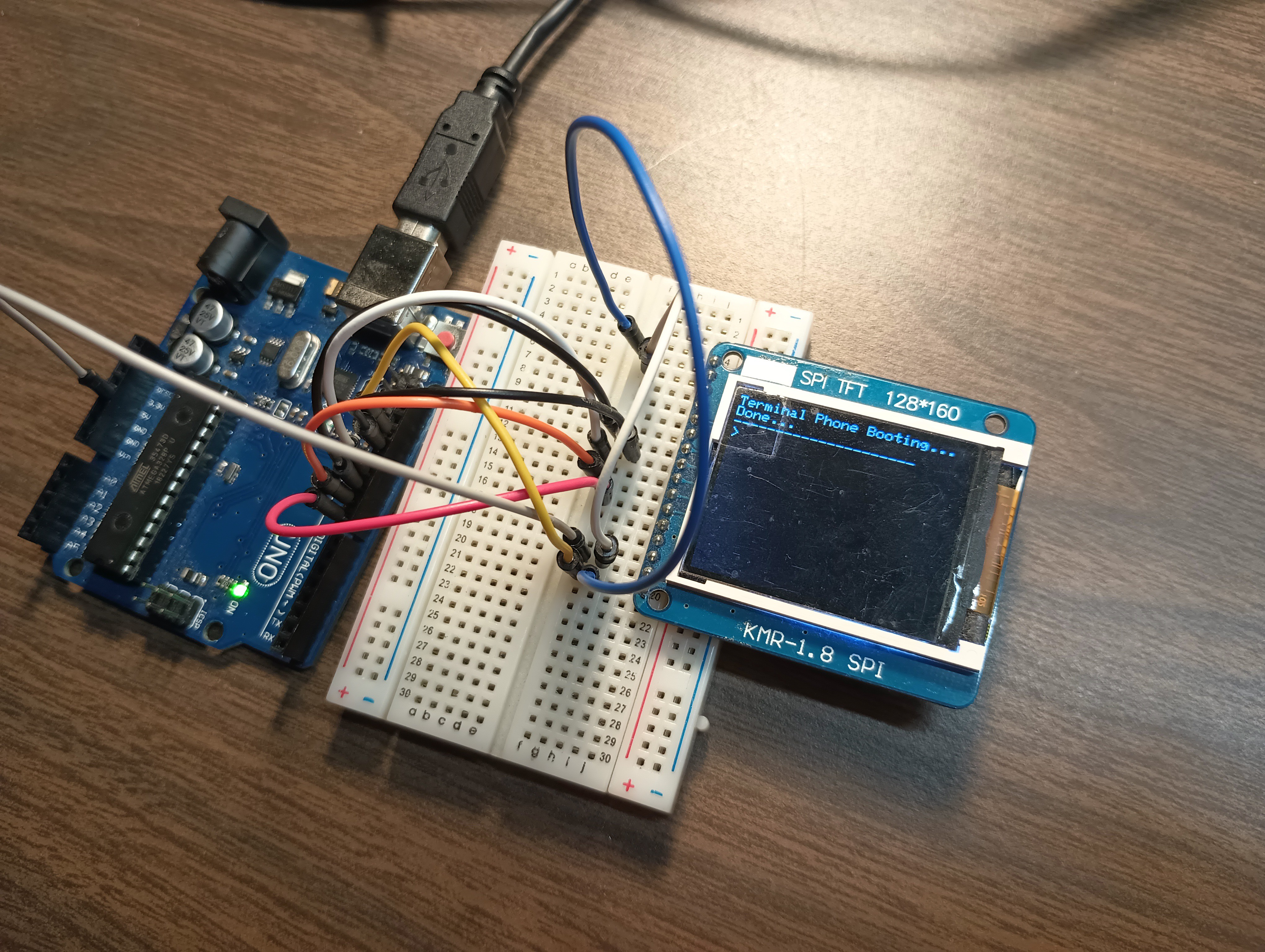
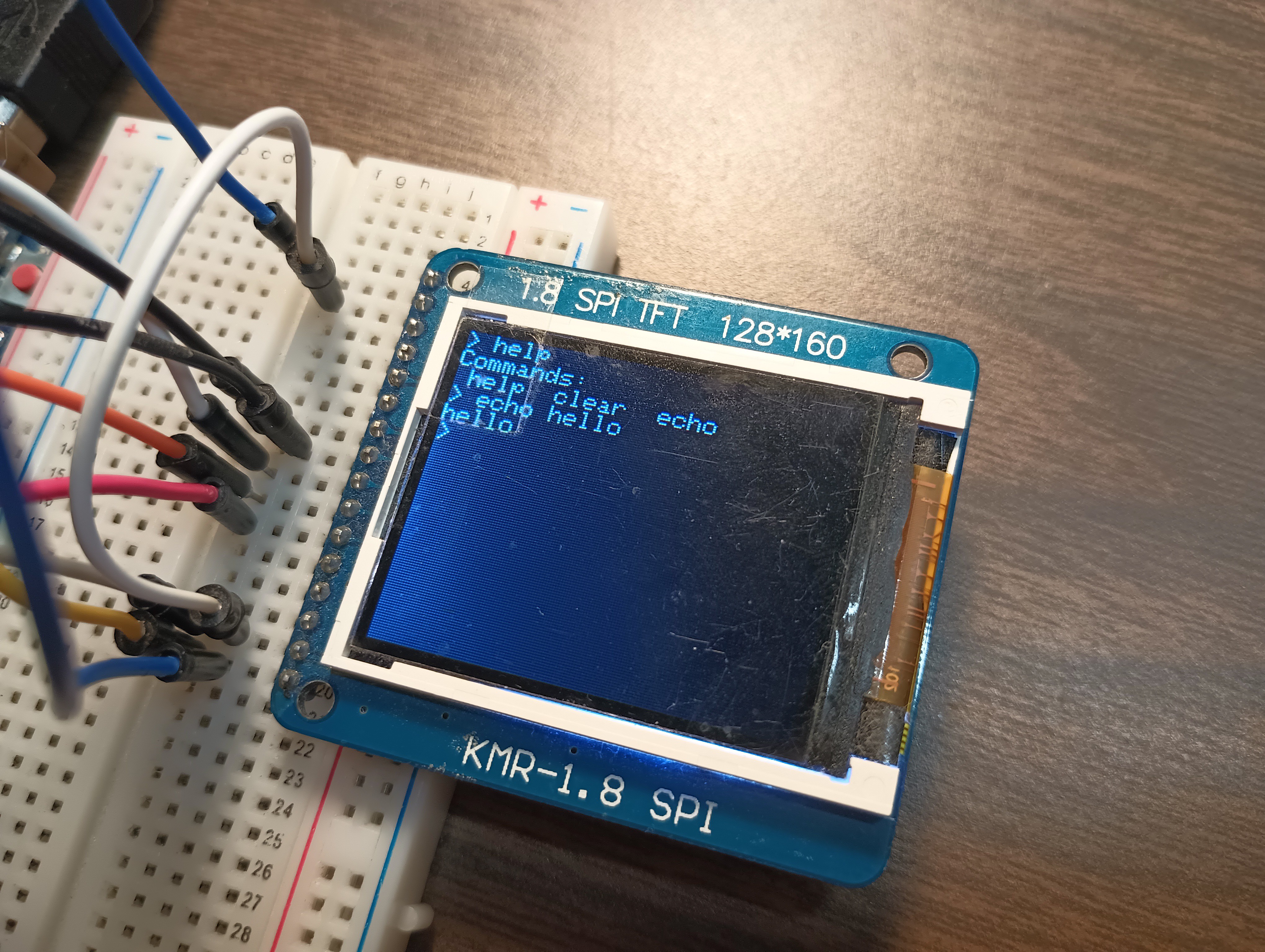
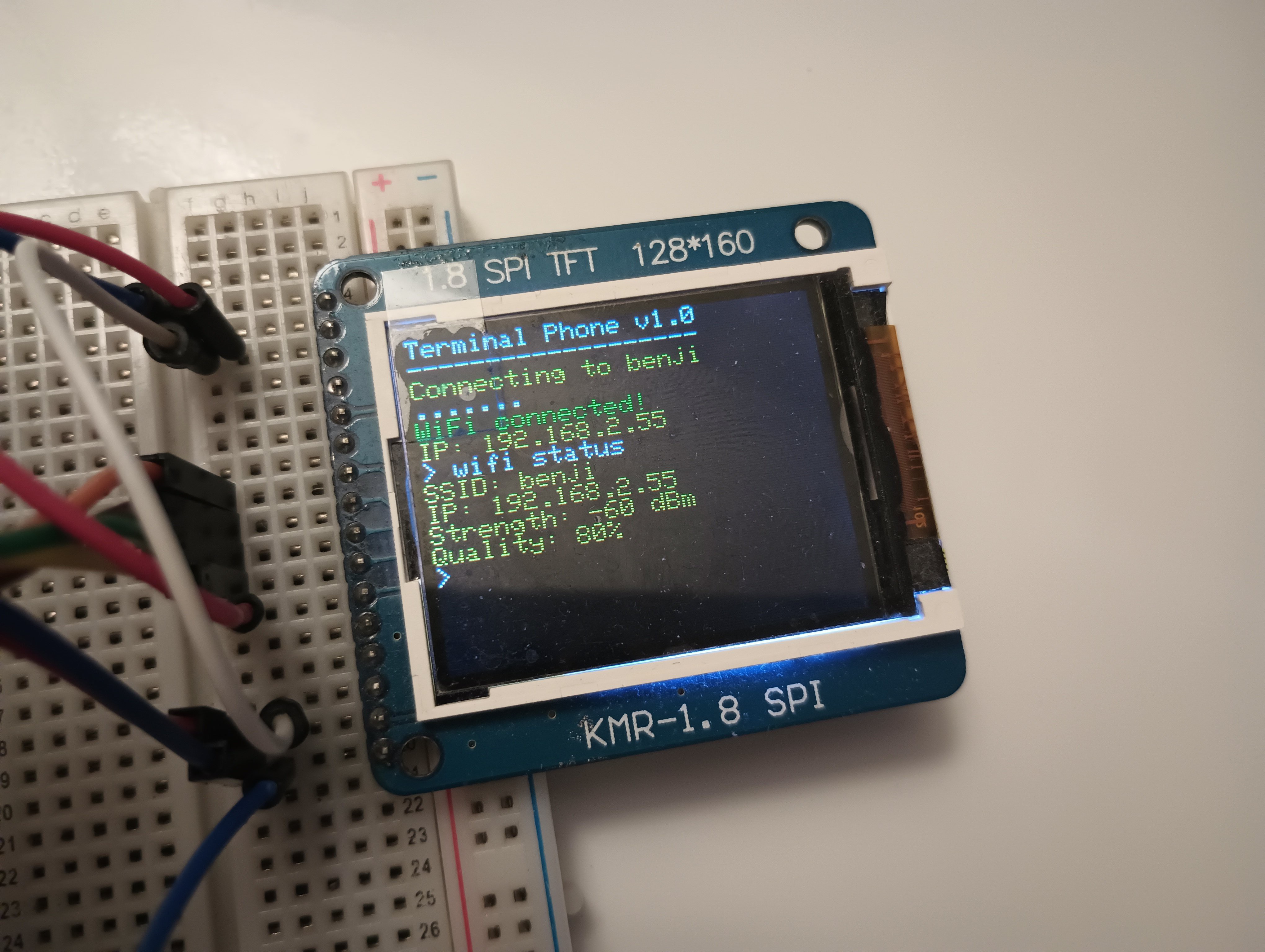
    1.8" Color TFT LCD display connected to Arduino UNO which receives text input from the serial port.

    Here's some images:

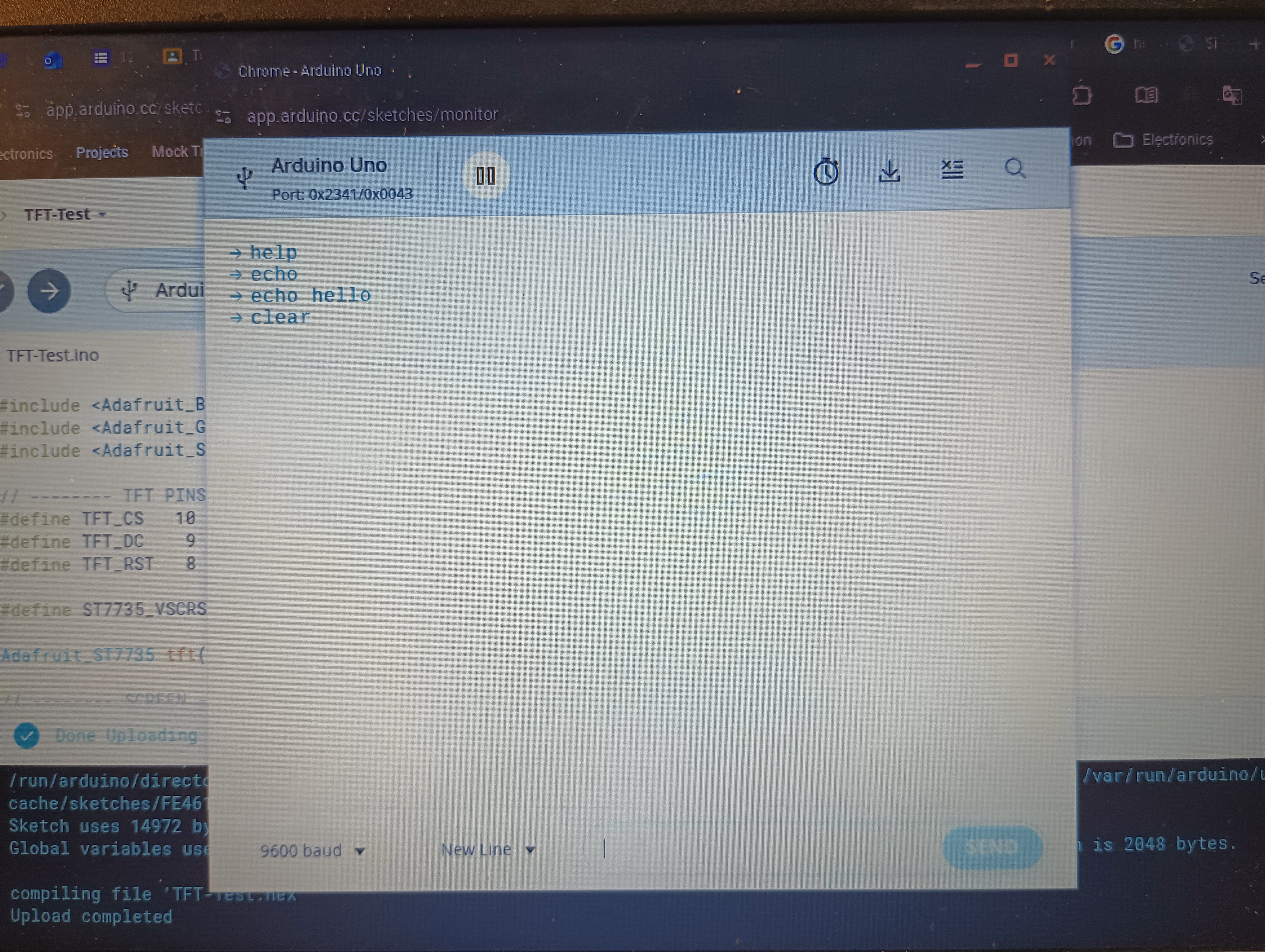
    So now when I type some commands into the serial port, they run on my terminal. I only have three commands right now: help, clear, and echo.

    It really feels cool!

    Next Steps

    • Right now I am using serial port for text input. I am trying now to prototype a matrix keyboard to test text input.
    • The UNO has limited really resources, especially RAM. This means that refreshing a 128x160 TFT display can cause some flashing and lag. I'm deciding to move to ESP32 or similar microcontroller with more resources

    Thanks for reading! To stay updated follow this project and if you have any comments or questions feel free to comment below!

  • Web Two-way Communication with Modem

    Bolan Xu02/02/2026 at 01:57 0 comments

    After a few days of work (there was a problem with activating the SIM card), I have a fully functional web-based interface to communicate with my modem!

    How it works

    My setup:

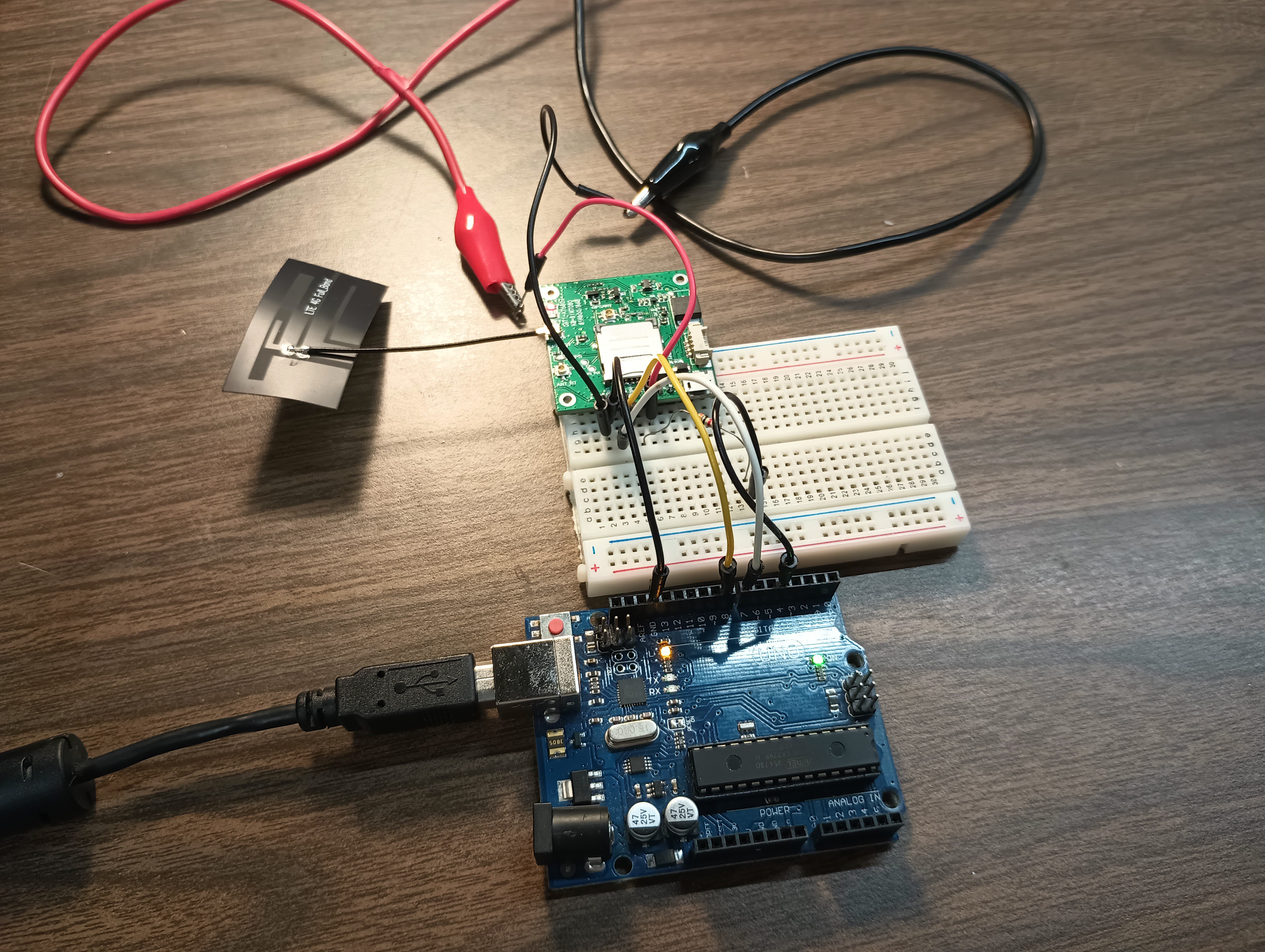
    1. Arduino connected to SIM7080G modem module which allows communication of serial port with modem, through human readable chat format (not AT commands).
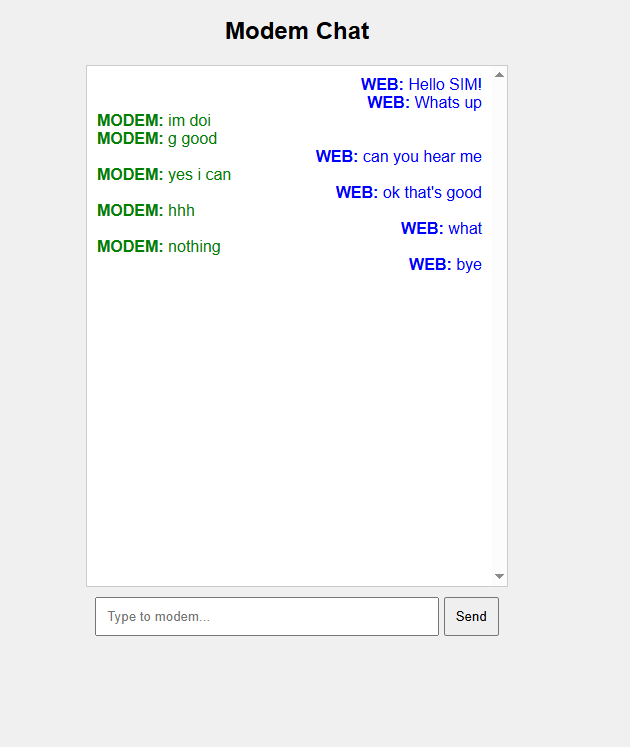
    2. A website hosted by Pythonanywhere of a simple chat interface
    3. The modem communicates with my website through HTTP GET and POST requests. 

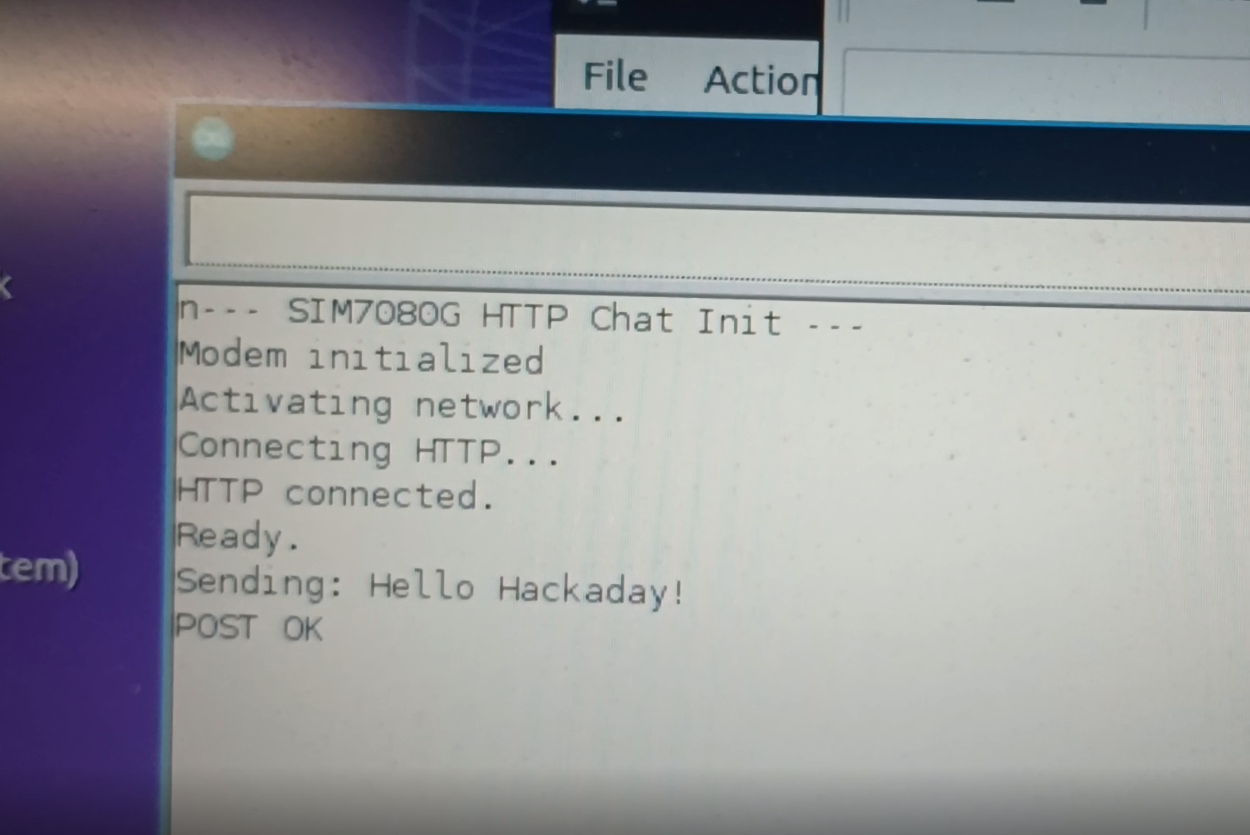
    Here are some images of the setup:

    This is the web interface:

    Here is the hardware setup

    Here is the serial port of arduino:

    Here is the link to the code: https://github.com/bolanxu/Terminal-Style-Cellular-Device. (Look at the Web-Based-Chat-Interface branch.)

    If you have any questions or comments please comment below!

  • SIM Modem Has Arrived!

    Bolan Xu01/27/2026 at 17:43 0 comments

    After a week of anticipation (AliExpress is slow 😅), the SIM7080G modem has finally arrived. Time to do some testing!

  • Deciding and Buying Components

    Bolan Xu01/20/2026 at 19:12 0 comments

    This week I ordered a SIM7080G from AliExpress and that is what I am going to use as my modem for this project.

    Last week I ordered a SIM card from Hologram , and it came in (thanks to Felix from Hologram customer services, I got it for free).

    Now I'm just waiting for the modem to arrive so I can start testing with some AT commands!

View all 6 project logs

Enjoy this project?

Share

Discussions

isaac34 wrote 02/15/2026 at 05:46 point

What keyboard do you use? Where can I get one?

  Are you sure? yes | no

Bolan Xu wrote 02/15/2026 at 17:37 point

I don't have a keyboard yet right now. I am currently prototyping on 2 4x4 matrix keypads, but I am not planning on using this for the final build. However, I have been doing some searching, maybe an old Nokia keyboard might work. I am also thinking of using smd pushbuttons on a custom pcb.

  Are you sure? yes | no

Similar Projects

Does this project spark your interest?

Become a member to follow this project and never miss any updates