 Bolan Xu
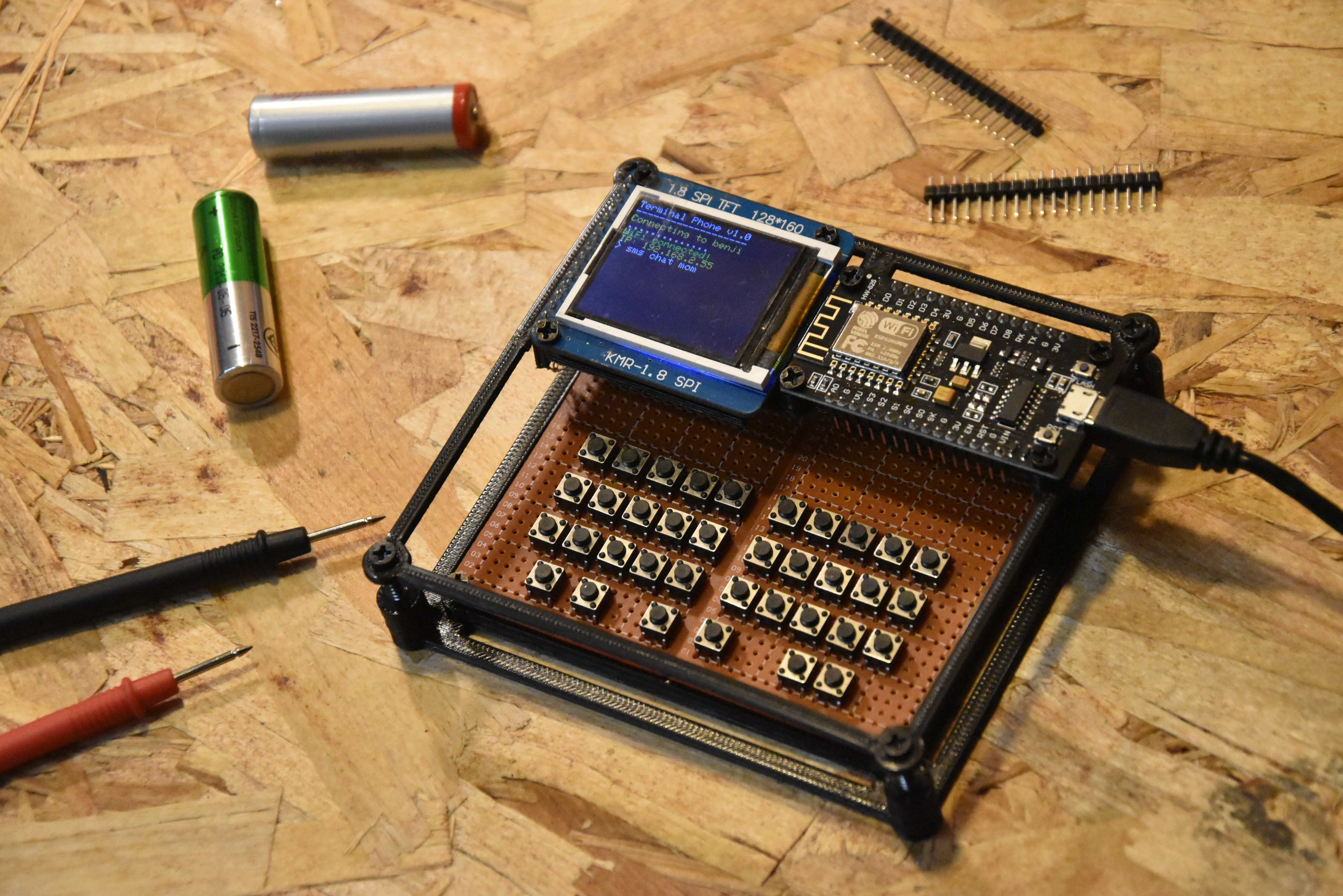
A ton of progress has been made since the last update! The biggest thing is that I finally have a real physical keyboard and the whole thing is starting to look like an actual device now. Here is what it looks like:
The Keyboard
So I hand soldered 36 tactile pushbuttons onto a piece of protoboard. The layout is a 3x10 grid of buttons at the top for the main keys and then a row of 6 buttons at the bottom for special functions.
The keyboard is driven by a separate microcontroller, a STC15W204S. It scans the button matrix and sends keypresses over UART to the ESP8266. I had to use a separate chip for this because the ESP8266 does not have enough GPIO pins to scan a matrix this size on its own.
The firmware on the STC15W204S is written in C and compiled with SDCC. It handles debouncing and modifier keys like Shift and Ctrl so the ESP8266 side just receives clean characters and does not have to worry about any of that.
The Enclosure
I also 3D printed a simple frame that holds everything together. It is a corner bracket style frame that sandwiches the protoboard and keeps it rigid. The ESP8266 and TFT display sit mounted at the top. It is not a full enclosure yet but it makes it feel way more like a real device and less like a pile of parts on a desk!
The Terminal Engine
On the ESP8266 side I also rewrote the display layer (with a little help from Claude😅). Before, TFT calls were everywhere. Now there is a dedicated Terminal class that handles everything.
It manages its own line buffer, scrolls automatically when you hit the bottom, and lets you print in color without thinking about the TFT calls. There is also a blinking cursor now! It uses millis() and toggles every 500ms. It draws a white block and restores whatever character was underneath when it blinks off. It actually feels like a real terminal now.
SMS Chat Mode
This was the other big software update. When you run:
> sms chat admin
The screen splits into three zones. A contact/status bar at the top, a scrollable message history in the middle, and a send bar at the bottom with a blinking cursor.
The status bar updates live as you send. It shows try 1/3 in yellow while it is retrying, sent in green if it worked, and failed in red if all 3 attempts fail. Your messages show up white and incoming messages show up yellow so you can tell them apart.
To leave chat mode you just type quit.
Persistent Chat History
Chat history is now saved to flash using LittleFS. Each contact gets its own file. When you open a chat it reads the file and replays the whole conversation on screen. It survives reboots which is really nice. Before everything was gone every time you powered off.
Updated Command List
| Command | Options | Description |
|---|---|---|
| help | none | Print available commands |
| clear | none | Clear the screen |
| echo | [text] | Print text to screen |
| quote | none | Fetch a random quote over WiFi |
| wifi | scan / connect / status | WiFi management |
| sms | send / read / chat / contacts | SMS messaging |
| heap | none | Print free RAM (for debugging) |
The heap command is small but really useful. The ESP8266 does not have a ton of RAM so it is good to be able to check without needing a serial monitor.
Next Steps
- Decide on whether I'm just have texting work through my website or through actual SMS
- The keyboard matrix firmware still needs some tweaks to get all the keys mapped correctly. I don't have left and right arrow keys yet.
- Figure out battery, want to make this thing actually portable
- Eventually want to design a proper PCB and a better enclosure
Check out the GitHub repo for all the code: https://github.com/bolanxu/Terminal-Style-Cellular-Device
Thanks for reading! To stay updated follow this project and if you have any comments or questions feel free to comment below!
Discussions
Become a Hackaday.io Member
Create an account to leave a comment. Already have an account? Log In.