 mit41301
Z80 and 8052 SBC on DIP40 size MAX10 FPGA
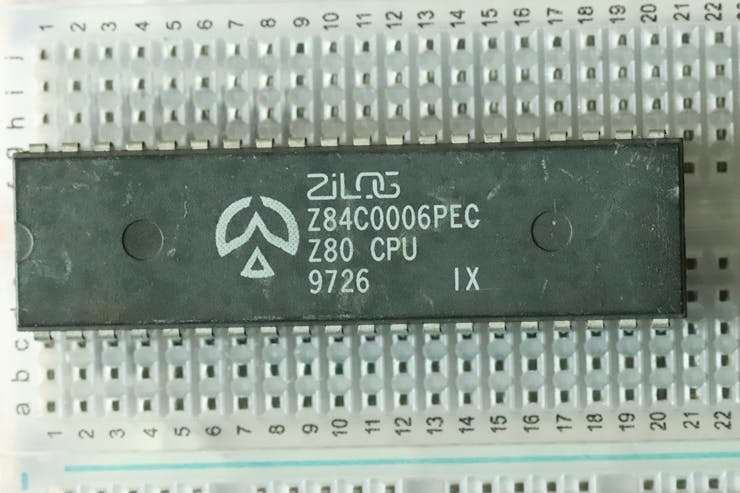
Zilog Z80 SBC with Z80 CPU, 8kB ROM, 8kB RAM and UART all implemented inside the FPGA and running BASIC Ver 4.7b.
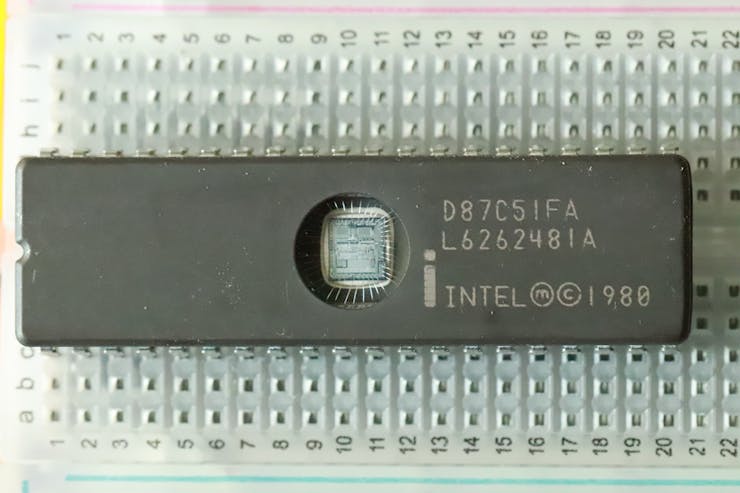
Intel 8052 SBC with 8052 CPU, 8kB ROM and 32kB RAM running BASIC-52 on a DIP40 size FPGA board running BASIC-52 at 50 MHz.
HISTORY:
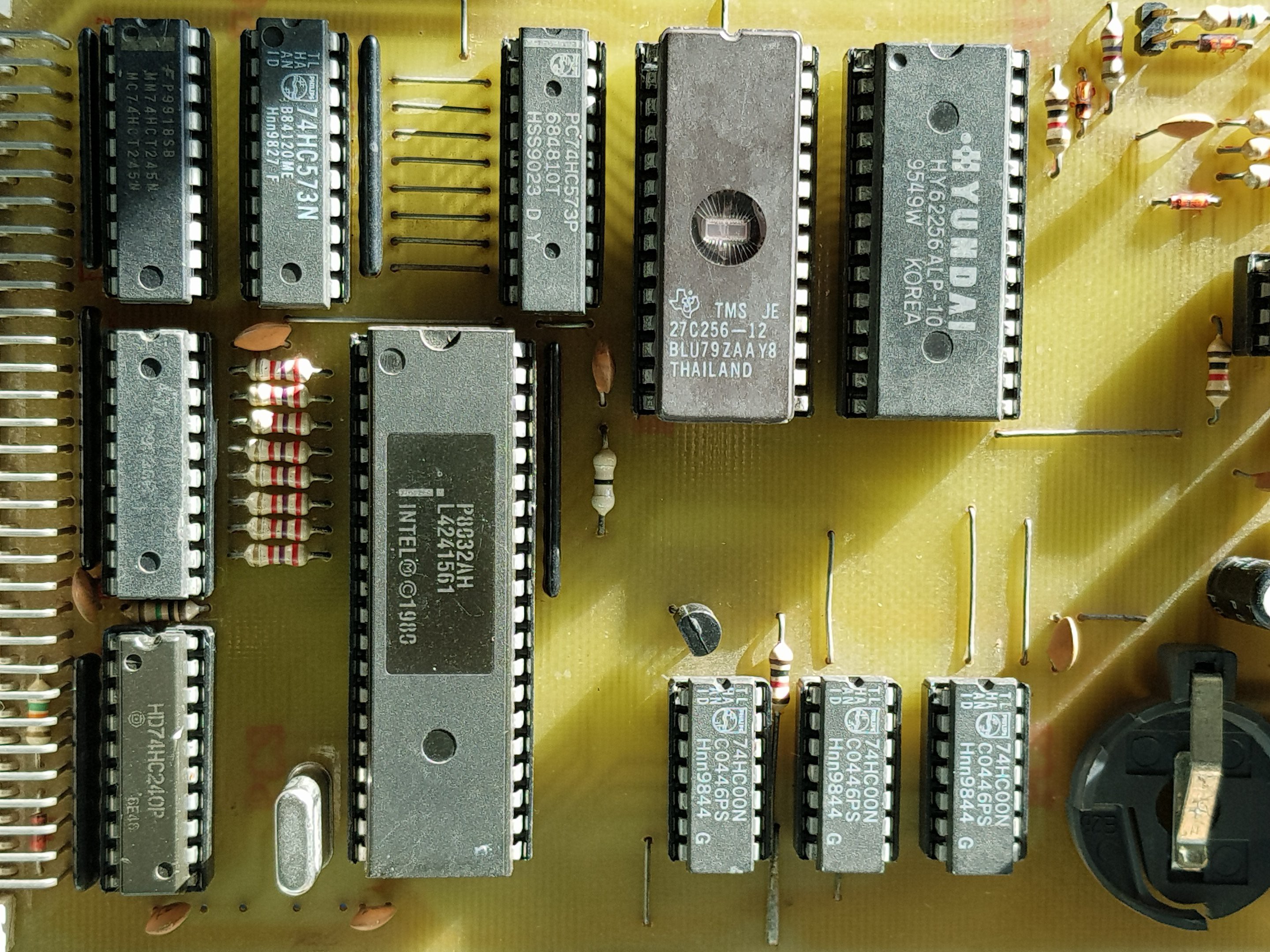
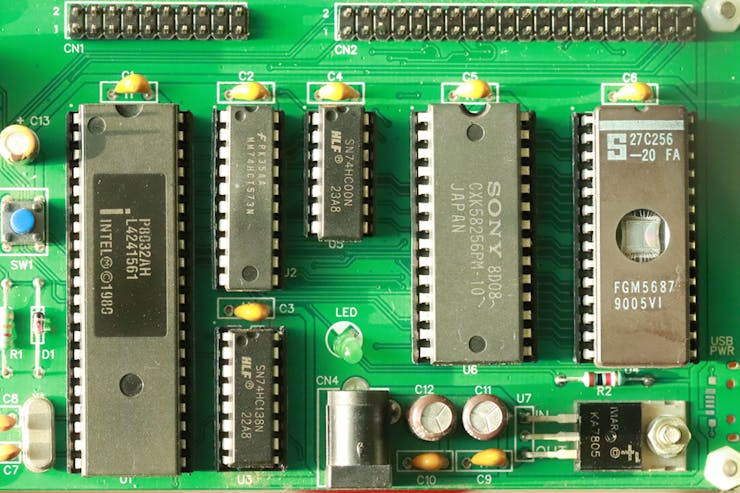
In the past, Conventional Classic Single Board Computer(SBC) will have a CPU, external ROM or EPROM, external RAM, latch, address decoder, I/O port, Reset circuit and crystal. The above board can be run with 8031 or 8032 controller. We can find more details HERE. The board comes with expansion board with which we can run FORTH.
The next generation SBC comes with processor with internal EPROM or FLASH memory which saved some board space and cost. More details about the below board can be found HERE.
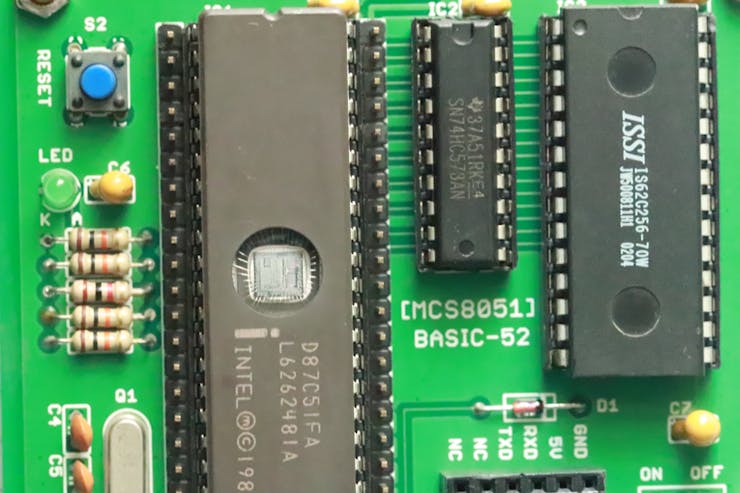
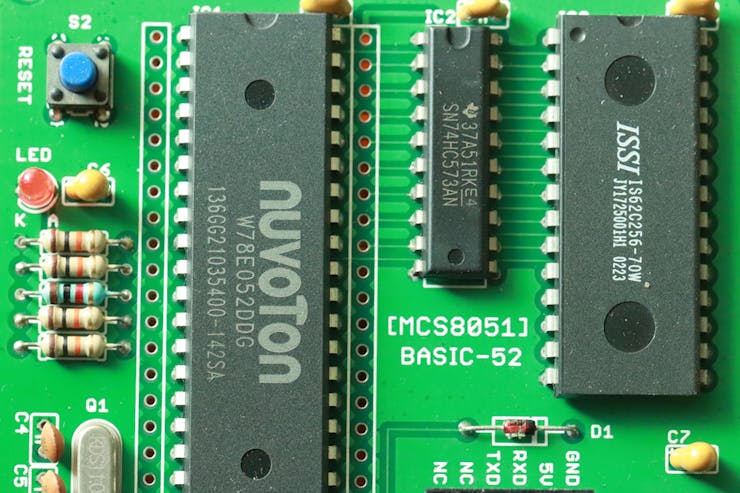
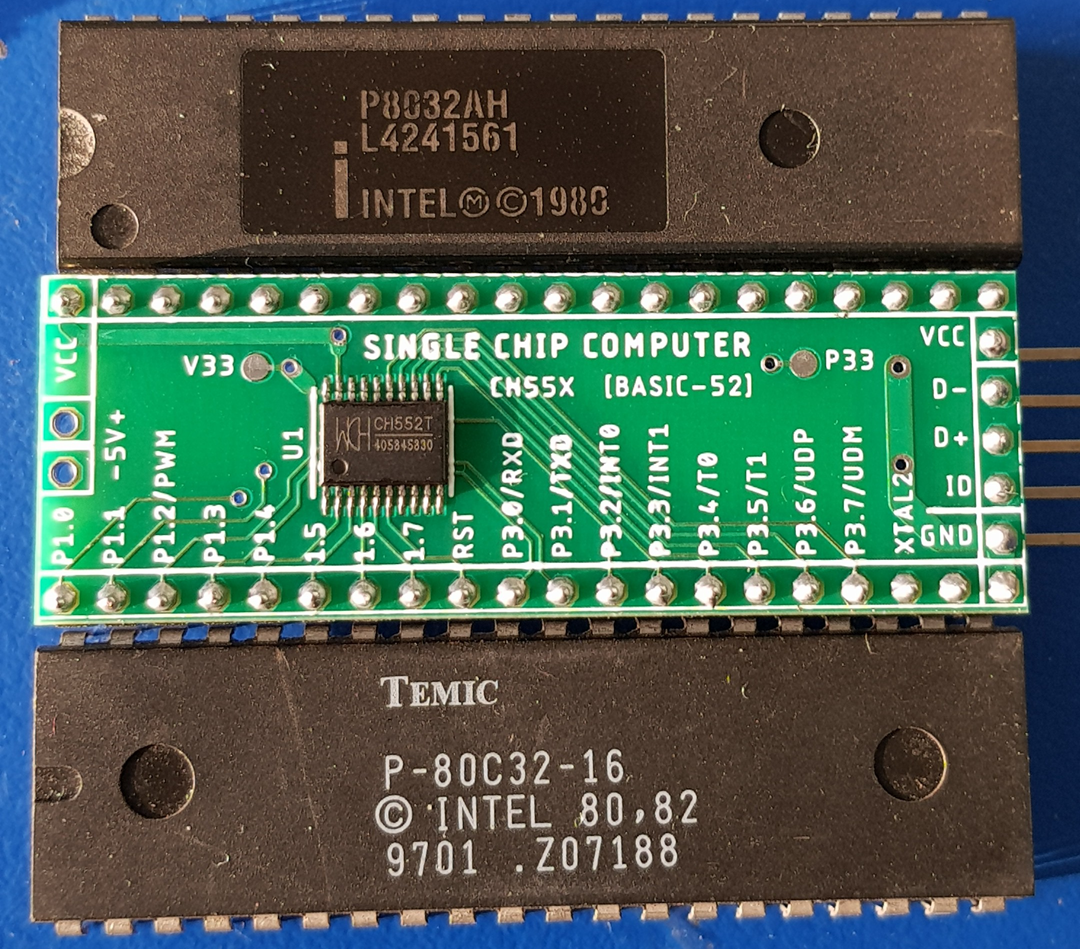
with the advance in technology, now we can implement the CPU, ROM, RAM, I/O port, UART all inside the programmable logic device using Hardware Description Language(HDL). The commonly used HDL are VHDL, Verilog and SystemVerilog.
SCOPE:
The scope of the project is to implement a Zilog Z80 based SBC with 8kB ROM and 8kB RAM running Microsoft BASIC Ver 4.7b and a Intel MCS-51 based SBC with 8kB code ROM and 32kB RAM running BASIC-52 with I2C extensions. It is same as the picture shown above which is having 8kB ROM and 32kB RAM.
FPGA:
The main goal is to implement the whole SBC on a DIP-40 size form factor board. After some search the target device narrowed down to Altera FPGA MAX 10 family device.
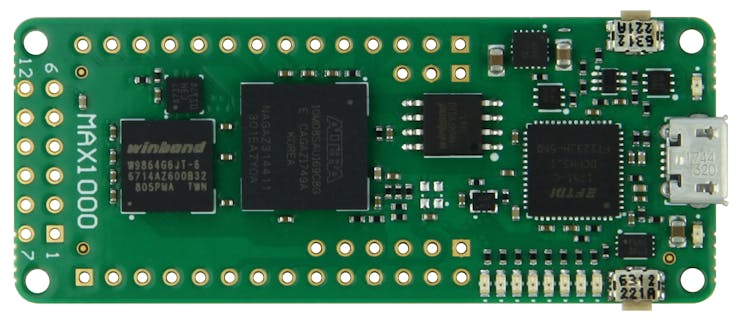
This board is a small size board with lots of resource and low in cost. The formfactor is not exactly DIP-40 size and the board contains more resources than we need. The FPGA used is MAX10 family 10M08SAU169C8G. We can learn more about the MAX1000 board HERE.
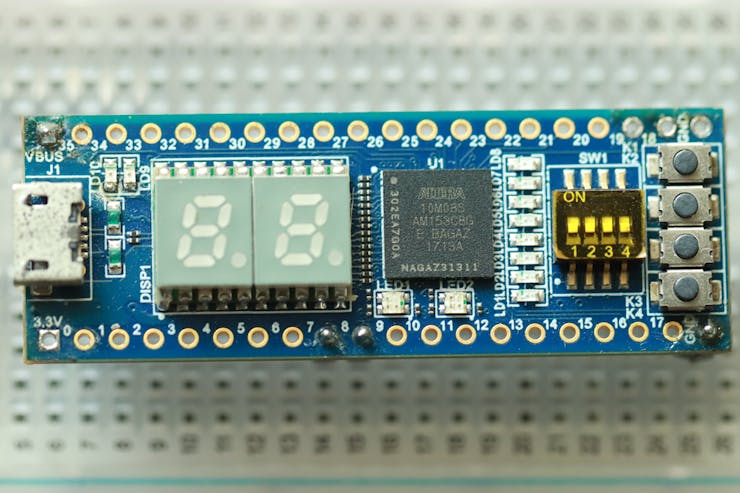
The above board also comes with MAX10 FPGA and having exact DIP-40 size. We can find Hardware, Software and Example project HERE. We can also find the overview for the above board at HERE.
The MAX10 FPGA devices are new generation devices which having combination of CPLD and FPGA architecture. The MAX10 devices comes with internal FLASH memory so that we do not require external configuration device during power-up. The MAX10 devices also comes with inbuilt ADC and temperature sensor.
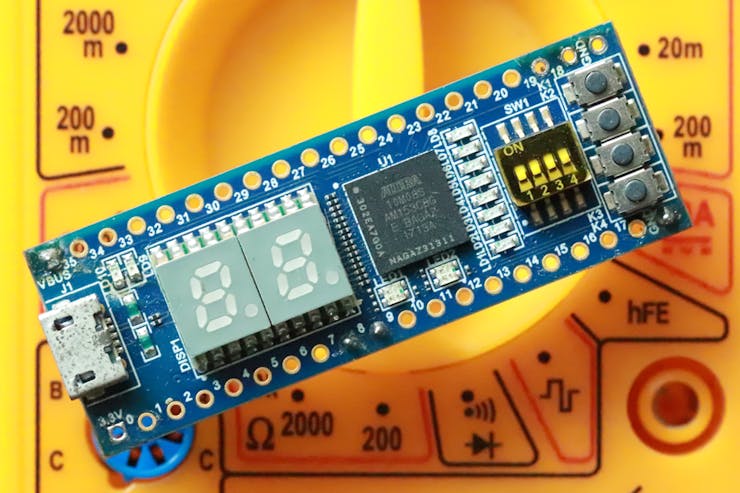
We just need 4 connections for simple SBC operation for both Zilog Z80 or Intel MCS-51 based SBC. In both Z80 and MCS-51, the I/O PORT1 is mapped to the 8 onboard LEDs. The SBC reset is assigned to the K1 button.

Zilog Z80 SBC on MAX10 FPGA:
For a minimal Z80 SBC running Microsoft BASIC Ver 4.7b, we need 8kB ROM space and 4kB RAM space. We will implement 8kB RAM in this system. There are still lots of Logic Elements and Memory Bits available which is useful for future expansion.
The SBC system was compiled and tested using Quartus II 18.1 version. Just open the Quartus II and restore the archive file.
The project folder also contains the SRAM Object File(SOF) and Programmable Object File(POF) ready to use without compiling.
Connect the Micro USB cable to the MAX10 board and program the SOF or POF file. SOF will lost after power cycle. POF will be stored inside the FLASH and comes alive for every power ON.
The below code in BASIC just counts from 0 to 255 on Z80 SBC I/O port.
05 REM COUNT 0 To 255 on PORT 145 (Z80)
10 FOR I = 0 TO 255
20 PRINT I,
30 OUT 145, 255-I
35 FOR J = 0 TO 99 : NEXT J
40 NEXT I
45 FOR K = 0 TO 4095 : NEXT K
46 OUT 145,255
50 END
The below code is for ASCIIART for Z80 using Microsoft BASIC Ver 4.7b and on loop. To exit the loop press Ctrl+C
10 FOR Y=-12 TO 12
20 FOR X=-39 TO 39
30 CA=X*0.0458
40 CB=Y*0.08333
50 A=CA
60 B=CB
70 FOR I=0 TO 15
80 T=A*A-B*B+CA
90 B=2*A*B+CB
100 A=T
110 IF (A*A+B*B)>4 THEN GOTO 200
120 NEXT I
130 PRINT " ";
140 GOTO 210
200 IF I>9 THEN I=I+7
205 PRINT CHR$(48+I);
210 NEXT X
220 PRINT
230 NEXT Y
240 PRINT
250 GOTO 10
Intel MCS-51 SBC on MAX10 FPGA:
There are two project images available for ready to use. Intel originally released the BASIC-52 Ver 1.1 into public domain. But the code contained lots of bugs and hidden ego messages.
The last version is BASIC-52 Ver 1.31 which was released by Hans-Jürgen Böhling in February 2001. Hans-Jürgen Böhling also released extension code for I2C support.
8kB ROM & 32kB RAM at 50 MHz:
This image contains only 8kB Code memory without any I2C extension support. The system contains 32kB RAM for user programs. The system clock is 50 MHz which is derived from 12 MHz by a internal PLL of MAX10.
16kB ROM & 16kB RAM at 11.059200 MHz:
This image contains 16kB code memory with I2C extension support. The system contains 16kB RAM for user programs. The system clock is 11.059200 MHz. Even with 11.059200 MHz, the system performs 10X faster than the conventional 12 T core. The I2C function works well with 11.059200 MHz system clock.
The below program shifts one LED at a time from LSB to MSB and repeates again on PORT1 in BASIC-52. PORT1 is mapped to 8 LEDs.
01 REM 8 LED SHIFT
02 REM SHIFT LEFT AND RIGHT
10 LED = 1
20 IF LED <= 80H THEN PORT1 = 0FFH.XOR.LED ELSE GOTO 1000
30 LED = LED * 2
40 FOR J = 0 TO 999 : NEXT J
50 GOTO 20
900 REM RIGHT SHIFT
1000 LED = 080H
1100 IF LED >= 1 THEN PORT1 = 0FFH.XOR.LED ELSE GOTO 10
1120 LED = LED/2
1130 FOR J = 0 TO 999 : NEXT J
1200 GOTO 1100
The below program is for ASCIIART in BASIC-52
01 REM ASCII ART SOFT CPU
02 REM ASCII ART FOR MAX10
03     XTAL=50000000
05     TIME=0 :  CLOCK 1
10     FOR Y=-12 TO 12
20     FOR X=-39 TO 39
30    CA=X*0.0458
40    CB=Y*0.08333
50    A=CA
60    B=CB
70    I=0
80    T=A*A-B*B+CA
90    B=2*A*B+CB
100   A=T
110    IF (A*A+B*B)>4 THEN  GOTO 150
120   I=I+1 :  IF I<=15 THEN  GOTO 80
130    PRINT " ",
140    GOTO 170
150    IF I>9 THEN I=I+7
160    PRINT CHR(48+I),
170    NEXT X
180    PRINT
190    NEXT Y
200    PRINT TIME
210    GOTO 10
220    END
We can notice very minor changes between Z80 BASIC and BASIC-52 listed above. If we are running the SBC at 11.059200 MHz, then we need to comment line 3. The above program is meant for 50 MHz system.
Otherwise we can declare the system frequency in command prompt
XTAL = 50000000
The above ASCIIART calculates the TIME it takes to complete the program in seconds. So to calculate the TIME accurately we need to set the system clock frequency.
We can also implement many other features and ROM, RAM combinations as required.
We can also implement 32 bit NIOS II or RISC V processors inside MAX10.