 loudaslife
Marlin
I chose Marlin for the printer microscope stage firmware, mostly because I had a little bit of experience configuring and compiling it in the past. The configuration process wasn't much different than setting it up for a regular printer. If you put "#define EXTRUDERS 0" and comment out anything related to heaters or the E axis, it'll happily run without a hotend or heated bed.
Micro-Manager's RepRap support is not particularly customizable, so there are a few changes on the firmware side that make things easier. It always issues movement commands in absolute coordinates, and it will always start from coordinates X0 Y0 Z0. (There might be an option to override this, but I couldn't find it.) So the coordinate system origin should ideally be in both a convenient and safe position, namely the center of the bed at the top of the Z travel. The "BED_CENTER_AT_0_0" option is essential for this. I would also recommend "NO_MOTION_BEFORE_HOMING" to further ensure you don't accidentally crush any samples into the bed.
I'll upload my config.h file to the project page, just in case somebody finds it useful as a reference.
There are a few Marlin bugs I never figured out, like the fact that default movement speeds and sensorless homing thresholds would change themselves to unknown values (not the ones in the config) after power cycling. Disabling EEPROM didn't help. So I have to send an M502 after every power on to load the correct values, which is fine because I already had to manually home the thing after every power on anyway. I never found any option to send a home command from within Micro-Manager, so the startup process involves opening Pronterface and sending M502, G28, and optionally G34 commands before ever launching Micro-Manager.
Micro-Manager
I felt pretty good about how this entire project was going, right up until I had to dive into Micro-Manager. Oh boy do I hate interacting with this software. All of my hardware and firmware work so far was done under the assumption that Micro-Manager would be, you know, usable. Because to my knowledge, there are no free alternatives that do even half the things I require.
The first problem is that no matter what I do, I can never get it to save all of my configuration info. MOST of it will save to a .cfg file and load up at the next launch perfectly fine. But for whatever reason, it insists that my camera should always start in black and white mode with automatic gain, and the Y axis stage movement is always inverted until I manually open the settings and fix it. So that's another set of configuration steps every time I want to use this thing, on top of manually homing the stage beforehand.
Now, finally, everything is configured, more or less. The microscope is ready to use. I'd like to do what Keyence would call "3D Image Stitching". In this mode, the user specifies an area to image, and the software automatically controls the stage to scan over the area and capture images at a variety of heights. It then composites all of them together into a single high resolution image of the entire area, with surfaces of differing elevations all appearing perfectly in focus. Let's look at what setting this up would be like in Keyence's proprietary software.
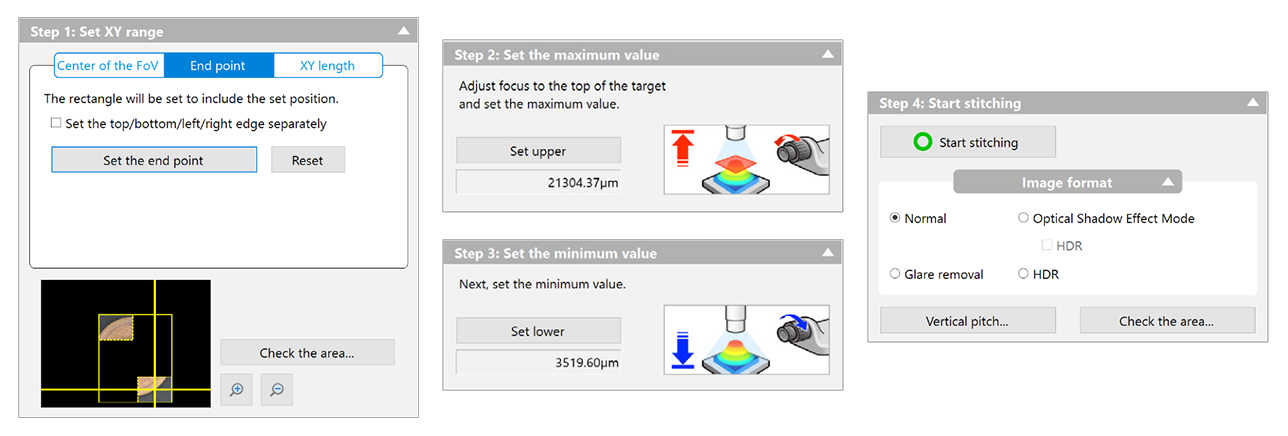
It's a fairly simple 4-step dialogue box, where the user specifies the area to be imaged, the elevations, and a few optional but intuitive settings to tweak. There's nothing to say here other than "it just works." After clicking start and waiting for the microscope to do its thing, the user is presented with an image and the option to save it to disk.
Now let's attempt to do the same thing in Micro-Manager.
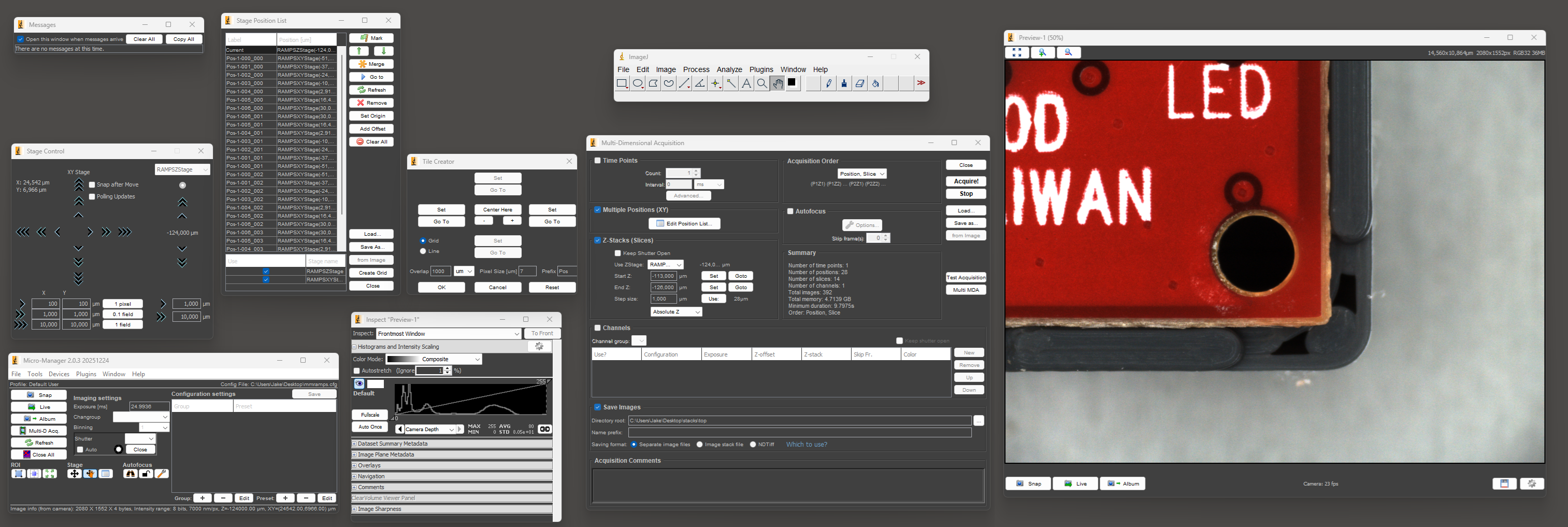
The first step is to open and arrange the nine required windows so that you can see everything. Once you've recovered from the visual horror of this UI and done the whole process a number of times, setting up a "multi-dimensional acquisition" isn't THAT bad. It's nowhere near as pleasant as Keyence's software, but it probably takes 2-3x longer at worst, which is actually somewhat tolerable.
There's a plugin called Micro-Magellan that seems like it might make the process easier, but I could never get it to function in any sense. It would completely lock up without giving any errors or log messages as soon as I tried to capture more than a single frame at a time.
Anyway, once you've actually set up the acquisition and the microscope has finished taking all the images, that's where any illusion of this being an easy process ends. Where Keyence offers you a single JPG or TIF file to save, this is what Micro-Manager gives you:
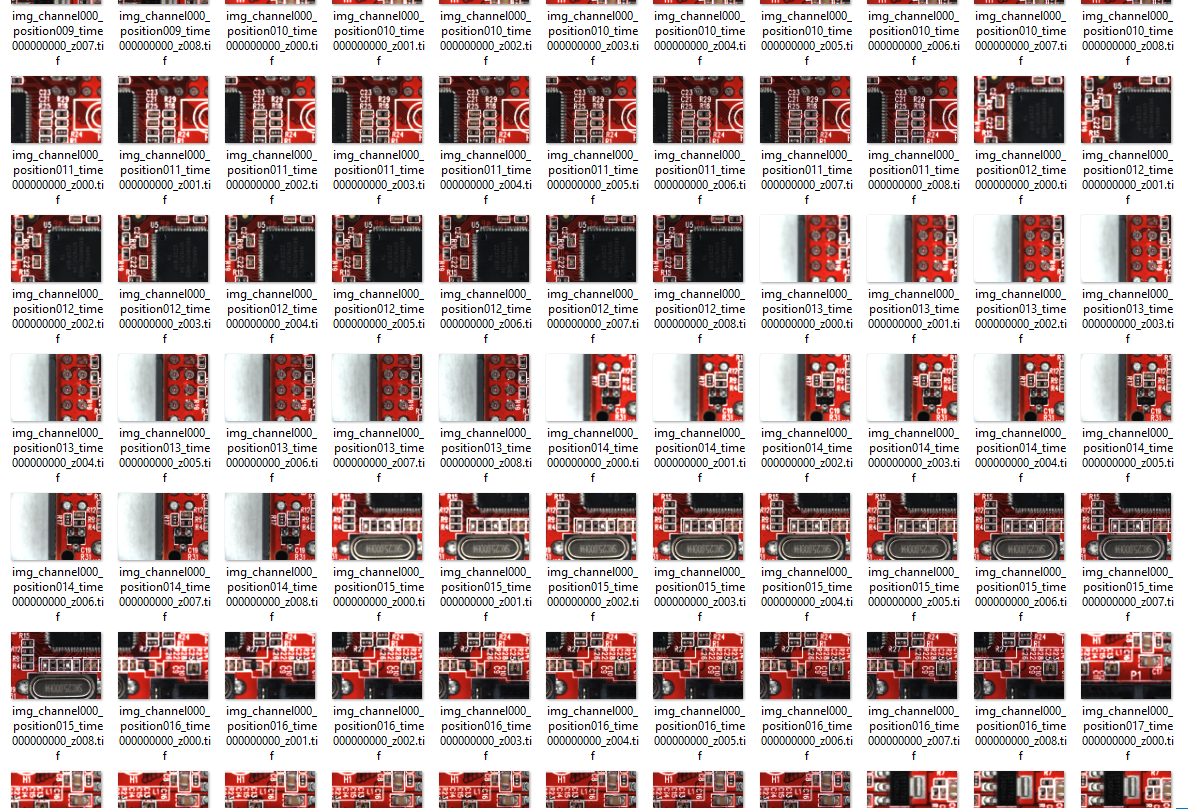
As far as I can tell, there's no actual focus stacking or image stitching in Micro-Manager. Once the individual frames are acquired, everything else is up to the user. Great.
Discussions
Become a Hackaday.io Member
Create an account to leave a comment. Already have an account? Log In.