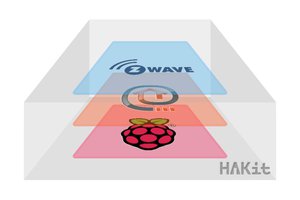
You just have to include the hardware libraries, define the pins, include the task to read sensor at defined intervals, program a task to decide what to do, define the layout of the web ui, and add the task to the registry to schedule the task to run.
The framework takes care of the networking and building the web site for you to watch and manage your hardware.
The web server on the hardware device writes flash out to the network port to the client. Does not build strings in memory.
A dual-core AMP architecture that correctly isolates near real-time hardware from network activity
A lock-free inter-core communication system using hardware FIFO
A zero-allocation chunked web server
A captive portal wifi provisioning system
mDNS discovery
A complete declarative UI engine with boot-time compilation
Multi-page routing
Eight widget types
Eight container types
A three-layer documentation system
A Home Assistant MQTT auto-discovery bridge
62% free RAM after all that.
When I started this project, the Raspberry Pi Pico W had a hardcoded web page with four fixed cards. Sensors landed in whichever card matched their type. Moving a sensor meant editing raw HTML inside the framework. Adding a page meant rewriting the entire web server handler. It worked, but it wasn’t a platform — it was a project.
Today that changed.
What Was There Before
The firmware already had serious engineering behind it. Dual-core Asymmetric Multiprocessing keeps Core 1 running the irrigation state machine and sensor polling completely isolated from network activity on Core 0. A lock-free hardware FIFO bridges the two cores without mutexes — no core ever blocks waiting for the other. Zero-allocation chunked streaming means web pages are sent directly from Flash to the network buffer in small pieces, with no large HTML strings ever sitting in heap memory. A captive portal handles first-boot WiFi provisioning without a single hardcoded credential.
That infrastructure was solid. What it was missing was a UI system worthy of it.
The Three-Table Architecture
The fundamental insight driving today’s work is View-Model Decoupling. The Registry — the existing flat array of sensors and controls — is the Model. It knows nothing about how its data is presented. It never will. What was added today is a completely separate View Definition: a flat array of LayoutNode structs declared by the application developer in their .ino file.
This creates three tables, each with a distinct responsibility:
The Registry (app_register_items()) defines what the device knows: sensor IDs, polling intervals, hardware callbacks, control ranges. This has not changed and will not change. Core 1 reads and writes it. The web server serves it. It has no knowledge of HTML.
The Layout Table (layout_table[]) defines what the website looks like: pages, cards, containers, and which registry items map to which widgets. A developer declares a tree structure using simple parent-child string relationships. Pages, collapsible sections, radio button groups, tabbed containers — all declared as flat array entries with a parent ID string. No HTML. No CSS. No framework knowledge required.
The Help Table (help_table[]) defines what the website explains: static HTML strings stored in Flash and referenced by ID. These stream directly to the browser on demand. They never touch RAM.
Boot-Time Resolution
When the device boots, after registry.begin() loads the sensor definitions, setupLayoutResolution() runs a single forward pass over the layout table. Every registry_id string in the layout table is resolved to a numeric index using registry.nameToIdx(). That is the only moment string comparisons happen. Every runtime operation after that — rendering, data serving, JS generation — uses only numeric array indices. O(1) lookups at runtime, O(N) string work done once at boot.
If a developer misspells a registry ID in the layout table, it’s caught here, logged to the serial port immediately, and the device boots anyway with the broken node silently skipped. Deterministic failure at startup, not a mystery during a user’s browser session.
The same resolution pass parses the props string for each node — "min:0,max:100" splits into structured fields on the ResolvedNode. The Flash-resident strings are never touched again after this point.
The Recursive Streaming Renderer
The renderer treats the resolved table as a tree and walks it depth-first. When it encounters a container node it opens the appropriate HTML wrapper and recurses into its children. When it encounters a leaf widget node it streams the widget HTML directly. When it’s done with a container’s children it closes the wrapper and continues up the tree.