Close
0%
0%

Limn: Pen Plotter with Toolchanger

Building a Pen Plotter with automatic toolchanger with components from an old Melzi style 3D Printer. Runs on Klipper.

Similar projects worth following
264 views
0 followers
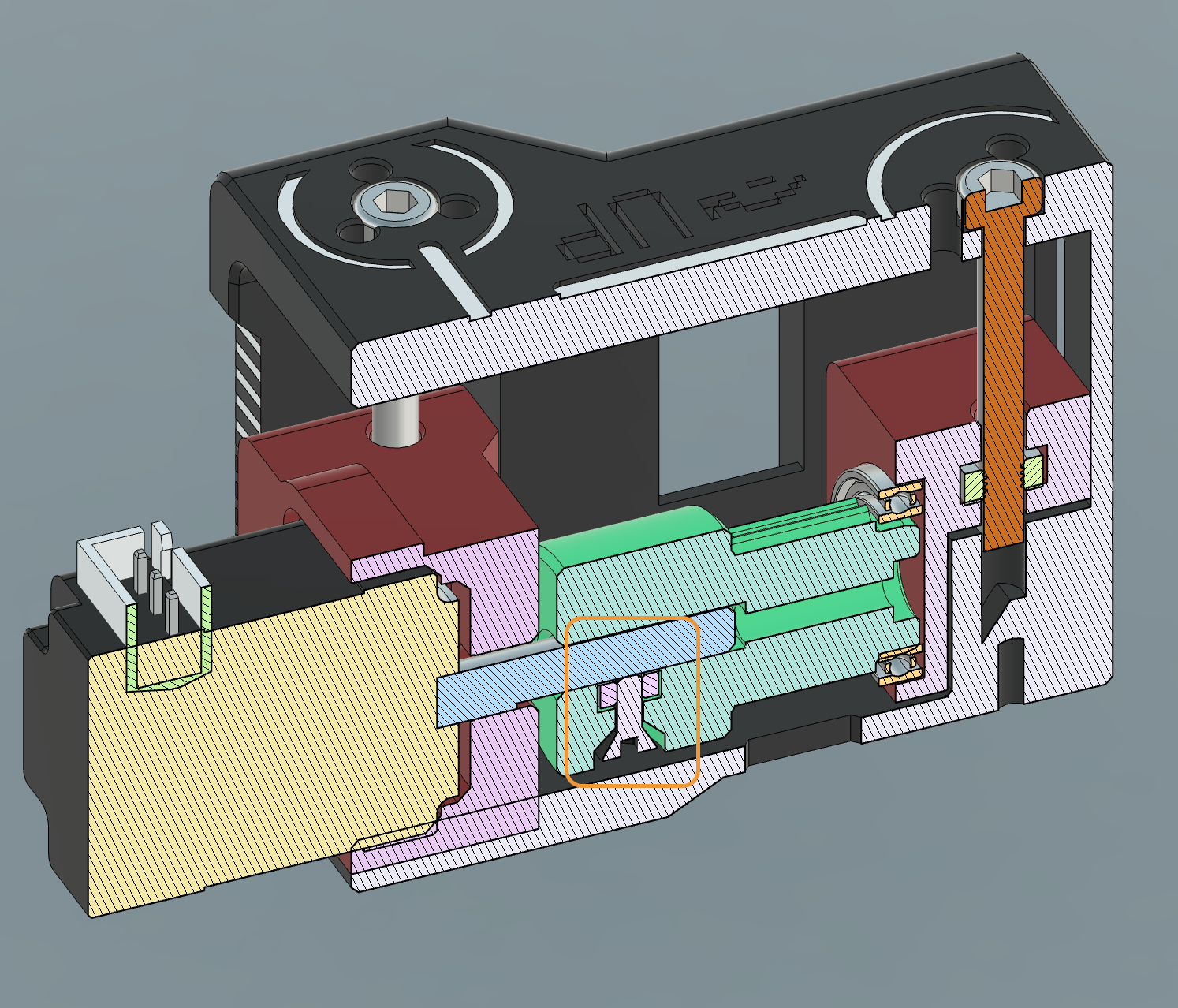
I've always wanted to build my own Pen Plotter that can change tools automatically. I've reached the version 2 of my design. Inspired from E3D, the toolchanger uses another small stepper motor to actuate a rotating key to lock in the tool. Due to the size of the stepper we currently need high precision and have to tinker a bit for successful lock.

It will be an open source and open hardware project once I've reached a stable design.

Initial hardware were obtained from a Tronxy 3D Printer, namely:

- Melzi V2 control board (modified to have 5V stepper voltage on two axes)

- 2x NEMA 17 Stepper Motors

- 8mm rods for the edges (Size can be variable, but need 2x of same length for X axis)

- 2x 6mm rods for the Y axis

- 6 & 8 mm linear bearings

- Idler pulleys

Apart from this plenty of screws, bearings, and belts are needed.

The design uses CoreXY framework.

The Z axis is belted and integral to the toolhead. I chose to use a fixed max-Z endstop and BLTouch both.

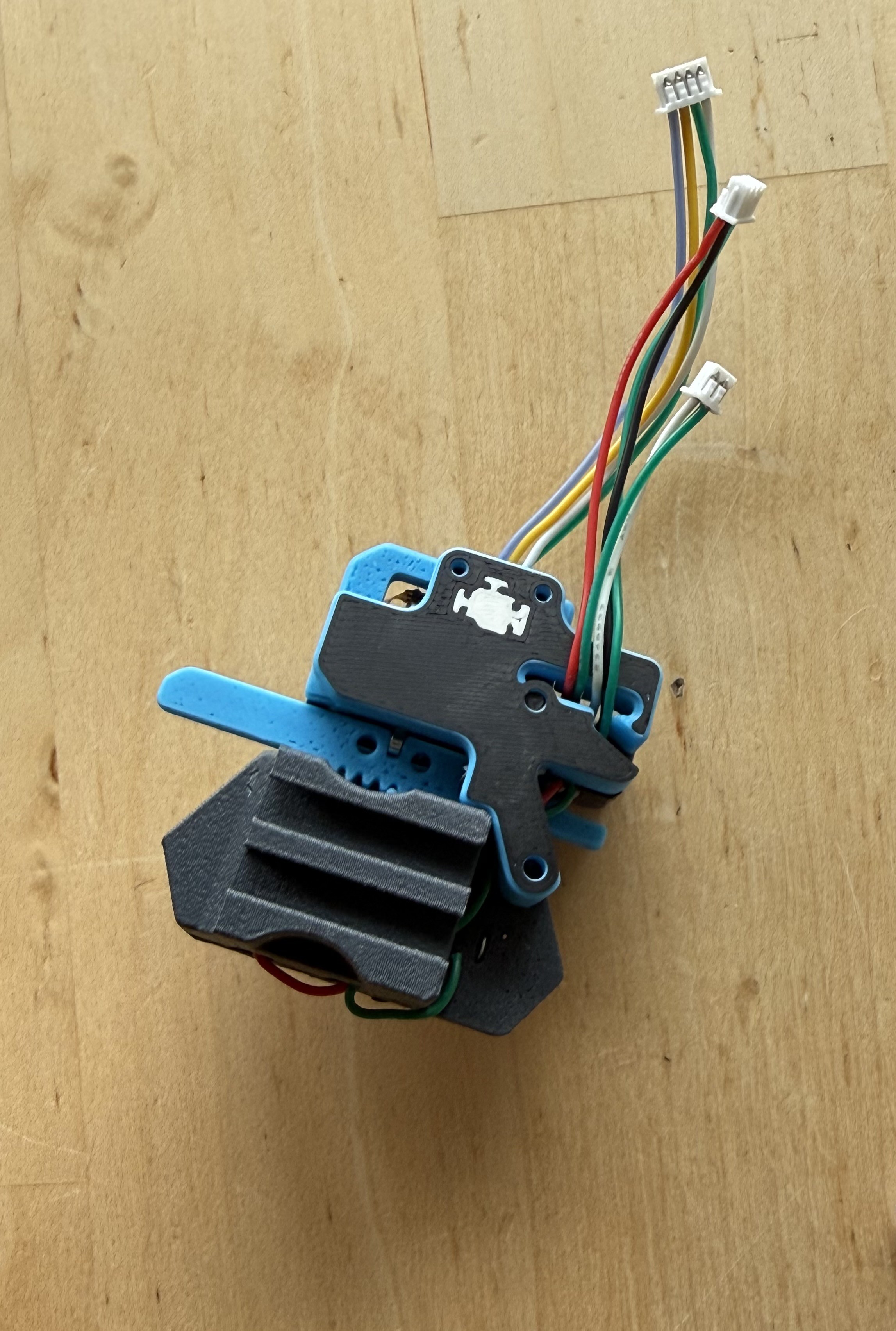
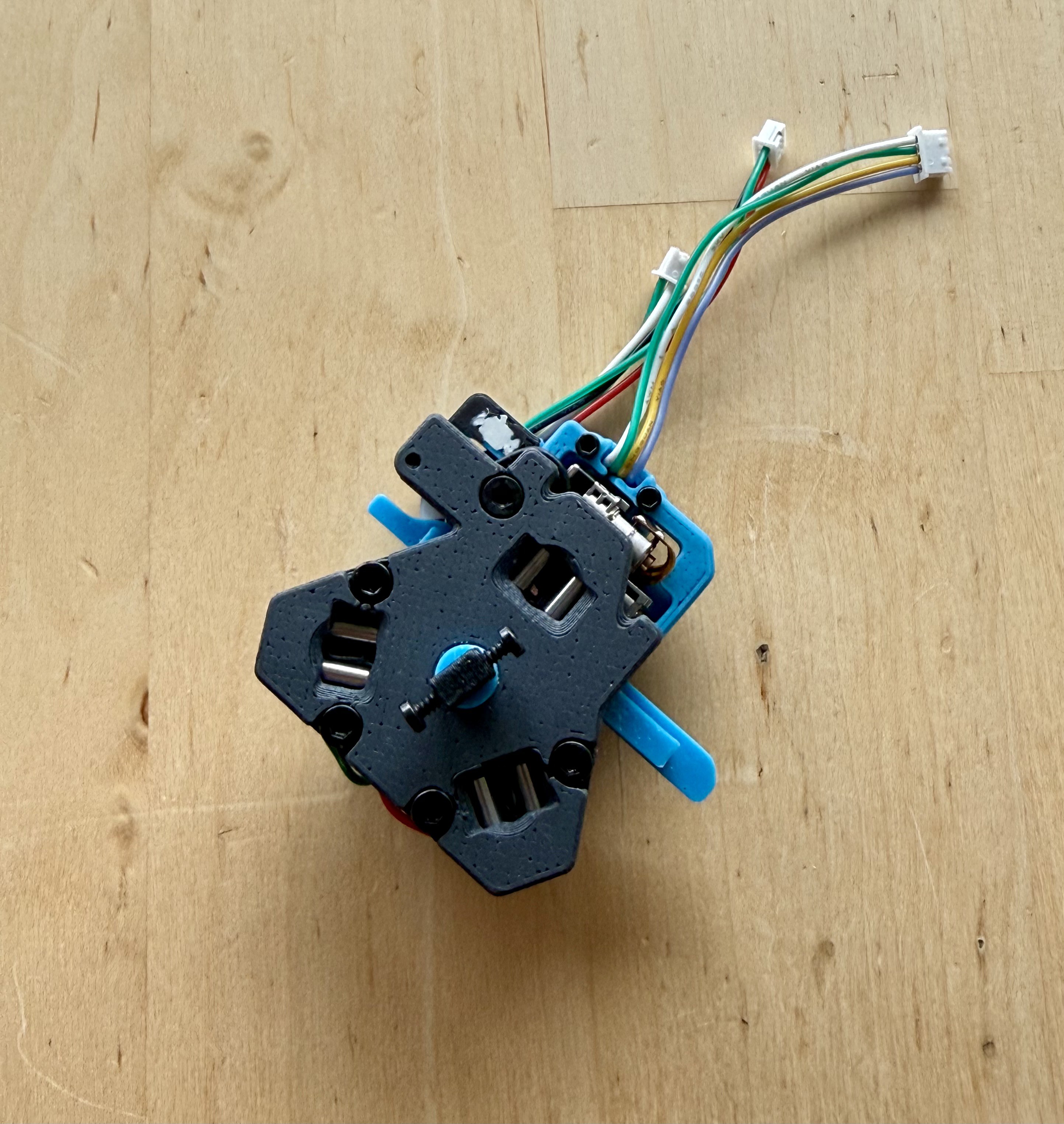
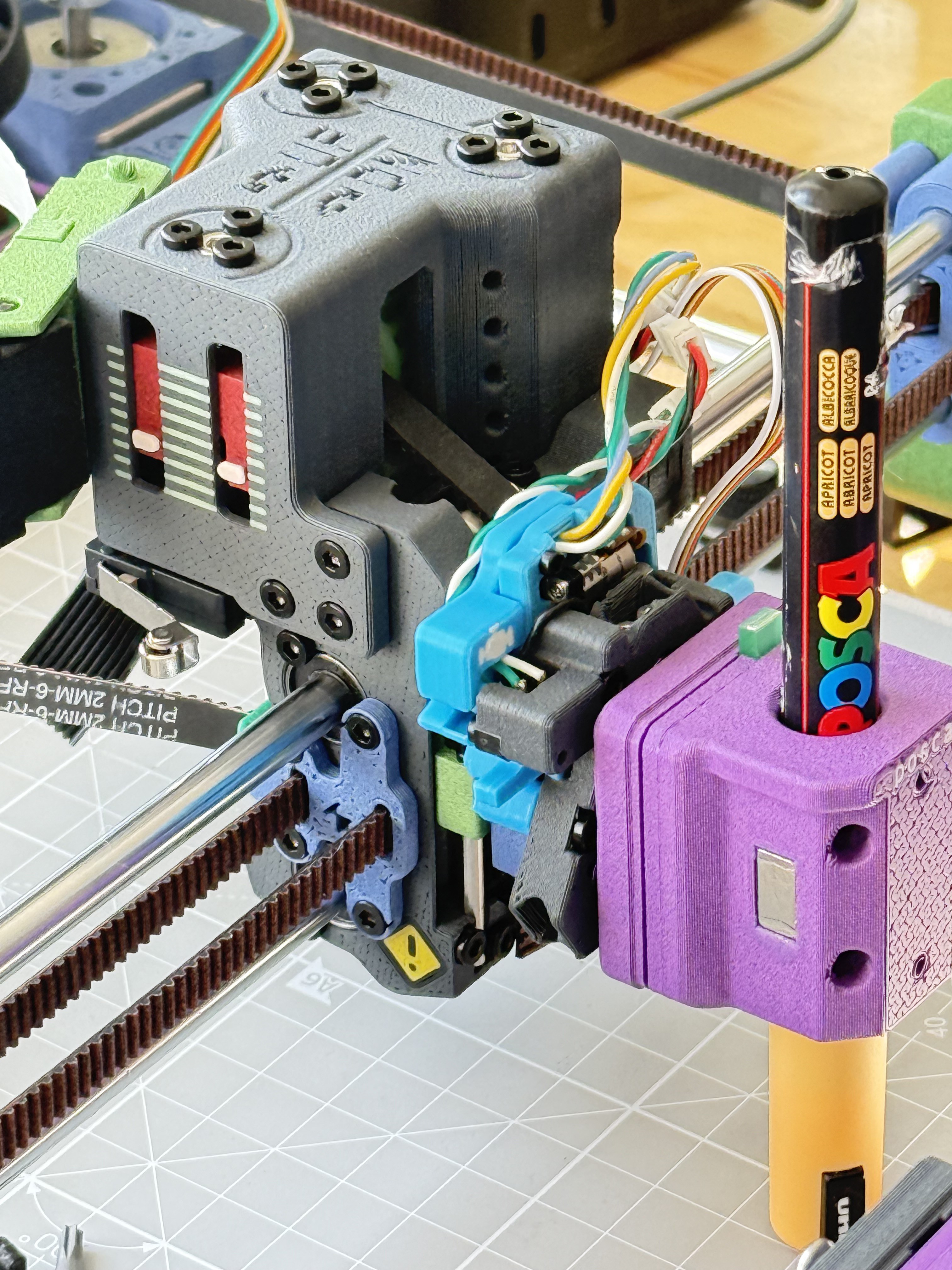
The toolchanger "locking" system uses a tiny linear stepper motor found on Aliexpress, which drives a rack to turn a gear on which the key is mounted. The torque is VERY low and is making it quite challenging to have a successful coupling.

We needed low wobble and low friction, so the rest of the design has to maintain precision for this to work. Also a bit of PTFE lube worked wonders!

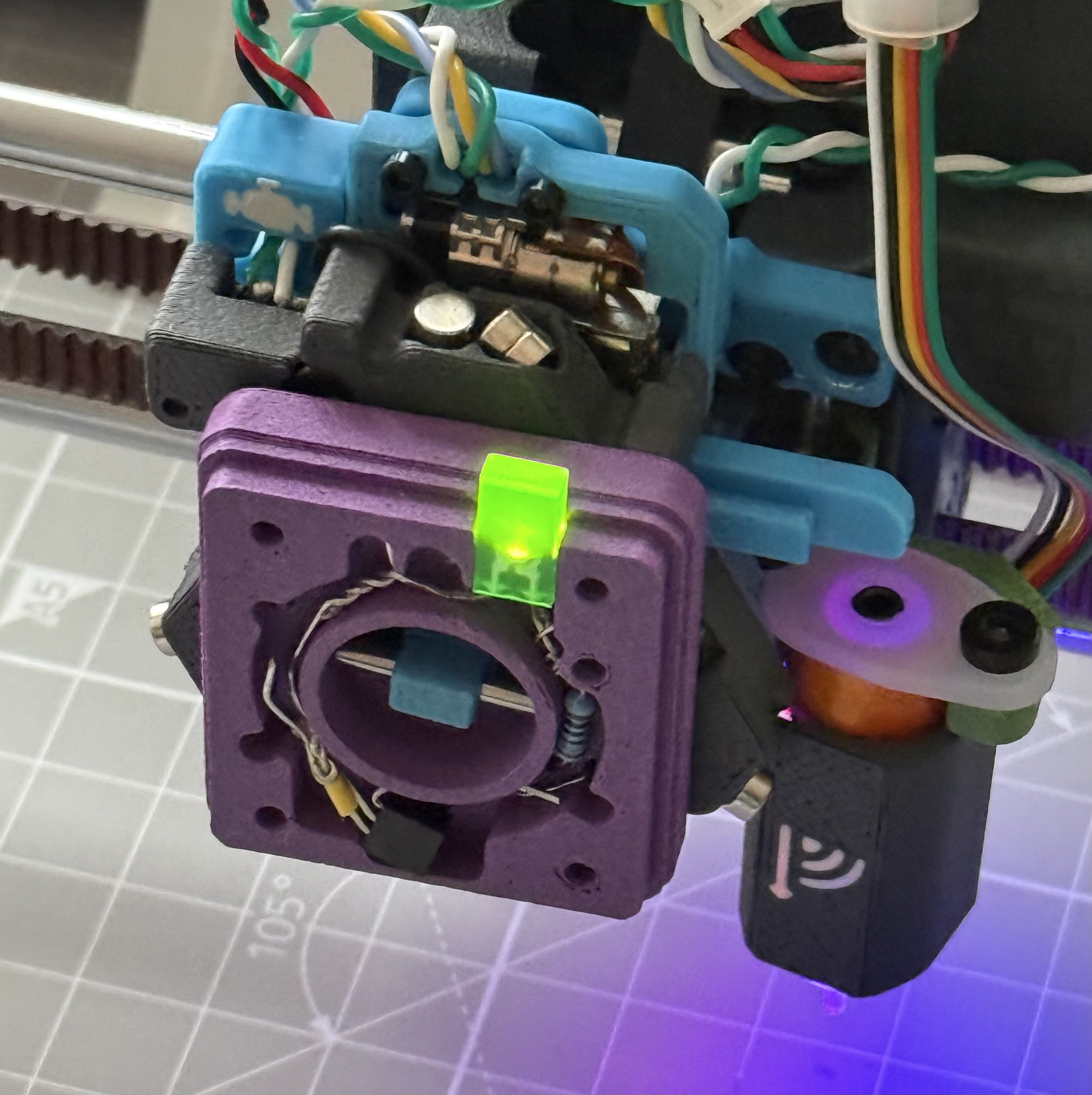
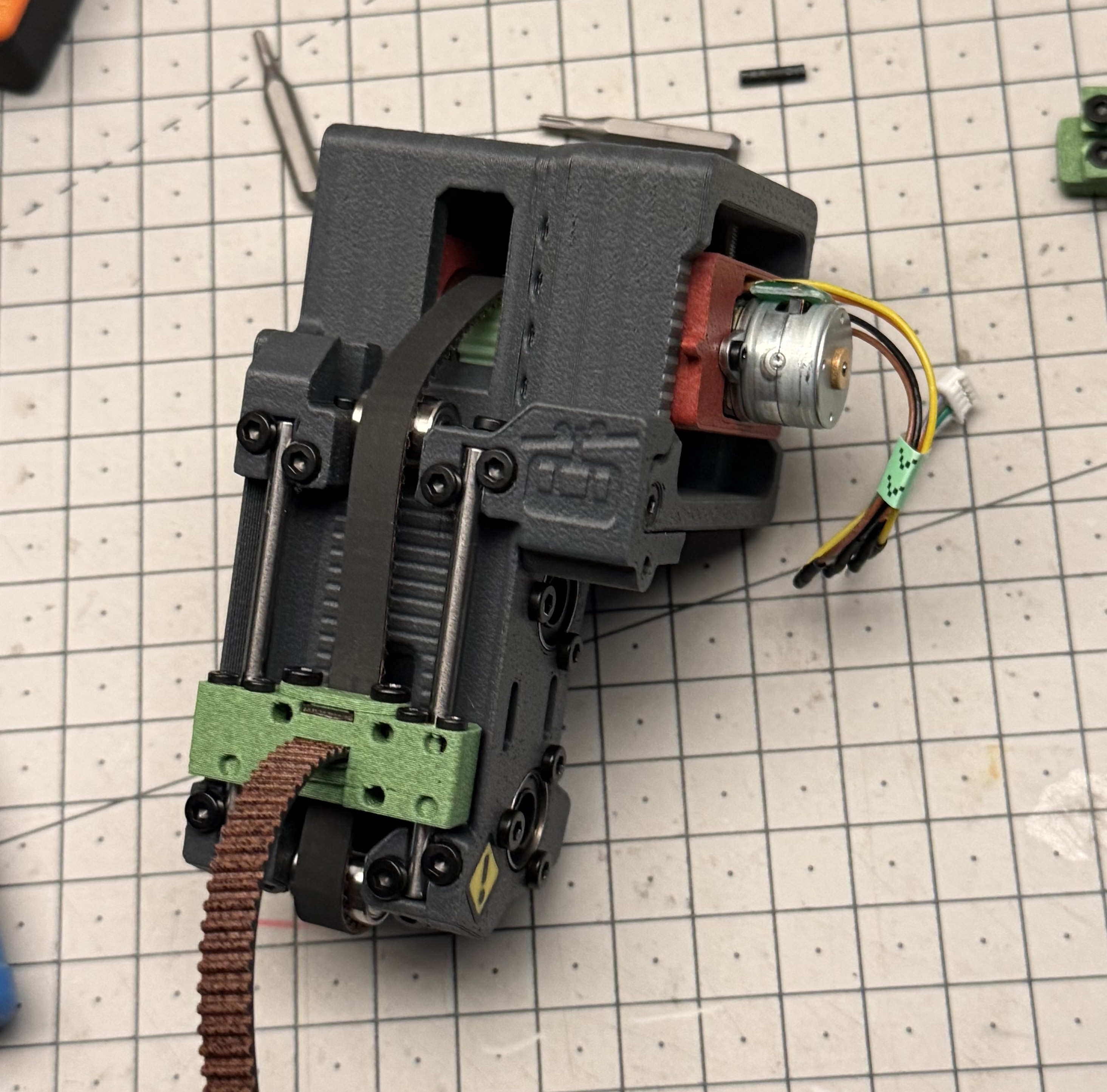
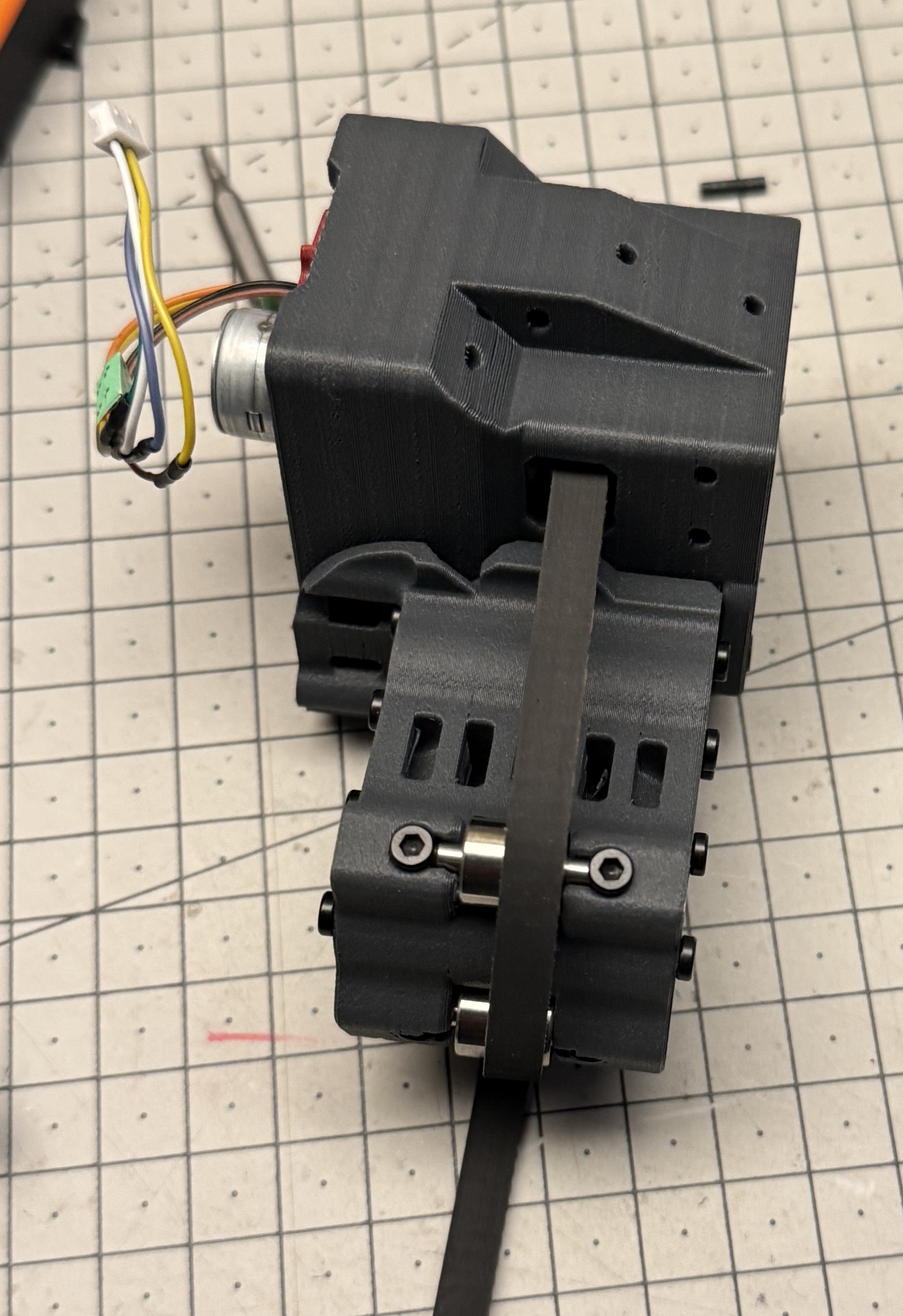
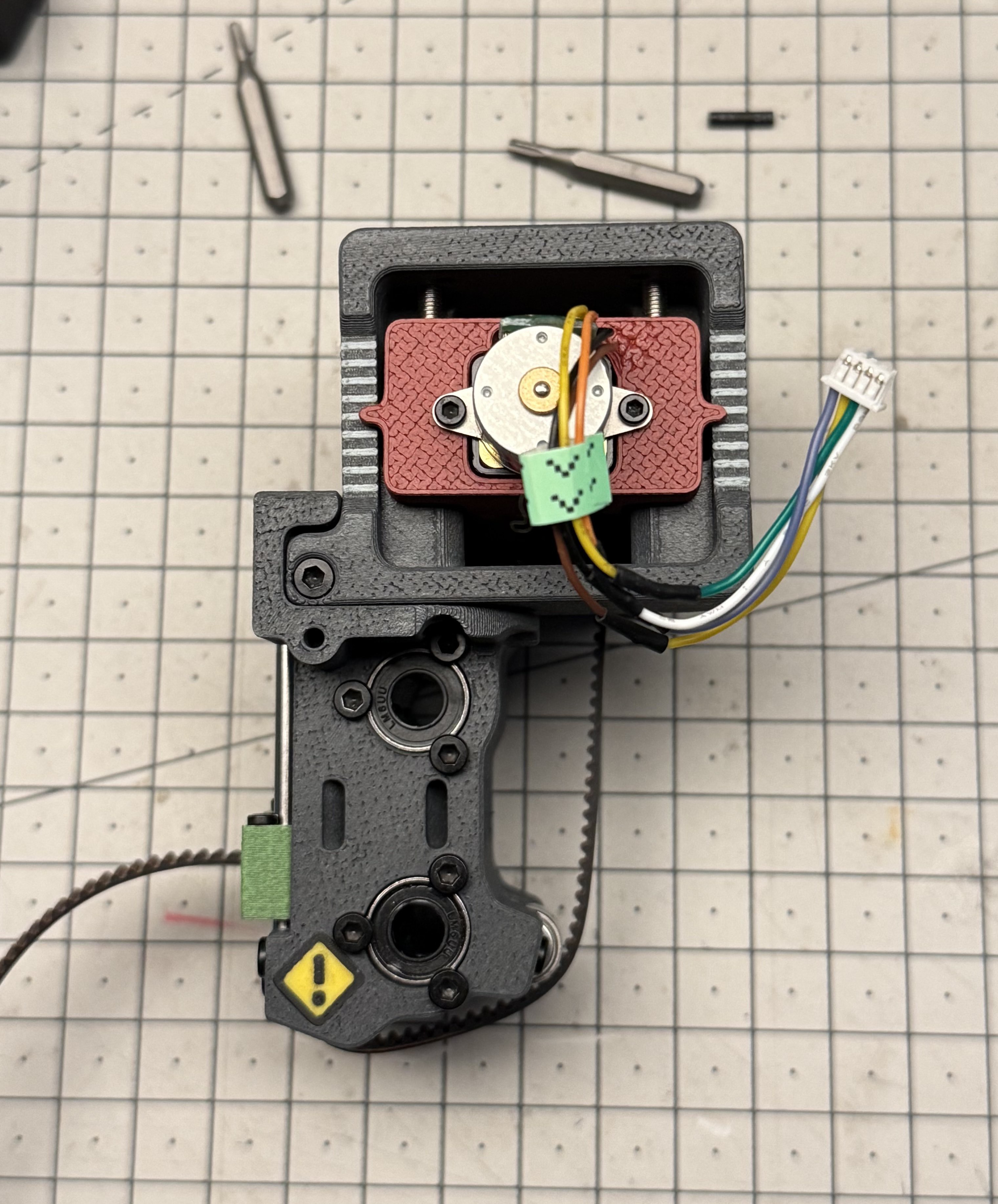
I attach a couple of pics of the toolhead.
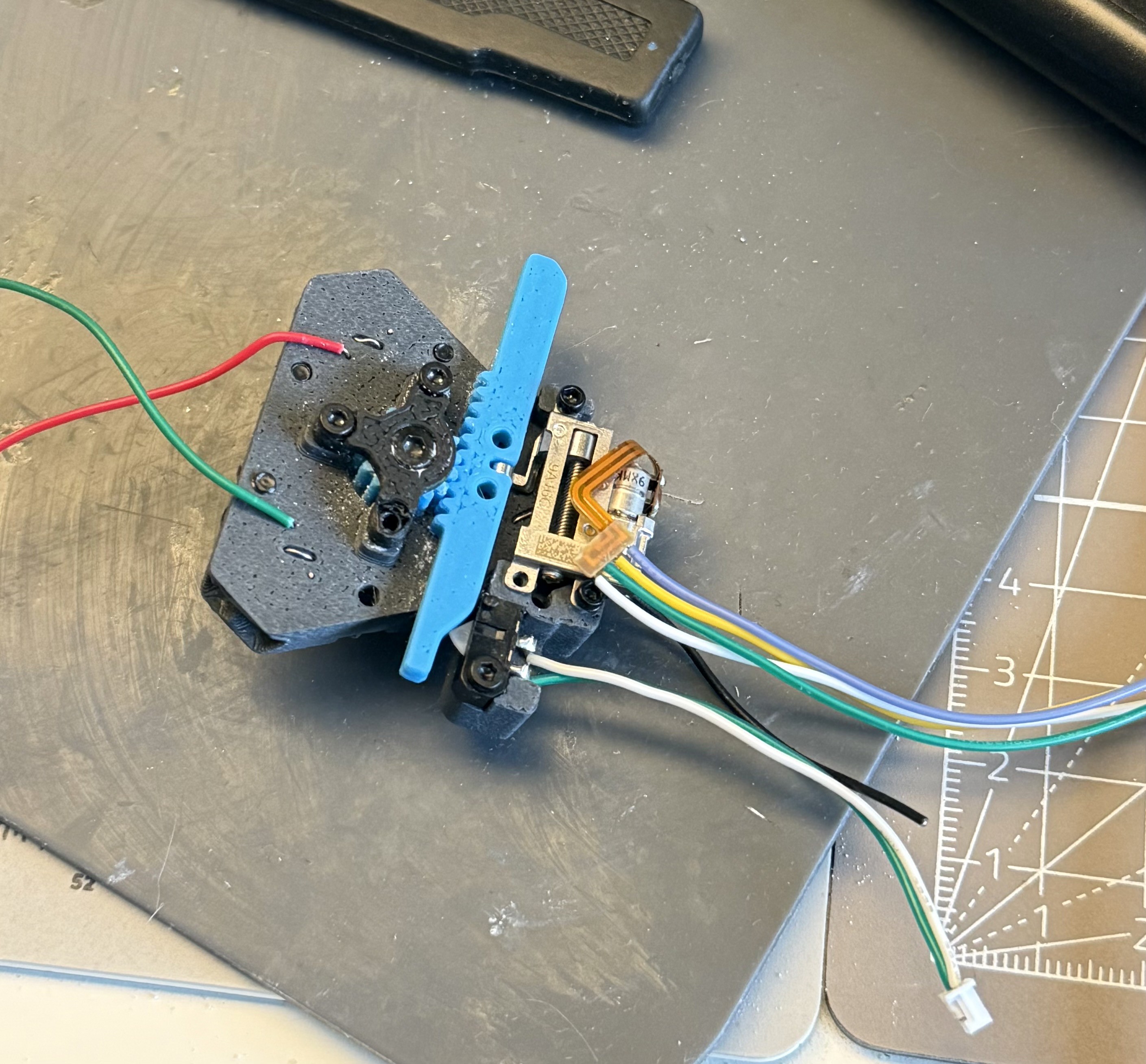
The extra wires are conected to the screws and were intended to power/communicate with the tool in future. I've discovered since that the resistance is too high. Will retry or switch to pogo pins later after eliminating the coupling reliability.

I was mainly inspired by https://www.printables.com/model/137147-ratrig-vcore-3-tool-changer design on Printables, which is where I discovered the term Kinematic coupling (a constraint model for mating parts). 
  • NEMA 8: No Go & Backlash Correction

    Prashant Sinha4 days ago 0 comments

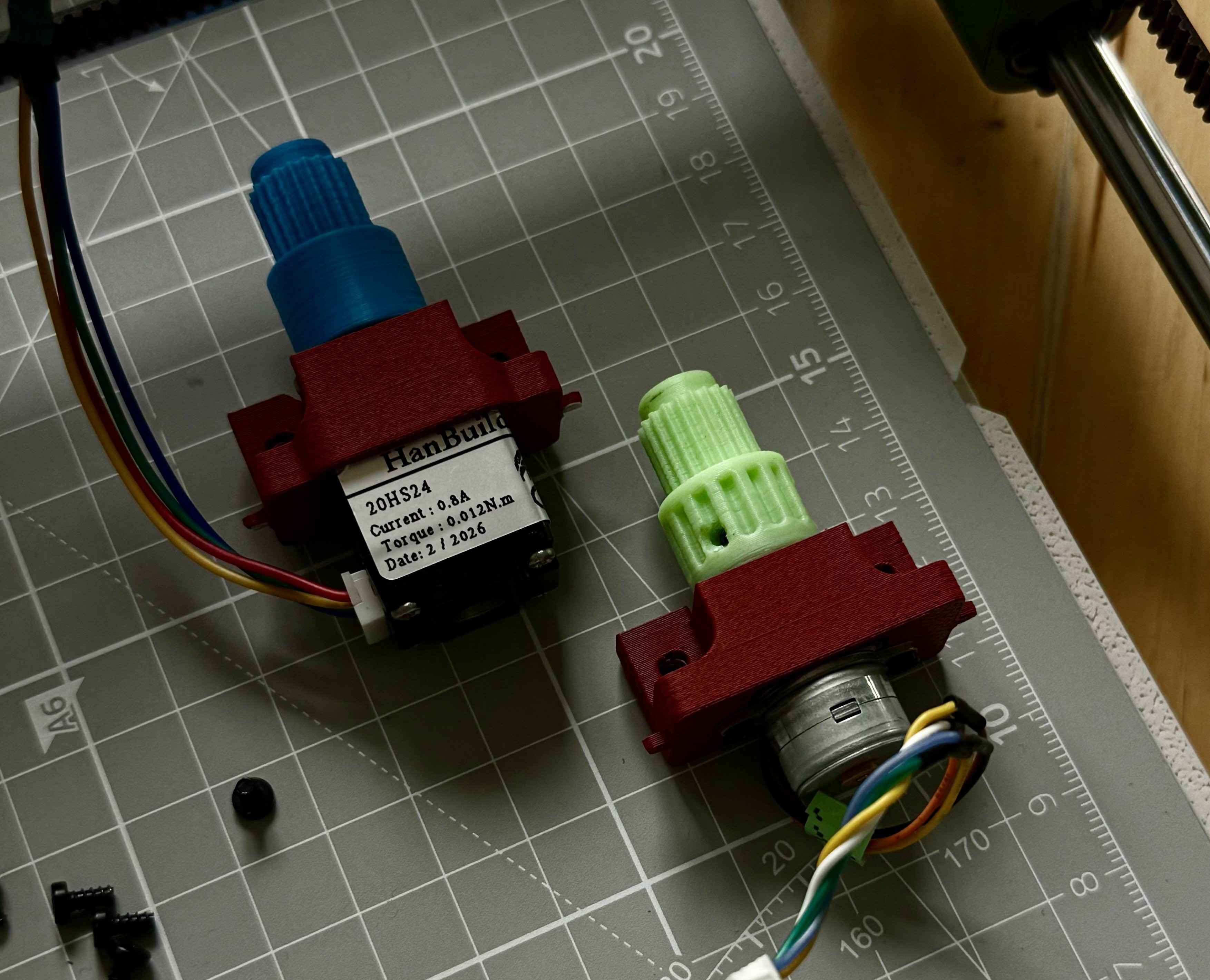
    I received the AliExpress NEMA 8 motors yesterday and replaced the SRM1509 for a test. After tightening the belts I can turn the axis manually but the stepper just buzzes. I tried upping the stepper current till 0.8A but I could stop the shaft with my fingers. Oh well. I went back to the previous motor.

    I wanted to make a note about the pulleys. Normally even if you make the shaft hole good size the pulley would not engage and the little flex it has will allow it to turn. I figured a good way to prevent this is by embedded nuts. Essentially a nut on the flat surface of the shaft, and a screw. 

    Since for now we have to live with the gear play I attempted correcting the backlash in software. Klipper allows you to override any macros, including G1, and with a macro variable one can keep track of the direction the motor was going in previously. If we are about to go in opposite direction then extra motor movement can correct for backlash IF it is stable (it is in my case). Only problem is that BED_CALIBRATE does not seem to be using a G1 command so the bed mesh is not corrected.

    For plotting without a bed mesh the backlash is not really a big deal. With bed mesh we need to just be careful to not overshoot the end positions on the axis. I haven't found a clean way to do this yet, but I'm looking at /extras dir in klipper right now.

    gcode_macro G1]
    rename_existing: G1.1 # Rename the existing G1 command to G1.1
    gcode:
      {% set is_abs = printer.gcode_move.absolute_coordinates %}
      {% set curr_z = printer.toolhead.position.z %}
      {% set param_z = params.Z|default(-42)|float %}
      {% set new_z = 0 %}
      {% if 'Z' in params %}
        {% set next_z = param_z if is_abs else (curr_z + param_z) %}
        {% set delta = next_z - curr_z %}
        {% set direction = (delta / delta|abs) if delta != 0 else last_dir %}
        {% set backlash = 1.8 if direction != last_dir else 0  %}
        {% set correction = backlash * direction %}
        SET_GCODE_VARIABLE MACRO=G1 VARIABLE=last_dir VALUE={direction}
        {% if correction %}
          {% set step_to = correction if not is_abs else (curr_z + correction) %}
          # SET_KINEMATIC_POSITION Z={curr_z - correction} SET_HOMED=''
          G92 Z{curr_z - correction}
          G1.1 Z{step_to}
          # SET_KINEMATIC_POSITION Z={curr_z} SET_HOMED=''
          G92 Z{curr_z}
          M118 Corrected: Backlash: {backlash} Direction: {direction}
        {% endif %}
      {% endif %}
      {% set p_x = ' X' ~ params.X if 'X' in params else '' %}
      {% set p_y = ' Y' ~ params.Y if 'Y' in params else '' %}
      {% set p_z = ' Z' ~ params.Z if 'Z' in params else '' %}
      {% set p_f = ' F' ~ params.F if 'F' in params else '' %}
      {% set ps = p_x + p_y + p_z + p_f %}
      G1.1 {ps}
    variable_last_dir: 1

    PS: The 3-point coupling seems to be good enough to pass some electricity, finally! 

  • Z Axis & Toolhead

    Prashant Sinha6 days ago 0 comments

    For a plotter we do not really need large Z axis movement. Initial iterations used a MG14 servo motor for Pen Up/Pen Down motion. It worked but was loud, imprecise, and limited to flat bed.

    I found that SRM1509 stepper motors were just strong enough while being small and are what in use currently. These use a gearbox so some trial and error yielded a close but incorrect Z scaling. Additionally there is significant play due to gears and I had to account for the backlash.

    The motor module is designed separately so can be changed for a different system later. I plan to switch to NEMA8/NEMA11 motors soon. Currently the belt tension is achieved through three bolts that lift the entire motor and GT2 pulley assembly. 

    For the motion system 3mm/5cm dowels and bushings are used. Belt rides on 603ZZ bearings. When tensioned, the motor module and Y axis "rider" are rigid. Weighs about 250g!

    Attached some pictures.

  • First Steps

    Prashant Sinha03/31/2026 at 09:03 0 comments

    Magnets was the answer, as it turns out. For locking the tool, good alignment is necessary. I had planned for, but forgotten to put, magnets on the coupling screws to help the tool positioning. It does a "click" now when taken from the rack and then the lock can be closed.

    I posted a video here:

    Apologies for vertical orientation, I was too excited!

    Next steps: Working on the software stack to go from layered svg to mutli-tool gcode.

View all 3 project logs

Enjoy this project?

Share

Discussions

Similar Projects

Does this project spark your interest?

Become a member to follow this project and never miss any updates