 JP Gleyzes

As an RC planes enthusiast, I already designed several planes using foam cutting technics.
To do this you will need a foam cutter machine and a "board" to pilot it. Regarding the board, I already published a cheap FluidNC 4 axis controller.
This controller has already proven to work very well. But it needs "software" to produce the Gcode and to control the board. This is exactly what this project is dealing with !
Although several solutions does already exist, none of them were (IMHO) simple and powerful enough for my needs...
So I wrote two applications :
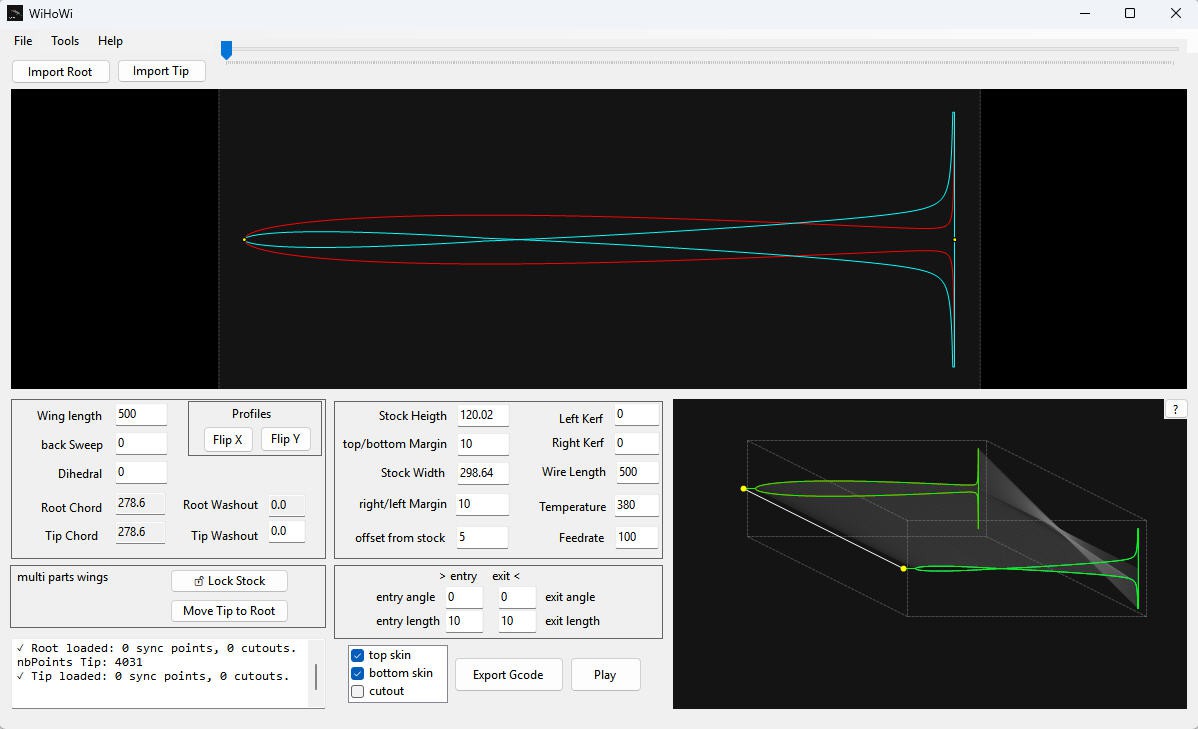
- WiHoWI (Wing hot Wire) devoted to design the Gcode file of the wings (or anything else !)
- hoWiGs (hot Wire Gcode Sender) devoted to drive the FluidNC controller (or GRBL one)
And the very first "full wing" cut with the tandem WiHoWi + hoWiGS
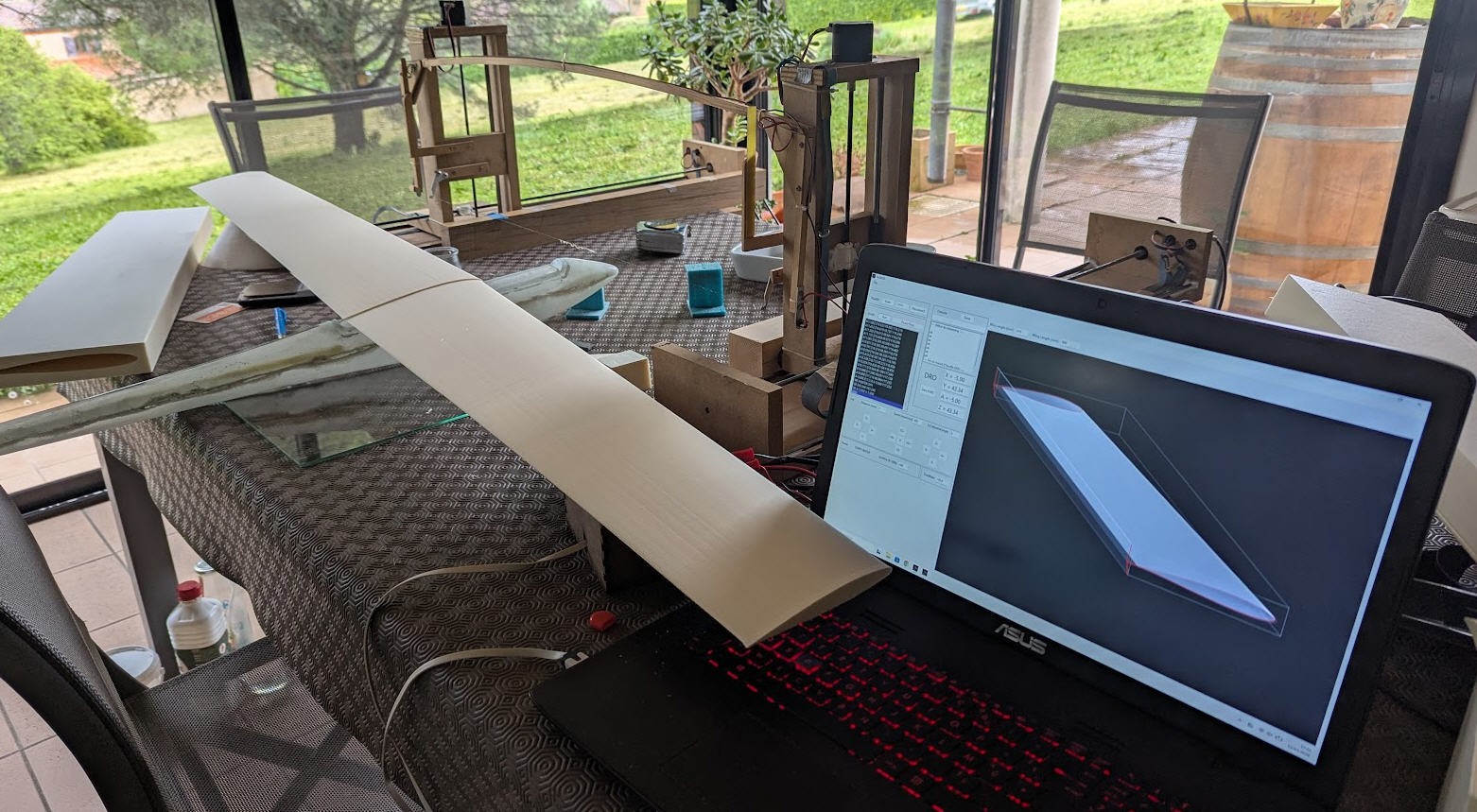
And no cheat it's hoWiGS which cuts this wing !
****************************************************
WiHoWI : Wise CNC 4-Axis Hot Wire Cutter
****************************************************
WiHoWI is a specialized CAD/CAM utility designed for 4-axis CNC foam cutting. At the beginning of this story, WiHoWI was "Wing Hot Wire" ... Now it is more "Wise Hot Wire" as it appeared to be generic enough to cut what you want to cut ... (almost) !
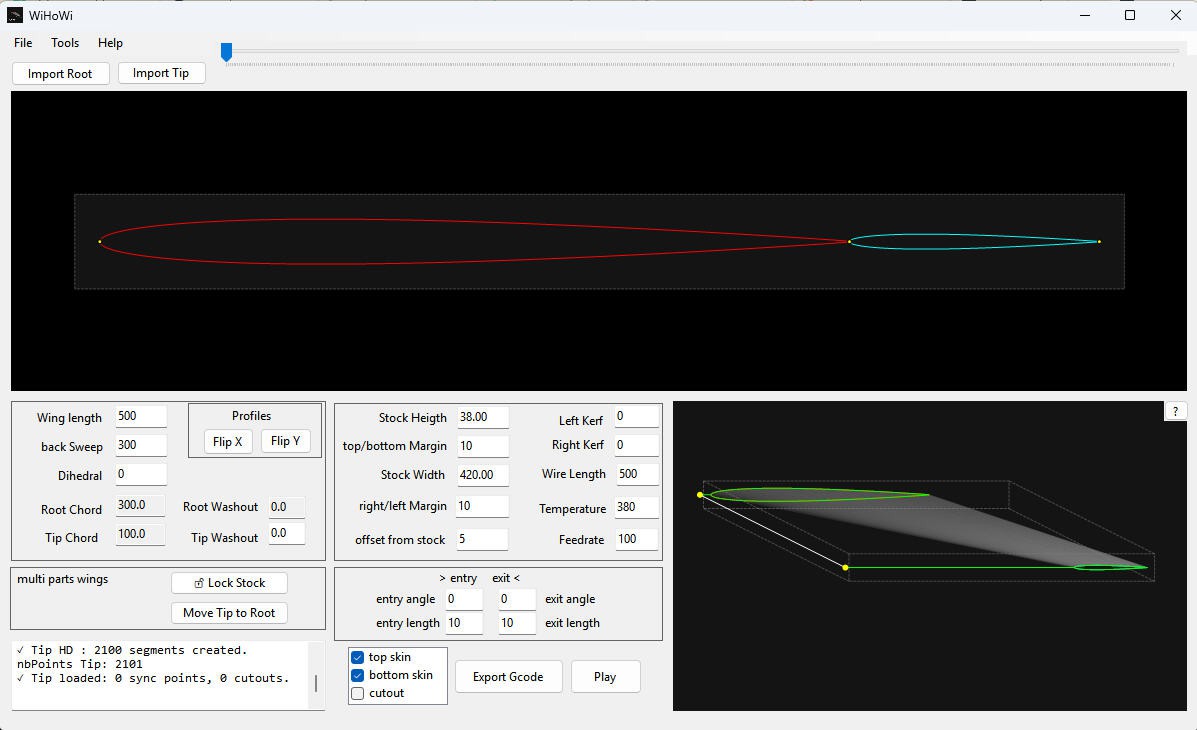
This software synchronizes two independant 2D profiles (Root and Tip) to generate precise G-Code for tapered wings, including complex internal cutouts and automatic stock material management.
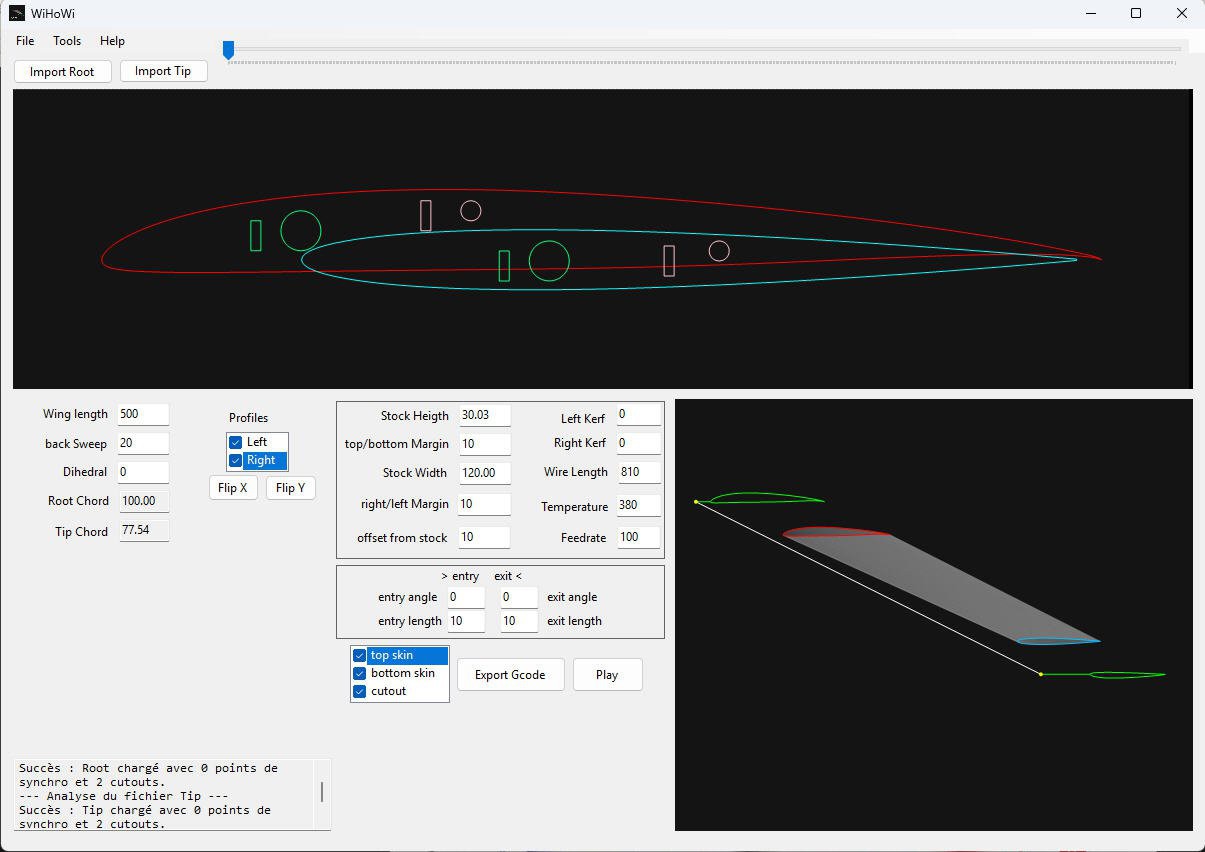
Let's start by a quick introduction video showing the main features of the software
Key Features and usage
Dual Profile Synchronization:
Import Profiles: Use the `File > Open` menu to open existing projects (.whw) or use dedicated buttons to load profiles for the Root and Tip
WiHoWi allows to import:
- .dat format (the famous raw format for wing profiles (no cut outs, no synchro points))
- .dxf format (the prefered way to import profiles, cut outs and synchro points)
- .stl format (a simple way to import the whole wing all at once, but without synchro points)
dxf :

You can use any CAD software able to produce "polylines" dxf. Currently tested with
- Lightburn (commercial product) (support layers and HD polylines)
- LibreCAD (free and Open Source) (support layers)
- QCAD (free and Open Source) (support layers)
- Solidworks (commercial / free licence for makers). Does not support layers natively during export but can save .dxf of a face (profile and cutouts in the layer 0) or .stl of the full wing
- OpenScad (free and open source) . Does not support layers during export but can save .dxf (profile and cutouts in the layer 0)
remember :
- layer 0 : contains the profile (and may contain all the cutouts)
- layer 1 : contains the cut outs attached to the intados (optionnal)
- layer 2 : contains the cut outs attached to the extrados (optionnal)
- layer 3 : contains the synchro points on the profile (optionnal)
Remember also to choose the "polylines" option (lightburn and LibreCAD) to get best result (see below why)... currently the software does support these dxf features:
- points (for synchro)
- lines
- ellipses
- circles
- arcs
- bulges
- polylines, lwPolylines
- Splines (if with fitpoints)
I do use ixMilia dxf library to read dxf. A warning will be pop up if "unsupported entities" are found during import) ...
.dat :
For simple wings WiHoWi can import or convert .dat file format into .dxf Polylines (High Density)
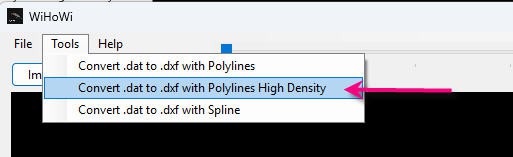
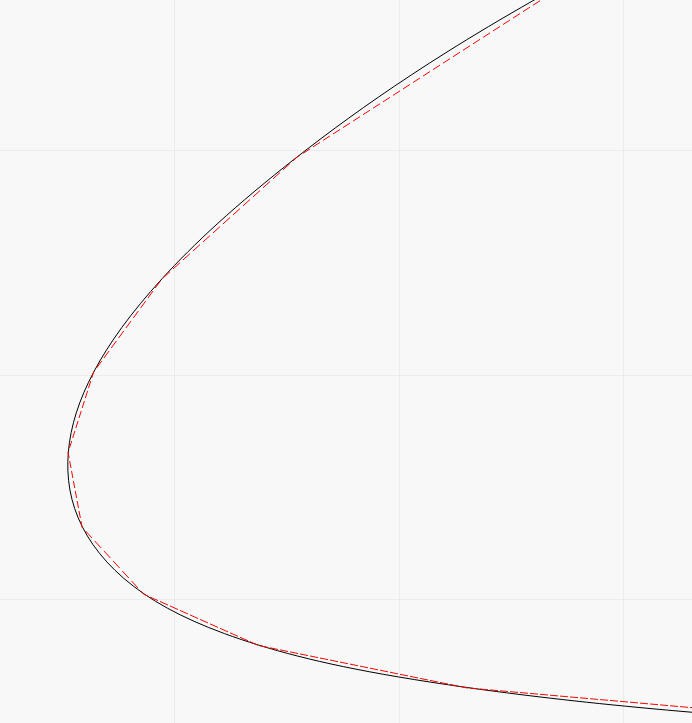
Convertion to polylines HD is by far the best way to to get high resolution profiles and get the best result from your foam cutter. Your .dat profile will be "faceless" and so will be your wing...
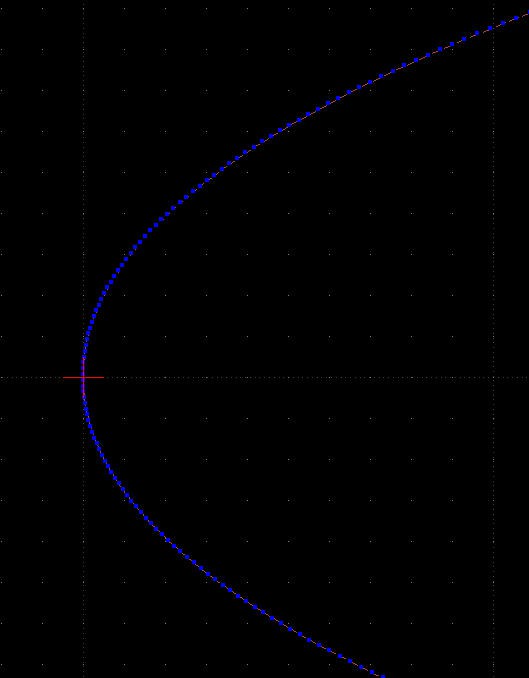
to be compared with the red dashed profile below (.dat to Polyline) :
Accuracy key points :
- When importing a .dat file, the default/only option is "High Density polylines" as explained above. This means that even poorly defined profiles...


 Josh
Josh
 Daniel Westhof
 Jesal Mehta
 Adam Lange