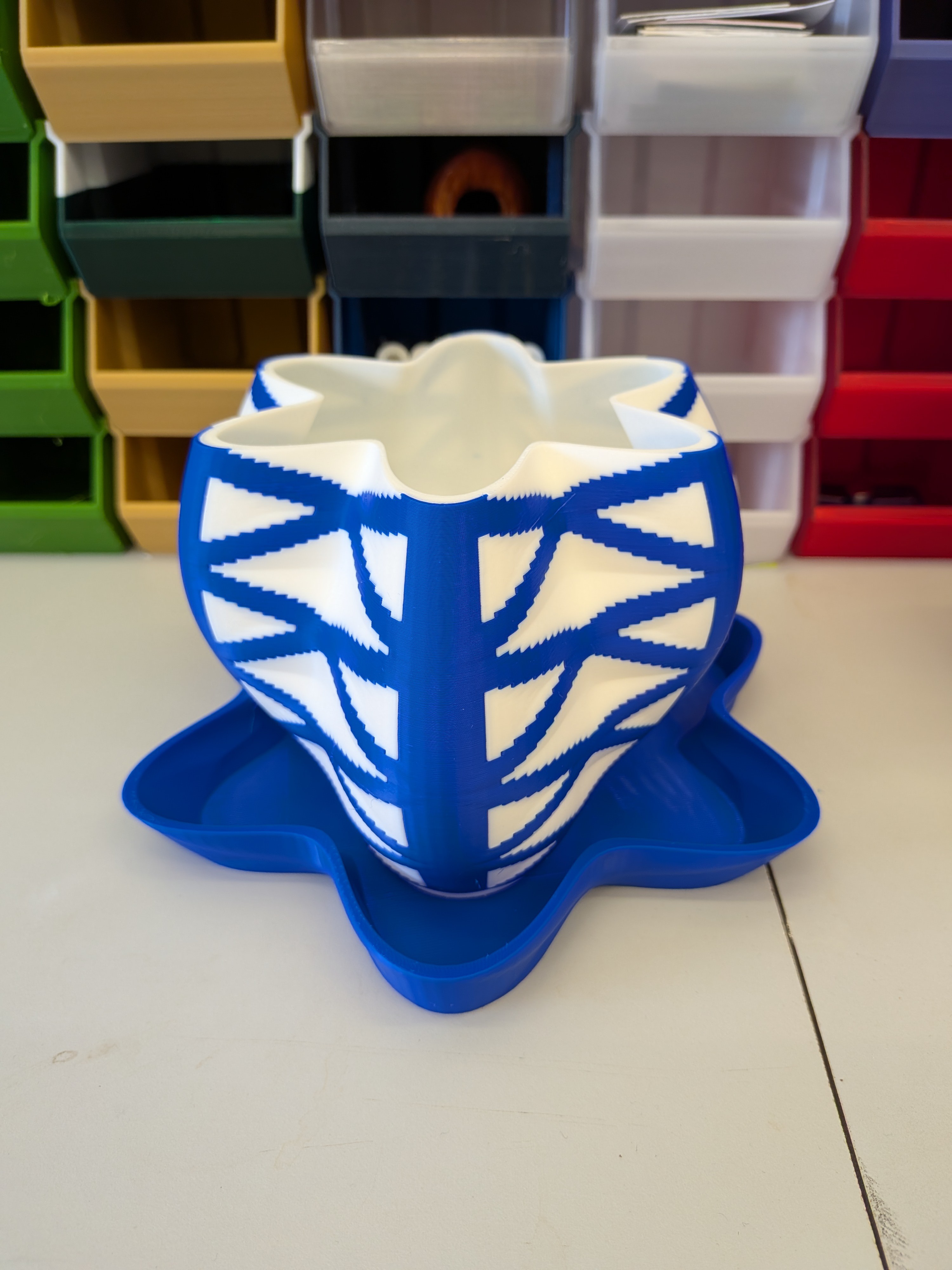
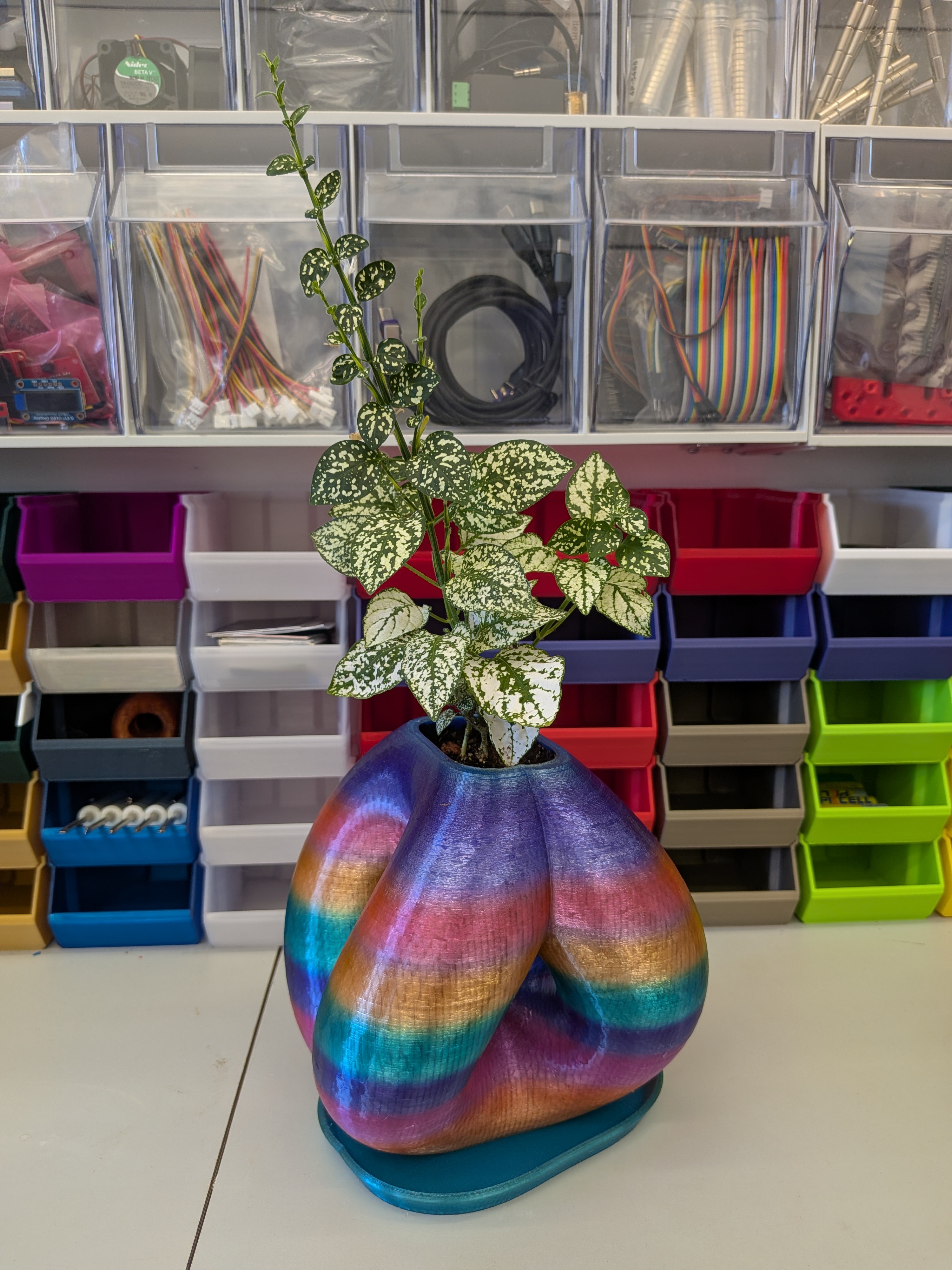
This is now the main browser GUI for the Equation-Driven Pots project. Instead of splitting the workflow across multiple separate tools, the unified interface brings the core design system together in one place:
base scaffold design
structural geometry
surface texture
dual color-mask pattern logic
pot, plate, and pot+plate generation
STL and multi-part 3MF export
What makes this update especially exciting is that the unified GUI now also includes the two more experimental branches of the project directly in the interface:
Field Modifier
Field Modifier changes where the field is sampled before the form is evaluated.
In practice, this makes it possible to create things like:
twist drift
petal migration
crown rotation
regional field windows
diagonal and braided motion through the form
This is useful when the object should still behave like a pot or vessel, but the sampled structure should drift or rotate in a more dynamic way.
Field Distortion
Field Distortion changes where the generated body exists in space after the field has already been evaluated.
That opens the door to more physical and sculptural behaviors such as:
wind bend
gravity sag
torsion
vortex turning
pressure dents
hand-formed asymmetry
So the project is no longer only about defining a radius field and exporting a pot. It now supports both:
equation-driven field generation
equation-driven deformation of the generated body
That feels like an important step forward for the project.
The unified tool is also where I’m now bringing together the more practical object side of the work:
functional pot generation
plate generation
pot+plate workflows
more direct export-ready browser design
Equation-Driven Pots started as a way to generate printable forms from math. It’s now gradually becoming a broader equation-based 3D design system, while still staying grounded in printable objects and browser-based experimentation.
I’ve added a new experimental branch to Equation-Driven Pots: Field Modifier Pot Designer.
The project has already grown from stable equation-driven pot generation into texture workflows, quad-color pattern logic, and nonlinear field exploration. The new step is a little different. Instead of only changing the field itself, this tool changes how the field is sampled.
In the earlier tools, the main idea is simple: define a radius field and turn it into printable geometry.
For a cylindrical workflow that looks like:
r = f(theta, z, v, R)
With the field modifier workflow, there is now an intermediate mathematical step:
theta' = theta + strength * M(theta, z, v)
and then the chosen field is evaluated using the modified coordinate:
r = f(theta', z, v, R)
So the modifier does not just make the equation “stronger.” It changes where the equation is sampled. That is an important difference.
In 3D design terms, this means I can now create forms where features move through the object rather than just growing or shrinking in place. Ribs can drift. Petals can migrate. Crowns can rotate. Rim details can fold or shear while the lower body stays calm. The current version intentionally modifies angular sampling only, which keeps the workflow much closer to printable pot geometry than a fully freeform deformation system.
That makes this tool a natural continuation of the nonlinear math work.
The nonlinear field tool explored operations like inverse trig, stepped phase behavior, wrapped domains, and quasi-periodic interference. Field modifiers take the next step: they let the project explore coordinate remapping as a design method. In other words, nonlinear math changes the field itself, while field modifiers change how the field is sampled.
The current Field Modifier Pot Designer supports:
a modifier field M(...)
a modifier strength
a modifier target
application to base shape, texture, patterns, or all supported fields
That last part is especially useful. It means I can keep the silhouette stable while only shifting the texture logic, or move the entire form through the modifier field when I want something more dramatic.
This is still an experimental branch of the project, but it is a very promising one. It stays true to the math-first modeling approach while opening up a more expressive and more dynamic design space for printable objects.
Right now I see this as the beginning of a larger “experimental math for 3D design” direction, likely leading toward:
regional field activity
modifier stacks
field-specific targeting
richer but still printable math-based forms
So this update is not just another preset library. It is a new modeling idea inside the project.
Tool file:
JavaScript/FieldModifierPotDesigner.html
Project direction:
experimental math for 3D design, built on top of the equation-driven pot workflow.
One of the biggest updates to Equation-Driven Pots so far is the addition of a new browser tool: Nonlinear Field Pot Designer.
Until now, most of the project has focused on stable equation-driven workflows built around cylindrical and spherical radius fields, surface texture, and later multi-part color separation. Those tools are still the core of the project, but I wanted to push the design space further into more unusual mathematical behavior.
The new nonlinear tool does exactly that.
Instead of relying only on the smoother harmonic style of sin, cos, envelopes, and interference patterns, this version opens the door to more aggressive and more sculptural operations such as:
inverse trig shaping like atan and asin
stepped phase behavior using functions like floor
wrapped angular domains with mod
compressed ripple behavior with log
quasi-periodic interference using irrational frequency mixes
That changes the kind of forms the generator can produce.
The older tools are good at stable, elegant, printable variations: ribs, petals, twists, scales, lattices, color masks, and other structured surface logic. The nonlinear tool is more about folds, terraces, arc-shaped petals, phase jumps, compressed ridges, and stranger field interactions that do not repeat as obviously.
In practice, it feels less like adding a few new presets and more like opening a new branch of the design language.
A few examples of what this makes possible:
ATan Fluting creates flutes with flatter faces and sharper transitions than ordinary cosine ribbing
Arc-Petal Crown uses inverse trig behavior to generate cleaner arc-like petal forms
Stepped Crown Phase introduces discrete rotational phase jumps along height
Compressed Wave Stack turns layered wave fields into more terraced sculptural forms
The tradeoff is stability.
This tool is much more experimental than the earlier ones. Some parameter combinations produce invalid geometry or forms that are no longer printable, so I am treating it as an exploration tool rather than a replacement for the more stable designers. The more established tools are still better when I want predictable output. The nonlinear version is where I go when I want to discover shapes I would not have arrived at with ordinary harmonic equations alone.
That also makes it exciting.
The project is gradually turning into a family of related design environments:
a stable textured pot workflow
a quad-color pattern workflow
a nonlinear experimental workflow
a guided sweep workflow that connects back into Fusion 360 development
So this update is not just “more math.” It is really about expanding what kinds of form can be described, explored, and fabricated directly from equations.
I’ll keep refining the nonlinear presets and the guardrails around them, but even in its unstable state it is already producing some of the most interesting shapes in the project so far.
The Equation-Driven Pots project has expanded with a new browser-based tool: QuadColorPotDesigner.
This new designer extends the earlier multi-color workflow by adding two interacting pattern masks that define four surface color states: - base / neither mask - pattern A only - pattern B only - overlap of A + B
That makes it possible to generate more advanced multi-color pot surfaces directly from equations, while still keeping the result printable and functional as a real pot.
Like the other tools in the project, QuadColorPotDesigner works from equation-driven geometry. The base form can be controlled mathematically, surface texture can be added independently, and the color logic can now be driven by two separate mask equations. This opens up new combinations of sculptural form, surface relief, and color-separated print workflows.
In addition to the new QuadColorPotDesigner, the project now has an online browser-based tool collection, so the HTML tools can be explored directly without downloading the repository first.
Equation-Driven Pots Now Exports Color-Separated 3MF Files
Equation-Driven Pots started as a way to generate printable plant pots directly from mathematical equations. The earlier stages of the project established cylindrical pot generation, spherical forms, browser-based design tools, and a unified textured designer that separates the main vessel form from the outer surface texture. This new stage extends that same workflow into multi-color printing.
The new tool is the Multi-Color Pot Designer.
It keeps the same equation-driven design approach, but now adds a second major capability: splitting the object into separate printable parts for color-based workflows. Instead of treating color as a visual afterthought, the tool can define a base body and a pattern body from mathematical logic, preview both in the browser, and export them together as a multi-part 3MF assembly.
That makes it possible to design pots where the shape, the surface texture, and the color regions are all driven by equations.
The tool supports both of the main coordinate systems already used in the project:
- cylindrical forms based on equations like r(z, theta) - spherical forms based on equations like r(theta, phi)
On top of that, it adds:
- external surface texture as a separate mathematical layer - pattern-mask logic for selecting color regions - pattern depth, so the colored region becomes real geometry rather than only a visual overlay - multi-part 3MF export for slicer-based color assignment - STL export for standard single-mesh workflows - browser-based live preview - mobile-scaled GUI support while keeping the desktop interface intact
One of the main goals with this tool was to keep the output practical for real 3D printing. The pattern body is generated as a separate printable part, and the export workflow was refined so the resulting parts load as a single multi-part object in slicer workflows rather than as a loose collection of overlapping meshes.
The result is a more fabrication-oriented version of the project. The earlier tools were already useful for generating mathematical pot forms, but this version pushes the workflow closer to finished multi-color prints.
The main project is hosted on GitHub, which is where the actual design tools live. The GitHub repository includes the Python generators, browser-based designers, the spherical and textured tools, and now the Multi-Color Pot Designer as well. The Thingiverse page is mainly being used to host generated example models, while GitHub is the place to explore the workflow itself and generate new designs.
So if you are interested in equation-driven design, procedural 3D printing, browser-based geometry generation, or just making unusual printable pots, the GitHub project is the best place to start.
 Arkadi