 nobcha
Components and Circuitry
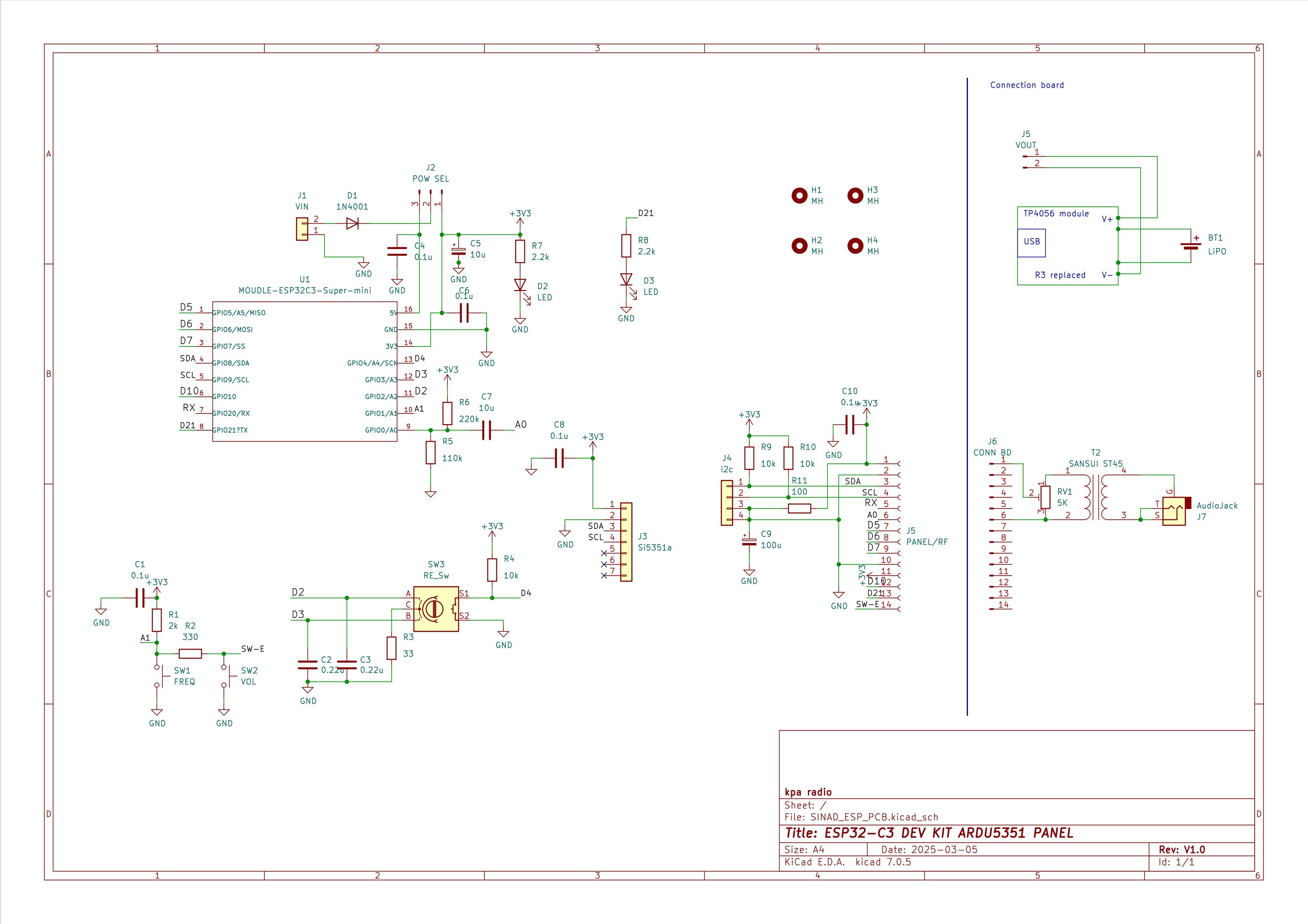
The necessary components are the following circuit board components, components for the connection board (audio jacks, battery-related components, variable resistors and step-up transformer), wiring materials, and a case. The circuit diagram for the circuit board and an applied circuit diagram with added external components are shown. The step-up transformer is ST-45(600ohm:10ohm) of Sansui.
Bill of Materials http://github.com/Nobcha/R909-VFO-ESP/blob/main/5531_esp_25_bom.pdf
Circuit board schematics http://github.com/Nobcha/R909-VFO-ESP/blob/main/R909-VFO_ESP32_SCM.pdf
Appliation circuit schematics
PCB and Assembly
This PCB needed to be quite compact, so all RC components except the aluminum electrolytic capacitors were surface-mounted.
I found a heat plate with PTC-controlled maximum temperature on AliExpress. I used this heat plate and solder paste for soldering the surface-mount RC/C components.
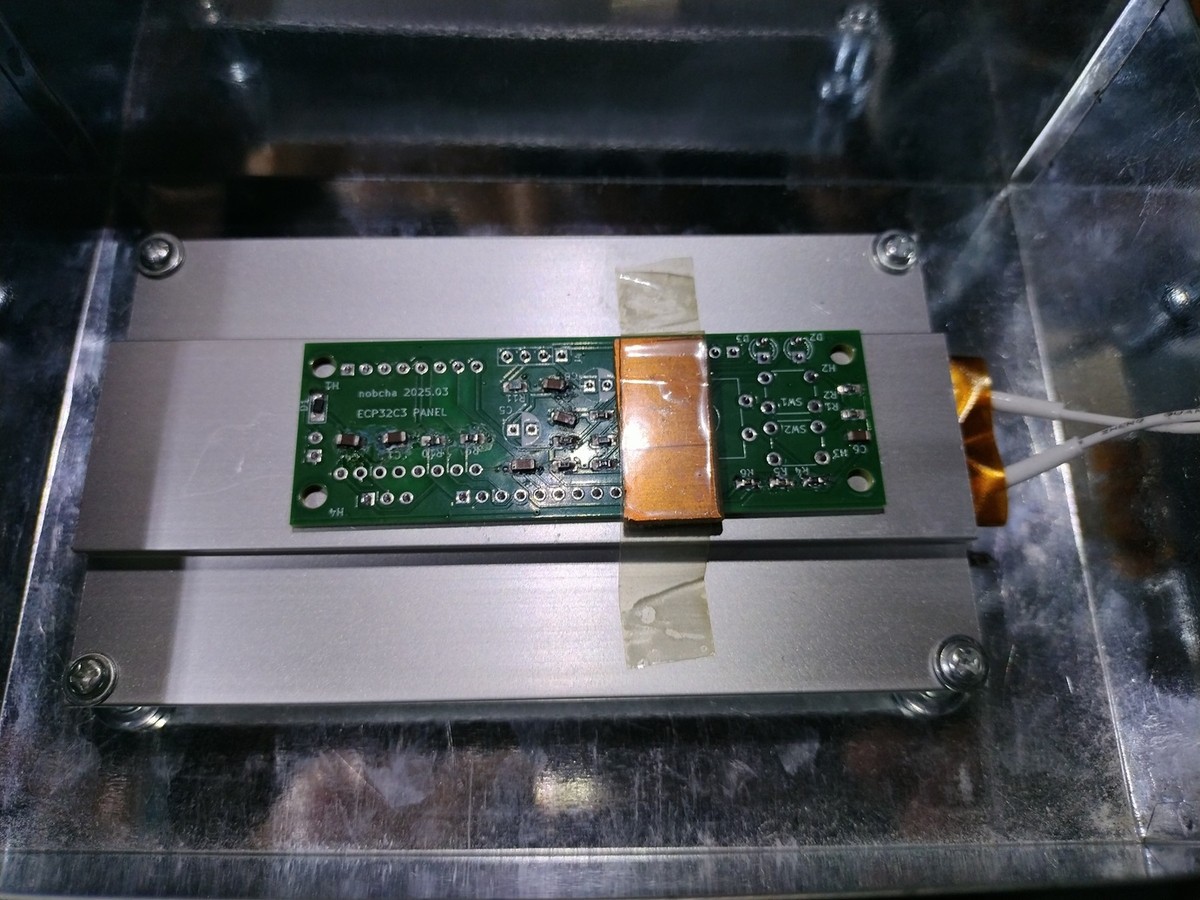
The component density isn't high, so hand soldering is also possible.
After surface-mounting the components, the DIP components—electrolytic capacitors, sensors, switches, and pin headers—were soldered by hand.
Assembly Check
After checking for short circuits between the power supply and ground, a diagnostic sketch for verifying the board's operation was prepared.
This sketch displays the results of switch operations on the OLED screen.
https://github.com/Nobcha/R909-VFO-ESP/blob/main/R909_VFO_esp_ol_SWRE_i2c_TEST.ino
Sketch
Launch the Arduino IDE (I used V2.3.5) and upload the sketch to the ESP32-C3 dev kit super mini via USB cable. Connect the USB cable, specify the CPU setting as ESP32C3 Dev Module, confirm that it is connected in "Tools" "port", load the following sketch, and compile and upload it. To get the Arduino IDE to recognize the ESP32 module, press the BOOT switch and RESET switch on the module simultaneously, and then release the RESET switch first.
https://github.com/Nobcha/R909-SINAD/blob/main/try_7_3i_sinad_meter.ino
Discussions
Become a Hackaday.io Member
Create an account to leave a comment. Already have an account? Log In.