 chrmlinux03
6.1 What Was New Here
This project can be summed up in one line:
"Turning a music player into a TV."
The technical novelty is not "outputting video." There are many historical examples of NTSC output via GPIO. What is new is where the signal comes from and how the video is created.
Where: Audio Jack (headphone output) How: Simply playing back a WAV file
The CPU does nothing in real time. It just plays back. All video content is pre-generated by Python and stored in ntsc.raw.
6.2 Similarity to the Movie Contact
In the movie Contact, an alien signal hidden inside audio data was decoded by Dr. Eleanor Arroway to reveal video. What we did here is the exact reverse.
Contact : audio data -> analysis -> extract video This project : video data -> design -> play as audio file
This project proves through implementation that audio and video are essentially the same thing.
6.3 The Meaning of 192kHz 24bit
Why Spresense? Because the CXD5247 DAC supports 192kHz 24bit HiRes Audio. This high sampling rate is the key to everything.
192kHz means 1 sample = 5.2us. NTSC 1 line = 63.5us. That gives 12 samples per line.
12 samples is a small number, but sufficient to express the basic structure of NTSC. And the 24bit dynamic range enables grayscale expression that was impossible with 1-bit GPIO output.
6.4 Current Limitations
Horizontal resolution : 9 pixels Vertical resolution : 87 lines (LINE_REPEAT=3) Color : grayscale only, no color Audio output : not possible simultaneously
The fundamental reason for low horizontal resolution is that the analog output bandwidth of the CXD5247 DAC is approximately 96kHz (Nyquist limit), far short of the NTSC theoretical maximum bandwidth of 4.2MHz. But this is the current situation, not a permanent limitation.
6.5 Future Plans - Expanding to 384kHz 32bit
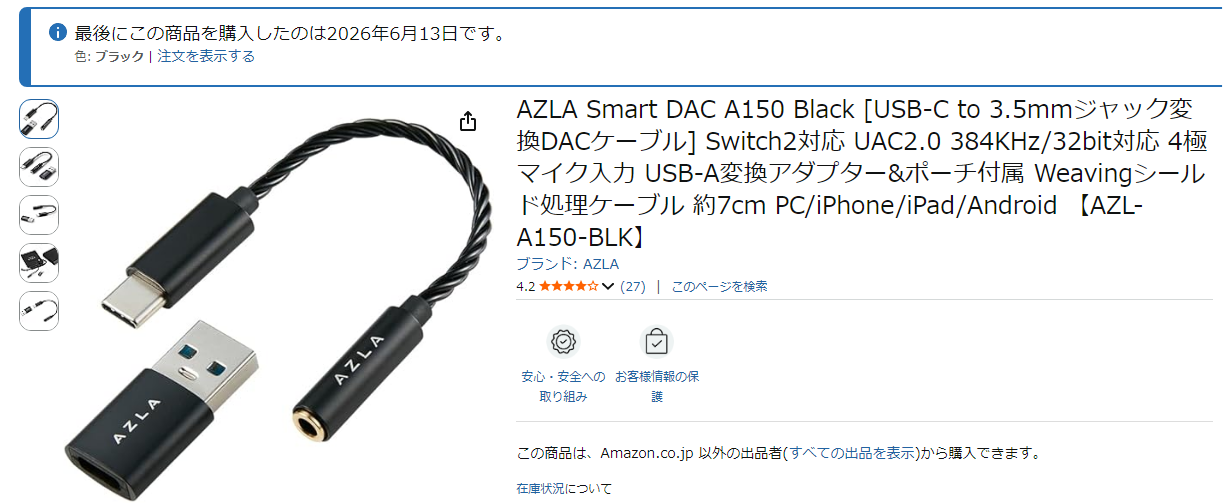
The next step is a USB-C external DAC supporting 384kHz 32bit UAC2.0, connected to a PC playing ntsc.raw directly.
384kHz means 1 sample = 2.6us. NTSC 1 line = 63.5us. That gives approximately 24 samples per line.
Horizontal resolution would roughly double from 9 pixels to around 20 pixels. And 32bit dynamic range would allow even more precise grayscale reproduction.
6.6 The Spirit of the Maker
During this development, an AI told me at the start that "NTSC via Audio DAC is impossible." Bandwidth insufficient, too few samples, physically impossible.
But video appeared. Bad Apple!! played.
"It is not that it cannot be done. We find a way."
That is everything. Technical limitations certainly exist. But finding a way within those limitations is the engineer's job. Even at 9 pixels of resolution, Bad Apple!! is still Bad Apple!!
6.7 Python Code
# font3x5.py
# 3x5 (ASCII 32 - 93)
font3x5 = [
    0b000000000000000,  # 32 ' '
    0b010010010000010,  # 33 '!'
    0b000000000000000,  # 34 '"'
    0b101111101111101,  # 35 '#'
    0b000000000000000,  # 36 '$'
    0b000000000000000,  # 37 '%'
    0b000000000000000,  # 38 '&'
    0b000000000000000,  # 39 "'"
    0b000000000000000,  # 40 '('
    0b000000000000000,  # 41 ')'
    0b000000000000000,  # 42 '*'
    0b000010111010000,  # 43 '+'
    0b000000000010100,  # 44 ','
    0b000000111000000,  # 45 '-'
    0b000000000000010,  # 46 '.'
    0b001001010100100,  # 47 '/'
    0b111101101101111,  # 48 '0'
    0b010110010010111,  # 49 '1'
    0b111001111100111,  # 50 '2'
    0b111001111001111,  # 51 '3'
    0b101101111001001,  # 52 '4'
    0b111100111001111,  # 53 '5'
    0b111100111101111,  # 54 '6'
    0b111001001001001,  # 55 '7'
    0b111101111101111,  # 56 '8'
    0b111101111001111,  # 57 '9'
    0b000010000010000,  # 58 ':'
    0b000010000010100,  # 59 ';'
    0b000000000000000,  # 60 '<'
    0b000111000111000,  # 61 '='
    0b000000000000000,  # 62 '>'
    0b000000000000000,  # 63 '?'
    0b111101101101111,  # 64 '@'
    0b111101111101101,  # 65 'A'
    0b110101110101110,  # 66 'B'
    0b111100100100111,  # 67 'C'
    0b110101101101110,  # 68 'D'
    0b111100110100111,  # 69 'E'
    0b111100110100100,  # 70 'F'
    0b111100101101111,  # 71 'G'
    0b101101111101101,  # 72 'H'
    0b111010010010111,  # 73 'I'
    0b001001001101111,  # 74 'J'
    0b101101110101101,  # 75 'K'
    0b100100100100111,  # 76 'L'
    0b101111111101101,  # 77 'M'
    0b101111111111101,  # 78 'N'
    0b111101101101111,  # 79 'O'
    0b111101111100100,  # 80 'P'
    0b111101101111011,  # 81 'Q'
    0b111101111110101,  # 82 'R'
    0b111100111001111,  # 83 'S'
    0b111010010010010,  # 84 'T'
    0b101101101101111,  # 85 'U'
    0b101101101101010,  # 86 'V'
    0b101101111111101,  # 87 'W'
    0b101101010101101,  # 88 'X'
    0b101101010010010,  # 89 'Y'
    0b111001010100111,  # 90 'Z'
    0b011010010010011,  # 91 '['
    0b100100010001001,  # 92 '\\'
    0b110010010010110,  # 93 ']'
]

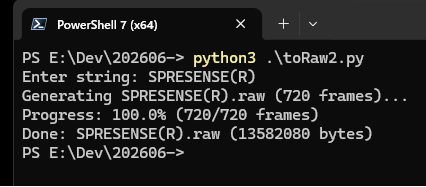
# toRaw2.py
import struct
import sys
import os
from font3x5 import font3x5

SAMPLE_RATE   = 188811
NTSC_H_FREQ   = 15734.26
NTSC_H        = 262
NTSC_W        = round(SAMPLE_RATE / NTSC_H_FREQ)
SYNC_W        = 2
BLANK_W       = 3
LINE_REPEAT   = 30
VRAM_H        = 5
FPS           = SAMPLE_RATE / (NTSC_W * NTSC_H)

PCM_SYNC  = 0x000000
PCM_BLACK = 0x100000
PCM_WHITE = 0x7FFFFF

def generate_ntsc_raw(string, sec_per_char=1):
    fname = f"{string}.raw"
    char_sequence = list(string)
    total_frames = int(FPS * len(char_sequence) * sec_per_char)

    print(f"Generating {fname} ({total_frames} frames)...")

    with open(fname, "wb") as f:
        for frame in range(total_frames):
            if frame % 50 == 0:
                percent = (frame / total_frames) * 100
                sys.stdout.write(f"\rProgress: {percent:.1f}% ({frame}/{total_frames} frames)")
                sys.stdout.flush()

            upper_char = char_sequence[int(frame / FPS) // sec_per_char % len(char_sequence)].upper()
            char_code = ord(upper_char) - 32

            if char_code < 0 or char_code >= len(font3x5):
                glyph = 0
            else:
                glyph = font3x5[char_code]

            for y in range(NTSC_H):
                if y < 9:
                    for s in range(NTSC_W):
                        f.write(struct.pack("<i", PCM_SYNC)[:3] * 2)
                    continue
                elif y > 240:
                    for s in range(NTSC_W):
                        f.write(struct.pack("<i", PCM_BLACK)[:3] * 2)
                    continue

                start_y = 50
                v_row = (y - start_y) // LINE_REPEAT

                for s in range(NTSC_W):
                    if s < SYNC_W:
                        l, r = PCM_BLACK, PCM_SYNC
                    elif s < BLANK_W:
                        l, r = PCM_BLACK, PCM_BLACK
                    else:
                        x = s - BLANK_W
                        v_col = x - 2
                        pixel = ((glyph >> (14 - (v_row * 3 + v_col))) & 0x01) if (0 <= v_row < VRAM_H and 0 <= v_col < 3) else 0
                        l, r = (PCM_WHITE if pixel else PCM_BLACK), PCM_BLACK

                    f.write(struct.pack("<i", l)[:3])
                    f.write(struct.pack("<i", r)[:3])

    file_size = os.path.getsize(fname)
    sys.stdout.write(f"\rProgress: 100.0% ({total_frames}/{total_frames} frames)\n")
    print(f"Done: {fname} ({file_size} bytes)")

if __name__ == "__main__":
    user_input = input("Enter string: ")
    if user_input:
        generate_ntsc_raw(user_input)
    else:
        print("No input provided.")
6.8 Acknowledgements
Sony Semiconductor Solutions for developing Spresense.
Bad Apple!! original creators.
The elchika community.
The Hackaday community.
Discussions
Become a Hackaday.io Member
Create an account to leave a comment. Already have an account? Log In.