Geoffrey Wells
-
Draw With AI Feature
10/01/2026 at 22:45 • 0 commentsAs if the Draw feature that give you a canvas to create your own graphics for your esp32 device, we now have the ability to let AI help you draw complex images that can map to sensor devices, or custom callback code. Enjoy!
-
New Feature "Draw"
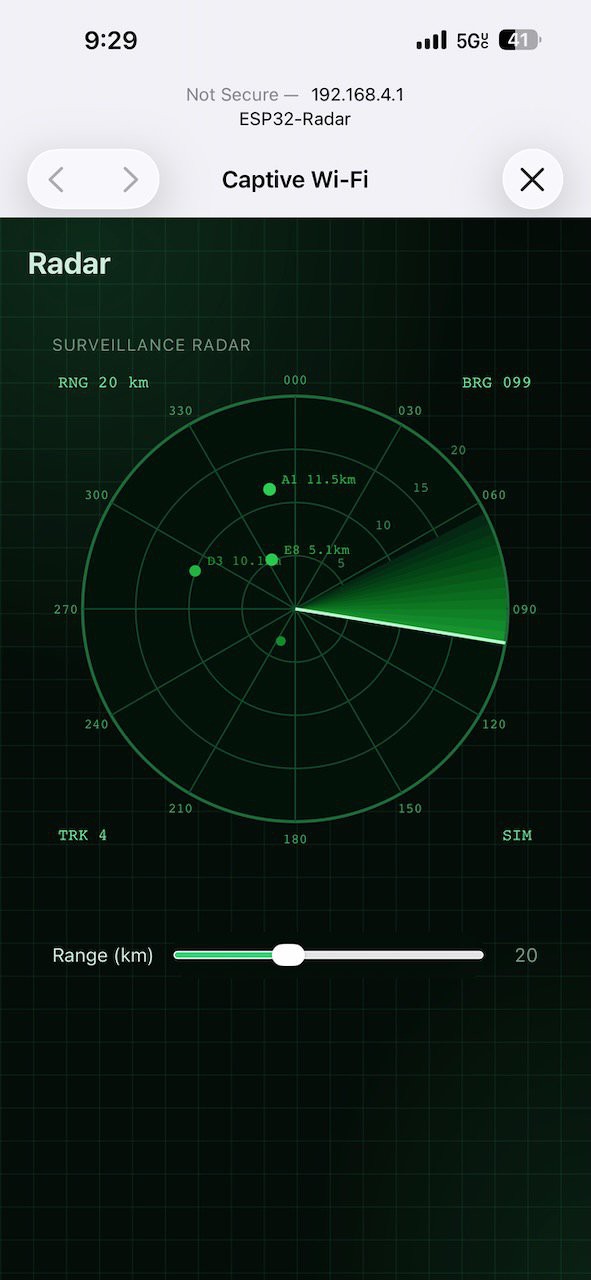
09/21/2026 at 21:03 • 0 commentsDraw anything on your board's page - Every other widget asks your code for data: a number, a series, some rows. The Draw node hands your callback a canvas instead, for the dial, diagram or display no fixed widget covers.
The drawing kit - Lines, rectangles, rounded rectangles, circles, triangles and text, plus paths for waveforms and trend lines. Set the stroke, fill, width and text alignment as you go.
Live, and light - Set an update interval and the page redraws on its own. A realistic drawing adds about 1 KB of flash, and the class only ships when a Draw node is on the canvas.
Check out the Arduino Radar Draw Example on ESP-GenUI
![]()
-
ESP-GenUI Mobile App For Android
09/04/2026 at 20:16 • 0 commentsThe Android app is live!
-
Coming soon - One app for every device you generate
08/26/2026 at 15:14 • 0 commentsToday, everything ESP-GenUI emits is a web server. You draw the diagram, the server generates the Arduino sketch or the ESP-IDF project, you compile and flash it over USB from the browser, and the ESP32 serves its own UI page. That loop works — as long as the board has a network to join and you know which IP to point a browser at.
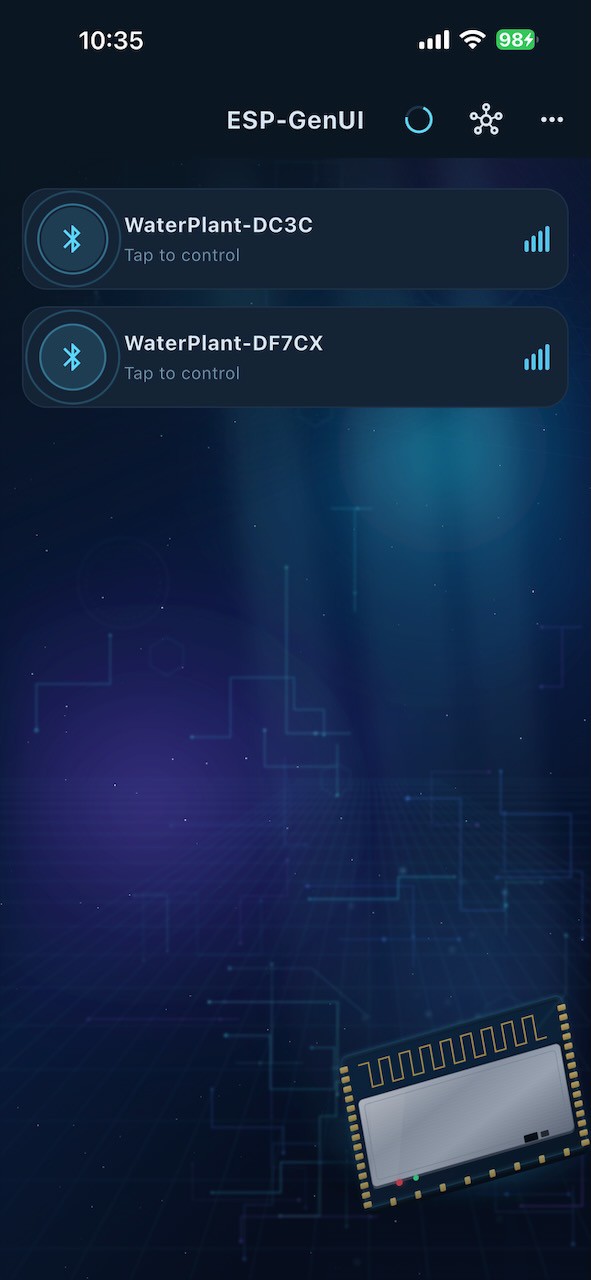
Soon the next major release adds a target that needs neither. The same diagram compiles to a BLE peripheral, and a single iOS/Android app drives it. Not a generated app, not a template you fill in — one mobile app, for any device you generate.
The mobile app connects, reads the manifest, and builds a native screen out of it: gauges, sliders, GPIO toggles, charts, schedules, NeoPixel colour pickers, tabs, cards — in the theme colours you picked in the editor. Flash a different diagram and the same app shows a different device.
If you prefer the WiFi implementation use the mobile app's Wi-Fi setup over Bluetooth, for the hybrid case: SSID and password go to the device over BLE, and you watch it join and report its IP back.
![]()
-
Play That Funky Music
08/01/2026 at 00:18 • 0 commentsAdded a quick demo using the new Piano widget to play sounds on the Seeed XIAO MIDI Synth module:
-
Happy Birthday
07/27/2026 at 01:10 • 0 commentsYay, ESP-GenUI is 1.0 today!
-
Save To Folder Quick Demo
07/23/2026 at 18:02 • 0 commentsI've created a quick demo of the Save To Folder feature. This allows you to save the generated source code project directly to local disk without having to unzip/copy/paste:
-
Beta testing: where users discover features the developers never implemented
07/20/2026 at 00:08 • 0 commentsJust pushed out a huge update as we hurdle towards production. Lots of tweaks under the hood:
- a few...many bug fixes, and a bit of redesign
- Increased the free daily credit allotment a bit
- A few new features based on feedback
- For Chrome and Edge users, you can now "Save to Folder" your generated code, and the browser will save the generated code files to your local filesystem. No copy/paste, or Zip/Zap needed. "Save to Folder" and point your favorite IDE to the local directory. Click save to folder after any diagram changes/regenerate to keep your local files in sync. If you make any local changes, clicking save to folder will give you a merge UI to merge any local filesystem changes that you want to keep. What's a merge...there's a help document. Started work on a Build Guide area on the site to do walk through examples using real hardware. The first is using an Olimex 4 relay board for a lawn sprinkler example: ESP-GenUI Build Guides If someone is interested in creating one of their own to submit, let us know: admin@g9six.com
-
AI For Your UI
07/11/2026 at 05:55 • 0 commentsI'm excited to announce the DESCRIBE feature in EspGenUI. Now you can describe your project idea, and EspGenUI will build you a UI based on context.
For example, you can tell it:
- "Reef tank controller: temp + pH gauges, pump toggles, LED colour picker"
- "water tank level monitor"
The describe feature can help you get started when you're not sure what you want, or just save time.
Watch the tutorial: ESPGenUI AI Describe Tutorial
Try it out: ESPGenUI
-
Using the GPIO/Camera Widgets Tutorial
07/02/2026 at 00:09 • 0 commentsAdded a new quick tutorial that shows how to use the GPIO and Camera widgets:
ESP-GenUI
A visual diagrammer that turns a node graph into a complete ESP32 Arduino/ESP-IDF web-server sketch. No toolchain.