 Keith
Keith

After investigating the X-Windows system and finding it would need far more resources than an 8-bit computer can provide, and not wanting to re-invent a wheel, I looked around to see if a much simpler command set already existed.
The Tektronix 4010/4014 was a graphics terminal based on CRT technology. Lines were drawn in a long-persistence phosphor, and could only be removed by erasing the whole screen at once. There was only the fixed colour of the phosphor, so there were no colour related commands.
The Tektronix 4027 used a memory array to store pixels, just like today's video technology. It added colour based commands.
XTerm (available in Linux Mint's package manager) has native, historically perfect Tektronix 4014 emulation built right in. You can switch an XTerm window into Tektronix mode using an escape sequence or by Ctrl+Right Clicking the window. It instantly maps a high-resolution canvas ((1024 x 780) virtual space) that your 8-bit microcomputer can draw on with minimal compute overhead.
xterm does not support Tektronix 4027 color commands. It is strictly limited to the monochrome Tektronix 4014 standard. If you send Tektronix 4027 specific color escape sequences (like !INK or !FILL) into xterm's Tektronix window, it will simply ignore or misinterpret them.
While xterm cannot parse Tektronix 4027 multi-color per-object commands, it does allow the host computer to change the global foreground color of the Tektronix window dynamically using standard ANSI master escape sequences.
Using Python 3 with the pygame and pyserial libraries, you can completely bypass X11 complexity on Linux Mint. Pygame acts as a lightweight wrapper over X-Windows, handling all the frustrating OS window management in the background. This approach gives you total freedom to emulate the classic Tektronix !INK, !VEC, and !GRA codes, while making it easy to add your own custom extensions (like !SPRITE or !SOUND).
I asked Google AI to write me code to demonstrate all this. And like my X-Windows exploration project, have a program sending graphics commands to draw a 3-d surface with hidden-face removal and brightness controlled by the angle of an illumination source. This is known as 'the sun vector normal'. The commands are sent through virtual communications links.
As usual, AI needed cajoling into providing what I wanted. The first attempt used an EGA/CGA font of 16 colours, which is 8 colours in light and dark. EGA and CGA were short lived standards, quickly replaced by VGA. The VGA's programmable palette has 256 entries, with a default palette that looks like this:
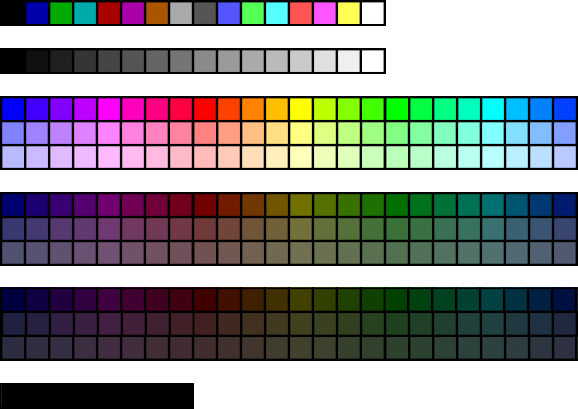
The program then ran with a limited number of colours and brightness, because it was difficult to translate colour and brightness onto a limited palette like this. So I asked for just a grey-scale rendering, with a minimum dark level to avoid unlit facets disappearing into the black background. Here is the result.
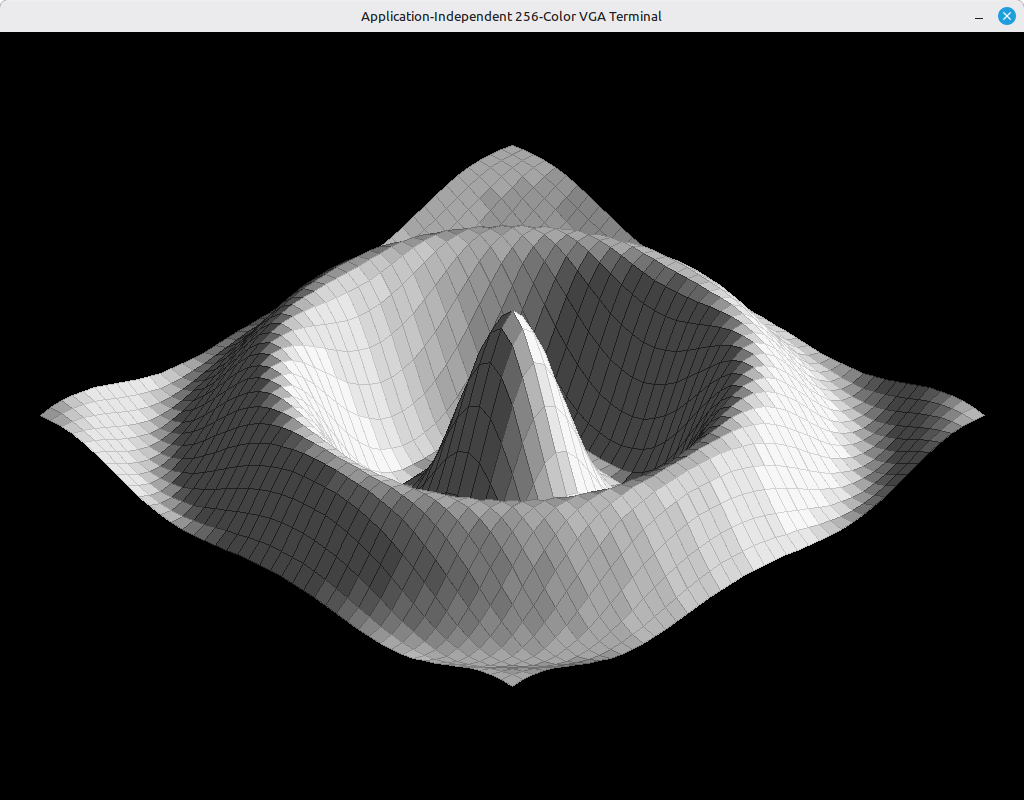
I feel this is a satisfactory proof of concept.
You can modify the code so that the colours specified in full 3x8-bit RGB, without VGA palette entry numbers, but the commands will be longer.
An 8-bit processor is unlikely to have a Python interpreter, so the surface-drawing code would need translating to BASIC, assembler, C, or whatever you wish. You might even modify your BASIC interpreter to output graphic commands to a serial port, or a file if you want to save them for later rendering.