 Rohan Barnwal
Introduction
The Internet of Things (IoT) has transformed the way embedded devices communicate with cloud platforms. Today, even a simple microcontroller can collect information from sensors, communicate over Wi-Fi, and store data online in real time.
One technology that is widely used in IoT applications is RFID (Radio Frequency Identification). RFID provides a simple and contactless way to identify people, products, access cards, inventory items, and many other physical objects.
If you've ever used an employee ID card, a student ID card, a metro card, or an access badge to unlock a door, you've already interacted with RFID technology.
Although reading RFID cards is relatively straightforward, beginners often struggle with one common question:
"How can I save the scanned RFID data online without setting up a complicated database?"
"How can I save the scanned RFID data online without setting up a complicated database?"
Many tutorials immediately introduce cloud databases such as Firebase, MQTT brokers, SQL servers, or custom APIs. While these are excellent solutions for large projects, they also introduce additional complexity that can overwhelm beginners.
Instead of taking that route, this project demonstrates a much simpler approach.
We'll use Google Sheets as our cloud database.
Every time an RFID card is scanned, the ESP32-S3-BOX-3 automatically sends the card's UID over Wi-Fi to Google Apps Script, which instantly stores the information inside a Google Sheet.
The result is a lightweight, cloud-connected RFID logger that anyone can build without purchasing cloud services or configuring a dedicated server.
Because Google Sheets is already familiar to most users, all logged data can immediately be viewed, searched, filtered, exported, or shared without installing additional software.
The entire project relies only on free Google services and can be completed in less than an hour.
Why ESP32-S3-BOX-3?
For this project, I chose the ESP32-S3-BOX-3, which combines powerful processing capabilities with built-in peripherals, making it an excellent development platform for IoT projects.
Some of the reasons for selecting this board include:
- Dual-core ESP32-S3 processor
- Built-in Wi-Fi and Bluetooth connectivity
- Integrated capacitive touch display
- USB Type-C programming interface
- Excellent Arduino IDE support
- High processing performance
- Large Flash and PSRAM
- Perfect for Human Machine Interface (HMI) applications
Instead of connecting an external OLED or TFT display, the built-in display allows us to instantly show the scan status, making the project cleaner and much easier to debug.
Why Use Google Sheets?
Whenever cloud storage is mentioned, most people immediately think of Firebase, AWS, Azure, or SQL databases.
While these platforms are extremely powerful, they usually require authentication, database configuration, security rules, APIs, and additional setup before a single piece of data can be stored.
For beginners, this can become frustrating.
Google Sheets provides an incredibly simple alternative.
Using Google Apps Script, the ESP32 can communicate directly with a spreadsheet using nothing more than a standard HTTP request.
This provides several advantages:
- Completely free
- Accessible from anywhere
- No database installation
- No server maintenance
- Easy to share with teammates
- Automatic cloud backup
- Export to Excel or CSV
- Perfect for IoT prototypes
For projects involving data logging, RFID testing, inventory tracking, or classroom demonstrations, Google Sheets offers more than enough functionality while remaining incredibly simple to set up.
What We Are Building
In this tutorial, we will build a simple RFID logging system.
The workflow is shown below.
RFID Card │ ▼MFRC522 RFID Reader │ ▼ESP32-S3-BOX-3 │ ▼Wi-Fi Network │ ▼Google Apps Script │ ▼Google Sheets
Whenever an RFID card is brought close to the reader:
- The MFRC522 reads the RFID card's UID.
- The ESP32 processes the UID.
- The UID is displayed on the built-in screen.
- The ESP32 connects to Google Apps Script.
- Google Apps Script writes the UID into Google Sheets.
- The logger becomes ready for the next scan.
The entire process typically completes within one second.
Application
Although this project simply records RFID card UIDs, the same hardware and software architecture can easily be expanded into much larger systems.
Some possible applications include:
- Student Attendance System
- Office Attendance Logger
- Smart Door Access Control
- Library Book Management
- Inventory Tracking
- Warehouse Asset Monitoring
- Visitor Registration
- Equipment Checkout System
- Membership Verification
- Smart Locker Authentication
Think of this project as a reusable RFID cloud platform that can serve as the foundation for countless IoT applications.
Project Features
This project includes the following features:
- Real-time RFID card detection
- Cloud-based UID logging
- Google Sheets integration
- Wi-Fi connectivity
- Built-in display feedback
- Beginner-friendly Arduino code
- Completely free cloud storage
- Easy to modify and expand
- No external database required
- Low-cost hardware
Giving Your Project a Professional Finish

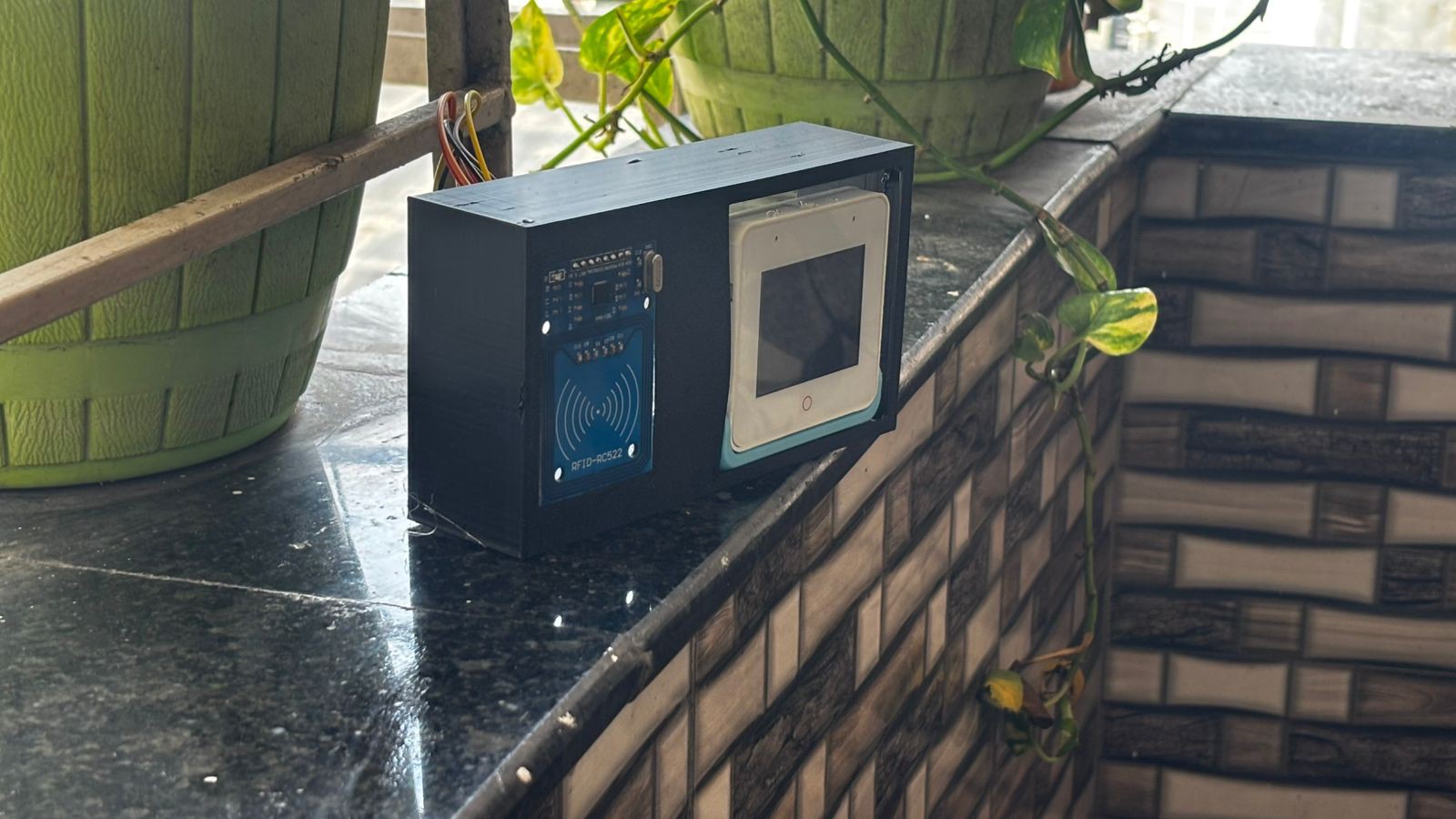
Building a working prototype is often only the first step of any hardware project. Whether you're developing an Arduino project, an ESP32 based IoT device, a robotics system, an embedded application, or even a custom PCB, there eventually comes a point where you want the final build to look clean, organized, and professional
While breadboards and exposed wiring are perfect during development, a custom enclosure protects the electronics from accidental damage, improves cable management, makes transportation easier, and gives the project a polished appearance. For engineering exhibitions, hackathons, client demonstrations, YouTube videos, or commercial prototypes, a professionally manufactured enclosure can make a significant difference in both durability and presentation.
Over the past few months, I've ordered several custom 3D printed parts from JUSTWAY for different electronics projects, and the overall experience has been consistently positive. The printed parts arrived well packed with good dimensional accuracy, clean surface quality, and required very little post-processing before assembly.
From Prototype to Production
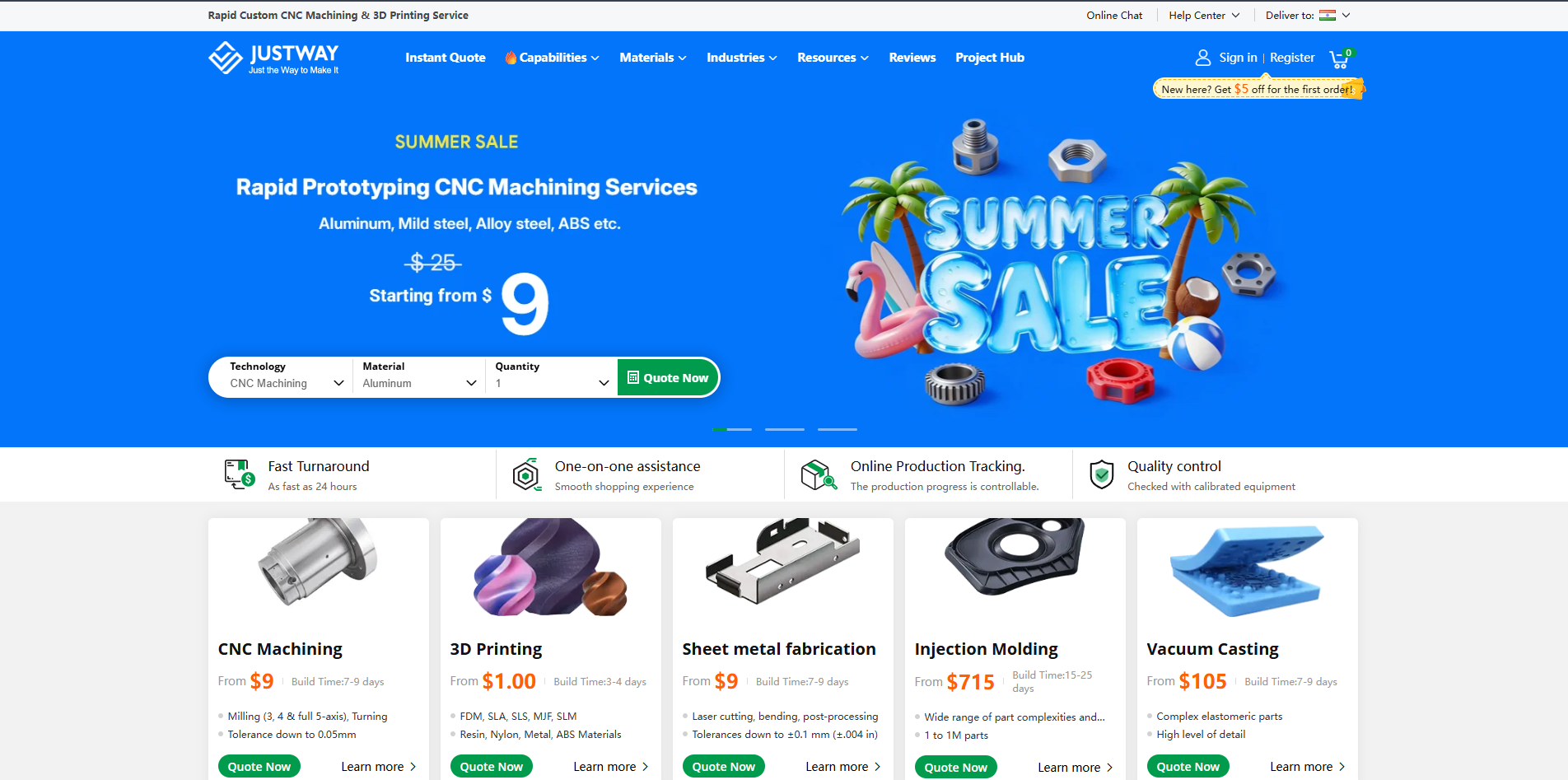
One thing I particularly like about JUSTWAY is that it isn't limited to only 3D printing. The platform is designed to support the complete product development cycle—from rapid prototyping to low-volume manufacturing and eventually mass production.
Depending on your application, the platform offers several manufacturing services, including:
- 3D Printing for rapid prototyping, concept models, custom enclosures, and functional mechanical parts.
- CNC Machining for precision components manufactured from aluminum, stainless steel, brass, titanium, copper, and engineering plastics.
- Sheet Metal Fabrication for industrial enclosures, mounting brackets, control panels, and structural assemblies.
- Injection Molding for producing large quantities of plastic parts with consistent quality.
- Silicone Vacuum Casting for producing low-volume production-quality parts without investing in expensive tooling.
According to JUSTWAY, these services support customers ranging from individual makers and engineering students to startups and industrial manufacturers working in consumer electronics, robotics, automotive, aerospace, medical, and industrial automation.
Uploading Your CAD Design
Uploading Your CAD Design
The ordering process is refreshingly simple.
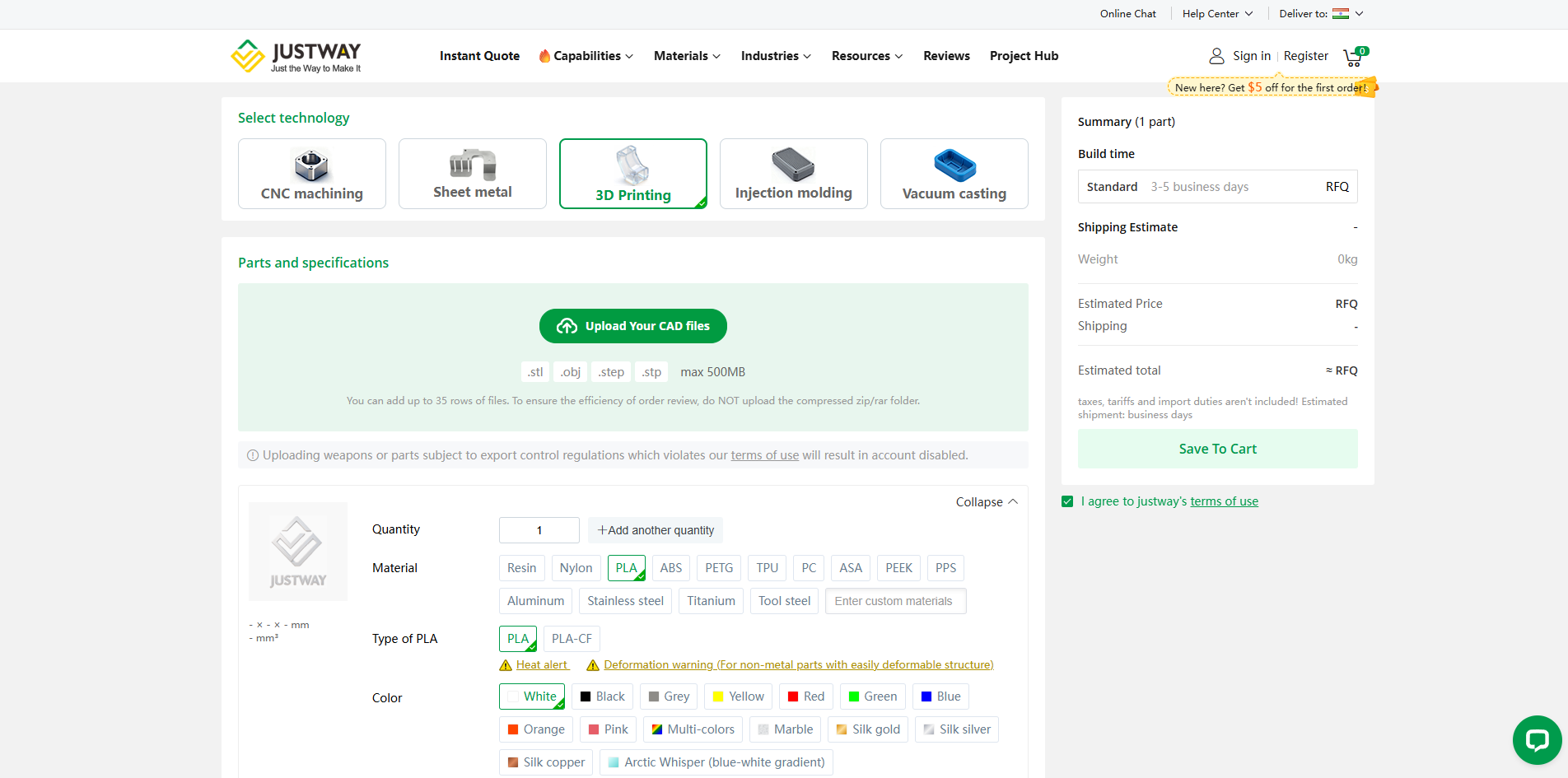
Instead of exchanging multiple emails for quotations, you simply upload your CAD model directly through the online quotation system.
The platform supports several commonly used engineering formats including:
- STL
- STEP / STP
- OBJ
making it compatible with popular CAD software such as Fusion 360, SolidWorks, Autodesk Inventor, Creo, FreeCAD, and Onshape.
Once uploaded, the model is automatically prepared for quotation, allowing you to continue configuring the manufacturing parameters immediately.
For projects containing multiple components, several files can also be uploaded together, making it convenient to manufacture complete assemblies rather than individual parts.
Configuring the Manufacturing Parameters
Configuring the Manufacturing Parameters
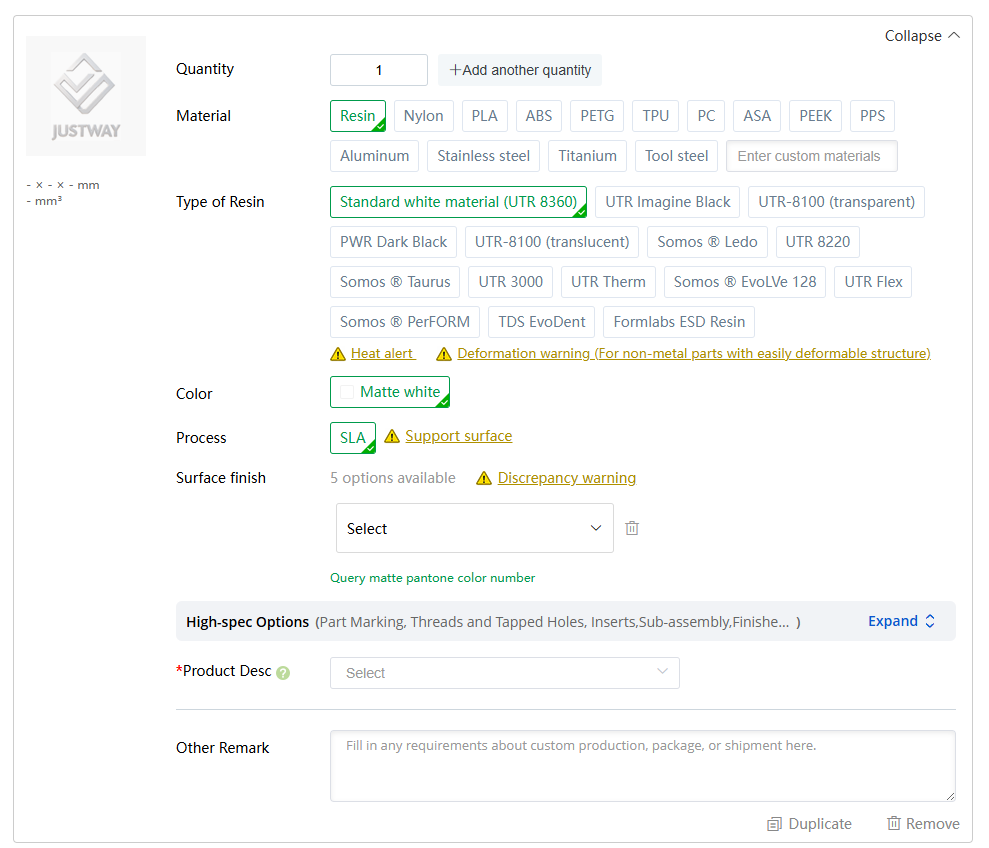
After uploading the model, the platform provides a detailed configuration panel where almost every manufacturing parameter can be customized before placing the order.
Material Selection
Material Selection
Depending on the manufacturing process, a wide range of materials is available.
For FDM 3D printing, commonly available materials include:
- PLA
- ABS
- PETG
- Nylon
- TPU
- Polycarbonate (PC)
- ASA
- Carbon Fiber Reinforced Materials
- Engineering-grade Thermoplastics
For CNC machining, users can choose from materials such as:
- Aluminum 6061
- Stainless Steel 304
- Brass
- Copper
- Titanium
- Engineering Plastics
Each material offers different characteristics depending on whether the priority is strength, heat resistance, flexibility, surface finish, or dimensional accuracy.
SLA Resin Printing Options
For projects requiring extremely fine details or presentation-quality models, JUSTWAY also offers SLA resin printing with multiple specialized materials.
Available resin options include:
- Standard White Resin
- Standard Black Resin
- Transparent Resin (UTR-8100)
- Translucent Resin
- High-Temperature Resin
- Flexible Resin
- Engineering Resi
- Tough Resin
- ESD-Safe Resin
- Dental and Professional Resins
These materials are designed for different applications ranging from display models and transparent covers to engineering validation, electronic fixtures, medical prototypes, and functional mechanical components.
For example:
- Transparent Resin is excellent for display windows, LED covers, and visual prototypes.
- Engineering Resins provide higher strength and dimensional stability for functional parts.
- Flexible Resins are suitable for rubber-like components.
- High-Temperature Resins perform better in applications exposed to elevated temperatures.
- ESD Resins are useful when manufacturing fixtures for handling sensitive electronic assemblies.
Having access to different resin formulations makes it much easier to choose the right balance between appearance, strength, and functionality.
Color and Finish Options
The platform also allows users to customize the appearance of printed parts.
Depending on the selected material, various colors and finishes are available, including standard colors, silk finishes, matte textures, translucent options, and specialty finishes.
This is particularly useful when manufacturing demonstration models, educational kits, exhibition prototypes, or consumer-facing products where aesthetics are just as important as functionality.
Instant Online Quotation
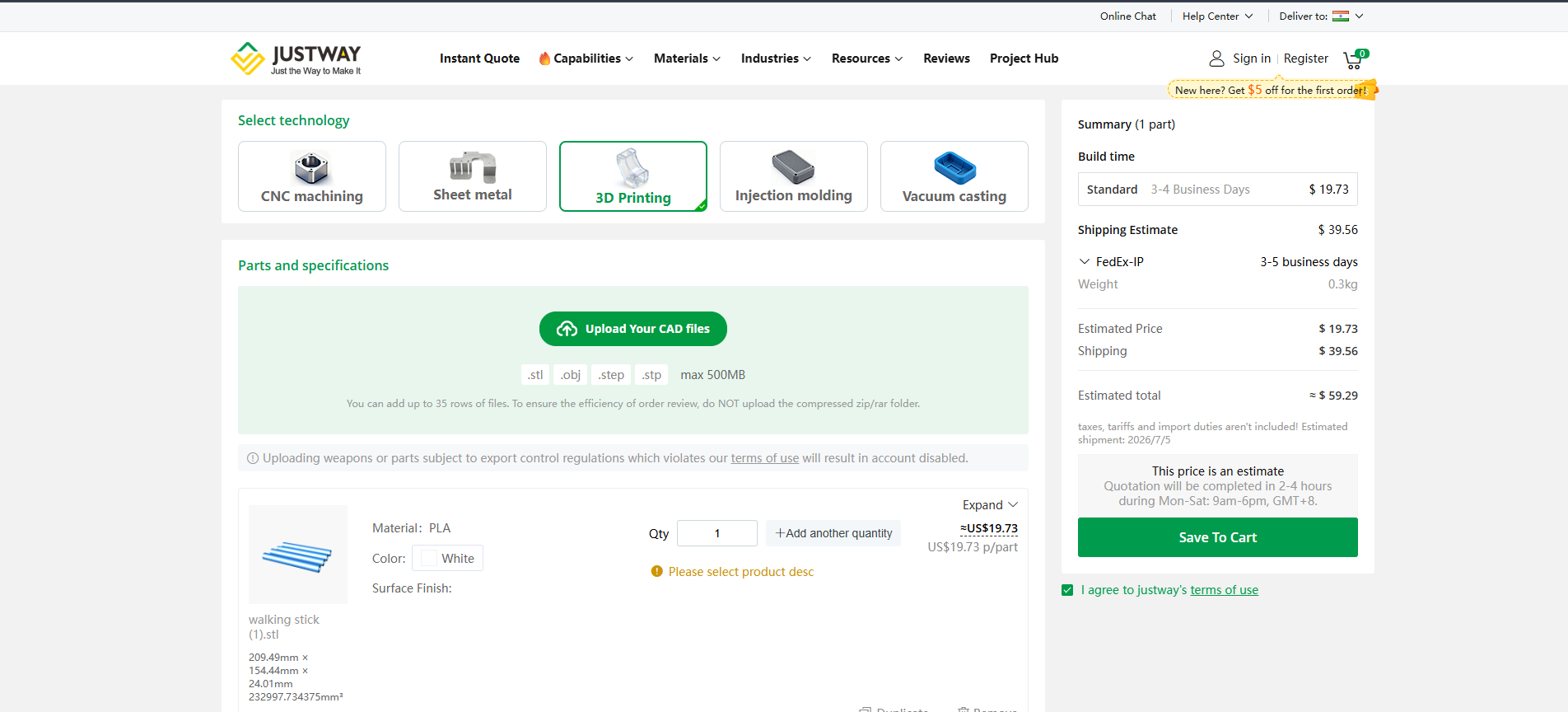
One feature I personally appreciate is the instant quotation system.
As different materials, quantities, manufacturing technologies, or finishing options are selected, the estimated manufacturing cost updates automatically.
The quotation page also provides useful information such as:
- Manufacturing Cost
- Shipping Cost
- Estimated Delivery Time
- Shipping Method
- Total Price
- Part Weight
Being able to compare multiple material options within a few minutes makes it much easier to optimize both performance and budget before placing an order.
Engineering Support Throughout the Process
Beyond manufacturing, JUSTWAY also offers several features that simplify product development.
Their platform provides instant online quotations, design review before production, order management, production tracking, and shipping updates, making it easy to monitor the entire manufacturing process from a single dashboard.
For larger production runs, additional services such as dedicated engineering support, DFM (Design for Manufacturability) review, First Article Inspection (FAI), and quality inspection reports are also available to help ensure consistent production quality.
Final Thoughts
Whether you're building a one-off hobby project, a university engineering project, an open-source hardware design, or preparing a commercial product, custom manufactured parts can significantly improve both reliability and presentation.
Having used JUSTWAY for several of my own projects, I found the platform straightforward to use—from uploading CAD files and selecting materials to receiving an instant quotation and tracking production. Its combination of rapid prototyping, precision manufacturing, and scalable production services makes it a practical solution for makers, students, startups, and professional hardware developers looking to turn their ideas into finished products.