 Andrew Garvin

WHY I BUILT BEACON
I built Beacon because of how slow and frustrating the usual options for finding a misplaced phone or tablet can be.
If I know the device is nearby, it's annoying to have to track down another device or log into your computer, open the right app or website, wait for it to load, log in if needed, and then finally be able to click the button that makes the phone ring. And what do you do if the internet is out? Simply calling the phone doesn't always work either, since it might be on silent or there might not be cell service (or you don't have another phone to call with). And you can't call a tablet.
This all adds too much friction to something so simple that should only take a few seconds, especially when you're in a hurry and just need to find your phone.
Beacon is my solution to this problem.
WHAT BEACON DOES
Beacon is a dedicated Bluetooth device for finding nearby phones and tablets. The idea is simple: keep one small device in a fixed location, press a button, and your phone or tablet rings.
It works locally, so it does not need internet access or cell service, and it doesn't have any accounts or subscriptions to worry about. It works on both iOS and Android and can individually find up to 16 nearby devices by using 4 groups of 4 buttons/channels.
DEMO
Here's a quick demo before diving a little deeper into the details of how I made it
EARLY PROTOYPES
The project went through a few different iterations before I landed on the final architecture.
My first thought was to use a Raspberry Pi Pico, but I quickly moved on from that once I realized how much work it would be to get Bluetooth working on it. So I started looking at some other options to find something that had easy access to Bluetooth support.
I found an inexpensive ESP32 dev board that seemed like a good fit. I was able to get it running a Bluetooth server and updating a characteristic on button press, which was enough of a proof of concept to keep going. At the time, I hadn't written any Bluetooth code in the apps yet, so I was relying on the nRF Connect app to see that my ESP32 code was working.
At this point I was able to move on to getting Bluetooth working on the Android app, completing the first functional prototype. I also found the much smaller XIAO ESP32C3 and built a second prototype using that, and even put it on a PCB.
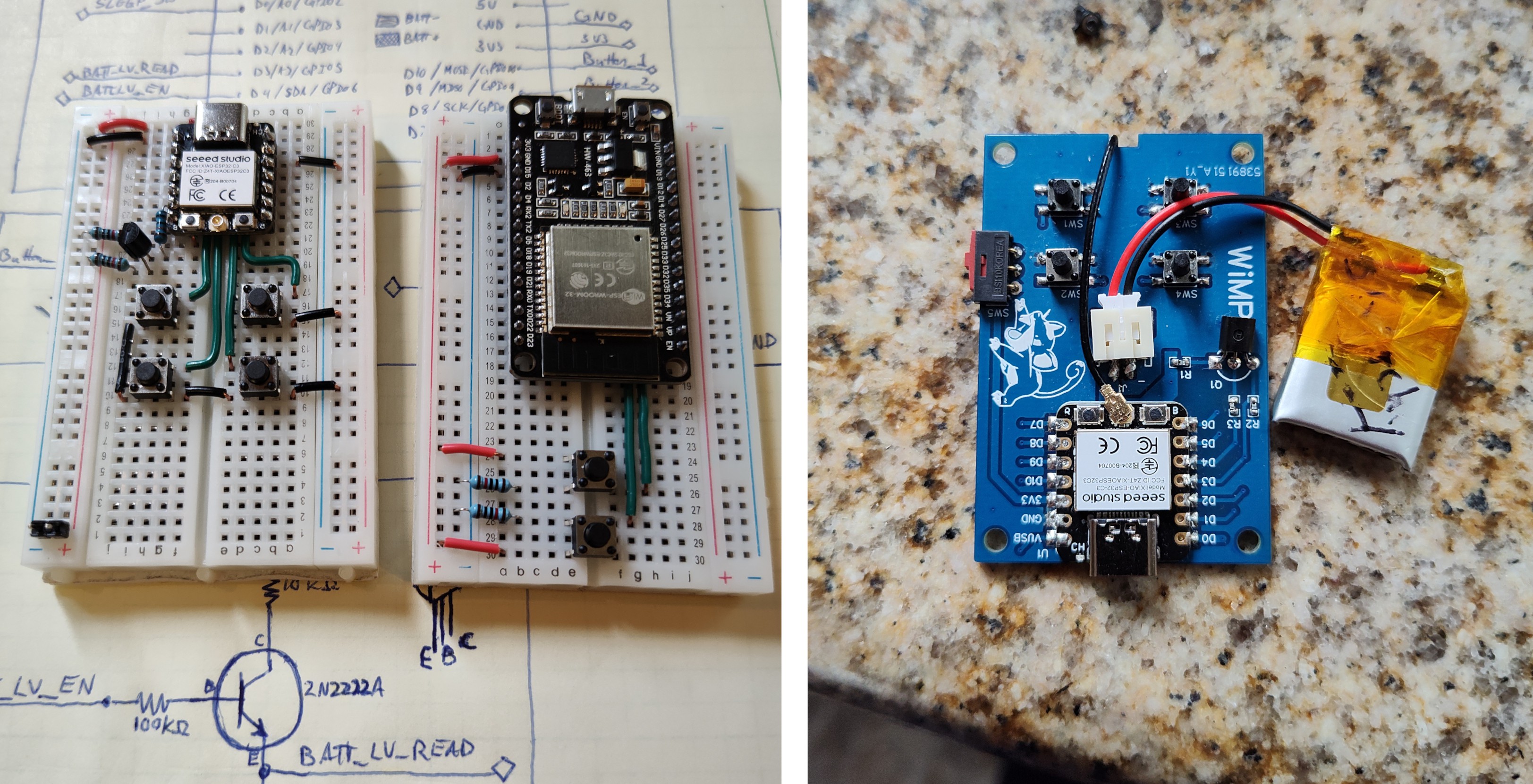
It functioned well enough, and I was thrilled to get something working, but it just wasn't good enough. For starters, it used way too much power, even in sleep mode. And I didn't like the idea of having to use a rechargeable battery. Another issue was that it took far too long to wake up from sleep, causing it to feel unresponsive. So I started looking for something more suited to my needs and came across Nordic's nRF52 series of chips.
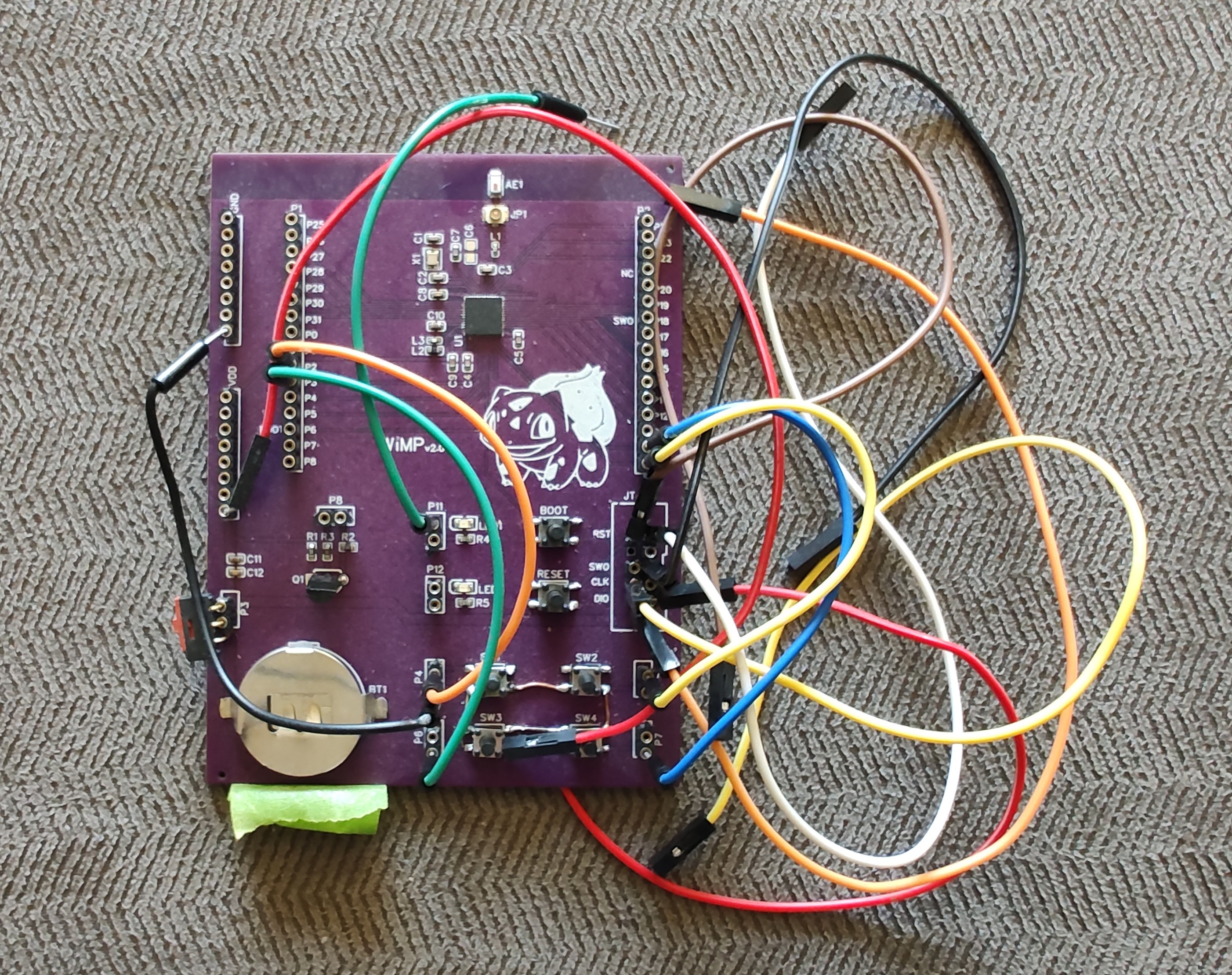
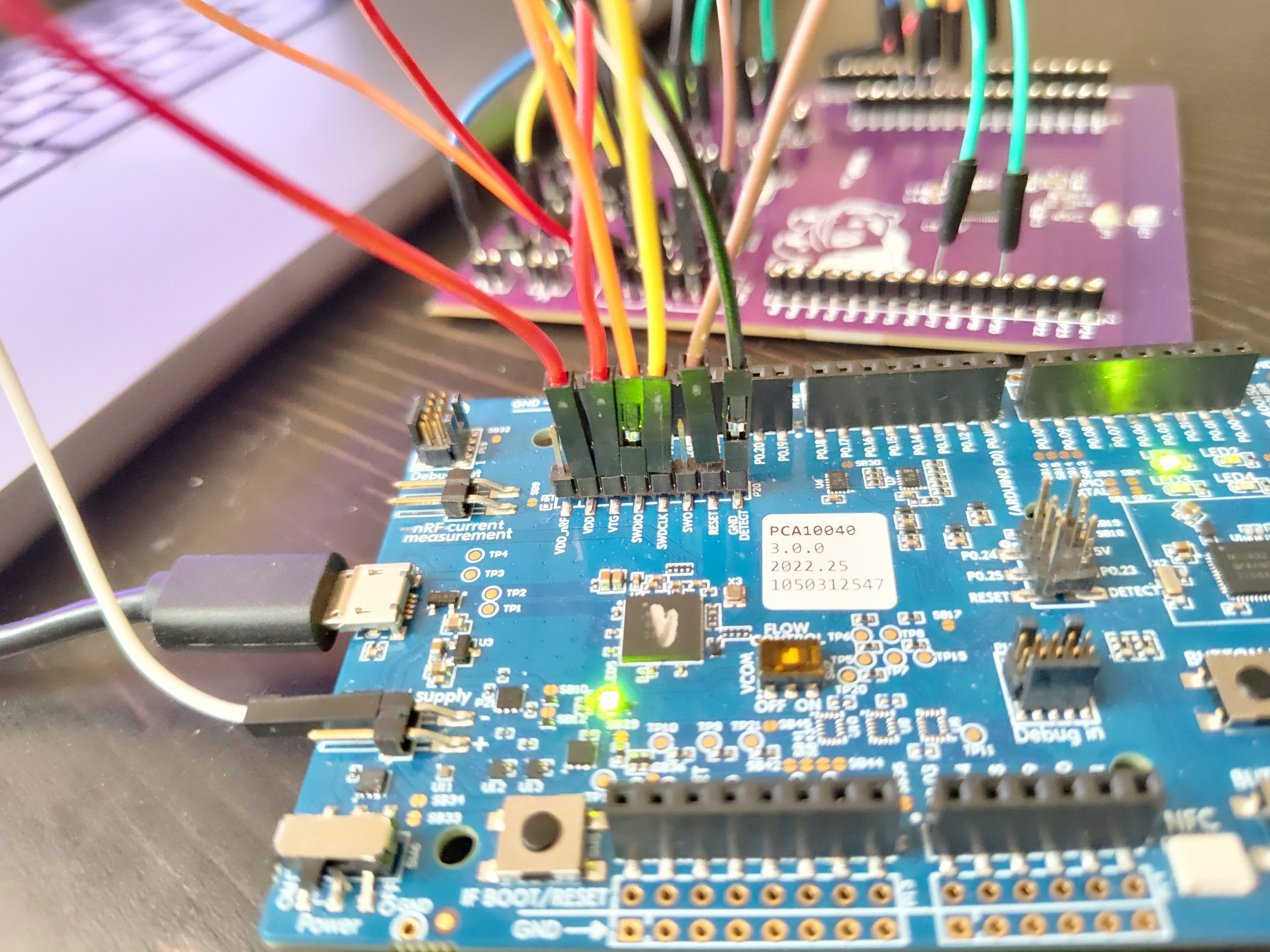
I decided on the nRF52810. It solved all the issues I had with the previous design, including being able to run on a coin cell battery. I ordered a new PCB for testing and got to work. In order to program this new chip, I had to use the SEGGER IDE and wire it up to the nRF52 Dev Kit. It was a bit of a pain learning all the new things that were required, but with some perseverance I was able to determine that it was the right choice.
FINAL HARDWARE DESIGN
It turns out there are pre-made modules for lots of different chips, saving me the trouble of laying out the circuit by hand. I found Fanstel's BT832A, which is an nRF52810 module that includes all the components and a trace antenna in a small package, and it also comes with certification, which was a nice bonus. Since I'm no antenna expert, and since the price of the module...
Read more »
 Bob Baddeley
 stupid
 dariocose
 Vojtech Pavlovsky