Close
0%
0%

Tiny Basic for Arduino

Bring the retro C64 coding vibe to modern Arduinos. An open-source, zero-soldering Tiny BASIC interpreter for low-power MCUs.

Similar projects worth following
0 followers
The primary objective of the Tiny Basic for Arduino project is to replicate that nostalgic C64 style programming environment utilizing modern, low-power MCU platforms. Present-day microcontrollers offer significantly higher processing power and memory capacity than the vintage systems of yesteryear, whilst being available at a fraction of the cost.

I envisioned an environment where students and hobbyists alike could experience retro-style computing without the need to source rare, expensive vintage hardware, and completely avoiding any assembly or soldering hassles. By simply connecting a standard, off-the-shelf development board to a PC and launching a serial terminal, one can immediately commence coding in BASIC.

To maintain an authentic and lightweight footprint, the interpreter is built upon the original Tiny Basic language grammar. It accurately parses and executes standard Tiny Basic syntax, making it highly familiar to anyone who has previously worked with vintage systems.

As this initial phase focuses primarily on establishing a stable core interpreter, certain advanced features are currently omitted which including string and array processing.

However, the interpreter fully accommodates standard integer mathematics, control loops (FOR/NEXT), conditional statements (IF/THEN), and direct hardware I/O. This provides ample functionality for essential tasks, such as toggling GPIO pins or reading sensor data in a retro environment.
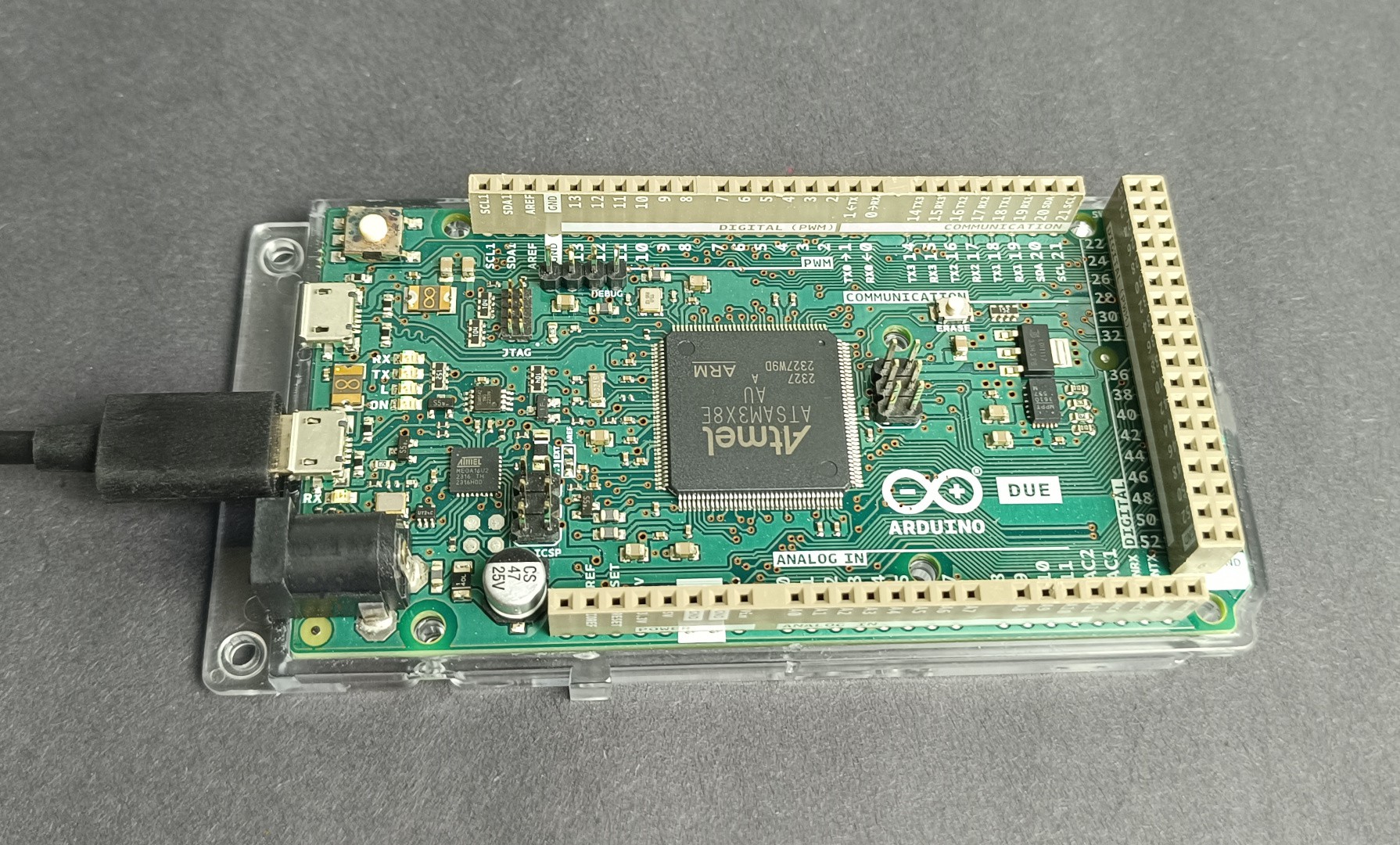
At present, the interpreter has been successfully deployed and validated on the Arduino Due and Arduino Uno R4 WiFi boards.

While these boards provide excellent performance and memory overhead, the architecture has been structured with portability in mind. I intend to expand compatibility to various other MCUs and development boards in subsequent updates.

Developing this interpreter has been an excellent exercise in compiler design, effectively bridging vintage computing paradigms with modern embedded systems. Moving forward, I plan to further enhance the feature set, including the more communication protocols and broadening the scope of supported MCUs

The project is completely open-source and open for collaboration. Should you wish to experiment with it or contribute to its development, please visit the GitHub repository. Your feedback and pull requests are highly appreciated. The user guide and language reference for Tiny BASIC for Arduino is available on its homepage.

  • 1
    Source Code Acquisition

    Clone or download the repository from the official GitHub page: https://github.com/dilshan/tiny-basic.

  • 2
    Compilation and Flashing
    1. Open the downloaded project folder inside Visual Studio Code (ensuring the PlatformIO extension is installed).
    2. PlatformIO will automatically evaluate the platformio.ini configuration file and retrieve the required toolchains and framework dependencies.
    3. Connect your Arduino board to the computer via a USB cable.
    4. Select your specific target environment (either due or uno_r4) from the PlatformIO project tasks panel.
    5. Execute the Build task, followed by the Upload task to flash the binary onto the MCU.
    6. Launch the PlatformIO Serial Monitor or any preferred terminal application (such as PuTTY or minicom).
    7. Configure the serial connection parameters to a baud rate of 9600.
  • 3
    Testing the interpreter

    Upon a successful connection, the Tiny Basic prompt will appear on your screen. You may then execute scripts as follows:

    10 PRINT "HELLO FROM Tiny Basic!"
    20 END
    RUN

View all 3 instructions

Enjoy this project?

Share

Discussions

Does this project spark your interest?

Become a member to follow this project and never miss any updates