 Shiela Dixon
One issue that I've already noticed is that most typing has to be done blind.
This is because the Alphacom can't print character-by-character, just a whole line at a time. (You need to rasterise your line and send 8 pixel lines. The paper transport is one-way. Plus you can't actually see the line being printed, it's covered until the paper scrolls up.)
This is project creep but I think this is an enhancement that will make the project much more usable. I started to think about adding a single-line display so that you can see what you've typed. I've played with various displays for the RC2014 over the years, but one in particular feels right for this project.
A few years ago, Spencer designed a bubble LED display. It's hard to do LED displays justice in a photo but these displays are beautiful and period-appropriate for what I'm doing. The HP 5082-7400 is an early 7-segment LED display packaged as groups of four. The module has two of these for eight characters.
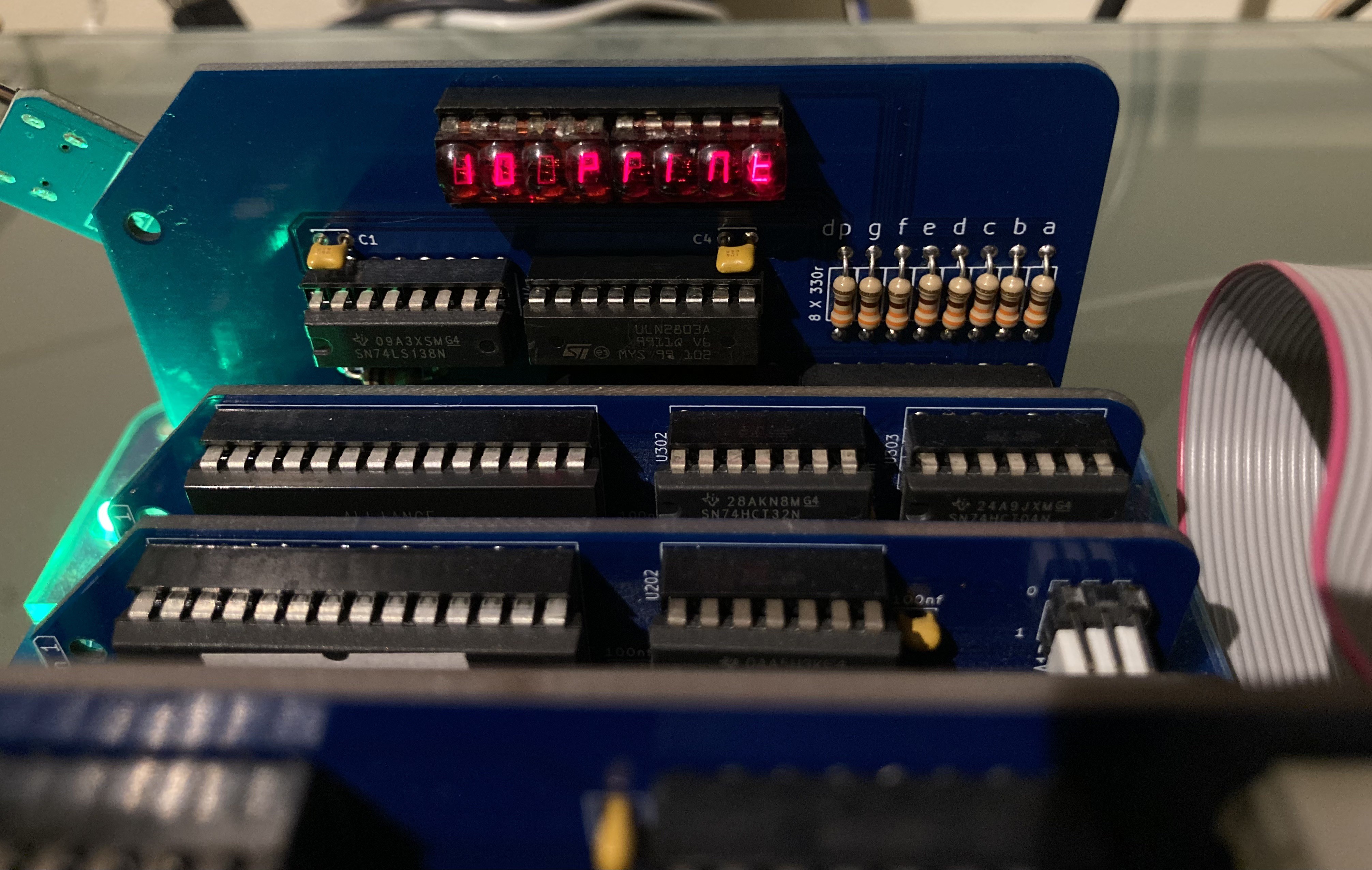
A 7-segment display won't display an entire character set perfectly with uppercase, lowercase and all the symbols and punctuation, but it'll display them well enough to see what you've typed before you hit return.
At the time I wrote a code 'toolbox' for this module and so it didn't take long to incorporate this into my application.
I had to add another buffer to cache the characters that have been typed (the existing line buffer is a pixel buffer for the printer and therefore stores the characters as bitmaps). I was already planning to switch to a character buffer anyway to enable word-wrapping and make things like backspaces a bit easier. Writing to the printer pixel buffer only needs to happen before sending that data.
Since the display only has eight characters, it needs to scroll horizontally as you type. This works great, here's a quick demo:
So far I've had a modern terminal emulator plugged into this, so that I can type both ways. It was time to try plugging in an(other) RC2014 and see what happens when they're connected serial <-> serial.
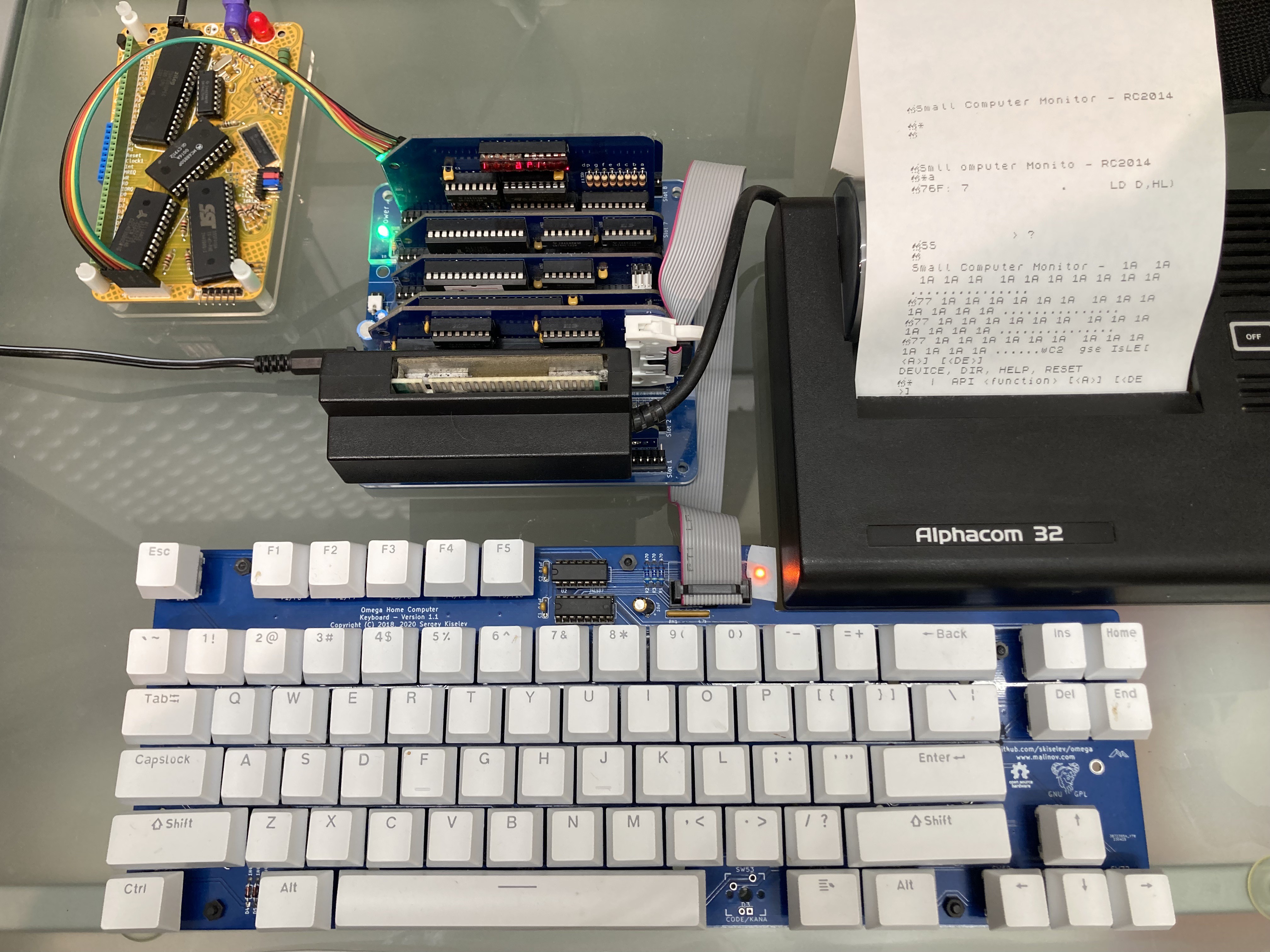
Here's my RC2014 Picasso plugged in. Fun fact: This series of RC2014s has a header marked 'keyboard' which is actually another FTDI header but with the rx and tx switched. This allows a very neat connection with a straight-through FTDI extension.
I don't yet have my terminal application in ROM, meaning that I had to first connect to my Mac's terminal emulator and send and start the program in the usual way, before some fairly sketchy swopping of the serial leads to plug in the Picasso. (It currently boots to SCM. I optimistically thought I might even be able to type and run some assembly.) That worked... to a point... but the results weren't an unmitigated success.
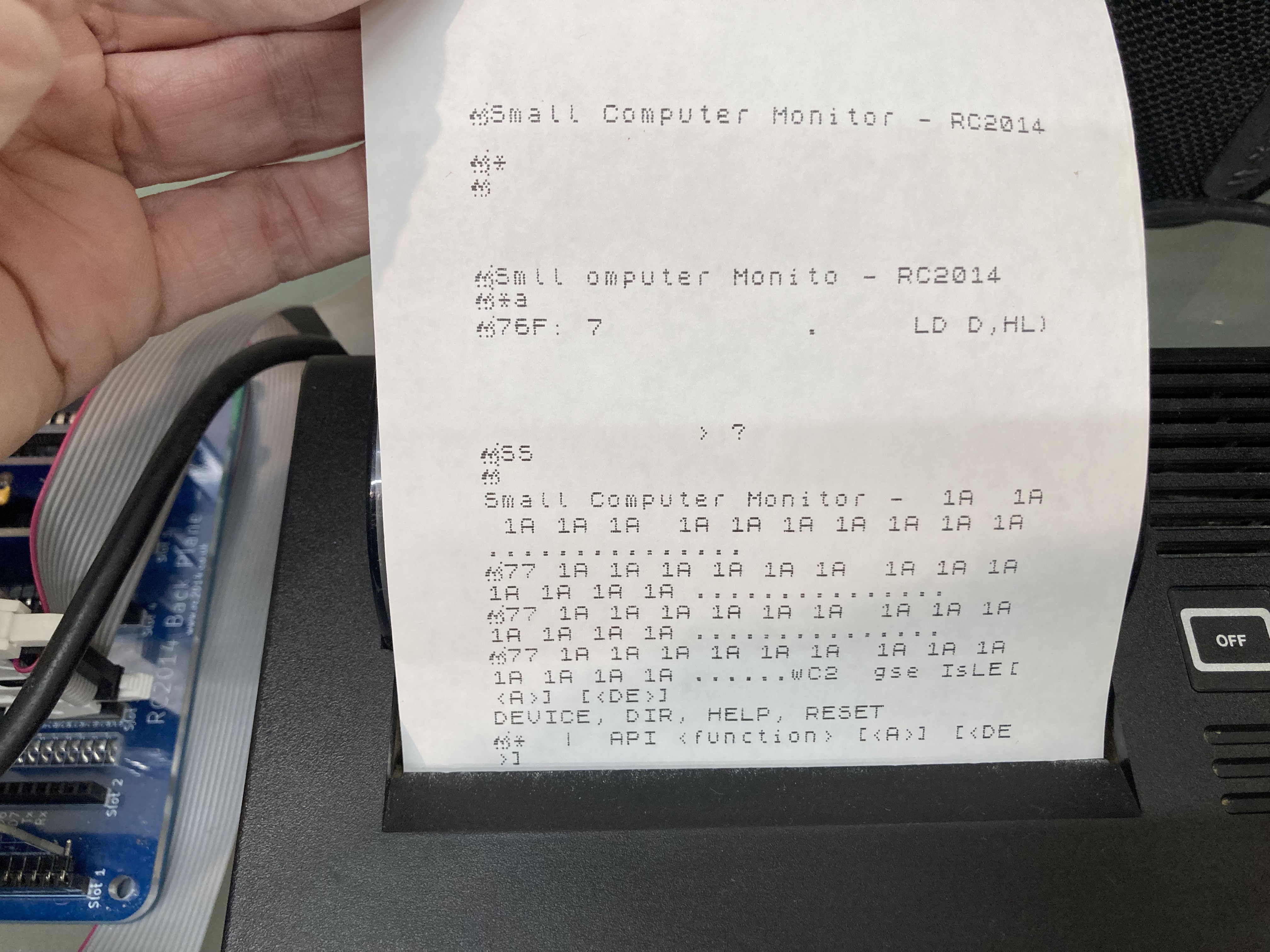
There are some garbage characters - possibly escape sequences or non-printing characters. It's trivial to sort those things out. More importantly there are a lot of dropped characters, particularly when the computer sends multiple lines. I think this is because interrupts have to be disabled while we're sending a line of characters to the printer. I do have an idea that may at least help with that. The worst case scenario is that I can only run programs that are written with this teleprinter in mind. ie for each line of characters written, pause to allow the printer to print.
Rome wasn't built in a day.
Discussions
Become a Hackaday.io Member
Create an account to leave a comment. Already have an account? Log In.