Close
0%
0%

CRATE: EWNA Hackathon Team 3

Chironomy Recognition As A Touchless Experience

Similar projects worth following
chi·ron·o·my (noun) – the art or science of using hand gestures to direct musical performances

An Edge AI solution that uses an on-device vision model that uses hand-gestures to direct operations for use in an industrial setting.

model-iteration-performance.mp4

MPEG-4 Video - 2.00 MB - 09/23/2026 at 21:00

Download

BOM.pdf

Bill of Materials

Adobe Portable Document Format - 29.41 kB - 09/23/2026 at 20:58

Preview

source_code.zip

Source code for our project (Python/C/YAML)

Zip Archive - 6.78 MB - 09/23/2026 at 20:54

Download

CRATE LOGO.png

Crate Logo

Portable Network Graphics (PNG) - 56.03 kB - 09/23/2026 at 20:30

Preview

model_data_architecture.png

Our dataset contains 341 real-world hand gesture images across three classes: five (75 images), skip (130 images), and good (136 images). The dataset is split into 79% training data and 21% testing data and includes different people, backgrounds, lighting conditions, and multiple hands per image. We use a YOLOv5 object detection model deployed through Edge Impulse. Each image is processed as a 320 × 320 RGB input (307,200 features). The model simultaneously localizes each hand with a bounding box and classifies its gesture as five, skip, or good, allowing multiple gestures to be detected independently within the same frame.

Portable Network Graphics (PNG) - 1.69 MB - 09/23/2026 at 18:37

Preview

View all 6 files

  • 1 × EdgeImpulse Used in developing YOLO vision model
  • 1 × Arduino Uno Q The brains of our system, a microcontroller helpfully provided by our lovely sponsors Arduino & Qualcomm.
  • 1 × Arduino Buzzer Modulino Portable module allowing us to play simple frequencies.
  • 1 × Arduino Pixels Modulino Portable module allowing us to display 8 LEDs.
  • 1 × Logitech C920 HD Video Camera High-definition camera allowing us to capture images for use in a computer vision module.

  • Final log!

    Chaaruhaas Kandregula5 hours ago 0 comments

    It's 1:44 pm as I type this log (again it's Chaas👋) and we're almost done with the hackathon!

    I'm just going to aggregate all our work on our lovely 

    CRATE (Chironomy Recognition As a Touchless Experience) 

    below:

    • This satisfies all the requirements stated in the first log, and also has a lot of extra features.
    • It runs on Arduino UNO Q™, with a YOLO-5 based gesture classifier, trained on a diverse 450+ image dataset, captured at the hackathon!
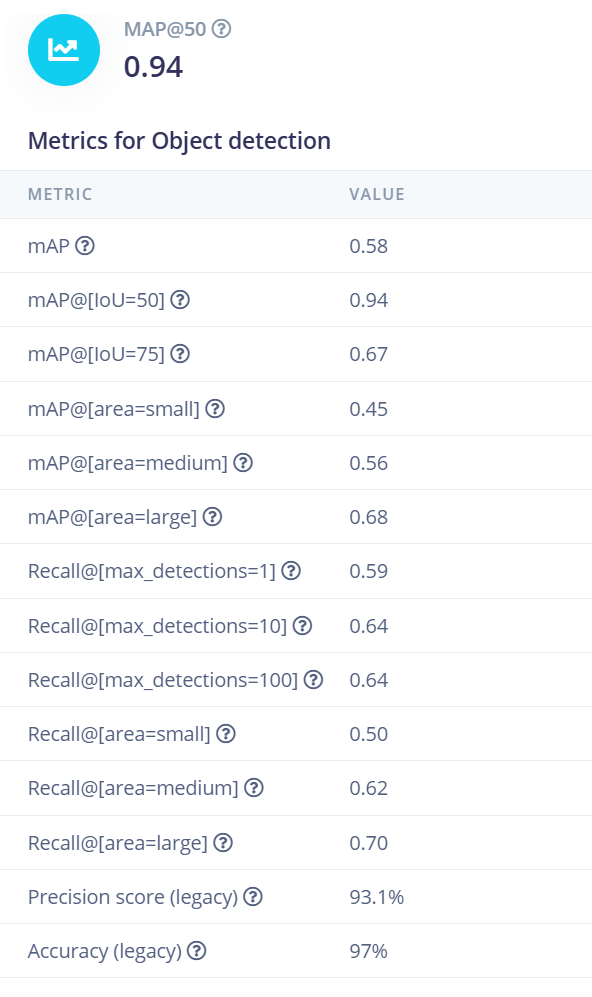
    • It uses a Logitech Camera for real-time gesture classification, and consistently has sub-200 ms inference (~175ms average), with a mAP@50 score of 0.94 (max 1.00).
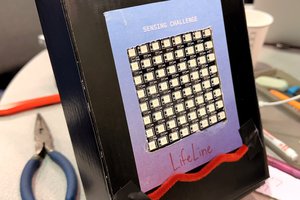
    • Each gesture is displayed on the LED matrix of the Arduino (pause, skip, confirm)
    • Built with C and Python for inference in the App Lab

    Bill of Materials

    • Arduino Uno Q 4GB ~$65
    • Logitech C920 HD Video Camera ~$50
    • Arduino Buzzer Modulino ~$10
    • Arduino Pixels Modulino ~$10

    Additional Hardware

    • QWIIC Connector Cables
    • Jumper Cables
    • Belkin USB Hub
    • USB Wires
    • Pipe Cleaners

    We all learned a lot and bonded well over making this project, and it was overall a blast coming here! Thanks again for the opportunity, and we'll probably be back for ewNA 2027 :)

  • Chaas's log of the hackathon!

    Chaaruhaas Kandregula6 hours ago 0 comments

    Hello again!

    I realize that the other documentation aside from the first update were not written by me, because we decided it would be faster for each person to document what they did.

    So here's mine. I tagged each thing with [feature], [bug], or [comment] respectively, just for easy classification if skimming!

    • I went from doing documentation to being  ̶a̶ ̶s̶l̶a̶v̶e̶ ̶t̶o̶ ̶t̶h̶e̶ ̶n̶e̶u̶r̶a̶l̶ ̶n̶e̶t̶w̶o̶r̶k̶  the principal data collector for the gesture recognition model. [joke, comment]
    • The Arduino Uno Q™ examples Howie found were good, but the model in the example didn't ship with the required gestures, so we used it as a blueprint, but ultimately trained our own model. [comment]
    • The model was trained on 450+ pictures of gestures in the three possible gestures (confirm, skip, stop/pause), and each gesture was captured in different parts of the frame, as well as various lighting conditions to make the model EXTREMELY robust, hitting a mAP@50 value of 0.94 across our validation and testing dataset, as well as remarkably good performance in the real world. (i spent way too long collecting data) [feature]
    • Despite being an image-only model, it recognizes fluid gestures (the swipe) with extremely high accuracy (in our tests, only ~1 in 10 even had a misclassified gesture at all) [feature]
    • It also has a secondary feature, where if necessary, the model will function (although not as well) with a secondary skip gesture with a thumbs to the side in place of the swipe gesture (in situations where doing a swipe might be hard due to weight) [bug wait no its a feature]
    • This took 11+ retrains, starting at a mAP score of ~0.5 at the very start and eventually reaching this monster [feature, comment]
    • Our model, when run on the hardware, runs at an average of 175 ms latency, which is well within reasonable bounds, given the requirement was "few hundred milliseconds". [feature]
    • I actually learned way more about training models doing this sprint despite having used Edge Impulse before! [comment]

    I will be writing the final log soon, and it was genuinely great coming here for 2 days to work on this!

  • Project Log Entry — 9/23, 12:35 PM: Rapid Iteration & Hunting Down Edge Cases

    Peixing You7 hours ago 0 comments

    It’s currently 12:35 pm on 9/23 as I (Peixing) write this!

    Now that the full pipeline is working, we’ve shifted our focus from simply “does it work?” to “how do we make it reliable?”

    Our current strategy is a fast, edge-case-driven iteration loop, and we’re trying to keep each cycle to roughly 30 minutes:

    Train → Deploy → Evaluate → Find failure cases → Collect targeted data → Retrain → Repeat 🔁

    Instead of blindly adding more data, we’re testing each newly trained model, figuring out exactly where it fails, and then collecting new examples specifically targeting those failures.

    Swipe Is Trickier Than It Looks

    One of the first things we noticed is that the swipe gesture contains a surprisingly large range of poses. During a swipe, the pointing hand can appear at many different angles and positions.

    Because we’re currently doing image-based detection rather than video/temporal detection, the model doesn’t actually understand the motion of a swipe. It only sees individual frames.

    That means our dataset needs to contain the different intermediate poses and angles that can occur throughout the swipe:

    Swipe motion → many individual poses → all need to be represented in the dataset

    This has become an important consideration in how we’re collecting training data.

    Swipe vs. Thumbs-Up Confusion

    We also discovered an interesting failure case: the model would sometimes confuse a swipe/pointing gesture with a thumbs-up gesture.

    Rather than just adding random examples, we deliberately collected hard examples containing both gestures in the same image—one hand performing the swipe/pointing gesture and the other performing a thumbs-up.

    After adding these examples and retraining, the confusion was significantly reduced. 🎉

    This was a nice validation of our rapid iteration strategy: find a specific failure mode, collect data that directly exposes that ambiguity, and retrain.

    Current Edge Case: Palm / Stop ✋

    Our next problem is the open-palm stop gesture.

    We’re seeing cases where the palm is either:

    • not detected at all, or
    • incorrectly classified as swipe, or
    • incorrectly classified as thumbs-up.

    So we’re back in the loop again. We’re currently collecting more palm examples covering different angles, positions, people, distances, and backgrounds, especially examples that the current model finds difficult.

    Then we’ll retrain, test again, and see what breaks next. 😭

    At this point, our workflow is basically:

    Don’t guess what data the model needs—let the model’s failures tell us what data to collect.

    And with roughly 30 minutes per iteration, we’re trying to squeeze in as many targeted improvement cycles as we can before the final demo.

  • Day 1 - Terek

    terekj7 hours ago 0 comments

    11:00AM - 12:00PM
    Understanding the Challenge

    The first step in this process was establishing our system requirements. Interpreting the challenge instructions, what should our final product look like? We decided to utilize all the given hardware components while imagining a real use case for hand-gesture recognition in an industrial workplace.

    We describe a scenario of a factory worker needing to assess condition of a box (or skip, if validation isn't necessary). The system will recognize the set of three gestures and respond within 200ms with visual and audio cues. 

    12:00PM - 1:00PM

    Dividing Responsibilities


    We decided to split the responsibilities into two groups: model development and then hardware integration. 

    First, we needed to fine-tune a model to read three gestures: thumbs up, palm, and skip. This required collecting significant amounts of test data and labeling appropriately. This work would continue into Day 2. 

    Second, we need to develop a system that uses this YOLO computer vision model and uses the Arduino components as a visual & audio interface.

    1:00PM - 3:00PM

    Adopting Open Source YOLO Model and Designing Features

    We collected many images in different light settings, backgrounds, and positions to capture a comprehensive dataset for labeling.

    Simultaneously, we were designing how requirements developed into features. For example, the Pixels module will be used as pitch/note indicators corresponding to the frequencies being played on the Buzzer. The on-board LED matrix will be used as a primary indicator of gesture recognition.

    3:00PM - 5:00PM

    Resolving Network Issues

    Once we finally got the model on the board, we discovered it was impossible to get the camera connected to the Uno Q. For hours, we spent our time debugging and researching possible solutions online. Finally around 5pm, we resolved the camera issues and were able to start testing the system.

    5:00PM - 6:00PM
    For the last hour we were still in the process of developing the system logic and did not have much progress.

  • Project Log Entry — 9/23, 10:54 AM: From Model to Working Hardware

    Peixing You8 hours ago 0 comments

    9/23, 10:54 AM — Improving the Training Network

    It’s currently 10:54 am on 9/23 as I (Peixing) write this!

    We’re now improving our training network and getting the whole system running on the actual hardware. I deployed our gesture detection model onto the Arduino UNO Q through App Lab, so we’re finally moving from training and testing into a working end-to-end prototype.

    Terek and I also wrote the response logic for each gesture. When the model recognizes a gesture, the UNO Q’s pixel array gives the worker immediate visual feedback:

    • Pause → triangular pause/stop symbol
    • Slide / Skip → rotating display animation
    • Confirm → thumbs-up display

    We did run into one problem: we didn’t have the USB hub we originally expected to use, so we needed another way to connect the computer and the UNO Q for tuning and debugging. We tried SSH, and it turns out to work pretty well! This gave us a way to remotely connect to the board, upload/debug our code, and iterate on the system.

    Of course, there was one more networking problem waiting for us: the public Wi-Fi blocks communication between devices on the network. 😭

    Our solution? Terek’s hotspot. Both the computer and UNO Q can connect to it, which lets us SSH into the board and continue debugging.

    So right now our pipeline is coming together:

    Camera → YOLOv5 gesture detection → UNO Q → gesture-specific visual response

    Demo!

    And we’ve got the hardware response working! 🎉

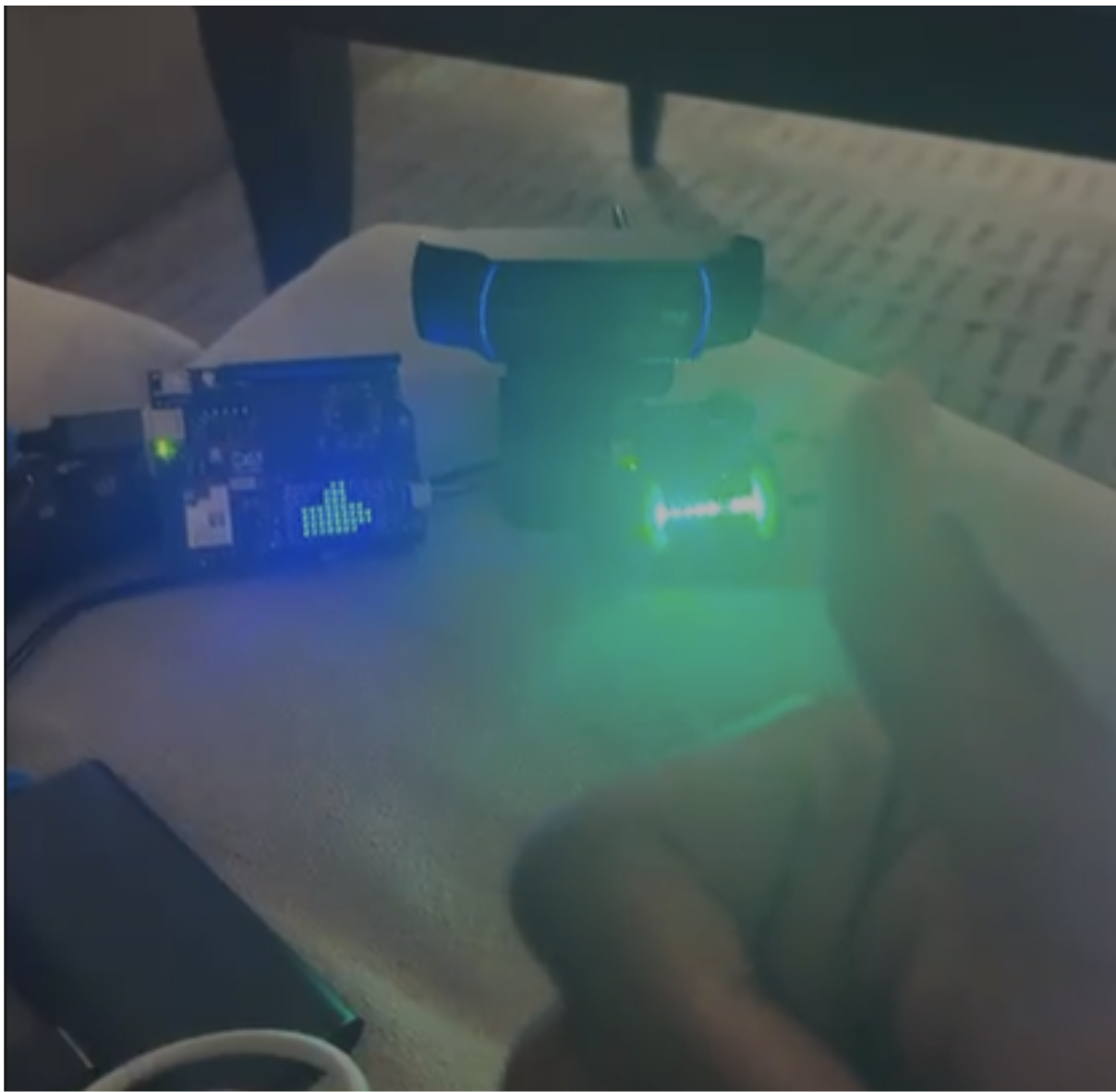
    In the demo below, the camera detects a thumbs-up / confirm gesture. Once the gesture is recognized, the Arduino UNO Q immediately triggers two synchronized responses: the LED pixel array displays a thumbs-up icon, while the buzzer plays a short confirmation tune.

    Thumbs-up gesture → YOLOv5 detection → UNO Q → 👍 pixel animation + 🔊 confirmation sound

    This gives the worker both visual and audio feedback that their gesture was successfully recognized—without needing to touch a screen.

    Big thanks to Terek for implementing the pixel-array and buzzer responses and helping bring the interaction to life! 🙌

    Next up: improving the model and making gesture detection faster and more reliable—especially since we need to recognize as many gestures as possible within 30 seconds!

  • Day 1 Development Log – Gesture Recognition System

    Howiez9 hours ago 0 comments

    11:00–11:30 AM — Challenge Analysis & Brainstorming

    Reviewed the on-device gesture-recognition challenge and defined the three required actions: Pause, Confirm, and Skip. Discussed the overall system architecture and implementation approach.

    11:30 AM–12:00 PM — Team Task Division
    Divided responsibilities based on team members’ strengths, including data collection and model development, software deployment, hardware integration, and research/system design.

    12:00–1:00 PM — Hardware Setup
    Examined the Arduino UNO Q, Modulino Pixels, Modulino Buzzer, camera, and Qwiic connections. Built the initial hardware chain and verified the physical connections.

    1:00–2:00 PM — Research & Solution Design
    Researched relevant gesture-recognition approaches and datasets. Evaluated lightweight model options suitable for on-device inference and discussed model-size and latency constraints.

    2:00–3:00 PM — Data Strategy & Collection
    Defined the gesture classes and data requirements. Collected and tested examples for open palm, thumbs-up, neutral/no gesture, multiple users, different angles, lighting conditions, distances, and gloves.

    3:00–4:00 PM — Model Development & Testing
    Prepared the dataset and began training/testing the gesture-recognition model. Evaluated recognition behavior and discussed temporal movement detection for Swipe rather than relying only on a static image class.

    4:00–5:00 PM — Deployment & Camera Integration
    Worked on deploying the software to the Arduino UNO Q. Investigated camera access and the Linux/SSH workflow for running the vision pipeline on the board.

    5:00–6:00 PM — System Integration & Debugging
    Integrated the AI/software and hardware components, tested the end-to-end workflow, identified remaining camera/deployment issues, and refined the system for the final demonstration.


  • First update (this was typed up on google docs while I waited)

    Chaaruhaas Kandregula11 hours ago 0 comments

    It's currently 11:42 am as I (Chaas) type this!

    We're group 3 (Peixing, Howie, Terek, Chaas), assigned to Industrial Automation. Our goal is to make a device that assists in warehouses to address a problem: a warehouse worker has his hands full (presumably with a box), but needs to input/interact with a screen to update information. The device has to:

    • Watch the worker when approached, looking for gestures (his hands are full?)
    • use a thumbs up for confirmation (his hands are full...)
    • a swipe-like gesture for skip (his hands are full?!)
    • or a stop (palm facing the camera) to cancel/stop the pending operation (but his hands are full 😭)
    • and all of this has to be done with an inference time in a few hundred milliseconds maximum (his hands are— wait this isn't— nevermind)
    • Edit (when transferred to hackaday on 9/23): another one of the criteria is the model has to detect as many gestures as it can in 30s

    We're looking forward to getting started, and this is our current game plan:

    • I, Chaas, do the documentation, and help with the model and feature implementation if necessary
    • Terek and Peixing implement and think of features that improve QoL and reliability
    • Howie gets the Arduino Uno Q working and helps implement features as well

    Howie also found this example demo from Qualcomm about how to deploy AI onto this board.

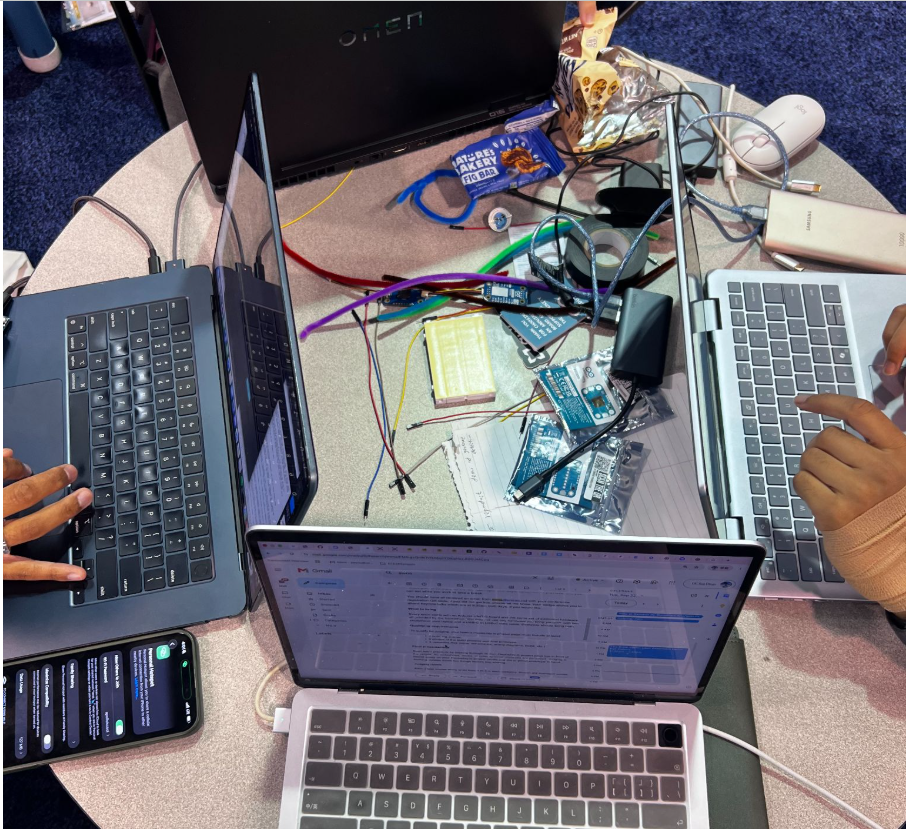
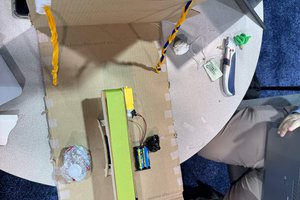
    This is a picture of us working on it!

    Let's see how this goes! We're really excited to start working on this project :)

  • hi!

    Chaaruhaas Kandregula11 hours ago 0 comments

    hi! this is a test

View all 8 project logs

  • 1
    Step 1

    GESTURE MUSIC CONTROL: QUICK START

    1. Power on the board and wait about 30 seconds for the app to start.
    2. Hold one hand up in front of the camera, about 0.5-1 m away, with good lighting.
    3. Make a gesture: - Thumbs up -> matrix shows a thumbs up -> music plays - Open hand -> matrix shows pause bars -> music pauses - Skip -> matrix shows fast-forward -> next track
    4. Hold each gesture briefly. The response comes about 0.2-0.4 seconds later.
    5. Lower your hand. The matrix clears after 1 second, and the music keeps doing whatever it was last told.

    OPTIONAL: RECORD A 30-SECOND PERFORMANCE LOG
    - Trigger the demo run using the trigger wire. The blue LED stays on during the run.
    - When the LED turns off, see the results by running this on the computer: ~/projects/uno-q-gesture-demo/latest_log.sh

  • 2
    Step 2

View all instructions

Enjoy this project?

Share

Discussions

Similar Projects

Does this project spark your interest?

Become a member to follow this project and never miss any updates