 Michal Wojciechowski
Real EvilKey GUI on the prototype
Watch the real device and its AMOLED touch interface in the published, silent GUI Short. The ending uses the firmware-inspired animated EvilKey logo. This footage does not show live PIN verification, cursor movement, or script execution.
A longer walk through the 0.7.4 interface
I wanted to show how the screens fit together, rather than leave each feature as a separate clip. This tour moves from the animated screensaver and PIN interaction through Ready and Settings, then into Air Mouse, BLE Gamepad, USB Tool and the Apps screen. There is actual EvilBundle gameplay, including EvilRacer, before the final app gallery.
Watch the EvilKey 0.7.4 Interface Tour on YouTube.
The film is rendered from the real firmware UI running on a desktop host. The PIN and connection/status moments are arranged demo states; they do not show a live FIDO2 sign-in, USB payload or BLE pairing. The Short above remains the physical-prototype GUI footage. EvilBundle is still a private app collection, not part of the public firmware download.
A perfectly reasonable problem, followed by a perfectly unreasonable response
My OpenAI account asked me for FIDO2 authentication while I was working with an active Daybreak Blue model. I needed a security key. The sensible plan was to buy a YubiKey, log in and get on with my life. Naturally, that is not what happened.
I found the open-source Pico FIDO project and ordered a Waveshare ESP32-S3 Touch AMOLED 1.64 board. Then came the maker's classic facepalm: I had overlooked that the community version did not give me everything I had pictured. The sensible response was still to use it as a FIDO2 key. Instead, a very old XDA Developers reflex woke up.
As a teenager I loved getting my hands dirty with firmware for early HTC phones, Windows Mobile and the first generations of Android. Back then, phones felt full of places where a curious community could improve things before manufacturers caught up. I remember how much fun it was to make an existing device do something its original menu had never imagined. That memory made me smile, then made me open the source tree. Apparently the older version of me still enjoys making hardware do extra things. Some useful. Some gloriously unnecessary.
EvilKey is the result: a FIDO2 key that acquired a dark AMOLED touch interface, on-device PIN entry, a script-driven USB tool and, because apparently a key should also steer a cursor, an air mouse. Then it learned to load apps from microSD. Apparently that meant games. The Waveshare PCB is not my hardware design. The EvilKey firmware port, LVGL interface, Windows Manager, original microSD examples and enclosure work are my additions, with the upstream licenses and notices kept visible.
How the feature creep happened
- Make the key usable every day. Keep the FIDO2 role and build an interface that is readable on a 280 × 456 touch AMOLED, with large controls and a restrained dark palette.
- Put the PIN on the key. The touch screen provides a numeric keypad for FIDO2 built-in user verification: masked entry, a visible retry count and timeout, Backspace, Verify and Cancel. On compatible FIDO2 requests, I enter the PIN on EvilKey instead of typing it into the connected computer. The familiar host-side ClientPIN path remains available for setup and compatibility.
- Give it a face. The mint symbol and white crystal became a shared 3D screensaver. Both parts move in the same projected plane; the crystal turns around its vertical axis. The logo stays recognizable even when the animation briefly glitches.
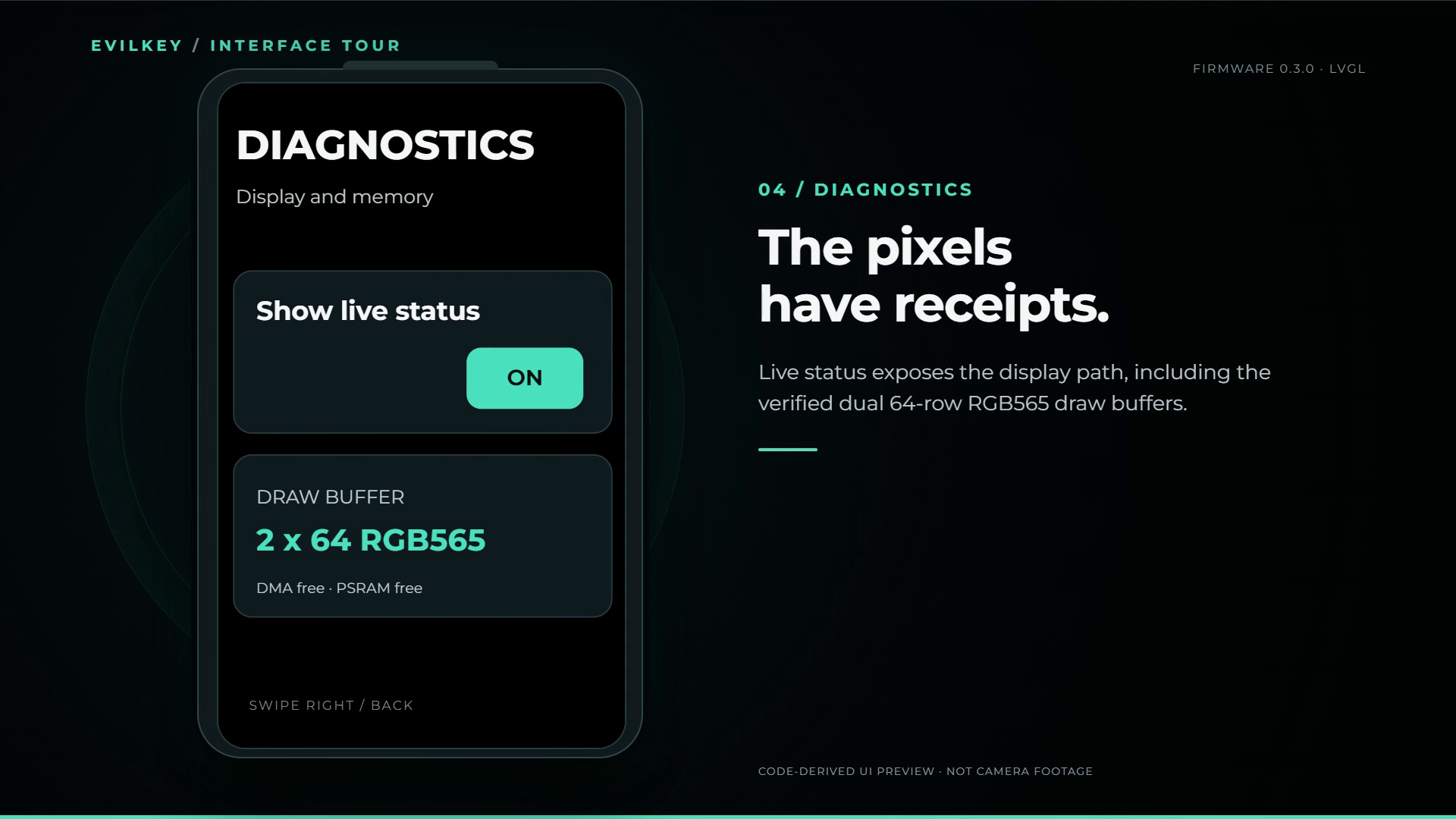
- Win back display speed. Keep the LVGL object pool in PSRAM and use two DMA-capable RGB565 draw buffers in internal RAM when memory permits. The preferred layout is two 64-row buffers, with a two 16-row fallback before other buffer layouts. Diagnostics shows what was actually allocated. Firmware 0.7.6 also provides shared SIMD routines for pixel fills, copies, transparent bitmap spans and display conversion. GUI, 2D apps and native scenes use this acceleration code while keeping the existing artwork and hardware clocks.
- Put the computer-side controls somewhere sane. The separately licensed EvilKey Manager handles device information, PIN and policy controls, credentials, display settings and offline inspection of USB Tool data.
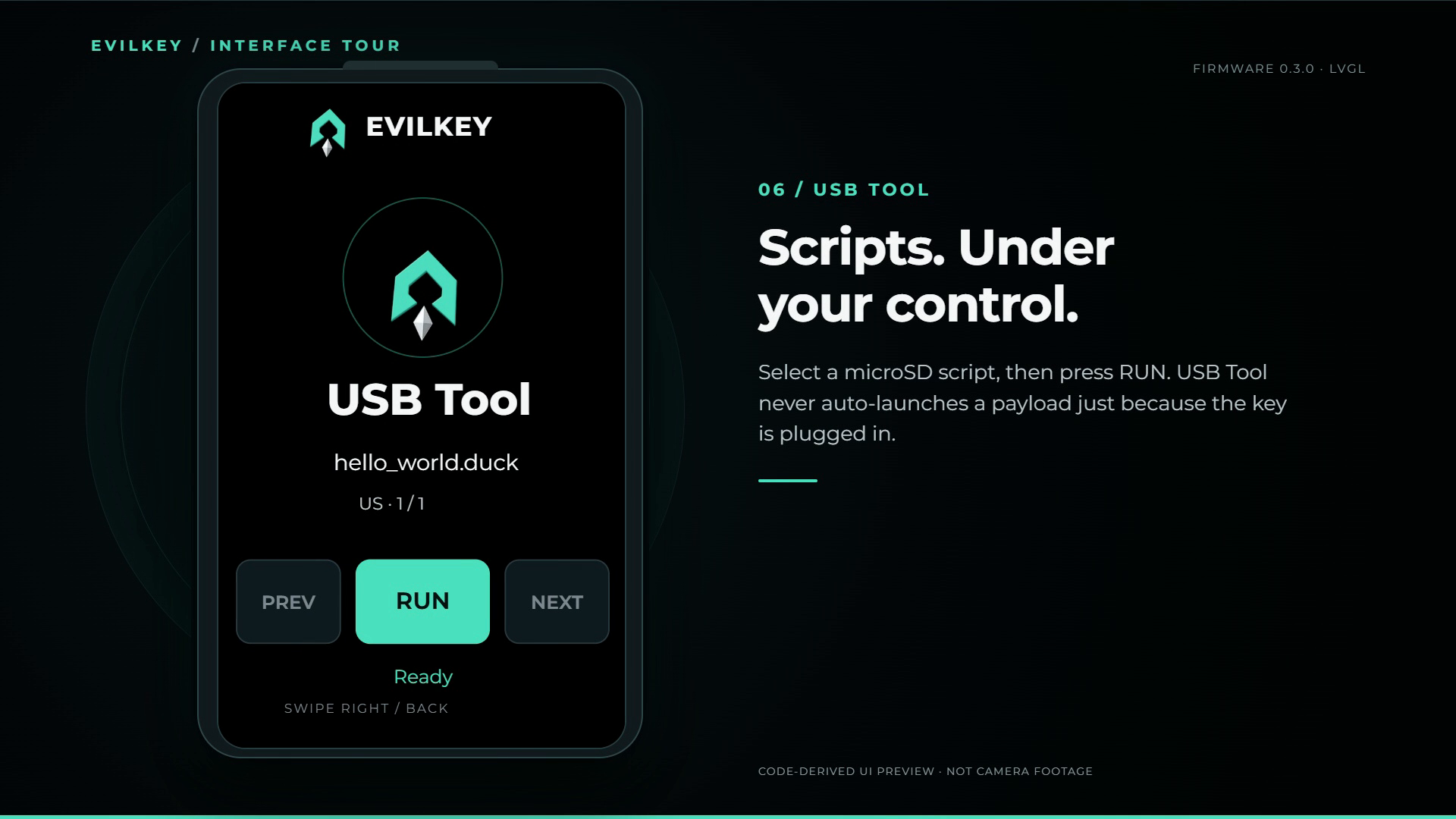
- Give the security key an evil twin. USB Tool is a separate, deliberately selected USB role for scripts that send keyboard and mouse input. Depending on the script and host permissions, it can automate tasks, move files, collect accessible data and save results on microSD. Keystroke Reflection provides a return channel when a mass-storage drive is unavailable. Host defenses still apply; this is not a magic bypass. A payload starts only after I select it on the key and press RUN, never just because I plug EvilKey in. The real-device Short below shows the tame version: Notepad and a joke, not file transfer or data collection. My teenage XDA self would, of course, have opened this menu first.
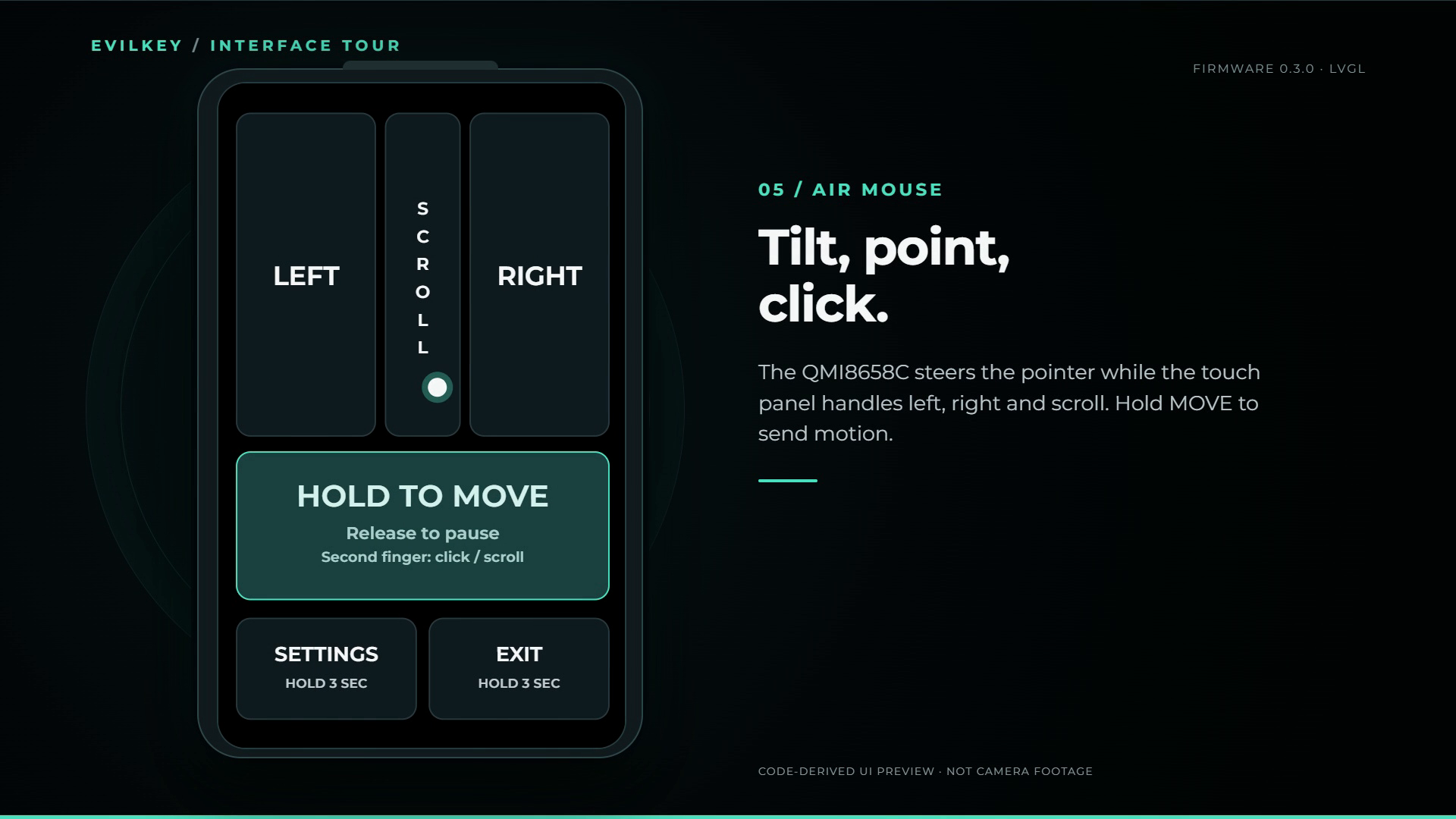
- Then add a mouse. The onboard QMI8658C steers a relative HID pointer over USB or BLE. Hold MOVE to move and release to stop; tap DRAG to hold/release the left button, then use MOVE for one-finger dragging. Touch controls provide clicks and scrolling, with calibration and sensitivity settings.
- Stop reflashing for every experiment. Independent ABI v4/v5 apps load from microSD with touch, motion samples, RGB565 assets and adjacent saves. A cached 3×3 icon launcher and a shared corner exit grip handle starting and leaving apps. ABI v5 lets apps send native 3D scenes to the firmware renderer. Native 3D apps can also include their own indexed
.ekmeshmodels on microSD, using the MIT conversion and packaging tools. Firmware validates and loads the model data at startup, then renders it from memory. The tested panel reports one touch contact; the ABI capacity of two is not a hardware multitouch claim. - Apparently it also needed a gamepad. A landscape BLE Gamepad uses IMU steering and large touch A/B/X/Y and shoulder controls. PC/Xbox and Generic/Android are BLE HID profiles, not a claim of native XInput or console support.
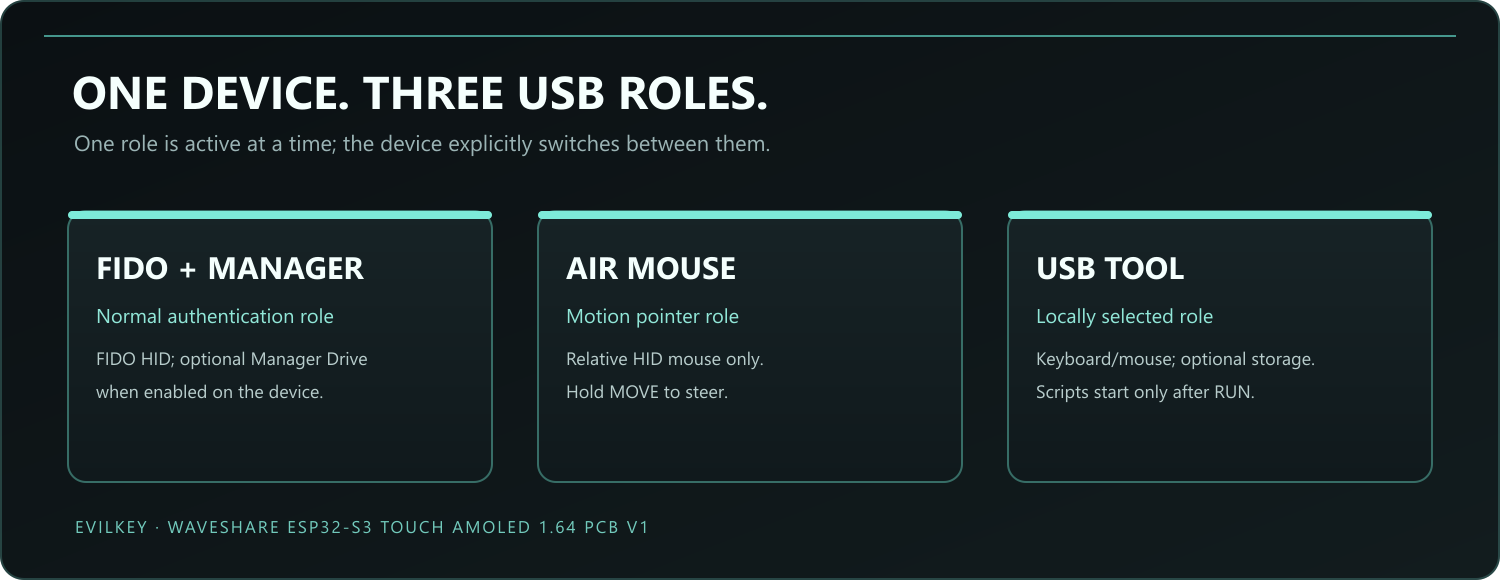
Roles remain explicitly selected. BLE starts only when I launch BLE Gamepad or BLE AirMouse; leaving the module returns to FIDO with the radio off. Home, Apps, Settings, screensaver and USB roles do not keep BLE active.
The PIN keypad is more than decoration
Many USB security keys rely on the computer to collect a FIDO2 ClientPIN. EvilKey can instead verify a configured numeric FIDO PIN on its own touch screen when the client uses built-in user verification. The PIN is checked by the authenticator; this route does not require typing it on the host keyboard. The key shows only masked dots, the remaining attempts and a countdown while you enter it. A wrong entry consumes a retry, and a successful check authorizes the requested FIDO operation rather than granting a permanent unlock.
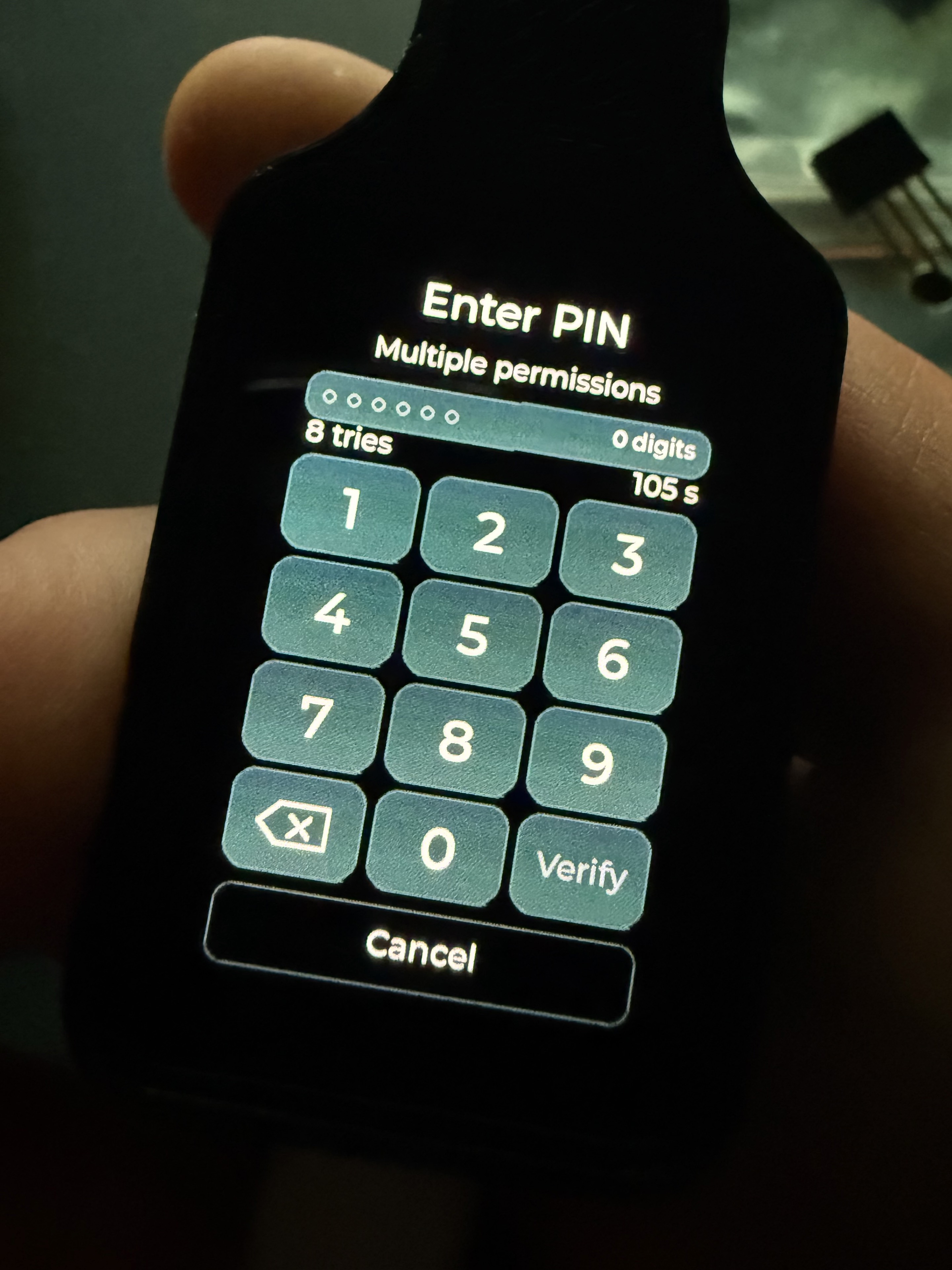
This is a distinctive part of the EvilKey design, not a claim that every browser or operating system will choose it. EvilKey advertises both built-in UV and standard ClientPIN, so some clients may still ask for a PIN on the computer. The on-device route also requires a compatible client and a configured numeric PIN. The technical notes explain the two paths and their limits; the FIDO CTAP specification defines built-in UV and ClientPIN separately.
What the object in the photos actually is
The working enclosure shown in the real photographs is a home-printed prototype around a Waveshare PCB V1 board. I plan to commission a professional black SLS 3D print for the finished enclosure. The single polished product image here is a visualization of that planned finish, not evidence that an SLS production run has happened. The V1 STL/3MF enclosure revision has been printed and test-fitted; the planned SLS finish has not been made. The short looped USB-C cable is the Unitek C14179ABK style shown in the prototype photos; any future kit contents will be specified only after sourcing and fit checks.
Hardware compatibility: Firmware 0.9.1 has separate signed images for Waveshare ESP32-S3-Touch-AMOLED-1.64 PCB V1.0 and V1.1. Confirmed V1.1 firmware compatibility began with 0.8.0. EvilKey.cmd selects the PCB and matching build profile.
The photographed enclosure is the fitted V1 prototype. V1.1 enclosure fit remains unverified. V2 has different pin assignments and is not a confirmed EvilKey target.
Apps from microSD: apparently the key needed games
I needed a FIDO2 key. I ended up playing falling blocks and pinball on it. This is what happens when you leave a firmware tinkerer unsupervised.
Watch the Apps Short: EvilBlocks and EvilPinball running on the real PCB V1 prototype. I select an app, press RUN and play using the touchscreen. The film is silent; captions and the 3D logo/glitch ending are edited. It shows gameplay and the earlier launch menu during development, not the current launcher or a benchmark of the latest game builds.
Copy a compatible revision-5 .ekapp to /evilkey/apps/ on FAT32 microSD. From Home, swipe left to the animated Apps introduction, then up/down through 3×3 icon pages and tap an app. Another left swipe opens Settings; a right swipe from Home opens the screensaver. Without compatible apps, Home goes directly to Settings. Drag the upper-left exit grip to the right, then confirm Yes/No. Gestures starting elsewhere remain available to the app. Replacing its package updates the app; its adjacent <id>.save retains state.
Firmware 0.9.1 / ABI6-NP1 adds resource banks, transactional saves, native textured fragments, image views, geometry queries and compact IMU input. Existing ABI v4/v5 applications and saves remain compatible. Apps receive bounded touch, motion, drawing and save interfaces; they have no direct NVS, FIDO, USB or networking API. This is an interpreter boundary, not demonstrated hardware isolation.
The ABI v4 specification, ABI v5 extension, ABI6 guide and MIT SDK are public. Package digests detect corruption, not authorship. Separately licensed games remain outside the public firmware, Manager and USB Tool examples; .ekapp apps and .duck scripts are different formats.
The games are my gloriously unnecessary proof that this can be extended. What would you put on a tiny touchscreen device with a motion sensor? Useful tools, odd experiments and ideas that make me question my life choices are all welcome. Features outside the current ABI still need firmware work.
Current status and source
Firmware 0.9.1 is available for both PCB revisions, with signed firmware, SD UPDATE and separate RESCUE packages, source, SDK and checksums. It adds ABI6-NP1, asynchronous USB storage I/O and NVS/PIN/FIDO reliability fixes. In the games tested, average frame rate increased from approximately 19 to 25 FPS. Compatible signed installations use the on-device SD update flow. Older unsigned layouts need the guarded migration described in the build and installation guide; the SD ZIP is not a drop-in upgrade from 0.8.x. This replaces the old ERASE-based installation advice for the current release.
The 0.7.6 rendering update. During development, average FPS in a complete native 3D race improved from 9.226 to 18.908, approximately 105% more frames per second (2.05×). The lowest one-second window rose from 7 to 16 FPS. Both runs had five cars and three laps on the same device with unchanged hardware clocks and limits. They used different application builds: a manual Race before optimization and an automatic Demo Race afterward.
Diagnostics starts off. Enable it in Settings before a new app session to record FPS across the run and its maximum native rendering time. Save report exports the diagnostic report to /evilkey/diagnostics/ on the card.
Manager remains 1.1.6, with a source snapshot aligned to firmware 0.9.1. Its existing executable is unchanged; the updated source exports the complete native firmware project. The microSD examples snapshot updates compatibility notes and retains the original scripts.
Eject on the computer now hands the SD card back to EvilKey. It turns off Manager Drive, saves that setting and briefly restarts the key. EvilKey reconnects without USB storage, so local apps can use the card again. Turn Manager Drive back on when you want to copy more files.
The security chapter is now implemented: the signed profiles provide explicit HMAC-backed wrapping-key derivation and intent-gated Secure Boot. Building, ordinary startup and updating do not automatically activate protection. Removing the retained plaintext root-key copy is a separate verified step. These protections do not provide Flash Encryption or secure-element isolation, and no FIDO certification is claimed.
Choose the signer before activation. Installing this repository's signed firmware and activating Secure Boot/HMAC commits the device to the release signing key. It then accepts only compatible firmware signed with that same key; obtain updates from this repository's Releases. Unsigned or differently signed builds are rejected. Erasing Flash or restoring a backup cannot undo Secure Boot activation.
For your own build, use EvilKey.cmd → Firmware → Keys and trust to generate or import an RSA3072 key, then prepare its custom trust profile, matching bootloader, normal firmware and RESCUE before activation. Keep the private key for future updates and recovery. The complete workflow guide covers backups and installation. HMAC protects wrapping-key derivation; Secure Boot enforces the firmware signer.
Device firmware and LVGL GUI are AGPLv3 with upstream notices. The Manager and original microSD examples are separately published as source available for private noncommercial use under their respective licenses. EvilKey is an independent project, not affiliated with Waveshare, Pico FIDO, YubiKey or OpenAI; no FIDO certification is claimed.
Firmware source and build notes: https://github.com/mwr666/EvilKey-firmware
See EvilKey in motion
Watch the real-device GUI Short: a silent look at the touch interface and the animated EvilKey logo. Watch the code-derived interface preview: a visualization of the firmware screens, including an illustrative masked PIN sequence. The second film is not camera footage or a live authentication capture.

The animated logo is derived from the LVGL screensaver frames, including its brief glitch phase.
The interface on the key
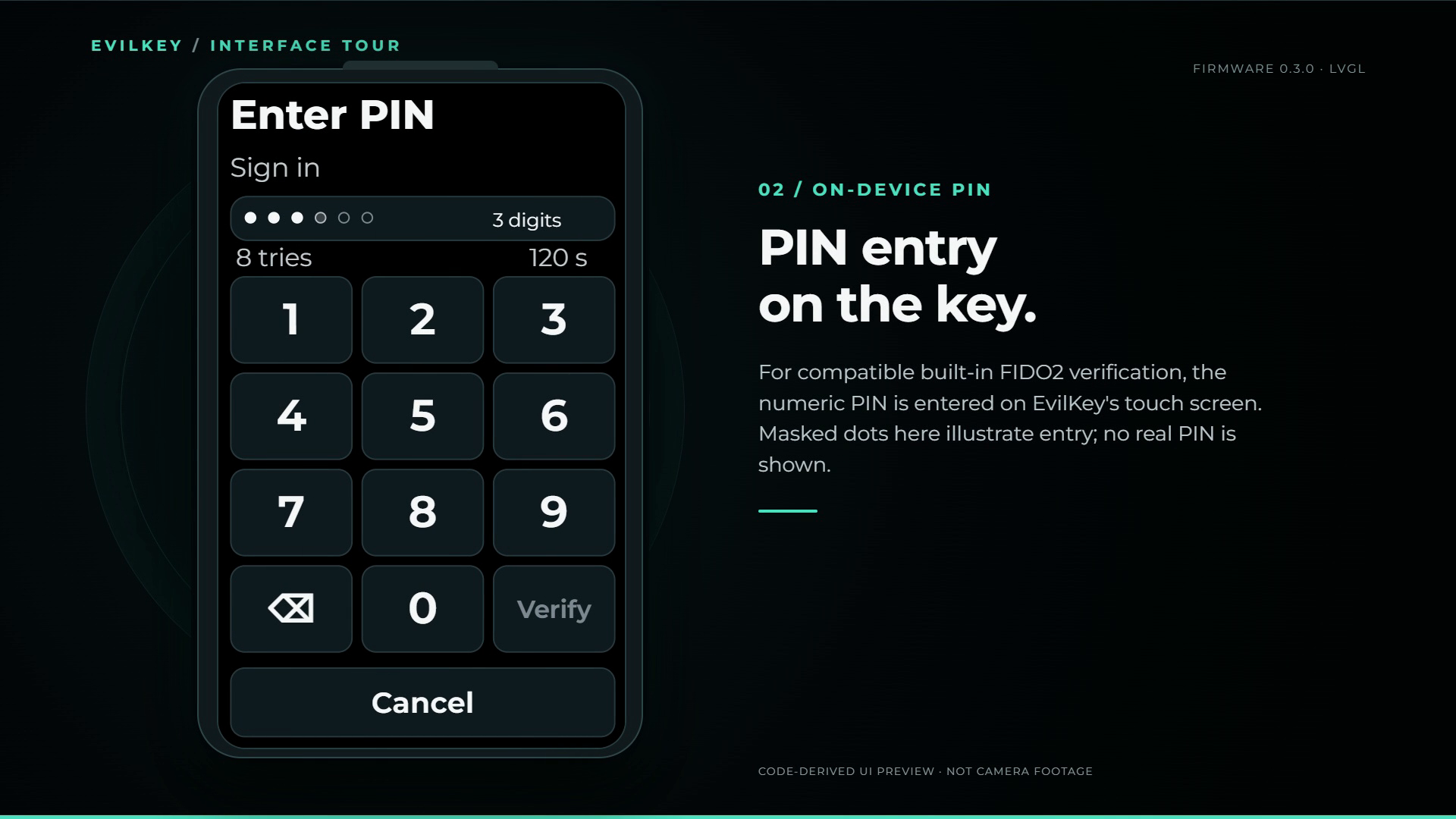
On-device PIN entry is a distinctive EvilKey feature. This screen image was generated from the firmware layout; the masked digits are illustrative, not a live PIN.
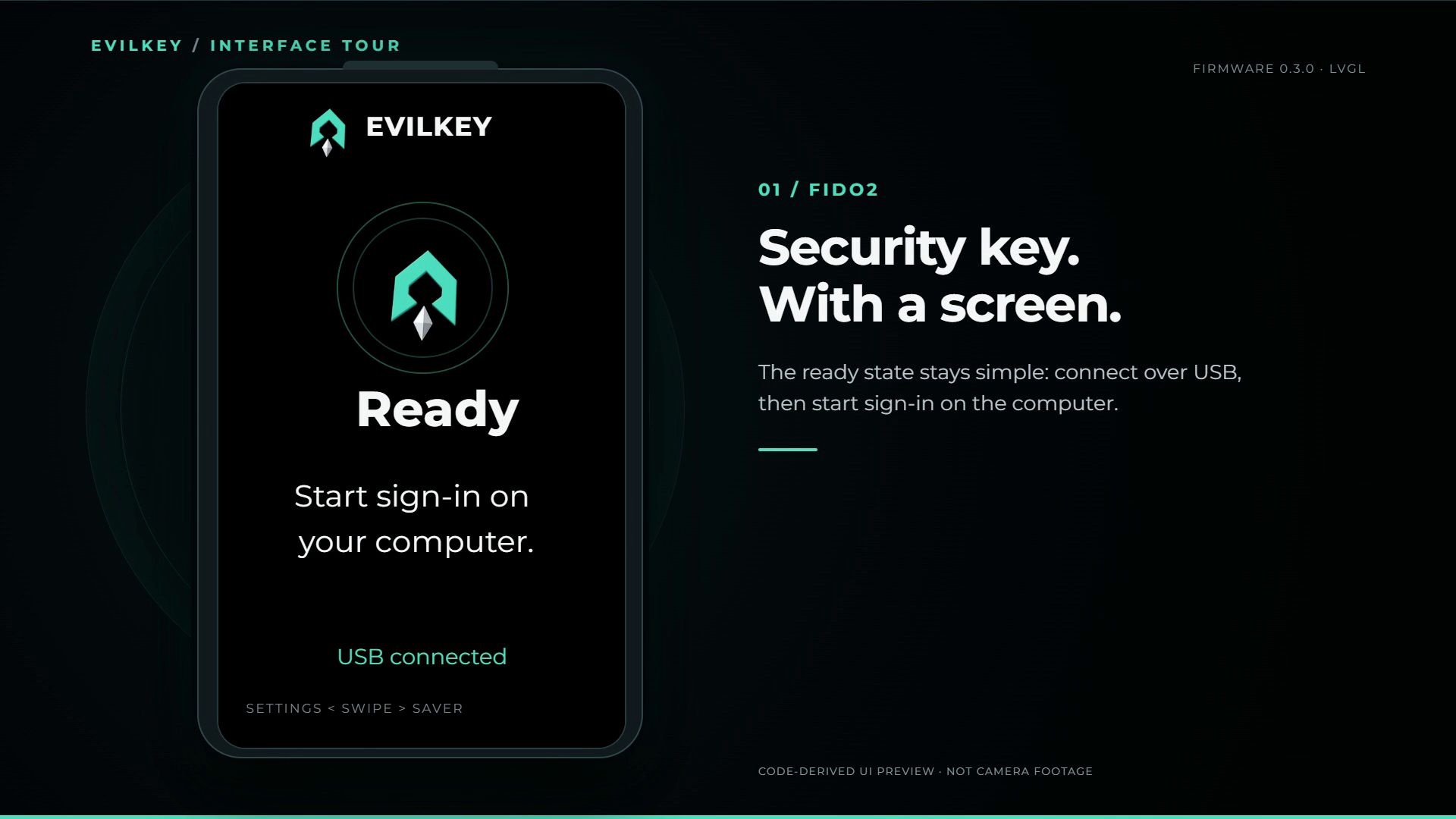
Explore the other code-derived screens: READY, Diagnostics, USB Tool, and Air Mouse. The USB role diagram shows why FIDO, USB Tool and Air Mouse are selected separately.
Planned enclosure finish

Concept visualization of the planned black SLS finish. The real working enclosure in the photographs is currently home printed; the SLS case has not yet been commissioned or validated.
Bring me the weird ideas
I am open to interesting ideas for extending EvilKey. If you can imagine a useful, odd or elegantly ridiculous feature that fits this hardware, tell me in the Hackaday comments or open a proposal in the public firmware repository. Feasible ideas can shape the next release. I would especially like to hear from people who would build a DIY kit and from people who can spot a better use for the AMOLED, touch panel, IMU or microSD slot.
There is no kit preorder here yet. The linked project log asks what a complete DIY kit should contain and what builders would actually want to do with it.
USB Tool on camera
The embedded Short joins two real camera takes: select hello_world.duck on EvilKey, press RUN, then see a harmless message in Windows Notepad. Captions and logo outro are editorial. It does not show file transfer, data collection or a defense bypass. Plugging in the key does not launch the script.
Air Mouse on camera
This real-device Short shows the separate Air Mouse role: select it on the key, press START, hold MOVE to steer the cursor, release to stop, then use the touchscreen for clicks and scrolling. The recorded touch and USB sounds are from the actual test. The 3D logo and glitch at the end are an edited brand outro; FIDO2 and Air Mouse do not run together.