 Michal Wojciechowski
A few days ago I asked what else you would build into EvilKey. Firmware 0.4.0 is a direct response to that question. Instead of putting every experiment into the security-key firmware, EvilKey can now load a separate app package from microSD. Within the current app interface, changing an app no longer requires rebuilding or reflashing the firmware. That makes the earlier community question much more practical.
WHAT RUNNING AN APP LOOKS LIKE
Copy a .ekapp file to /evilkey/apps/ on a FAT microSD card. In the normal FIDO USB role, open Settings → Apps, select it and press RUN. There is no install database or uninstall command: replacing or removing the file on the card does the job. Swipe right while an app runs and the firmware asks Yes/No before leaving it. Apps, Settings and the screensaver also remain available when USB power comes from a charger rather than a computer.
THE BOUNDARY BETWEEN AN APP AND FIRMWARE
An .ekapp contains a small WebAssembly module plus a header declaring its ID, version, owner, license, ABI and SHA-256 digest. The current package format is revision 2 and the public interface is ABI v3. The app has zero imports. Firmware calls app_init and app_step; each step receives elapsed time and raw touch coordinates. The app defines its own controls and returns a list of drawing commands in its memory. Firmware checks the complete command list before displaying it and enforces memory, drawing and execution limits.
The current ABI deliberately exposes display and touch only. It does not give an app filesystem, USB, network, NVS, FIDO credential or native pointer access. The package digest detects corruption; it does not prove who wrote the app. Each app can carry its own rights owner and license. The ABI v3 specification (https://github.com/mwr666/EvilKey-firmware/blob/v0.4.0/apps/ABI_V3.md) and minimal MIT SDK declarations (https://github.com/mwr666/EvilKey-firmware/tree/v0.4.0/apps/sdk) are public. The AGPLv3 firmware repository contains the interpreter, but does not bundle any separate application source or package.
WHAT THIS OPENS UP, AND WHAT IT DOES NOT
Games, visual tools and interactive utilities using the existing screen and touch interface can be developed and copied to the card independently of firmware releases. This greatly widens the palette of experiments I can try after hearing your ideas. Requests that need the IMU, USB behavior, persistent app storage or another new device capability would first need a considered ABI and firmware change. I want that boundary to stay explicit, especially on a device that also holds FIDO credentials.
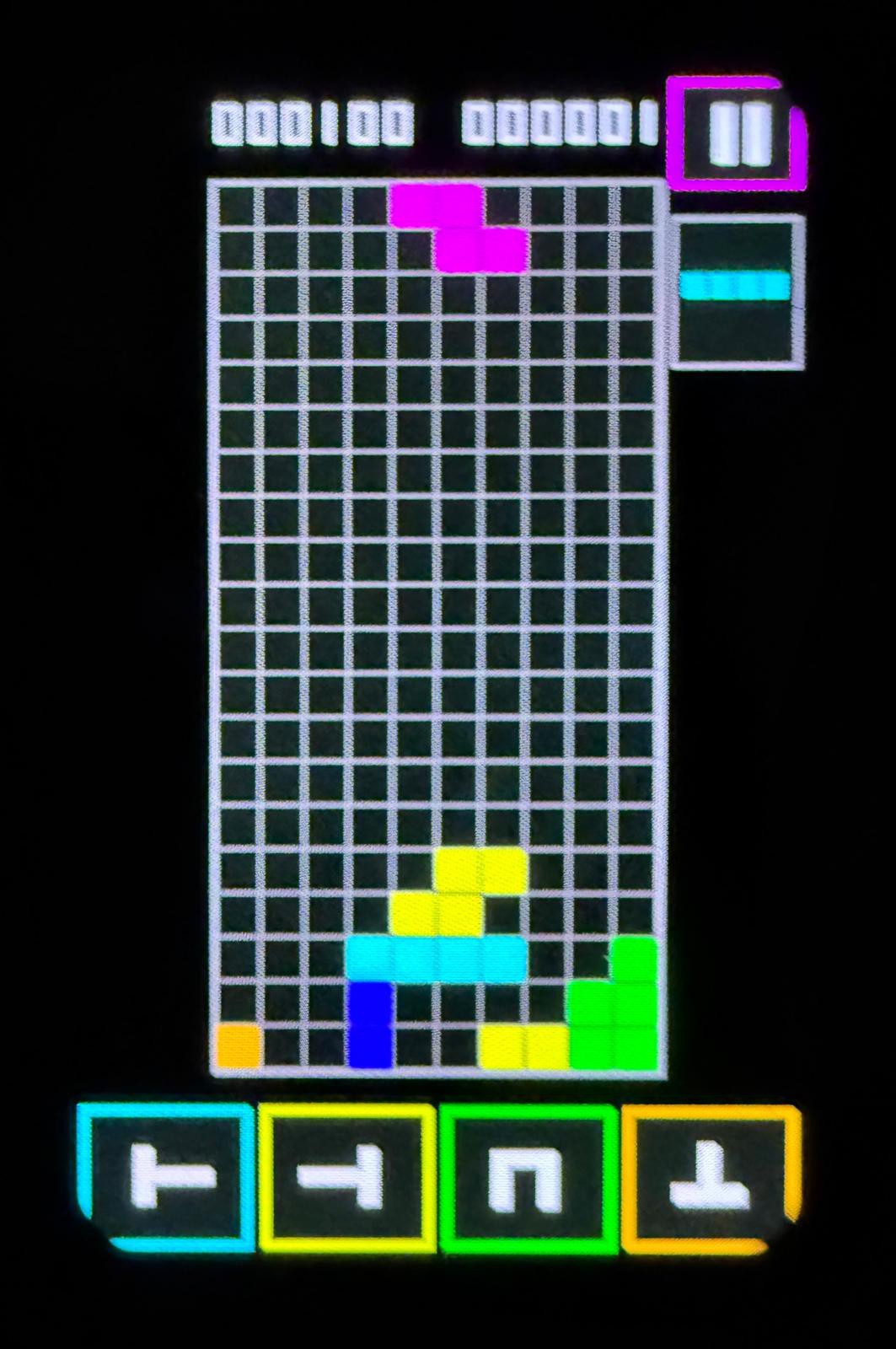
Preview: EvilBlocks running on EvilKey hardware during testing. This separate app is not included in the public firmware v0.4.0 release.
RELEASE AND HARDWARE CHECK
The public v0.4.0 release (https://github.com/mwr666/EvilKey-firmware/releases/tag/v0.4.0) includes the corresponding source and a PCB V1 application-partition BIN. I flashed the public-source image to my Waveshare ESP32-S3 Touch AMOLED 1.64 PCB V1 at the app partition, verified the write, ran a test app and confirmed that my existing FIDO credentials remained available. The write did not erase the NVS partitions. This is a hardware smoke test; long-duration app use and simultaneous CTAP traffic still need separate qualification. The exact image hash and test scope are in firmware validation (https://github.com/mwr666/EvilKey-firmware/blob/v0.4.0/firmware/VALIDATION.md).
What would you build first? A screen-and-touch idea can target ABI v3 now. For an idea that needs other hardware, tell me the user behavior, why that access is needed and how you would test it. That feedback will help decide which capabilities belong in a future ABI rather than hard-coding one more feature into the key.
Discussions
Become a Hackaday.io Member
Create an account to leave a comment. Already have an account? Log In.