 Michal Wojciechowski
The EvilKey prototype uses Waveshare's ESP32-S3 Touch AMOLED 1.64 PCB V1. Its compact board already combines a 280 × 456 touch AMOLED, native USB, a QMI8658C motion sensor and a microSD slot. That made it possible to build an interactive key without adding a separate motion sensor or external display controller. Waveshare also sells a V2 revision with different pin assignments, so the current firmware target is explicitly V1.
The user interface was designed around short, readable screens and touch regions large enough to operate while holding the device. For display performance, the firmware tries to allocate two 64-row RGB565 draw buffers in DMA-capable internal memory and places the LVGL object pool in PSRAM. The Diagnostics page reports the buffer arrangement that actually started, instead of assuming the preferred configuration was available.
The FIDO2 PIN screen is a functional part of that interface. For built-in user-verification requests, EvilKey accepts a configured numeric FIDO PIN on its own 3 × 4 touch keypad. Digits are masked; the screen shows retry count and timeout, while Backspace, Verify and Cancel remain large touch targets. The local check uses the existing PIN verifier and retry budget. Standard ClientPIN is still advertised because host-side setup and clients that do not use built-in UV need it. This avoids claiming that every login is host-PIN-free. The PIN flow notes explain the protocol scope. The interface preview is code-derived; a filmed demonstration of the final on-device PIN flow is still pending.
Air Mouse is an example of a mode that needs both hardware and interface design. On entry, it samples the QMI8658C to establish a neutral orientation. Tilt becomes a relative HID pointer with a shared radial dead zone, smoothing and fractional movement accumulation, so diagonal motion does not have to choose between horizontal and vertical movement. A large MOVE touch region acts as a hold-to-move clutch. The other touch regions remain available for click and scroll; on-device settings provide recalibration, sensitivity and vertical inversion.
USB roles are intentionally distinct. The Air Mouse role enumerates as a relative mouse; the USB Tool role is selected separately; FIDO is the normal role. USB Tool scripts require local selection and a press of RUN. This keeps the behavior inspectable and prevents a script from running merely because the device was connected.
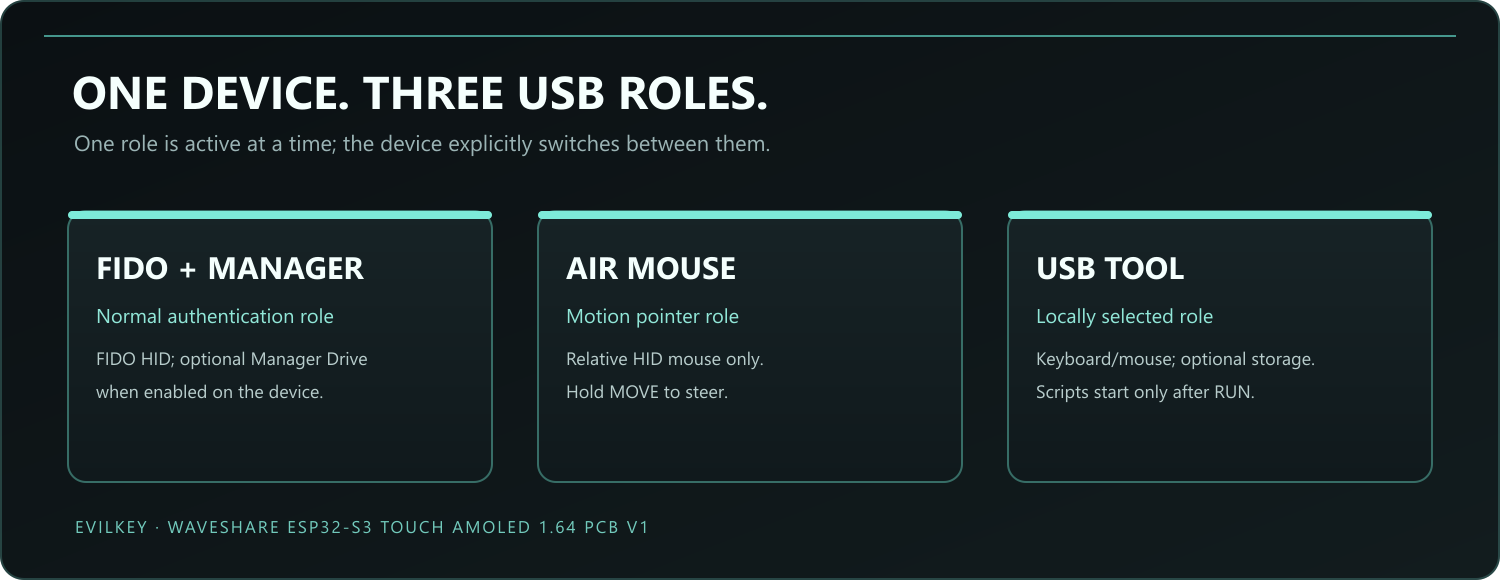
The three USB roles are selected separately. The diagram describes intended enumeration, not three modes active at once.
The current firmware passed a physical smoke test of Air Mouse controls and return to FIDO. Long-running drift, repeated reconnection and complete product qualification are still separate work. The repository records the exact scope of the tests and documents the source and firmware build: https://github.com/mwr666/EvilKey-firmware
Next I am gathering feedback on a possible DIY kit. The following project log asks what makers would actually want included, and whether they would print the enclosure themselves.
Discussions
Become a Hackaday.io Member
Create an account to leave a comment. Already have an account? Log In.