 diddy
diddyOFFgrid-SDR 1.6 is out. It's still one file (`index.html`), can still run from a pen drive, and still needs no internet. This release tidies up the whole screen, adds three new decoders, and makes the radio much harder to knock over.
Download it from GitHub:
No stick needed to try it: open `index.html?demo`, and every new feature has a simulated station to play with.
A cleaner screen
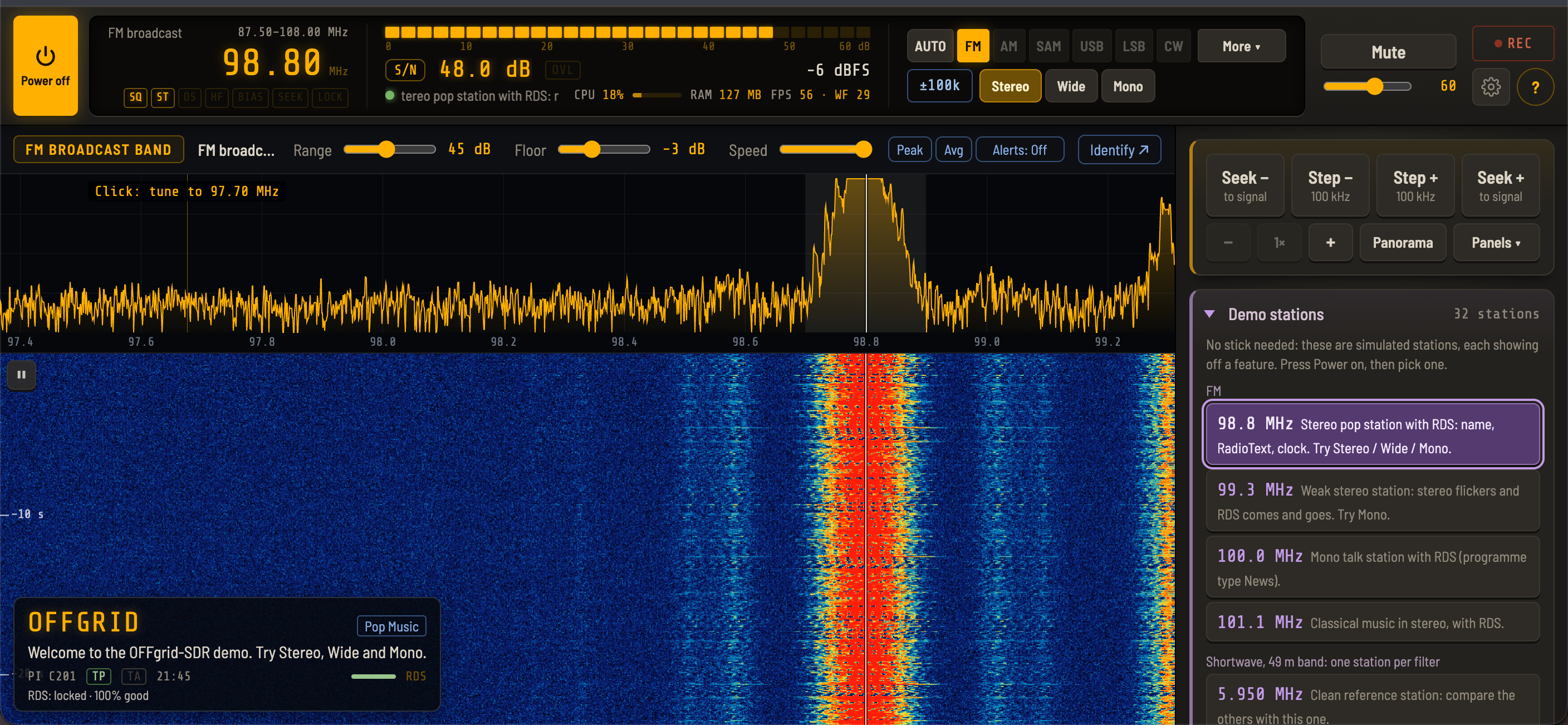
After 1.5 the controls had grown, so 1.6 is mostly about making them easier to find.
**Top bar:** frequency, S-meter, mode, volume, mute, record, settings and help are always visible, on desktop and on phones
**One-click modes:** AUTO · FM · AM · SAM · USB · LSB · CW · More ▾. SAM-U, SAM-L, the decoders and Wide/Narrow FM are under More
**Settings dialog:** open it from the gear icon, with tabs for Device, Display & tuning, Audio & recording, Decoders, Calibration and Backup
**No duplicate controls:** mode, filter width and step each have exactly one control now
**Status lights** under the frequency digits, and a larger S-meter reading that balances the frequency
**Seek / Step box pinned:** it stays at the top of the side panel while the panels below scroll, and a new **Panels** menu jumps straight to Band, Memories, Audio & gain and the rest
**Zoom buttons** are now −, + and the zoom level (click it for the full view)
Layout stability got a lot of attention too. The Alerts button no longer shifts the spectrum toolbar, and the top bar no longer jumps in height on shortwave or when a frequency label appears. A status message that's too long for its space now scrolls instead of being cut off (with "reduce motion" on, it's shortened and the whole message is on hover).
Tall (portrait) view
On a Chromebook or tablet held upright, the page no longer scrolls, so the browser's tab and address bar stay put. The top bar, a slice of waterfall and the Seek / Step box stay in view, and only the panels below them scroll.
Overload indicator and RF gain per band
**OVL indicator** next to the meter: amber when the band keeps touching full scale, red when the receiver is overloaded
- Click it while it's lit and it lowers the RF gain step by step until the overload clears, then shows what it changed, with **Undo**
- Each band now remembers its **own RF gain**, so a busy band can run lower without changing the others. (Automatic gain stays one setting for all bands.)
Three new decoders
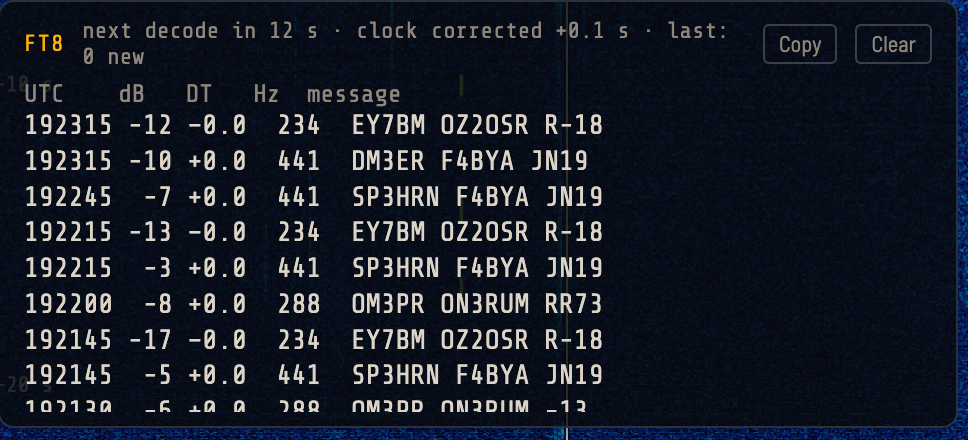
**FT8:** decodes everyone in the passband every 15 seconds. It also corrects the computer's clock from the stations it hears, so it works offline. The demo has FT8 stations on 14.074 MHz
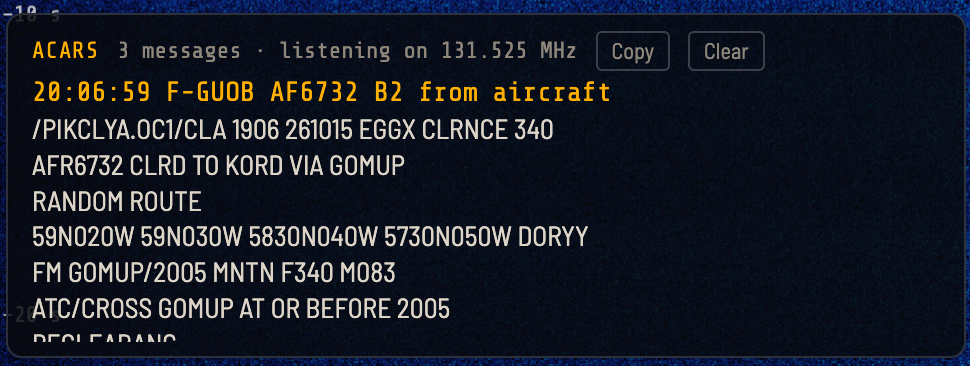
**ACARS:** aircraft text messages on the airband, decoded and listed. The demo has an ACARS station on 131.550 MHz
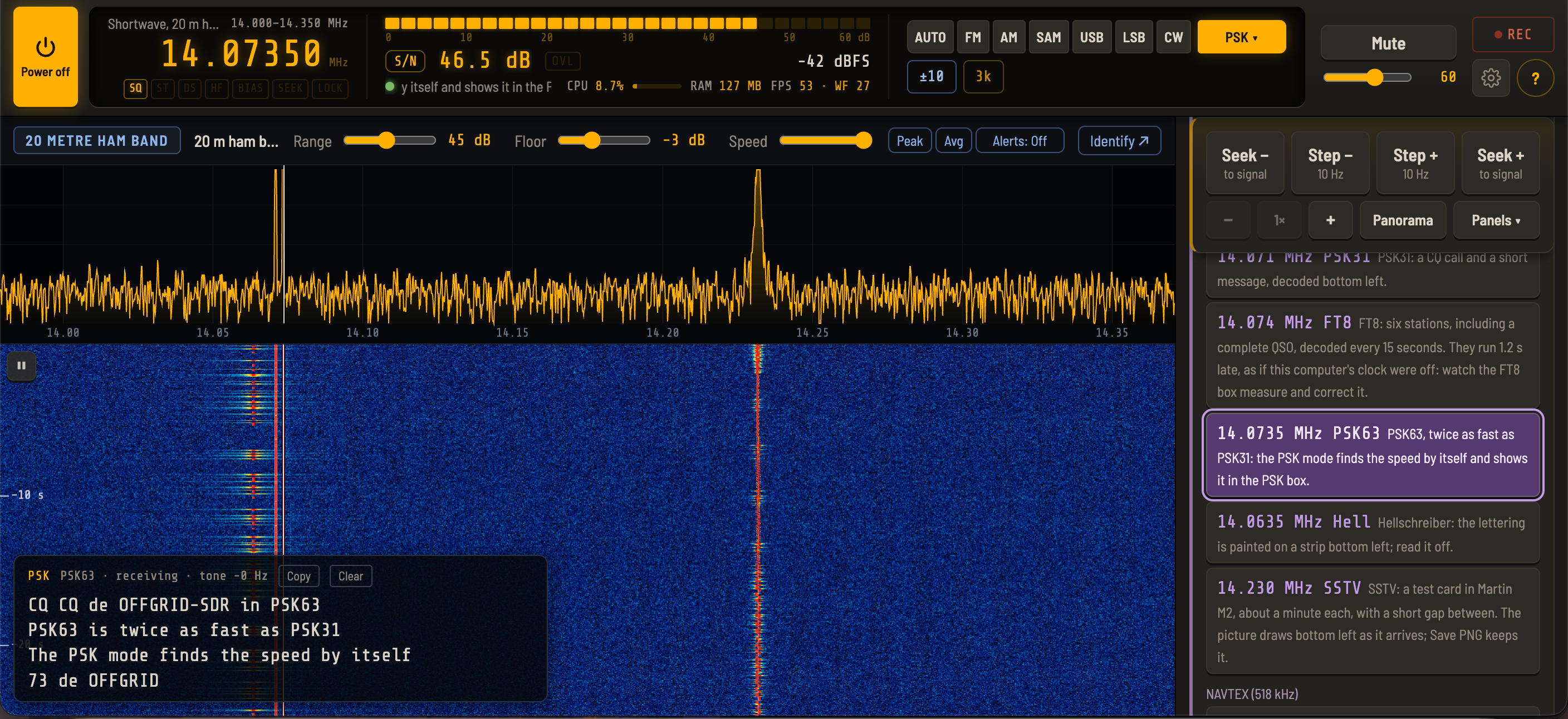
**PSK** (was PSK31): now decodes PSK31, PSK63 and PSK125, and finds the speed by itself. The demo has a PSK63 station on 14.0735 MHz
Weather fax also works from any band now: choosing FAX away from shortwave tunes to the first fax station in the list.
Fast band switching, fixed
This was a nasty one. Change band quickly and the spectrum and waterfall could freeze while the audio carried on. A band change made while the sample rate was still changing (entering or leaving the airband and 2 m sections, slower on a slow computer) could also be lost.
That's fixed, and there's a safety net behind it: a watchdog restarts the display if it stops, and resends the frequency if the stick and the display disagree. You no longer need to go to another band and back.
USB stick recovery
Unplugging the stick, or the stick resetting, no longer leaves the radio stuck. It goes back to Off cleanly, and if it was on, it starts again by itself when the stick is plugged back in. There are also clear messages now for a lost stick, data stopping, samples going missing and the common USB errors (including the WinUSB driver on Windows).
Diagnostics log
If something does go wrong: **Settings → Backup → Save diagnostics log** saves the last three minutes of band changes, retunes and stick errors. It holds no audio, memories or personal data, so it's safe to send me if you hit a problem.
Thanks to everyone who has tried it, reported bugs and posted reviews. Keep the feedback coming!
73!
Discussions
Become a Hackaday.io Member
Create an account to leave a comment. Already have an account? Log In.