Close
0%
0%

IPOD Mini

iPods are making a comeback, but they’re getting harder to find, so I decided to build my own.

Similar projects worth following
Greetings, everyone, and Welcome Back.

Recently, there’s been a growing interest in going back to offline music players like the iPod and Zune. I wanted to build something similar but with a modern twist.

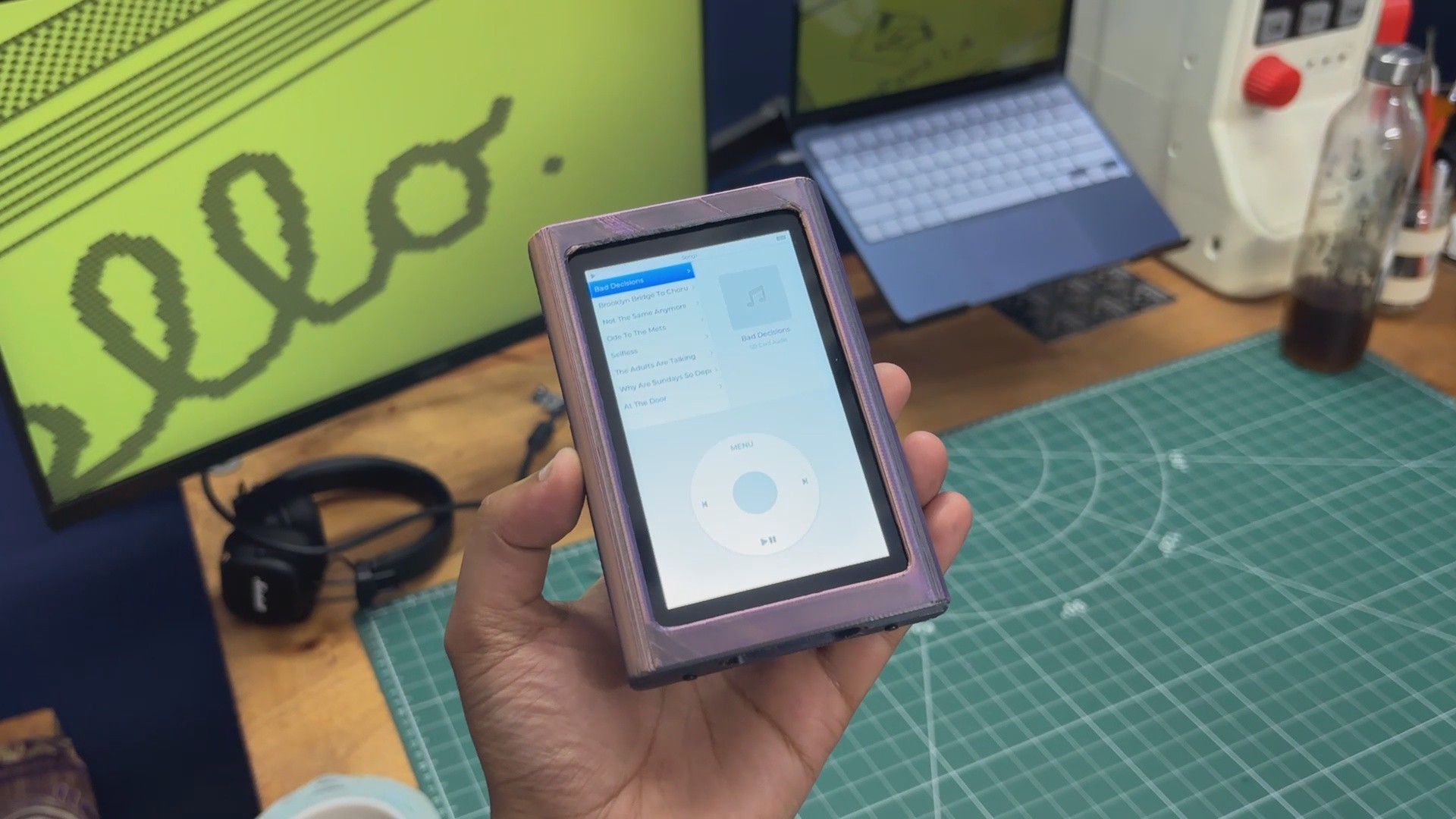
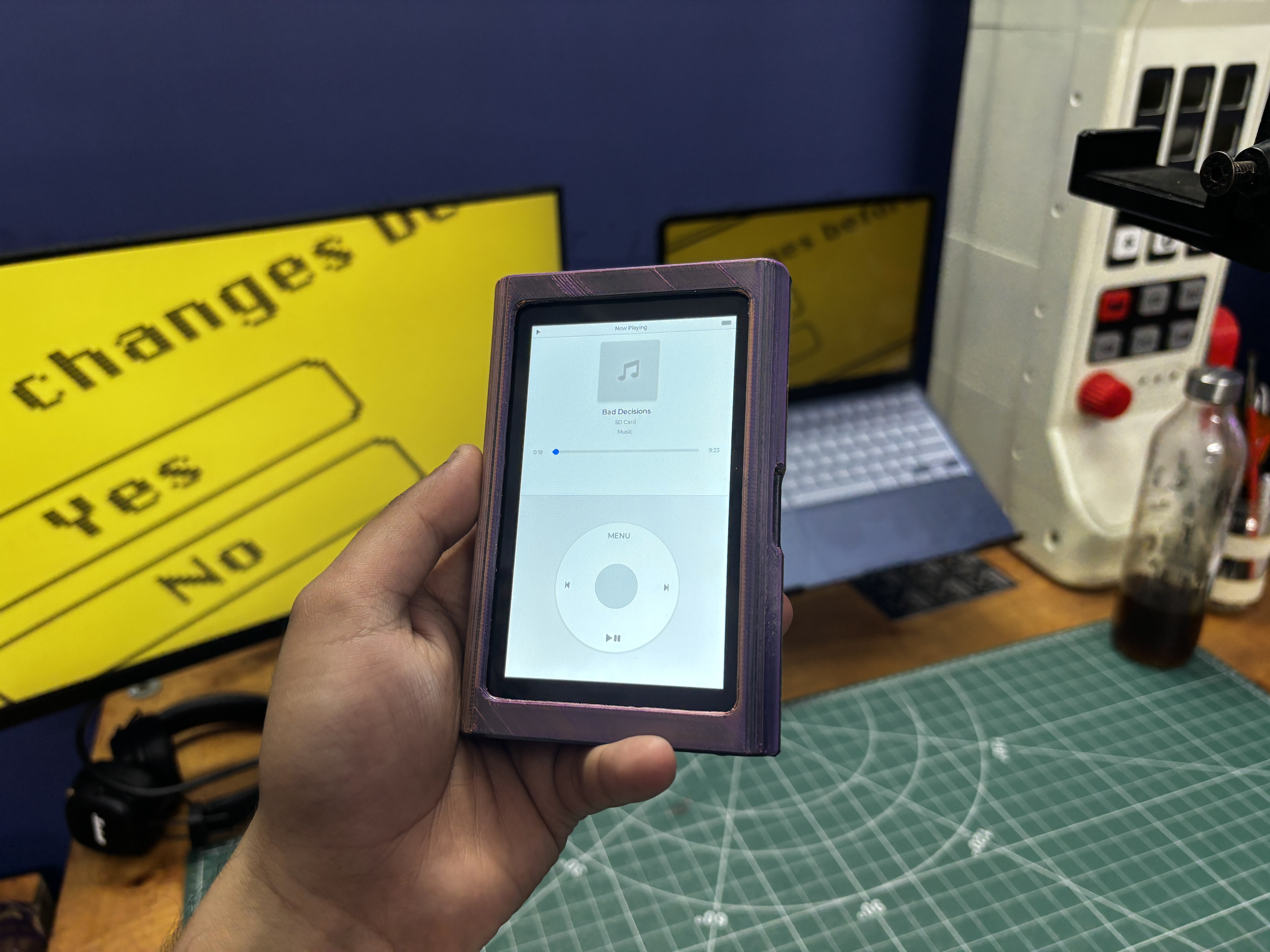
At the heart of this project is the Waveshare ESP32-P4 development board, which powers the entire device. I also designed the user interface from scratch, taking inspiration from the classic iPod Nano 6th Generation UI.

The device is primarily touchscreen-based, but instead of using a traditional physical click wheel, I created a software-based digital scroll wheel. It works similarly to the original iPod scroll wheel, allowing you to navigate through menus and control different functions.

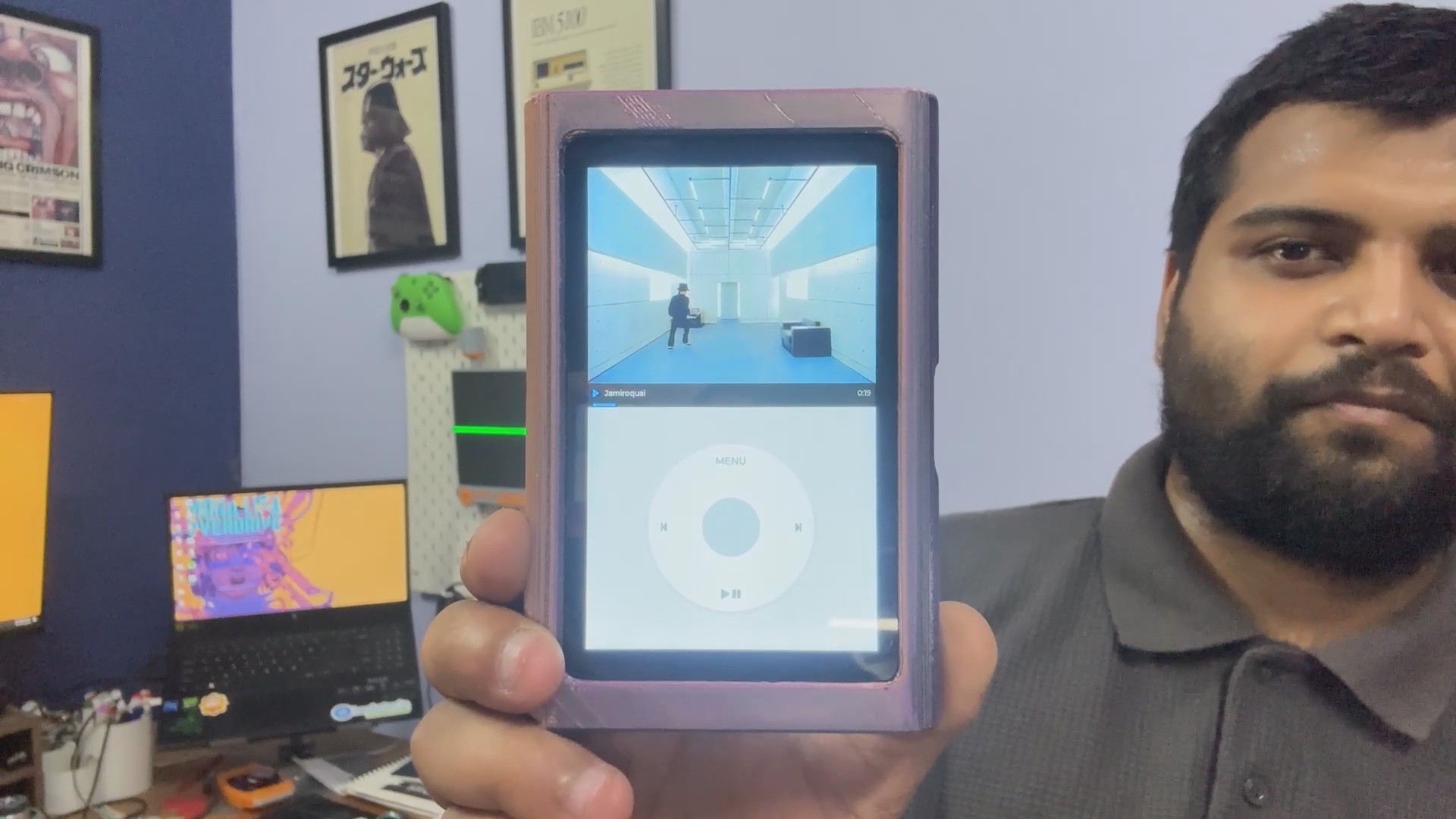
The interface includes a Music section for playing songs, a Video section for video playback, and a Photos section for viewing images. I also added a dedicated Volume Control interface, allowing the scroll wheel to be used to increase or decrease the volume.

All of the media is stored on an SD card, which supports MP3, wav, flac, m4a, and several other common audio and video formats. The SD card can be accessed from the side of the enclosure through a dedicated opening, making it easy to add or replace media.

The goal of this project was to recreate the feel of a classic iPod while combining it with modern hardware and a touchscreen interface, and this article covers the complete build process of this project, let's get started.

MATERIALS REQUIRED

These were the components used in this build.

  • Wavshare ESP32 P4 Dev board
  • Speaker Module
  • 3.7V LiPO Cell 800mAh
  • SD Card with Legally downloaded music media (LOL)
  • M2 screws
  • 3D Printed parts

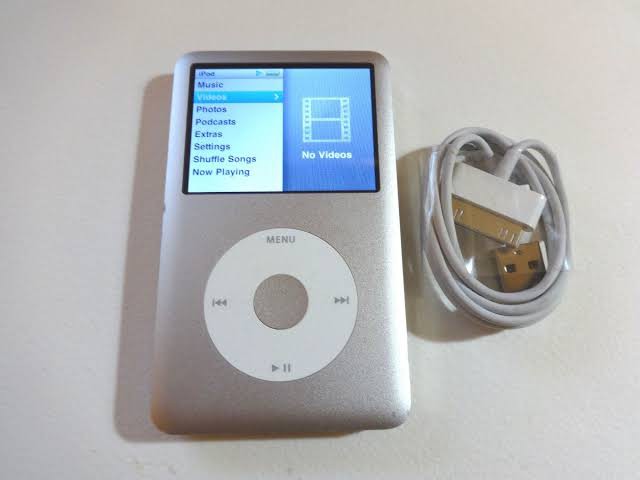
IPOD CLASSIC 6th GEN
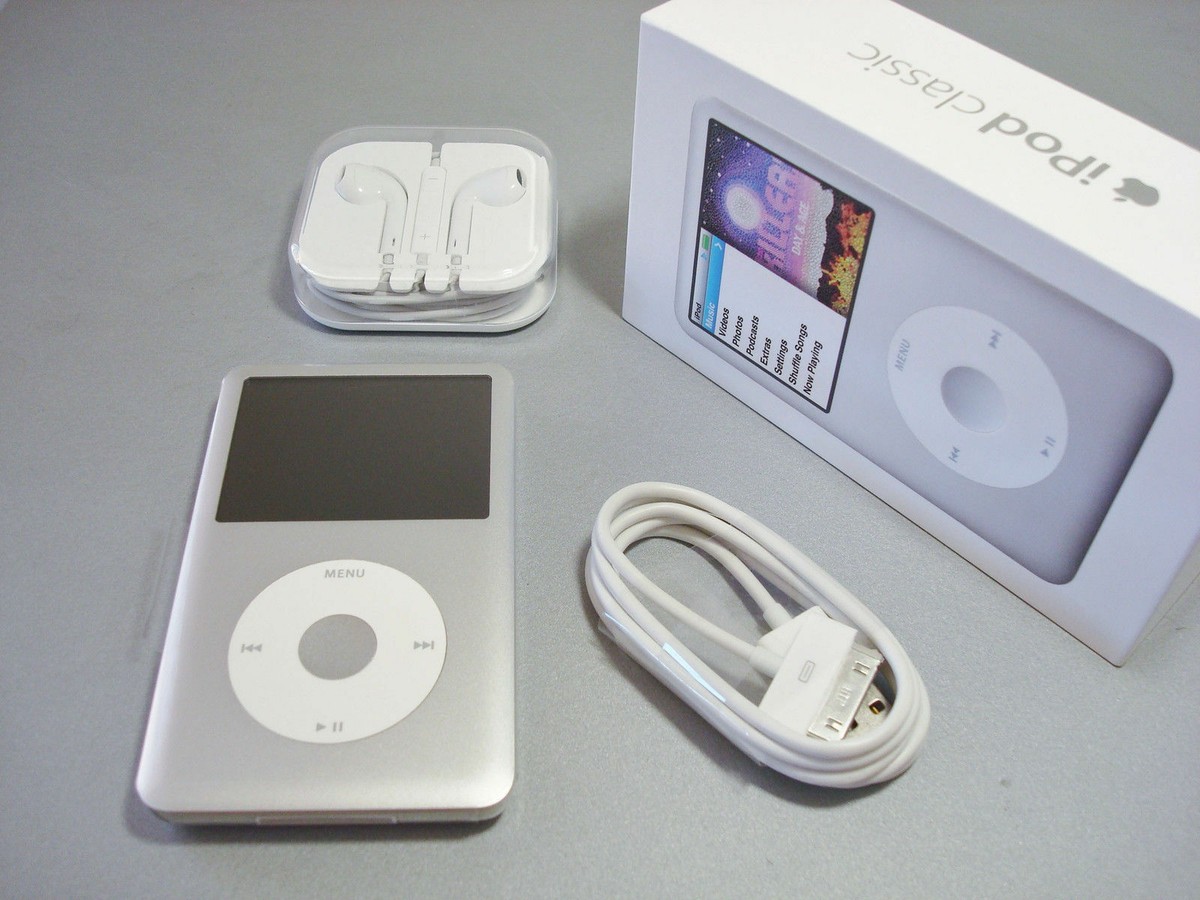
The iPod Classic 6th Generation has always been one of those devices I wanted to own.

When I was younger, I never really had the opportunity to buy one. The iPods I came across were mostly cheap knockoffs, so the idea of owning a proper iPod Classic always felt a little out of reach. Even today, finding a good-condition original unit in India can be surprisingly expensive.

The 6th-generation iPod Classic was introduced by Apple in 2007, and it was a pretty impressive device for its time. It came with either 80 GB or 160 GB of storage, a 2.5-inch 320 × 240 color display, the iconic Click Wheel, and a battery rated for up to 30 hours of music playback on the 80 GB model and up to 40 hours on the 160 GB model.

The 160 GB version could hold up to 40,000 songs or 200 hours of video, which was pretty incredible for a pocket-sized device in 2007. It also supported formats such as MP3, AAC, Apple Lossless, WAV, and AIFF, along with video playback.

What I particularly like about the 6th generation is its design. It moved to an anodized aluminum front with a polished stainless-steel back, giving it that distinctive premium look, while retaining the Click Wheel that made navigating an iPod so satisfying.

Unfortunately, these devices are no longer produced, and finding one in good condition can be quite expensive. There is also a second option that I’ve been wanting to explore someday: flea markets and old electronics markets, where you can sometimes come across older iPods and other forgotten tech.

But for this project, instead of spending a significant amount of money hunting down an original, I decided to take a different route.

If I couldn't find the iPod I wanted, why not build one myself?

HARDWARE- ESP32-P4-WIFI6 4.3-inch DEV BOARD
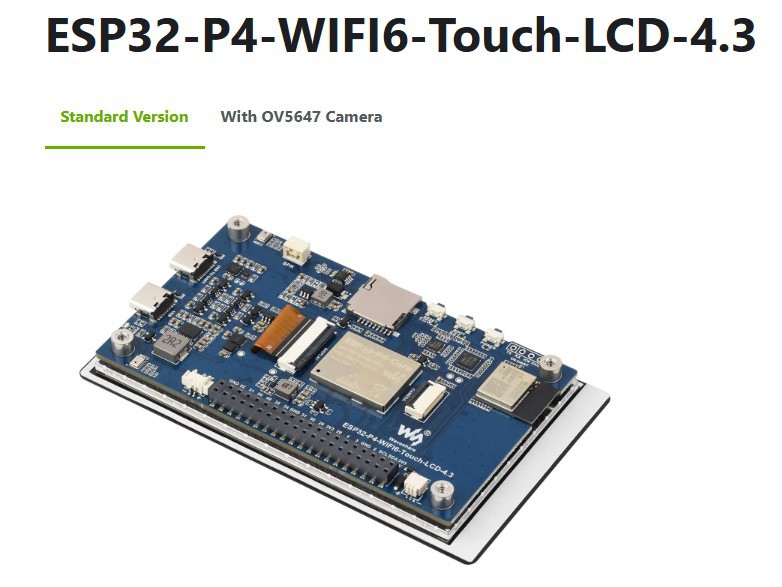
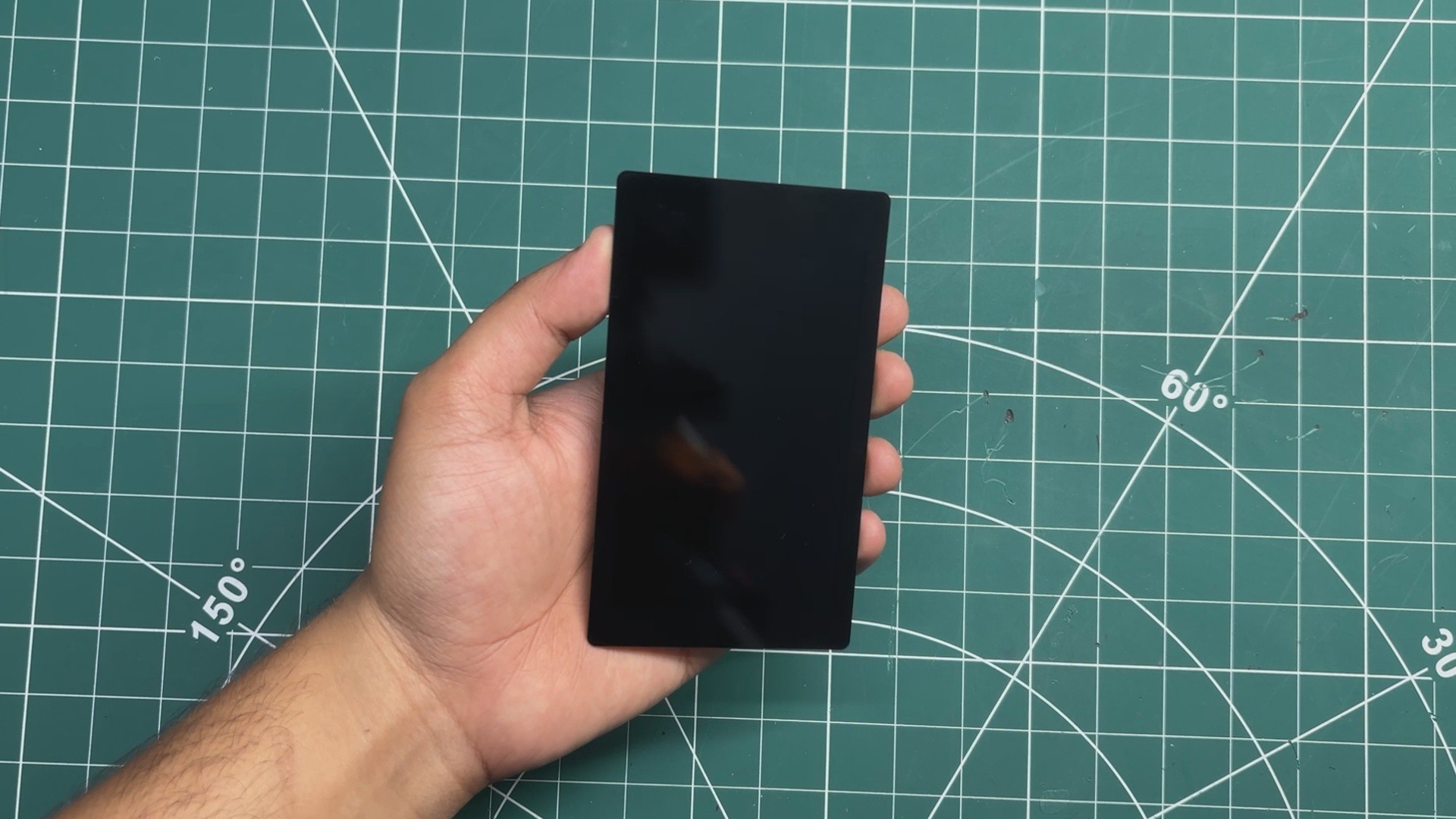
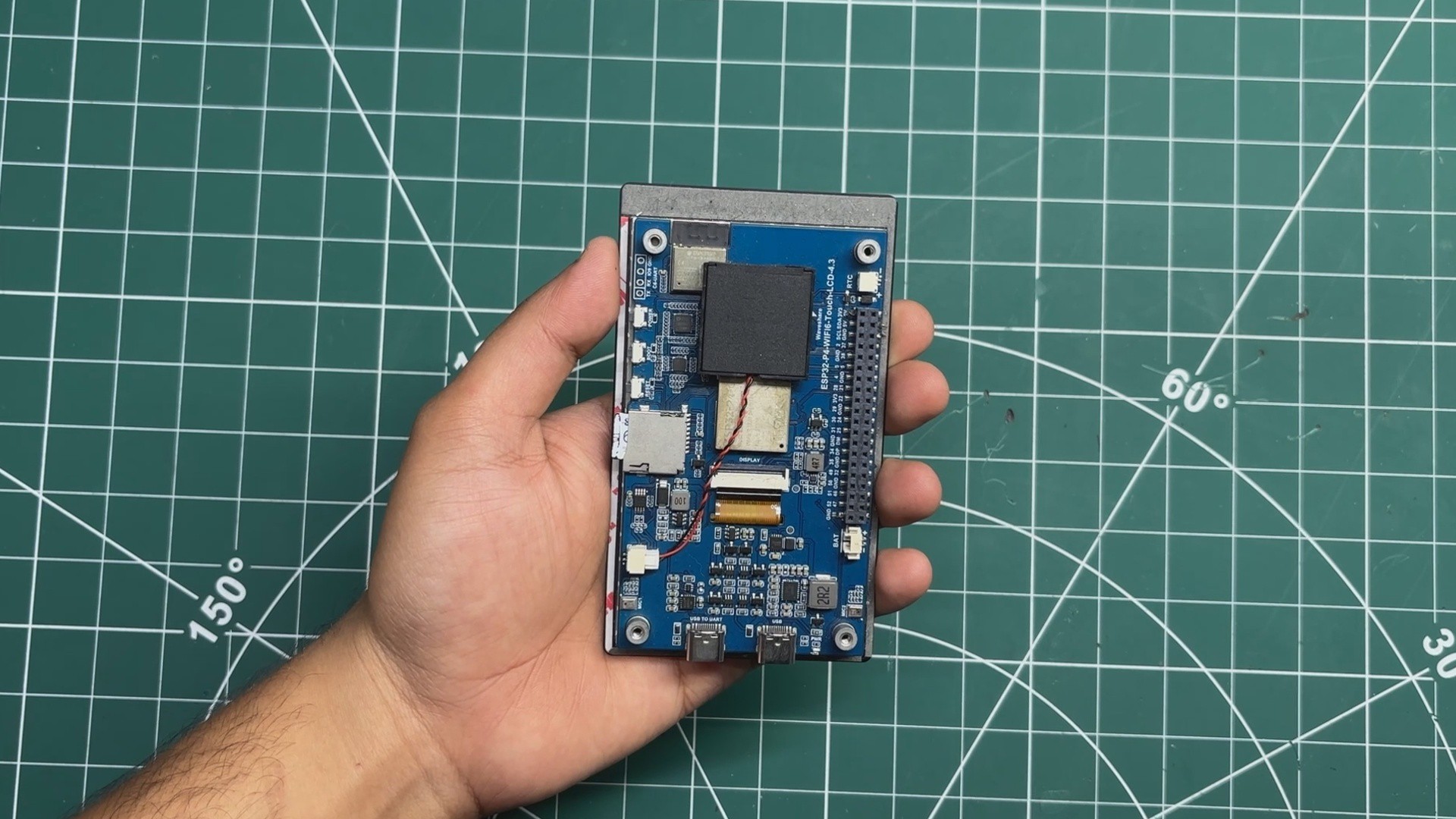
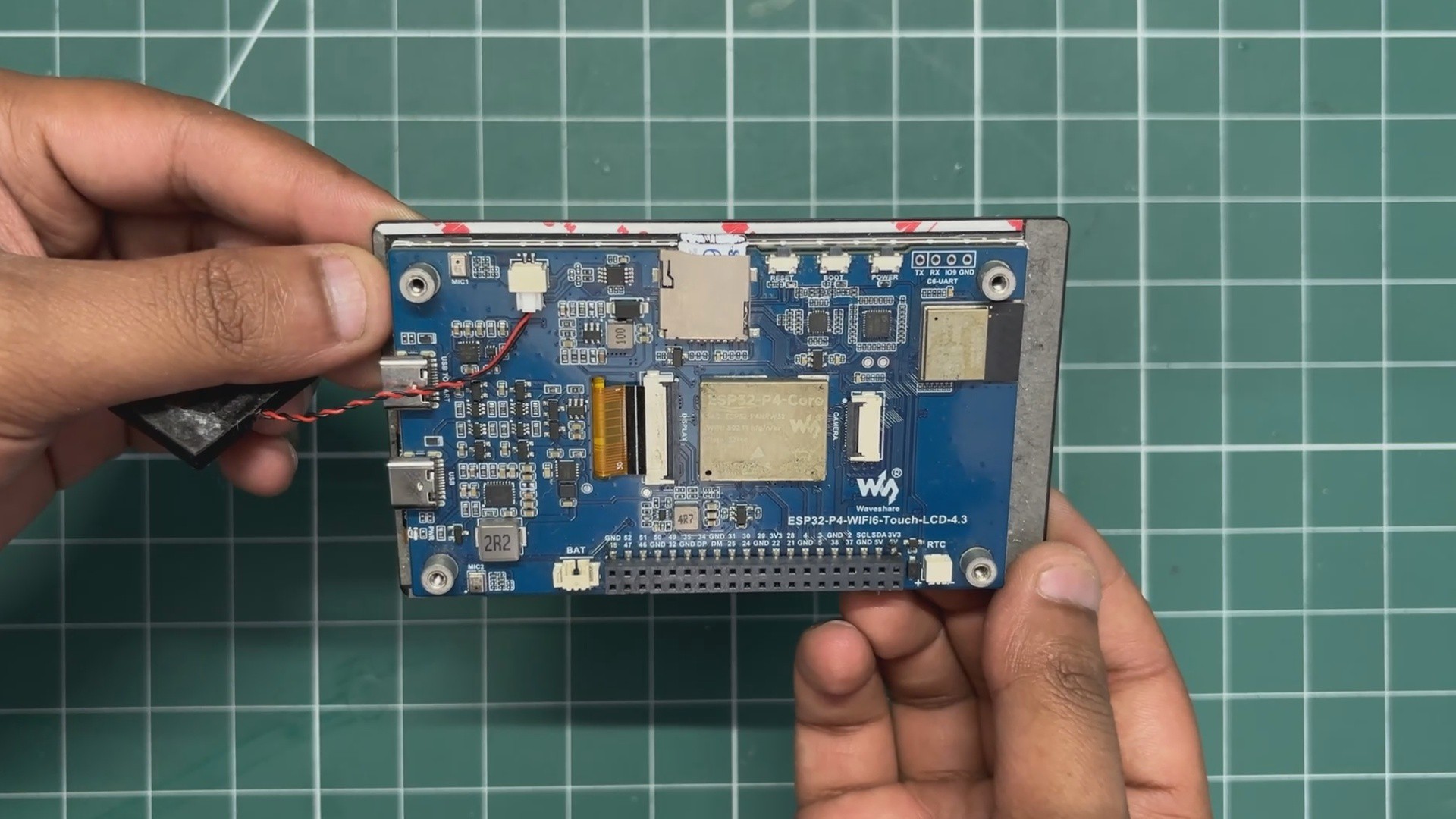
For the main hardware, or the Brain of this project, I chose the Waveshare ESP32-P4-WIFI6-Touch-LCD-4.3 development board.

I’ve actually used this same development board in one of my previous PIPBOY projects, so I was already familiar with the hardware and its capabilities. When I started working on this iPod project, it felt like a natural choice, especially because of the combination of processing power, display, and touch interface it offers.

One of the main reasons I chose this board was its built-in 4.3-inch 480 × 800 capacitive touchscreen. The size and resolution worked really well for the iPod-style interface I had in mind, while having the display and touch hardware integrated into the development board significantly simplified the overall design.

The other major reason was the ESP32-P4 itself. It features a dual-core RISC-V processor running at up to 400 MHz, along with dedicated multimedia hardware and a much more capable memory and peripheral system compared to...

Read more »
bot.stl

Standard Tesselated Geometry - 253.01 kB - 10/07/2026 at 10:01

Download

top.stl

Standard Tesselated Geometry - 203.21 kB - 10/07/2026 at 10:01

Download

  • 1
    SPEAKER & SD CARD ASSEMBLY

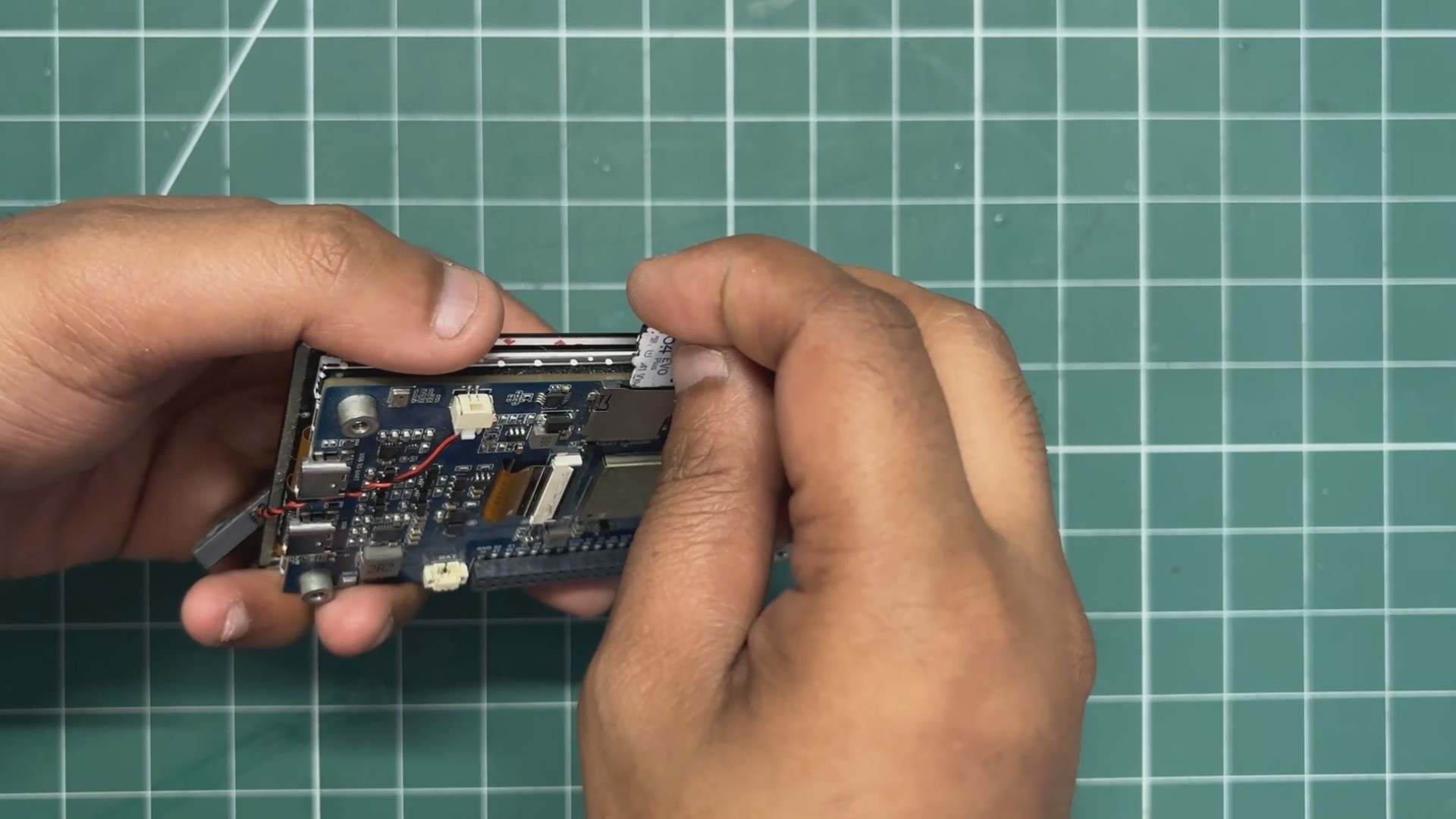
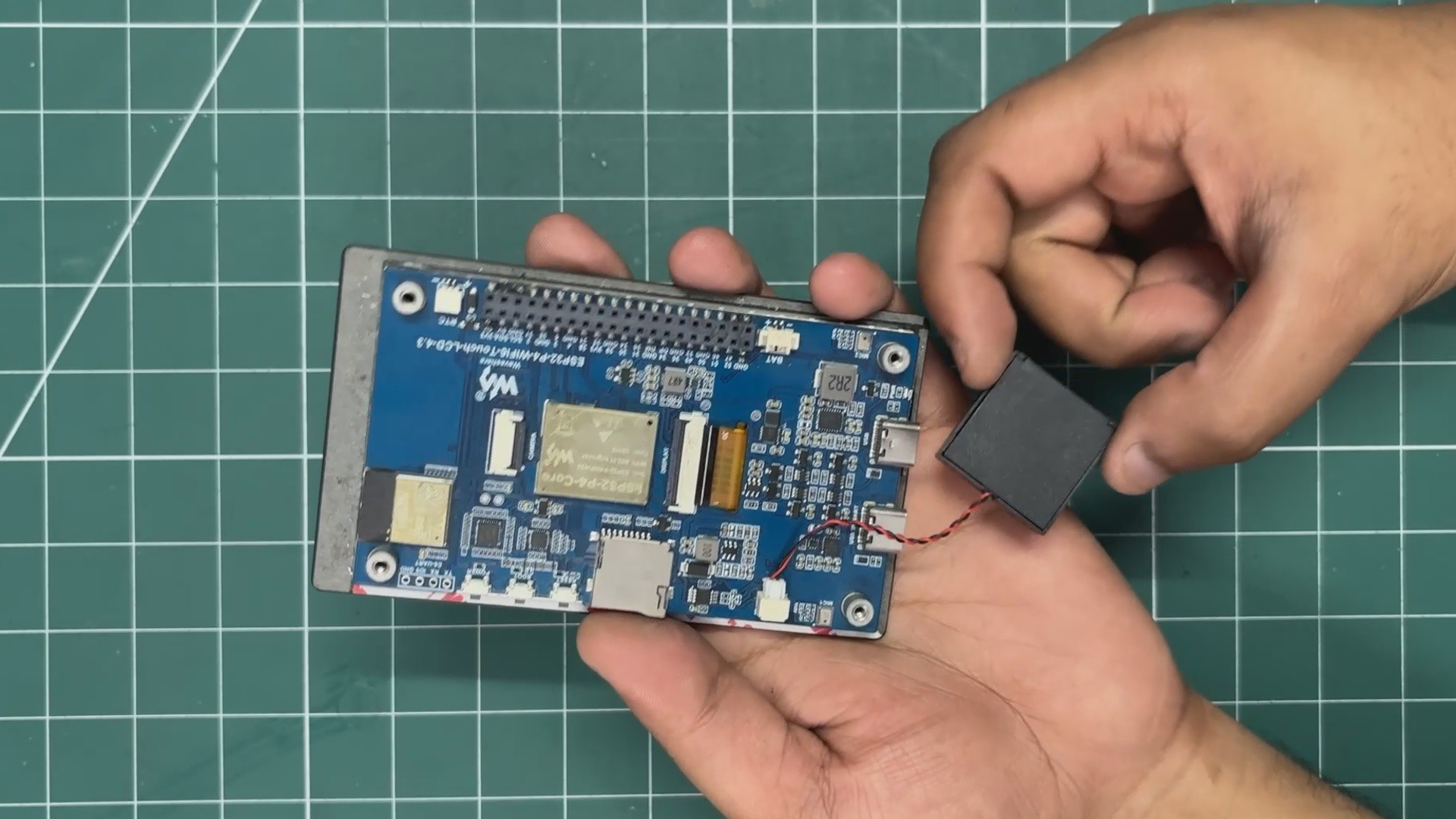
    For audio output, I used the 4Ω mini speaker that came included with the Waveshare ESP32-P4 development kit. Connecting it was quite straightforward; the speaker has a JST connector, which plugs directly into the corresponding JST connector on the Waveshare development board.

    For storing the music and other media, I used the SD card slot built into the development board.

    Our iPod Mini supports a range of common media formats:

    • Audio: .mp3, .wav, .flac, .m4a, and .aac, with ID3 metadata used for filename cleanup and better organization.
    • Photos: .jpg, .jpeg, .png, and .bmp. Images are decoded on the fly using the LVGL TJPGD and LodePNG decoders.
    • Videos: .mjpeg and .avi. Video frames are streamed directly into PSRAM for playback.
  • 2
    CODE & DEMO RUN

    Here's the main code used in this project and it's a simple one; i have broken it down into small files.

    System 'main.c'

    #include "freertos/FreeRTOS.h"
    #include "freertos/task.h"
    #include "esp_log.h"
    #include "nvs_flash.h"
    #include "bsp_init.h"
    #include "audio_player.h"
    #include "ui_main.h"
    #include "media_scanner.h"
    static const char *TAG = "MAIN";
    void app_main(void)
    {
    ESP_LOGI(TAG, "Starting iPod Media Player Firmware on ESP32-P4...");
    // 1. Initialize NVS (Non-Volatile Storage)
    esp_err_t ret = nvs_flash_init();
    if (ret == ESP_ERR_NVS_NO_FREE_PAGES || ret == ESP_ERR_NVS_NEW_VERSION_FOUND) {
    ESP_ERROR_CHECK(nvs_flash_erase());
    ret = nvs_flash_init();
    }
    ESP_ERROR_CHECK(ret);
    // 2. Initialize Waveshare Hardware (Display, Touch, SD Card, I2S Audio)
    ESP_ERROR_CHECK(app_bsp_init());
    // 3. Initialize Audio Pipeline & Spawn Audio Decode Task on Core 1
    ESP_ERROR_CHECK(audio_player_init());
    // 4. Scan SD card for songs, photos, and videos
    media_scanner_scan("/sdcard");
    // 5. Initialize LVGL 9 User Interface on Core 0
    ui_init();
    ESP_LOGI(TAG, "System startup complete. Core 0 -> UI, Core 1 -> Audio.");
    // 6. Periodic UI state synchronization loop (runs every 100ms)
    while (1) {
    ui_update_loop();
    vTaskDelay(pdMS_TO_TICKS(100));
    }
    } 

    Click Wheel 'ui_click_wheel.c'

    #include "ui_click_wheel.h"
    #include <math.h>
    #ifndef M_PI
    #define M_PI 3.14159265358979323846
    #endif
    // Click wheel geometry centered at (240, 600) on the 480x800 screen
    #define WHEEL_CENTER_X 240.0f
    #define WHEEL_CENTER_Y 600.0f // Center of the bottom 400px area
    #define WHEEL_R_OUTER 140 // 280px diameter outer ring
    #define WHEEL_R_INNER 48 // 96px diameter center button
    #define SCROLL_STEP_DEG 16.0f // Degrees of rotation per scroll tick
    static wheel_scroll_cb_t s_scroll_cb = NULL;
    static wheel_click_cb_t s_click_cb = NULL;
    // Gesture state variables
    static bool s_is_pressed = false;
    static bool s_is_swirling = false;
    static float s_press_dist = 0.0f;
    static float s_press_angle = 0.0f;
    static float s_last_angle = 0.0f;
    static float s_accum_scroll_deg = 0.0f;
    static float s_total_deg_travel = 0.0f;
    /*
    * Unified Polar Touch Handler: Detects both directional button taps and rotary scrolling
    */
    static void wheel_touch_event_cb(lv_event_t *e)
    {
    lv_event_code_t code = lv_event_get_code(e);
    lv_indev_t *indev = lv_event_get_indev(e);
    if (!indev) indev = lv_indev_active();
    if (!indev) return;
    lv_point_t pt;
    lv_indev_get_point(indev, &pt);
    // 1. Convert Cartesian (X, Y) touch coordinates to Polar (Radius, Angle)
    float dx = (float)pt.x - WHEEL_CENTER_X;
    float dy = (float)pt.y - WHEEL_CENTER_Y;
    float dist = sqrtf(dx * dx + dy * dy);
    float angle_deg = atan2f(dy, dx) * 180.0f / (float)M_PI; // Range: -180 to +180 deg
    // ── Touch Down ──
    if (code == LV_EVENT_PRESSED) {
    s_is_pressed = true;
    s_is_swirling = false;
    s_press_dist = dist;
    s_press_angle = angle_deg;
    s_last_angle = angle_deg;
    s_accum_scroll_deg = 0.0f;
    s_total_deg_travel = 0.0f;
    }
    // ── Rotary Drag / Swirl ──
    else if (code == LV_EVENT_PRESSING) {
    if (!s_is_pressed) return;
    // Check if finger is within the outer wheel ring (40px to 170px radius)
    if (dist >= 40.0f && dist <= 170.0f) {
    float diff = angle_deg - s_last_angle;
    // Handle angle wraparound across -180 / +180 boundary
    while (diff > 180.0f) diff -= 360.0f;
    while (diff < -180.0f) diff += 360.0f;
    s_total_deg_travel += fabsf(diff);
    s_last_angle = angle_deg;
    // Once user rotates > 12 degrees, lock into rotary scrolling mode
    if (s_total_deg_travel >= 12.0f) {
    s_is_swirling = true;
    s_accum_scroll_deg += diff;
    // Clockwise rotation (Scroll Down / Forward)
    while (s_accum_scroll_deg >= SCROLL_STEP_DEG) {
    if (s_scroll_cb) s_scroll_cb(+1);
    s_accum_scroll_deg -= SCROLL_STEP_DEG;
    }
    // Counter-Clockwise rotation (Scroll Up / Backward)
    while (s_accum_scroll_deg <= -SCROLL_STEP_DEG) {
    if (s_scroll_cb) s_scroll_cb(-1);
    s_accum_scroll_deg += SCROLL_STEP_DEG;
    }
    }
    }
    }
    // ── Touch Released (Button Tap Trigger) ──
    else if (code == LV_EVENT_RELEASED || code == LV_EVENT_PRESS_LOST) {
    if (s_is_pressed && !s_is_swirling) {
    if (s_press_dist < 50.0f) {
    // Center Select Button Tap
    if (s_click_cb) s_click_cb(WHEEL_BTN_CENTER);
    } else if (s_press_dist >= 50.0f && s_press_dist <= 175.0f) {
    // Quadrant Taps determined by touch angle
    if (s_press_angle >= -135.0f && s_press_angle < -45.0f) {
    if (s_click_cb) s_click_cb(WHEEL_BTN_MENU); // Top: MENU
    } else if (s_press_angle >= 45.0f && s_press_angle < 135.0f) {
    if (s_click_cb) s_click_cb(WHEEL_BTN_PLAY_PAUSE); // Bottom: PLAY/PAUSE
    } else if (s_press_angle < -135.0f || s_press_angle >= 135.0f) {
    if (s_click_cb) s_click_cb(WHEEL_BTN_PREV); // Left: PREV
    } else {
    if (s_click_cb) s_click_cb(WHEEL_BTN_NEXT); // Right: NEXT
    }
    }
    }
    s_is_pressed = false;
    s_is_swirling = false;
    }
    }
    /*
    * Create the Click Wheel visual elements and register the event callback
    */
    lv_obj_t *ui_click_wheel_create(lv_obj_t *parent, wheel_scroll_cb_t scroll_cb, wheel_click_cb_t click_cb)
    {
    s_scroll_cb = scroll_cb;
    s_click_cb = click_cb;
    // 1. Bottom Chassis (480x400)
    lv_obj_t *wheel_cont = lv_obj_create(parent);
    lv_obj_remove_style_all(wheel_cont);
    lv_obj_set_size(wheel_cont, 480, 400);
    lv_obj_align(wheel_cont, LV_ALIGN_TOP_LEFT, 0, 400);
    lv_obj_set_style_bg_color(wheel_cont, lv_color_hex(0xEBEBEB), 0);
    lv_obj_set_style_bg_opa(wheel_cont, LV_OPA_COVER, 0);
    lv_obj_add_flag(wheel_cont, LV_OBJ_FLAG_CLICKABLE);
    // 2. Outer White Ring Disc (280x280)
    lv_obj_t *wheel_outer = lv_obj_create(wheel_cont);
    lv_obj_remove_style_all(wheel_outer);
    lv_obj_set_size(wheel_outer, WHEEL_R_OUTER * 2, WHEEL_R_OUTER * 2);
    lv_obj_align(wheel_outer, LV_ALIGN_CENTER, 0, 0);
    lv_obj_set_style_radius(wheel_outer, LV_RADIUS_CIRCLE, 0);
    lv_obj_set_style_bg_color(wheel_outer, lv_color_hex(0xFFFFFF), 0);
    lv_obj_set_style_bg_opa(wheel_outer, LV_OPA_COVER, 0);
    // 3. Inner Silver Center Button (96x96)
    lv_obj_t *center_btn = lv_obj_create(wheel_outer);
    lv_obj_remove_style_all(center_btn);
    lv_obj_set_size(center_btn, WHEEL_R_INNER * 2, WHEEL_R_INNER * 2);
    lv_obj_align(center_btn, LV_ALIGN_CENTER, 0, 0);
    lv_obj_set_style_radius(center_btn, LV_RADIUS_CIRCLE, 0);
    lv_obj_set_style_bg_color(center_btn, lv_color_hex(0xD6D6D8), 0);
    lv_obj_set_style_bg_opa(center_btn, LV_OPA_COVER, 0);
    // 4. Quadrant Silk-Screen Labels
    lv_obj_t *lbl_menu = lv_label_create(wheel_outer);
    lv_label_set_text(lbl_menu, "MENU");
    lv_obj_align(lbl_menu, LV_ALIGN_TOP_MID, 0, 20);
    lv_obj_t *lbl_play = lv_label_create(wheel_outer);
    lv_label_set_text(lbl_play, LV_SYMBOL_PLAY " " LV_SYMBOL_PAUSE);
    lv_obj_align(lbl_play, LV_ALIGN_BOTTOM_MID, 0, -20);
    lv_obj_t *lbl_prev = lv_label_create(wheel_outer);
    lv_label_set_text(lbl_prev, LV_SYMBOL_PREV);
    lv_obj_align(lbl_prev, LV_ALIGN_LEFT_MID, 20, 0);
    lv_obj_t *lbl_next = lv_label_create(wheel_outer);
    lv_label_set_text(lbl_next, LV_SYMBOL_NEXT);
    lv_obj_align(lbl_next, LV_ALIGN_RIGHT_MID, -20, 0);
    // Register unified polar touch event callback
    lv_obj_add_event_cb(wheel_cont, wheel_touch_event_cb, LV_EVENT_ALL, NULL);
    return wheel_cont;
    }

    Split Screen Menu 'ui_library.c'

    #include "ui_main.h"
    #define LEFT_PANE_W 240
    #define RIGHT_PANE_W 240
    static lv_obj_t *s_left_list = NULL;
    static lv_obj_t *s_pv_title = NULL;
    static lv_obj_t *s_pv_sub = NULL;
    static lv_obj_t *s_pv_note = NULL;
    static int s_sel_idx = 0;
    static int s_item_count = 0;
    /*
    * Sets the classic iPod blue gradient on active selection
    */
    static void set_row_selected(lv_obj_t *row, bool selected)
    {
    if (!row) return;
    lv_obj_t *lbl = lv_obj_get_child(row, 0);
    lv_obj_t *chev = lv_obj_get_child(row, 1);
    if (selected) {
    lv_obj_set_style_bg_color(row, lv_color_hex(0x4FA5FF), 0); // Top blue
    lv_obj_set_style_bg_grad_color(row, lv_color_hex(0x0066FF), 0); // Bottom blue
    lv_obj_set_style_bg_grad_dir(row, LV_GRAD_DIR_VER, 0);
    lv_obj_set_style_bg_opa(row, LV_OPA_COVER, 0);
    if (lbl) lv_obj_set_style_text_color(lbl, lv_color_hex(0xFFFFFF), 0);
    if (chev) lv_obj_set_style_text_color(chev, lv_color_hex(0xFFFFFF), 0);
    } else {
    lv_obj_set_style_bg_color(row, lv_color_hex(0xFFFFFF), 0);
    lv_obj_set_style_bg_grad_dir(row, LV_GRAD_DIR_NONE, 0);
    if (lbl) lv_obj_set_style_text_color(lbl, lv_color_hex(0x000000), 0);
    if (chev) lv_obj_set_style_text_color(chev, lv_color_hex(0xAAAAAA), 0);
    }
    }
    /*
    * Creates the split menu structure (Left 240px: Menu List | Right 240px: Preview Pane)
    */
    lv_obj_t *ui_menu_view_create(lv_obj_t *parent)
    {
    lv_obj_t *menu_root = lv_obj_create(parent);
    lv_obj_remove_style_all(menu_root);
    lv_obj_set_size(menu_root, 480, 372);
    lv_obj_align(menu_root, LV_ALIGN_TOP_LEFT, 0, 28);
    // 1. Left List Container
    s_left_list = lv_obj_create(menu_root);
    lv_obj_remove_style_all(s_left_list);
    lv_obj_set_size(s_left_list, LEFT_PANE_W, 372);
    lv_obj_align(s_left_list, LV_ALIGN_TOP_LEFT, 0, 0);
    lv_obj_set_flex_flow(s_left_list, LV_FLEX_FLOW_COLUMN);
    // 2. Center 1px Divider Line
    lv_obj_t *div = lv_obj_create(menu_root);
    lv_obj_remove_style_all(div);
    lv_obj_set_size(div, 1, 372);
    lv_obj_align(div, LV_ALIGN_TOP_LEFT, LEFT_PANE_W, 0);
    lv_obj_set_style_bg_color(div, lv_color_hex(0xCCCCCC), 0);
    lv_obj_set_style_bg_opa(div, LV_OPA_COVER, 0);
    // 3. Right Preview Container
    lv_obj_t *right_preview = lv_obj_create(menu_root);
    lv_obj_remove_style_all(right_preview);
    lv_obj_set_size(right_preview, RIGHT_PANE_W, 372);
    lv_obj_align(right_preview, LV_ALIGN_TOP_LEFT, LEFT_PANE_W + 1, 0);
    lv_obj_set_style_bg_color(right_preview, lv_color_hex(0xF0F0F0), 0);
    lv_obj_set_style_bg_opa(right_preview, LV_OPA_COVER, 0);
    // Preview Art Box
    lv_obj_t *icon_box = lv_obj_create(right_preview);
    lv_obj_remove_style_all(icon_box);
    lv_obj_set_size(icon_box, 140, 140);
    lv_obj_align(icon_box, LV_ALIGN_TOP_MID, 0, 48);
    lv_obj_set_style_radius(icon_box, 6, 0);
    lv_obj_set_style_bg_color(icon_box, lv_color_hex(0xC8C8C8), 0);
    lv_obj_set_style_bg_opa(icon_box, LV_OPA_COVER, 0);
    s_pv_note = lv_label_create(icon_box);
    lv_label_set_text(s_pv_note, LV_SYMBOL_AUDIO);
    lv_obj_center(s_pv_note);
    s_pv_title = lv_label_create(right_preview);
    lv_label_set_text(s_pv_title, "Music");
    lv_obj_align(s_pv_title, LV_ALIGN_TOP_MID, 0, 204);
    s_pv_sub = lv_label_create(right_preview);
    lv_label_set_text(s_pv_sub, "iPod Library");
    lv_obj_align(s_pv_sub, LV_ALIGN_TOP_MID, 0, 230);
    return menu_root;
    }
    /*
    * Scrolls the active menu item via Click Wheel rotary gesture
    */
    void ui_menu_scroll(int direction)
    {
    if (s_item_count <= 0 || !s_left_list) return;
    int new_idx = s_sel_idx + direction;
    if (new_idx < 0) new_idx = 0;
    if (new_idx >= s_item_count) new_idx = s_item_count - 1;
    if (new_idx != s_sel_idx) {
    lv_obj_t *old_row = lv_obj_get_child(s_left_list, s_sel_idx);
    if (old_row) set_row_selected(old_row, false);
    s_sel_idx = new_idx;
    lv_obj_t *new_row = lv_obj_get_child(s_left_list, s_sel_idx);
    if (new_row) {
    set_row_selected(new_row, true);
    lv_obj_scroll_to_view(new_row, LV_ANIM_ON);
    }
    }
    }

    Now Playing Screen 'ui_now_playing.c'

    #include "ui_main.h"
    static lv_obj_t *s_title_lbl = NULL;
    static lv_obj_t *s_artist_lbl = NULL;
    static lv_obj_t *s_album_lbl = NULL;
    static lv_obj_t *s_scrub_bar = NULL;
    static lv_obj_t *s_time_cur = NULL;
    static lv_obj_t *s_time_total = NULL;
    static void fmt_time(char *buf, size_t sz, uint32_t sec)
    {
    snprintf(buf, sz, "%u:%02u", (unsigned int)(sec / 60), (unsigned int)(sec % 60));
    }
    /*
    * Builds the Now Playing screen (Album Art, Track Title Scroller, Scrub Bar)
    */
    lv_obj_t *ui_now_playing_view_create(lv_obj_t *parent)
    {
    lv_obj_t *np_root = lv_obj_create(parent);
    lv_obj_remove_style_all(np_root);
    lv_obj_set_size(np_root, 480, 372);
    lv_obj_align(np_root, LV_ALIGN_TOP_LEFT, 0, 28);
    lv_obj_set_style_bg_color(np_root, lv_color_hex(0xFFFFFF), 0);
    lv_obj_set_style_bg_opa(np_root, LV_OPA_COVER, 0);
    // 1. Album Art Tile (140x140 square)
    lv_obj_t *art_box = lv_obj_create(np_root);
    lv_obj_remove_style_all(art_box);
    lv_obj_set_size(art_box, 140, 140);
    lv_obj_align(art_box, LV_ALIGN_TOP_MID, 0, 16);
    lv_obj_set_style_radius(art_box, 6, 0);
    lv_obj_set_style_bg_color(art_box, lv_color_hex(0xC8C8C8), 0);
    lv_obj_set_style_bg_opa(art_box, LV_OPA_COVER, 0);
    lv_obj_t *art_icon = lv_label_create(art_box);
    lv_label_set_text(art_icon, LV_SYMBOL_AUDIO);
    lv_obj_center(art_icon);
    // 2. Track Title (Auto circular scroll for long titles)
    s_title_lbl = lv_label_create(np_root);
    lv_label_set_text(s_title_lbl, "Track Title");
    lv_obj_set_width(s_title_lbl, 440);
    lv_label_set_long_mode(s_title_lbl, LV_LABEL_LONG_SCROLL_CIRCULAR);
    lv_obj_set_style_text_align(s_title_lbl, LV_TEXT_ALIGN_CENTER, 0);
    lv_obj_align(s_title_lbl, LV_ALIGN_TOP_MID, 0, 172);
    // 3. Artist & Album Labels
    s_artist_lbl = lv_label_create(np_root);
    lv_label_set_text(s_artist_lbl, "Artist Name");
    lv_obj_align(s_artist_lbl, LV_ALIGN_TOP_MID, 0, 198);
    s_album_lbl = lv_label_create(np_root);
    lv_label_set_text(s_album_lbl, "Album Title");
    lv_obj_align(s_album_lbl, LV_ALIGN_TOP_MID, 0, 220);
    // 4. Scrub Bar & Timestamps
    s_time_cur = lv_label_create(np_root);
    lv_label_set_text(s_time_cur, "0:00");
    lv_obj_align(s_time_cur, LV_ALIGN_TOP_LEFT, 24, 265);
    s_time_total = lv_label_create(np_root);
    lv_label_set_text(s_time_total, "0:00");
    lv_obj_align(s_time_total, LV_ALIGN_TOP_RIGHT, -24, 265);
    s_scrub_bar = lv_slider_create(np_root);
    lv_obj_set_size(s_scrub_bar, 340, 6);
    lv_obj_align(s_scrub_bar, LV_ALIGN_TOP_MID, 0, 269);
    lv_slider_set_range(s_scrub_bar, 0, 100);
    return np_root;
    }
    /*
    * Refreshes track metadata and progress indicators
    */
    void ui_now_playing_update(const ipod_playback_state_t *st)
    {
    if (!st || !s_title_lbl) return;
    lv_label_set_text(s_title_lbl, st->title[0] ? st->title : "Not Playing");
    lv_label_set_text(s_artist_lbl, st->artist[0] ? st->artist : "iPod Library");
    lv_label_set_text(s_album_lbl, st->album[0] ? st->album : "Audio Track");
    char buf[16];
    fmt_time(buf, sizeof(buf), st->position_sec);
    lv_label_set_text(s_time_cur, buf);
    fmt_time(buf, sizeof(buf), st->duration_sec);
    lv_label_set_text(s_time_total, buf);
    if (st->duration_sec > 0 && s_scrub_bar) {
    int32_t pct = (int32_t)(st->position_sec * 100 / st->duration_sec);
    lv_slider_set_value(s_scrub_bar, pct, LV_ANIM_ON);
    }
    }

    Main UI Orchestrator 'ui_main.c'

    #include "ui_main.h"
    #include "esp_lv_adapter.h"
    static lv_obj_t *s_menu_view = NULL;
    static lv_obj_t *s_np_view = NULL;
    static lv_obj_t *s_sb_title = NULL;
    static lv_obj_t *s_sb_play_icon = NULL;
    static ipod_view_t s_current_view = VIEW_MENU;
    /*
    * Switches active visible screen (Split Menu <-> Now Playing)
    */
    void ui_set_view(ipod_view_t view)
    {
    s_current_view = view;
    if (view == VIEW_MENU) {
    lv_obj_remove_flag(s_menu_view, LV_OBJ_FLAG_HIDDEN);
    lv_obj_add_flag(s_np_view, LV_OBJ_FLAG_HIDDEN);
    lv_label_set_text(s_sb_title, "iPod");
    } else if (view == VIEW_NOW_PLAYING) {
    lv_obj_add_flag(s_menu_view, LV_OBJ_FLAG_HIDDEN);
    lv_obj_remove_flag(s_np_view, LV_OBJ_FLAG_HIDDEN);
    lv_label_set_text(s_sb_title, "Now Playing");
    }
    }
    /*
    * Click Wheel button dispatcher
    */
    static void on_wheel_click(wheel_button_t btn)
    {
    switch (btn) {
    case WHEEL_BTN_MENU:
    if (s_current_view == VIEW_NOW_PLAYING) {
    ui_set_view(VIEW_MENU);
    } else {
    ui_menu_back();
    }
    break;
    case WHEEL_BTN_CENTER:
    if (s_current_view == VIEW_MENU) {
    ui_menu_select();
    }
    break;
    case WHEEL_BTN_PLAY_PAUSE:
    audio_player_toggle_play();
    break;
    case WHEEL_BTN_PREV:
    ui_library_play_prev();
    break;
    case WHEEL_BTN_NEXT:
    ui_library_play_next();
    break;
    }
    }
    /*
    * Master UI Initialization
    */
    void ui_init(void)
    {
    esp_lv_adapter_lock(-1);
    lv_obj_t *scr = lv_scr_act();
    lv_obj_remove_style_all(scr);
    lv_obj_set_size(scr, 480, 800);
    // 1. Top Display Screen (480x400)
    lv_obj_t *disp_cont = lv_obj_create(scr);
    lv_obj_remove_style_all(disp_cont);
    lv_obj_set_size(disp_cont, 480, 400);
    lv_obj_align(disp_cont, LV_ALIGN_TOP_LEFT, 0, 0);
    // Status bar (28px height)
    lv_obj_t *sb_bar = lv_obj_create(disp_cont);
    lv_obj_remove_style_all(sb_bar);
    lv_obj_set_size(sb_bar, 480, 28);
    lv_obj_set_style_bg_color(sb_bar, lv_color_hex(0xF2F2F2), 0);
    lv_obj_set_style_bg_opa(sb_bar, LV_OPA_COVER, 0);
    s_sb_play_icon = lv_label_create(sb_bar);
    lv_obj_align(s_sb_play_icon, LV_ALIGN_LEFT_MID, 10, 0);
    lv_label_set_text(s_sb_play_icon, "");
    s_sb_title = lv_label_create(sb_bar);
    lv_label_set_text(s_sb_title, "iPod");
    lv_obj_align(s_sb_title, LV_ALIGN_CENTER, 0, 0);
    // Create sub-views
    s_menu_view = ui_menu_view_create(disp_cont);
    s_np_view = ui_now_playing_view_create(disp_cont);
    lv_obj_add_flag(s_np_view, LV_OBJ_FLAG_HIDDEN);
    // 2. Bottom Click Wheel (480x400)
    ui_click_wheel_create(scr, ui_menu_scroll, on_wheel_click);
    esp_lv_adapter_unlock();
    }
    /*
    * Called from main task loop every 100ms
    */
    void ui_update_loop(void)
    {
    audio_state_t state;
    if (audio_player_get_state(&state)) {
    esp_lv_adapter_lock(-1);
    // Update status bar play icon
    if (state.is_playing) {
    lv_label_set_text(s_sb_play_icon, LV_SYMBOL_PLAY);
    } else {
    lv_label_set_text(s_sb_play_icon, LV_SYMBOL_PAUSE);
    }
    // Update Now Playing screen if currently visible
    if (s_current_view == VIEW_NOW_PLAYING) {
    ui_now_playing_update(&g_ipod_state);
    }
    esp_lv_adapter_unlock();
    }
    }

    LAYOUT OF IPOD UI

    Top Screen

    • The status bar 28px displays play/pause status indicators and the current view title
    • content viewpoint 372px houses the split menu; let 240px item list with blue gradient highlights right 240px live preview panel now playing cover art, scrub bar, fullscreen photo view or video canvas

    Bottom Screen

    • dedicated virtual iPod click wheel chassis with a 280px outer white disc and 96px inner silver select button

    Virtual Click Wheel (Polar Mathematics)

    Real iPod click wheels used capacitive rotary sensing rings. We simulate this on a standard capacitive touch screen using real-time polar coordinate mathematics.

    the center of the virtual wheel is fixed at (x_c, y_c) = (240, 600). When a touch event is captured at a point (x, y), the firmware computes:

    $$\Delta x = x - 240, \quad \Delta y = y - 600$$$$\text{Radius } R = \sqrt{\Delta x^2 + \Delta y^2}$$$$\text{Angle } \theta = \text{atan2}(\Delta y, \Delta x) \times \frac{180}{\pi} \quad [-180^\circ \dots +180^\circ]$$

    Dual Core Execution Pipeline

    to guarantee stutter-free 60 fps graphics alongside lossless audio decoding, the firmware leverages FreeRTOS dual-core task pinning.

    ESP32-P4 Core Distribution┌───────────────────────────────────┐ ┌───────────────────────────────────┐│ CORE 0: UI & Graphics │ │ CORE 1: Audio / Media ││ ┌─────────────────────────────┐ │ │ ┌─────────────────────────────┐ ││ │ LVGL 9 GUI Loop │ │ │ │ minimp3_ex Task │ ││ │ (Triple-buffered MIPI-DSI) │ │ │ │ (Priority 10 FreeRTOS) │ ││ └──────────────┬──────────────┘ │ │ └──────────────┬──────────────┘ ││ │ │ │ │ ││ ┌──────────────▼──────────────┐ │ │ ┌──────────────▼──────────────┐ ││ │ Polar Click Wheel Driver │ │ │ │ I2S DMA Ring Buffer │ ││ │ GT911 Capacitive Touch │ │ │ │ to ES8311 Codec │ ││ └─────────────────────────────┘ │ │ └─────────────────────────────┘ │└─────────────────┬─────────────────┘ └─────────────────┬─────────────────┘│ │══════════════════╪════════════════════════════════════════╪══════════════════▼ ▼480x800 ST7701 MIPI-DSI ES8311 I2S 16-bit 44.1kHz

    Core 0 (UI & Display)

    • runs the LVGL 9 display driver with triple partial rendering buffers.
    • manages touchscreen input parsing and visual animations.
    • synchronizes UI playback timers with thread-safe locks ('esp_lv_adapter_lock').

    Core 1 (Audio Pipeline)

    • high-priority RTOS task streaming MP/Wav/FLAC data from SDMMC.
    • decodes audio chunks via 'minimp3_ex' directly into the DMA ring buffer feeding the ES8311 codec over I2S.

    Media Scanner & Supported Formats

    When inserted, the firmware recursively searches '/shcard' up to 4 directories deep and indexes media:

    • Audio '.mp3' , '.wav' , '.flac' , '.m4a' , '.aac' . With ID3 Filename metadata cleanup
    • Photos '.jpg' , '.jpeg' , '.png' , '.bmp' . Decoded on the fly via LVGL TJPGD and LodePNG decoders.
    • Videos '.mjpeg' , '.avi' . Stremed frame by frame directly into PSRAM

    Step-by-Step Ui Design

    recreating the authentic iPod classic user experience required combining vintage design aesthetics with modern embedded GUI engineering. Here is exactly how we structured, styled, and rendered the user interface using LVGL 9.

    Authentic Color Palette

    To faithfully mirror the 6th/7th generation iPod Classic, we defined a strict design system with curated hex colors and typography tokens:

    #define IPOD_COL_BG lv_color_hex(0xFFFFFF) /* Clean white list background */#define IPOD_COL_PREVIEW_BG lv_color_hex(0xF0F0F0) /* Subtle gray preview pane */#define IPOD_COL_CHASSIS lv_color_hex(0xEBEBEB) /* Anodized aluminum body */#define IPOD_COL_STATUSBAR lv_color_hex(0xF2F2F2) /* Top silver status bar */#define IPOD_COL_DIVIDER lv_color_hex(0xCCCCCC) /* 1px column separator */#define IPOD_COL_SEL_TOP lv_color_hex(0x4FA5FF) /* Glossy blue gradient top */#define IPOD_COL_SEL_BOT lv_color_hex(0x0066FF) /* Glossy blue gradient bottom */#define IPOD_COL_TEXT lv_color_hex(0x000000) /* High-contrast text */#define IPOD_COL_TEXT_SUB lv_color_hex(0x888888) /* Secondary artist/album gray

    LVGL Widget Tree & Screen Hierarchy

    instead of creating and destroying screens dynamically, all ui views are pre-allocated once in PSRAM during start and placed inside the top 480x400 viewpoint. View transitions happen instantaneously with zero heap fragmentation simply by toggling the 'LV_OBJ_FLAG_HIDDEN' flag.

    lv_scr_act() (480x800 Base Screen)├── s_display_cont (Top 480x400 Display Container)│ ├── s_sb_bar (28px Top Status Bar)│ │ ├── s_sb_play_icon (Left: Play/Pause indicator)│ │ ├── s_sb_title (Center: "iPod" / "Now Playing")│ │ └── s_sb_battery (Right: Battery level icon)│ ││ ├── s_menu_view (Split Menu View: 480x372)│ │ ├── s_left_list (240px: Vertical flex item list)│ │ ├── div (1px: Vertical divider line)│ │ └── s_right_preview (240px: Live preview & album art)│ ││ ├── s_np_view (Now Playing View: 480x372)│ │ ├── s_art_box (140x140 album artwork card with drop shadow)│ │ ├── s_title_lbl (Marquee circular scrolling track title)│ │ ├── s_artist_lbl & s_album_lbl│ │ └── s_scrub_bar (Interactive progress slider & timestamps)│ ││ ├── s_photo_view (Full-screen Photo & Slideshow View)│ └── s_video_view (480x360 MJPEG Video Canvas & Control Bar)│└── s_wheel_cont (Bottom 480x400 Virtual Click Wheel)└── s_wheel_outer (280px white disc with concentric 96px center button)

    Crafting the 2-column split menu

    the signature iPod split-screen layout divides the display into two 240px columns

    • The left pane uses 'LV_FLEX_FLOW_COLUMN' to hold selectable rows; each row contains a label and a right-aligned chevron. When selected, 'set_row_selected()' applies a vertical linear gradient 'LV_GRAD_DIR_VER' from '#4FA5FF' down to '#0066FF' and turns the text crisp white
    • Right pane Updates synchronously as the user scrolls; when highlighting "Music," it displays a music note icon with total song counts; when hovering over individual songs, it displays the track album art and artist metadata

    Designing the "Now Playing" Screen 'ui_now_playing.c'

    • Album Art Tile a 140x140 square with a 6px border radius and a subtle drop shadow 'LV_OPA_45' offset Y = 4 to give physical depth
    • Circular Marquee Title: Long song titles automatically scroll horizontally without clipping using 'LV_LABEL_LONG_SCROLL_CIRCULAR'
    • Scrubber Bar built using an 'lv_slider' with an accent blue indicator bar flanked by current and remaining time labels

    Building the Fullscreen Photo & Video Viewer

    • Photo Viewer 'photo_viewer.c' uses LVGL's streaming TJPGD decoder to render high resolution JPEGs directly from the SD card a translucent dark header bar '#1A1A1A' at 'LV_OPA_200' displays the photo index and slideshow status
    • Video Screen 'ui_video_screen.c' directly draws decoded MJPEG video frames onto a 480x360 PSRAM canvas while displaying a sleek bottom control bar with a live scrub slider

    Layering the Virtual Click wheel 'ui_click_wheel.c'

    the virtual click wheel is rendered using concentric circular widgets:

    • Outer Disc: a 280x280 circular container 'LV_RADIUS_CIRCLE' in pure white '#FFFFFF' with a soft 10px drop shadow
    • Inner Center Button a 96x96 circular silver disc '#D6D6D8' entered within the outer wheel
    • Quadrant Labels placed precisely at top 'MENU' , bottom 'PLAY PAUSE' , left 'PREV' and right 'NEXT' using Montserrat fonts and iconic symbols
    • Touch Interceptor a single unified event callback attached to the root chassis listen to 'LV_EVENT_ALL' , running the polar mathematics engine to detect taps and rotary swirling.

    Build and Flash

    Install ESP-IDF 'V5.3' or newer:

    git clone --recursive https://github.com/espressif/esp-idf.gitcd esp-idf./install.sh esp32p4. ./export.sh

    Clone the Repository

    git clone https://github.com/waveshareteam/ESP32-P4-WIFI6-Touch-LCD-4.3.gitcd ESP32-P4-WIFI6-Touch-LCD-4.3/ipod_player

    Build & Flash

    set the target to ESP2-P4 and compile:

    idf.py set-target esp32p4idf.py buildidf.py -p /dev/ttyACM0 flash monitor

    Prepare MicroSD Card

    • Format A MicroSD card as 'FAT32' or 'exFat'
    • Create directories and copy your favourite media:
    `/Music/` $\rightarrow$ Copy your MP3 / WAV / FLAC files.`/Photos/` $\rightarrow$ Copy your JPEG / PNG photos.`/Videos/` $\rightarrow$ Copy your 480×360 MJPEG files.
    • Insert the card into the Waveshare ESP32-P3 board and reboot.
  • 3
    DESIGN

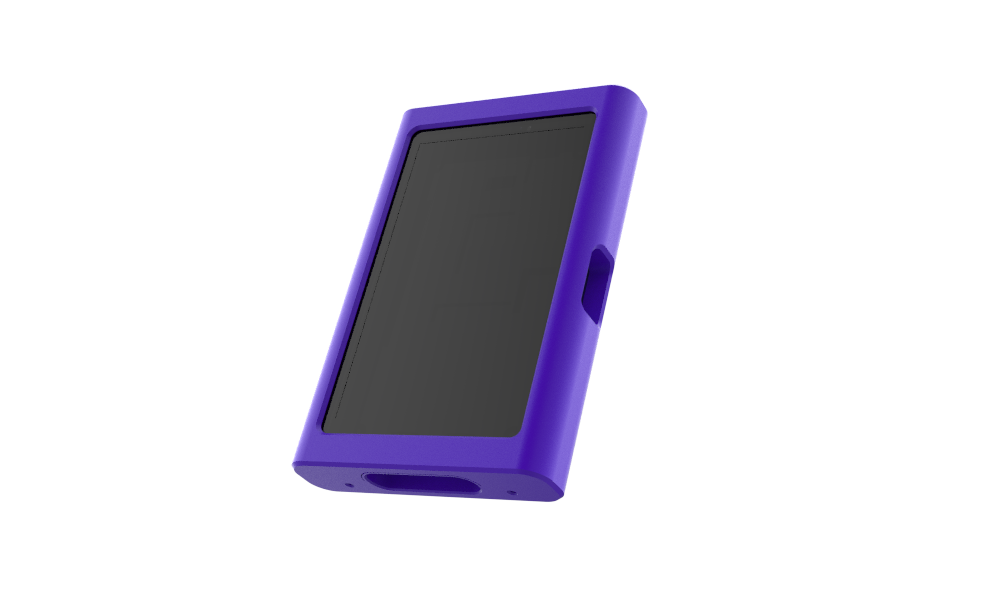
    For the enclosure design, my first hurdle was the display itself.

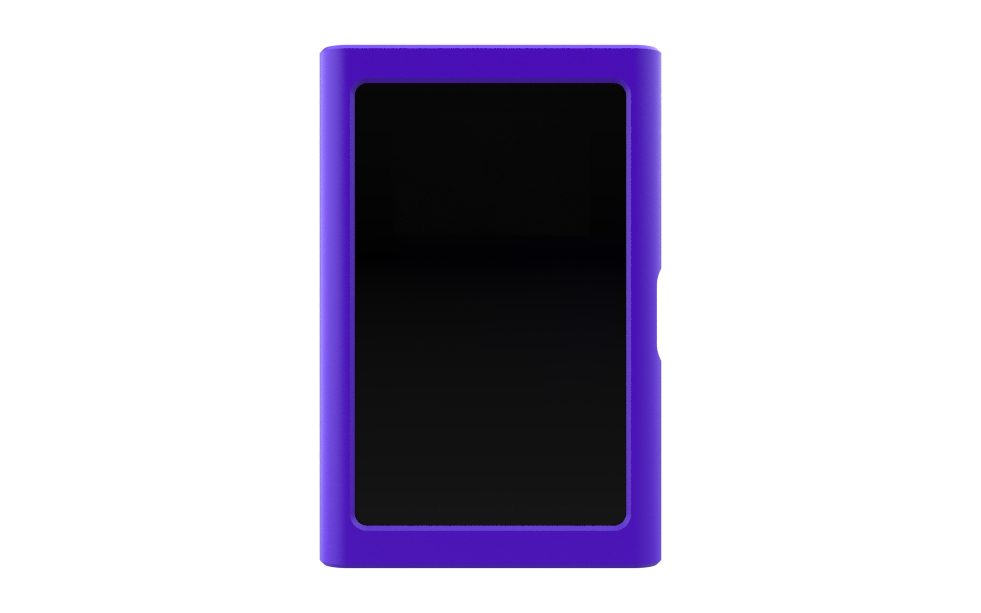
    The classic iPod has a very distinctive form factor, with a relatively small display and the iconic scroll wheel positioned underneath it. The overall design is also quite boxy, although the newer generations gradually became thinner compared to the older, chunkier models.

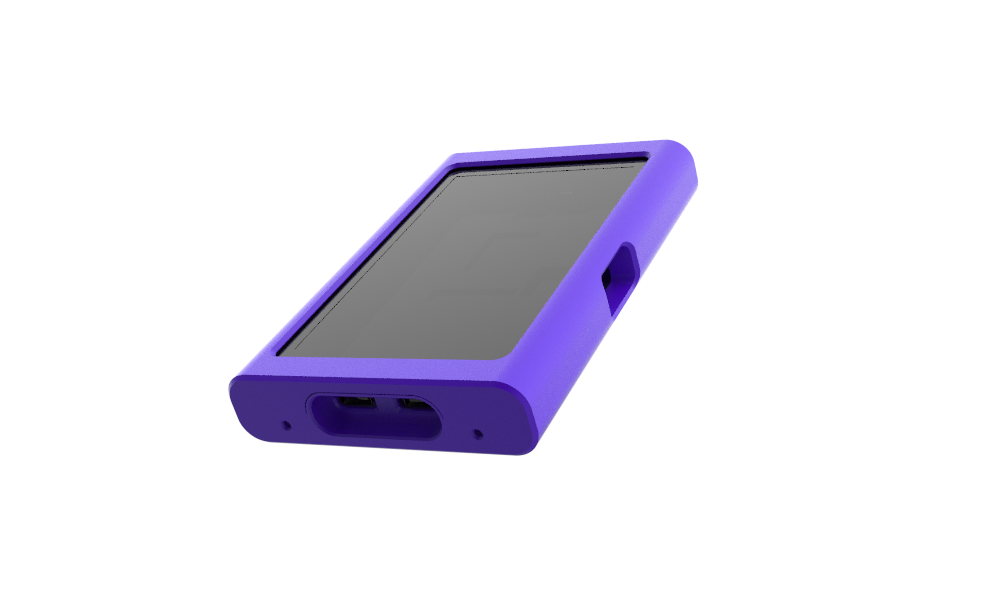
    Since I wanted to loosely base my design on the iPod, I decided to keep the enclosure simple and boxy as well. However, the thickness had to be increased to accommodate the Waveshare ESP32-P4 development board along with the LiPo battery inside.

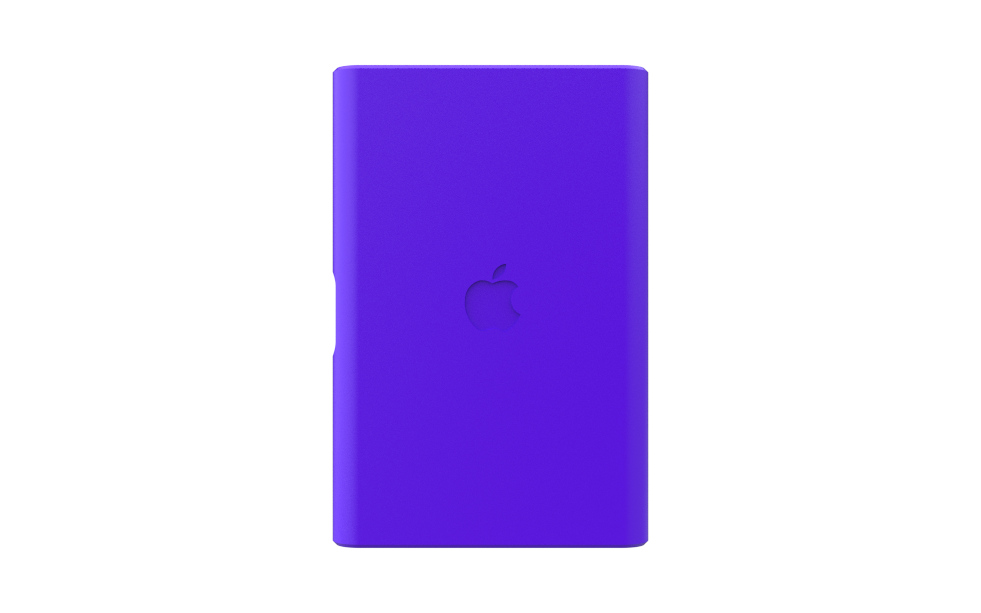
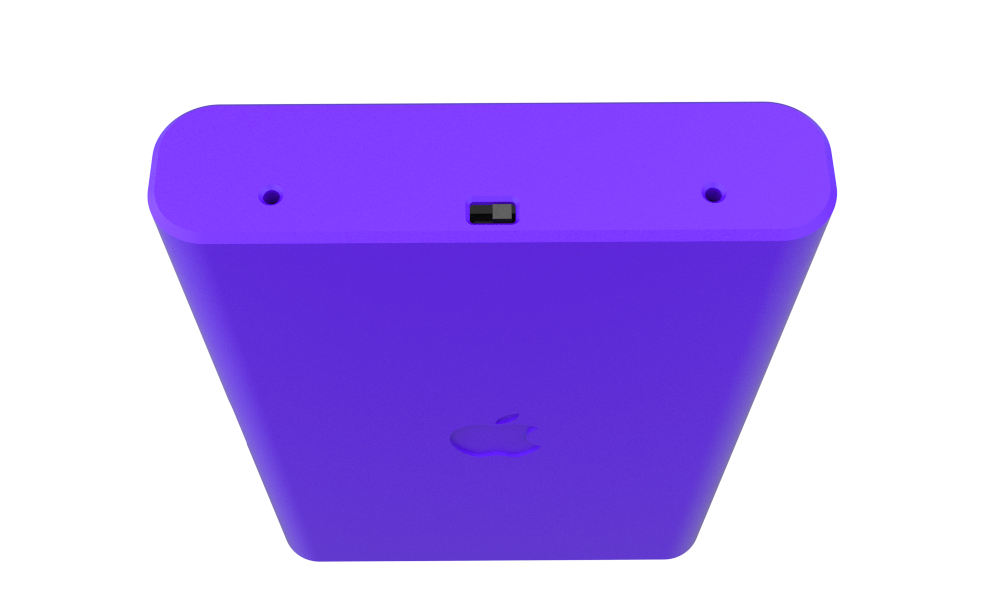
    I designed the enclosure as two separate halves, a front enclosure and a back enclosure. Both halves are joined together using four M2 screws, with mounting points placed along the top and bottom.

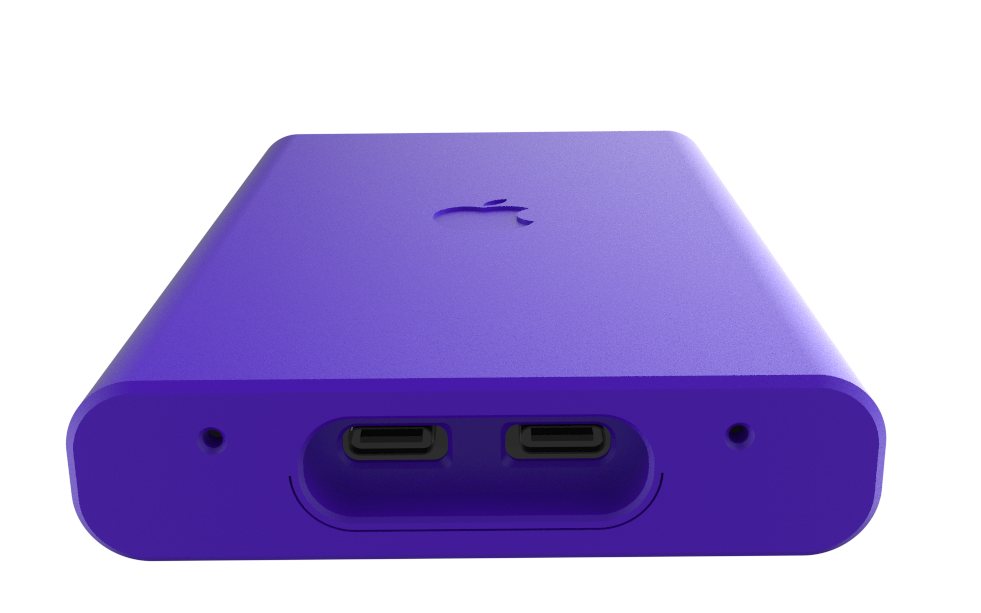
    On the bottom, the ESP32-P4 board has two USB Type-C ports, so I designed a dedicated recessed area around them. This gives enough clearance to plug in a USB-C cable as well as USB-C earphones without having the enclosure get in the way.

    I also wanted the SD card to remain accessible without having to open the entire enclosure. To achieve this, I created an opening along the right side, aligned with the SD card slot on the development board. This allows the SD card to be inserted or removed directly from the outside.

    And honestly, looking at the final design, it probably resembles a Nokia Lumia more than an iPod. But I actually really like how it turned out. It feels fresh while still retaining some of the simple, boxy character I wanted and more importantly, every part of the design has a functional purpose.

View all 12 instructions

Enjoy this project?

Share

Discussions

Similar Projects

Does this project spark your interest?

Become a member to follow this project and never miss any updates