 Scott Dylewski

Analog Redial turns old analog phones into a little phone system you can hack.
Plug in one or two phones, rotary or touch-tone, and you get real dial tone, ringing, calls between the phones, an answering machine, and a bunch of dial codes that do fun things... all set up from a web page. It can also talk to Home Assistant, so a dial code can turn on a light, or the phone can ring when your doorbell does. Add the Bluetooth board and your rotary phone becomes a handset for your cell phone!
Everything's open: KiCad hardware, ESP-IDF firmware in C (MIT license), and a serial console for poking at every part of the hardware.
See full details at https://github.com/sdylewski/Analog-Redial
Why I built it
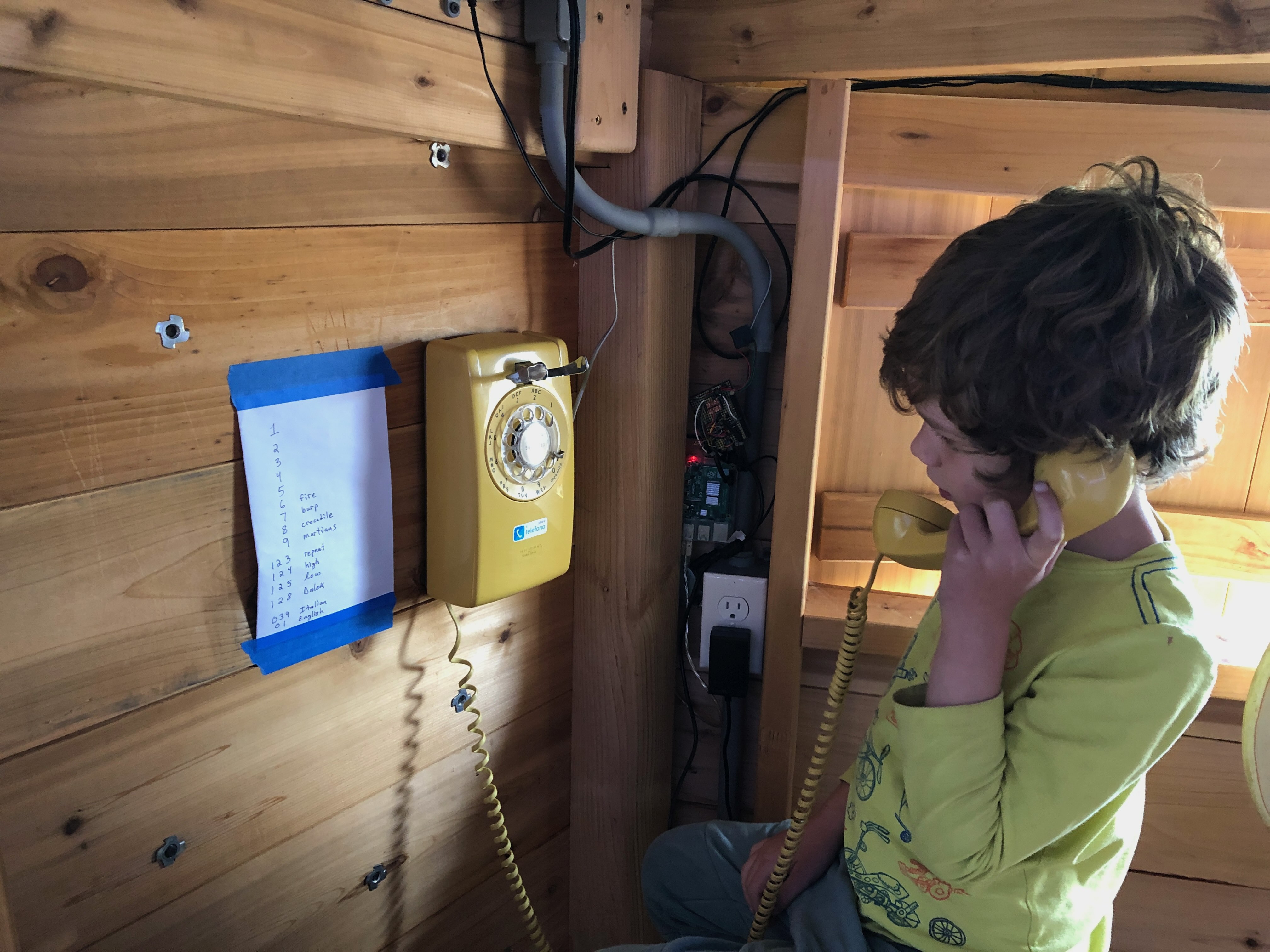
This project started as a way to use my family's yellow rotary-dial wall phone from when I was a child. One rotary phone could call another, and my kid liked playing with it. The first version ran on a Raspberry Pi and worked ok for years, but this ESP32-based version has more features and is cheaper to build.
Why not just buy a VoIP adapter? Flexibility and features! On a Grandstream device, you need to dial *47 then the other phone address... not exactly simple. Analog Redial is a whole phone system on its own, with the ability to hack and extend it as you wish.
Dial anything
The ESP32 sees every digit you dial, so any number can do whatever you want. The dial plan is just a table. Defaults:
| Number | What happens |
|---|---|
| 321 | Ring the other phone, if enabled |
| 211 | Record a message (download it from the web page later) |
| 0 | Operator help (you set the message beforehand) |
| 899 | Record your answering machine greeting |
| 412 314 8675309 846 | A dial-up modem recording - why not? Speaks the first 100 digits of pi Calls Jenny Set a timer to ring in N minutes |
| 1+(area code) +(number) | Call out through your cell phone (Needs Bluetooth board) |
Add your own codes and audio files from the browser. This could be a joke line for the kids, a song, a museum exhibit, or a wedding guestbook phone recorder...
Bluetooth option
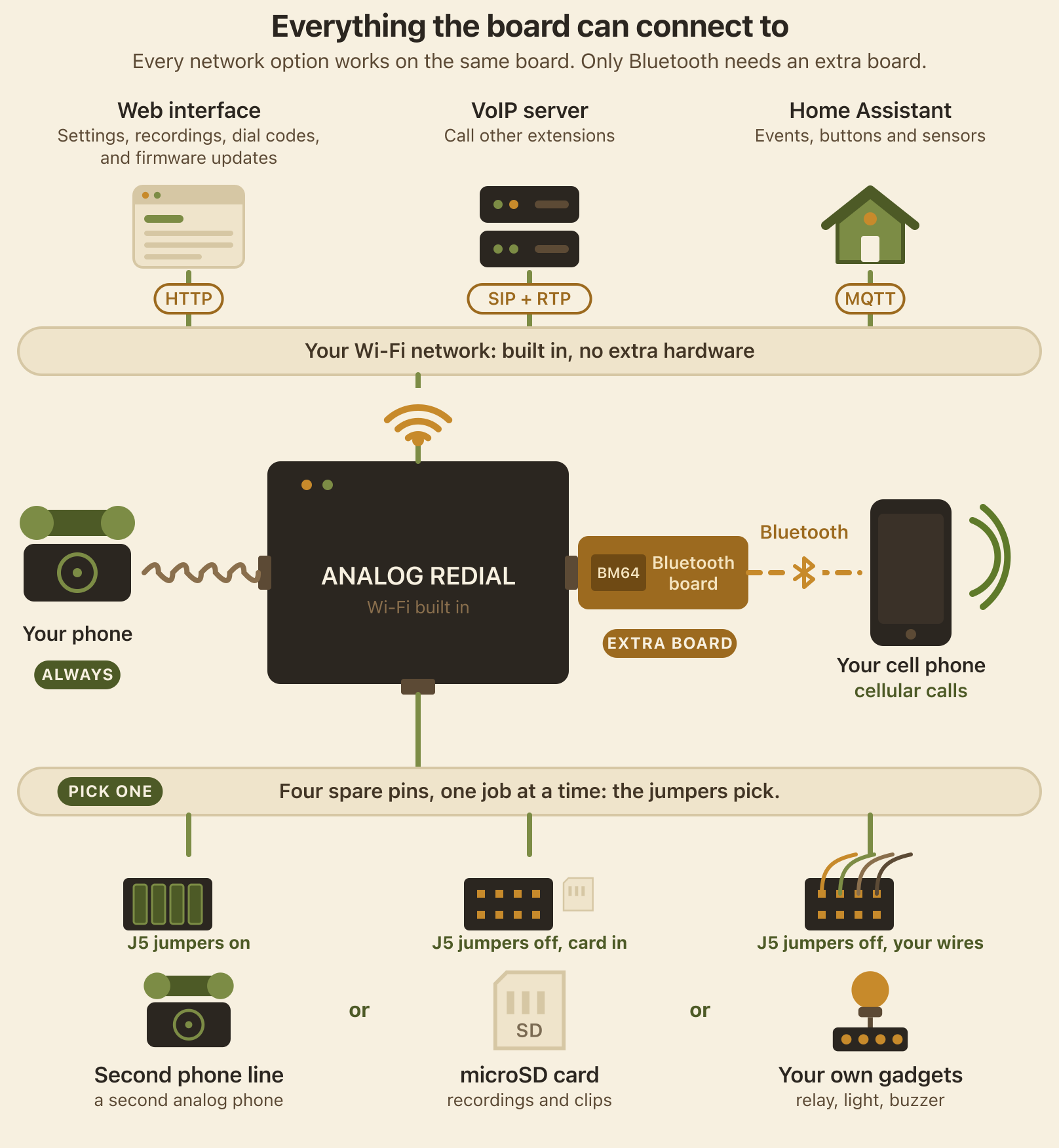
Plug the Bluetooth board (a BM64 module) onto the header and pair it with your cell phone. Then:
- Make calls from the rotary phone. Pick it up and dial 1+(area code)+(number). The call goes out on your cell phone, and the audio comes through the old handset.
- Incoming calls ring the real bell. Lift the handset to answer, hang up to end the call.
- Caller ID shows up in the web page's activity log.
- Everything else still works. With your cell connected but no call up, picking up still gives you dial tone and all the local dial codes.
A cheaper Bluetooth module, the DFRobot BT401 (about $3.50), is next to try. It should handle calls with a simple text command set, but I haven't tested it yet.
Home Assistant
Tick one box in the settings and the board announces itself to Home Assistant over MQTT: each line's state, a "ring the phone" button, a "new messages" count, and an event every time someone lifts the handset or dials a code. You can add codes whose only job is to tell Home Assistant "dial 42 for the porch light".
It also works with plain web hooks if you'd rather skip MQTT.
One header, three ways to use it
The board has four pins that can be used for different things. The little header (J5) with jumpers picks what they do. They do one job at a time, so you choose when you build it:
- A second phone line. Put the four jumpers on and the pins run the second line: another SLIC, another RJ12 jack, and both phones can call each other, run an intercom, or each have its own answering machine. (The second line costs about $10 more per board.)
- A microSD card. Take the jumpers off, add a card in the slot, and recordings, messages and your own audio go to the card instead of the board's 4 MB of flash: hours of storage, and you can pull the card out and copy things off. It's a one-line board then, because the card and line 2 share the pins.
- Your own gadgets. Without jumpers...
 Steph
Steph
 Greg Gushard
 CiferTech
 Udi Tirosh