Close
0%
0%

AirWriter

A fun (and beautiful) little device that adds AirPrint and AppleTalk to the Apple ImageWriter II over Wi-Fi

Similar projects worth following
0 followers
AirWriter is a little device that plugs into the serial port on an ImageWriter II and makes it show up on your iPhone or Mac like any other AirPrint printer. No old computer or drivers needed. It's still a work in progress, but it prints!

The ImageWriter II is a great printer, but it has no network port. Printing to one usually means keeping an old Mac around, or a modern computer with an old Ghostscript driver. I wanted to print to mine straight from my phone, so I made a dongle that does all the work itself.

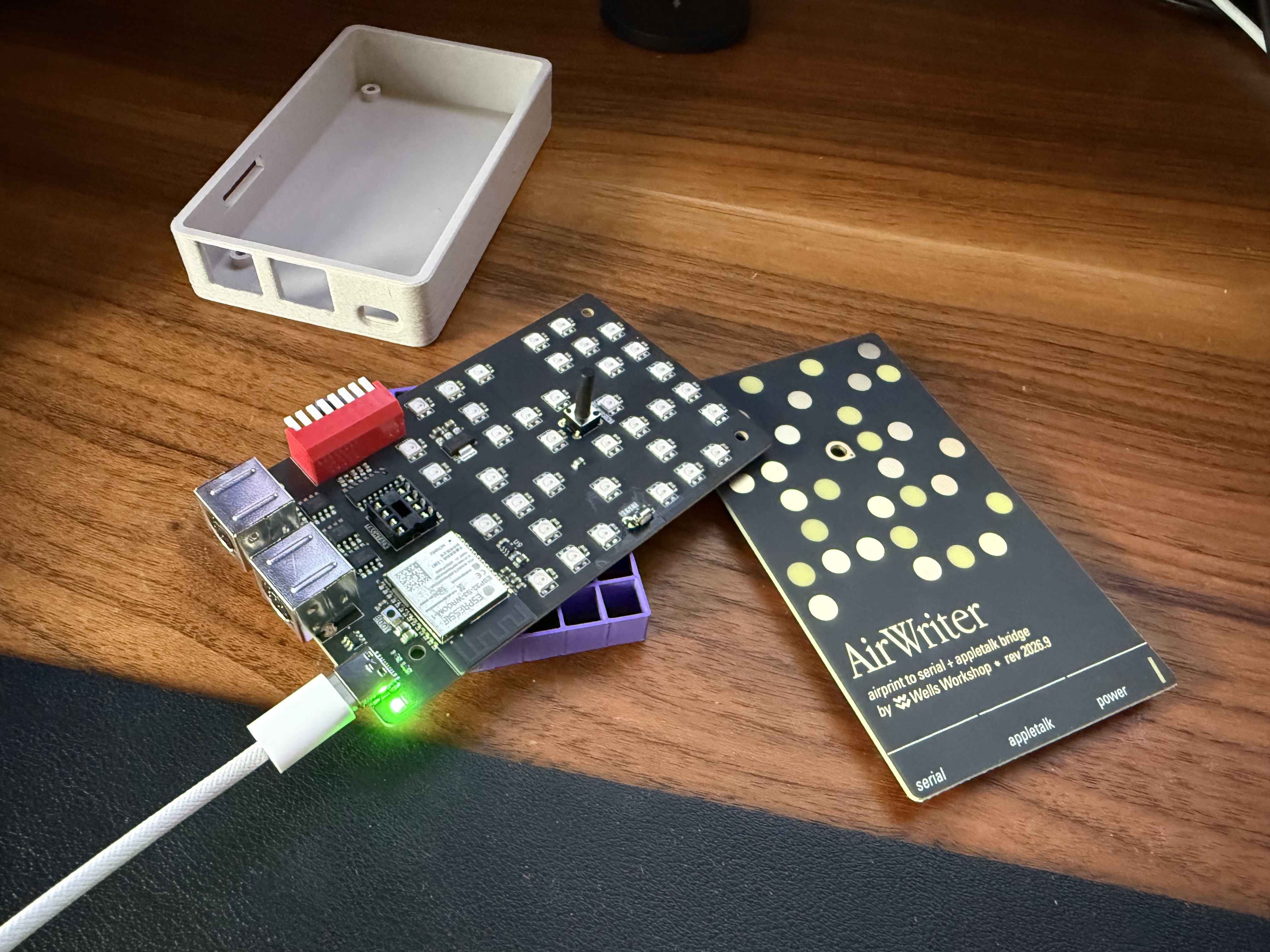
It's an ESP32-S3 on a custom board with two mini-DIN ports, one for the printer and one for LocalTalk. When you hit Print, AirWriter takes the job over Wi-Fi, dithers it with Atkinson dithering (the same one the original Mac used), converts it to the ImageWriter's graphics mode and sends it down the serial cable. It uses the same Apple cable that connects the printer to a Mac, so you probably already have one.

If the printer runs out of paper or someone presses SELECT, your phone gets an alert, and the page carries on once you fix it.

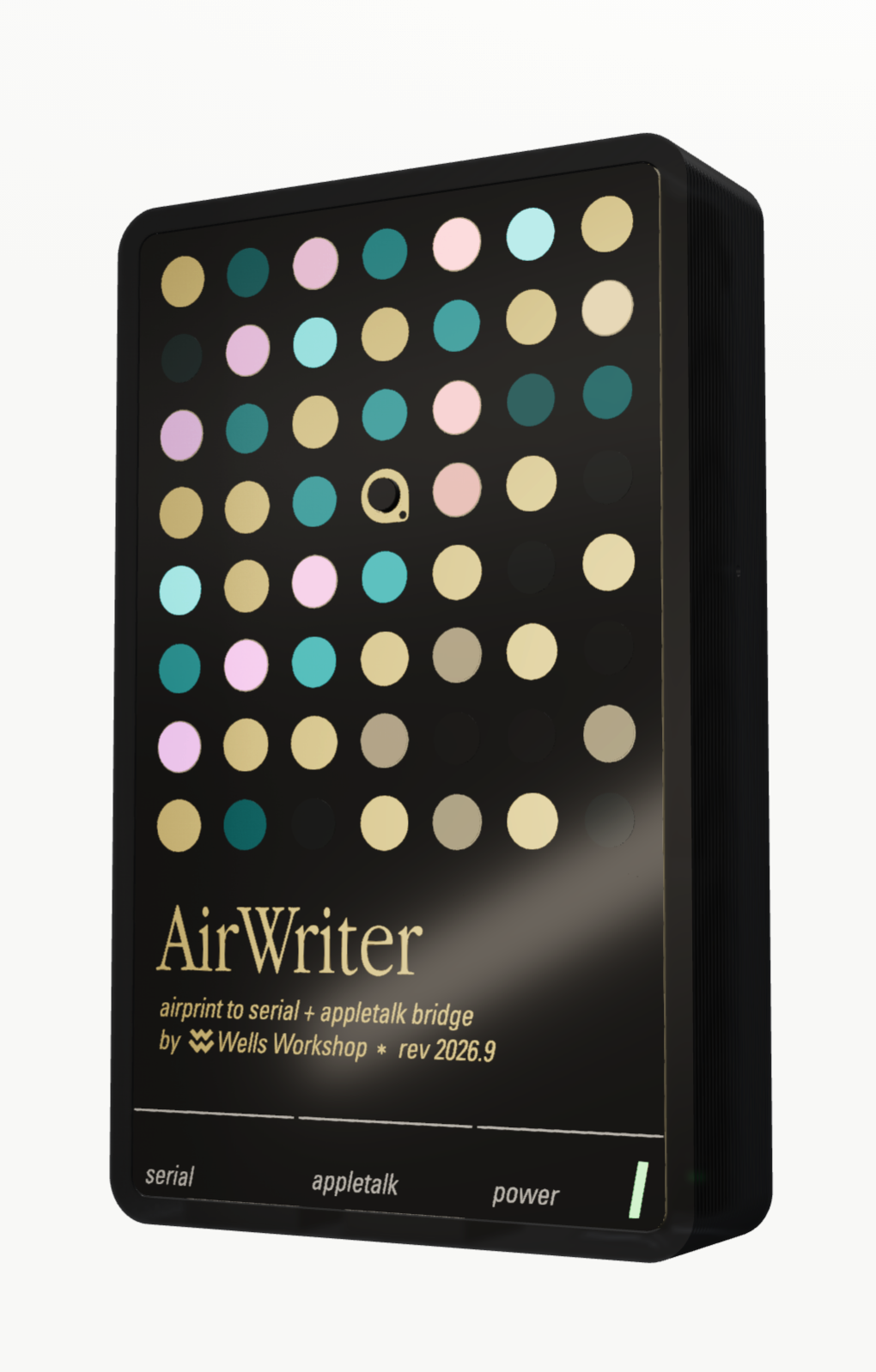
The front is a second PCB with no parts on it, just artwork. Its grid of dots is made from bare FR4, soldermask and gold, and 37 RGB LEDs behind it show what the printer is up to. A little print head runs across the dots while it prints, they turn amber when it needs paper, and they glow like embers when the printer is switched off.

Printing from iPhone and Mac works right now, along with paper-out alerts, cancelling, setup over its own Wi-Fi network, OTA updates and the LED panel. Home Assistant's printer integration even picks it up. Next up is LocalTalk. The board can already hear a vintage Mac's Chooser through the LocalTalk port, and the goal is to show up there as a printer, so an old Mac and an iPhone can share the same ImageWriter.

The LocalTalk side runs on TashTalk by lampmerchant, and its wiring comes straight from FeralFirmware's TashTalkUSB. polpo's ImageScribbler is what I'll be leaning on for the AppleTalk part. Thank you all!

AirWriter will be available at shop.wells.ee. Hardware and firmware are both open source.

AirPrint, LocalTalk and ImageWriter are trademarks of Apple. AirWriter isn't affiliated with Apple.
  • 1 × ESP32-S3-WROOM-1-N8R2 Wi-Fi, 8 MB flash, 2 MB PSRAM
  • 1 × PIC12F1840 Microprocessors, Microcontrollers, DSPs / ARM, RISC-Based Microcontrollers
  • 1 × SP3490 Interface and IO ICs / RS-232, RS-422, RS-423 and RS-485
  • 1 × SP3232 Interface and IO ICs / Multiprotocol Transceivers
  • 2 × SP3485 Interface and IO ICs / RS-232, RS-422, RS-423 and RS-485

View all 9 components

  • LocalTalk is listening

    Wells Workshop • a day ago • 0 comments

    The second port is to support LocalTalk networks. There's a super rare LocalTalk Option Card for ImageWriter II which is both rare and incredibly expensive. AirWriter now adds this functionality to any unmodified ImageWriter printer!

    When a vintage Mac opens the Chooser, AirWriter is detected by the Mac as an AppleTalk ImageWriter II and happily prits to it now!!

  • Paper out

    Wells Workshop • a day ago • 0 comments

    When the printer runs out of paper, AirWriter now pauses the job and the phone tells you to check paper and SELECT. At one point I added an extra printing feature and the iPhone just sat at "Waiting" forever, so that came back out. Cancelling a job halfway through a line also used to make the next page print garbage. Now it resets the printer before the next job.

  • Boards are here

    Wells Workshop • a day ago • 0 comments

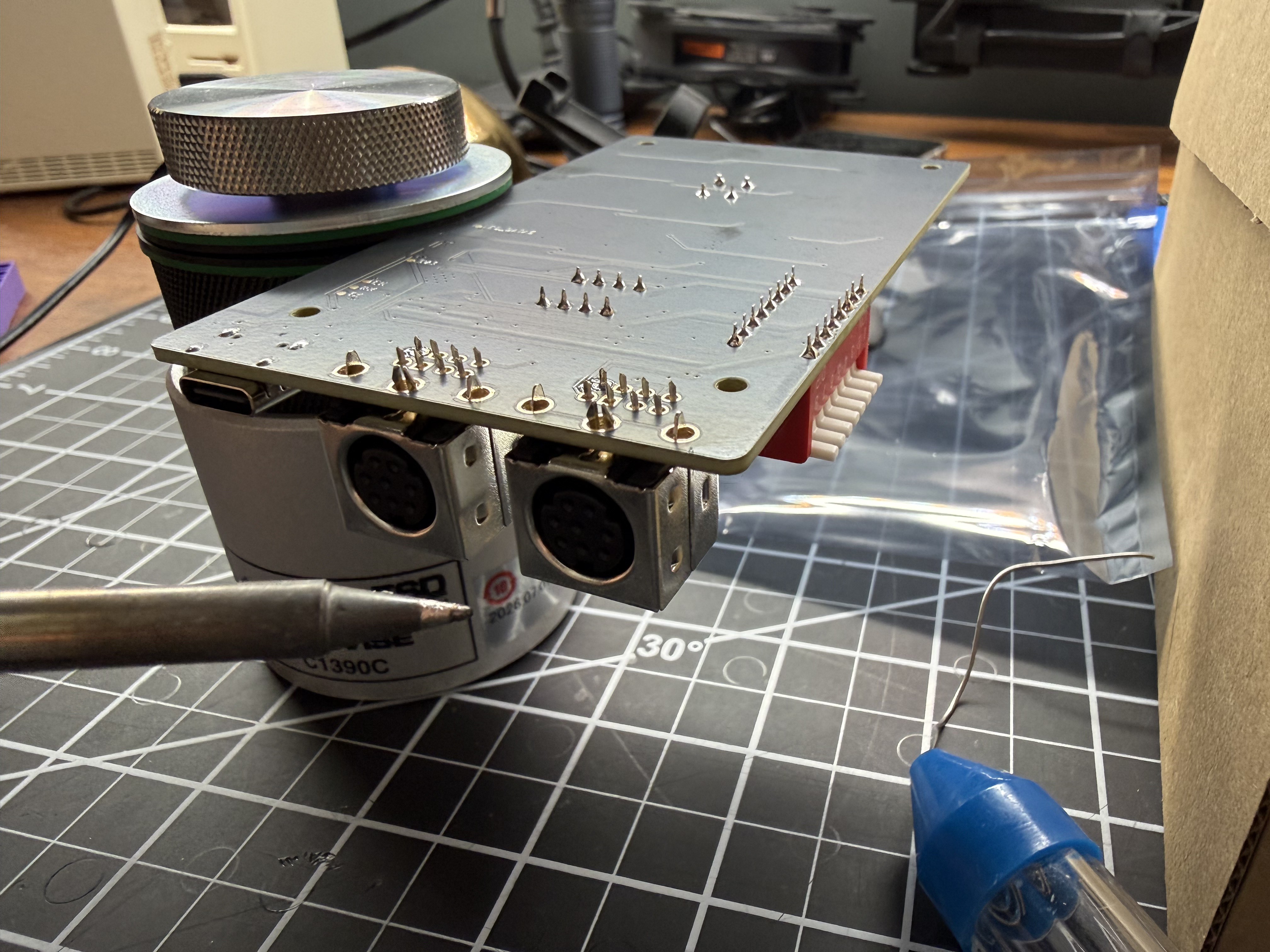
    The boards came back from PCBWay, and I soldered on the two mini-DIN ports by hand. The LocalTalk chip is a PIC, and rather than buy a programmer I had the ESP32 program it right in its socket. That took a couple of tries.

    The first print came out exactly the same as the laptop version, byte for byte, which was a relief. A full-page photo from my iPhone takes about two minutes to print. I also printed a case for it, which took a few rounds to get right. The board slides in past a flexible wall on one side.

  • The art panel

    Wells Workshop • a day ago • 0 comments

    I tried a few looks for the front before landing on this one. It's a second PCB that snaps off the same panel as the main board and has no components at all. I draw the art in Figma, and a script turns the export into a KiCad board, with each colour mapped to a PCB material. Bare FR4 lets the LEDs through in full colour, soldermask turns them teal, and the gold dots stay dark.

    The first version would have leaked light everywhere, because black soldermask lets teal light through. So the back of the panel is solid copper, with holes only behind the dots that are meant to light up.

  • Printing to nothing

    Wells Workshop • a day ago • 0 comments

    The boards were weeks away, so I started on the firmware without them. I set up a fake printer on my laptop, printed to it from my iPhone and saved what came through. That gave me a real AirPrint job to test against, and the whole pipeline got built and tested on the laptop first, then on an ESP32 devkit. Long before the boards arrived, the devkit was showing up in the iPhone's print sheet, with no printer attached.

View all 5 project logs

Enjoy this project?

Share

Discussions

Does this project spark your interest?

Become a member to follow this project and never miss any updates