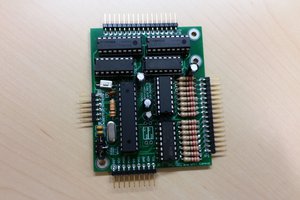
This is a very simple example of using ESP8266 with MicroPython and a #D1 Mini Matrix Shield to make a weather forecast display. It will stand in my hall, connected to a phone charger, so that I won't forget an umbrella when leaving.
A simple display for weather forecasts.
To make the experience fit your profile, pick a username and tell us what interests you.
We found and based on your interests.
This is a very simple example of using ESP8266 with MicroPython and a #D1 Mini Matrix Shield to make a weather forecast display. It will stand in my hall, connected to a phone charger, so that I won't forget an umbrella when leaving.
The code is far from pretty, but it works (at least as long as something goes wrong and it crashes). It gets the current weather information from the OpenWeatherMap API, and displays the icon and temperature, alternating them every 4 seconds. The particular prototype shield I used for testing also has 2 buttons, but they are not used by the code.
import utime
from machine import I2C, Pin
from ht16k33_matrix import Matrix8x8
import json
import urequests
API_KEY = "generate your own"
CITY = "Zuirich"
ICONS = {
'00': (
0b00000000,
0b01000010,
0b00100100,
0b00011000,
0b00011000,
0b00100100,
0b01000010,
0b00000000,
),
'01': (
0b00010000,
0b01010010,
0b00111100,
0b00111111,
0b11111100,
0b00111100,
0b01001010,
0b00001000,
),
'02': (
0b00010000,
0b01010100,
0b00111000,
0b11111110,
0b01000100,
0b10000010,
0b10000001,
0b01111110,
),
'03': (
0b00000000,
0b00000000,
0b00000000,
0b00111000,
0b01000100,
0b10000010,
0b10000001,
0b01111110,
),
'04': (
0b01100000,
0b10011000,
0b10000100,
0b01111000,
0b01000100,
0b10000010,
0b10000001,
0b01111110,
),
'09': (
0b00111100,
0b01111110,
0b11111111,
0b11111111,
0b10001001,
0b00001000,
0b00101000,
0b00111000,
),
'10': (
0b00101010,
0b00011100,
0b01111111,
0b00011100,
0b01111010,
0b11111100,
0b00010000,
0b00110000,
),
'11': (
0b00001111,
0b00011110,
0b00111100,
0b01111111,
0b11111110,
0b00000100,
0b00001000,
0b00010000,
),
'13': (
0b01010010,
0b11010011,
0b00111100,
0b00100111,
0b11100100,
0b00111100,
0b11001011,
0b01001010,
),
'50': (
0b11111111,
0b00000000,
0b11111111,
0b00000000,
0b11111111,
0b00000000,
0b11111111,
0b00000000,
),
}
DIGITS = {
' ': (
0b0000,
0b0000,
0b0000,
0b0000,
0b0000,
),
'0': (
0b0111,
0b0101,
0b0101,
0b0101,
0b0111,
),
'1': (
0b0010,
0b0010,
0b0010,
0b0010,
0b0010,
),
'2': (
0b0111,
0b0001,
0b0111,
0b0100,
0b0111,
),
'3': (
0b0111,
0b0001,
0b0111,
0b0001,
0b0111,
),
'4': (
0b0101,
0b0101,
0b0111,
0b0001,
0b0001,
),
'5': (
0b0111,
0b0100,
0b0111,
0b0001,
0b0111,
),
'6': (
0b0111,
0b0100,
0b0111,
0b0101,
0b0111,
),
'7': (
0b0111,
0b0001,
0b0001,
0b0001,
0b0001,
),
'8': (
0b0111,
0b0101,
0b0111,
0b0101,
0b0111,
),
'9': (
0b0111,
0b0101,
0b0111,
0b0001,
0b0001,
),
':': (
0b0000,
0b0001,
0b0000,
0b0001,
0b0000,
),
'.': (
0b0000,
0b0000,
0b0000,
0b0000,
0b0001,
),
'-': (
0b0000,
0b0000,
0b0001,
0b0000,
0b0000,
),
}
matrix = Matrix8x8(I2C(-1, Pin(5), Pin(4)))
wait = 0
def show(image, dx=0, dy=0):
for y, row in enumerate(image):
bit = 1
for x in range(8):
matrix.pixel(dx + x, dy + y, row & bit)
bit <<= 1
matrix.show()
def show_text(text):
x = 0
for c in reversed(text):
if c in '.:-':
show(DIGITS.get(c, DIGITS[' ']), x - 1, 1)
else:
show(DIGITS.get(c, DIGITS[' ']), x, 1)
x += 4
def get_weather():
r = urequests.get("http://api.openweathermap.org/data/2.5/weather"
"?q=%s&appid=%s" % (CITY, API_KEY)).json()
return r["weather"][0]["icon"], int(r["main"]["temp"] - 273.15)
while True:
if wait <= 0:
icon, temp = get_weather()
wait = 60
if icon[-1] == 'd':
matrix.brightness(9)
else:
matrix.brightness(2)
matrix.fill(0)
show_text('%2d' % temp)
utime.sleep(4)
show(ICONS[icon[:2]])
utime.sleep(4)
wait -= 1
Create an account to leave a comment. Already have an account? Log In.
Become a member to follow this project and never miss any updates
What an mazing project, pal!!!