AndyMac
-
Build Overview
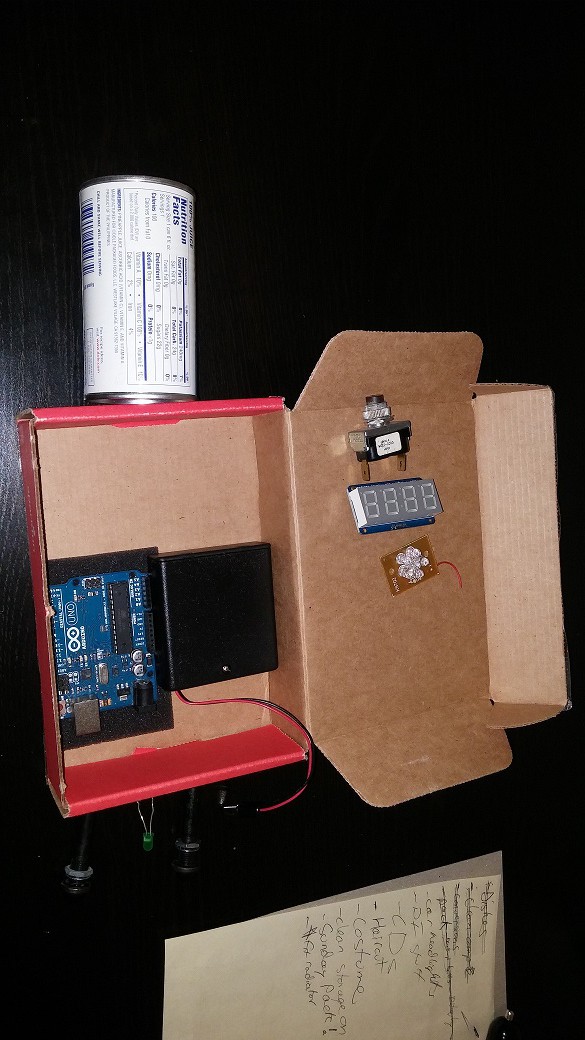
11/12/2015 at 05:23 • 0 commentsI wanted to get this entire build done in a few hours. After wasting time trying to lay it out on paper first, I decided to just start throwing things on the table. Luckily a SparkFun box happens to fit an Arduino Uno and battery pack quite nicely. Did I need that much firepower for a few LEDs and a 7 segment display? Probably not, but again, the theme of the build is down-and-dirty. Plus I wanted to try and randomize the display with a random 'universe' of 1 letter and 3 numbers (i.e. C-137).
![]()
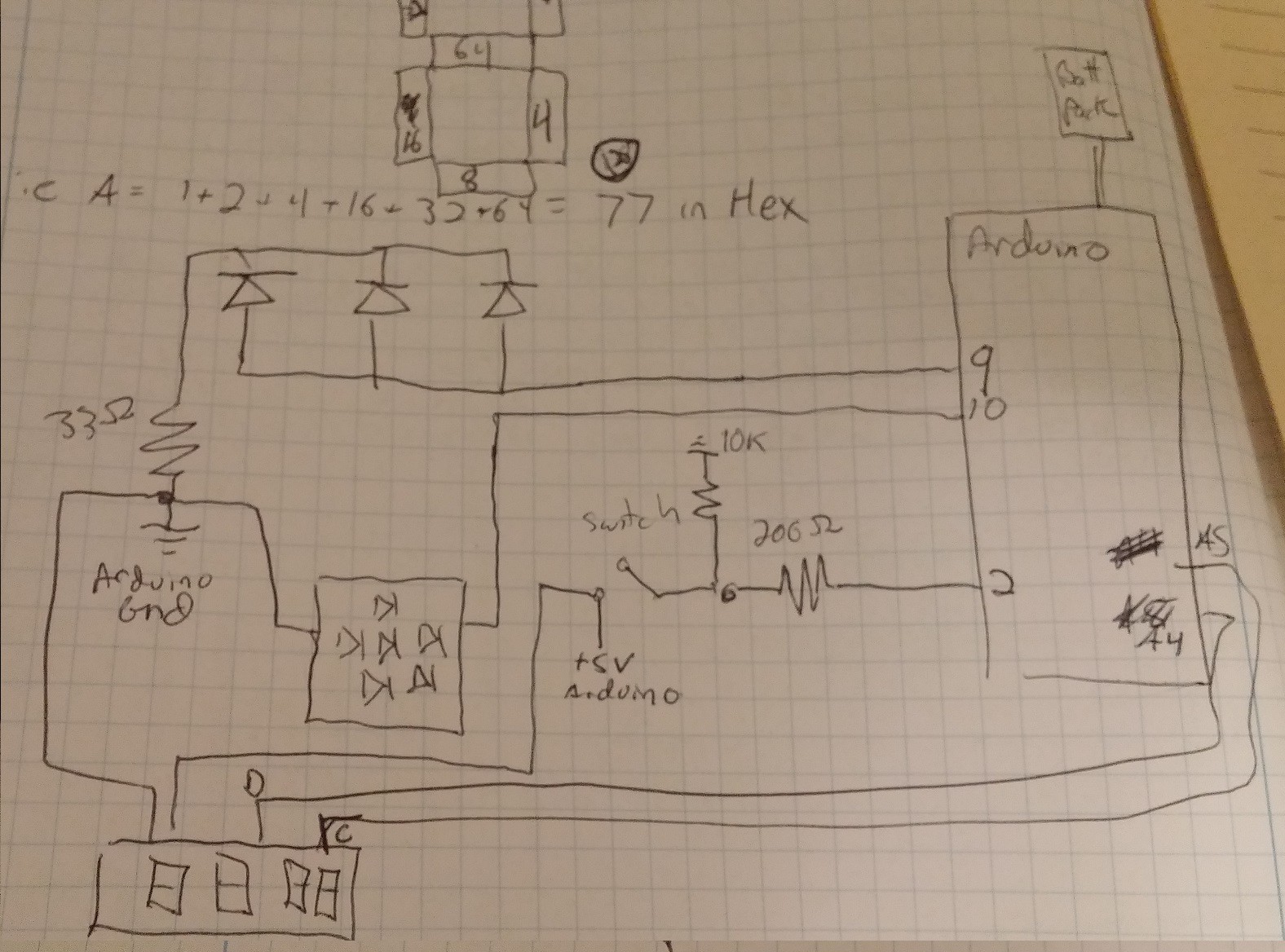
Once I had the rough locations laid out the rest of the project followed suit. For cleanliness the wiring looked something like this:
![]()
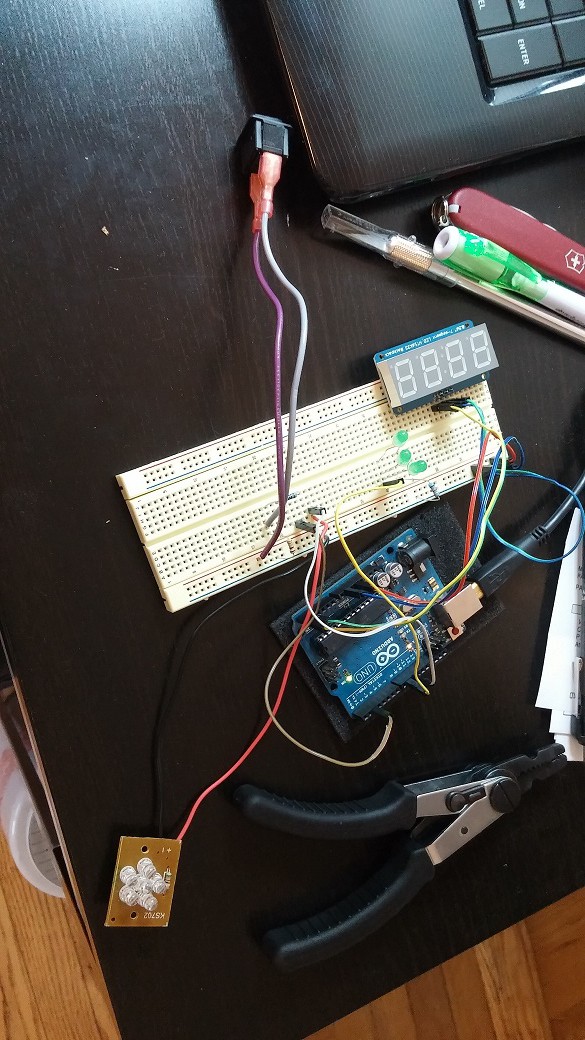
As with all of my builds I still like to see it working on the breadboard first in case I need to rewire something before installing it. When the button is held down it should cycle through a random series of universes, and the lights will pulse.
![]()
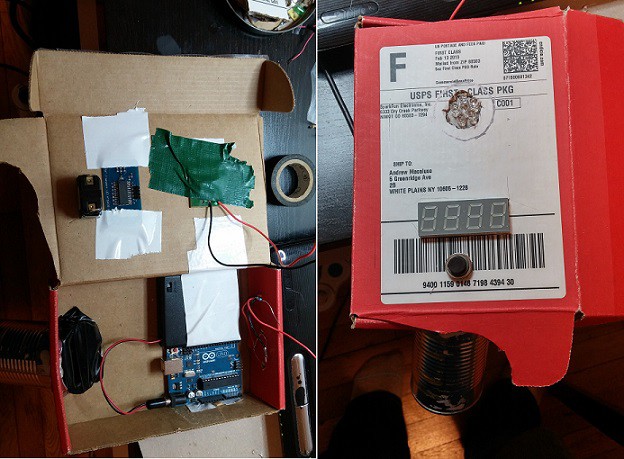
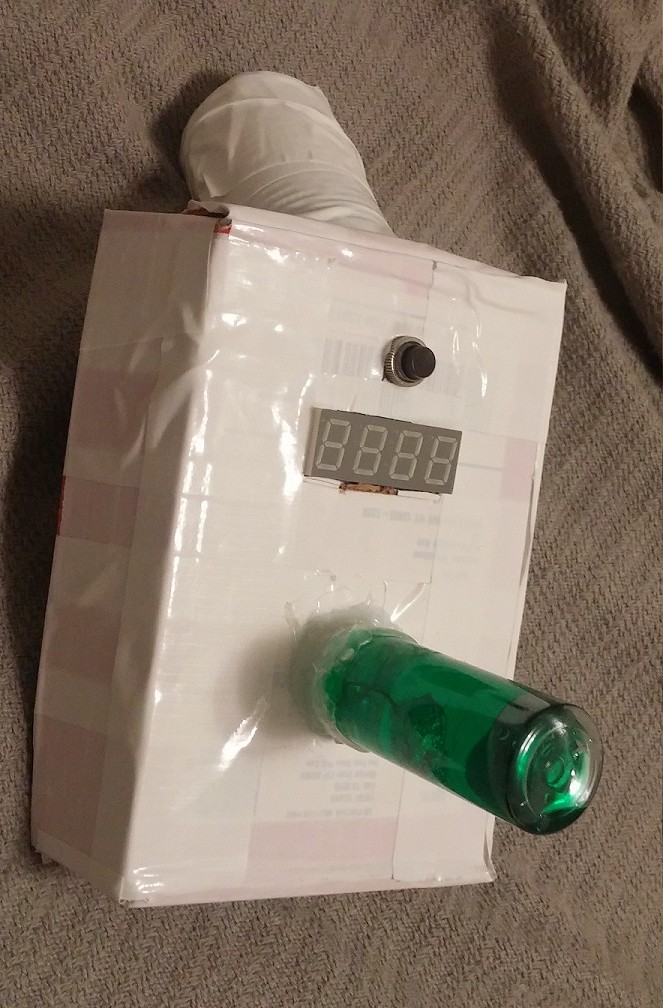
Once it was all assembled, minus the green 'crystal' on top and white color, it looked like this:
![]()
The 'crystal' on top was built of two travel-size liquid containers filled with water and green food coloring. In hindsight I would have liked to do this differently, as it was difficult to seal and looked a bit ugly after I threw every glue in my desk at it. This was installed over an array of 6 LEDs. I would have preferred to fill it with green EL wire, but did not have any handy. The final coating was white duct tape, but should have been spray paint.
![]()
The code is probably not as smooth as it could be.
/* This is a one afternoon, quick-and-dirty, build of a Rick & Morty portal gun.  Features include:
-PWM flashing lights on top
-PWM flashing lights on front
-Randomly generated universe code of 1 letter, 3 numbers

I kept the front and top lights as separate variables in case I want to do different things with each.

For 7 segment display:
1 = top
2 = upper R
4 = lower R
8 = bottom
16 = lower L
32 = upper L
64 = middle
128 = decimal

pick the segments you want and add up the numbers in hex. for instance
A = 1 + 2 + 4 +16 + 32 + 64 = 119 = 0x77
P = 1 + 2 + 16 + 32 + 64 =114 = 0x73
*/

// Libraries
#include "Adafruit_LEDBackpack.h"
#include "Adafruit_GFX.h"
#include <Wire.h>

// Pin declarations
int buttonPin = 2;     //pin for the switch
// 7 segment Clock = A5
// 7 segment Data = A4
int frontLight = 9;    //pin for lights on the front
int topLight = 10;      //pin for lights on the top
int letterCount = 20;  //in case you want to add characters

// Variables
Adafruit_7segment matrix = Adafruit_7segment();

//Character array
int segmentChar[] = {
  //letters A-J, L, N-U, Y
  0x77, 0x7C, 0x39, 0x5E, 0x79, 0x71, 0x6F, 0x76, 0x30, 0x1E, 0x38, 0x54, 0x3F, 0x73, 0x67, 0x50, 0x6D, 0x78, 0x3E, 0x6E
};

//Number array
int numberArray[] = {
  0x3F, 0x06, 0x5B, 0x4F, 0x66, 0x6D, 0x7D, 0x07, 0x7F, 0x67
};

void setup() {
  matrix.begin(0x70);

  //Set all pins
  pinMode(buttonPin, INPUT);
  pinMode(frontLight, OUTPUT);
  pinMode(topLight, OUTPUT);

  //initialize everything to off
  digitalWrite(frontLight, LOW);
  digitalWrite(topLight, LOW);
}

void loop() {
  int reading = digitalRead(buttonPin);
  float in;    // used to pulse LEDs
  float out;   //used to pulse LEDs

  if (reading == HIGH){
      matrix.writeDigitRaw(0, segmentChar[random(letterCount-1)]);
      matrix.writeDigitRaw(1, numberArray[random(9)]);
      matrix.writeDigitRaw(3, numberArray[random(9)]);
      matrix.writeDigitRaw(4, numberArray[random(9)]);
      matrix.writeDisplay();
    for (in = 0; in < 6.283; in = in + 0.001) {
      out = sin(in) * 127.5 + 127.5;
      analogWrite(frontLight, out);
      analogWrite(topLight, out);
    }
  }
    //wait 1/2 a second, then turn everything off
    delay(500);
    digitalWrite(frontLight, LOW);
    digitalWrite(topLight, LOW);
    matrix.writeDigitRaw(0, 0x0);  // I know this looks stupid, but it is the only way I can figure out
    matrix.writeDigitRaw(1, 0x0);  // how to turn all digits off
    matrix.writeDigitRaw(3, 0x0);
    matrix.writeDigitRaw(4, 0x0);
    matrix.writeDisplay();
}
1-day Portal Gun
A quick and dirty build of Rick Sanchez's portal gun from Rick and Morty