Keith
Keith-
Analysing Device Programmers
01/10/2026 at 18:30 • 0 commentsI looked at another device programmer (the Dataman S3) and found it had microcontroller with a 8085-like core and 4K of mask-programmed ROM. It had an 8K RAM chip. The ROM is not going to hold much code, and certainly not enough for the long list of devices it supported. I realised that the ROM is probably little more than a bootloader, loading the RAM with code for programming one type of a device at a time.
For the same reason, I expect my Dataman LV48 and many others are doing the same.
This is very sensible, because there is very little fixed code in the programmer, and the software modules for programming devices are held in the host PC's hard drive. These can be corrected if bugs are found, or new ones added later.
I wonder if they are obfusticated at the PC end in some way, to get in the way of reverse engineers? With a bit of clever circuitry, one could read the programmer RAM to analyse the algorithms.
It is not worth the time to completely reverse engineer this programmer, because you could earn the money to buy one in far less time. I'm only interested in how it works for the sake of curiosity, and to investigate what may be a bug in the MMI PAL14L4 reading software. For some reason it was not reading the fuses for the 3rd and 4th output pin.
To analyse the firmware, I used the command
d52 -b Dataman_U42.bin -t
The -t tells it analyse the file, disassemble it, and generate an ASCII control file called Dataman_U42.ctl which can be edited and improved by the user. Don't use the -t option again, as it will overwrite any edits you have made and you will have to start all over again.
The ctl file contains entries like this:
t 1289-12aa ; ASCII text
and the disassembly contains:
    db    0f7h
    db    '"LabTool-48 Firmware Version 2.'
X12a8:    db    '00'
    db    0
Edit the ctl file to add a label:
The ctl file contains entries like this:
l 1289 text_LabTool_firmware_version
t 1289-12aa    ; ASCII text
Then run:
d52 -b Dataman_U42.bin
NB no -t option this time!
And now the disassembly contains the new label:
db    0f7h
text_LabTool_firmware_version:
    db    '"LabTool-48 Firmware Version 2.'
X12a8:    db    '00'
There's a lot more in the online manual here:
https://www.bipom.com/documents/dis51/d52manual.html
I had a quick look through the disassembled code but it does not look simple to decipher. There is just under 16K of code. I think it might be quicker to start by analysing the printer-port traffic to get an idea of what it is doing to start with.
-
Verifying behaviour
10/05/2025 at 16:32 • 0 commentsThe first thing I want to do is confirm that the devices I program behave exactly as the originals.
The original MMI handbook shows the keyword FUNCTION TABLE followed by a list of pin names generating a truth table. Alas the Opal software does not recognise this keyword, and nor does GALASM.
Looks like the simplest way is to read the behaviour using a ROM socket adapter. I will need to make one for exercising PAL chips that are copy-protected.
-
Compiling GAL equations on Linux
10/05/2025 at 16:23 • 0 commentsThere is an open-source compiler called GALasm at Github.
GALasm
Pros:
- Open source
- Runs on Linux natively
Cons:
- Limited to a few GAL chips
- Needs Opal files to be edited to a new format
- Pin lists must include NC pin names
- Pin names limited to 8 characters
Opal
Pros:
- I can run it on MSDOS and a Linux DOS emulator
- Supports many GAL and PAL chips
- Written by a chip manufacturer
- Thoroughly tested by industry
I shall be sticking to Opal, because I can run it on both machines
-
Running DOS tools on Linux
10/05/2025 at 02:55 • 0 commentsI want to try compiling PAL equations or decompiling JEDEC files more often than I need to read or program devices.
It is much more convenient to do this on my Linux PC than my small Win98 PC.
The tools can be run by an MSDOS emulator called DOSBOX.
I have a small USB stick I use for transferring PAL work between the two machines. On my Win98 machine it appears as drive F, and on my Linux machine as drive /media/keith/USB DISK.
The USB drive has the tools in F:\MSDOS\Opal
The first thing to do is to start the DOSBOX application, which will open a DOS window with this prompt:
Z:\>
The next step is to make the USB drive look like a disk drive inside the DOS. I use the command:
Z:\>MOUNT F "/media/keith/USB DISK/MSDOS"
F:
This mounts the Linux directory in the virtual PC:
F:\>dir
Directory of F:\.
.              <DIR>        17-09-2025 20:41
..             <DIR>        01-01-2098  1:00
OPAL           <DIR>        20-09-2025  2:00
So now I can go to OPAL and run all the tools from there.
Irritatingly, I can't copy and paste text into the DOSBOX window. Also, if I change file or directory names in the Linux directory, they are invisible to the dir command but I can still cd to them. All the names are 8-characters, so it is helpful to choose short names.
It defaults to a US keyboard, so I have to run this command to get a UK keyboard:
keyb uk
-
Mini-PC host
02/04/2022 at 17:06 • 0 commentsMost of the headache seems to be installing an OS. This is easy with a ready-to-go PC with a CD ROM or even floppy disks, but my Futro board did not have them.
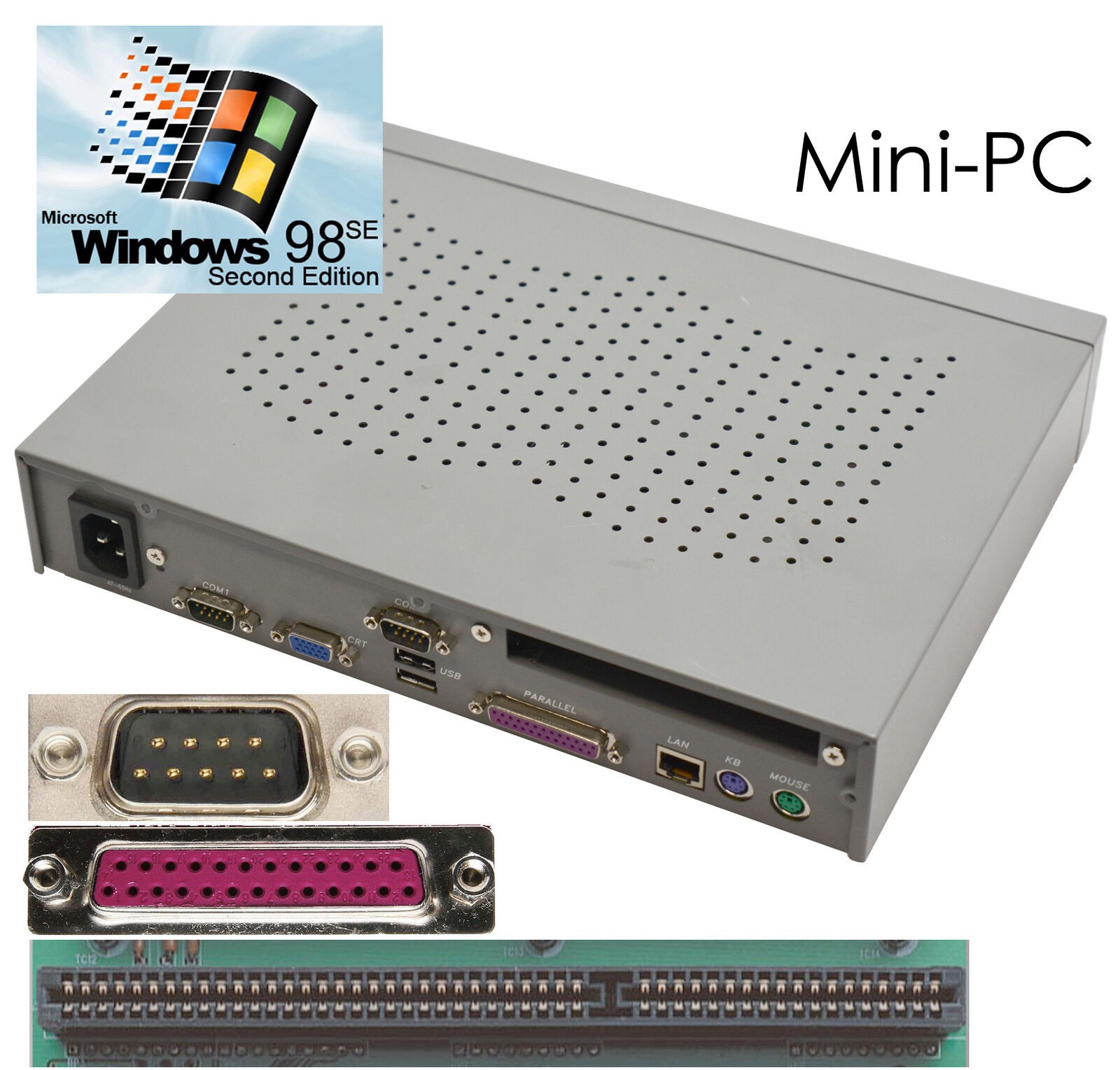
I decided to buy a small PC with Windows 98 already installed. There were some for £102, but I paid £160 for one that was 40% of the size. Space is scarce in my place! It has an LPT port but if it is not directly accessible with IN and OUT instructions, I can fit one that definitely is by using the single ISA slot.
The couriers left a note saying there is £42.95 to pay. I imagine this is £32 for 20% VAT plus £10.95 processing charge. Pushing the total cost to a tad under £203. That is still about half the cost of the USB upgrade, but not that cheap either.
![]()
2022-02-07
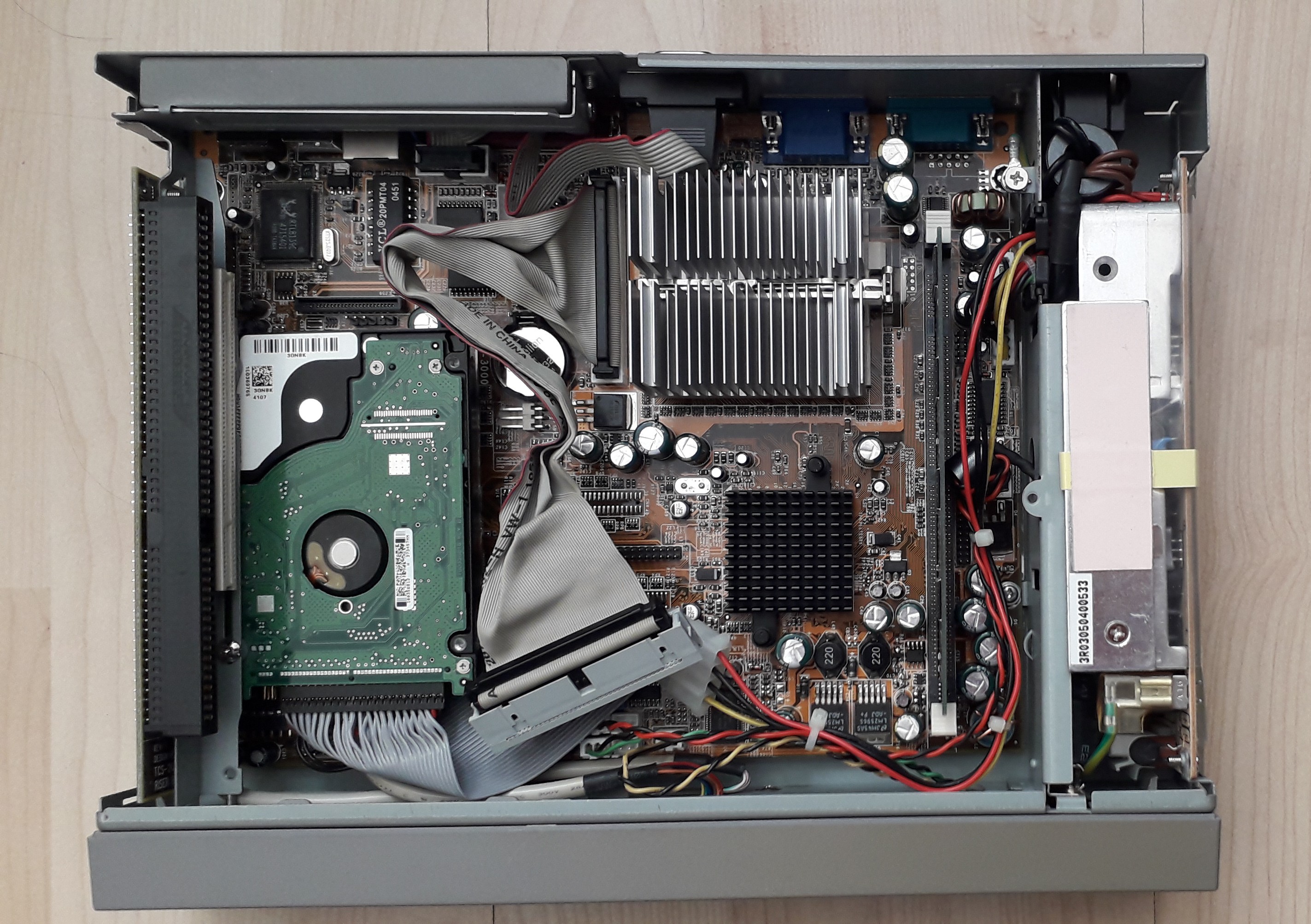
It arrived and I had a look inside it:
![]()
It is fanless, with the only faint sound coming from a 2.5" PATA drive. Switching on, it boots to German Windows 98. A few quick tweaks to the settings and it is British keyboard and UK English, but still get some German appearing when hovering the mouse cursor over the minimise/maximise/close icons.
I installed the Dataman device programmer software through a USB drive. There are four USB ports and they accept USB drives and wireless mouse receivers, although with some diversion to look for new device drivers.
It managed to speak to the device programmer through the LPT port on the motherboard.
There does not seem to be a manufacturer for all the sample PAL chips I had, but I selected the nearest equivalents and managed to read them.
Success!
-
Fanless PC board
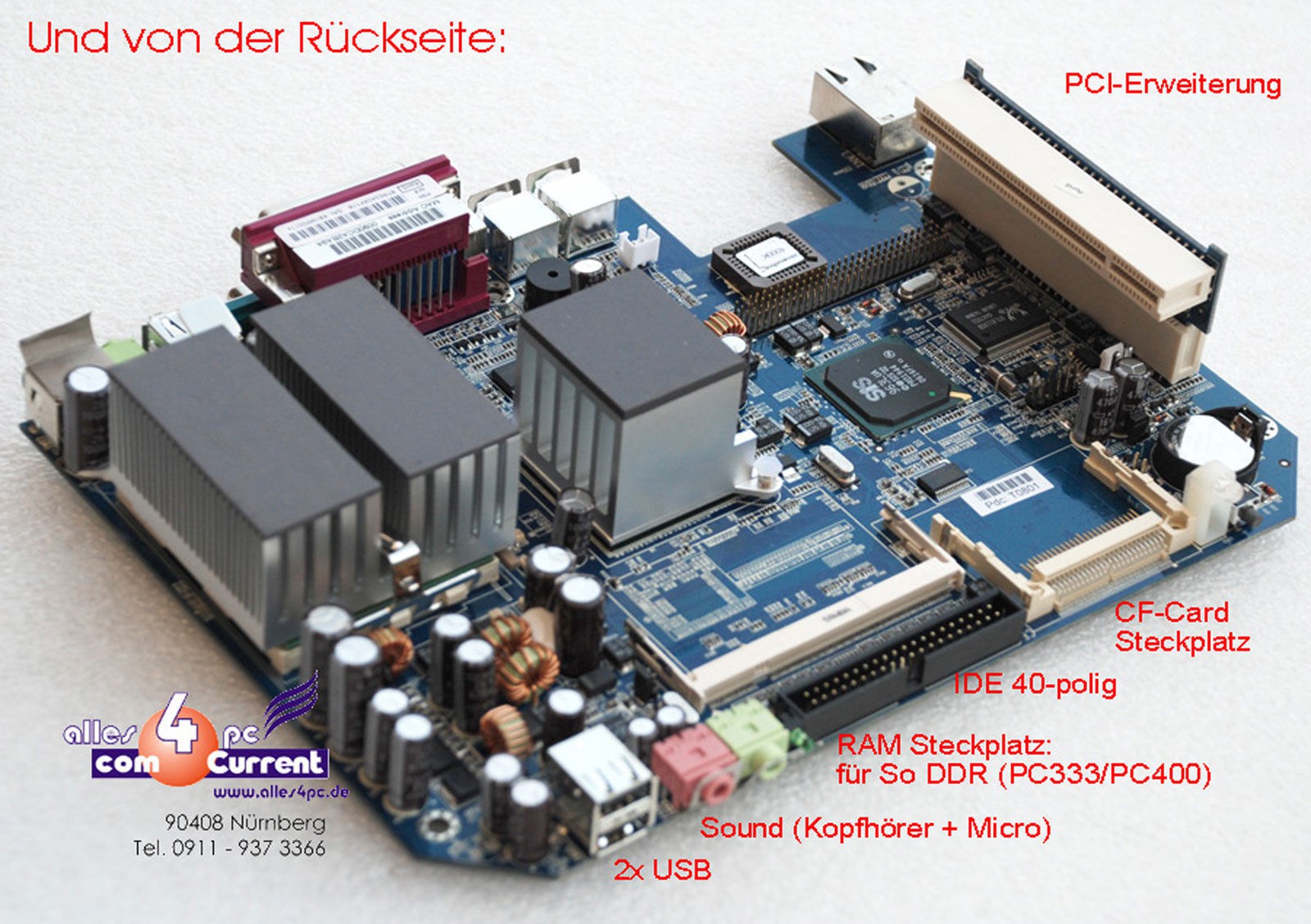
03/28/2021 at 02:00 • 0 commentsI found some "Thin Client" PCs fanless PC boards (Fujitsu Futro S-400) from Germany, with these features:
* legacy RS232/LPT ports
* modern build
* fanless and silent
* simple power (12V 5A DC)
* PATA and CF socketsI only need the LPT, the other features are just a bonus.
They were cheap at £26 but there is 20% VAT and over £10 of paperwork charges, which are an unwelcome addition.
![]()
I plan to install WinXP and the Dataman software.
I have a Tektronix pizza-box style case that might do, but the board needs to be upright for good convection cooling.
I have a suitable 12V DC PSU.
The PSU connector is a 4-pin thing but Toby want £4 postage on a £1 part. So I may simply wire power directly in to save looking for the plug.
2019-02-10 Finding it very hard to get this board going. Managed to make a bootable DOS drive on CF card but this won't run the WinXP installation files in DOS mode. I think the only way is to get an IDE CD-ROM drive and boot from that. Perhaps borrow one from an old PC? It is cheaper in time to just buy one.
I have found an old external drive that takes in 12V and steps it down to 5V, then both rails go to a 4-pin Molex drive power connector. I intend to use this to power the optical drive while it installs WinXP. Afterwards it and the optical drive are no longer needed.
2019-02-11 Salvaged an IDE CD ROM drive from an old scrap PC. Did not work, nor did either of two IDE hard drives I had.
2019-02-15 Tried to get into the BIOS to see if it can be modified to try booting from the IDE port. I can't get in with DEL or F2.
2019-02-17 Tried raw copy of some existing XP disk files. Could not delete files from Linux, had to reformat. Copied XP files, tried it, got "not a bootable disk" so I have to make it bootable again somehow.
Due to the international pandemic situation, I shelved this project for a while. I later looked for an alternative host.