Close
0%
0%

Dissecting a hand-held NOAC console (Sup 400-in-1)

This is an attempt to understand how these little things work, and what we can do on it.

Public Chat
Similar projects worth following

This is an attempt to dissect and to understand how these little handheld NOAC (Nintendo-on-chip) consoles that are being sold for around $5 in the market.

You can read more about the NOAC on the Wikipedia page: https://en.wikipedia.org/wiki/Nintendo_Entertainment_System_hardware_clone

We know that this thing in the black epoxy has the clone of the Nintendo Entertainment System. Upon further reading, there's more to being the clone too - possibly an enhanced version like the VT-series (http://www.vrt.com.tw/datasheet.htm).

What's inside it? How does it work? Could I load its ROM another new code? That's the question!
chicago_oblique_basic.chr

Sample CHR font for Hello World app in the log.

chr - 4.00 kB - 06/23/2024 at 03:16

Download

tft_original_15_1.bmp

TFT lines on the board.

Bitmap Image File - 6.32 MB - 10/11/2020 at 12:53

Preview

st7789-16bit.PNG

ST7789 16-bit 8080-II interface datasheet.

Portable Network Graphics (PNG) - 513.85 kB - 10/11/2020 at 12:35

Preview

IMG_20200929_223528_BURST1.jpg

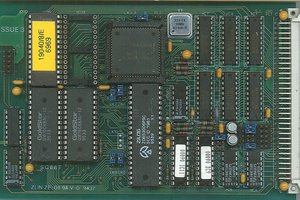
COB Flash and NOAC on board with the TFT removed.

JPEG Image - 1.27 MB - 10/11/2020 at 12:33

Preview

  • 1 × Logic analyzer Recommended a Digital Discovery or Analog Discovery 2

  • Fixed another CHR-RAM issue in the G5!

    YH-workshopan hour ago 0 comments

    This one is also tricky as I couldn't get CHR-RAM only games to work on this G5 handheld.

    On games like Jackal, the tiles are messed up because it goes to the CHR-ROM instead.

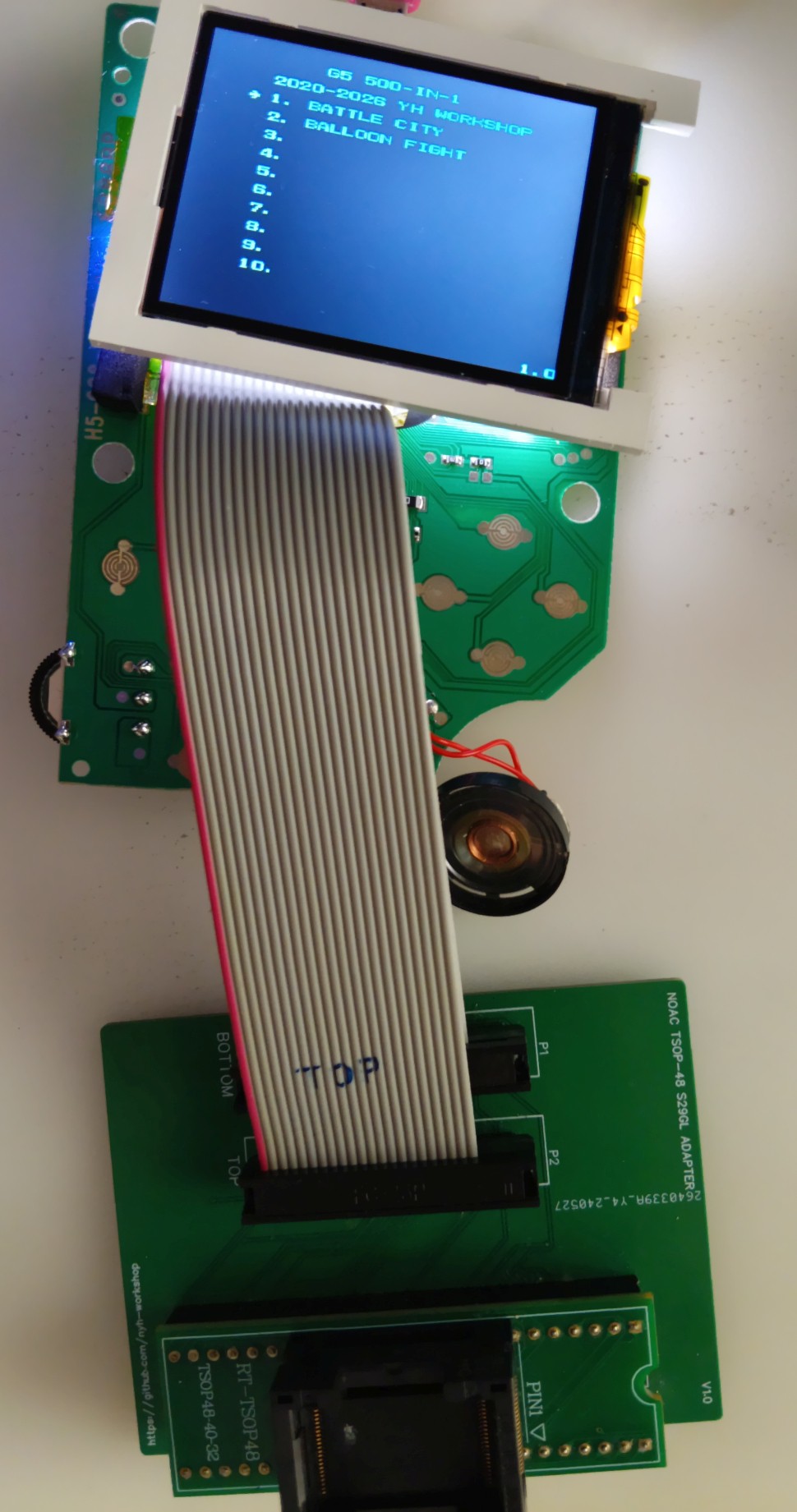
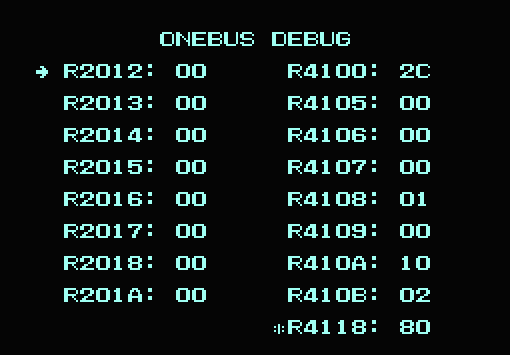
    I had did a debug menu on the custom ROM to let me play around with the OneBus registers and to see what work and what didn't. This part shows just before the game starts:

    Unfortunately it isn't straightforward. Changing any of these registers doesn't do much things at all. I figured it that I got a broken dump, or I have left out something.

    Luckily, I got the new PCB for the prototype dumper and it gives me more consistent results (as long I don't touch that breakout board when I'm dumping). 

    Digging into that new dumped ROM I noticed something very different - it loaded 0x80 into the $4118 register when running the CHR-RAM games! I had discovered this one in earlier handhelds too from that analysis:

    One of the 400-in-1s (2023) has a register at $4118 - if games such as MMC3 and with only CHR-RAM, it is assigned $80. Else it is $00.

    The strange part is, these "Sup Game Box" handhelds doesn't really respond to the $4118 registers (Yes I tried it in a tedious way), but on the G5 it is needed for the CHR-RAM games to display correctly! I'm not entirely sure why there - the only way to get this to work is to check how the game menu puts the stuff in the OneBus registers before running the game.

    Finally, I could get most of these MMC3 games work. And... I'm curious what are these other registers doing?? That'll be something to think about in the future. :D

    Also, I wondered how could I save the progress in Kirby too, if this runs on the unit as well? :D

  • G5 running custom code!

    YH-workshop05/03/2026 at 09:45 0 comments

    Over the long weekend after examining the dump I struggled to have this working on the actual handheld. Imitating previous attempt from my site earlier, this one is easily replicated as soldering on the 1.28mm pitch is easier!

    But, when I put that ROM inside, the backlight flashed a moment and then empty screen! Yes the TFT was initialized judging by the gray background on it and nothing on it!

    Out of my curiousity, and the knowledge of the previous attempts, switching on the backlight plus the display often happens when the main menu or the Aaronix test screen is starting.

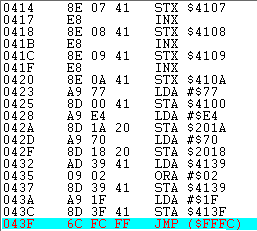
    I noticed that code fragment and put these onto the startup code that enables the backlight and the display together:

    lda $4139
    ora #$02
    sta $4139
    lda #$1f
    sta $413f

    Well, it worked!

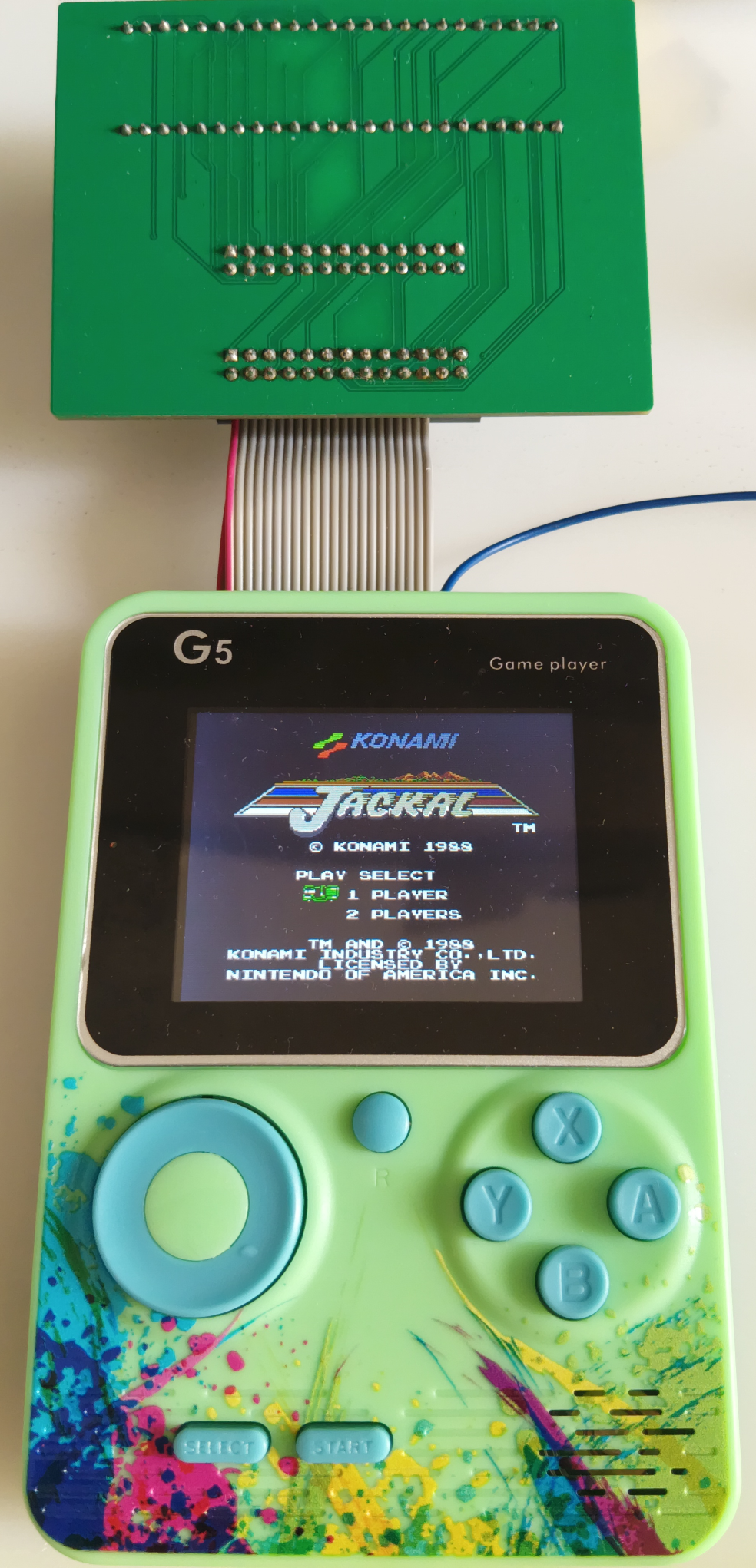
    However, the direction of the cable seemed to be going downward the handheld instead of the other one. The ribbon cables have to be folded upward so that the controller points can be exposed.

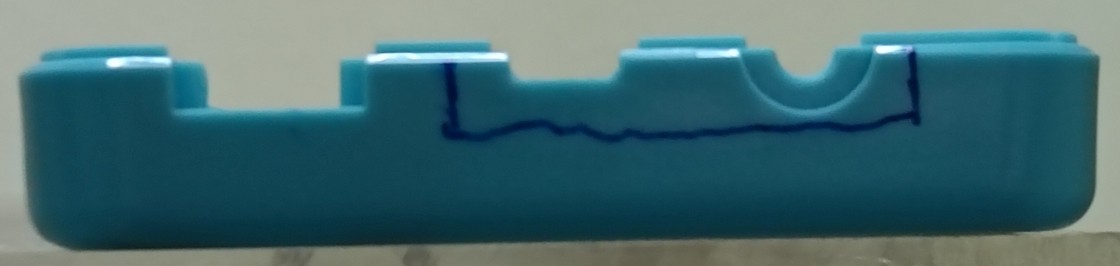
    Folding that cable, carefully not jiggle the solder points some more, and made that large cut on that plastic casing (Yes I know I should use a ruler and cut this perfectly - but this would be the other topic in the future!). I even took out the jack that connects it to the TV since it occupied too much space for that thick ribbon cable:

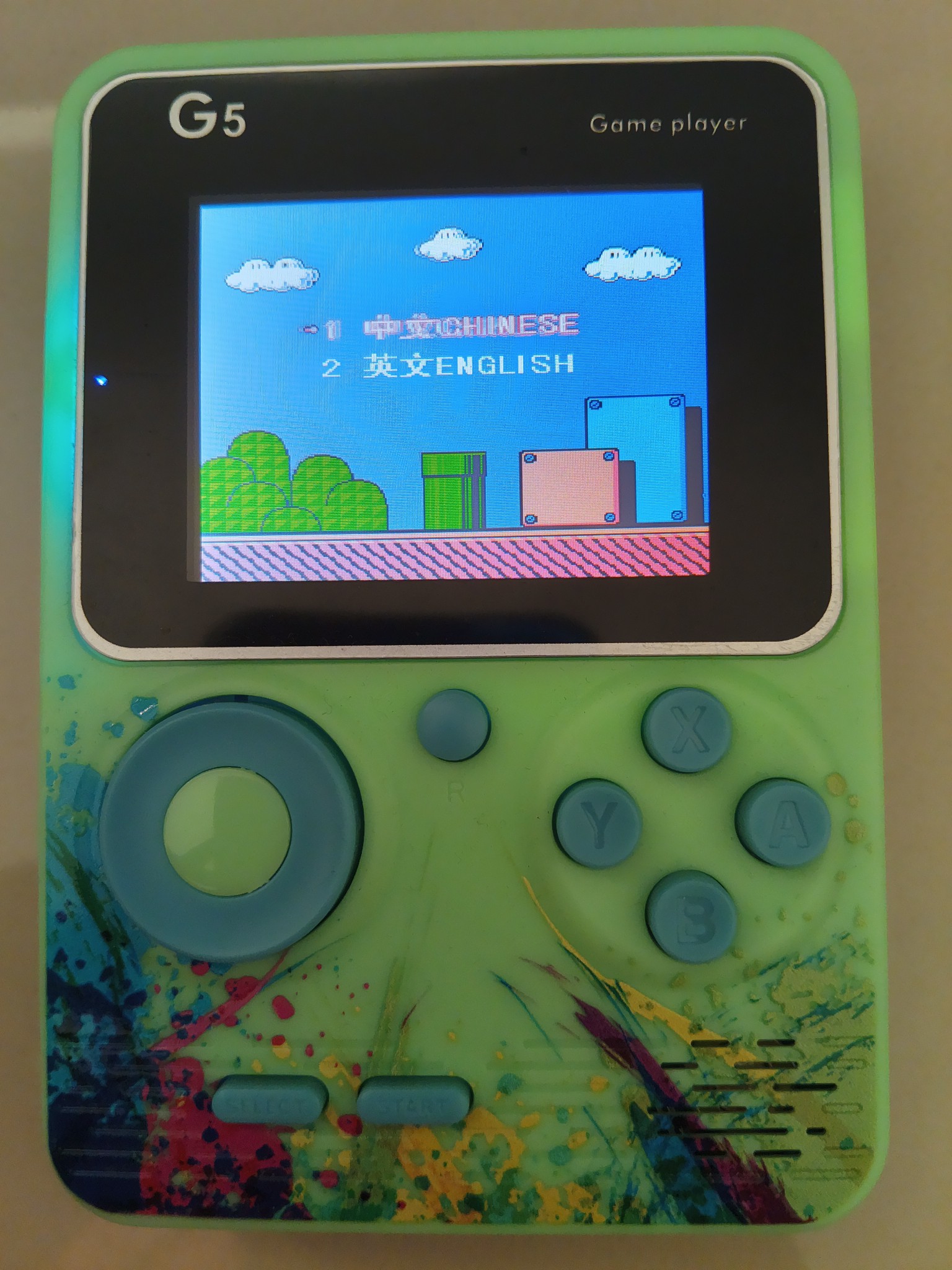
    It seems to play most of the Mapper 0 and Mapper 4 games and looks like there isn't much problem. Oh, and this is only 8MBytes of the stuff - I could use a 16MBytes but this will be another topic in the future.

    Well there it is! I can finally play "Magic Jewelery" on the couch, or I can put other homebrews inside too...

  • G5 Dump Preliminary Analysis

    YH-workshop05/01/2026 at 10:16 0 comments

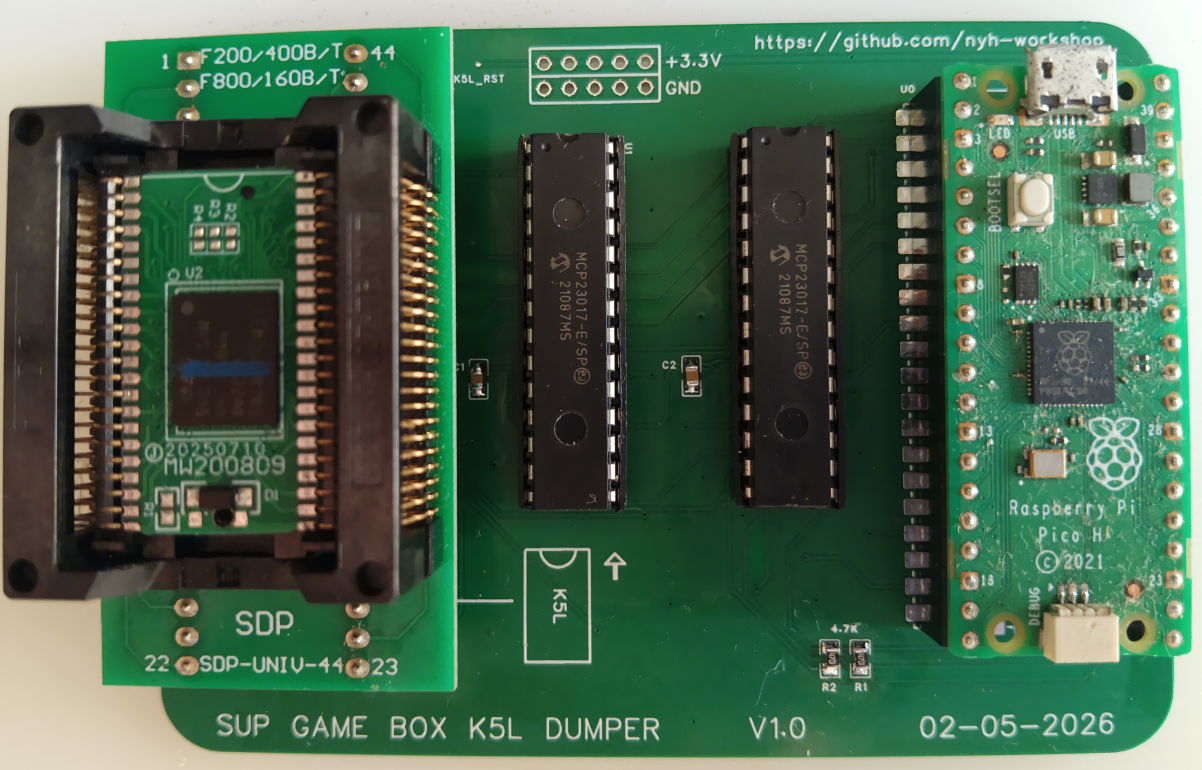
    So from the previous log... I dumped the entire G5 binary inside. Looks fun? Nope. Full of corrupted binary, I jiggled these wires again and again just to get something consistent. And, it doesn't start when I launched it in the EmuVT.

    The lucky part is, there's no data bits being swapped. All the sprites and tiles are in an original condition. 

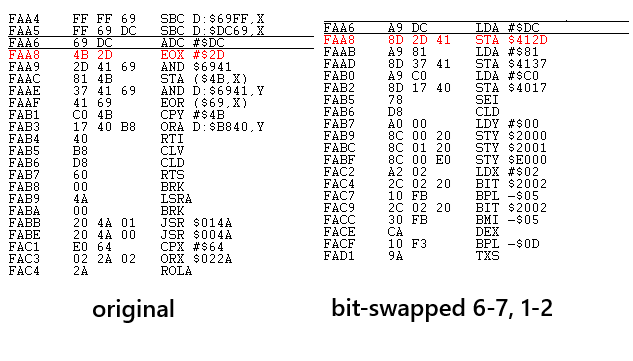
    The more difficult part is: this thing has bits swapped in its opcodes at its startup! I managed to track them when I see familiar numbers such as $412D and $4137 and with a lot of other strange opcodes that don't make any sense.

    Playing around with the bits (and with some previous knowledge on the other 400-in-1 handhelds) I noticed that bits 6,7 and bits 1,2 are swapped on its opcodes. The operands are spared in this process.

    Compared to the other handhelds, the bit-swaps are not just the first few instructions - it has about 200 bytes of them! I wrote a Python script, managed to undo all the bit swapping and it runs now on the emulator!

    I am not entirely sure if this first 512KiB of that program will work anymore when it is placed back into the original handheld (of course with the bits being untouched). A broken dump would mess up the TFT initialization routines inside and could render this whole thing useless immediately! So, at all costs, that startup code must be preserved!!

  • Prototype K5L dumper and G5 Handheld

    YH-workshop05/01/2026 at 10:07 0 comments

    This is two topics, but I rather squeeze it into one here today.

    I also recently got myself those "G5" Handhelds - they were sold for $3 at a certain time of the day and month, so I got myself these too.

    Instead of the casual "400-in-1", I got a "500-in-1" too. The games are mostly identical to the "400-in-1" and they are still mostly filled with mediocre games inside.

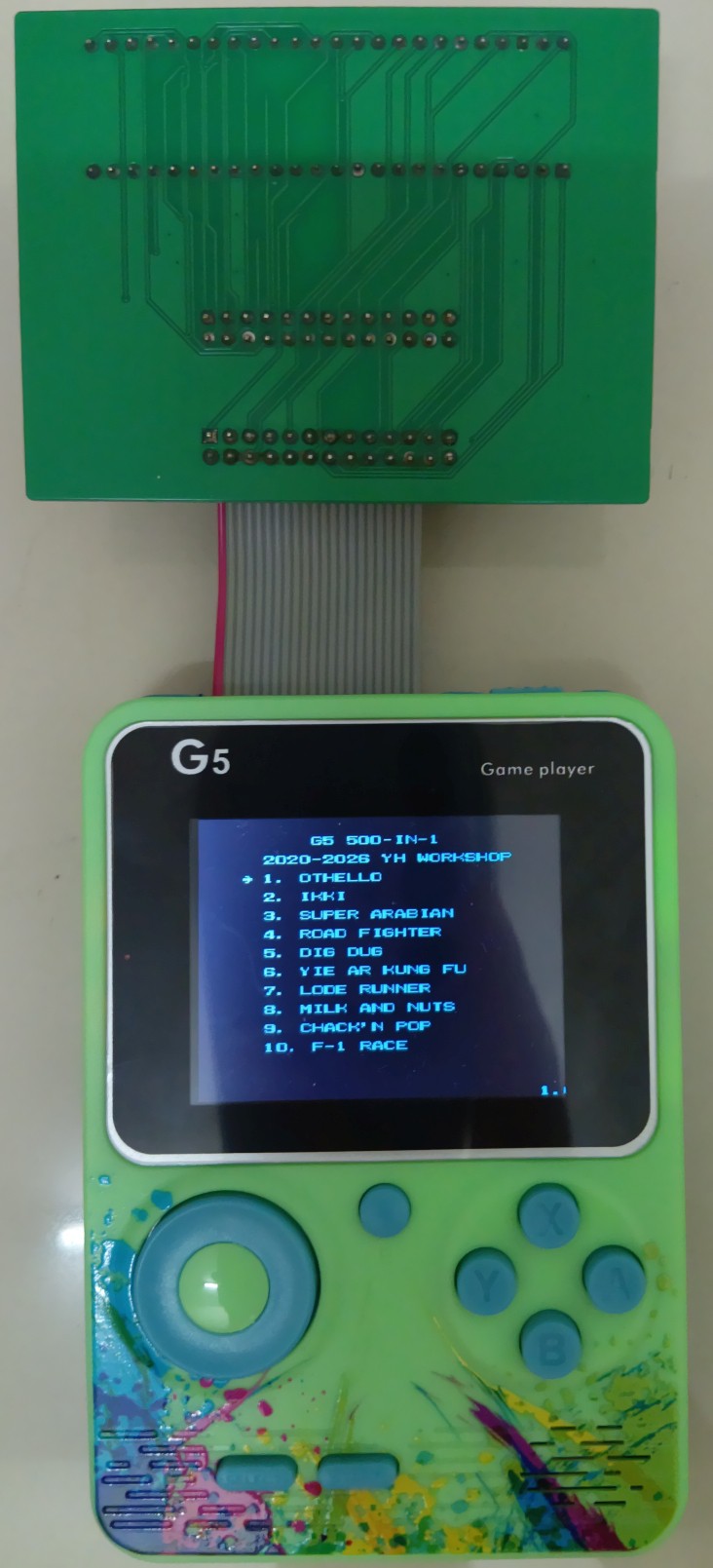
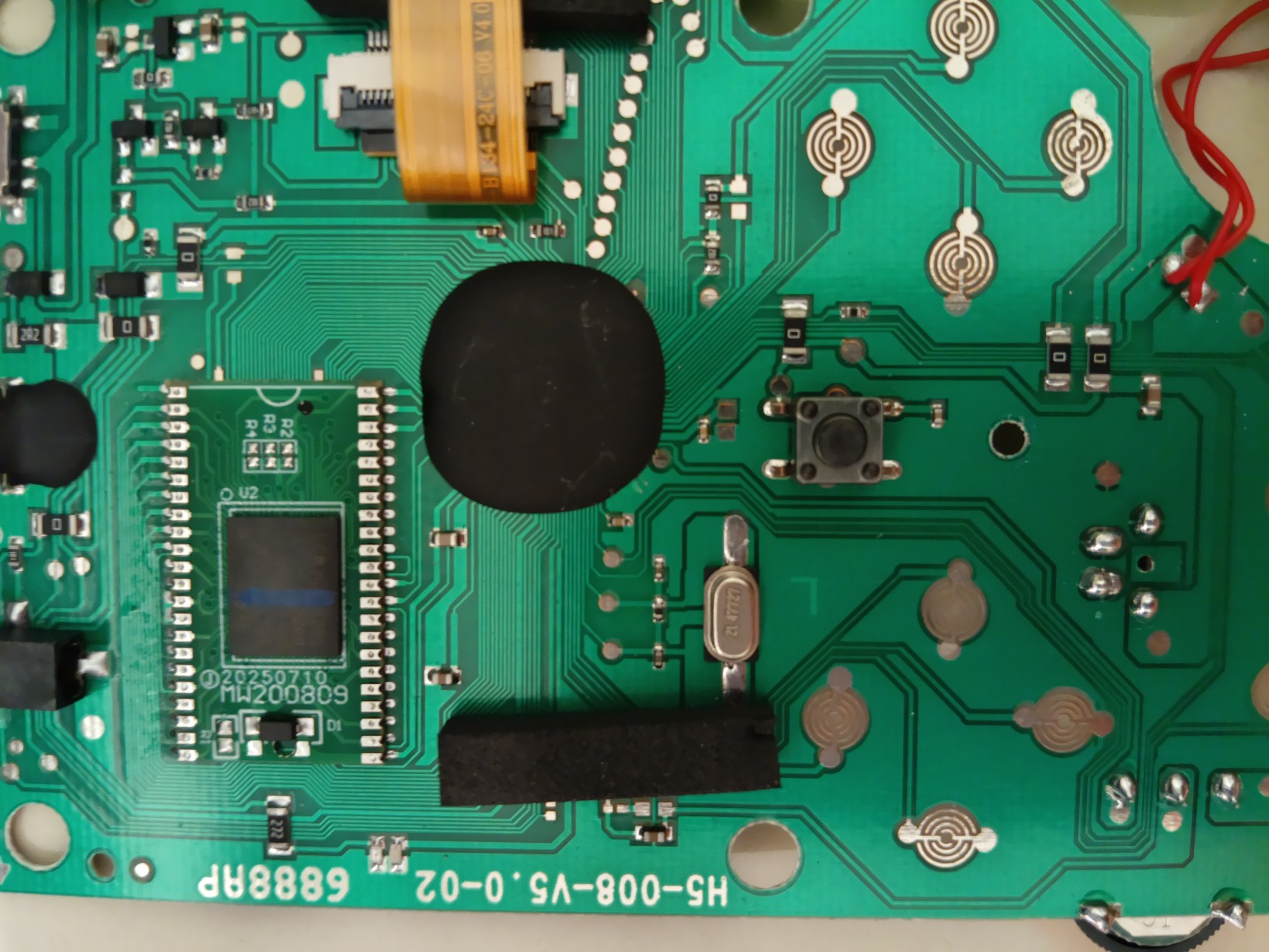
    So I ripped it out and yes, it's that usual BGA Flash Breakout again:

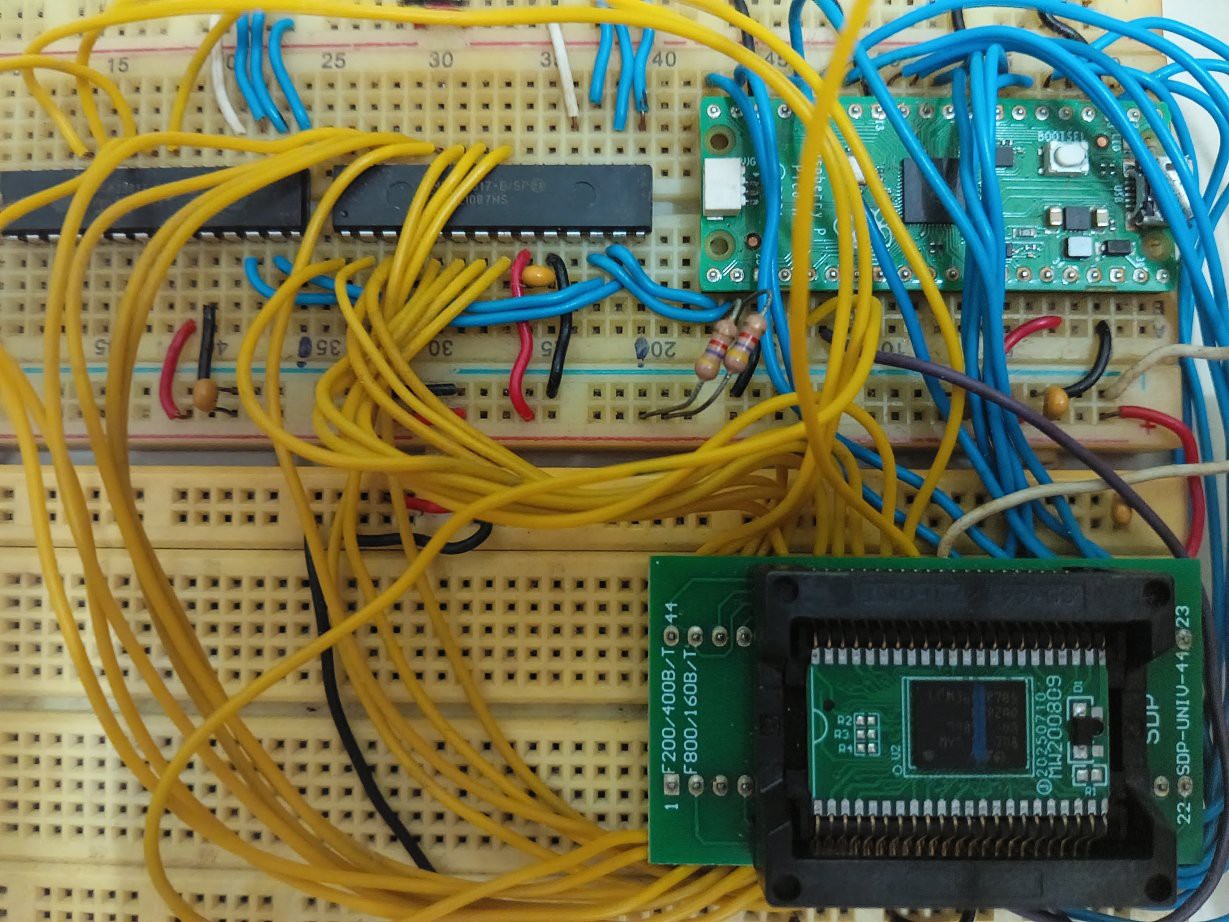
    As usual, took this flash out using "ChipQuik" and did the dumping using my K5L dumping tool there in my github.

    Unfortunately, this dumping isn't any smooth or easy. I kept getting broken tiles and sprites inside, or corrupted binary. There are really loose wires and such all on that breadboard (and it's caked with some dust!) Didn't even use it for a few more months, and there goes all the connections! Breadboarding is only good if I'm testing the prototype, but as it's now working, I should be putting this onto a board instead.

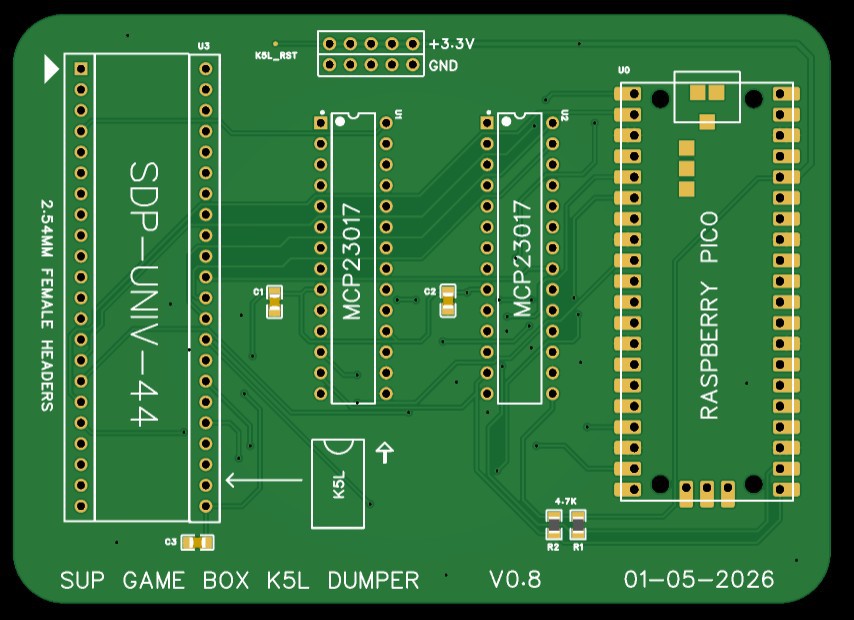
    Fortunately, I know there's this service called PCBWay to help people to build more effective tools in a low cost and reliable way. Then I immediately drew this, and sending this one to the PCBWay over the weekend!

    After messing around with the connections again, I got that bin file dumped in a more consistent manner. Examined it and this belongs to the next log! :D

  • Prototype Prototyping In-situ Programmer

    YH-workshop04/26/2026 at 11:50 0 comments

    Whew! With some time in these weekends I managed to draw a prototype of the in-situ programmer that connects the handheld's flash socket to another custom board.

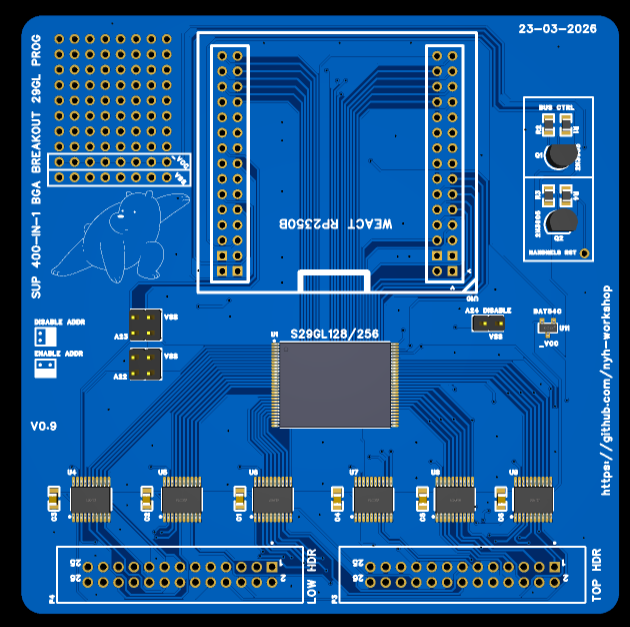
    Hard to explain in words so I rather put a picture of this:

    This enables one to program directly into the flash, while connecting this to the handheld's flash socket. 

    This one is a BGA breakout board version - there are ribbon cables connected to the headers below. 

    These 6 chips in the middle - the buffer chips, to conveniently isolate the lines from the handheld when programming the flash. 

    Generally speaking, it means you don't need to get an expensive T56 programmer and its adapters to prototype your own code to run in the actual handheld.

    You can temporarily do all your prototyping programming on that handheld without moving the chip back and forth. 

    When you are satisfied with the code (and it is working on the handheld), you can finally flash the chip and place it back into the handheld.

    The Weact RP2350B board (and a few modifications on the board) is required as it has the most GPIOs and can directly connect them to the S29GL flash without using the I/O expanders.

    To have the board fully access all the pins on the S29GL flash you need to remove these components that are in red: 

    Trying to get these working is a whole thing of its own. Currently it is going through some revisions:

    - "Busy" pin should be connected and sampled. Trying to read the status after writing a word can be extremely slow and results in corrupted data. 

    - S29GL flash must be soldered properly and it means putting more flux during soldering - else data corruption might occur.

    - I have only used the plain GPIO to work on that S29GL flash. Future improvements including using PIO plus the DMA to improve the flashing and reading speed.

  • New Menu Builder, and Trouble with the TSOP-56s!

    YH-workshop02/13/2026 at 01:58 0 comments

    Hi! Finally I got to revisit it again after checking the disassembly of the software in this github.

    The problem with it is, right now it is very difficult to compile and load the games because:

    • manually place the game graphics and code
    • set the OneBus registers
    • and recompile.

    No, the Nesmaker from NesDev doesn't work - the init code does not match whatever hardware that is on the handhelds. I have read this over and over again to be sure, and I'm open to new feedback for this one! :D

    I have written this builder to facilitate the task of loading Mapper 0 and 4 games and then compile it with the initialization ROM (again, you need to get the ROM dump from the handheld, and the build folder from the custom menu template!):

    This compiles the whole thing into the BIN file for the emulator, and also a separate BIN file for the handheld. There are variations on these handheld such as bit swaps so after all the compilation it reverses whatever it is to be workable for the unit.

    However, the recent one I'm testing are the TSOP-56 variant - the ones with the S29GL flash. It looks... easy right, since I can undo it through the hot air...?

    Not really! Yes, with enough experience, I could do it a few times, but repeated cycles of unsoldering, reflashing and soldering could make these flimsy traces snap very easily! I have messed up one board because of this!

    Worse of all, do not use a vice to hold the PCB of that unit too tightly! Flexing the board would means it breaks immediately!

    Imitating previous work of mine, I might be doing a TSOP-56 version for this one so the board doesn't have to tolerate too many of the repeated cycles of de/soldering. :D

  • More testings on different NES games!

    YH-workshop09/21/2024 at 06:53 0 comments

    From the previous log it is mentioned that only Mapper 0 and 4 games can be put into these consoles. 

    However, some of the games in the 400-in-1 console contains Mapper 4 that are converted from Mapper 2 such as Jackal. Those games are running without CHR-ROM and only CHR-RAM instead.

    Earlier on, when such games are inserted into the console with the custom menu, it gives a black screen, or garbage output. 

    Then, checking how did the game selection in 400-in-1's original menu works, it is noticed that there is a specific sequence, and a specific range of number that gives these converted games a correct tile output.

    I have rearranged the loading of these OneBus registers ($401x) following the ones in that original menu:

    jumpToProgramInRAM:
        lda _zR410A
        sta $410A
        lda _zR410B
        sta $410B
        lda _zR4100
        sta $4100
        lda _zR4105
        sta $4105
        lda _zR4106
        sta $4106
        lda _zR4107
        sta $4107
        lda _zR4108
        sta $4108
        lda _zR4109
        sta $4109

     Since these games does not run on CHR-ROM, the configuration of the OneBus registers at $201x are not involved. However, the bottom nibble of the $4100 must be between 0x04 and 0x0F for these games to work I'm not entirely sure why, and it works on both the emulator, and on the handheld itself.

    Well, here it is - at least it loaded correctly! :D

    Note: I have tested other Mapper 0 games with only CHR-RAM. It doesn't work at all on both the EmuVT and the handheld too.

  • Custom games in action!

    YH-workshop08/31/2024 at 09:05 0 comments

    Could I load its ROM another new code? That's the question!
    That was the question back in 2020 - well, to answer this time, yes it works! However it need effort to understand the OneBus, then the ROM dumping process, and finally to recompile the menu with the part of the dumped ROM code that initialises the TFT.

    The video: some experimentation with MMC3-mapper games here - it works normally on the handheld. Currently Mapper 0 and MMC3 games worked well. If not mistaken, the ones with MMC1 requires modification of the code (to be compatible to MMC3) which is not covered in this research.

    As usual - I'm still in the process of compiling instructions on how to build the custom menu, and also to find a way to build a more economical flasher + dumper so you do not need to use the T56 programmer! :D

  • Update and a git website added!

    YH-workshop08/23/2024 at 14:06 0 comments

    These handhelds can be actually programmed with another game, by further testings, provided if you get the registers (especially the $41xx OneBus-related) correct.

    However, you need to dump its original ROM and try to work around its bit-swaps and the TFT initialization routines.

    As writing the ROM dump analysis and the such is a bit too difficult inside the log entry, I have separately written a Github page on this one: https://nyh-workshop.github.io/Custom-ROM-Sup-Game-Box-400in1/

  • Loaded a "Hello World" app inside!

    YH-workshop06/23/2024 at 03:11 0 comments

    Okay, so I managed to examine the dump some more and trying to strip the startup code to its bare minimum.

    However, on this particular newer dump, the code is significantly more complex than the previous one, due to the TFT init routines (that covers many other models apart from the GC9306), and also many other unknown registers such as 0x413x are being accessed. 

    Instead of stripping it first to see if it works or not, I grabbed the whole first 512K (0x80000) of the code and pasted into another empty bin file.

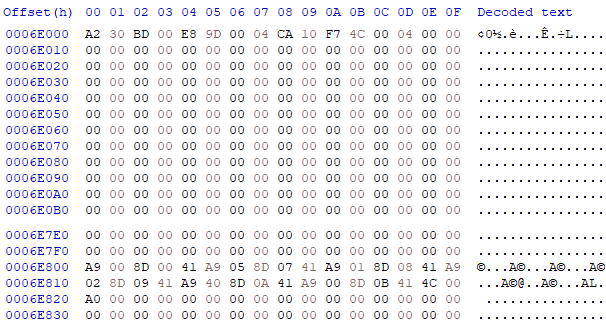
    The startup code is just too much work to strip at the start so I filled the majority of the menu code from 0x6E000-0x6EFFFF with zeros and replaced it with another jump to another area away from that first 512K - to 0x82000

    ; org 0x6E000:
    cpyToRAM_Loop LDA $E800,X
                  STA $0400,X
                  DEX
                  BPL cpyToRAM_Loop
                  JMP $0400
    
    ; org 0x6E800:
              LDA #$00
              STA $4100
              LDA #$05
              STA $4107
              LDA #$01
              STA $4108
              LDA #$02
    

     Converting this back to 6502 machine code and paste it, it should look like this:


    These NOAC's bankswitching methods have to be copied into the RAM area and run it for it to work. Else, it won't go to the new address.


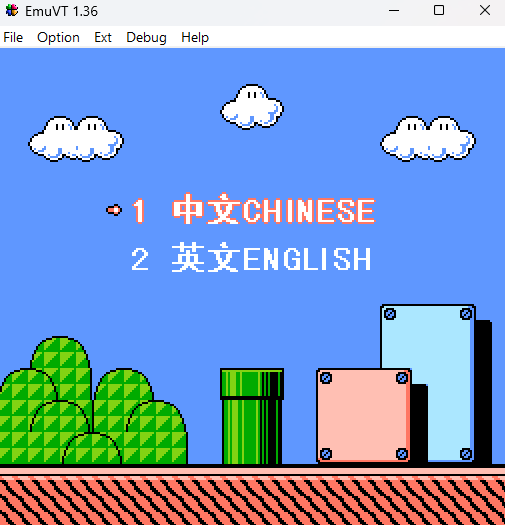
    Of course, I tested this in the EmuVT 1.36 to see if it jumps to the address. When it does, I actually proceeded into writing more code at the 0x82000 onwards.

    Note: The backlight seemed to be only switched on after the TFT init routine!

    Compile this in ASM6F and paste the code into the section 0x82000:

    helloText EQU $A200
    
    ; ------------------
    ; main program here:
    ; ------------------
    .org $A000
    main_app:
    
        ; diasble interrupts on APU:
        lda #$40
        sta $4017
        lda #$00
        sta $4010
    
    vblankwait1:
        ; First wait for vblank to make sure PPU is ready
        bit $2002
        bpl vblankwait1
        
    enableBacklight:
        lda #$1f
        sta $413f
        lda #$0b
        sta $4138
        lda #$0f
        sta $4139
        
        ; clear RAM:
        tax
    Init_ClearRAM:
        sta $000,x
        sta $100,x
        sta $200,x
        sta $300,x
        sta $400,x
        sta $500,x
        sta $600,x
        sta $700,x
        inx
        bne Init_ClearRAM
        
    Init_PPU_chr:
        lda #$00
        sta $2012
        lda #$00
        sta $2013
        lda #$00
        sta $2014
        lda #$00
        sta $2015
        lda #$00
        sta $2016
        lda #$00
        sta $2017
        
        lda #$20
        sta $2018
        lda #%00000000
        sta $201A
        
        ; fill background with one value for 8 tiles:
        lda $2002    
        lda #$20
        sta $2006
        lda #$00
        sta $2006
        ldy #$00
    FillAllBackground:
    FillBackground:
       lda #$00
       sta $2007
       inx
       cpx #$ff
       bne FillBackground
       iny
       cpy #$04
       bne FillAllBackground
        
        ; Fill palette with 0x0f, 0x30, 0x30, 0x30:
        ; $3f00 = 0x0f
    FillPalette:
        lda $2002
        lda #$3f
        sta $2006
        lda #$00
        sta $2006
    
        ldx #$00
    FillPalleteLoop:
        lda #$0e
        sta $2007
        lda #$0e
        sta $2007
        lda #$2a
        sta $2007
        lda #$0e
        sta $2007
        inx
        cpx #$04
        bne FillPalleteLoop
        
    PrintText:
        lda $2002
        lda #$20
        sta $2006
        lda #$00
        sta $2006
        ldx #$00
    Print0:
        lda helloText, x
        cmp #$00
        beq PrintDone
        sbc #$20
        sta $2007
        inx
        jmp Print0
    PrintDone:
    
    Init_PPU:
        lda #%10000000
        sta $2000
        lda #%00001010
        sta $2001
        lda #$0
        sta $2005
        sta $2005
    
    here:
        jmp here
    ; ------------------
    NMI:
        rti
        
    .org helloText
        .db "HELLO WORLD!", #$00

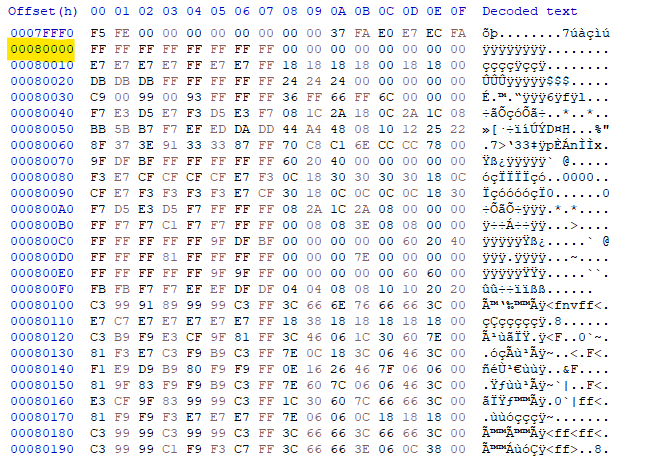
    Wait - you need to put the CHR into the area 0x80000 too. Sample CHR file provided - get the "chicago_oblique_basic.chr". I got the sample CHR from the NesDev forums, and paste it at the 0x80000 area. It should look like this:

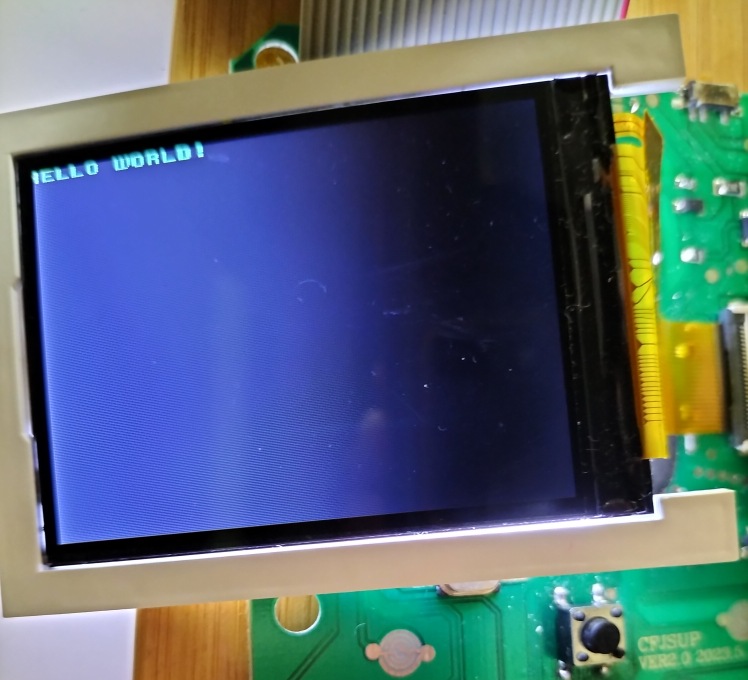
    After all is done, program this bin into the NOR flash using the T56 programmer (or any other equivalent). You should be seeing this one:

View all 28 project logs

Enjoy this project?

Share

Discussions

Zibri wrote 12/26/2024 at 12:25 point

I bet that they don't do all this to program them. Perhaps the USB port is not only for power.

  Are you sure? yes | no

e64 wrote 04/05/2024 at 12:18 point

one small questions. Is possible replace cpu to arm cortex-m or raspberry pi pico

  Are you sure? yes | no

YH-workshop wrote 04/11/2024 at 03:34 point

Hi, it is possible - you may need to replace the entire circuit board with your own microcontroller. There is someone who actually created a custom PCB to fit inside the handheld. However, this is beyond the scope of the discussion. :D

  Are you sure? yes | no

e64 wrote 04/11/2024 at 20:20 point

Yes, this is beyond discussion. I thought it would be a simpler way to use the whole board, display, power supply but replacing it with a known cpu

You are planing runing fuzix on this dev?

  Are you sure? yes | no

Breyos wrote 10/14/2023 at 05:24 point

I found one of these things at Walmart, and thought it looked interesting enough to crack open and take a look inside! Mine came with one of the button contacts missing, so I couldn't "right" in any of the games. I was hoping to maybe replace the microcontroller inside, but I had no idea it would essentially be a NES emulator!

  Are you sure? yes | no

YH-workshop wrote 04/11/2024 at 03:35 point

Apologies for the late reply - it's not an NES emulator, but it is a heavily modified Famiclone on a Chip. This one possibly uses a VT-02 or VT-03 ones as it can run using the EmuVT emulator.

  Are you sure? yes | no

fdd wrote 03/29/2023 at 16:09 point

Hi, I love your project!, I wonder if there is some place to download a full dump of memory to test it in the emulator. Links in 4pda forum are broken. Regards

  Are you sure? yes | no

Starhawk wrote 10/17/2020 at 17:20 point

Re 16bit "6502" CPUs... look up the 65C816 from Western Design Co aka WDC ;) 6502[dot]org may or may not have the data sheet, along with that of their 65C02 (which is slightly different from the more common Rockwell/etc versions)... can't remember. But WDC (not the same WDC as the one that makes hard drives and SSDs, obviously!) publishes their own datasheets, if nobody else does... ;)

  Are you sure? yes | no

Similar Projects

Does this project spark your interest?

Become a member to follow this project and never miss any updates