ogdento

The Amrel LPS-301 supply is a programmable 30V/2A unit that has a front-panel keypad and an isolated serial interface for computer control. The six-keys on the keypad set voltage/current values and enable/disable the output... and I don't love it. It really needs a knob! The LCD on my unit was bad so while I had it all apart to replace the display I figured I'd try to improve the controls.
Here's a shot of the cumbersome-to-use front panel:
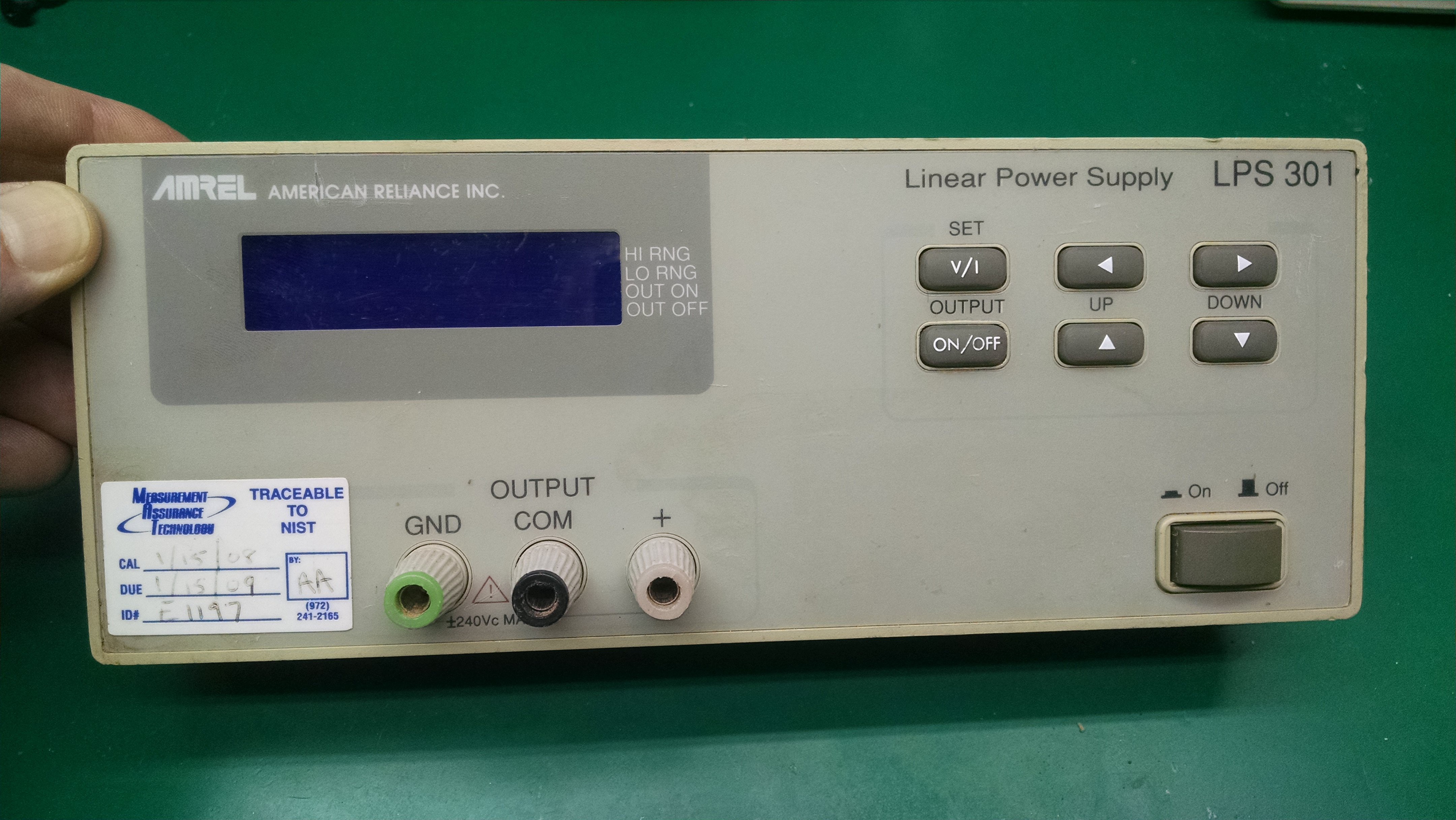
Incidentally, it looks like this front panel - and the mainboard inside it - is used for the other power supplies in the same product family. There's a dual channel supply, and a supply with a fixed 5-volt output that share many parts.
CURRENT BEHAVIOR:
Entering a voltage value with the Amrel keypad requires pressing the "v/i" key to select voltage, then the "up/down" keys to set the 0-9 value for the first of five digits, then the "right" key to select the next digit, the "up/down" keys to set that digit, the "right" key again to select the next - agh!... and repeating this for each remaining digit. The power supply changes to the new voltage and exits the v/i mode after setting the last digit and hitting the "right" key a final time. At this point the "left/right" and "up/down" keys can change any digit of the set voltage.
Once you start setting a voltage or current you have go through all five digits to get out of that mode. It would be nice if I could just set the first digit or two and activate it without pressing the "right" key four more times.
PROPOSED BEHAVIOR:
I'd like to add a single encoder with a pushbutton to perform the same voltage/current set operations that the keypad handles. I also want to be able to enable/disable the output with the encoder button and I want the option to exit voltage/current set mode without setting every single digit. I whipped up a rough diagram to show how it would work:
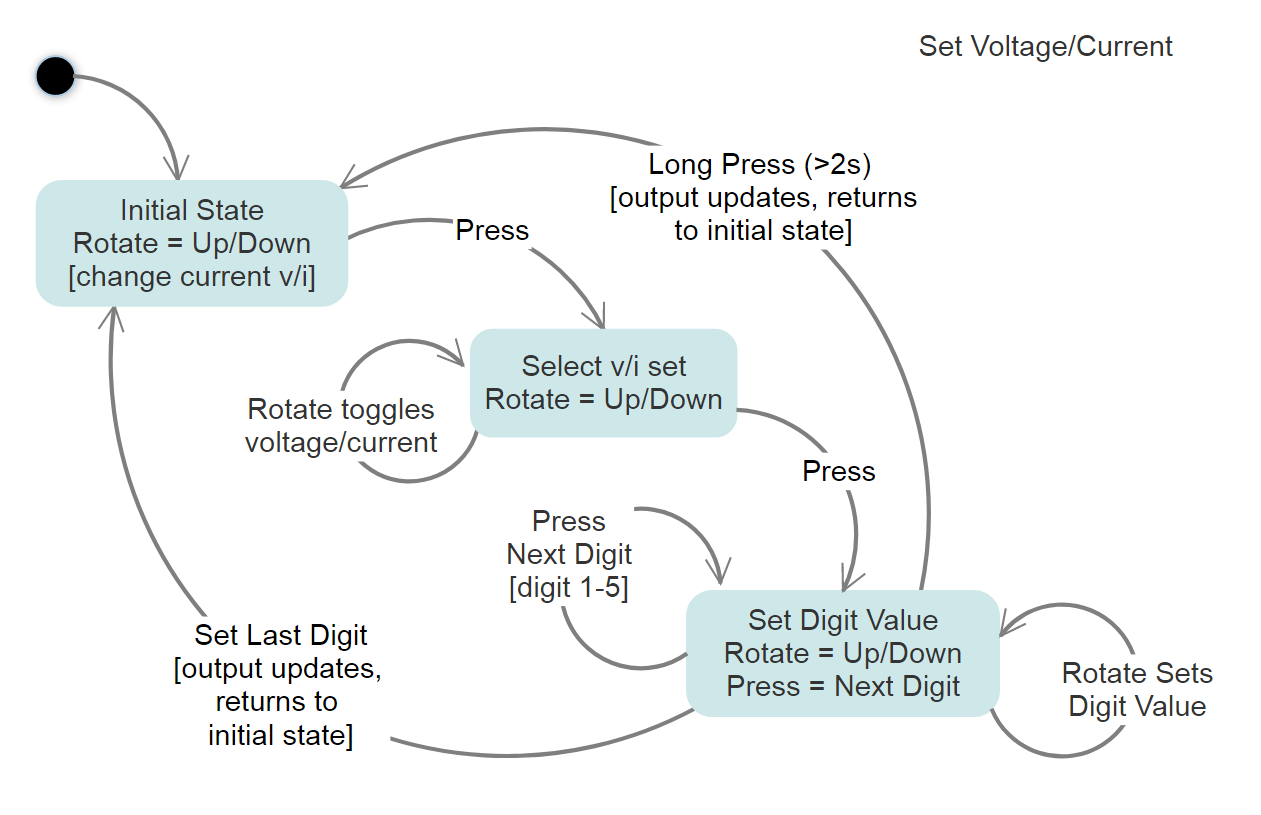
Rotating the encoder simply alters any voltage (or current) that is currently active. A button press enters the voltage/current "set mode" where subsequent rotation toggles between "voltage" or "current". Another button press moves to the first digit - just like using the keypad "right" key - and rotating selects the value. Yet another button press moves to the next digit, rotation selects that value... repeat for all remaining digits. After setting all digits the final button press changes the power supply to the new voltage. If you start setting a voltage and do a long press - or do nothing for 3 seconds - whatever value you've got so far is kept and the voltage/current set mode exits (a "right" key is sent for any remaining digits).
HARDWARE IMPLEMENTATION:
I initially thought I'd use the encoder and microcontroller to send commands over the existing serial interface to set voltage/current but I figured there may be some lag, and I didn't want to tie up the interface. I then considered talking directly to the onboard 80c31 controller so I started checking out the schematics from the service manual. I noticed that each key has it's own active-low signal line and is connected to a 74166 shift register with an external pull-up... I realized that by using a buffer chip with hi-z/open-collector outputs I could manipulate the keypad signals directly, without having to interface with the 80c31 or modify the board at all
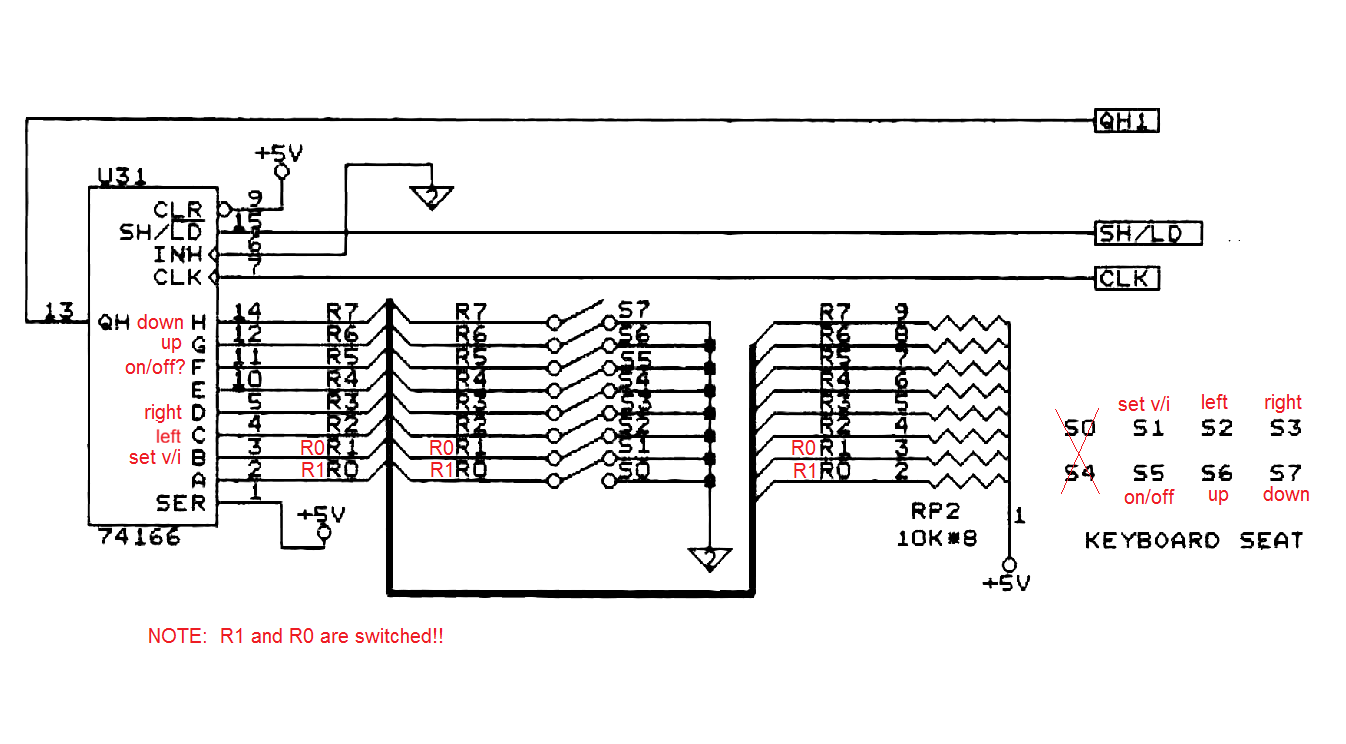
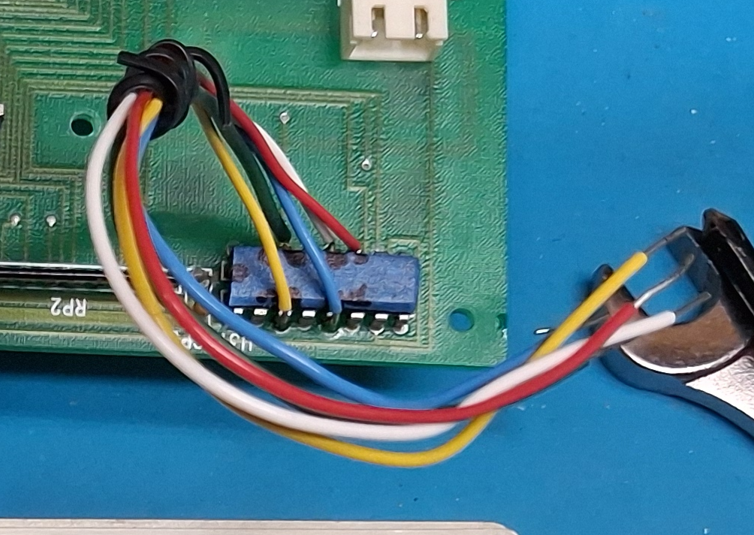
I had some 3-state buffers, an HW-040 encoder breakout board, and various micros lying around - but decided to eliminate the buffer chip and emulate an open-collector output in software, using an Arduino. I connected up the encoder, whipped up sketch, soldered a few wires onto the appropriate 74166 pins and... nothing. The Arduino was generating pulses based on my encoder inputs, but they were much too short and the power supply couldn't detect them. I increased the pulses to 50ms and it worked!...
Read more »