Close
0%
0%

2026 Mobile Compute Station

New cut on an old idea

Similar projects worth following
Multifunction Mobile Compute Platform

The (new) goal: build a multi-purpose Pi based field compute rig with an array of tools including an internal RTL-SDR and HackRF One for SDR functionality. The deck will have a 294Wh Battery pack with power supply charge controller for solar/external power support. Data storage will be augmented with a USB SSD. Media support includes On-Board Speakers, Audio out jack with dedicated amp and BT, imbedded Pi Camera and two touch screens. For external devices and prototyping there is an exposed GPIO, USB ports and a variable power supply. There is also storage space for external devices like Flipper Zero, Cardputer, Test gear, probes, etc. as well as redundant storage of archival OS Images, libraries, Kiwix and the like for off line scenarios.

This project didn't start with a super specific goal in mind and the fact I've come to a final vision is really a culmination of a number of factors. Those factors include the size of the case I decided to buy, maybe because I am cheap I chose one on the smaller side, lol. I knew I intended to use a Pi and I wanted minimum 7" screen for visibility. I really wanted to go a little bigger but each decision has cascading repercussions so I stayed with 7 but mostly because that's what I already had. Seeing the Hackaday projects like Cyberdeck1,, "cyberdeck mobile command center"  with its swing out mounts and the project by Daniel Roseman are very similar to what I am mashing together...that and Youtube builds from people like Jay Doescher, Evan Meaney, .

The basic functionality emulates a laptop with speakers, web cam, monitor, keyboard, mouse which to most is a familiar configuration. Add to that a HackRF One that can be used to both transmit (ultra low power) and receive frequencies from 10Mhz to 4 Ghz, an RTL-SDR to also receive radio transmissions but also to get ADS-B aircraft info and weather forecasts,  also GPS for location, redundant UPS power, integrated solar panel, option to have multiple audio devices, ability to connect bluetooth devices, exposed GPIO and storage space for a Flipper Zero and lots of other stuffs.

On paper, the target spec/feature set looks like the following:

  • RF Shielded (Farady) enclosure with the lid and body shielding electrically bonded to each other
    • issue with wifi and other signals not being able to escape should not be an issue with the deck is in its Open configuration as the faraday enclosure would not be sealed
    • Antenna ports will be on the front panel to avoid penetrating the case
  • Pi 4 with 8G for highest performance
  • 7" Capacitive multi-touch screen for keyboard free operation
  • Second monitor, size TBD (stretch goal)
  • Dual redundancy keyboard devices
    • one slim line BT Qwerty keyboard
    • one RF dongle mini keyboard with trackpad
  • Wired mouse to minimize battery need/charge concerns for maximize lifespan
  • Left and right speakers mounted on front panel and available through patch cable
  • Stand alone audio amp available through front panel patch cable connection
  • External audio source can be patched to Amp/Speakers on the front panel
  • Redundant power sources, charge control and ability to run on a variety of power inputs
    • integrated solar panel
    • allow hot swappable USB battery packs
    • internal core power bank
    • battery monitoring with graceful power down
  • a USB 2.0 hub and a USB 3 hub with ports extended to the front panel to allow for multiple devices, both internal and external
  • HAT - Sense HAT, allows for the collection of telemetry data from inside the cyberdeck like air temp, humidity, air pressure, orientation, movement, etc. 
  • HAT - Speaker HAT, allows for direct connection of audio output to speakers with amplification, this would potentially be a switchable redundant audio system or a secondary 
  • Female - GPIO connector allowing for a male breakout to be plugged into the socket when needed, the breakout board is stored in the foam under the keyboard when not in use, listed below
  • Male -  GPIO Terminal Block Breakout Board Module for Raspberry Pi with Status LED
  • Core Storage - Large size (256G >) SD
  • Secondary SSD Mass Storage connected via USB 3
    • eventually move to boot from SSD if stable
  • Stored spare SD cards, 1 with OS, 1 blank
  • Stored USB drive with archived files, stored in case foam under keyboard
  • Stored Archived survival and cultural info
    • Kiwix
    • Wikipedia
    • Survival Info
    • Dictionary
    • Medical Info
    • Map Info
    • Language archive/Interpreter
  • Stored Archived OS builds and software in a way that the system can be restored to a functional state in the event of a catastrophic loss of data
  • Stand Alone BT devices that will provide atmospheric monitoring and telemetry to the cyberdeck
    • air temp
    • air pressure
    • air humidity
    • light levels
    • sound detection (lightning detection)
    • magnetic field changes
    • motion detection
  • Locally...
Read more »

Screenshot 2026-03-20 050138.png

Portable Network Graphics (PNG) - 99.35 kB - 03/20/2026 at 12:26

Preview

Lucid Practice.pdf

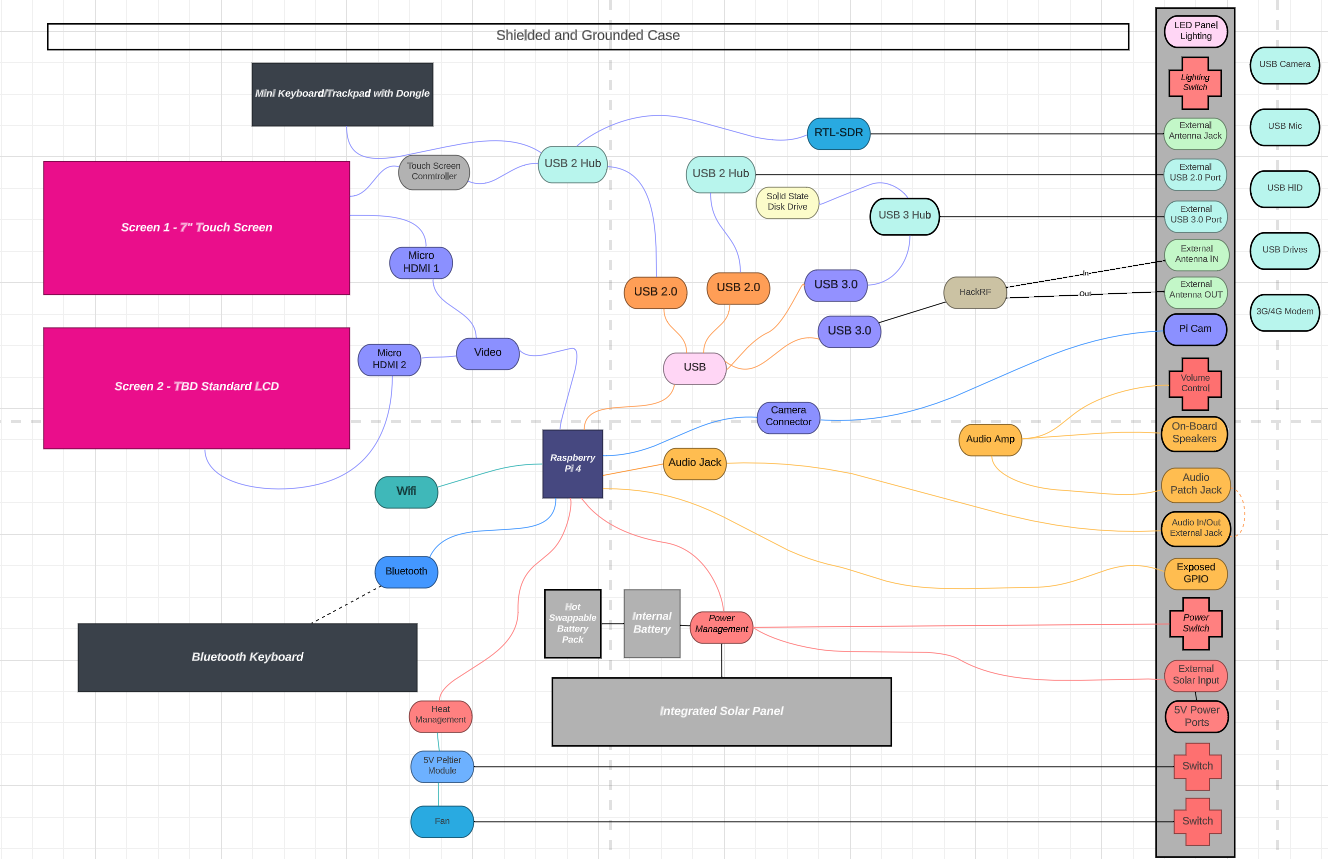
Thought diagram to help me visualize the main functions/hardware devices/connections needed both under the hood and exposed on the front panel

Adobe Portable Document Format - 71.70 kB - 08/06/2023 at 01:15

Preview

  • 1 × HUL 11in x 8in x 5in Waterproof Military Style Hard Case with Customizable Pluck Foam Interior
  • 1 × GeekPi 7" Capacitive Touch Screen
  • 1 × Sense HAT - Raspberry Pi
  • 1 × Solar Panel - 5V 1A
  • 1 × Speaker HAT - Adafruit

View all 35 components

  • Cooling

    Curtis Soldano3 days ago 0 comments

    I added an active cooling system driven by the on board fan connector. It is a large heat sink that spans a number of the on board chips and has fins and a fan. Somehow I ended up jamming the pins and one got bent out of line so I had to try to straighten it under a microscope which went OK but I am about to do a test. Despite the pin being bent, the fan was still coming on, it just wasn't self modulating, it was just on 100%. We'll see how it goes post repair. I am hoping at a minimum the fan still spins when I test it, stay tuned.

  • USB, Power and Thermal Load

    Curtis Soldano04/05/2026 at 20:39 0 comments

    As I have been integrating various peripherals, it has become clear to me that I'll have to do additional planning to mitigate heat, power and USB power draw. I really thought my power architecture was sufficient but it is looking like I may have to revisit that assumption. 

    I gutted and used a 294wh power unit with dedicated USB A and C outputs, raw DC outputs and charging inputs for line or solar. I am thinking I am going to have to create a USB switch for the individual peripherals to control how much is on the USB bus at any one time which will also impact power. 

    Thermally I always had intended to create ducted exhaust channels but I am realizing the RTL-SDR is creates a lot of heat just idle so I am thinking being able to turn devices on and off will help me manage it. I am also going to double down on oversized heat sink for both Pi and DIY something for the RTL-SDR. On the up side, I did get SDR++ installed and working and installed an ADS-B tracker as I am testing devices and such and that's been fun. :)

  • PCIe connection established

    Curtis Soldano04/04/2026 at 20:21 0 comments

    I suspected pcie needs to be enabled and it does. Now that I did that, I am seeing the interface so on to testing individual USB devices.

  • USB Hat Works!!

    Curtis Soldano04/03/2026 at 22:37 0 comments

    I received the HAT yesterday and got it all connected and power tested, seems to be stable from a power perspective but the USB data isn't behaving so more testing is required.

  • USB Overcurrent

    Curtis Soldano03/24/2026 at 08:26 0 comments

    I connected everything for testing and even with the powered hub, once I add the USB SSD, I am getting overcurrent alerts. To solve this I am looking at a USB hat that uses pcie for data and a separate power injection so I am hoping I can split it out in a way that stabilizes the USB bus. I already owned the SSD so I was going to use that as a stepping stone until I got a nvme drive. At the moment it seems to be putting me over the edge so its either a USB HAT or a PCIE-NVME drive HAT with a drive which are quite expensive, I think I am going to try the USB HAT to start. Updates once I receive and test the HAT and USB load. Cheers!

  • Initial Systems Testing

    Curtis Soldano03/21/2026 at 12:52 0 comments

    Some progress!

    I've been working on integrating and testing components before I get too far into frame design. I was concerned that I might have too many USB devices with the two touch screens and after testing I confirmed my suspicions. No matter how I try to split the load, when everything is plugged in, it crashes the USB bus. I have ordered a powered hub and have now worked that into the design. I have decided to go with flush mounted buttons instead of rockers for sub system disconnects (Pi, Audio Amp, Variable PSU, panel lights) and I am going to add a grounding lug to the front panel for quick connection grounding. Since the Pi is inaccessible I've added an SD Card slot surfaced on the front panel between the two round USB panel ports, this is an extension of the SD slot on the Pi. I am also planning to add a cooling fan in the interior directly below the exposed GPIO blowing across the PSU and the Pi, vent holes will need to be added, TBD. Finally, The power board I am repurposing has a couple of USB-A charge ports and two 12v out ports. I didn't have panel space to add more USB ports so I am considering extending a USB and 12v charge umbilical cable into and accessible through the storage area specifically for charging if the panel is full. I plan to use one of the 12v outs as power for the variable PSU and a USB-A port to power the audio amp on the lid or the panel lighting (stretch)

  • Slow progress is still progress...

    Curtis Soldano03/18/2026 at 08:10 0 comments

    I promise that I really am focused on this now. :) List of components is now final, I've updated the parts list here on Hackaday and I'm sourcing a few last things like fans, cables, buttons, etc.,. Recent upgrades and the main decisions have been made so I'm starting to move onto the more mechanical related challenges like building out the internal frame and panels. The updated specs now have a Raspberry Pi 5 8G at the core, two SDR receivers, adjustable power supply, audio amp w/bluetooth, 2 touch screens, exposed USB and ethernet ports, HDMI capture, solar/line chargeable battery system with BMS. GPIO, Pi Camera and OLED status display and storage on for antennas(lid) and test devices and supporting hardware (base). 

    I'm now leaning towards more of a field ready experiment and prototype multi-use ground station

  • Latest Updates

    Curtis Soldano02/20/2026 at 09:55 0 comments

    So after a lot of inactivity with some sporadic instances of occasional activity, I have come to the following design decisions and scope changes.

    I've reimagined the this build as a Self Contained Field Ready Compute Resource & Ground Station. Since the focus has slightly shifted, the features have as well. Some of those tweaks include:

    1. Integrated Faraday cage descoped - my approach for addressing this scope item was just too difficult to execute effectively and affects the rest of the build. I have found some great faraday cage solutions and have resolved to build a separate purpose built faraday storage container which will store this and other sensitive devices offloading that requirement from the deck to a separate support element.
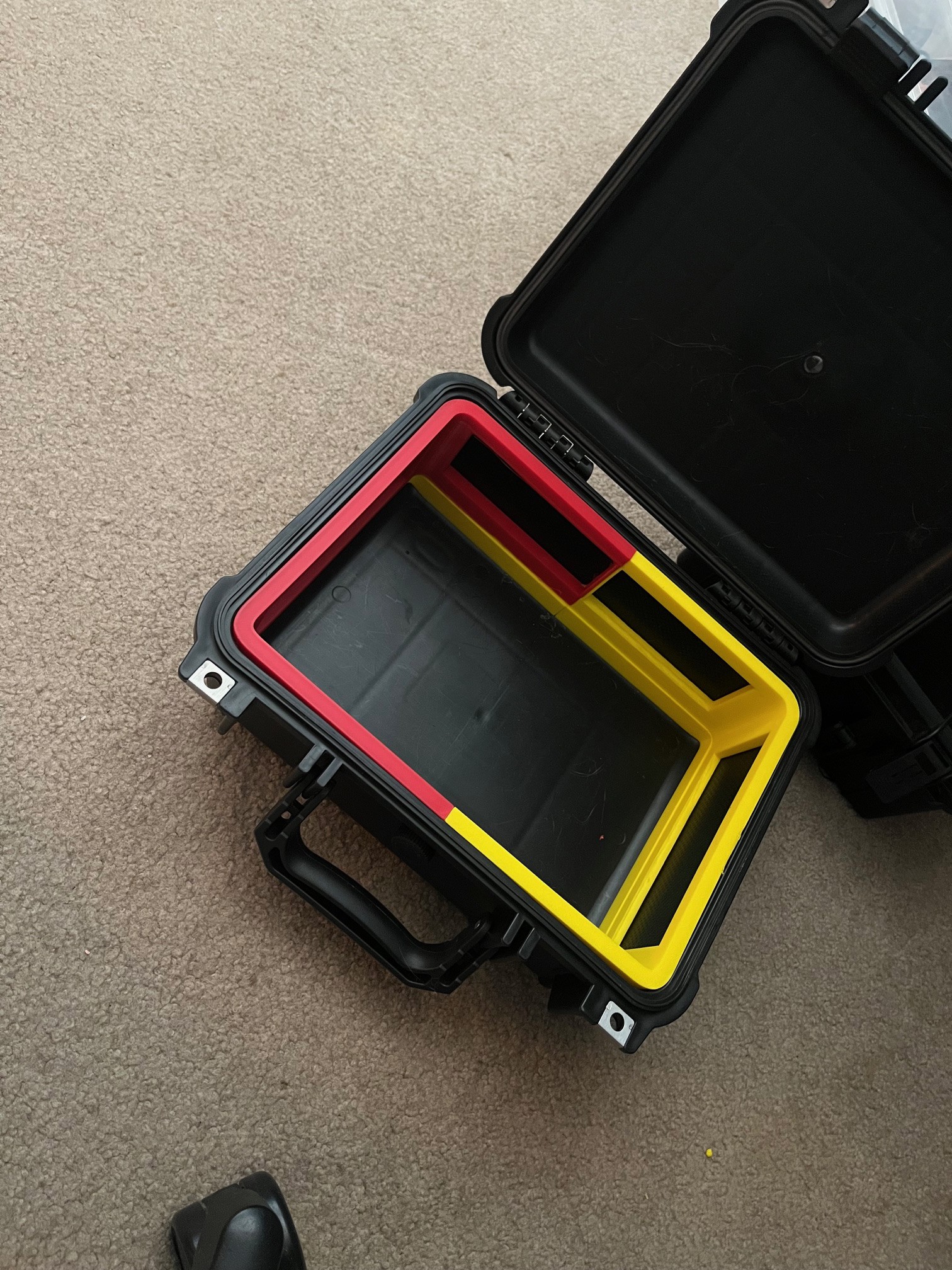
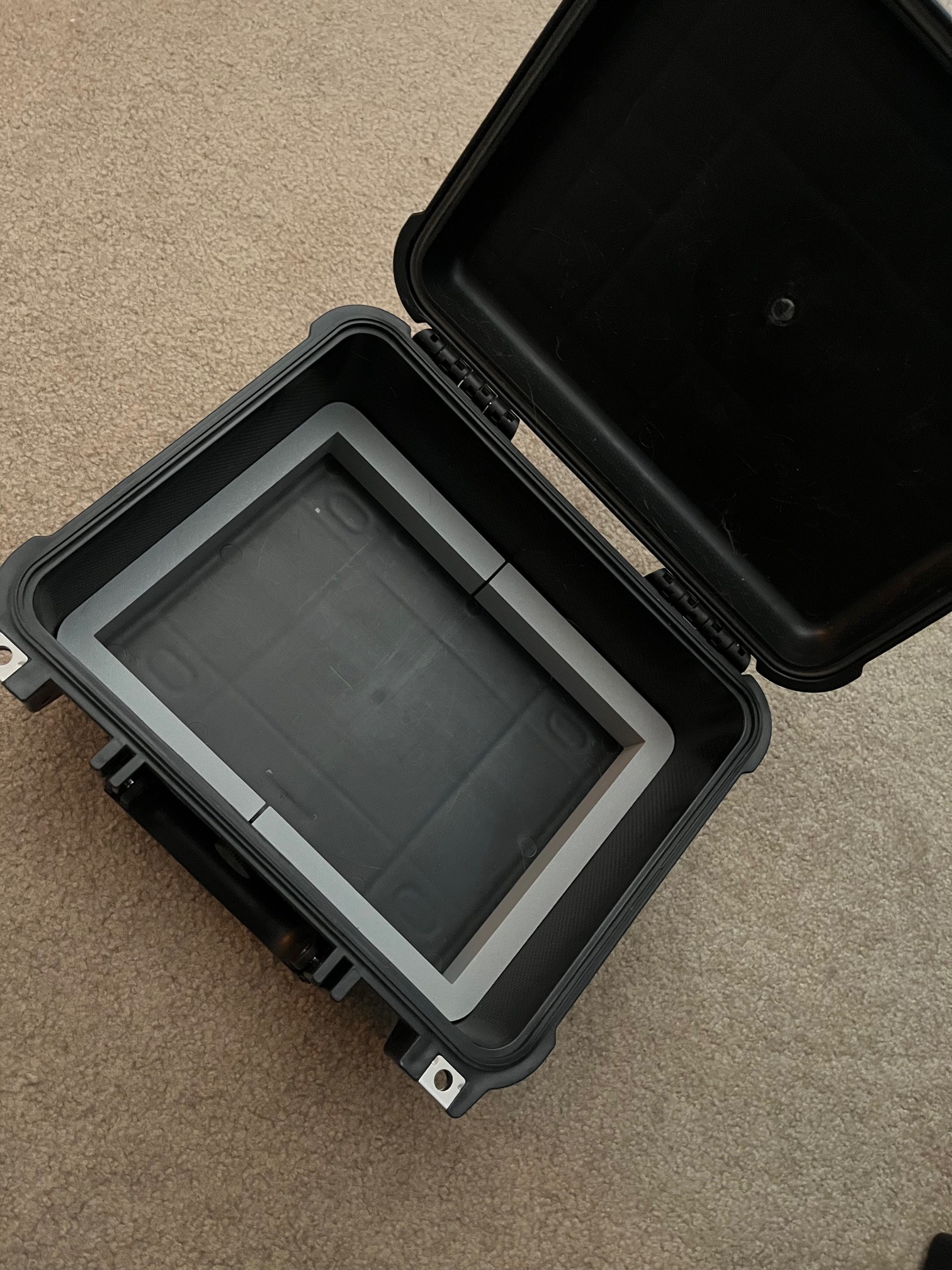
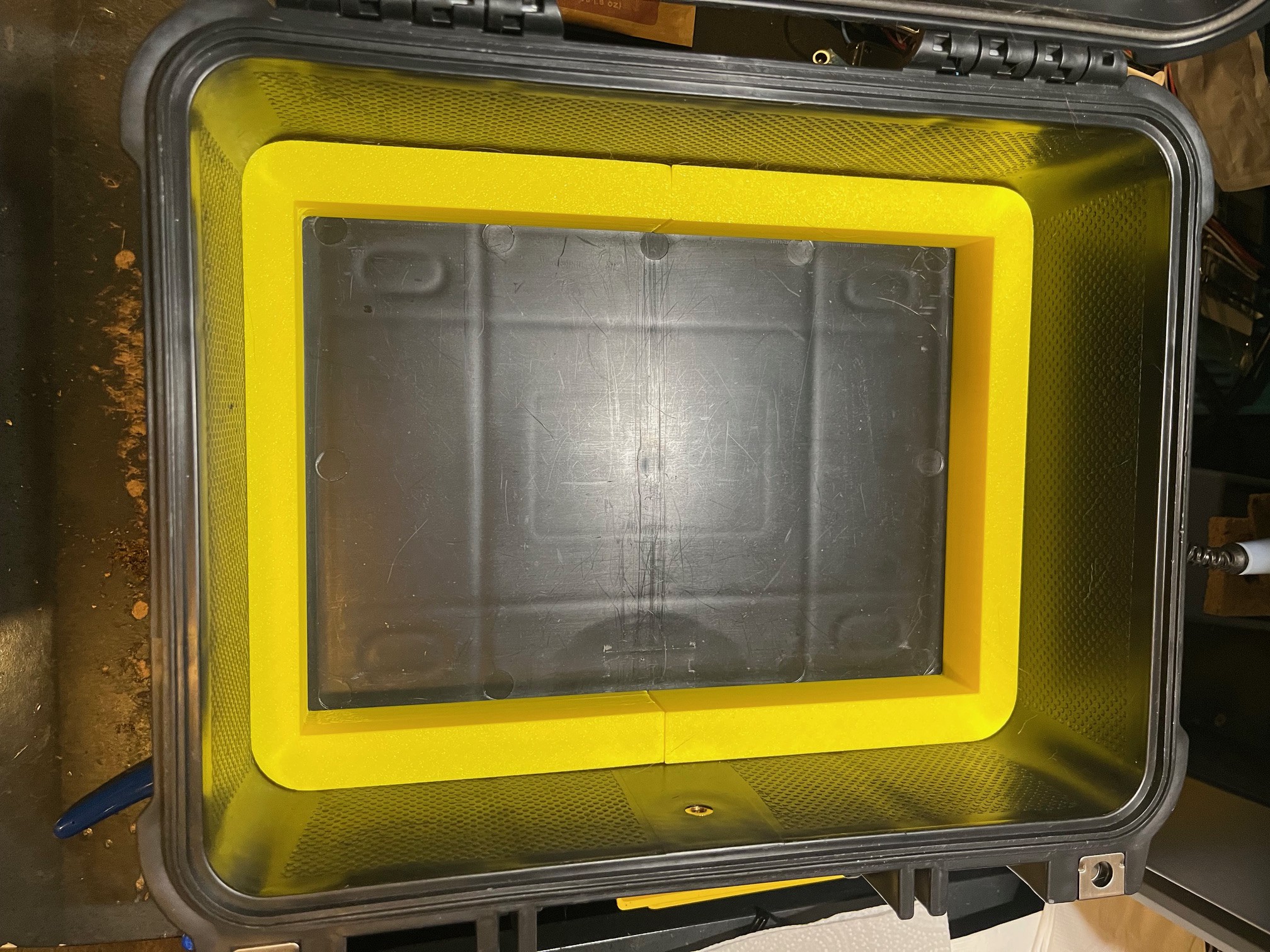
    2. Larger Plastic Hard Case - I decided to go with a larger Olympia case I found cheap, new outer dimensions are L10.47”xW9.68”xH6.87”
    3. Battery Pack . I had a rarely used 294Wh Solar generator (power pack) for camping which has a BMS, In/out ports and controller with a Lithium battery.  I am going to repurpose that hardware and battery for this build.
    4. My primary screen is now a 10.5 In Touch Screen, up from the previous 7In
    5. I have decided on a more modularized approach opting for more internal storage to House a Flipper Zero, M5 Stack Cardputer and a Finrisi Component identifier/tester/Oscilloscope/Function Generator as stand alone test gear as a starting point. Storage will also hold antennas, adapters, cables and other items TBD.
    6. I have added an analog FPV RF Video Receiver to the RF feature set
    7. The ethernet port shall be placed on the front panel primarily to allow for offline LLM Coprocessing with a helper x86 machine but also for wired connectivity when needed/available
    8. The GPIO will be exposed on the front panel and HATS in the internal storage to be swapped out as needed, this minimizes the potential for simultaneous HAT collisions
      1. Sense HAT
      2. GPIO Breakout with status LEDs
      3. Adafruit Crickit Robotics interface
    9. SD Card Slot will be extended from the internal housed Raspberry Pi and surfaced on the front panel providing persistent SD card access. This will allow for quick, on the fly swap out/replacement of the OS SD depending on the need
    10. Internal physical storage for multiple pre-configured SD's (and copies) with loadouts supporting both operational diversity and recovery/redundancy.
      1. Software Dev loadout (Debian)
      2. Drone Ground Station loadout (iNav)
      3. Robotics & Prototyping Loadout
      4. RF Bench Loadout (SDR, ADS)
      5. Offline/Survival Loadout (Kiwix)
      6. Entertainment Loadout (RetroPie)
      7. Offline LLM Loadout

    I'll update the log with my updated (target) feature list in a few days and start to update the panel layouts next week. I'm also thinking about supporting a second screen either as a peripheral or integrated into the case since the Pi4 has native multi screen.

    See you soon!

  • Resistance is futile

    Curtis Soldano05/03/2024 at 20:06 0 comments

    Howdy All,

    As the lack of updates probably suggests, I have not made much progress on this build. I'm trying to proritize this in my daily scheme...I've pulled that project in from the outside work area to inside my house so its closer to "work on" in my free moments.

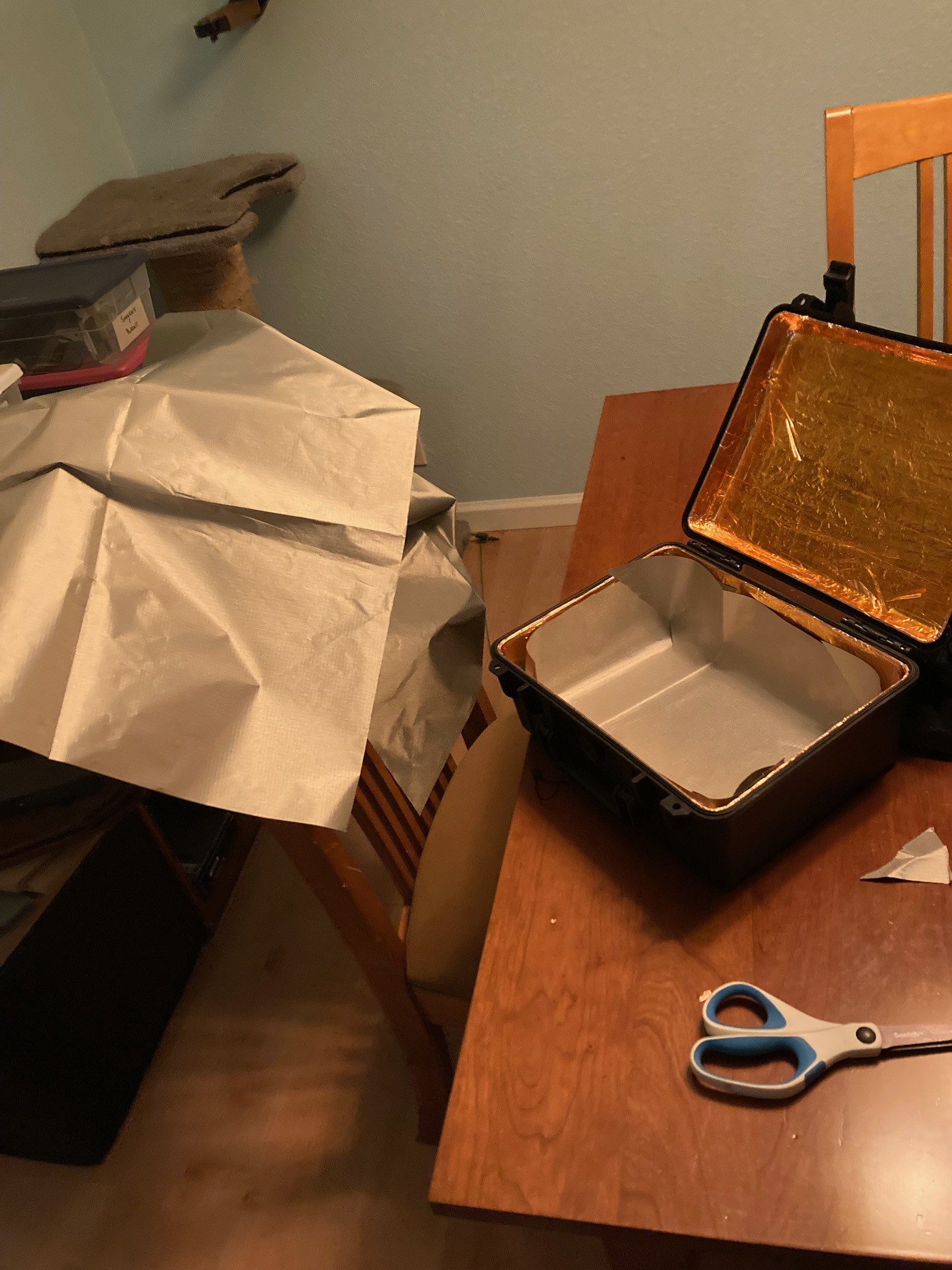
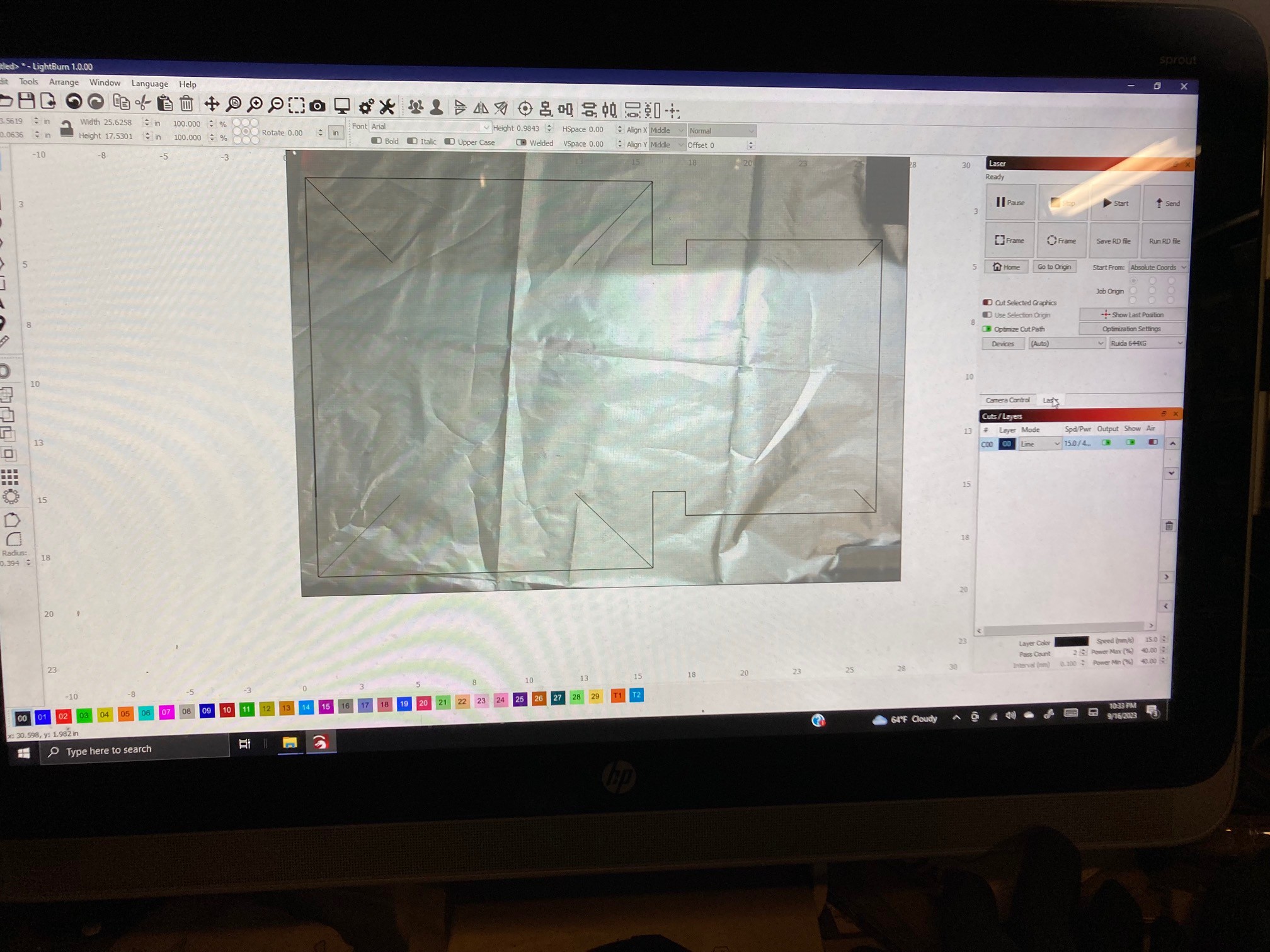
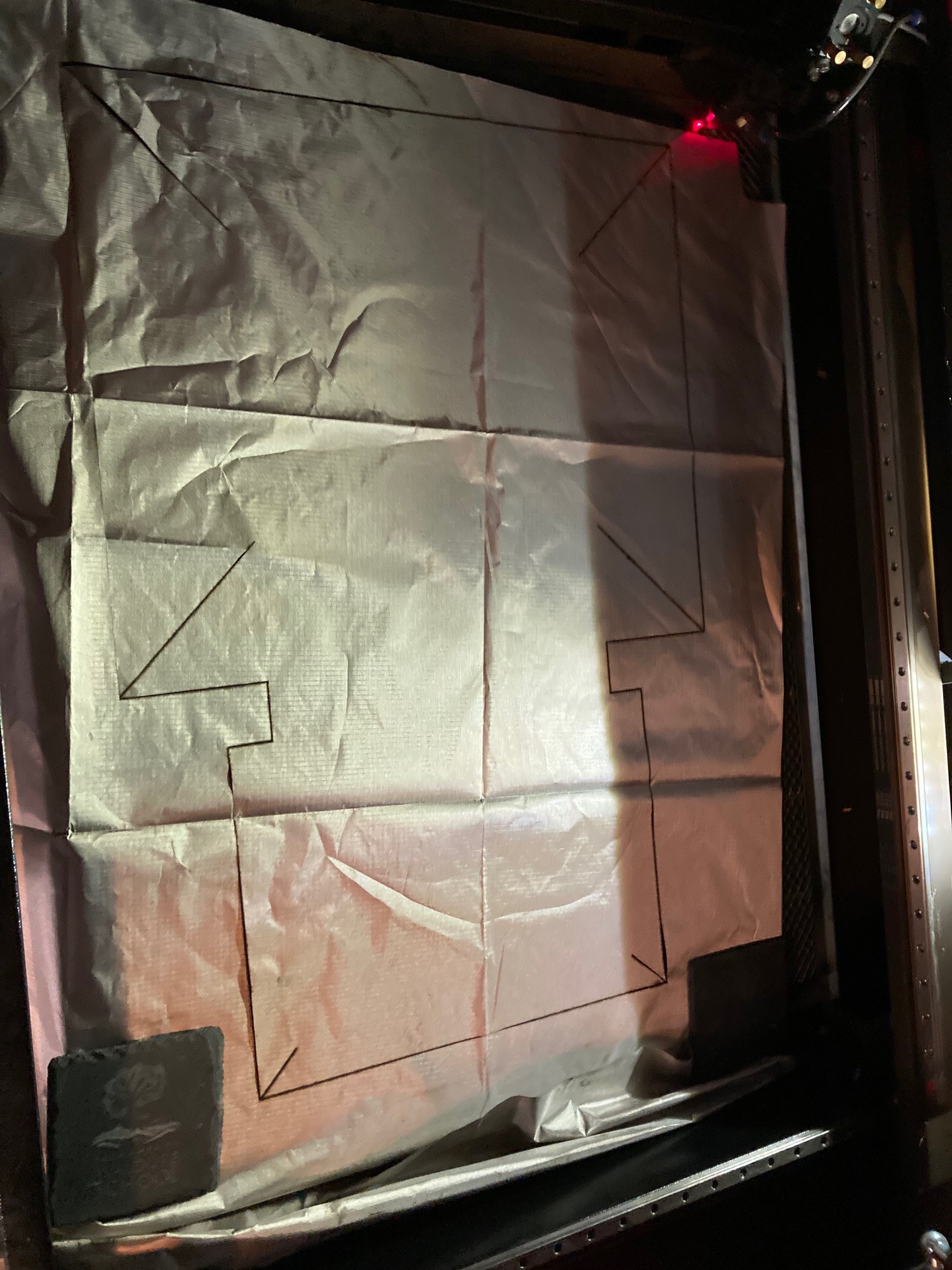
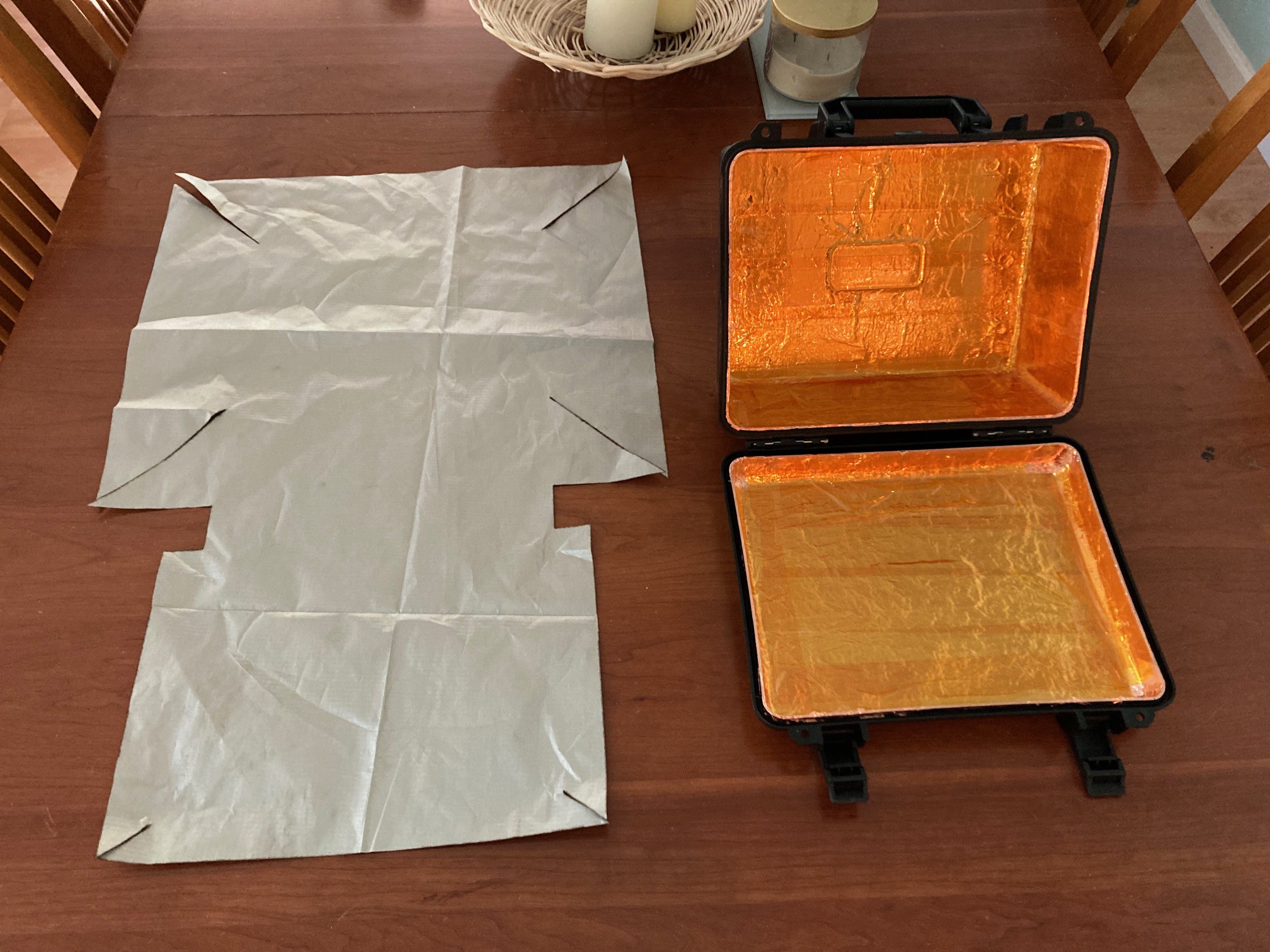
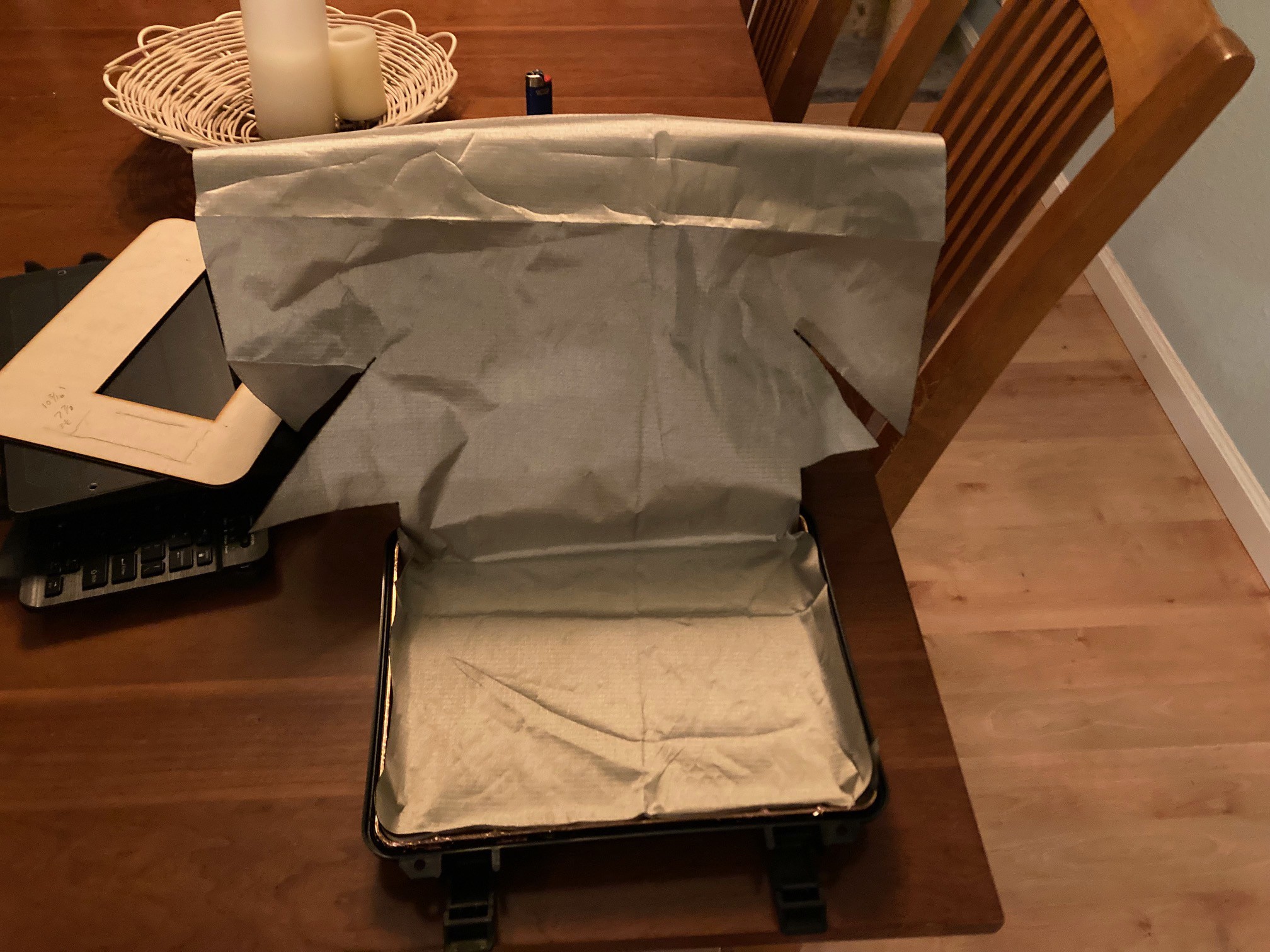
    One of the last things I completed was the laser cutting of the EMF cloth which didnt go as planned, I might be able to use some of it but I'm going to have to manually trim the pieces to fit which is a bummer beacuase I was aiming for one contiguous piece of material. If I have to cut pieces

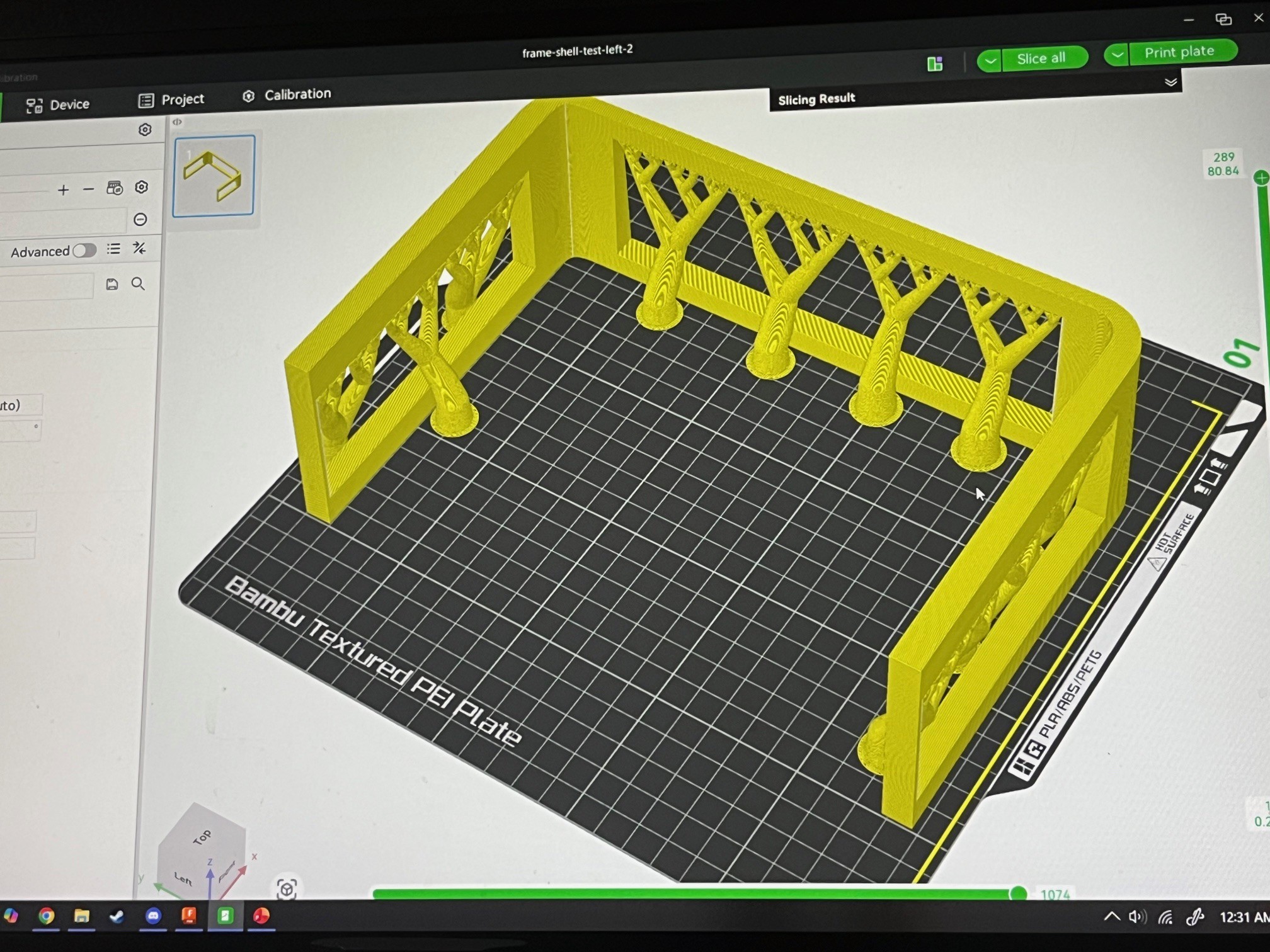
    I've seen a few projects since I've started that have inspired a few changes/adoptions. I plan to integrate an electronic component tester/identifier. I'm also considering potentially building the internal frame out of wood or a wood/3D printed hybrid but I like the idea of using basic materials in an item that might need to be repaied in the field and I imagine that wood is available post apocalypse, 3D printers maybe not...also I've seen a few builds that are super feature/hardware dense and at the risk of extending things out, I am tempted to assimilate some of those ideas.

    Thanks for following my project. I'm shooting to have it done August timeframe assuming that's then the next cyberdeck challenge will be. I'm open to feedback, let me know what you think.

    Curtis-

  • Getting tricky...

    Curtis Soldano09/16/2023 at 17:10 0 comments

    As I have been thinking through how to execute on the shield fabric application, I've put a bit more thought into it and decided to get a little tricky with this part. I am going to leverage some of my specialized design and CNC tools to customize the fitting with precision.

    My goal is once I have a line pattern, I can use my laser cutter to cut the cloth. The shielding cloth is polyester based and the early research I've done suggests this is OK to laser cut. I happen to have a 700x900mm laser cutter so I can easily fit this entire piece into my cutter.

    I have already hand cut a proof of concept pattern but realized I could do a much more precise cut with my fabrication and design skills. I was already planning to use my laser cutter to cut the front panel I just hadn't thought far enough ahead to realize I could laser cut this as well.

    And as a further thought, this material is more effective in layers, I 'm now thinking of cutting multiple layers and bonding them together into a thicker shielding then applying that thicker shielding to the interior of the case. 

    I'll provide more updates on the shielding as I get further along.

View all 18 project logs

  • 1
    Get a case

    Ultimately your case is going to be one of the biggest constraints. If you don't already have one, figure out which one you are going to use then get the specs or buy it and measure it in person Once you know the size constraints of your case, you can figure out how much you can stuff in it. 

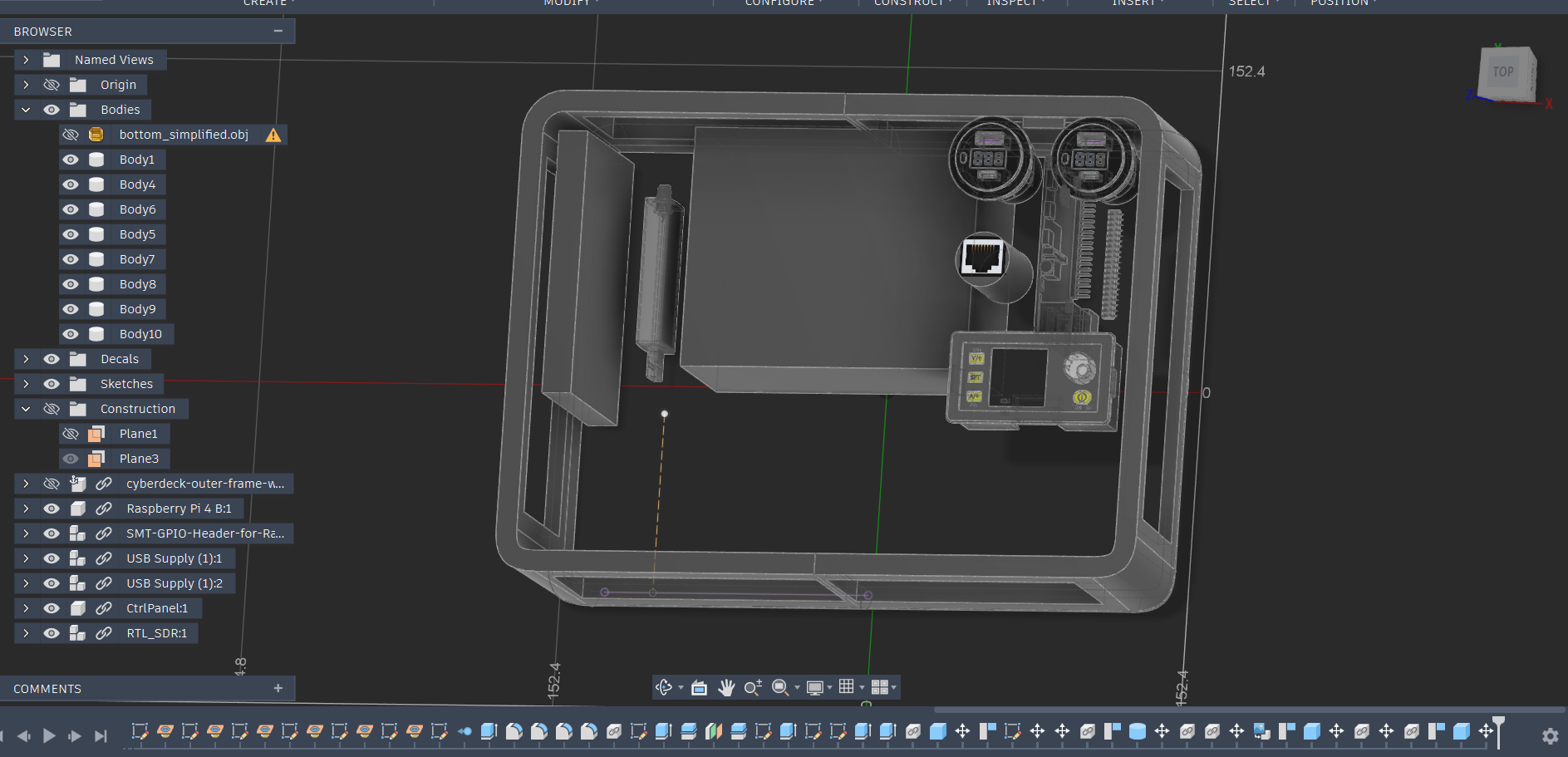
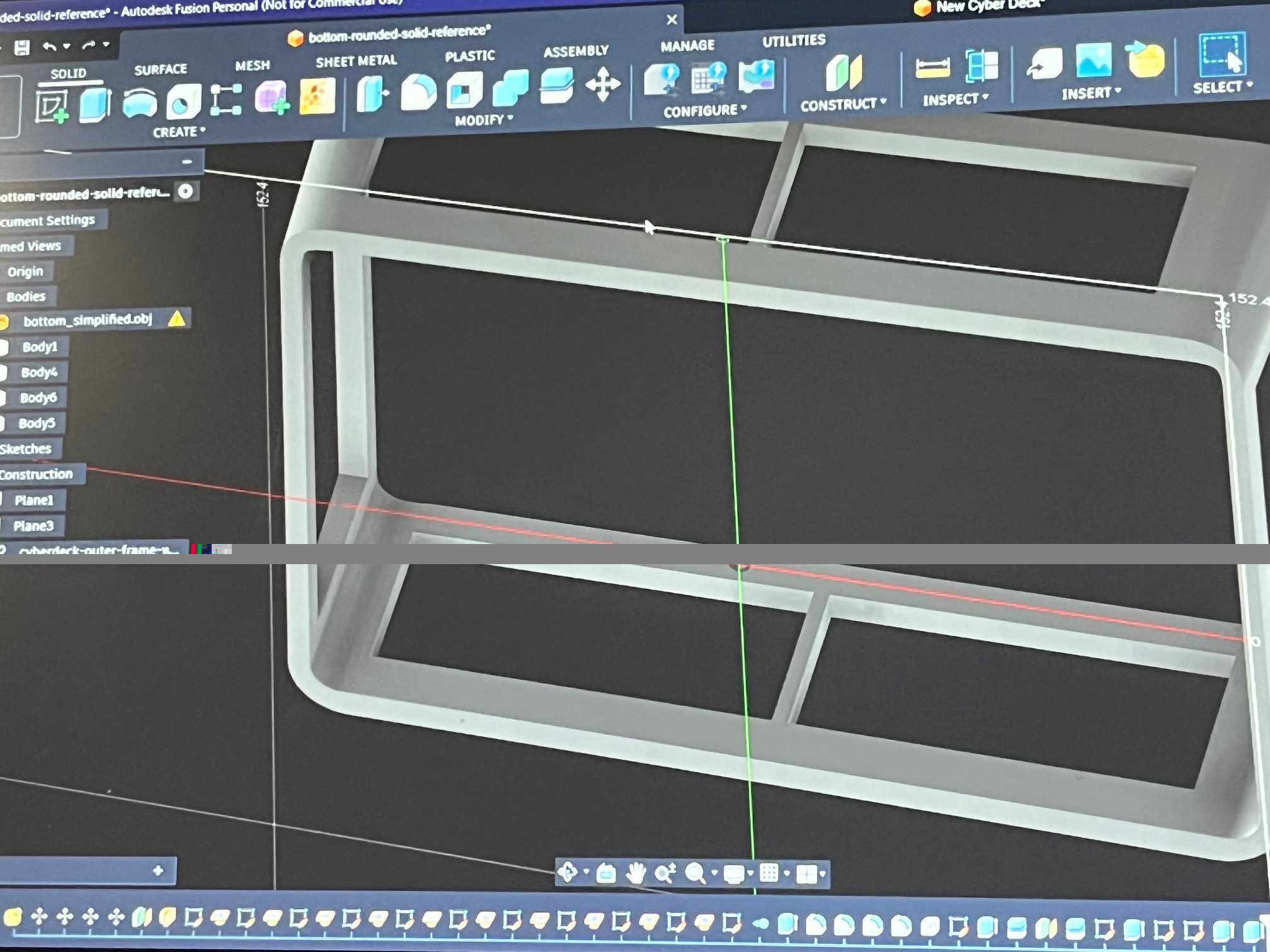
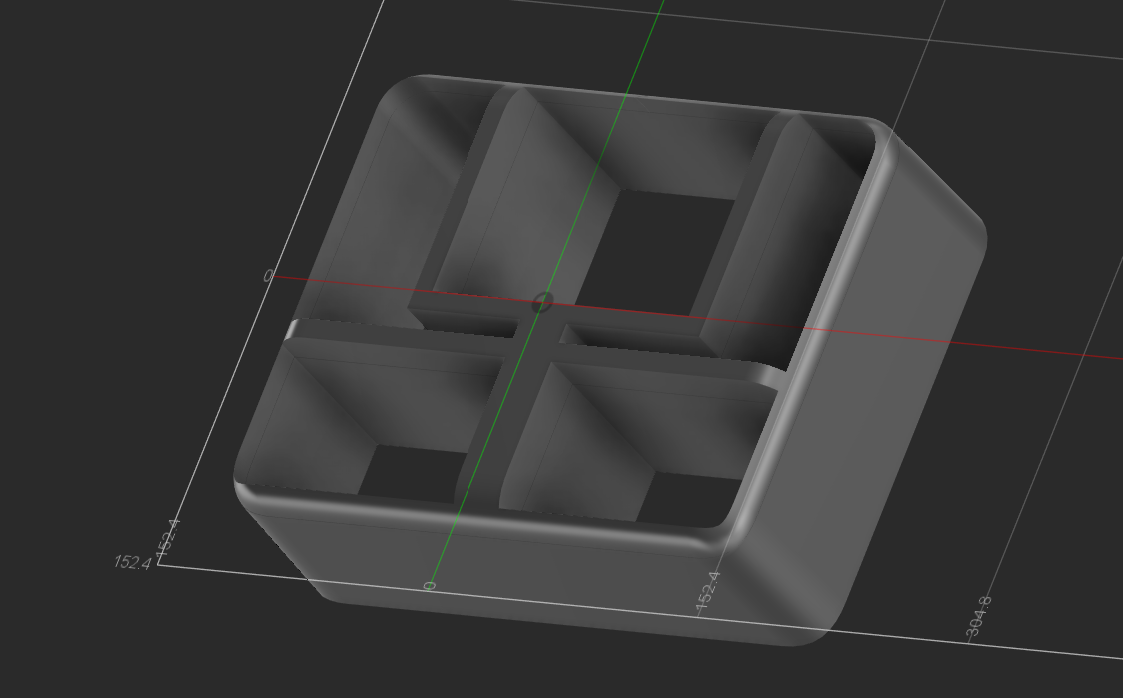
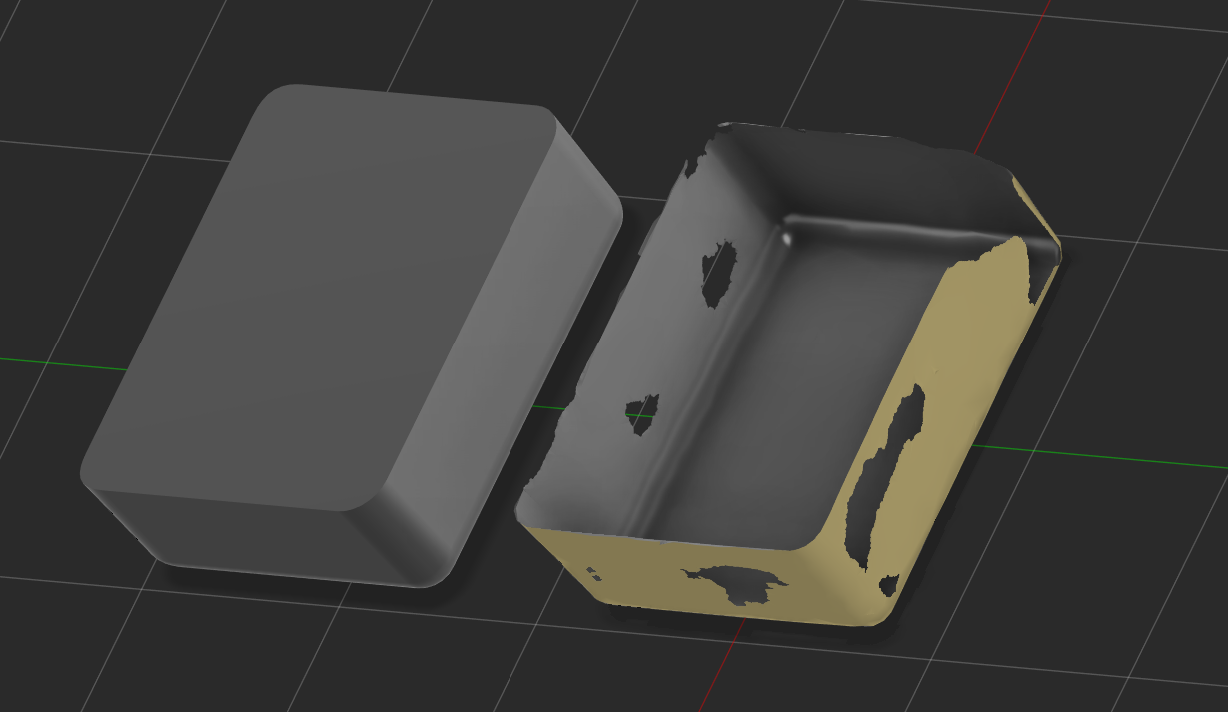
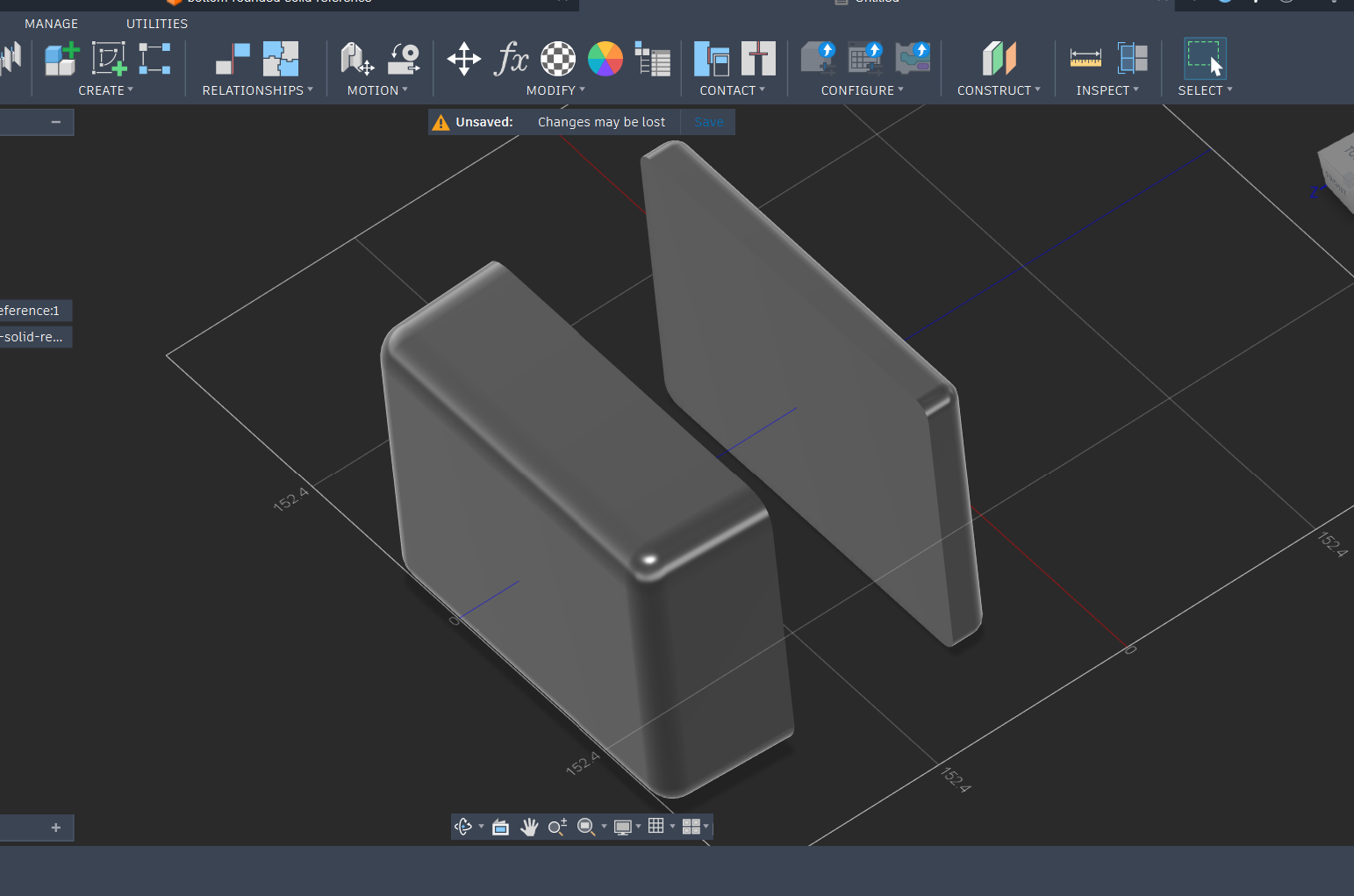
    Once I had my case, I verified the factory dimensions with my own measurements (always double check) to determine the interior dimensions of the case. Because I already had some parts and cables, I was able to dry fit in some of the components to begin to visualize how'd they stack and where cable routing and access points might go so I can be aware of any space constraints. I didn't yet have all of the parts so at this stage so I took a step back and began to model the interior frame and front panel design in Fusion 360 by roughing in the parts I had at that point and then creating placeholder objects if I could find the dimensions online. This allows me to make some progress on two fronts while I collect all the gear; 1) it helps me virtually organize the interior components and front panel and 2) later in the process I can take the CAD files and use them for CAM like to 3D print, laser cut or CNC elements of the deck.

  • 2
    Shield the case

    Having the case before I have all of the other parts allows me to begin work on shielding my deck. I am currently planning how to implement this shielding. I have a background in electronics so I am not completely clueless and I have some ideas but I am going to do some research on shielding and faraday cages before I jump in.

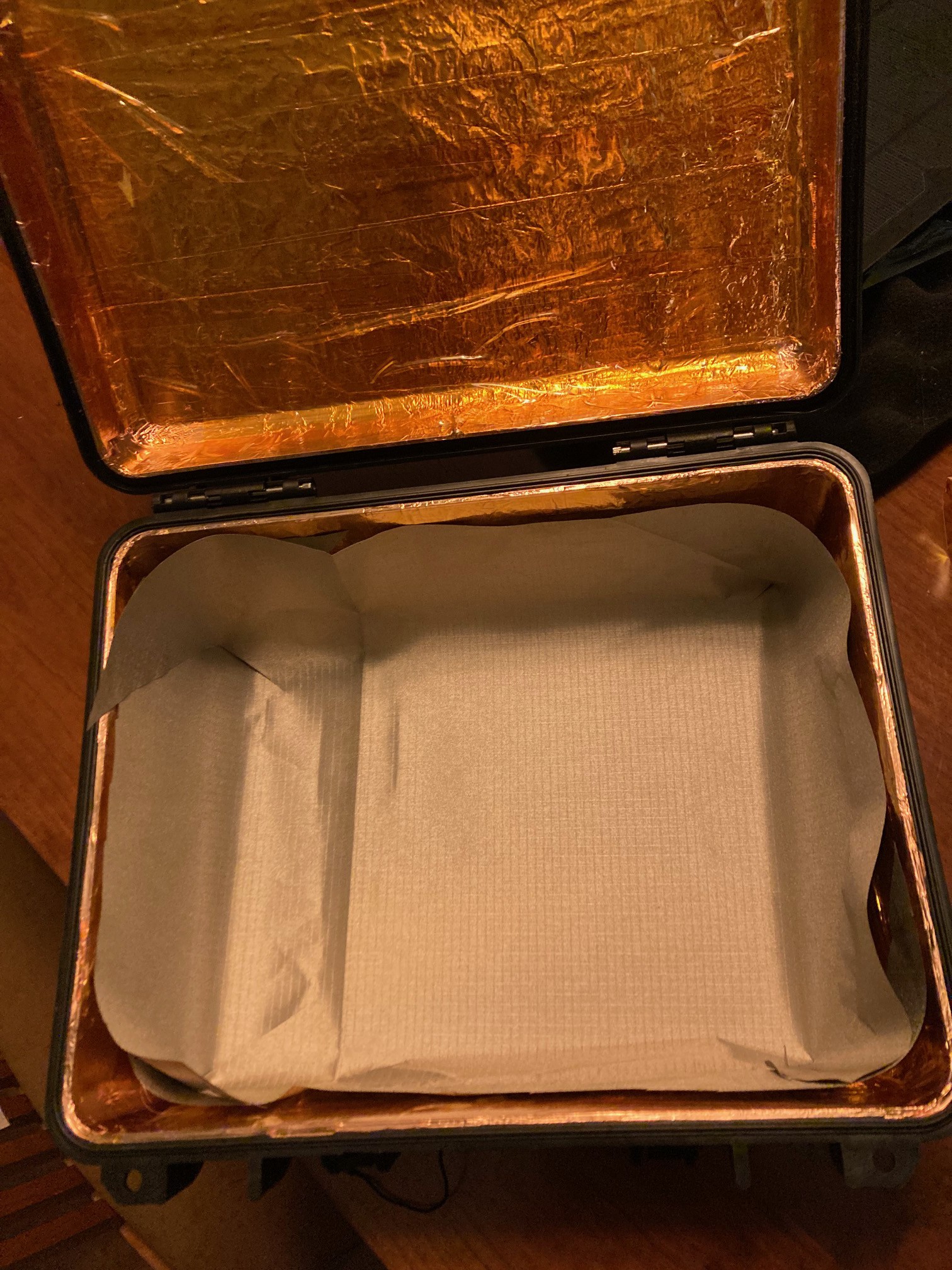
    Currently I am thinking of 2 layers each layer alternating a layer of foil tape and a layer of kapton tape for each the case and the case lid. The lid and case would be electrically bonded at the base layer by way of a exposed copper braid or other connection between the two. I need to read up a little bit to validate my thoughts but if there are 2 layers of foil and the layers are not bonded to each other, there should be a small amount of capacitance created between the layers that could also dissipate any differential charge and further protect the interior. That's just me spitballing though, I'm not sure...it's just a thought. 

    I was also thinking of layering in some kind of mesh material akin to chicken wire (but finer) in between the layers but I still need to do more research. 

    Another random Idea I had was to do a cross pattern of narrow copper foil tape as a layer on top of the foil tape but I need to so more research. 

    I am thinking of ways to ensure the foil tape is electrically connected with the adjacent pieces of tape, on it's layer I think it matters but not sure...

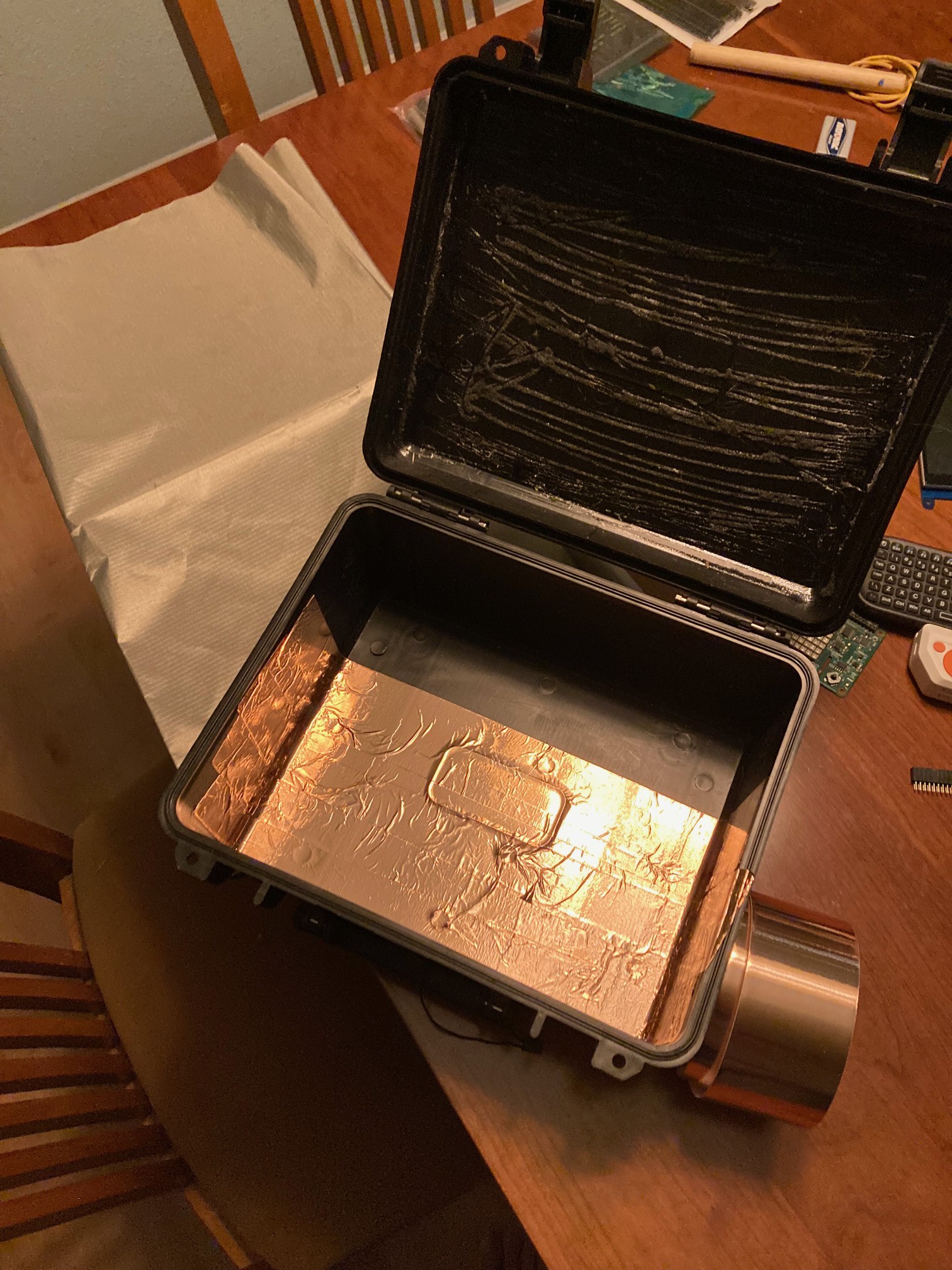
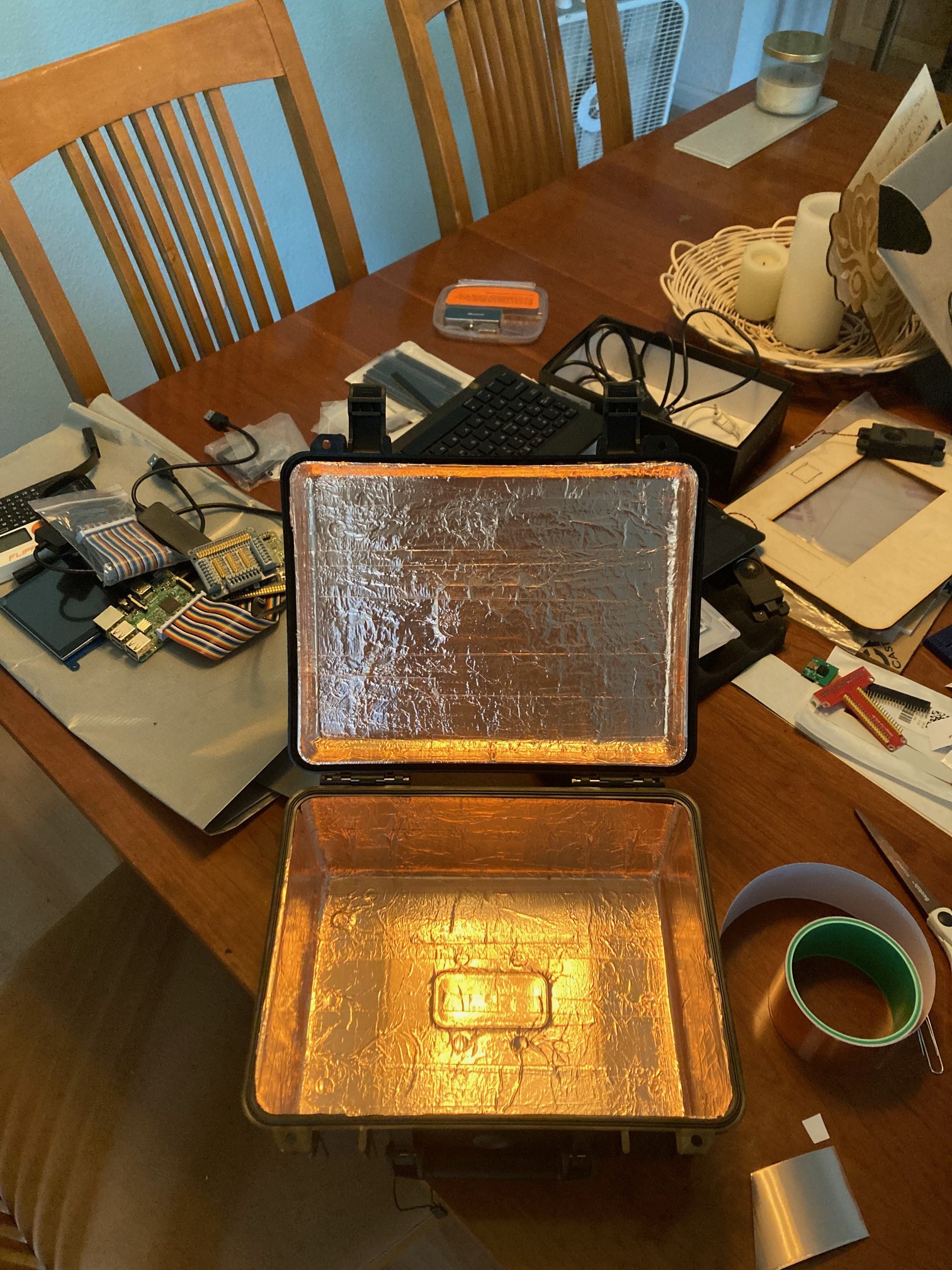
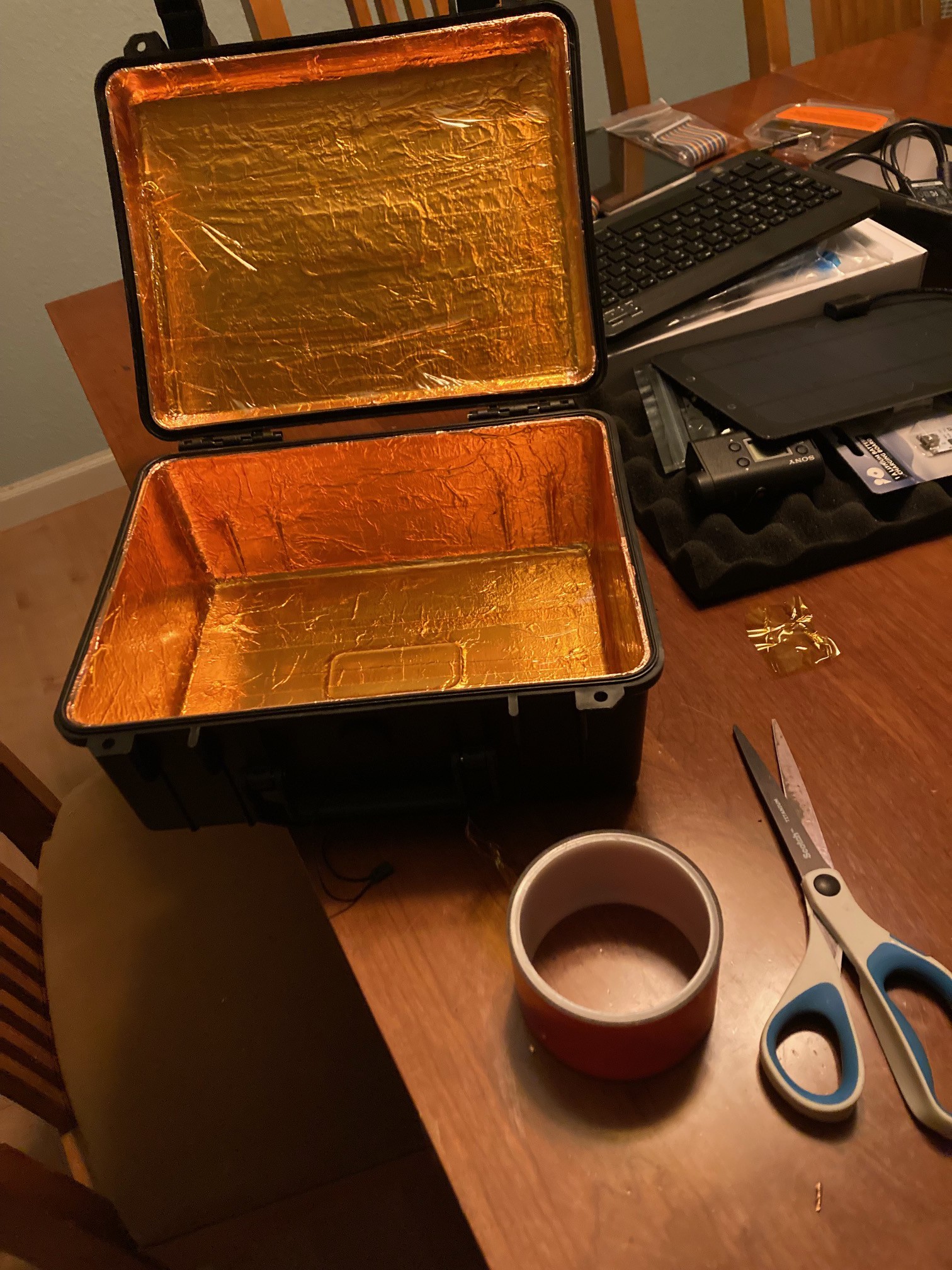
    UPDATE: Started and finished the copper foil tape and Kapton insulating tape application. Now working on the shield cloth layer. I am expecting a low VOC adhesive spray to be delivered in a few days which I'll use to bond the fabric to the kapton layer...stay tuned

    partially covered case

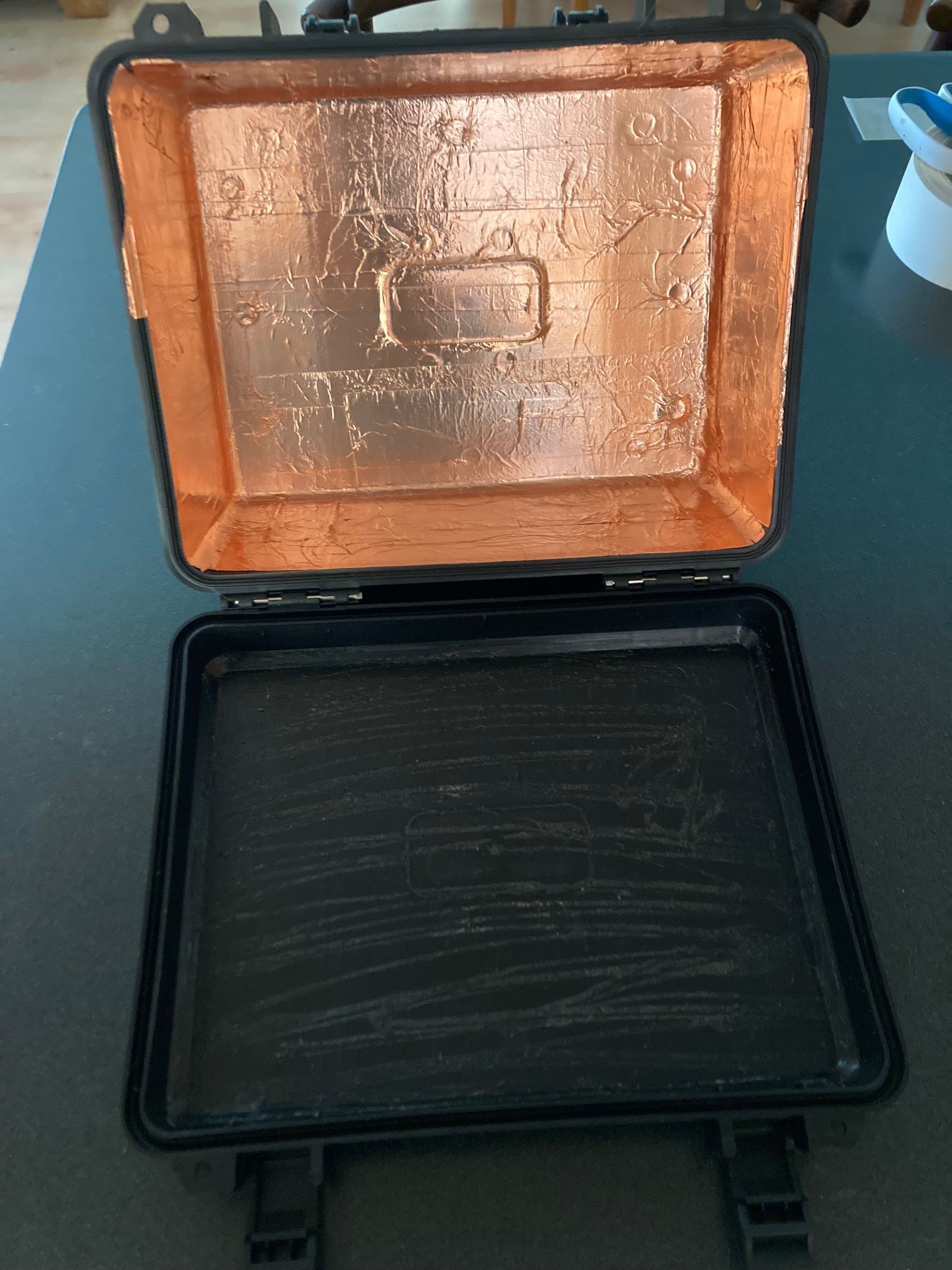
    And a mostly complete layer, I have some touch ups around the edge.

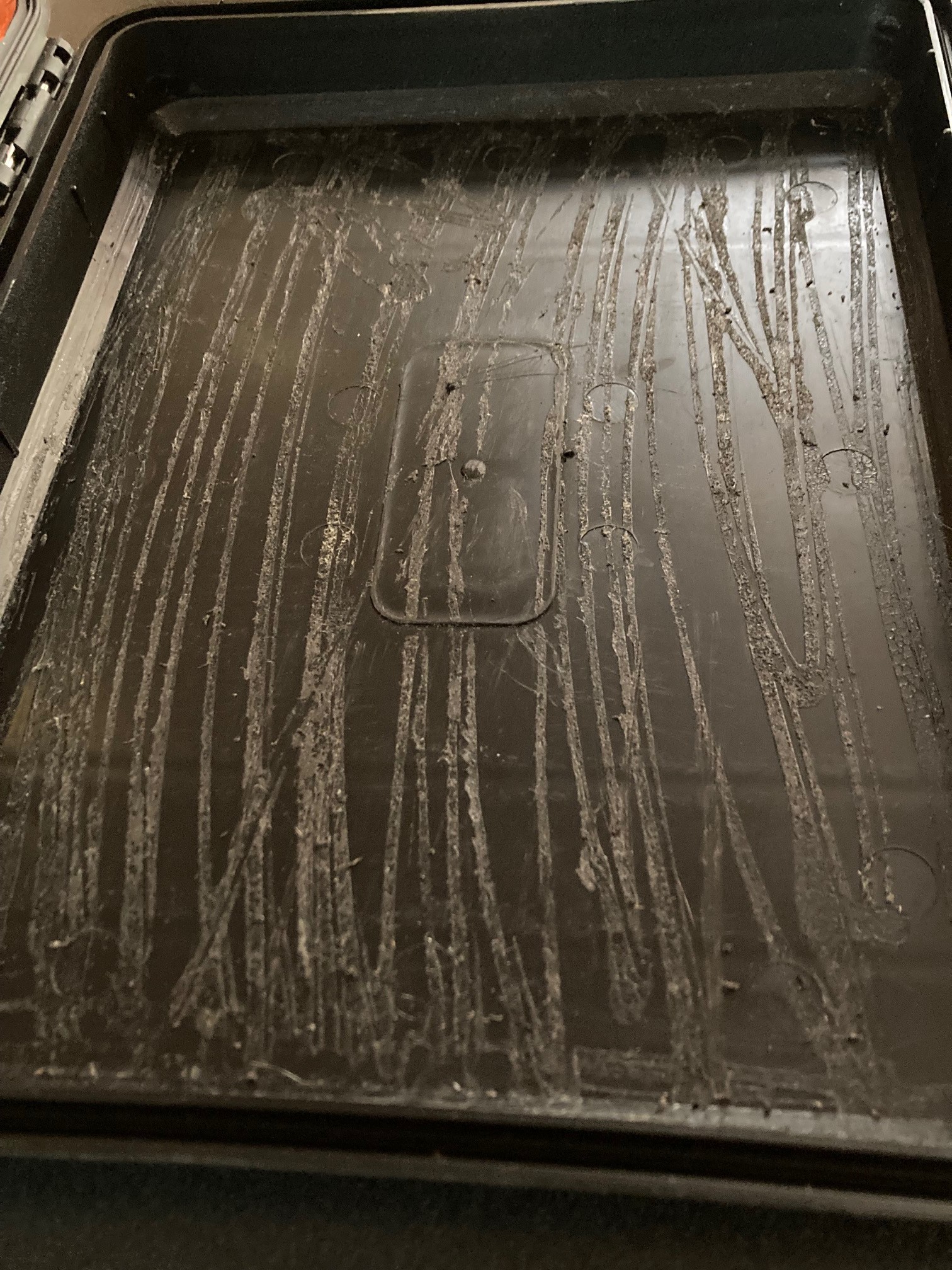
    You can see that after I pulled the foam off of the lid, there is an excessive amount of residual adhesive. I 've been attempting to scrape this away before applying the shielding to the lid. Although this is much improved, I am going to try a couple of other methods before moving forward.

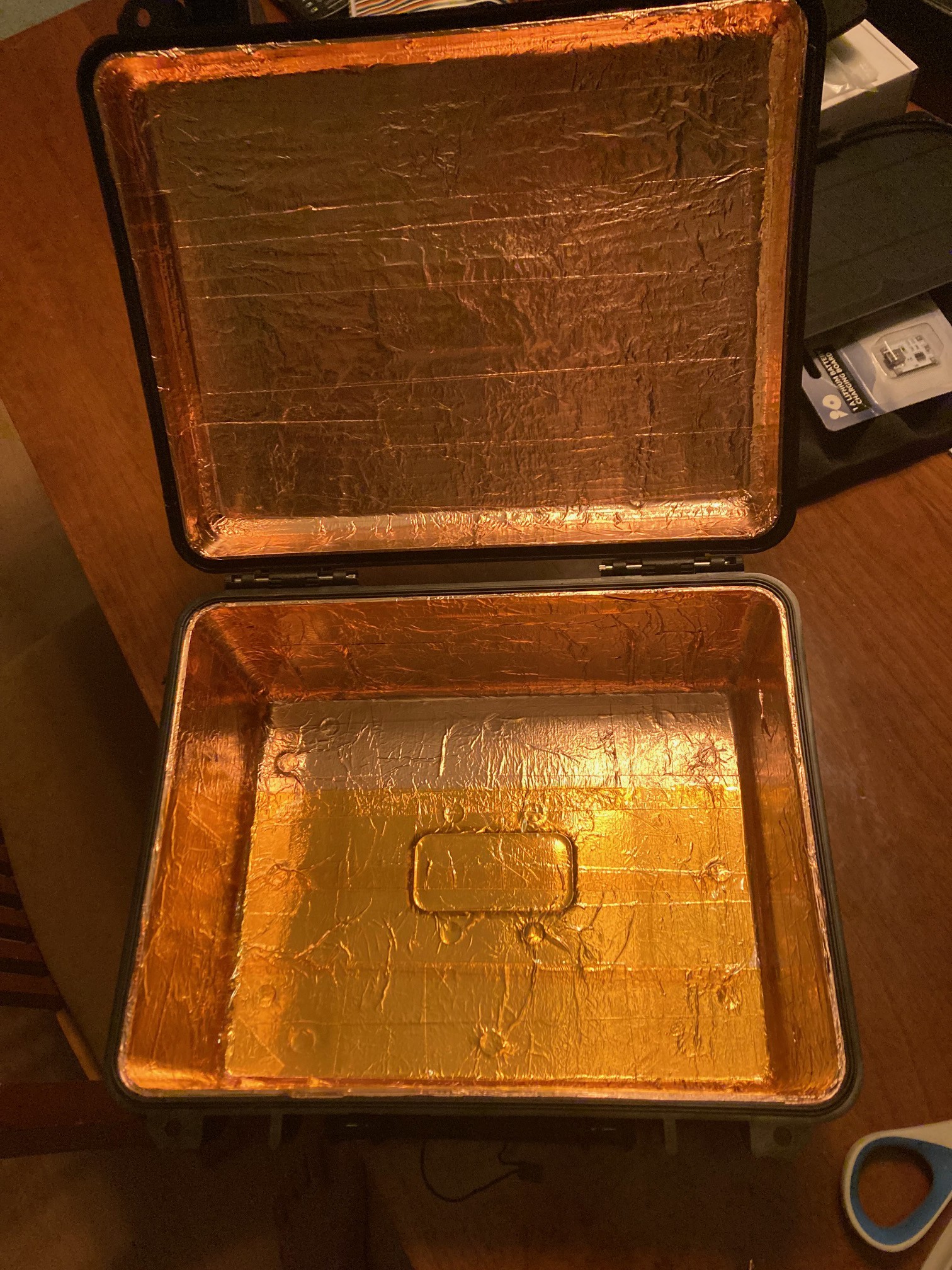
    So I got the lid to an acceptable prepped state then proceeded to complete the copper foil layering. The pic below shows the nearly finished first copper layer.

    My attempts to solder directly on the silver infused fabric have been unsuccessful.  My new plan is to sew braided copper between the lid and case directly onto the shielded fabric pieces as an electrical bond. For cost and simplicity I am going to use basic solder wick as this cabling. It's flexible, low profile and I think will work well for this purpose. I have some conductive thread I'll use to sew the solder wick to the silver fabric.

    A layer of Kapton tape will go between the copper foil tape layer and the silver fabric layer to prevent any dissimilar metal interactions. The next pic shows a partially covered interior.

    And finally...done with the Kapton tape. Now to ponder how to bond the shielding fabric.

    Cutting some test patterns of the shielding fabric and test fitting

    test fit close up

  • 3
    Functional Feature Design

    I started by visualizing what I wanted and then created a feature cloud of everything I wanted and how that mapped to the components I needed to account for and what needed to be exposed on the front panel. I created my desired feature cloud in Lucid chart. https://www.lucidchart.com/pages/

    This was a kind of a visual inventory and forced me to think through these relationships. The grey bar on the right are all of the items that I envisioned being on the control panel. This was aspirational and a starting point. As I started to consider budget and space, things have been optimized and I've been removing things I couldn't support or didn't have room for. I'll update this as I get a little further into the 3D design which is also helping me to visualize the physical space constraints.

View all 5 instructions

Enjoy this project?

Share

Discussions

M.eyerJessie283778 wrote 08/17/2023 at 04:15 point

In conclusion, your project is ambitious and exciting, but it will require careful planning, dedication, and a methodical approach. https://www.screenmirroring.onl/teamviewer-review-best-app-for-screen-sharing/  If executed well, it could result in a unique and functional cyberdeck that combines cutting-edge technology with practical utility. Good luck with your project, and don't hesitate to seek advice and resources along the way!

  Are you sure? yes | no

Similar Projects

Does this project spark your interest?

Become a member to follow this project and never miss any updates