To make the experience fit your profile, pick a username and tell us what interests you.
We found and based on your interests.
After a few tests with walking, I decided to not give it a huge head after all. I tried a number of different heads (including several acrylic globes from a crafts store, a doll's head and a lightbulb) and finally settled on a cardboard outline. This is something that an 11-years old can see and say "I could do that!"
For now I used the same code for walking as the #Micro:Bob (I just had to swap some pins and adjust trims), but I want to make it controlled from a second Micro:bit.
import microbit
class Servo:
def __init__(self, pin, trim=0):
self.pin = pin
self.trim = trim
self.position = 90
self.set_period()
def set_period(self):
self.pin.set_analog_period(20)
self.write(self.position)
microbit.sleep(80)
self.pin.set_analog_period(20)
self.write(self.position)
microbit.sleep(80)
self.pin.write_analog(0)
def write(self, degrees):
self.pin.write_analog(int(25 + 100 * degrees / 180 + self.trim))
self.position = degrees
def move(self, degrees, delay=5):
if degrees > self.position:
step = 1
else:
step = -1
for position in range(self.position, degrees, step):
self.write(position)
microbit.sleep(delay)
class Robot:
NORMAL_FACE = microbit.Image(
"42024\n"
"90009\n"
"00000\n"
"61016\n"
"27972\n"
)
RIGHT_FACE = microbit.Image(
"24024\n"
"09009\n"
"00000\n"
"81001\n"
"28952\n"
)
LEFT_FACE = microbit.Image(
"42042\n"
"90090\n"
"00000\n"
"10018\n"
"25983\n"
)
def __init__(self):
self.feet_servo = Servo(microbit.pin2, -2)
self.left_servo = Servo(microbit.pin1, 4)
self.right_servo = Servo(microbit.pin0, 4)
microbit.display.show(self.NORMAL_FACE)
def right_step(self):
microbit.display.show(self.RIGHT_FACE)
self.feet_servo.move(120)
self.left_servo.move(60)
self.right_servo.move(60)
self.feet_servo.move(90)
def left_step(self):
microbit.display.show(self.LEFT_FACE)
self.feet_servo.move(60)
self.right_servo.move(120)
self.left_servo.move(120)
self.feet_servo.move(90)
def right_half_step(self):
microbit.display.show(self.NOLRMAL_FACE)
self.feet_servo.move(120)
self.left_servo.move(90)
self.right_servo.move(90)
self.feet_servo.move(90)
def left_half_step(self):
microbit.display.show(self.NORMAL_FACE)
self.feet_servo.move(60)
self.right_servo.move(90)
self.left_servo.move(90)
self.feet_servo.move(90)
def walk(self, steps=1):
step = 0
for step in range(steps - 1):
if step % 2:
self.left_step()
else:
self.right_step()
if step % 2:
self.right_half_step()
else:
self.left_half_step()
robot = Robot()
robot.walk(8)
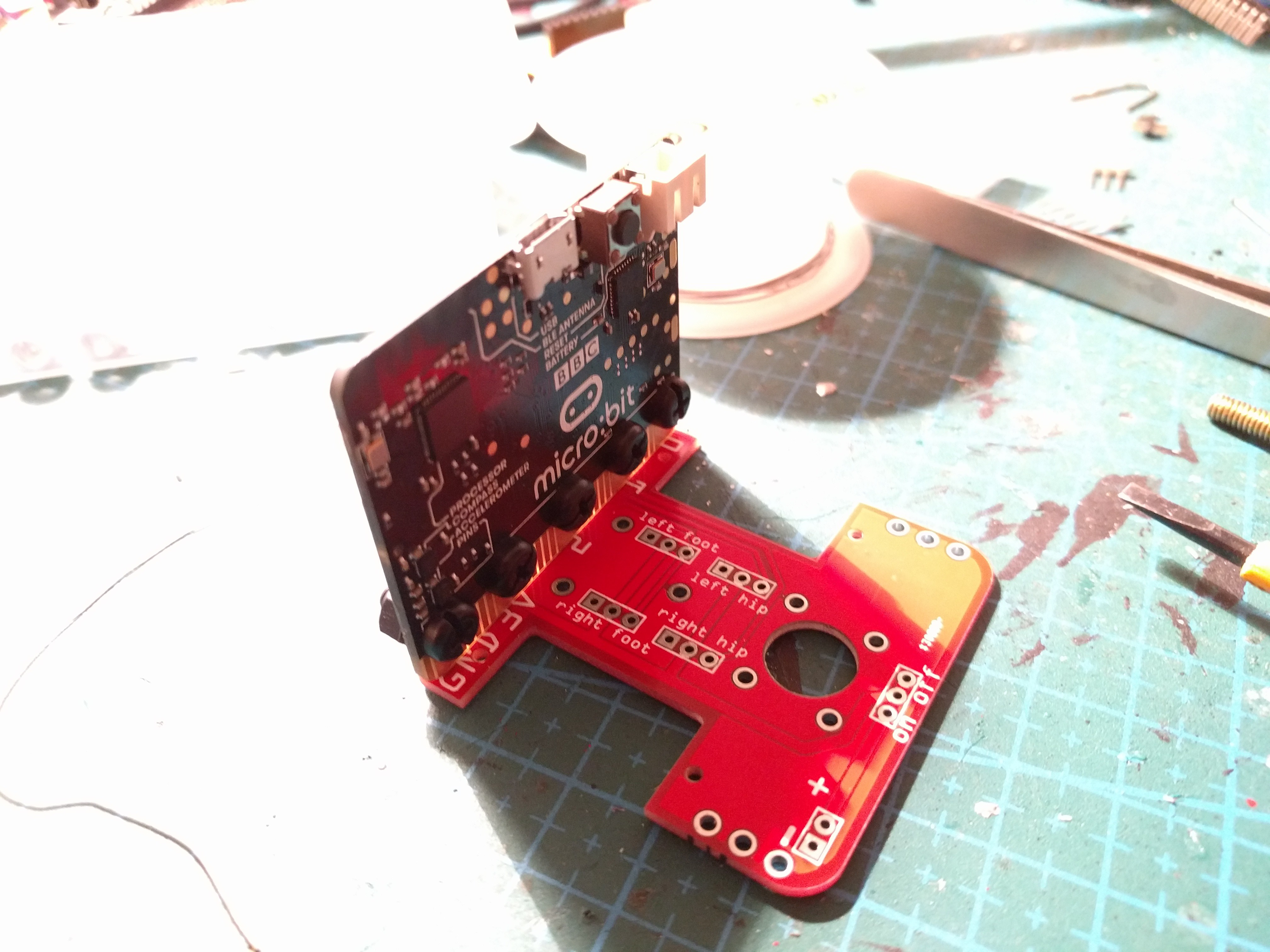
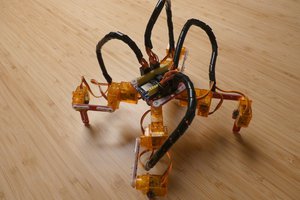
So this is a successor of the #Micro:Bob robot, that would be a little less "gangsta". I designed a PCB for attaching everything together -- the micro:bit, the servos and the battery -- so that you don't have an ungodly mess of wires held together with two-sided tape. I also left some extra holes in the PCB to which you can solder paperclips, to build on top of it and make it a little more interesting.

I found a nice method of mounting the micro:bit to the PCB without using the bulky edge connection -- just use loops of wire made out of paperclips, and plastic bolts (to not damage the micro:bit). The servos fit right into the slots -- I just made the screw holes a bit too tight, had to enlarge them a bit later. The battery holder is still attached to the backs of the servos with a two-sided tape -- there is no room on the board for a different way of attaching it, unfortunately.
In hindsight, I should have made more sockets for the servos -- letting you to plug several servos to the same pin, so they move together, so that you can make hands that move together with the legs, etc. -- maybe in the next version.
Create an account to leave a comment. Already have an account? Log In.
Become a member to follow this project and never miss any updates
By using our website and services, you expressly agree to the placement of our performance, functionality, and advertising cookies. Learn More